Author: fyaocn
Creation date:
Evaluation Type: Development Boards & Tools
Did you receive all parts the manufacturer stated would be included in the package?: True
What other parts do you consider comparable to this product?: NXP-MCX-N947-BRK or NXP-MCX-N947-FRDM
What were the biggest problems encountered?: Software Compatible between versions.
Detailed Review:
Firstly, thank cstanton and rscasny for clearing the Edit Problem for Posting review on RoadTest very quickly.
I have spent some time working with this Enroll to Review the NXP S32K324 Triple Permanent Magnet Synchronous Motor Control Reference Design Board roadtest. But still can not put it drive PMSM motor in due time as expect in my original plan. So this is part I of the roadtest, and I shall continue with Part II when more material are ready. I think that part is why roadtest is interesting, the problems to solve are better learning material than user manuals.
I have come to some conclusions.
The following part is part I of my original plan. I shall still work with this MCTPTX1AK324 and build one project to drive the motors in Review on Part II.
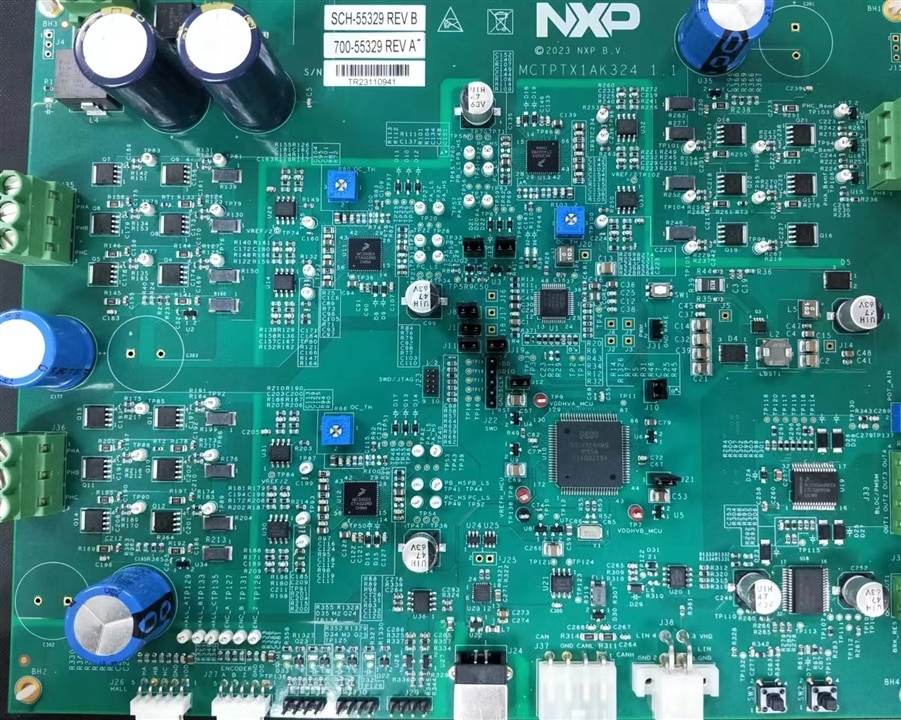
The MCTPTX1AK324 is a reference design board for PMSM motor drive, Based on the 32-bit Arm® Cortex®-M7 S32K3 microcontroller and the GD3000 pre-driver, the MCTPTX1AK324 controls three sensorless-based PMSMs, one direct current (DC) motor and four valves under low CPU loading.
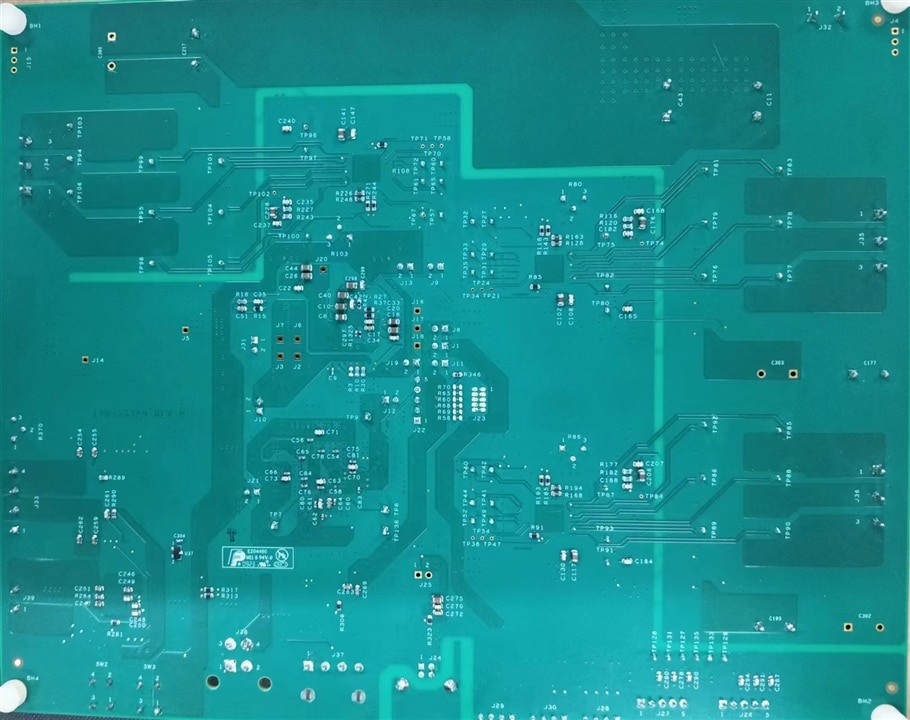
bottom of the PCB
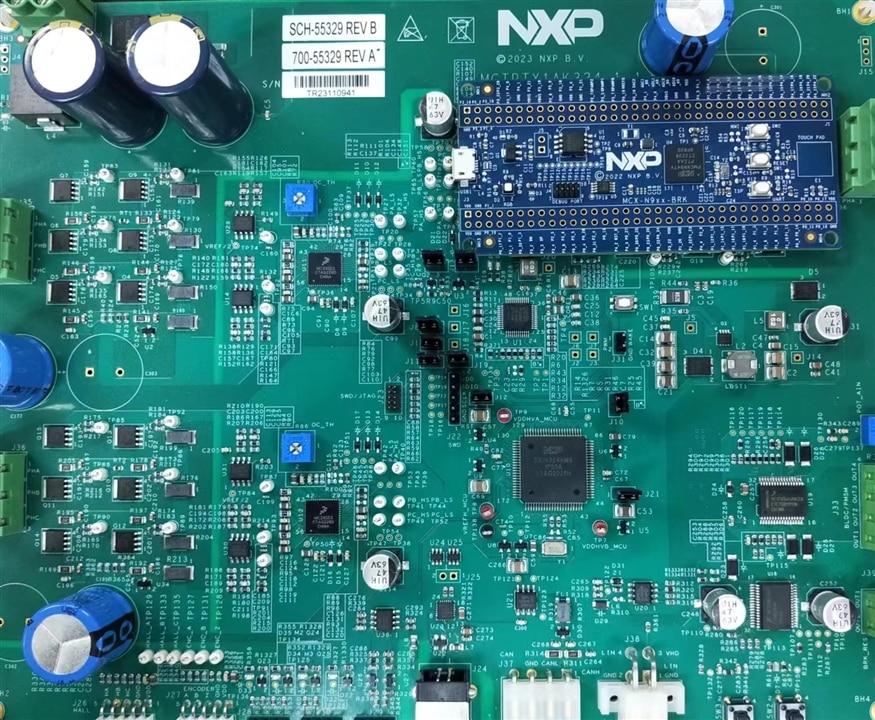
The PCB board is big in comparing with small NXP-MCX-N947-BRK board with Dual ARM-M33 cores, for which NXP provide application on PMSM drive as well.
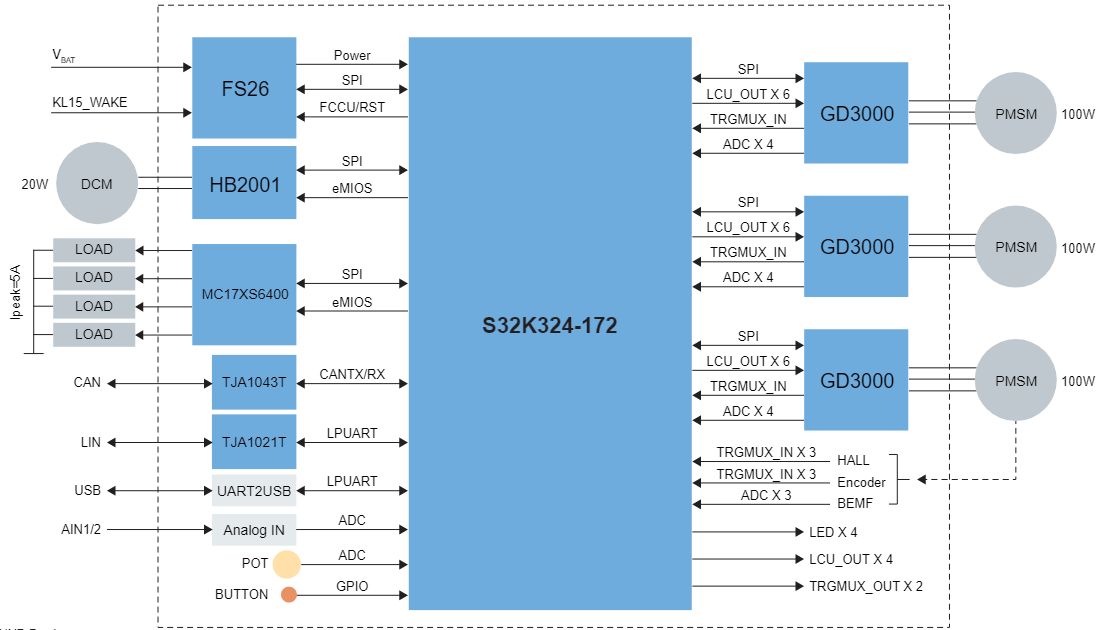
While It is easy to understand S32K324 with dual ARM-M7 cores is much high performance. The diagram for the MCTPTX1AK324 shows that 3x 100W PMSM motor, 1x 20W DC motor and 4x Direct Drive load can be controlled by this Reference design.
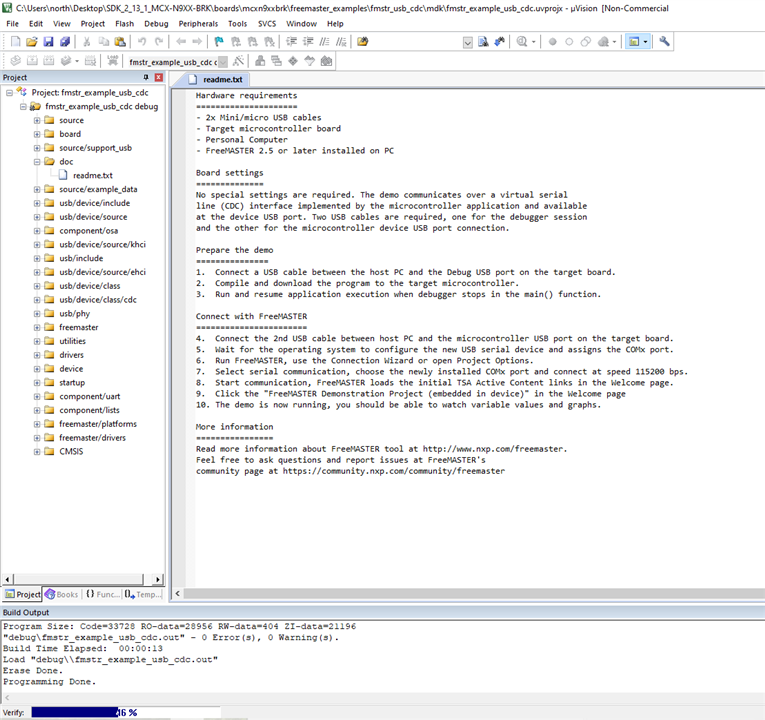
For comparation , NXP-MCX-N947-BRK board is tested first with Example Freemaster project on USB-CDC, as explained below, Keil MDK v5.39 is used as IDE.
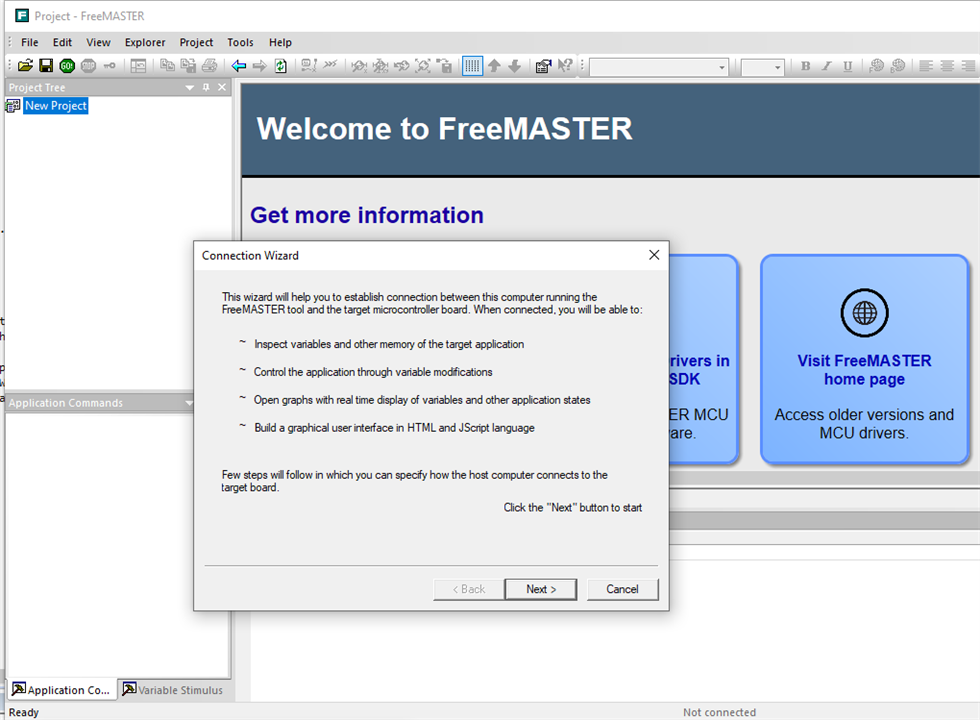
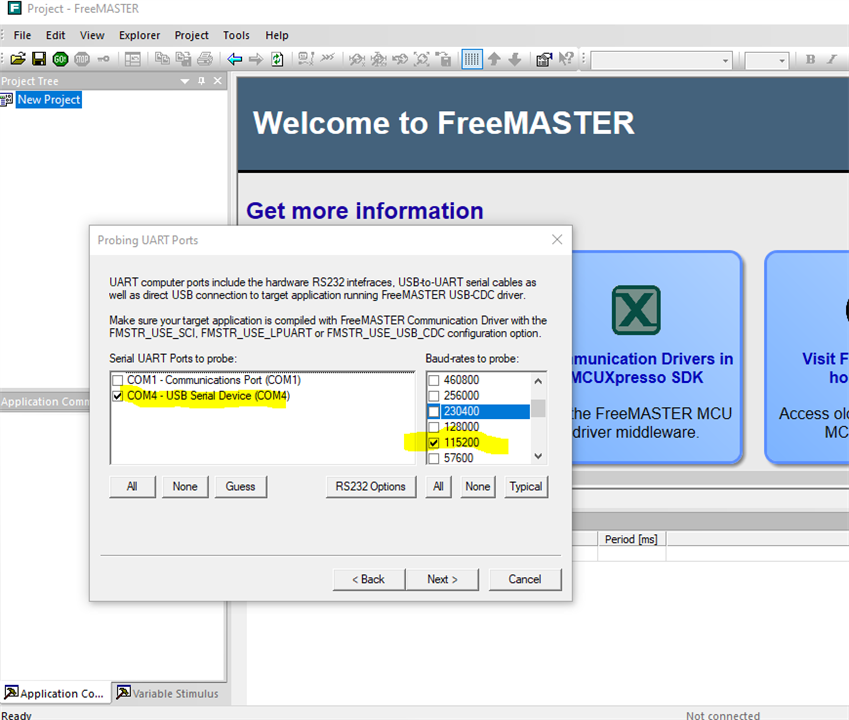
Then, use connectio wizard to find USB-CDC in 115200
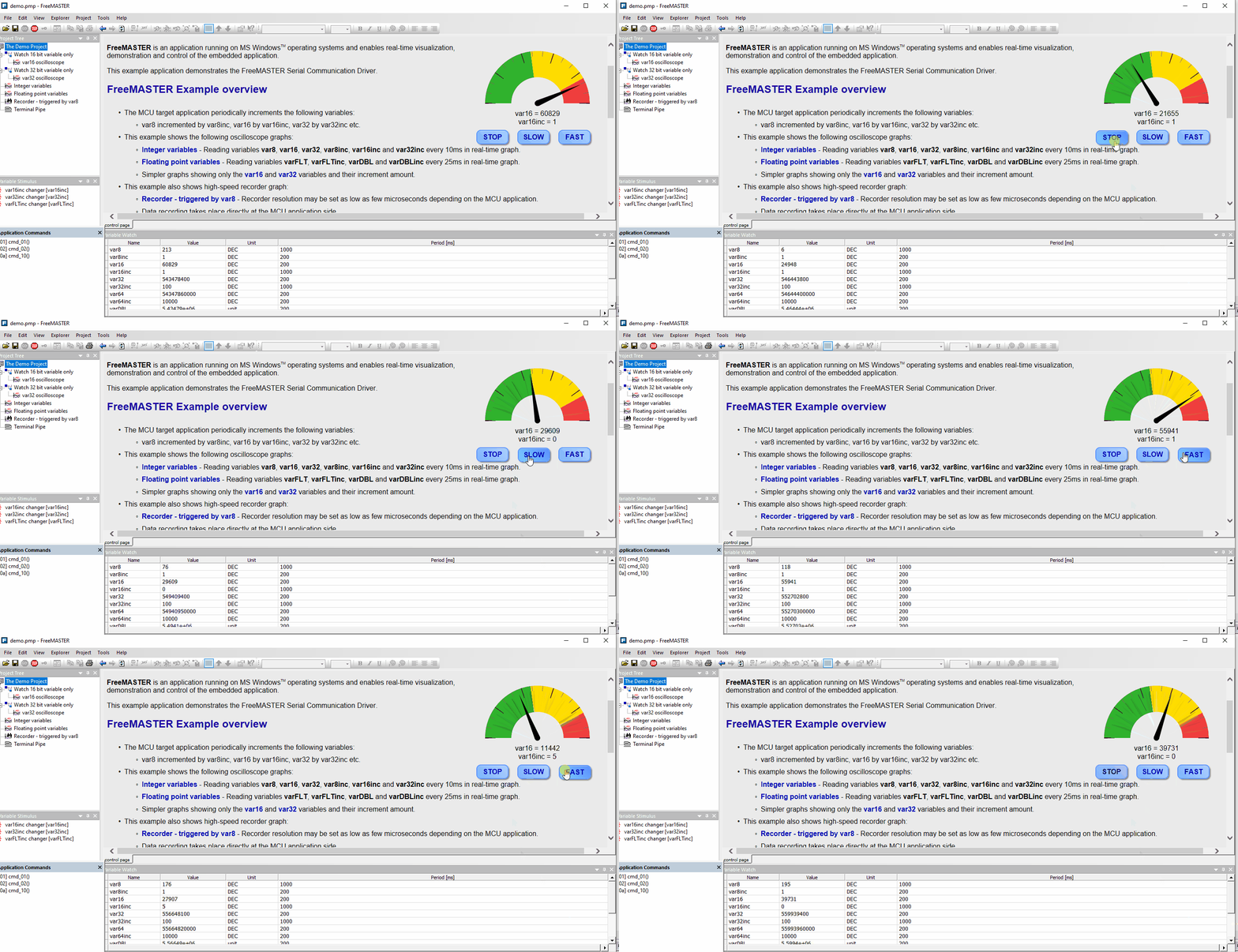
Start the Freemaster project to demonstrate the motor speed and direction control,
As for MCTPTX1AK324, MCAT tool based on freemaster shall be used with more animating UI for motor control and parameter setting,
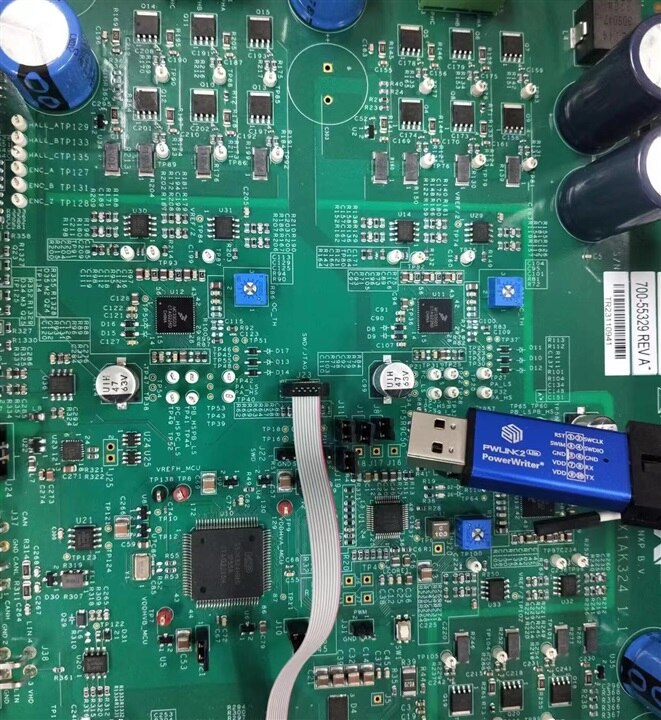
On receiving the MCTPTX1AK324 board, the must be power up to test whether the board can work well. So plug the power and debugger as Getting Started with the MCTPTX1AK324 Evaluation Board | NXP Semiconductors.
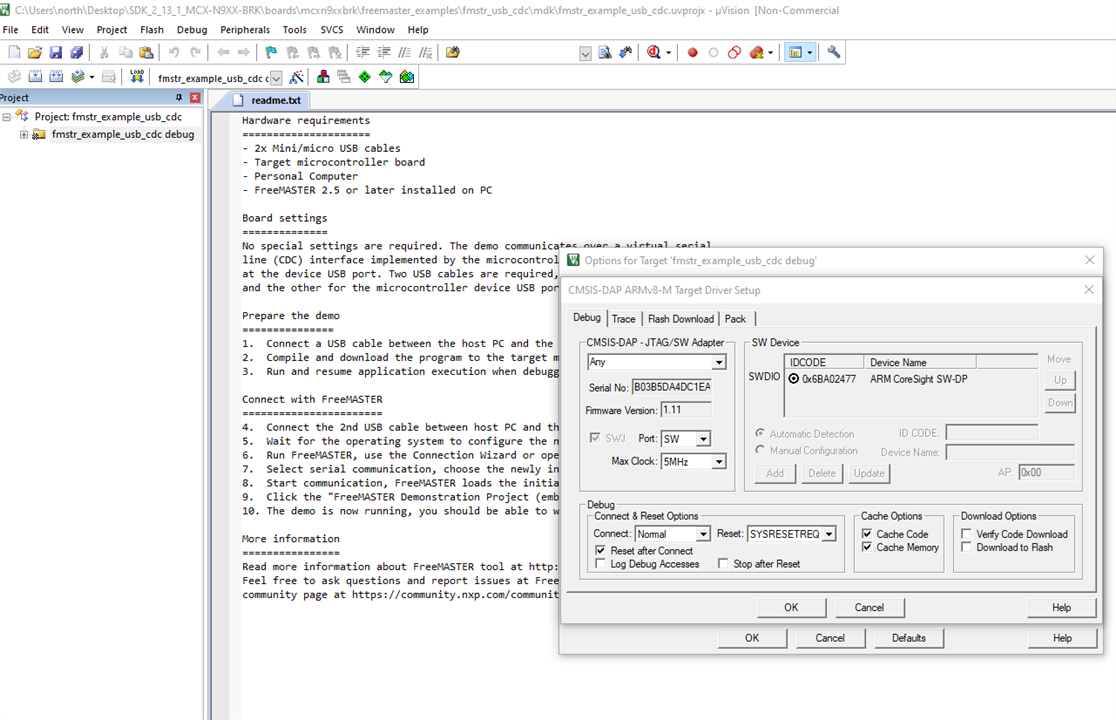
I simply install MDK package for S32Kxxx and probe the S32K324 MCU with one small CMSIS-DAP debugger,
The core can be probed in setting page of any project in MDK, But it is not recognized as NXP chip, just general ARM core MCU. But that is enough to tell the board is well and ready to go.
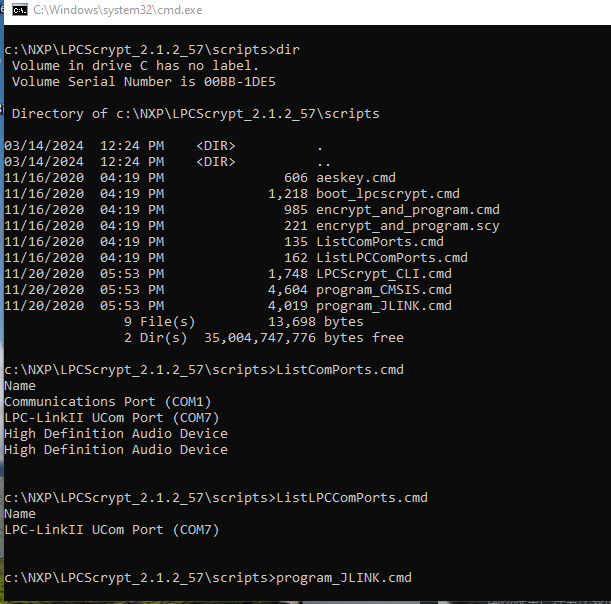
But for now, only Jlink and PE micro is supported in S32 Design Studio for S32 Platform. I choice NXP Jlink OB version debugger first, then I pick one LPC54628 xpresso EVB with which debug out can be used.
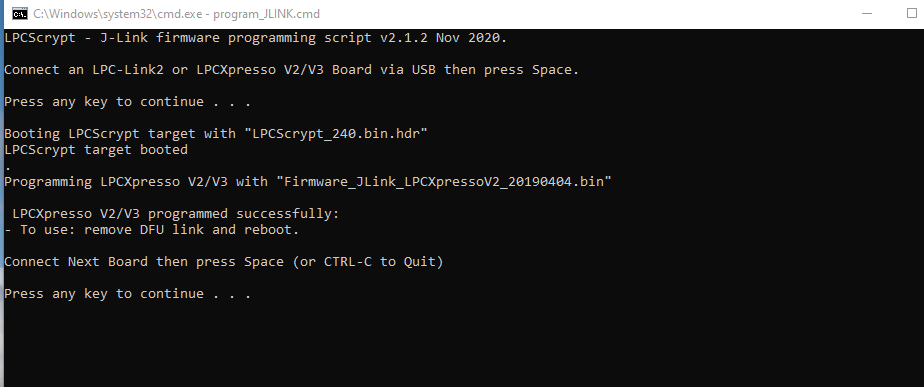
The out-of-factory drive for LPC54628 xpresso EVB is CMSIS-DAP, I need to flash into Jlin with LPCscript v2.1.2_57 in DFU mode.
Flash successfully,
Set the JP5 and select debug out with JP2

Now, the debugger is recognized as Jlink as follows, but the S32K324 is not recognized by this jlink driver
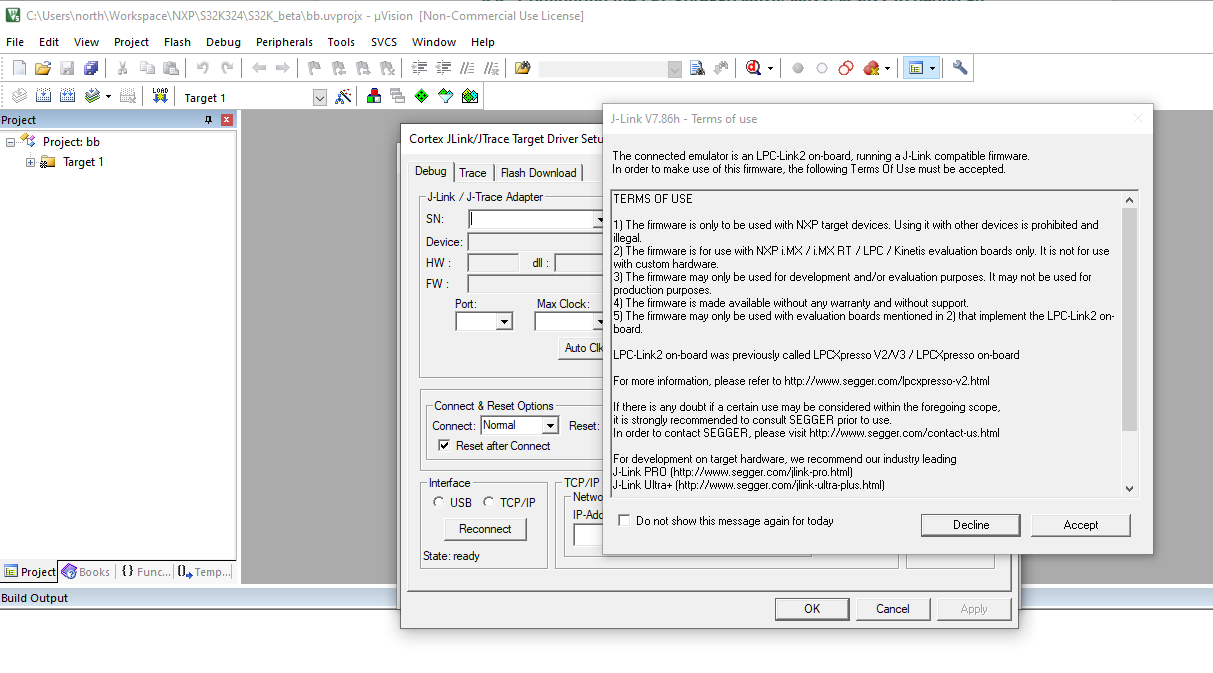
Now , the MCU core is recognized as Unknown
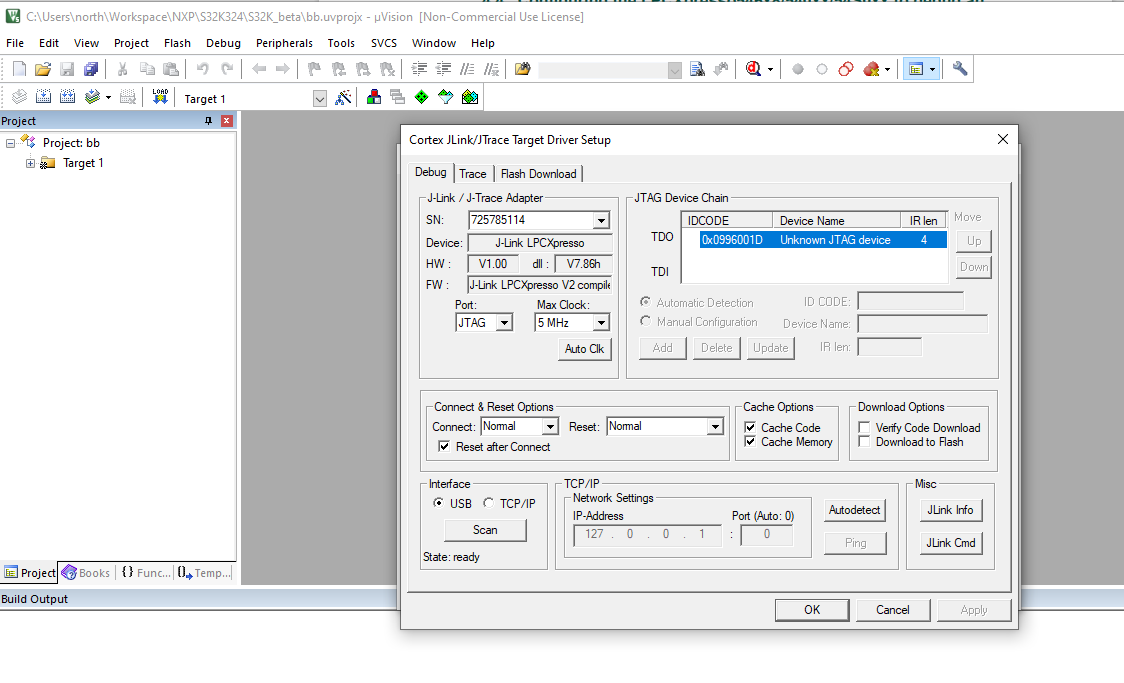
Here comes result, the LPCscrpt v2.1.2_57 Jlink driver can not support S32K324, So does the CMSIS-DAP in S32 DS v3.5. But CMSIS-DAP can do in Keil MDK v5.39.
The software installation is described clearly in Getting Started with the MCTPTX1AK324 Evaluation Board | NXP Semiconductors. It is easy and no need repeat it here.
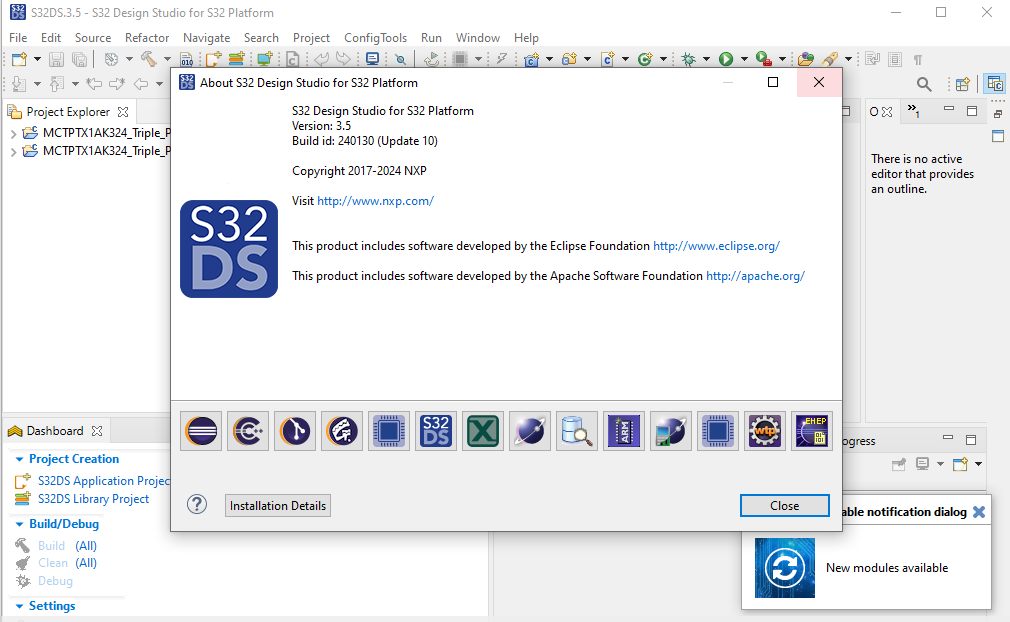
For the example application, S32K Real Time Driver 2.0.0 shall be used with this project, AND THE S32 Design Studio for S32 3.5 SHALL BE UPDATED to be COMPATIBLE WITH S32 RTD 2.0.0. Or the project will not work and you do not know what happen, just why the topics in NXP-Community as Referent [1][2][3] are still not closed.
Another Problem is IPCF package, the instruction require IPCF3.6.0
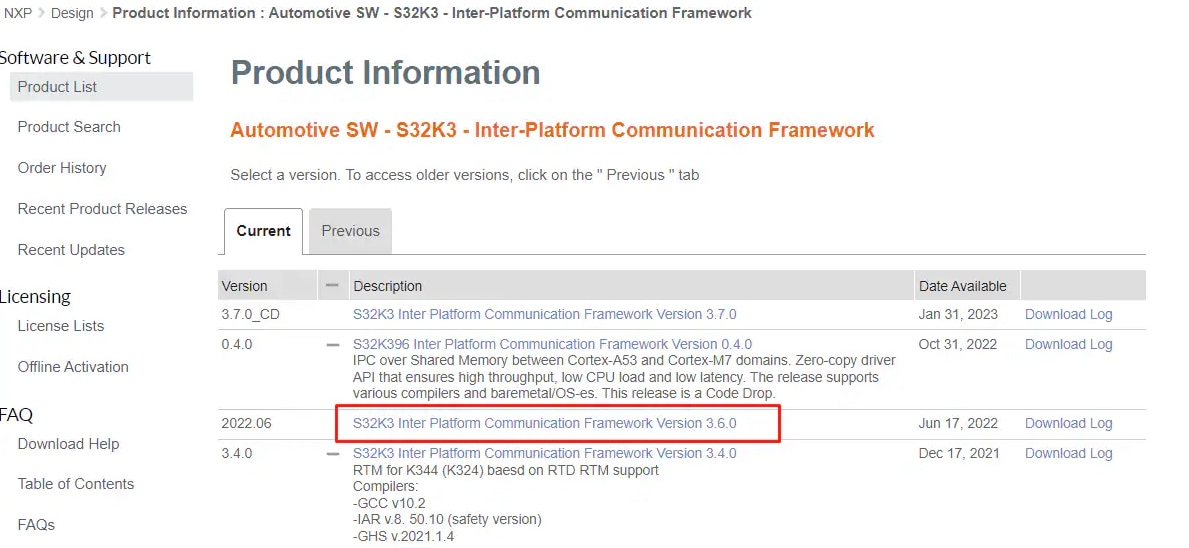
But IPCF v3.6.0 is not accessible in official site,
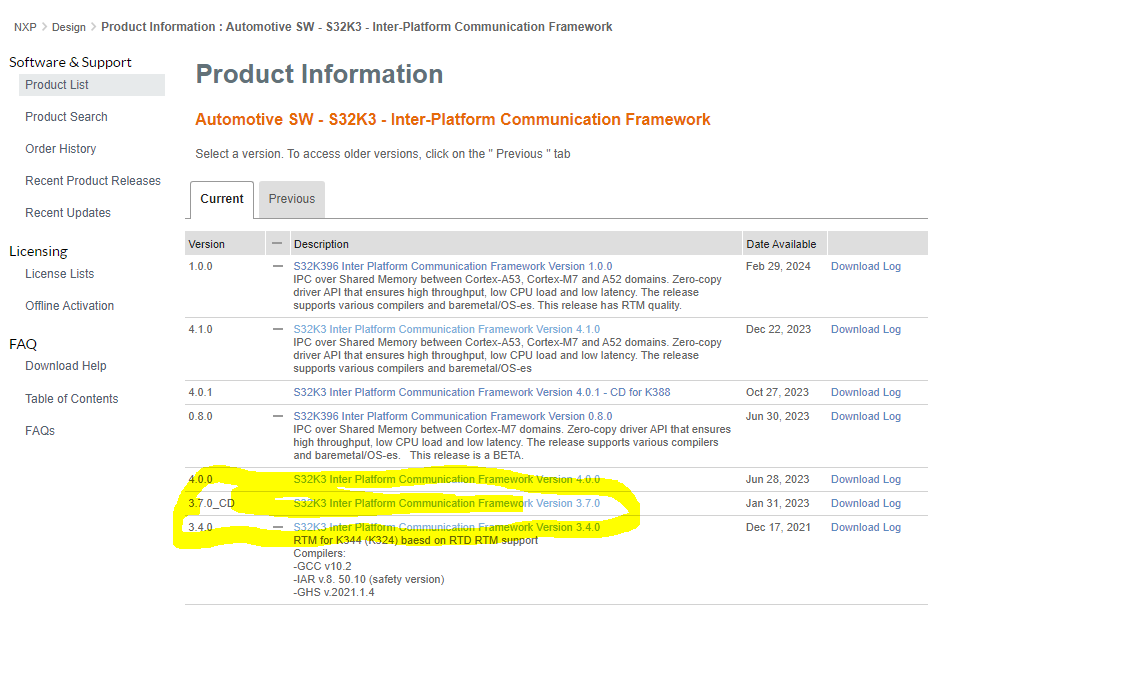
Here is the bug, the IPCF v3.7.0 is not compatible since it support S32K396 only, if no IPCFv3.6.0 is available , use IPCF v3.4.0, it works. I use IPCF v4.1.0, it seem work as well
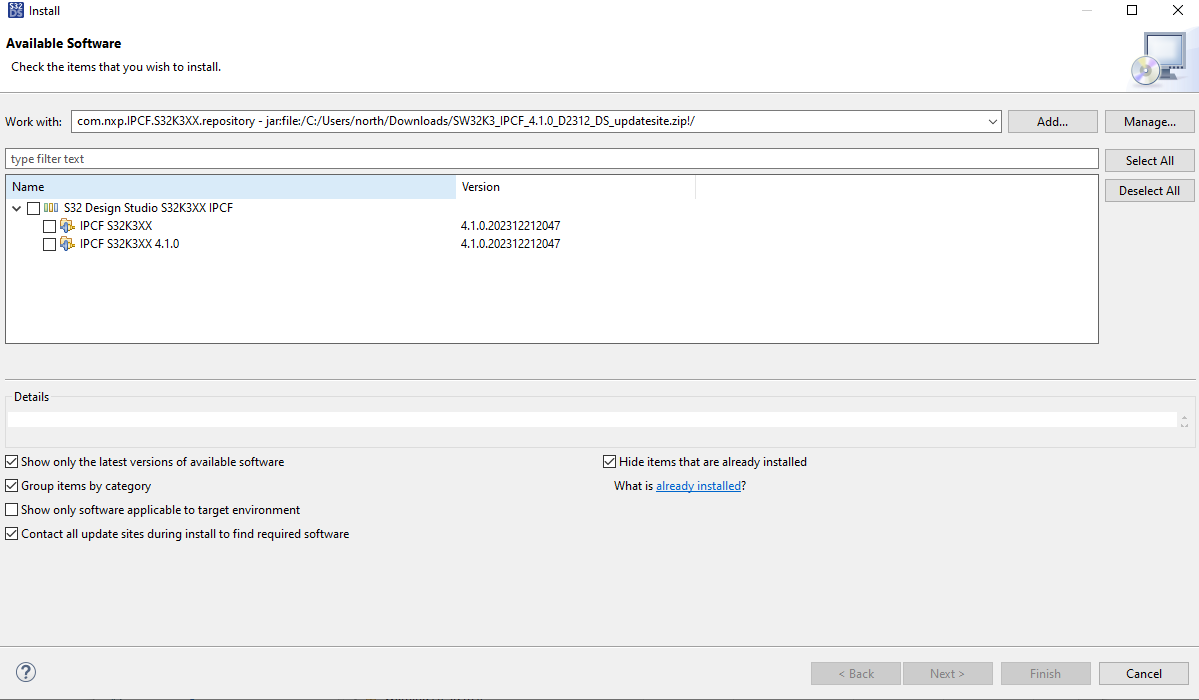
After all the step, go to example application software.
Import the application software project, this is dual ARM-M7 core application, so two projects in one workspace,
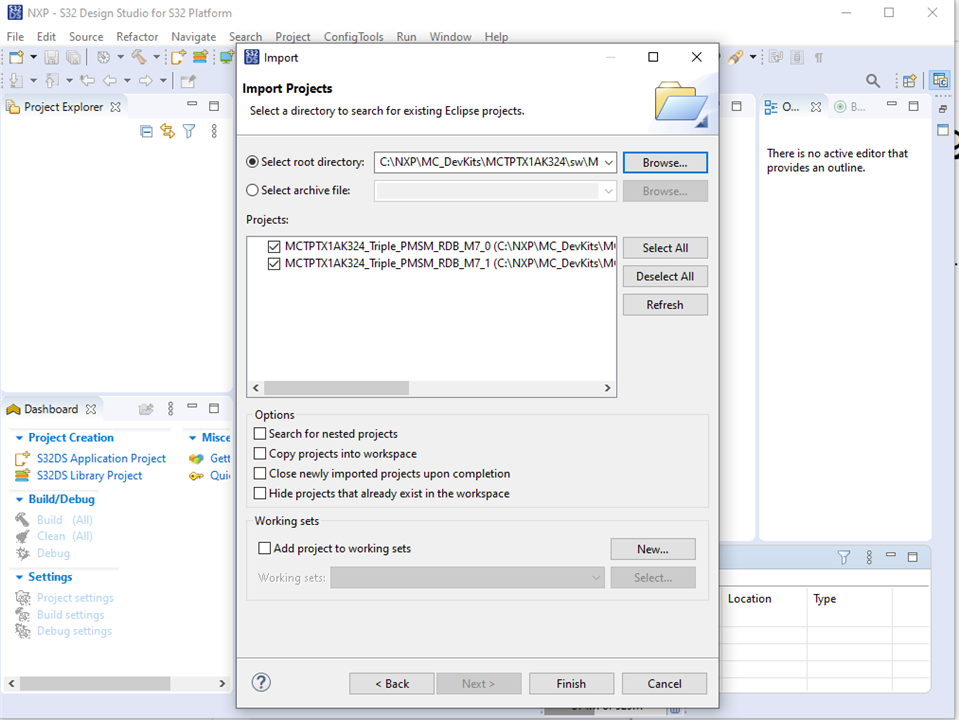
After import the Example Application Software and prepare compatible packages, open the .mex file.
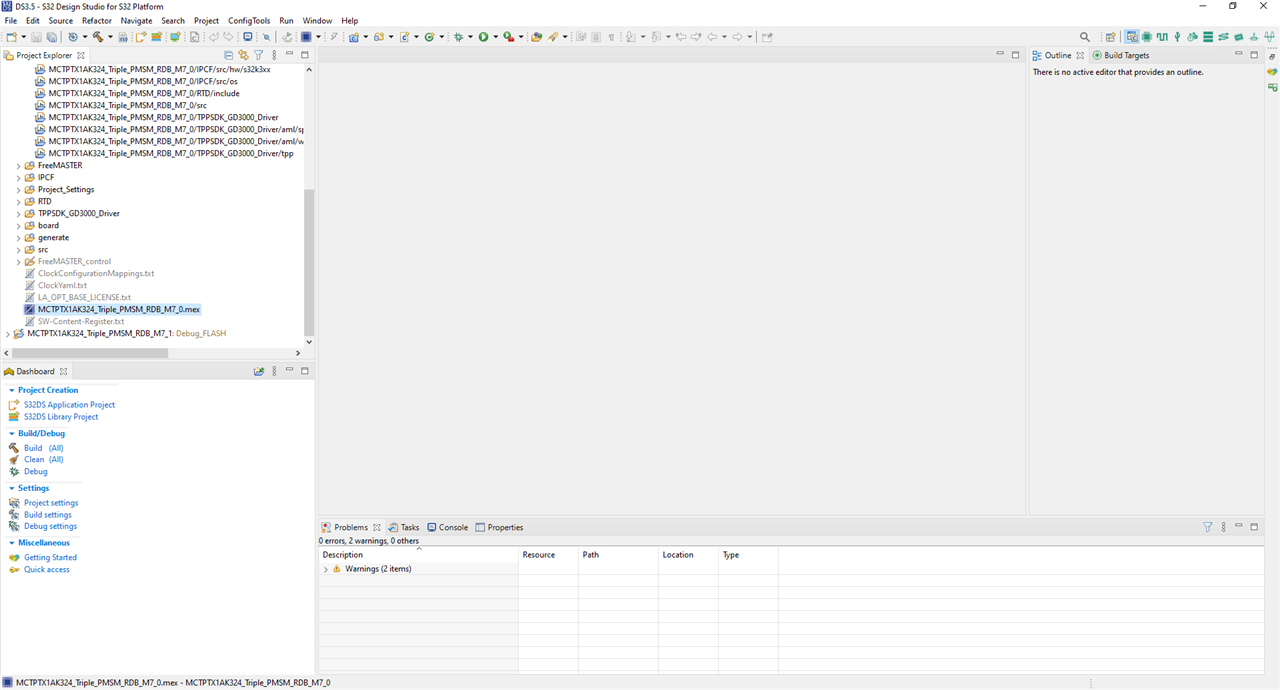
Then update the peripheral configuration. That is important step, not mentioned in user manual,
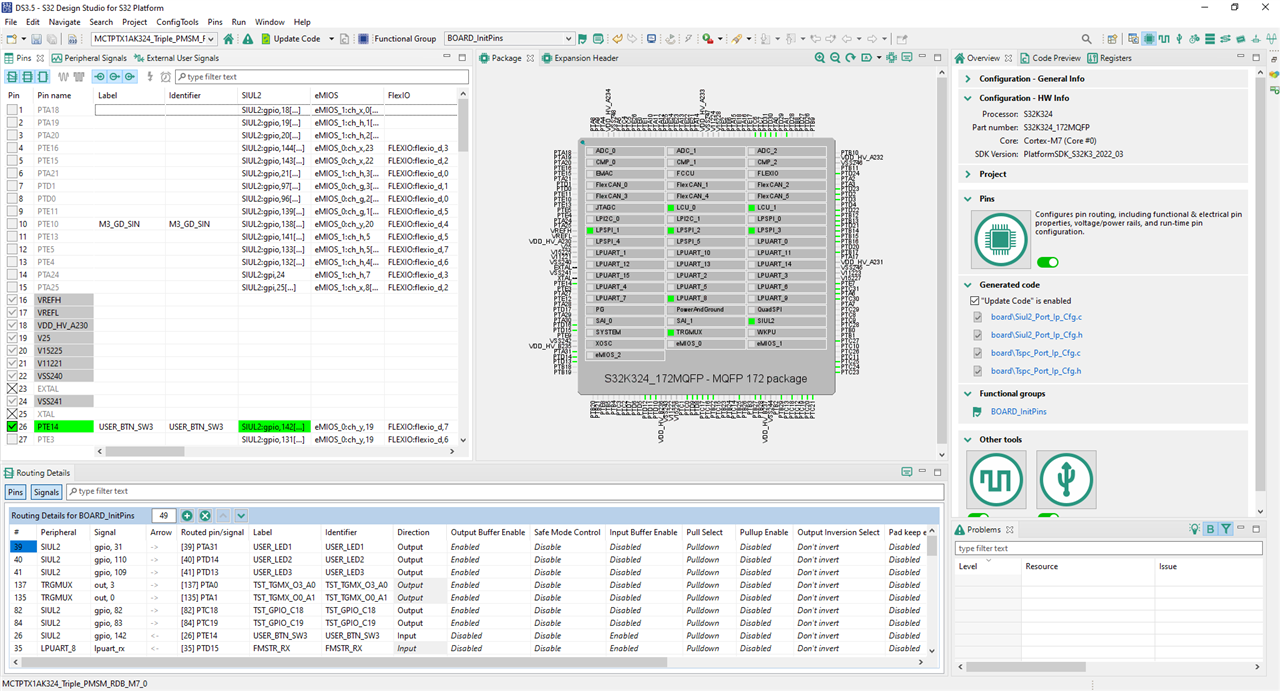
If you could not configure the packages and software, you would not see this screenshot, normally you will see "plateformSDK_S32k3_2022_03" related errors.
Sometimes , there are error in pin configuration, close it , do not save configuration , update the package and reload the project, it will be OK as above screenshot,
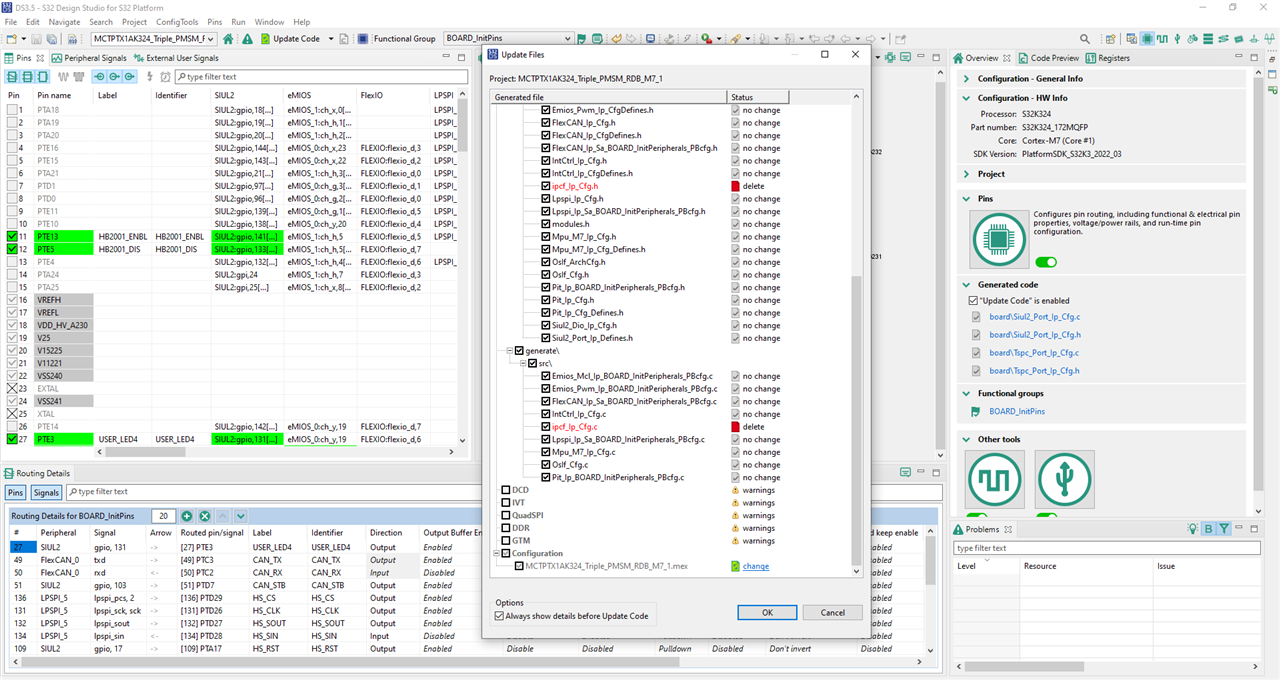
Update the code, the red mark means the ipcf_lp_cfg.h file is not available and shall be deleted from project,
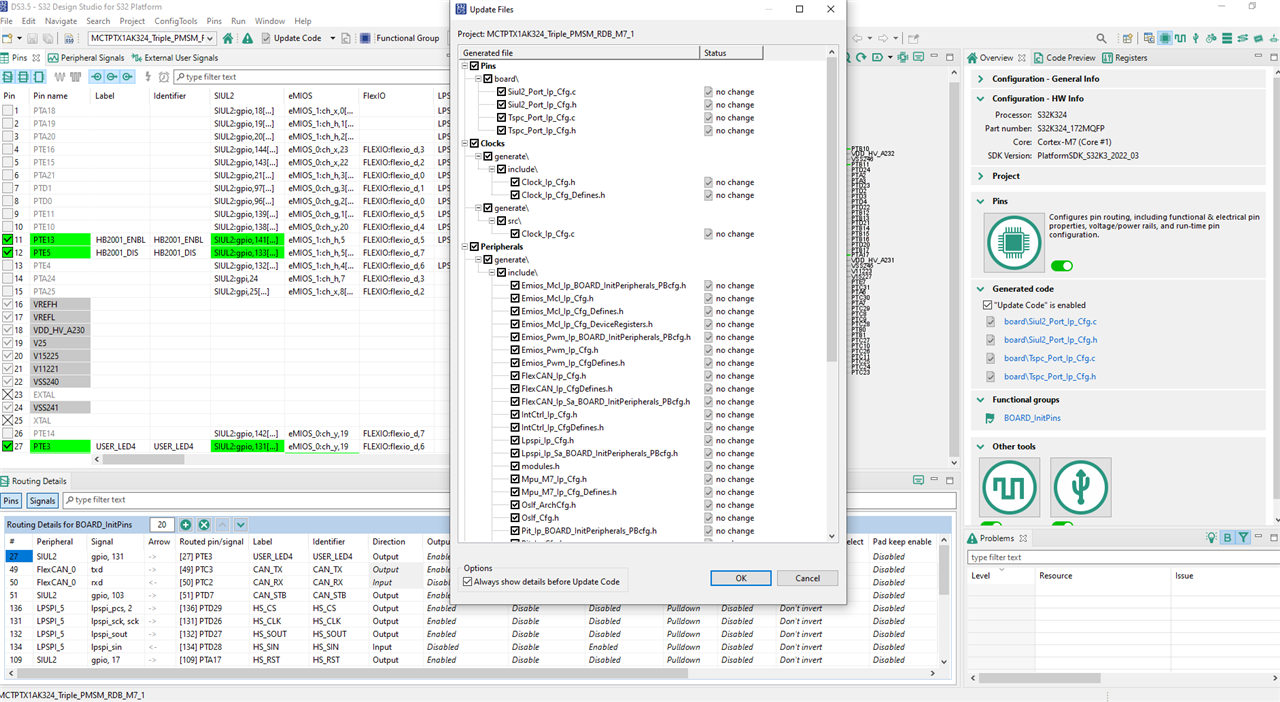
Here is the UI after code updated, no red marks now,
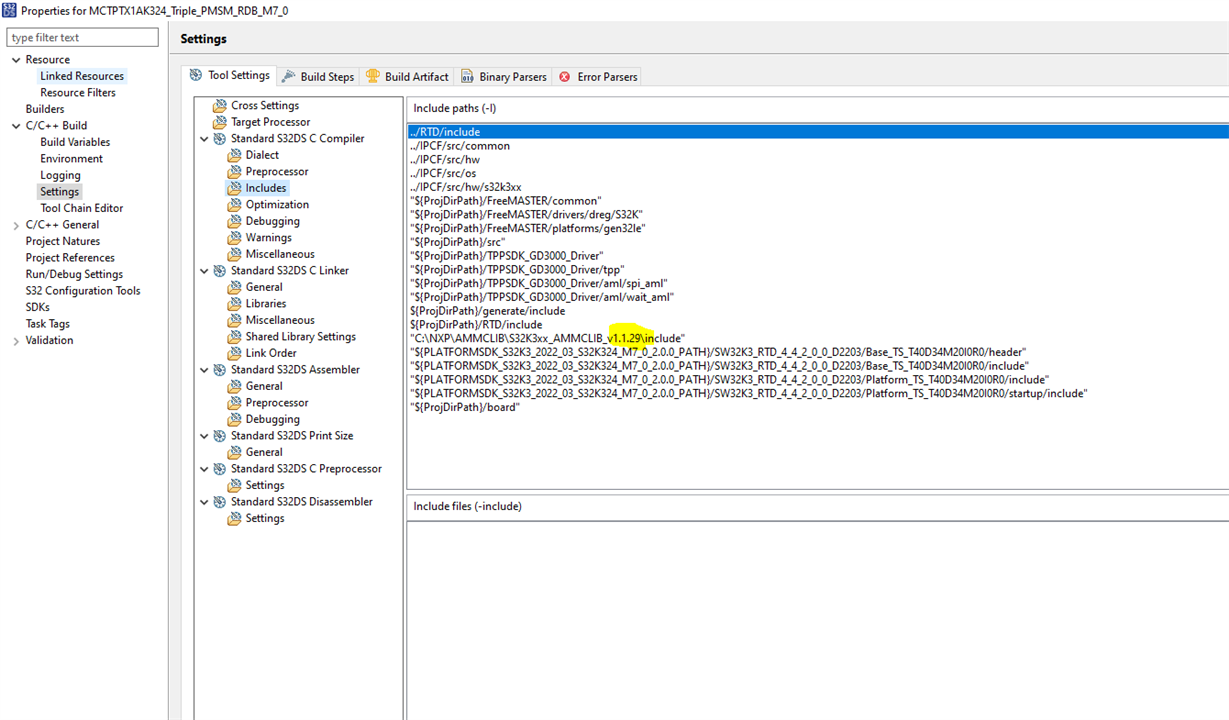
Save the configuration and revise the package library for AMMCLIB
build the project
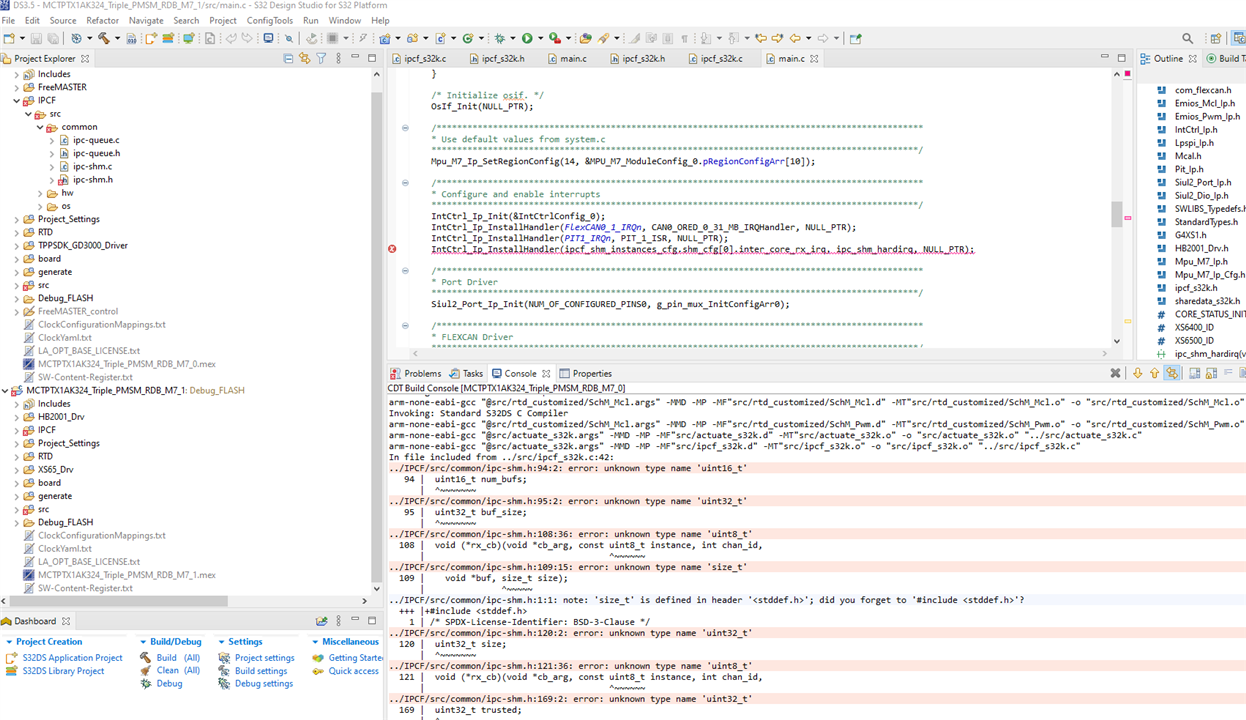
There are many errors. The definition of u32int etc are missing. I guess the ipcf_lp_cfg.h is important and can not be deleted.
Although missing ipcf_lp_cfg.h stops me for this roadtest. I think there is still way to go. The inter processor communication is not a-must for the roadtest, revise the project to run on single core can skip the problem as next step.
This roadtest would spend more time than expected. I shall keep moving to complete it as I have planned.
[1] HOWTO: Create a simple blinking LED project using S32 Config Tool (S32V2xx) - NXP Community
[2] need plateformSDK_S32k3_2022_03 to open Eth_Phy_MCAL_Q172_S32K344 from NXP - NXP Community
[3] "StandardTypes.h: No such file or directory" compilation error in generated code - NXP Community
[4] Getting Started with the MCTPTX1AK324 Evaluation Board | NXP Semiconductors
[5] Getting Started with the Real-Time Drivers (RTD) | NXP
[6] S32K3 Auto General-Purpose MCUs | NXP Semiconductors


