RoadTest: Enroll Now to Review the Arduino Nicla Voice
Author: MARK2011
Creation date:
Evaluation Type: Development Boards & Tools
Did you receive all parts the manufacturer stated would be included in the package?: True
What other parts do you consider comparable to this product?: Matrix Voice, Matrix Voice ESP boards
What were the biggest problems encountered?: Nothing spectacular
Detailed Review:
I feel very obliged as I was selected for roadtesting the Arduino Nicla Voice. I’m truly glad and thankful.
Applying that roadtest I realized that Nicla Voice seems to be the perfect extension of smart home systems, adding the next stage of AI and machine learning methods to life comfort enhancement.
The Arduino boards idea expands with every year and now went far beyond its primary area. The Nicla is a good example with its implementation of advanced technologies such as AI algorithms,
BLE connectivity or ultra-low power consumption concept. The Nicla's nRF52832 microcontroller itself is an extremely advanced unit
One of the interesting fields to introduce in smart home automations is human presence and recognition.
Nicla Voice has an intriguing system of voice detection and recognition. I quickly realized that it could be used to automate commands and recognize household members, users and guests.
Neural Decision Processors can be used also to build a security system and recognize dangerous sounds as glass breaking or doors breaking down.
According to the Syntiant author of the Nicla's embedded algorithm (www.syntiant.com), we can learn how advanced the technology of the Arduino Nicla Voice is.
Syntiant’s NDP120 Neural Decision processor can run multiple AI algorithms and it is truly powerful. The NDP120 supports multiple Neural Network architectures
and is ideal for always-on low-power speech recognition applications. Supports sampling raw data, build models, and deploy trained embedded machine learning models directly from the Edge Impulse studio
to create the next generation of low-power, high-performance audio interfaces.
I wanted to evaluate the possibilities of the implemented solutions, especially see/ test/ assess how to quickly and easily deploy deep-learning models in voice recognition.
Looking through examples I decided to learn about Syntiant NDP120 Neural Decision Processor and test Nicla with the use of the Keyword Spotting.
As the Nicla is not only voice processing - thanks to implemented 6-axis IMU, and 3-axis magnetometer I decided also to test gesture recognition.
At the end of the plan I liked to try out the possibilities of Bluetooth communication.
That stage (pleasant indeed) doesn't need to be explained.
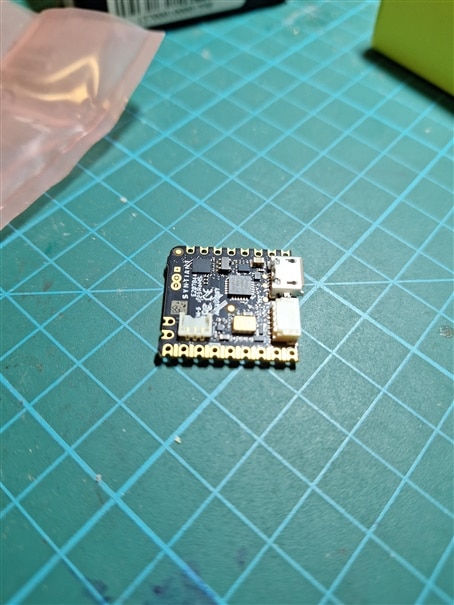
The board is small (definitely not basic arduino form factor) “tiny” 22.86 x 22.86 mm
Details of dimensions and pinout are described on that sites:
https://docs.arduino.cc/learn/hardware/nicla-form-factor
https://docs.arduino.cc/resources/pinouts/ABX00061-full-pinout.pdf
That makes Nicla compatible with the Portenta and MKR family.
First of all honestly, even before I apply that roadtest I started to collect information about Nicla
as well learn from manuals
and visited forums with discussion, remarks related to issues. Very fruitful was reading or watching examples of Nicla applications.
From several instructions and manuals (truly, I surfed many) I would recommend following.:
First of all I found most useful the collection of information under our Roadtest Invitation:
Enroll Now to Review the Arduino Nicla Voice
Documentation
Earlier materials about Arduino by Nicla Voice on element14
https://community.element14.com/products/devtools/m/files/149133"/span>
Nicla Voice - new member of the Arduino Pro Nicla Family (by ralphjy)
Here are a few more useful links:
https://www.arduino.cc/pro/hardware-nicla-voice
https://store-usa.arduino.cc/pages/nicla-voice?selectedStore=us
https://docs.arduino.cc/hardware/nicla-voice
https://docs.arduino.cc/tutorials/nicla-voice/ei-intruder-detector
https://docs.arduino.cc/tutorials/nicla-voice/getting-started-ml
Arduino Nicla Voice preview ( CES 2023 )
https://www.youtube.com/watch?v=tqq9jFe47Cs
https://docs.edgeimpulse.com/docs/edge-ai-hardware/mcu-+-ai-accelerators/arduino-nicla-voice
Nicla Voice User Manual
https://docs.arduino.cc/tutorials/nicla-voice/user-manual
Examples on youtube
Snoring Detection with Nicla Voice on a Syntiant NDP120 Neural Decision Processor
https://www.youtube.com/watch?v=9jKJgnxQAnQ
Keyword Spotting with the NDP120-Powered Arduino Nicla Voice
https://www.youtube.com/watch?v=fQRiG2qibJE
Building a Glass-Breaking Detector Using Edge Impulse and the Arduino Nicla Voice
https://www.youtube.com/watch?v=x65tRhBIWwY
TechSpec: Arduino Nicla Voice
https://www.youtube.com/watch?app=desktop&v=N8-CGhXAfSo
Arduino hardware Nicla Voice
https://docs.arduino.cc/hardware/nicla-voice/
https://store.arduino.cc/products/nicla-voice
https://store.arduino.cc/pages/nicla-voice
Door Intruder Detector Using ML with the Nicla Voice
https://docs.arduino.cc/tutorials/nicla-voice/ei-intruder-detector/
Audio Analysis with Machine Learning and the Nicla Voice
https://docs.arduino.cc/tutorials/nicla-voice/getting-started-ml/
https://www.arduino.cc/pro/hardware-nicla-voice/
Have you heard? Nicla Voice is out at CES 2023!
https://blog.arduino.cc/2023/01/05/have-you-heard-nicla-voice-is-out-at-ces-2023/
Keyword Spotting with the Arduino Nicla Voice
https://www.hackster.io/davidtischler/keyword-spotting-with-the-arduino-nicla-voice-e9f890
TinyML: An Always-On Audio Classifier using Synthetic Data
https://www.hackster.io/shahizat/tinyml-an-always-on-audio-classifier-using-synthetic-data-3e623b
TinyML: Baby Cry Detection using ChatGPT and Synthetic data
https://www.hackster.io/shahizat/tinyml-baby-cry-detection-using-chatgpt-and-synthetic-data-1e715b
and others
https://www.hackster.io/arduino/products/nicla-voice?ref=project-e9f890
Basic arduino code examples
https://github.com/arduino/ArduinoCore-mbed/tree/main/libraries/NDP/examples
I collected below links to documentation related to Edge Impulse
Edge Impulse provides NDP firmware for arduino-nicla-voice
enabling creation solutions through embedded Machine Learning
https://github.com/edgeimpulse/firmware-arduino-nicla-voice
Edgeimpulse - Nicla Voice Audio Recording
https://forum.edgeimpulse.com/t/nicla-voice-audio-recording/7988
https://forum.edgeimpulse.com/search?q=Nicla%20voice
https://forum.edgeimpulse.com/t/nicla-voice-vision-integrating-i2c-eslov-comms/9667
Edge Impulse provides 14-day free trial for the “Enterprise” plan with Full platform access for enterprise companies needing enterprise-wide collaboration and advanced tools
I I registered with the free “Community” plan which provides up to 2 projects
Nicla integrates Syntiant’s powerful NDP120 Neural Decision processor to run multiple AI algorithms
(Syntiant - infineon Partner) https://www.syntiant.com
Syntiant is producer of the Neural Decision Processors for Deep Learning
Syntiant Introduces Second Generation NDP120 Deep Learning Processor for Audio and Sensor Apps
Syntiant's NDP120 Deep Learning Chip Offers a 25x Performance Boost for Always-On Applications
Arduino Puts a Syntiant NDP Machine Learning Chip on Its New Nicla Voice TinyML Development Board
Main parts of the Nicla Voice board are shown in the video below
Nicla can be powered from a usb or battery. It also offers advanced battery supply and charge control.
Primary communication and programming is provided with usb connection.
Nicla Voice is shown in the system manager as CMSIS-DAP device.
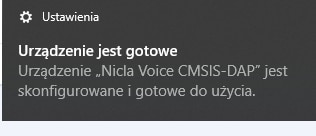
Details of of how Nicla is recognized in Windows are shown in the video below
As the arduino - family board it can be managed easily using Arduino Ide
Nothing particular or additional is necessary. Just selection of the Nicla boards in Boards Manager:
Below is video of packages installation
Run the simple exercise of voice processing and recognition with “alexa” word
Nicla recognizes saying “alexa” and confirm that blinking LED and writing in terminal
The result on the video below.
Below contents of the example package:
nicla_voice_uploader_and_firmwares.zip
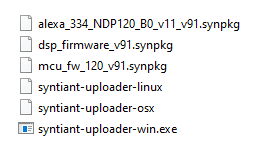
using the terminal we need to execute commands according to the following template:
syntiant-uploader send -m "Y" -w "Y" -p $portName $filename
in my case:
./syntiant-uploader-win send -m "Y" -w "Y" -p COM16 mcu_fw_120_v91.synpkg
./syntiant-uploader-win send -m "Y" -w "Y" -p COM16 dsp_firmware_v91.synpkg
template for model upload:
./syntiant-uploader send -m "Y" -w "Y" -p COM6 model_name.synpkg
so in my case it looks like here:
./syntiant-uploader-win send -m "Y" -w "Y" -p COM16 alexa_334_NDP120_B0_v11_v91.synpkg
Example of building The Custom Machine Learning Model using Arduino Cloud and Edge Impulse.
Machine Learning audio models from this getting started tutorial
https://docs.arduino.cc/tutorials/nicla-voice/getting-started-ml/
With the Machine Learning Tools powered by Edge Impulse and integrated into the Arduino Cloud, we can build, train and deploy ML models onto the Nicla Voice.
Details in the video below
Used links
Arduino Cloud
https://cloud.arduino.cc/machine-learning-tools/
https://mltools.arduino.cc/public/423336/latest/deployment
https://mltools.arduino.cc/public/423336/latest/create-impulse
https://mltools.arduino.cc/studio/423336
Machine Learning Tools (Powered by edge Impulse) / Integrations
https://studio.edgeimpulse.com/studio/profile/projects
https://docs.edgeimpulse.com/docs
Machine Learning Tools integration via the Arduino Cloud
https://app.arduino.cc/integrations
With active Arduino and Edge Impulse account
I could go again to my project at arduino cloud
In the video we can see process of training the model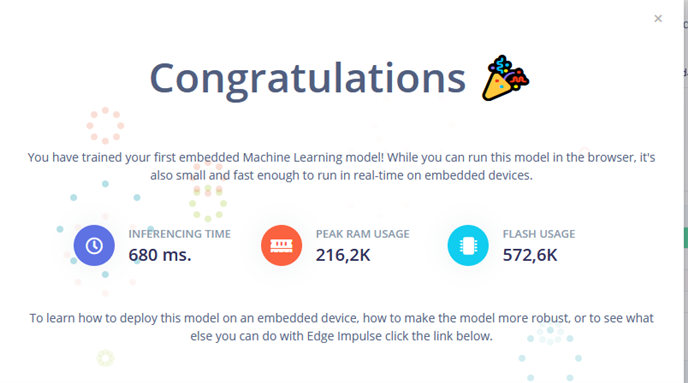
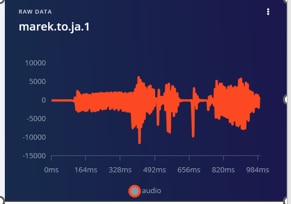
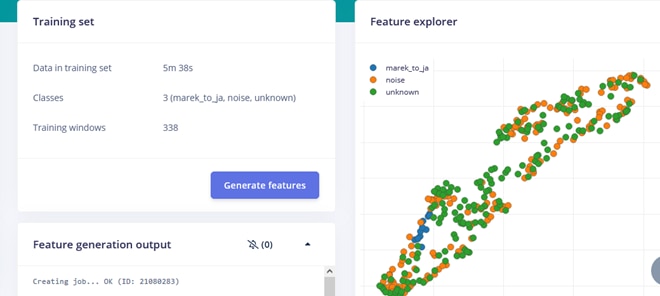
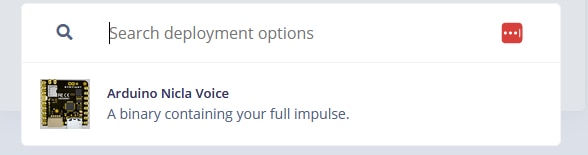
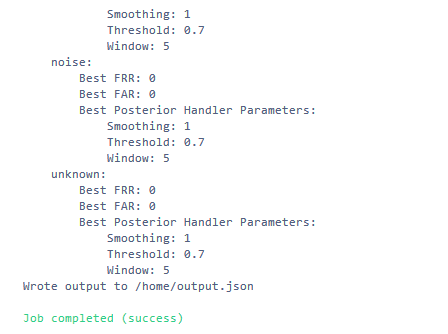

Now I have exported package (zip archive) with built Nicla Voice firmware
archive content:
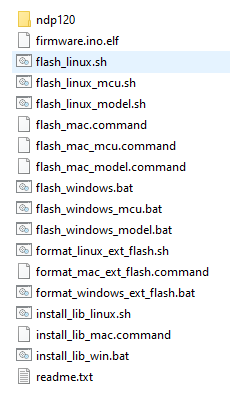
To flash Machine Learning model created with Machine Learning Tools integration onto the Nicla Voice,
we need to install the Arduino CLI and Edge Impulse CLI.
(according to the instructions from Edge Impulse)
Installing some additional dependencies would be also required
Resources/links
Arduino CLI
https://arduino.github.io/arduino-cli/0.35/installation/
Edge Impulse CLI
https://docs.edgeimpulse.com/docs/edge-ai-hardware/mcu/arduino-nicla-vision
https://docs.edgeimpulse.com/docs/edge-ai-hardware/mcu
We need it to have installed both properly.
Edge Impulse account.
Edge Impulse CLI
Details in the video:
Hello from Edge Impulse on Arduino Nicla Voice
Compiled on Nov 13 2023 09:35:32
mcu_fw_120_v91.synpkg exist
dsp_firmware_v91.synpkg exist
ei_model.synpkg not found!
NDP not properly initialized
Type AT+HELP to see a list of commands.
As the first exercise of machine learning failed I hoped to have more luck with complete project
- Door Intruder Detector example
ei_model.synpkg not found!
NDP not properly initialized
the reason lies beyond the model and firmwareAfter frustrating series of failures
I came back to study instructions and reading several posts on arduino forums
Finally I realized that following steps were required:
run arduino program “Syntiant_upload_fw_ymodem”:
File -> Examples -> NDP -> Syntiant_upload_fw_ymodem.
That was stupid mistake I missed that step in last exercises
correct process:
first:
having Nicla programmed with “Syntiant_upload_fw_ymodem”
clear the memory- command “F” in serial terminal
then upload:
mcu_fw_120_v91.synpkg
dsp_firmware_v91.synpkg
and finally: Machine Learning model ei_model.synpkg
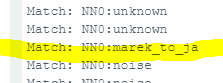
My model (firmware) also works:
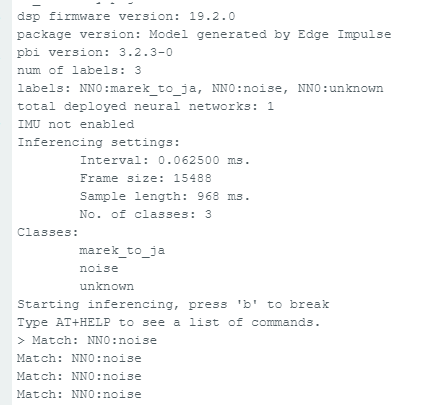
my voice was not easy to recognize
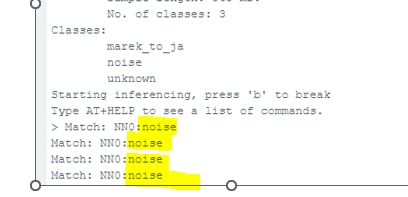
but sometims it is successful
That is another exercise available in Arduino IDE - at Nicla examples
Exercise shows how to use Nicla internal BMM150, 3-axis digital geomagnetic sensor (Magnetometer)
BMM150 together with IMU allows the board to sense motion, orientation, and magnetic fields
The magnetometer of the Nicla Voice can be used to determine the board's orientation relative to Earth's magnetic field,
which is helpful for compass applications, navigation, or detecting the presence of nearby magnetic objects.
Another simple but pleasant exercise:
turning RGB LED
It was for Nicla Sense but easy adoptable for Nicla Voice (Blink for Nicla Sense ME)
Turn the green LED on for a defined period, then turn it off.
in https://docs.arduino.cc/tutorials/nicla-voice/user-manual
there is example: Onboard Sensors Microphone
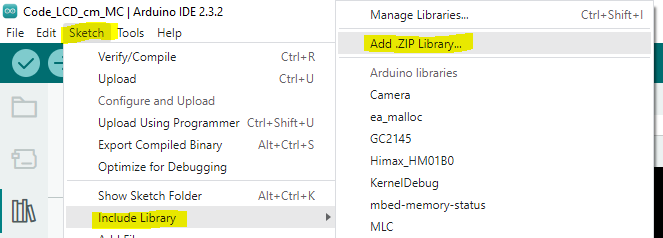
File -> Examples -> NDP -> Record_and_stream.
Stream the microphone audio to serial port
example code requires the following libraries:
arduino-libg722-a1.0.0 https://github.com/pschatzmann/arduino-libg722
arduino-audio-tools-0.9.8 https://github.com/pschatzmann/arduino-audio-tools
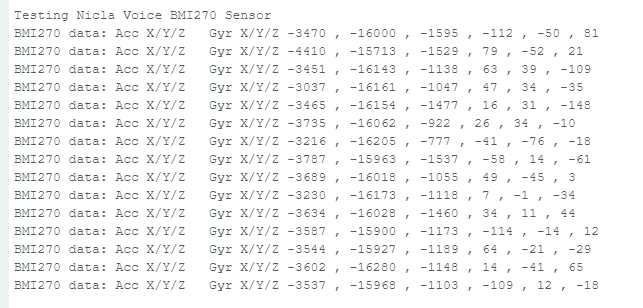
Onboard BMI270 is the 6-axis ultra-low power Inertial Measurement Unit (IMU)
It consists of a 3-axis accelerometer and a 3-axis gyroscope.
They can provide information about the board's motion, orientation, and rotation in a 3D space. The BMI270 is designed for wearables and offers low power consumption
and high performance, making it suitable for various applications, such as gesture recognition, motion tracking, or stabilization.
The example description is available in Nicla user manual
(https://docs.arduino.cc/tutorials/nicla-voice/user-manual )
Motion Detection with Nicla Voice and Machine Learning Tools
https://docs.arduino.cc/tutorials/nicla-voice/motion-detection-ml/
Details in the video:
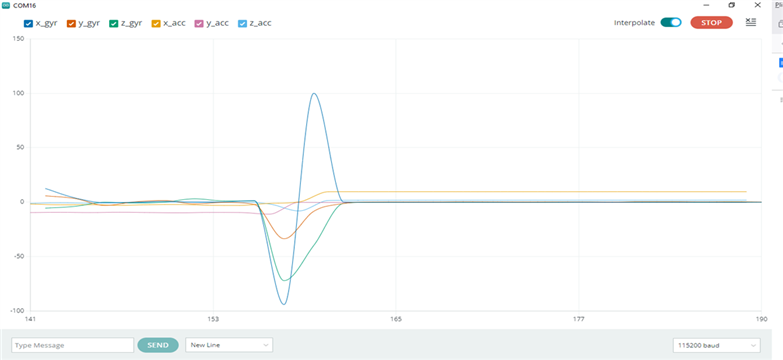
gyroscope data on serial monitor
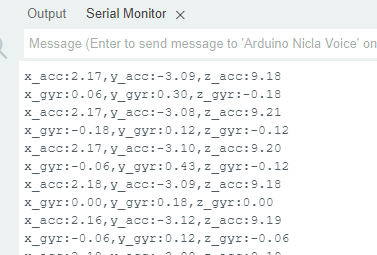
Data are even better visualized on arduino IDE serial plotter:
As the last stage of my Nicla test I took experiments with Wireless connectivity supported in Nicla via Bluetooth.
Details are described in manual
(https://docs.arduino.cc/tutorials/nicla-voice/user-manual/)
To enable Bluetooth Low Energy communication on the Nicla Voice, I used the ArduinoBLE library.
https://www.arduino.cc/reference/en/libraries/arduinoble/
example on Github:
https://github.com/arduino/ArduinoCore-mbed/tree/main/libraries/NDP/examples/BLExaDemo
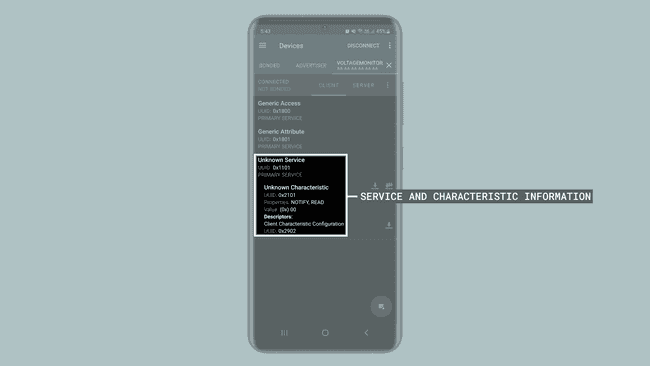
The example code creates a Bluetooth Low Energy service and characteristic for transmitting a voltage value read by the analog pin A0 of the Nicla Voice
to a central device Bluetooth device like a smartphone or another microcontroller.
use the nRF Connect for Mobile app from Nordic Semiconductor to test the functionality of the example code

nRF Connect for Mobile app
https://www.nordicsemi.com/Products/Development-tools/nrf-connect-for-mobile
https://docs.arduino.cc/static/3cd492cc35360e501e1be3bbeda2ff6d/a6d36/user-manual-bt.png
details in the video
After a series of relatively intensive examinations of the Arduino Nicla Voice, I can confidently confirm that I was dealing with a truly outstanding device.
The time of uncertainty and failure resulted from my lack of practice and rather misunderstanding or ignoring the instructions.
The documentation itself is described in an affordable and easily accessible manner. Of course, its strong point is its excellent examples.
Descriptions and comments on several forums or instructional videos do not make you feel lost when using NICLA Voice.
I was impressed that such advanced equipment could be easily programmed in a regular Arduino IDE. All required libraries are built-in and available.
Even advanced examples are available directly in the IDE. Full compatibility with Arduino deserves the highest rating, especially concerning MKR products.
I did not run separate benchmarks and comparisons of Nicla with competitors during the Roadtest. After all, finding these competitors does not seem easy.
What comes to my mind is the functionality of development kits such as MATRIX modules. But the level of advancement of both Nicla’s hardware
supported with a specialized chip Syntiant NDP120 Neural Decision Processor and software with extensive cloud support, puts Nicla far above known solutions for sound recognition and processing.
It is worth emphasizing the convenience of preparing audio material, an interesting learning process with an informative and interesting visualization of this process.
The educational value of this concept cannot be overestimated.
In my case, word recognition according to the individually built Machine Learning model did not work particularly efficiently.
But also in this case it was my lack of experience that was the deciding factor. The concept itself works perfectly.
I lacked the skills to build a model of distinguishing people's voices, but I think Nicla is capable of it.
Overall, building a multi-word recognition model in NICLA remains a challenge for me.
Despite the end of the roadtest, I am still working with this module and trying to use its functionality in my smart home project. BT communication is particularly convenient here.
Due to the possible battery power, BLE technology is a perfect idea. Generally speaking Nicla fits perfectly to the world of Internet of Things (IoT) devices.
Every user will appreciate the designers' attention to flexible power supply and particularly low energy consumption.
I did not conduct special assessments of the quality and resilience & reliability of the module
But intensive work with the tile allows us to give it the highest marks. I was charmed by the compactness and aesthetics of NICLA Voice.
The lack of particular competition makes “market analysis” and pricing evaluation difficult - Nevertheless, the price of €69.00 does not seem particularly high.
Finally, a short assessment:
What positively surprised me in NICLA Voice?
I was probably most impressed by the extensive resources of Machine Learning Tools and the way of building a model in Edge Impulse.
What cause trouble?
only my lack of patience and reading the instructions carefully caused glitches and delays
What disappointed me?
I do not recall.
Finally, I would like to thank the element 14 team, the Roadtest sponsors - Arduino, but also our entire community for your trust
and allowing me to spend a wonderful time with the above-average Arduino Nicla Voice.
Additionally, I apologize for the considerable delay in publishing the final version of the report from this Roadtest. Somehow I couldn't part with our Nicla.
Marek