RoadTest: Become a Tester of the PSOC™ 6 AI Evaluation Kit enabled with DEEPCRAFT™ AI/ML software solutions
Author: skruglewicz
Creation date:
Evaluation Type: Evaluation Boards
Did you receive all parts the manufacturer stated would be included in the package?: True
What other parts do you consider comparable to this product?: SeeedStudio Grove Vision AI Module V2 SeeedStudio SenseCAP Watcher AMD KV260 Vision Kit with Ubuntu 22.04
What were the biggest problems encountered?: No big problems were encountered.
Detailed Review:
If one seeks to integrate machine learning (ML) into their designs and requires a method to gather data before processing it locally at the edge, then Infineon's PSoC 6 AI Evaluation Kit, empowered by DEEPCRAFT Studio, is the ideal solution. Within the scope of this road test, I shall embark upon a sequence of experiments and evaluations, leveraging the capabilities of Infineon's PSoC 6 AI Eval Kit. This sophisticated machine learning development platform has been meticulously crafted to enable the efficient collection of sensor data and the implementation of ML models, thereby facilitating comprehensive exploration and analysis.
To thoroughly evaluate the Infineon PSoC 6 AI Kit, the following resources have been provided:
Each of these resources will be detailed in the sections that follow.
The compact Infineon PSoC 6 AI Evaluation Kit allows for the assessment of DEEPCRAFT Studio and pre-trained ML models, facilitating efficient ML solution evaluation and prototyping. Its design and integrated onboard sensors, including an accelerometer, magnetometer, temperature sensor, gyroscope, microphone, and pressure sensor, enable rapid prototyping and real-world data collection for enhanced ML model accuracy. The kit incorporates Infineon's PSoC 6 MCU with an integrated ML accelerator and comprehensive connectivity options. Users gain access to the complete DEEPCRAFT Studio, streamlining ML application development and deployment. This kit is designed for evaluating and prototyping ML applications in diverse industries.
Features of the PSoC 6 AI Evaluation Kit include:
 6 MCU – CY8C624ABZI-S2D44 6 MCU 6 MCU
The highlighted ones that are of particular interest to me, and I shall concentrate on them in my experiments.
Helpful Links
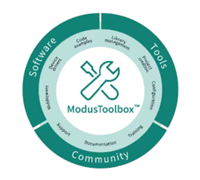
ModusToolbox software is a comprehensive suite of tools designed to streamline the integration of Infineon devices into your existing development workflow. Whether you are a seasoned engineer or new to the world of embedded systems, ModusToolbox has everything you need to accelerate your projects and bring your ideas to life.
At the heart of ModusToolbox lies the ModusToolbox IDE, a powerful integrated development environment that provides a seamless and intuitive user experience. With its user-friendly interface and extensive features, the ModusToolbox IDE enables you to create, edit, build, and debug your projects with ease.
One of the key benefits of ModusToolbox is its extensive support for Infineon devices, including the popular PSoC 6 MCU. For those new to the PSoC 6 MCU and ModusToolbox IDE, Getting started with PSOC 6 MCU on ModusToolbox software serves as a valuable resource. This comprehensive guide provides step-by-step instructions to help you familiarize yourself with the PSoC 6 MCU and guides you through the process of creating your own design using the ModusToolbox IDE. Additionally, ModusToolbox offers a wide range of code examples to evaluate the PSoC 6 AI Evaluation Board. These examples are designed to provide hands-on experience with the PSoC 6 MCU and help you create your own custom designs. These examples can be easily accessed through the ModusToolbox IDE, making it effortless for you to explore the capabilities of the PSoC 6 MCU and bring your ideas to life. With its robust feature set, extensive support for Infineon devices, and user-friendly interface, ModusToolbox software empowers you to unlock the full potential of your embedded designs. Whether you are building a simple IoT device or a complex industrial control system, ModusToolbox has the tools and resources you need to succeed.
Helpful Links
 Imagimob DEEPCRAFT Products

DEEPCRAFT Studio is a user-friendly, end-to-end platform for developing and deploying AI/ML models on edge devices. Its guided workflows and intuitive tools simplify data preparation, model training, optimization, and deployment for users of all technical levels. This platform excels at creating robust, high-quality, efficient, accurate, and lightweight models optimized for deployment in commercial products, enabling seamless operation on resource-constrained edge devices. This facilitates the integration of AI capabilities into diverse products, including smartphones, wearables, autonomous vehicles, and industrial equipment. A key advantage is its focus on security and privacy, incorporating robust measures like data encryption and access control.
Helpful Link
Development Platform for AI / Machine Learning on edge devices - DEEPCRAFT Studio
Ready Models are pre-trained AI/ML models ready for deployment on edge devices. These models are designed to reduce development time and cost by eliminating the need for custom model creation, extensive data collection, and lengthy training.
Ready Models cover applications such as:
These models are designed for straightforward integration across various hardware and operating systems. Their compact and optimized nature minimizes resource usage and power consumption on edge devices. Using Ready Models allows developers to quickly implement AI/ML functionalities without requiring deep in-house AI expertise, accelerating prototyping and product development. They provide a fast path to incorporating machine learning into PSoC 6 AI Evaluation Kit projects for experimentation and proof-of-concept work.
Helpful Link
Starter Models are open-source resources designed to accelerate your Edge AI development. They provide datasets, preprocessing steps, model architectures, and implementation guides, allowing you to create production-ready solutions. Covering diverse use cases and sensor types, these models are ready for your specific refinements and training. Their aim is to inspire innovation and facilitate a quick start to your Edge AI projects. If you have DEEPCRAFT Studio, you already have these Starter Models. Studio offers 3000 free computation minutes monthly for development, evaluation, and testing, so you can begin immediately.
Helpful Link
Starter Models make it easy to get your project going!
Infineon Technologies has partnered with Avnet, a global technology solutions provider, to offer IoTConnect, a comprehensive solution accelerator software designed to simplify and streamline the process of connecting, monitoring, and analyzing data from Internet of Things (IoT) devices. It can be used with the Infineon PSoC 6 AI Evaluation Kit to facilitate cloud connectivity, data monitoring, and analysis for machine learning applications running on the edge device.
Here's how they work together:
In essence, IoTConnect acts as the cloud infrastructure layer for the PSoC 6 AI Evaluation Kit, enabling seamless data flow, remote monitoring, and advanced analysis of the data generated by the kit's sensors and processed by its machine learning capabilities. This combined solution accelerates the development and deployment of edge AI applications by providing a robust and user-friendly cloud platform.
Helpful Links
See how Avnet used DEEPCRAFT ML models to create solutions for sound recognition and movement detection using IoTConnect. IoTConnect is a solution acceleration platform that can be used to rapidly connect devices to the cloud – complete with a customizable dashboard. Full step-by-step guides are available for free on GitHub and easy to get started with no software development skills required!
Sound Recognition (Baby Cry Detection)
Movement Detection (Using the Inertial Measurement Unit (IMU))
Avnet IoTConnect project example for Infineon's ModusToolbox IDE and framework
In the context of providing an effective product review, it is imperative to offer readers a thorough grasp of the user experience. The following topics will be meticulously examined in this review:
Test the out-of-box experience:
6 AI Kit"ML models with IoTConnect:
Machine Learning (MTBML) demo.Develop code:
Here is a short out-of-box video, to demonstrate and give a visual description of the components of the kit.
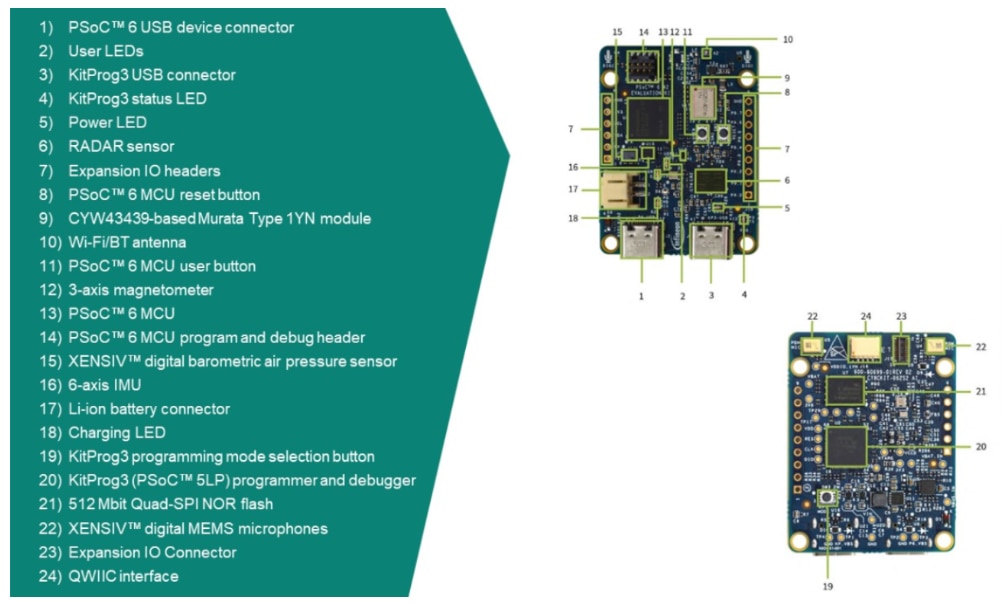
The following diagram lists all the components on the board. Please refer to the user manual for a detailed description of each component and its importance.
In addition to the main board, we have a printed inlay card with a QR code that links to getting started resources.
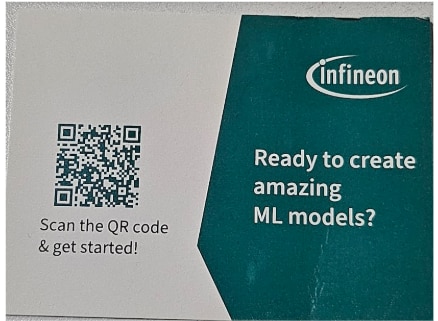
Getting started with CY8CKIT-062S2-AI – The PSoC 6 AI Evaluation Kit
This is on the imaginmob web site and is not a PDF. I was surprised that the QR code led me here and not the Infineon Getting Started Guide PDF guide. I found this to be a little confusing as to which document to follow.
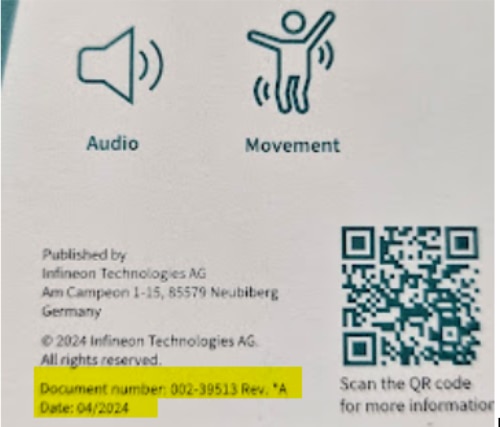
Please make sure to update to the latest Firmware before getting started. This applies for all PSOC 6 AI Evaluation Kits manufactured before February 2025. You can find the manufacturing date printed on the back of your Kit's box. The back of my box seems to indicate that my board was manufactured before February 2025, but it is referring to the document number and a date, I assume Of the QR code, I assume. The QR code takes me to the infineon product page CY8CKIT-062S2-AI - Infineon Technologies
Revision history from the Infineon Getting Started Guide PDF!
** 2024-05-27 Initial release.
*A 2025-03-03 Updated the document according to data streaming protocol version 2.
Replaced “Imagimob Studio” references with “DEEPCRAFT Studio” in the document.
Updated Out-of-box (OOB) application section to use the DEEPCRAFT Studio workflow. Added Supported code examples section.
The side of the box gives another rev version which is signalling the initial release Looks like both resources give links to instructions to update to the latest Firmware before getting started. Well, according to the disclaimer from the Imagimob site, it is streaming Firmware
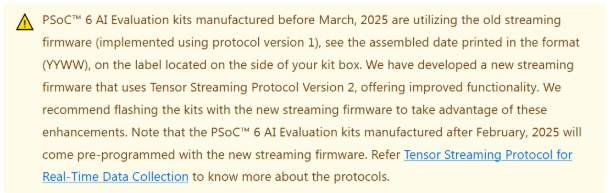
What does the firmware do?
So, in simple terms, the firmware is essential software embedded in the kit that boots it up, allows it to communicate, and, importantly, enables the continuous flow of sensor data needed for your AI experiments. The newer firmware aims to do this job even better.
So, which starting guide is better?
Both the Imagimob "Getting started with CY8CKIT-062S2-AI – The PSoC 6 AI Evaluation Kit" webpage and the Infineon "Getting Started Guide" PDF provide links to instructions for updating the firmware. The Infineon guide explicitly mentions the firmware's role in streaming sensor data using Tensor Streaming Protocol Version 2 and notes that updates are recommended for kits manufactured before February 2025. While the Imagimob site also indicates firmware streaming, the Infineon document offers more specific details about the update's importance and the protocol version. Therefore, the Infineon "Getting Started Guide" PDF appears to be slightly better in providing context and details regarding the firmware update.
The element14 roadtest page for the Infineon PSoC 6 AI Evaluation Kit includes several documents: Release Notes, Product Brief, Product Page, User Manual. This section will provide a brief description of each document with a corresponding link to the page or PDF.
Please note that tis is version 002-39426 Rev. ** 2024-04-19
This is the initial revision (Rev. **).
LINK: Release Notes
Conclusions
This document provides a comprehensive overview of the CY8CKIT-062S2-AI PSoC 6 Al Evaluation Kit. It outlines the kit's contents, software and tool requirements, and known issues. Key points include:
6 Al Evaluation Board and an inlay card with a QR code for quick access to getting started resources. software v3.1 or later and DEEPCRAFT Studio software v4.4 or later are required. KitProg3 firmware v2.50 or later is needed for programming the PSoC 62 device. 62 series webpage, Modus Toolbox software webpage, and Infineon developer community.Please note that this is a summary of the provided document and may not encompass every single detail. For complete information, refer to the user manual and/or product PDF for more details.
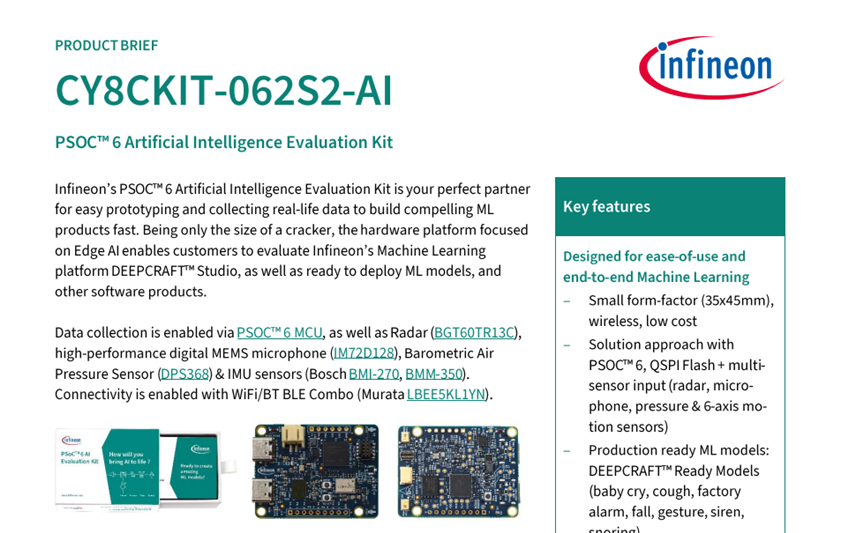
LINK: Product Brief
Please Note This is the initial revision (Rev. **).
The date of this document is 04/2024
Conclusions
This product brief for the PSoC 6 Artificial Intelligence Evaluation Kit highlights its capabilities and benefits for rapid prototyping and data collection in machine learning (ML) applications. Key points include:
Overall, the product brief emphasizes how the PSoC 6 AI Evaluation Kit simplifies and accelerates the development of ML applications, offering a comprehensive solution for prototyping and data collection.
Link: CY8CKIT-062S2-AI - Infineon Technologies
Conclusions
This page serves as a comprehensive hub, offering valuable information and links related to various aspects of the product. By delving into the sections outlined below, users can gain a deeper understanding of the product's capabilities and features.
Diagrams:
Access detailed diagrams that provide visual representations of the product's components, assembly, and functionality. These diagrams help users understand the product's structure and how its various parts work together.
Parametrics:
Explore the product's parametric capabilities, which allow for customization and optimization. Learn how to adjust parameters such as dimensions, materials, and performance characteristics to create tailored solutions that meet specific requirements.
Documents:
Find essential documents such as user manuals, technical specifications, and white papers. These documents provide in-depth information on the product's operation, maintenance, and troubleshooting.
Order:
Conveniently place an order for the product directly from this page. Access information on available models, pricing, and shipping options.
Videos:
Engage with informative videos that showcase the product's features and applications. These videos provide a dynamic and visual representation of the product's capabilities.
Support:
Get access to comprehensive support resources, including FAQs, tutorials, and contact information for technical assistance. The support section ensures that users have the necessary resources to resolve any issues they may encounter.
This page serves as an excellent starting point for anyone looking to gain more insight into the product. By exploring the various sections, users can learn about the product's diagrams, parametric capabilities, documentation, ordering process, videos, and support resources. Whether you're a potential customer, a current user, or a technical professional, this page provides a wealth of information to enhance your understanding and experience with the product.
002-39425 Rev. *A
2025-03-03
LINK: User Manual
Conclusions
This link is included on the CY8CKIT-062S2-AI Product Page, but I reviewed this and gained more knowledge , so I decided to bring special attention to it.This guide is an invaluable resource for individuals seeking to develop AI applications using the PSoC 6 AI Kit. It provides a thorough overview of the kit's contents, getting started instructions, board details, additional learning resources, operational details, theory of operation, usage of the OOB example, project creation and programming/debugging using ModusToolbox software, hardware schematics, and a detailed hardware functional description.
The CY8CKIT-062S2-AI Product Page User Guide is notable for its exceptional clarity and readability. It is organized into distinct sections, each covering a specific aspect of the kit. This organization makes it easy for users to navigate the guide and locate the information they need quickly. The language used throughout the guide is straightforward and jargon-free, ensuring that even users with limited technical backgrounds can understand the contents.
The guide also includes numerous illustrations, diagrams, and code snippets to further enhance understanding. These visual aids help users visualize the concepts discussed in the text and provide practical examples of how to implement various features of the PSoC 6 AI Kit.
Overall, the CY8CKIT-062S2-AI Product Page User Guide serves as a primary reference for individuals engaged in the development of AI applications using the PSoC 6 AI Kit. Its comprehensive coverage, exceptional clarity, and user-friendly organization make it an essential resource for anyone looking to unlock the full potential of this powerful development platform.
Link: Getting Started Guide
User guide Please read the sections “Important notice” and “Warnings” at the end of this document
002-40023 Rev. *A www.infineon.com 2025-03-03
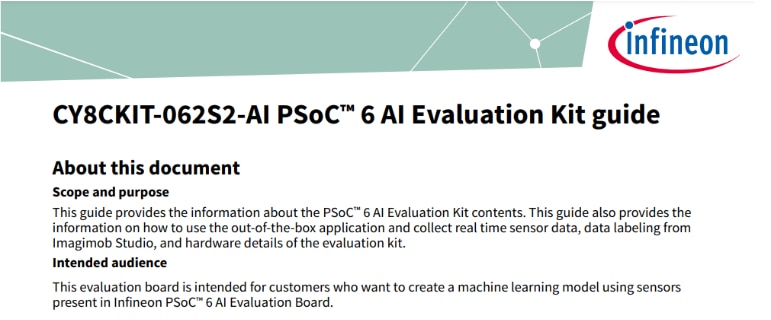
This document is a getting started guide for the PSoC 6 AI Evaluation Kit, a development kit for machine learning applications. The kit includes a PSoC 6 MCU, AIROC CYW43439 Wi-Fi/Bluetooth® combo module, 512 Mb NOR flash, onboard programmer/debugger (KitProg3), and various sensors.
software and DEEPCRAFT Studio.Overall, this guide provides a step-by-step walkthrough for setting up and using the PSoC 6 AI Evaluation Kit, enabling users to quickly begin developing machine learning applications.
My experience running through the document.
Studio. See Create project and Add data to project to know more.”
Studio within ModusToolbox. This example features six distinct models for baby-cry, cough, alarm, siren, and snoring detection, as well as hand gesture recognition. Refer to the README file for comprehensive information. Studio on a PSoC 6 microcontroller. This specific implementation utilizes IMU sensor data for gesture detection. Further details can be found in its respective README. Studio onto a PSoC 6 microcontroller. In this case, the model is an acoustic model designed for keyword spotting. Additional information is available in the README file.This concludes my experience running through this document. My evaluation using the following 6 points: Document ,Structure and Clarity ,Content Completeness,Technical Accuracy ,Ease of Use ,Target Audience ,Overall Effectiveness is described below.
The guide covers essential topics required for initial setup but omits critical context for advanced use cases:
Notably absent are:
Technical instructions demonstrate rigorous validation, particularly in:
However, the guide contains minor inconsistencies:
The guide prioritizes task-oriented navigation, enabling developers to complete setup in ~30 minutes. Strengths include:
Areas for improvement:
The document assumes:
While appropriate for experienced engineers, it creates barriers for:
To broaden accessibility, the guide could:
As a getting started resource, the guide succeeds in:
However, it falls short as a comprehensive development companion due to:
Recommendations for Improvement
By implementing these changes, the guide would better serve its dual role as both an onboarding tool and a long-term reference for AI-driven embedded development.
6 AI KitThis is a great introduction to the PSoC 6 AI Evaluation Kit and the Advent IoT Connect platform. I suggest watching it if you have the time. Avnet IoT Connect's webinar showcasses Infineon’s PSoC 6 AI Evaluation Kit and their IoT Connect platform. The webinar, hosted by Katon Anderson (Avnet), Sarah Hemmer (Infineon), and Stephen Detloff (Avnet), presented a complete edge-ML process, covering sensor data acquisition to real-time inference deployment. Sarah Hemmer highlighted the PSoC 6 AI kit's hardware components—PSOC 6 MCU, radar, microphone, barometric and IMU sensors, Wi-Fi/BLE—and the DEEPCRAFT Studio (Imagimob) and ModusToolbox software used for rapid AI model development and embedded deployment. The webinar further demonstrated the integration with IoT Connect, an AWS-based platform providing device onboarding, secure telemetry, OTA updates, multi-tenant segmentation, and AI model deployment from a unified interface. Stephen Detloff concluded with a quick-start demonstration using a GitHub repository to flash a prebuilt binary, configure TLS certificates, stream sensor and inference data to the cloud, and visualize live sound-classification results, also referencing an IMU-based activity-detection example, aligning with the GitHub quickstart guide.
On24 presentation:
Rapidly create AI/ML edge solutions using Infineon’s PSoC 6 AI Kit (4705797)
With accompanying GITHUB DEMO Page: avnet-iotc-mtb-ai-imagimob-rm/QUICKSTART.md at main · avnet-iotconnect/avnet-iotc-mtb-ai-imagimob-rm
Instead of delving into the specifics of ML model implementation on the kit, I've compiled helpful webinars that were instrumental in my own understanding.
First, an on24 webinar discovered on ELEMENT14 by Avnet: "Exploring Edge AI Use Cases leveraging the Infineon PSOC 6 AI Evaluation Kit (AMER) Tuesday, April 08, 2025”
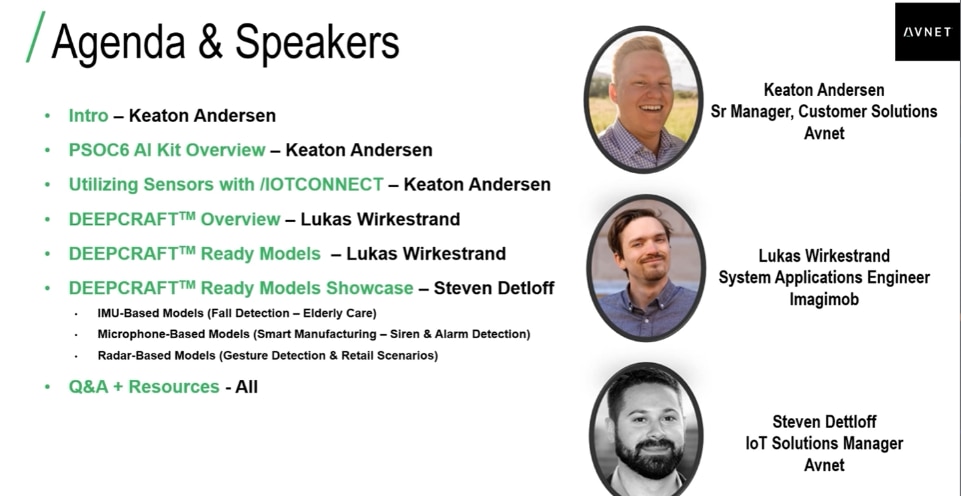
The webinar covers several key topics related to deploying AI and machine learning at the edge using Infineon's hardware and software ecosystem. Here’s a quick summary of the main topics covered:
The webinar begins with an introduction to edge AI concepts and the features of the Infineon PSOC 6 AI Evaluation Kit, emphasizing its low-power dual-core MCU, integrated sensors, and connectivity options. It then delves into DEEPCRAFT Ready Models, highlighting pre-trained AI/ML models optimized for Infineon's hardware, such as baby cry detection, cough detection, siren detection, and gesture detection.
Further, the webinar explains sensor telemetry and data collection, which are crucial for running and training AI models on the edge, and discusses real-world use cases from industries like manufacturing, healthcare, retail, and smart homes, demonstrating how edge AI can be applied for event detection and automation. It also covers cloud connectivity via Avnet's IOTCONNECT Platform (powered by AWS), enabling remote monitoring, device management, and data visualization, and provides a walkthrough of the development tools and workflow, including ModusToolbox and DEEPCRAFT Studio.
Finally, the webinar includes live demonstrations and tutorials on deploying AI models, streaming sensor data, updating firmware, and using cloud dashboards. It concludes with a look at the future roadmap and support, including upcoming features, expanded model libraries, and ongoing developer support. Overall, the webinar emphasizes democratizing edge AI and showcasing rapid development and deployment of intelligent applications through the integrated Infineon and Avnet platform, making it a valuable resource for learning ML implementation on the kit.
Using DEEPCRAFT Ready Models in ModusToolbox
This webinar, presented by Clark Jarvis from Infineon, walks viewers through the complete process of developing and deploying machine learning (ML) models using the Infineon PSoC 6 AI Evaluation Kit.
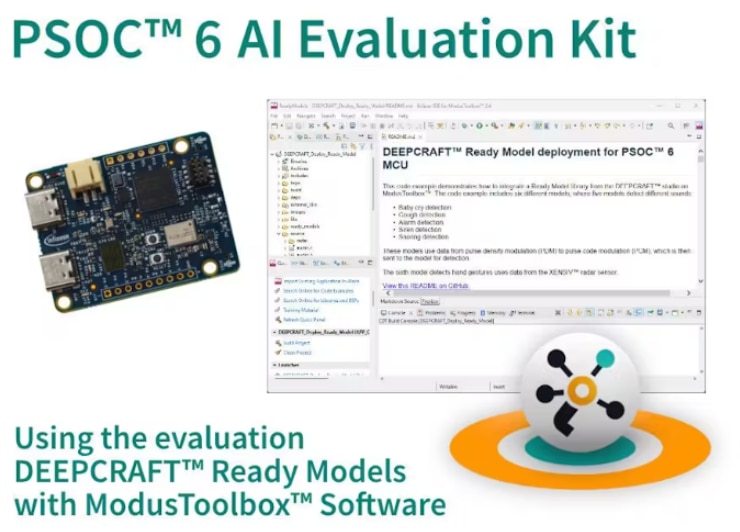
The "Using DEEPCRAFT Ready Models in ModusToolbox" video, available on Hackster.io, offers a practical demonstration on integrating pre-trained machine learning models into embedded applications using the Infineon PSoC 6 AI Evaluation Kit. This hands-on tutorial guides users through the process of deploying DEEPCRAFT Ready Models within the ModusToolbox development environment, focusing on the CY8CKIT-062S2-AI. It showcases the creation of a "DEEPCRAFT Ready Model Deploy" code example project, highlighting two out-of-the-box models: audio event detection (specifically siren detection) and radar-based hand gesture detection.
Viewers are provided step-by-step instructions on setting up the code example in ModusToolbox and understanding how to modify it to suit custom use cases. The tutorial emphasizes identifying the specific sections of code where changes can be made to adapt both the audio and radar-based ML detections. This enables developers to tailor the pre-built models to their unique project requirements.
Ultimately, the video serves as an accessible resource for developers aiming to quickly implement and experiment with ready-to-use machine learning models on the PSoC 6 AI Eval Kit. It simplifies the integration of these models into embedded applications, providing a solid foundation for leveraging Infineon’s hardware and software tools. The primary objective is to facilitate rapid prototyping and development by demonstrating the deployment and customization of pre-trained models, especially in the areas of audio and radar ML applications.
avnet-iotc-mtb-ai-imagimob-rm/QUICKSTART.md at main · avnet-iotconnect/avnet-iotc-mtb-ai-imagimob-rm
This repo is one of the many repositories on the https://github.com/avnet-iotconnect page
 .
.
It serves as a guide for demonstrating the integration of Infineon’s Imagimob-ready AI models with Avnet’s IoTConnect platform using the PSoC 6 microcontroller and ModusToolbox development environment. The primary aim of this project is to run machine learning models directly on edge devices, specifically PSoC 6 kits, leveraging sensor data for real-time AI inference. It supports various AI models including audio detection for sounds like sirens, baby cries, alarms, coughs, and snores using PDM/PCM microphones, as well as gesture detection such as push and swipe movements through a radar sensor, which is exclusively available on the CY8CKIT-062S2-AI. Notably, while gesture detection utilizes a single model, audio detection requires selecting and compiling the specific model for each sound type at compile time.
Hardware support includes the PSoC 6 AI Evaluation Kit, which supports all features, and the PSoC 62S2 Wi-Fi Bluetooth® Pioneer Kit, which supports audio models exclusively. The development environments supported are Eclipse and VSCode, using the GNU Arm® Embedded Compiler (GCC_ARM). The QuickStart instructions provide options for no-code evaluation, allowing users to run the demo without compiling code, and build instructions for those who wish to build from source. Building from source involves installing ModusToolbox and the Machine Learning extension, editing the Makefile to select the desired AI model, and using a specific device template for the PSoC 6 AI RM board. It’s important to note that over-the-air updates are not supported in this demo.
The project is designed for easy integration with Avnet’s IoTConnect platform, facilitating cloud data visualization and device management. However, the central focus remains on edge AI inference and local sensor data processing. In essence, this repository offers a hands-on demonstration for running and evaluating edge AI models, both audio and gesture, on Infineon PSoC 6 kits, emphasizing quick setup and seamless integration with Avnet IoTConnect for various Internet of Things applications.
Again, Instead of delving into the specifics of developing code on the kit, I've included a helpful video that was instrumental in my own understanding of this topic.
This webinar by Clark Jarvis from Infineon guides viewers through developing and deploying machine learning (ML) models using the Infineon PSoC 6 AI Evaluation Kit, particularly for road testers and challenge participants. The webinar starts with an introduction to Edge AI and ML, explaining the concept, its importance, and how it differs from cloud-based AI, while also discussing the unique challenges of running ML on microcontrollers. It then delves into the end-to-end ML workflow, detailing data collection from onboard sensors using streaming firmware and DeepCraft Studio, the importance of data labeling for supervised learning, data preparation techniques like splitting and preprocessing, and using DeepCraft Studio's AutoML features for model training and optimization in the cloud.
Further, the webinar covers model evaluation using performance metrics like confusion matrices and the model deployment process, which involves generating C code and integrating it into embedded applications via ModusToolbox and IDEs like VS Code or Eclipse. It also introduces essential resources and tools, including an overview of the PSoC 6 AI Kit hardware, streaming firmware updates, a web-based developer experience for evaluating demo models, and guidance on using ModusToolbox and DeepCraft Studio. Additionally, it explains ready models, starter projects, and custom model development, covering the use of pre-trained models, reference projects, and the steps for building ML solutions from scratch.
Finally, the webinar includes a live demonstration showcasing DeepCraft Studio's interface for connecting the kit, setting up sensor nodes, visualizing and labeling data, training models, and generating deployment code. An example of integrating generated model code into a ModusToolbox project and flashing it to the board for real-world testing is also provided. The video serves as a comprehensive guide for developing edge AI applications with the PSoC 6 AI Kit, covering the entire process from data collection and labeling to model training, evaluation, and deployment, and highlighting the available tools, resources, and example projects.
The Infineon PSOC 6 AI Evaluation Kit proved to be a powerful and user-friendly platform for AI applications development. Key learnings include its inclusive design with diverse sensors and an integrated debugger, which simplifies the initial development steps. ModusToolbox offered a comprehensive suite of tools for both developing and debugging code specifically tailored for the PSoC 6 AI kit. Furthermore, Avnet's IoTConnect software seamlessly enabled cloud connectivity for the kit, facilitating the creation of interactive dashboards. The out-of-box experience was notably thorough, allowing immediate exploration of the board, sensor data collection using DEEPCRAFT Studio, and the deployment of pre-existing models.
Regarding the evaluation topics, setting up the Infineon PSOC 6 AI Evaluation Kit was straightforward, and its documentation was clear and easy to follow. The getting started guide presented no issues and provided concise instructions. Webinars were significantly beneficial, particularly for initiating projects and utilizing DEEPCRAFT's ready models without needing to write code. DEEPCRAFT Studio itself proved to be user-friendly, offering various tools for data collection and model creation. Code development using ModusToolbox was similarly accessible; it's a robust and intuitive environment designed for the PSoC 6 AI kit, offering several code examples and on-board KitProg3 debugger capabilities. The provided code samples were well-crafted and acted as excellent starting points for new projects. The KitProg3 debugger facilitated easy on-device code debugging. For machine learning models, the connection to the cloud through Avnet's IoTConnect was seamless, enabling the creation of interactive dashboards. The integration of IoTConnect libraries within ModusToolbox streamlined using IoTConnect in projects, and the pre-built binaries available through Avnet's GitHub made getting started with IoTConnect quick and effortless.
Overall, the Infineon PSOC 6 AI Evaluation Kit stands out as an excellent platform for developing AI applications. Its ease of use, clear documentation, and powerful yet intuitive ModusToolbox development environment all contributed to a positive experience. Additionally, Avnet's IoTConnect software made connecting the kit to the cloud and creating interactive dashboards remarkably simple.
DEEPCRAFT Studio:
DEEPCRAFT Ready Models - Production-Ready AI Models for Your Edge Device
Platform for AI/Machine Learning on Edge Devices
DEEPCRAFT recorded webinar: Gesture control using radar and Edge AI
PSoC 6 Artificial Intelligence Evaluation Kit:
ModusToolbox
Getting started with PSOC 6 MCU on ModusToolbox software
IOTConnect:
Avnet IoTConnect project example for Infineon's ModusToolbox IDE and framework
My road test of the Infineon PSoC 6 AI Evaluation Kit is now complete. I sincerely appreciate your engagement and hope this review inspires your own exploration of the kit. The resources I've referenced were invaluable to my own discovery process and I trust they will be helpful for you as well. I've only begun to understand this kit's vast potential and I intend to integrate it into future edge machine learning projects. I'm eager to learn about your own projects using this kit in the comments section. Thank you once more, and best wishes on your Machine Learning IoT endeavors.


