RoadTest: Apply to Test the Infineon PSOC™ Edge E84 AI Evaluation Kit
Author: alfadar
Creation date:
Evaluation Type: Test Equipment
Did you receive all parts the manufacturer stated would be included in the package?: True
What other parts do you consider comparable to this product?: At this stage, I consider Raspberry Pi 5-based AI solutions and ESP32-S3 AI development boards to be the closest alternatives. The Raspberry Pi offers greater software flexibility, while the PSOC™ Edge E84 AI Kit provides a much more integrated platform with onboard sensors, radar, wireless connectivity, and Edge AI capabilities.
What were the biggest problems encountered?: No major problems were encountered during the initial evaluation. The board was recognised immediately by Windows and the UART communication worked as expected.Additionally, some familiarity with serial terminal software such as Tera Term is required. Overall, the setup process was straightforward and completed within a few minutes.
Detailed Review:
The integration of Artificial Intelligence into embedded systems is becoming increasingly important in technical and vocational education. Students are expected to develop intelligent systems capable of sensing, processing information, and interacting with their environment.
As part of my Master's Degree in STEAM Education, I developed real-world educational AI projects, a sustainability-focused educational project that combines sensors, computer vision, gamification, and data analysis to promote recycling and environmental awareness in schools.
The current implementation relies mainly on Raspberry Pi-based hardware. This RoadTest aims to evaluate whether the Infineon PSOC Edge E84 AI Kit can serve as an alternative or complementary platform for similar educational projects.
Rather than focusing exclusively on AI performance, this evaluation will assess the platform from an educational perspective, including ease of setup, documentation quality, sensor integration, connectivity, deployment complexity, and suitability for student projects.
The ultimate goal is to determine whether the PSOC Edge E84 AI Kit can support real-world educational applications such as real-world educational AI projects while reducing system complexity and improving hardware integration.
The objective of this phase is to evaluate the first user experience with the PSOC Edge E84 AI Kit, including the unboxing process, initial setup, documentation quality, and access to the factory-installed demonstrations.
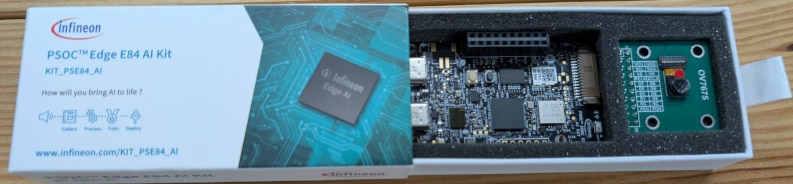
The kit includes the PSOC Edge E84 AI board and a 0.3 MP USB camera module with a USB-C cable. The packaging also provides a QR code that gives direct access to the official documentation and software resources.
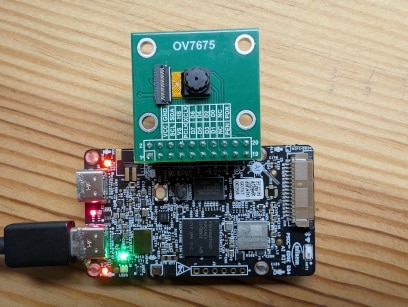
The board was connected to a Windows PC using the KitProg3 USB-C connector (J1). Upon power-up, the amber power LED (LED5) illuminated and the green LED (LED1) started blinking, indicating that the Out-of-Box (OOB) demonstration was running.
Following the Quick Start Guide, Tera Term was configured to use the KitProg3 USB-UART COM port with the recommended settings (115200 baud, 8 data bits, no parity, 1 stop bit).
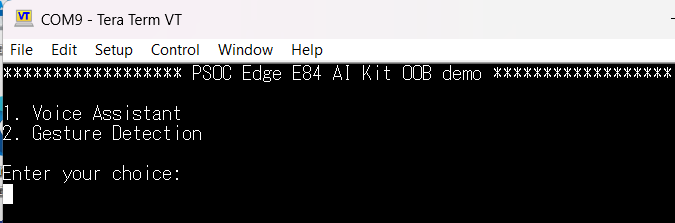
After pressing the reset button (SW2), the board displayed the boot menu, providing access to the available demonstration applications.
 of
of 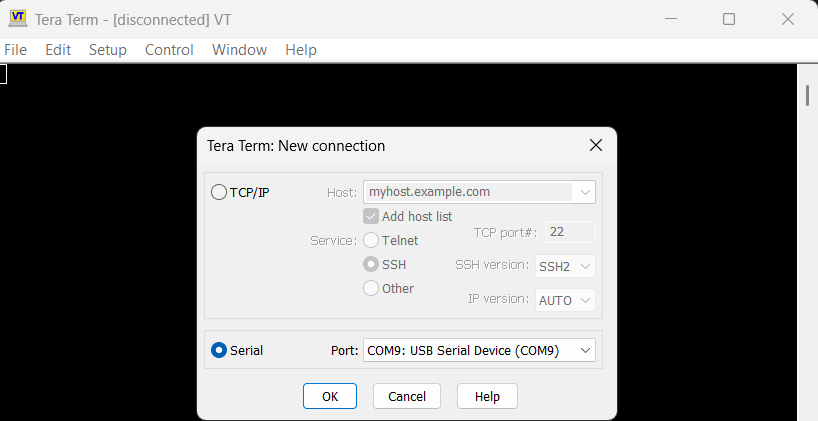
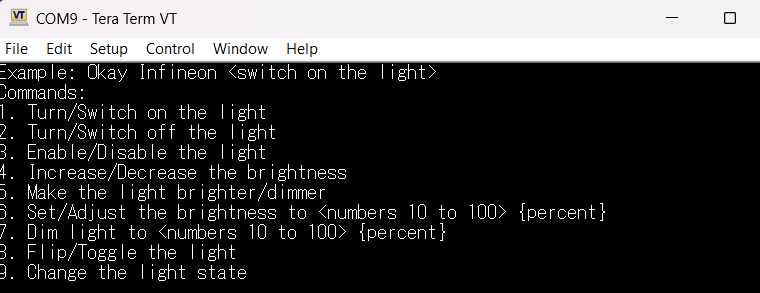
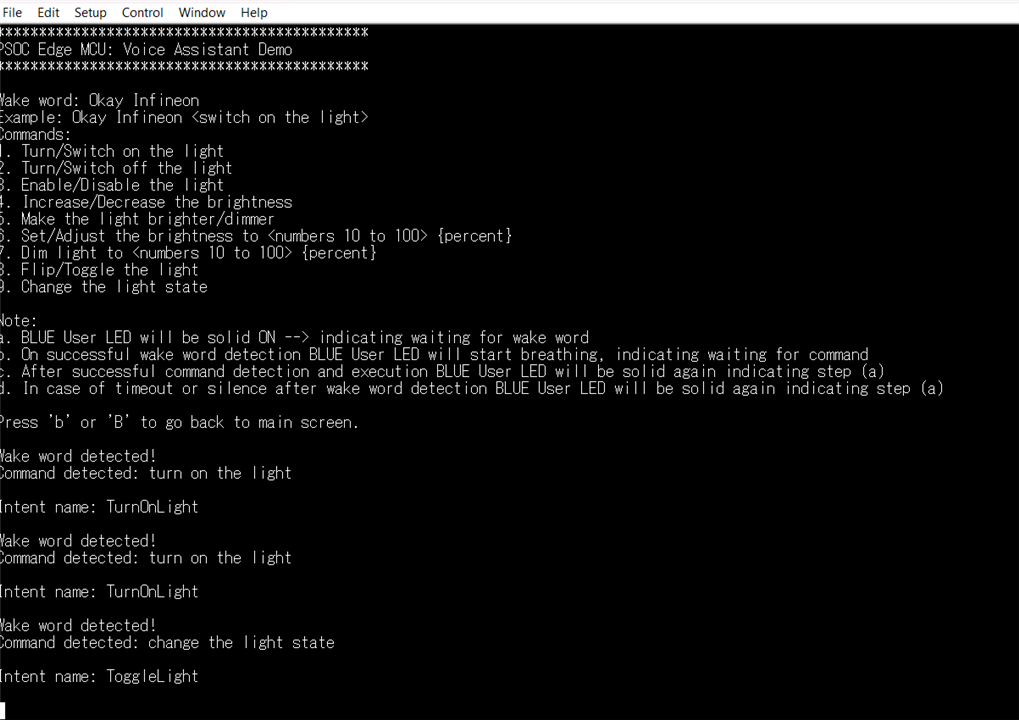
The first demonstration tested was the Voice Assistant application. The onboard microphones successfully detected the wake word "Okay Infineon" and correctly executed several voice commands.
During testing, commands such as "turn on the light" and "change the light state" were recognized and executed correctly. The serial terminal displayed both the detected command and the associated intent, making it easy to verify the system's operation.
The response time was fast and the recognition accuracy was good under normal office conditions.
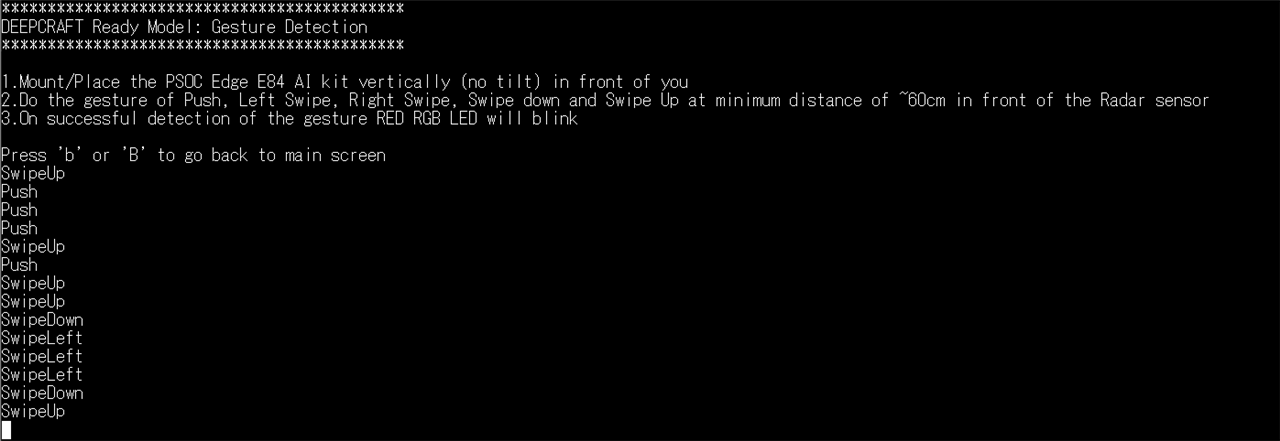
The second demonstration evaluated the onboard XENSIV 60 GHz radar sensor. The system successfully detected multiple gestures including Push, Swipe Left, Swipe Right, Swipe Up and Swipe Down.
Gesture recognition was displayed in real time through the UART terminal and proved to be responsive and reliable during testing.
This demonstration highlights one of the most distinctive features of the PSOC Edge E84 AI Kit, as radar-based interaction is rarely available on educational development boards.
The initial experience was very positive. The board was operational within minutes, the UART interface worked as expected, and both factory-installed demonstrations performed successfully.
Voice recognition and radar-based gesture detection worked reliably, providing an immediate showcase of the platform's AI and sensing capabilities. At first glance, the combination of integrated sensors, wireless connectivity, and Edge AI features makes the board particularly attractive for educational and STEAM-oriented projects.
Phase 1 was completed successfully. The board was operational within minutes, documentation was easy to access, and both demonstration applications worked as expected. The radar-based gesture recognition was particularly impressive and highlighted one of the platform's most distinctive features.
In the next phase, I will explore the onboard hardware in greater detail, including the radar sensor, environmental sensors, IMU, connectivity options, and their potential use in educational AI projects such as personal projects (EcoChallenge).
One of the main reasons I was interested in the PSOC Edge E84 AI Kit is the large number of integrated sensors and peripherals available on a single board.
In many educational projects, including EcoChallenge, multiple external modules are often required to provide sensing, connectivity, and interaction capabilities. The objective of this phase is to evaluate whether the onboard hardware can simplify this process.
60 GHz Radar SensorI will start with the XENSIV 60 GHz radar sensor, one of the most distinctive features of the PSOC Edge E84 AI Kit.
The following tests will be performed:
The PSOC Edge E84 AI Kit was positioned vertically on a desk as recommended by the demonstration software. The factory-installed Gesture Detection demo was used without modification.

Figure 1. Test setup used for radar gesture evaluation.

Figure 2. Push gesture performed during radar detection testing.
One unexpected observation was that gesture recognition was noticeably more reliable when the hand remained fully open. This suggests that the radar classification model may be sensitive to the shape and radar cross-section of the detected object.
| Distance | Attempts | Successful Detections | Success Rate | Observations |
|---|---|---|---|---|
| 60 cm | 10 | 10 | 100% | Reliable detection when using an open hand. |
| 100 cm | 10 | 8 | 80% | Occasional misclassification between Push and Swipe Left. |
At a distance of approximately 60 cm, the radar sensor achieved a perfect detection rate, correctly identifying all ten Push gestures.
At approximately 100 cm, the detection rate decreased to 80%. In two of the ten attempts, the Push gesture was misclassified as a Swipe Left gesture. While this may be partly influenced by the way the gesture was performed, it suggests that classification accuracy decreases as the distance from the sensor increases.
Another observation was that gesture recognition was more reliable when the hand remained fully open during the movement. Partial hand closure appeared to increase the likelihood of misclassification.
Even at a distance of one metre, the radar sensor remained functional and responsive, which is impressive considering that most gesture-based interfaces are typically used at much shorter distances.
The XENSIV BGT60TR13C radar sensor demonstrated excellent short-range gesture recognition performance and maintained usable detection capability at distances up to approximately one metre. These results suggest that the sensor is well suited for touchless interfaces, interactive educational projects, and smart sensing applications.
The objective of this test was to evaluate how the Gesture Detection demo behaves when different non-metallic materials are placed between the hand and the radar sensor.
Figure 3 e 4. Test setup used to evaluate gesture detection through materials (paper and plastic) placed between the user's hand and the radar sensor.


| Material | Detection Behaviour | Observation |
|---|---|---|
| Paper | Partially detected | The sensor detected some gestures, but classification became unstable. |
| Plastic | Detected more consistently than paper | Gesture detection worked better than with paper, although some confusion between gestures was still observed. |
The detection-through-materials test showed promising but mixed results. The radar continued to detect movement through paper and plastic, but gesture classification became less reliable. Plastic performed better than paper in this quick test, but further testing with different materials and thicknesses would be required before using the sensor behind an enclosure.
The main objective of this phase is to evaluate the Artificial Intelligence capabilities of the PSOC Edge E84 AI Kit and determine how suitable the platform is for educational Edge AI applications.
As part of the EcoChallenge project, AI is used to analyse environmental data and classify waste materials. Therefore, understanding the workflow required to deploy AI models on the PSOC Edge E84 AI Kit is particularly relevant.
Studio evaluationThe first objective of this phase was to evaluate the effort required to prepare a development environment for the PSOC Edge E84 AI Kit.
The installation process was straightforward and completed in less than five minutes.
– Available for Windows, macOS and Linux. Studio – Windows version available.Both applications were downloaded and installed without issues.
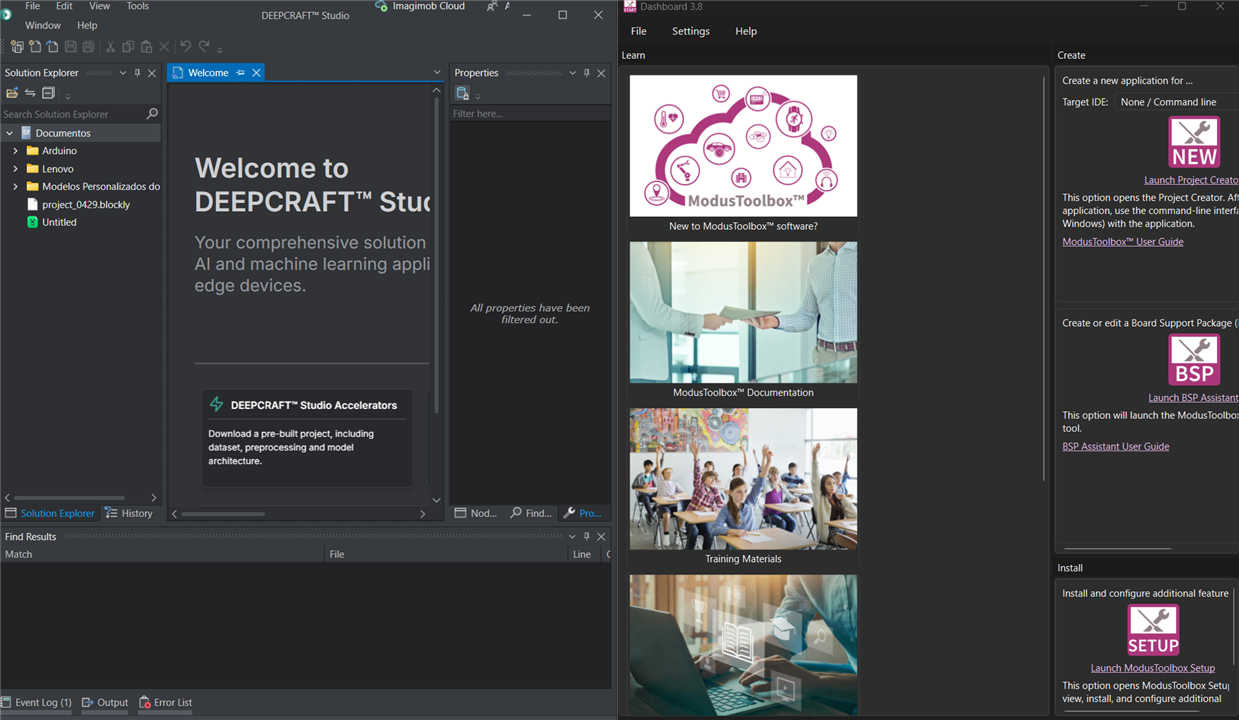
From an educational perspective, the setup process is considerably simpler than many AI development environments that require multiple frameworks, SDKs, or manual dependency management.
The documentation provided sufficient guidance to locate, download, and install the required software.
After installing ModusToolbox, I proceeded to create my first project for the PSOC Edge E84 AI Kit.
The board support package (BSP) was not installed by default and had to be downloaded during the project creation process. The procedure itself was straightforward, but it required downloading additional software components, middleware, and supporting packages.
As a first-time user of the Infineon ecosystem, I found myself following the guided setup process without always fully understanding the purpose of every component being installed. Fortunately, the development environment handled most of the configuration automatically.
The project creation process completed successfully without errors, although it took noticeably longer than the initial installation due to the automatic download and configuration of required dependencies.
From an educational point of view, this experience was interesting. Creating the first project did not require advanced technical knowledge, but understanding the architecture of the development environment, BSPs, middleware, and supporting libraries would likely require additional explanation for students.
Compared with environments such as Arduino IDE, the setup process is more complex. However, it also provides significantly more flexibility and access to advanced hardware features.
| Item | Assessment |
|---|---|
| Software Installation |  Easy Easy |
| BSP Installation | Automatic |
| Project Creation | Successful |
| Dependency Management |  Mostly Automatic but not always transparent Mostly Automatic but not always transparent |
| Student Friendliness | Good, although some guidance would be beneficial |
Conclusion: The development environment proved easy to install and use, but the first project creation process revealed the complexity hidden behind the platform. While the tools automate most tasks, understanding what is happening behind the scenes requires some familiarity with embedded development concepts.
The next step is to evaluate DEEPCRAFT Studio and explore the AI workflow provided by the PSOC Edge E84 AI Kit.
Studio First ImpressionsAfter installing DEEPCRAFT Studio, I explored the available AI templates and project accelerators.
The first impression was very positive. The interface is clean, modern, and organised around practical Edge AI applications rather than low-level machine learning concepts.
A wide range of ready-to-use projects is available, including IMU-based activity recognition, microphone processing, vibration analysis, object detection, and anomaly detection.
For this initial evaluation, I selected the Movement Type Detection example, which uses IMU sensor data to classify different types of motion.
From an educational perspective, DEEPCRAFT Studio appears significantly easier to approach than traditional AI frameworks such as TensorFlow. Students can focus on understanding AI concepts without being overwhelmed by software complexity.
One particularly interesting aspect is that AI workflows are presented as guided projects, reducing the barrier to entry for newcomers.
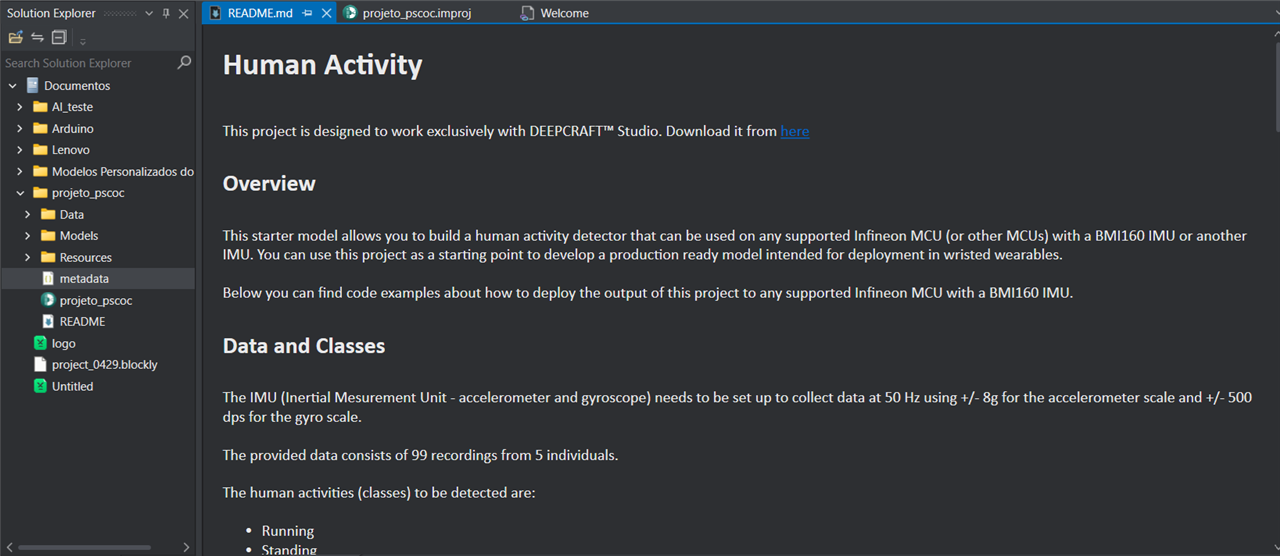
DEEPCRAFT Studio provides ready-to-use AI project templates, reducing the barrier to entry for students and educators exploring Edge AI applications.
Could a student use this platform without significant assistance?
Yes. Based on my initial experience, students with basic programming skills should be able to install the software and start exploring AI examples with minimal guidance.
At this stage, the PSOC Edge E84 AI Kit has exceeded my initial expectations. The platform provides an impressive combination of sensors, wireless connectivity, and Edge AI capabilities in a single board.
From an educational perspective, the integrated hardware significantly reduces system complexity compared with Raspberry Pi-based solutions that often require multiple external modules.
The next steps will focus on deploying and evaluating AI applications to determine whether the platform can support real-world educational projects.


