


xPicoIDE emulates hard drives and CD-ROM drives,replacing physical components in a vintage PC. (Image Credit: Polpotronics/Crowd Supply)
While we love our old PC parts for the nostalgia, they can stop working at any time. Computer enthusiasts would then need to replace their components to keep their devices running. That’s a challenging order, as the hardware is usually decommissioned. The open-source PicoIDE, a Raspberry Pi IDE/ATAPI drive emulator for vintage computers, is one of the best solutions to this problem. PicoIDE was recently launched, and interested buyers can back it for $69 (base model) or $110 (deluxe edition), with a June 14th expected shipping date.
Based on the Raspberry Pi RP2350 MCU, PicoIDE comes in two editions: the base model and deluxe. The base model is placed in a 3.5” enclosure with CD audio output, microSD storage, and configuration via host utility or config file. Meanwhile, the beige or black deluxe edition has all the base features, including a front panel with a 1.3” 128x64 OLED display, 4-way navigation buttons, and ESP32-powered Wi-Fi (wireless image management).
Other notable specifications include:
- Supports PIO modes 0-4 and multi-word DMA modes 0-2
- IDE bus operations accelerated with PIO state machines
- Double-buffered read-ahead for optimal throughput
Polpotronics, the PicoIDE maker, says this emulator is a workaround for issues like worn-out lasers, burning optical discs, crashed heads, and bad sectors that affect vintage PCs. Instead of using obsolete hard drives and CD-ROM drives found in old systems, this device has a solid-state microSD card storage. All users need to do is upload the disc/disk images on the microSD card, and PicoIDE takes care of the rest by emulating a hard drive or CD-ROM.
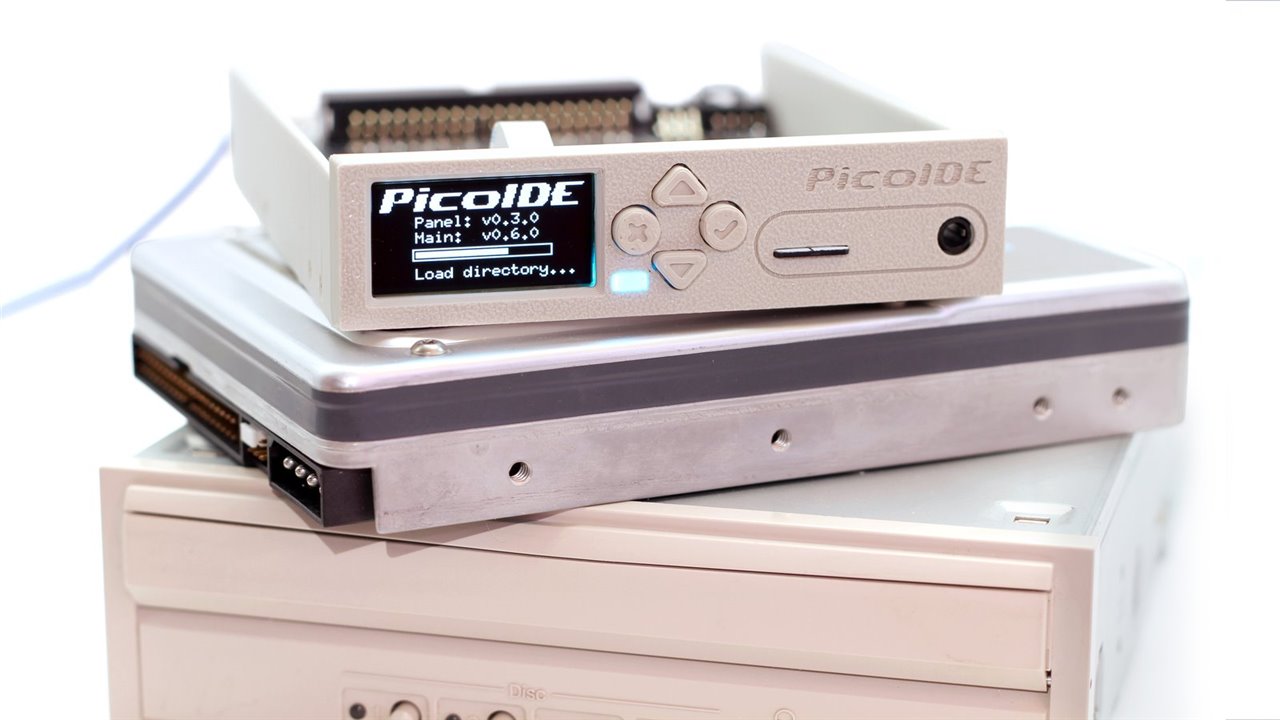
The PicoIDE Deluxe version features four navigation buttons and an OLED display. (Image Credit: Polpotronics/Crowd Supply)
Additionally, users can put their CD game library onto a microSD card in .bin/.cue or .iso format. Games can then be organized into directories and switched via the front panel navigation buttons. The DOS host utility (pidect) allows you to choose the right disc image in a batch file before game launch. PicoIDE uses a TI PCM5100A DAC for high-quality analog CD audio output via an MPC-2 header and a 3.5mm line-out jack. Connecting the MPC-2 header to the sound card’s CD audio input produces the games’ CD audio soundtracks. And it sounds exactly the same as if it were on the original hardware.
PicoIDE uses a configuration file to emulate the drive geometries in the .vhd image. Users can generate different drive images with DOS, Windows 3.1, OS/2, or other OS installations, and choose which image to load at the next boot. Doing this makes it easier to keep separate images for different projects, software configurations, or operating systems. The emulator also replicates specific vendor/model strings in its configuration, enabling it to “work with systems hard-coded to expect certain drives.” Disk images can be created on modern systems via emulators like 86Box or WinUAE, then transferred to PicoIDE and used without additional conversion.
Have a story tip? Message me here at element14.
