


Introduction
There must be a thousand and one LCD or LED display and button boards out there. Here is one more to add to that!
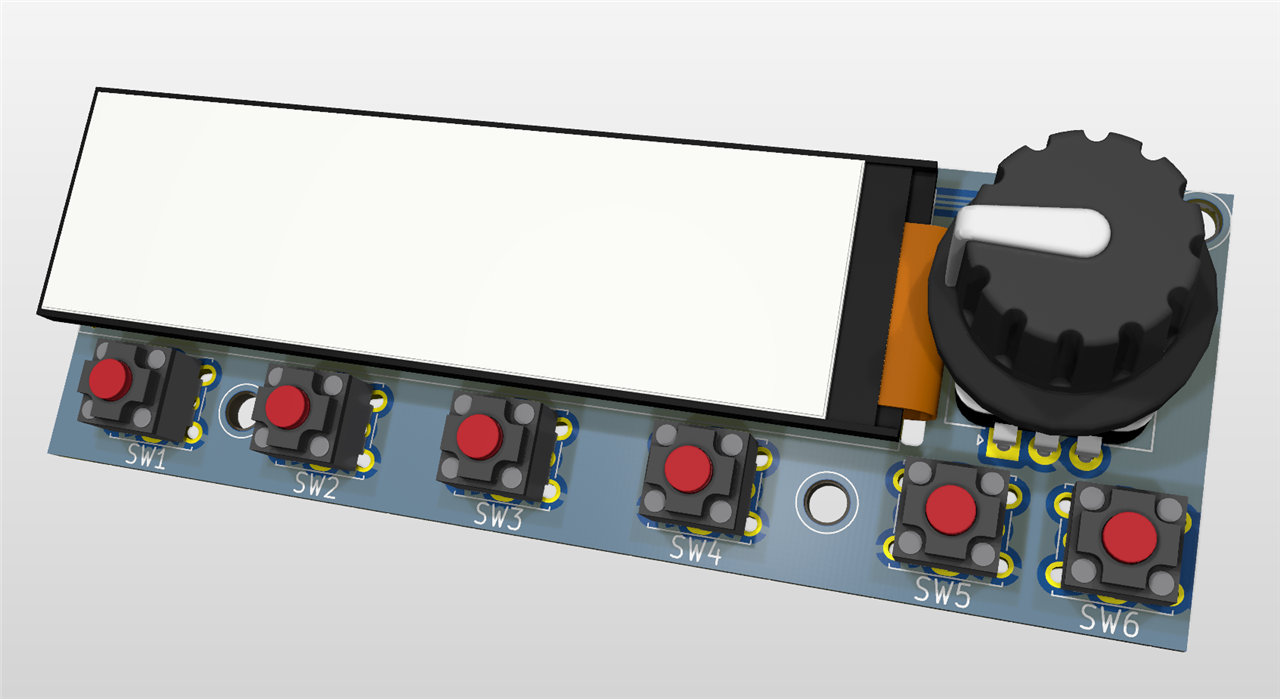
It is a generic display/control board that could be easily added to microcontroller projects. There’s not a lot that I have done for this project so far, so I won’t write much.
I’m actually more interested in what other people use, and how; off-the-shelf boards? Do you drill and create your own enclosures, or 3D-print? And what do you do regarding user menus? How do you code them?
For example, for this project, there are six buttons, and clearly four of them can be used as soft-buttons that alter their purpose depending on what is indicated on the display, but there are also two buttons below the rotary control; I don't know whether to use those as Back/Menu buttons, or perhaps to move the cursor left/right, or to adjust the rotary encoder speed.
Circuit
Unsurprisingly, the circuit consists of buttons and a display. Still, the buttons footprint can accommodate at least four different varieties of push-buttons, to use whatever you can get access to:
• 6x6 mm Omron/Aratas B3F style tact buttons
• Kailh Mute Mini microswitches
• E-Switch 5.8 x 5.8 mm TL2203 series
• E-Switch 7 x 7 mm TL2230 series
The E-Switch options are also available in latching versions, so in theory one of the buttons could be a physical power button if desired.
The display is a very low-cost ER-TFT2.25-1 TFT screen. It contains a ST7789P3 display controller. The resolution is 284 x 76, and there is a backlight.
The rotary encoder is an Alps EC12E series part. I purchased EC12E24104A6 which is smooth-turning (no detents) but there are various other options, including ones with a built-in push-button which mine doesn’t have. The EC12E series is not particularly high quality, but these encoders are not as bad as they could be, and they are low-cost and easily available.
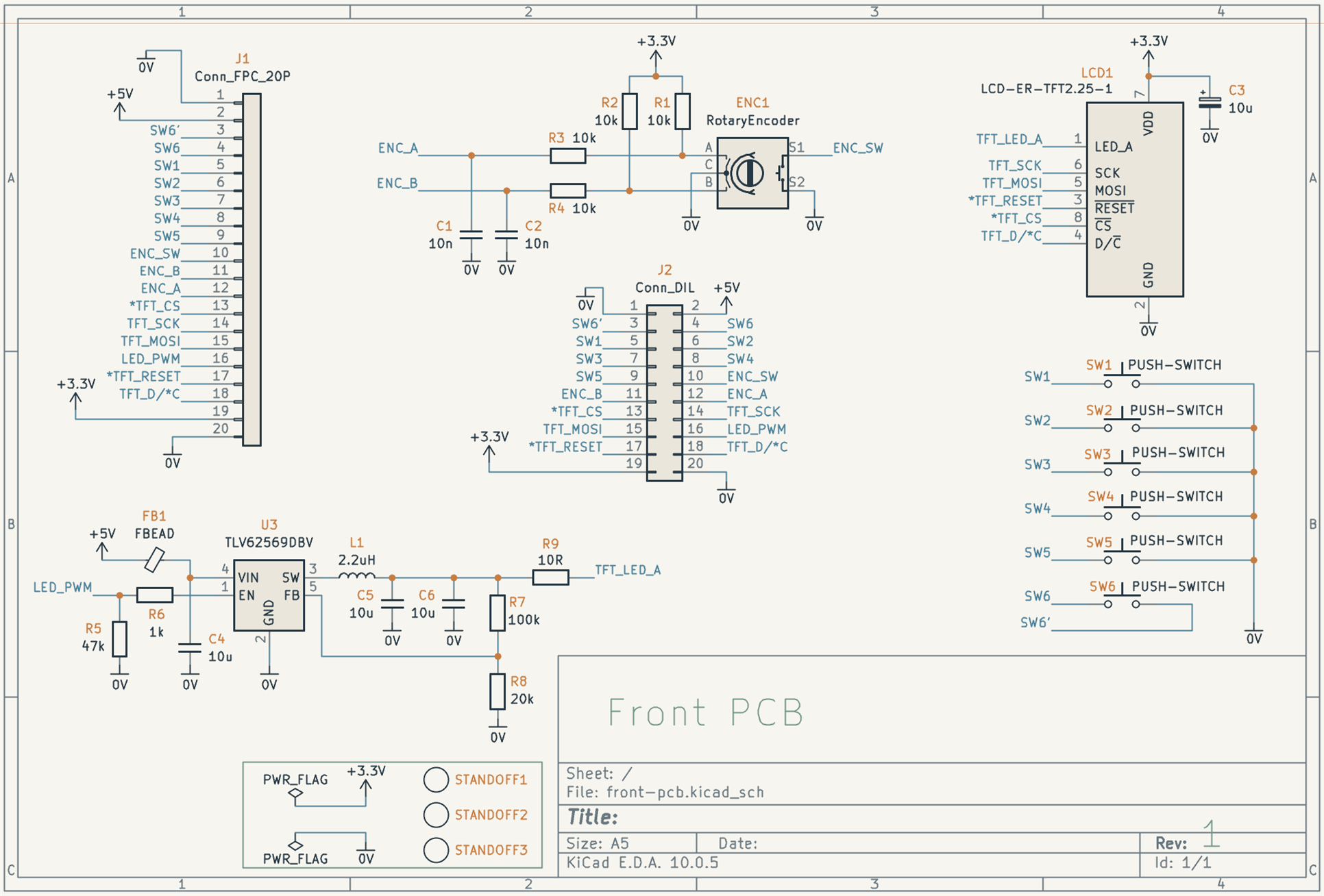
For the full parts list and CAD files, see the Github repo.
Printed Circuit Board
I spent a bit of time compacting the board, so that it could potentially fit into a lot of different enclosures. The PCB size is 81 x 29 mm. In theory if the rotary encoder and a couple of buttons are not needed, perhaps that end could be hacksawed off, and the board should still work.
As you can see in the render below, the connections to the board use normal 0.1” DIL pin headers, to attach to any desired microcontroller of choice (3.3V logic levels) - but alternatively there is also a 1mm pitch flat-flex cable (FFC) connector, because I don’t like making up 20-way 0.1” header cables if I can help it.
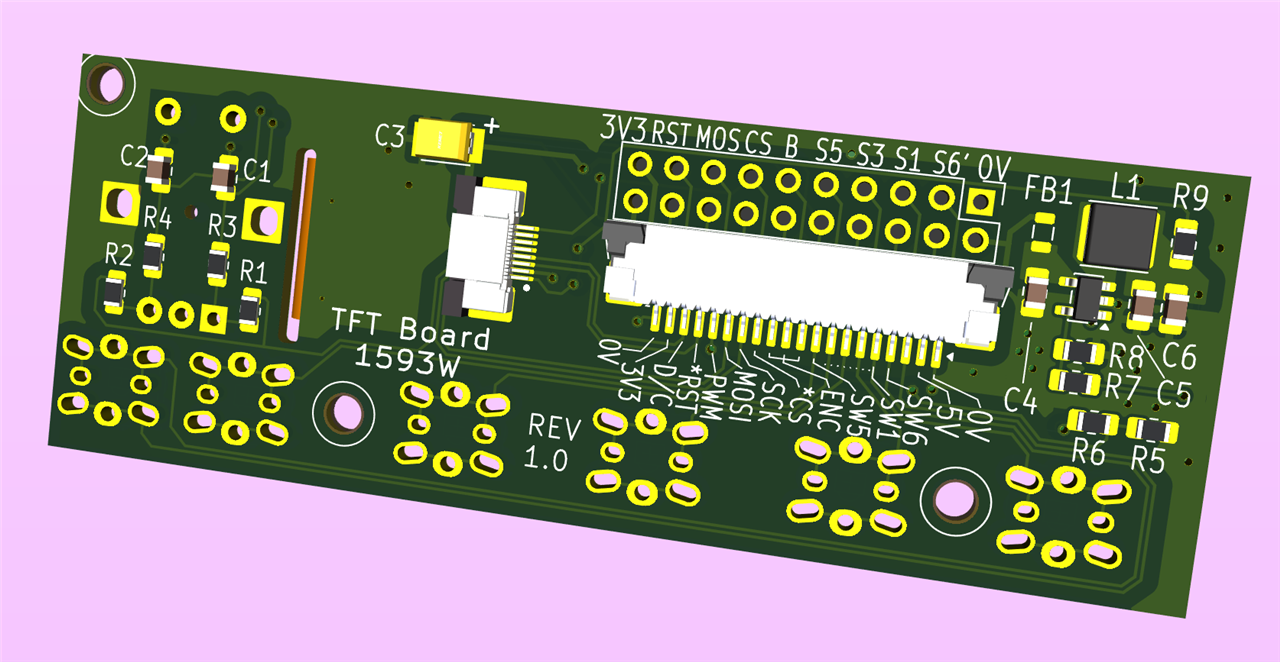
For drilling the enclosure, all the buttons are on nice round-number dimensions, so that the holes can be marked out easily. However, there is another option, discussed next.
Enclosure Front Panel
If the enclosure has a removable front panel, then it could be swapped out with a PCB if desired.
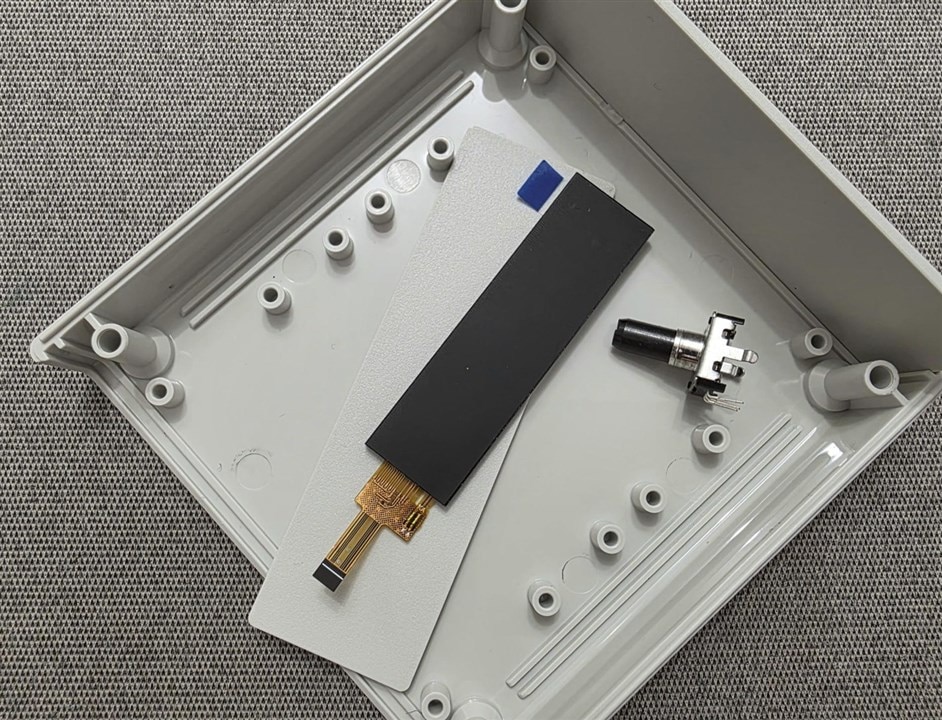
I decided to create a front panel PCB for Hammond 1593W enclosures (pictured above). These enclosures are of size 105 x 110 x 35 mm overall. The KiCad and Gerber files for this are in the GitHub repo, they could be used as-is, or modified for a different enclosure.
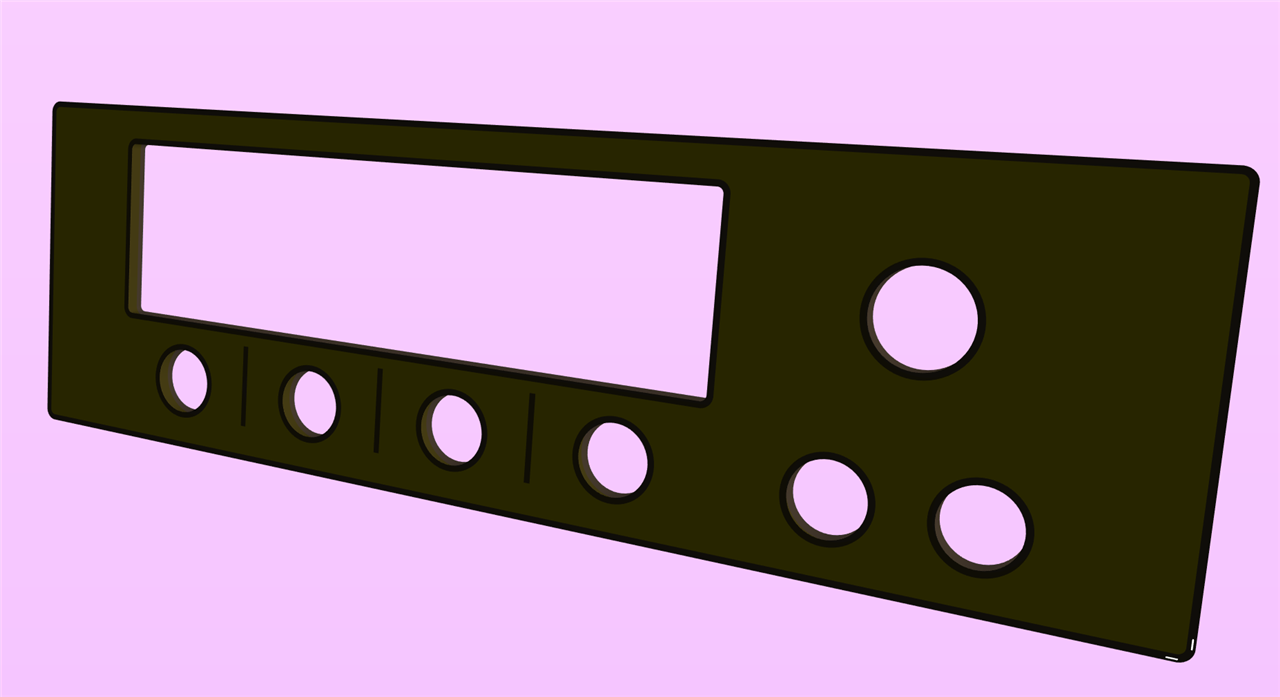
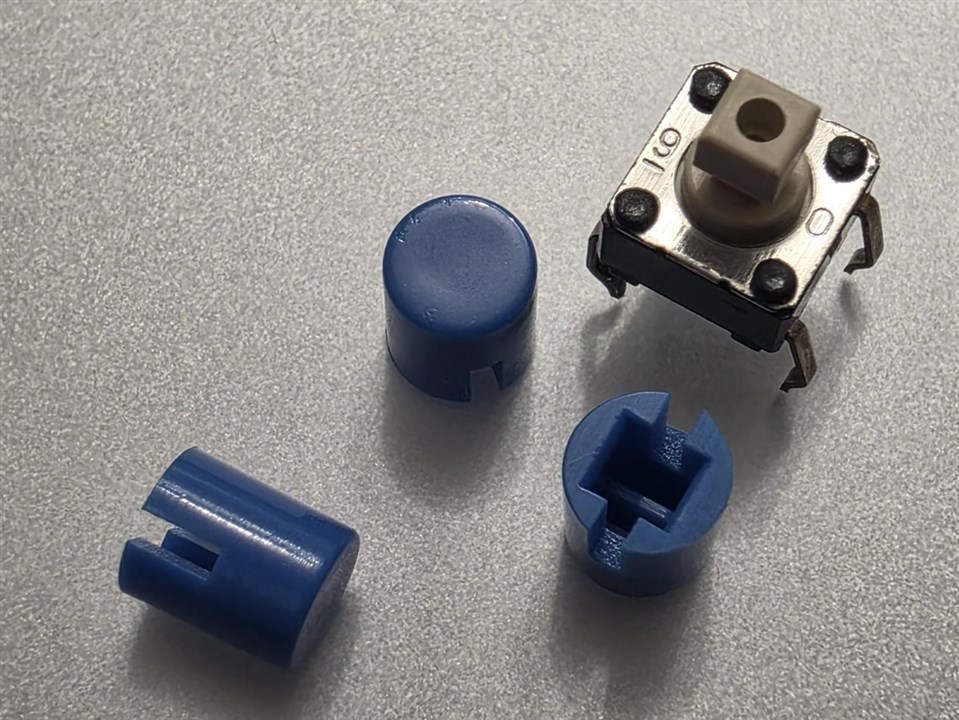
The button holes are 5.6 mm diameter, which are suitable for “A30 button caps” which should fit genuine Omron B3F-1050 tact buttons with 2.4x2.4mm square actuator (see the photo). With different switches or caps, the holes in the front panel PCB will need to be changed.
One more enclosure option: use a 3D printer : ) However I don’t have that option, hence the desire to make a front panel that fits commonly-available enclosures.
The front panel has no screw-holes, so I’ll need to glue spacers onto the back of it, to attach the display board. I’ll use M2 spacers, 6mm tall, and that would be just right for the buttons and the rotary encoder. The TFT screen will need to be cushioned on foam 3.6 mm thick according to back-of-the-envelope calculations.
Summary
A small TFT screen with buttons was created using KiCad (Github repo). If it works (I have not built it yet!) I’ll use it with a Pi Pico microcontroller initially. The intended use-case is really any project that requires a display or controls beyond just an LED or two. Of course, the hardware is just one part of the system. A lot hinges on how well the software is implemented.
What do you use as a user interface for your projects, both software- and hardware-wise? And what kinds of enclosures are your favorites? Any recommendations? Let me know!
Thanks for reading.