


Previous Blog Posts ...
Blog #1: 2Pi Microgravity Garden Blog 1 | Getting Started | element14 | 1 Meter of Pi
Blog #2: 2Pi Microgravity Garden Blog 2 | Raspberry Pi s... | element14 | 1 Meter of Pi
Blog #3: 2Pi Microgravity Garden Blog 3 | Hello World wi... | element14 | 1 Meter of Pi
Blog #4: 2Pi Microgravity Garden Blog 4 | Software Envir... | element14 | 1 Meter of Pi
Blog #5: 2Pi Microgravity Garden Blog 5 | Connect to Arduino and how plants get pollinated inside rocket without wind???
Blog #6: 2Pi Microgravity Garden Blog 6 | Water Level Sensor and Bug Catcher inside Rocket !
Blog #7: 2Pi Microgravity Garden Blog 7 | AI Image Recognition with Raspberry Pi and Tensor Flow
Blog 7 Task List
- Tensor Flow Lite Image Recognition with a Camera
- Image Recognition Tests
Content
Now, everyone is talking about AI on Internet, TV and everywhere. What AI can bring is very interesting. So, I always wanted to try AI image recognition with Raspberry Pi.
The question is what kind of information can be useful for astronauts and anyone who is involved in this work?
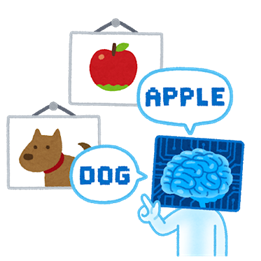
For this 1 meter of Pi project, what if the Raspberry Pi can do an image recognition? This can help characterize the spread of harmful plant pathogens and discover the origin of fruit diseases even in space! Also, this can tell us when to pick up fruits like strawberries and tomato 
We can not built a new machine learning model which can do such a thing in a day or so. Realistically, I am just starting with what is available now and improve it from here for this 1 meter of Pi project !
1. Engineering: Add Artificial Intelligence Image Recognition with Raspberry Pi
Hardware Wiring

Here is a snapshot of the 1 meter of Pi system now in my garage.
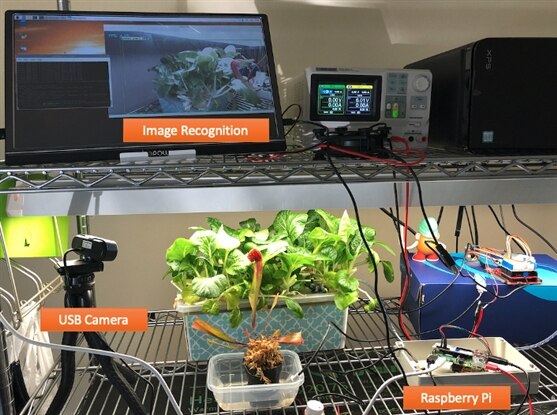
This week, I added a USB camera to the Raspberry Pi USB port. I tried a raspberry pi camera before, but I didn't like the CSI cable because it is not long enough and gets tangled sometimes. The USB camera with a long cable has been very handy for testing.
Code

I used Tensor Flow Lite (TFLite) object detection model. Here is a list of references that I've followed for the first time.
After installation is complete, just a couple of commands to activate the webcam and object detection model.
cd tflite1
source tflite1-env/bin/activate
python3 TFLite_detection_webcam.py --modeldir=Sample_TFLite_model
References:
https://www.tensorflow.org/lite/guide/build_rpi
2. Experiment
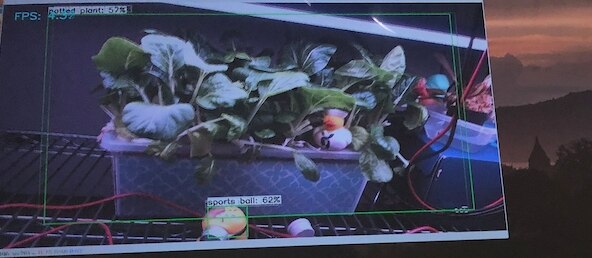
The Tensor Flow lite model recognized the leafy vegetables on the hydroponics system as "potted plant." This was very amazing
The bug catcher plant (sarracenia) was not recognizable but it sees this plant as a bowl, which is okay, I guess.

For fun: A few examples
(1) Keyboard
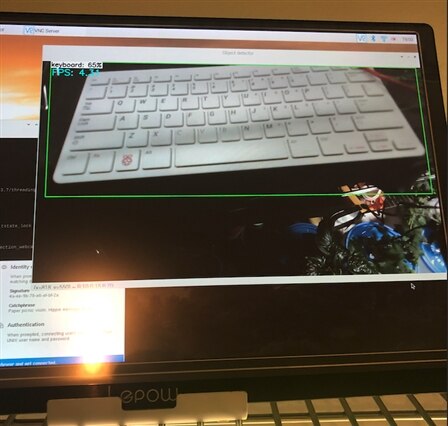
(2) Mouse

(3) Recognized duck toy as a person
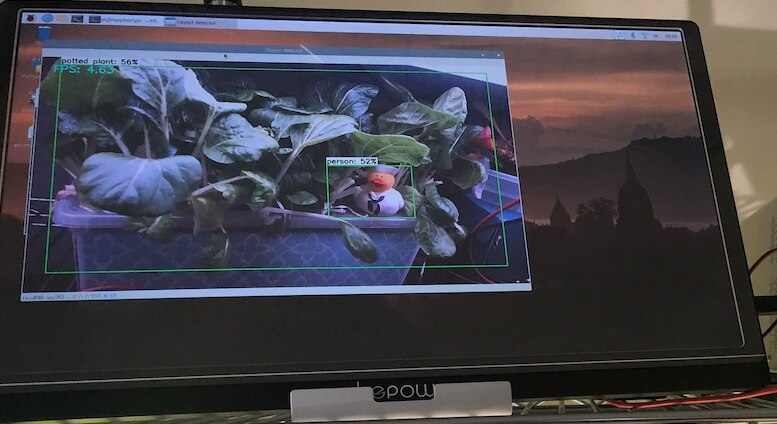
(4) Minion as a sports ball and 62% confidence???
3. Summary
In general, the default image recognition with Tensor Flow Lite pre-trained object detection model can detect plants as "potted plants," which is great.
As you can see, this object detection is not perfect at this point. We can improve it by training a new model and add more classifications.
During the image recognition process, typical frame per second (FPS) is 4-5 FPS, which is not really great compared to high-end computers. Since most objects don't move in this project, frame per second (FPS) may not be so important.
When this object detection model starts running, the Raspberry Pi chip becomes hot. So, heat sink is recommended.
With the heat sink, the temperature is about 45 oC.

Personal Website
https://green-scientist.com/