In Path II Programmable Blog 4 - Finishing off with Zynq UltraScale+ MPSoC Hardware, I completed the hardware courses. Now, it's time for the 'Developing Zynq MPSoC Software Lectures'.
SW Chapter 1 video: Zynq MPSoC System Architecture Basics
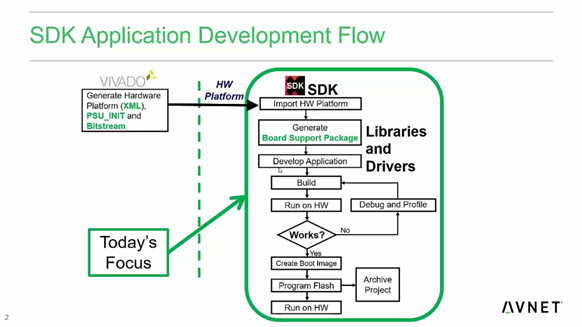


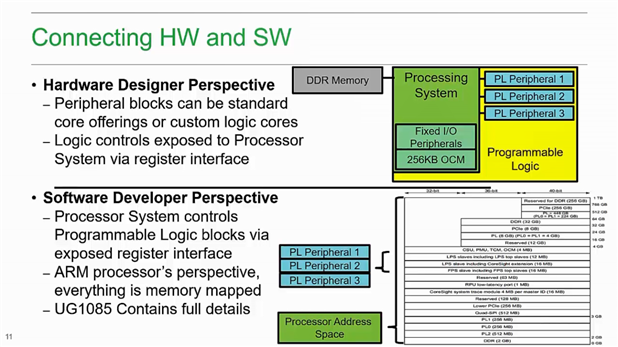
- The plan for the software courses - what will be covered & how it can be used.
- Looked at Zynq MPSoC architecture once again (PS processors, video codes, security features etc.)
- This video was mostly a recap.
SW Lab 1 - Explore a ZU+ MPSoC Hardware Platform
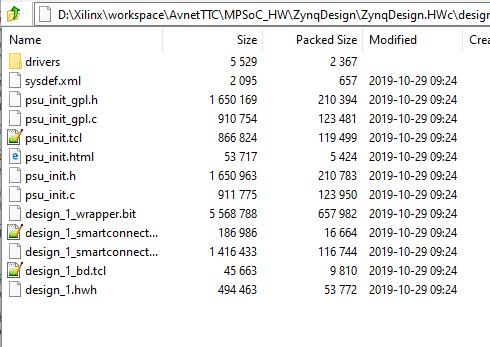
- Explored the contents of the .hdf file that was exported from Vivado. In essence, it's a .zip file, so it can be opened with an archive manager & contains a bunch of files.
SW Chapter 2 video: Xilinx SDK Overview
- Went over the features of Xilinx SDK - it generates the BSP, has programming/debug features and even helps you create the final boot image for a SD card or Flash.
- Xilinx SDK is based on the Eclipse IDE, which offers different perspectives.
- Xilinx has included its tools as plugins
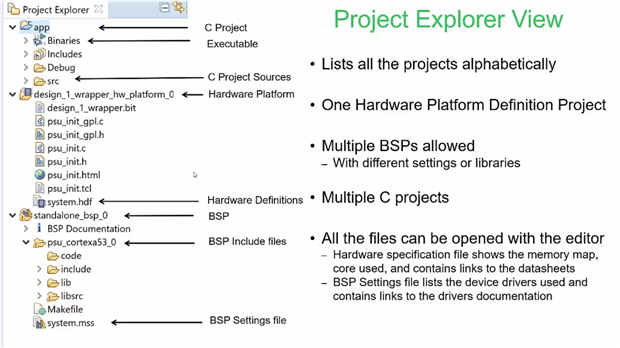
- How applications are arranged & structured in SDK: a hardware project (from Vivado), board support packages & applications

SW Lab 2 - Importing the Hardware Platform into SDK
- Imported the .hdf into a new Xilinx SDK workspace.
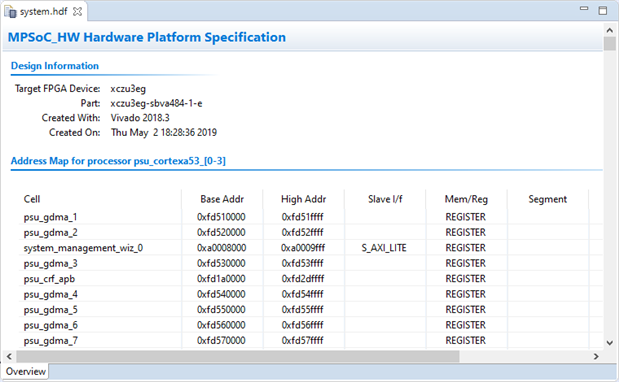
- Had a look at how SDK interprets the hdf file - it displayed the address map, recognized the IP blocks we added and even displayed the register map for Xilinx IP.


SW Chapter 3 video: Standalone Board Support Package
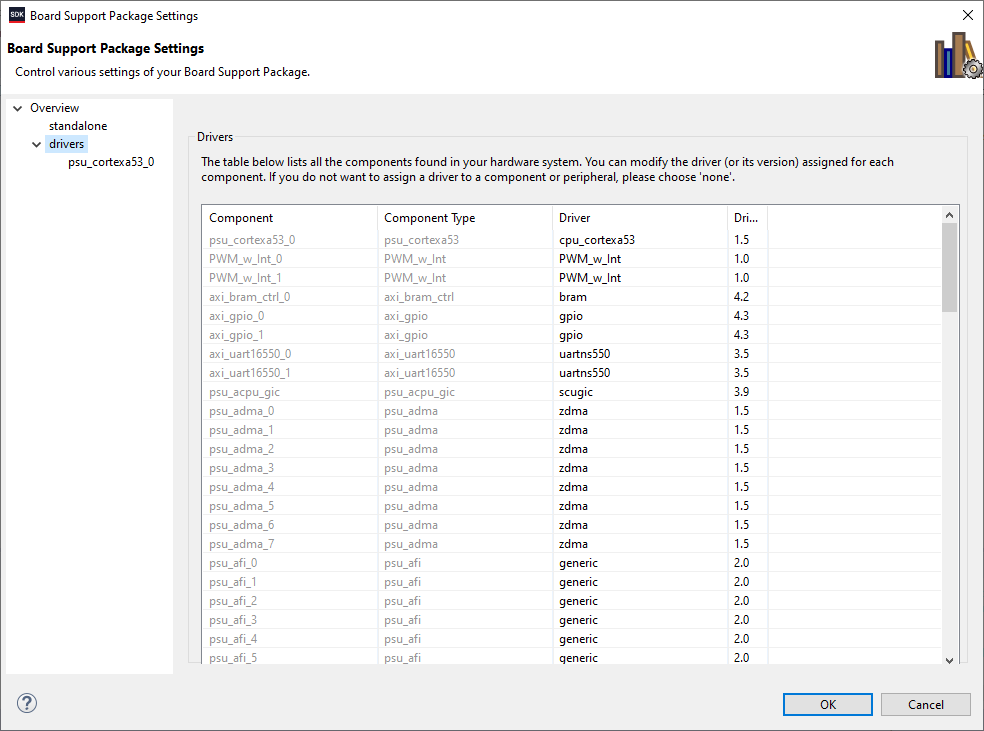
- The BSP includes drivers for a specific hardware definition. SDK reads the .hdf (hardware definition file exported from Vivado), and includes the necessary drivers
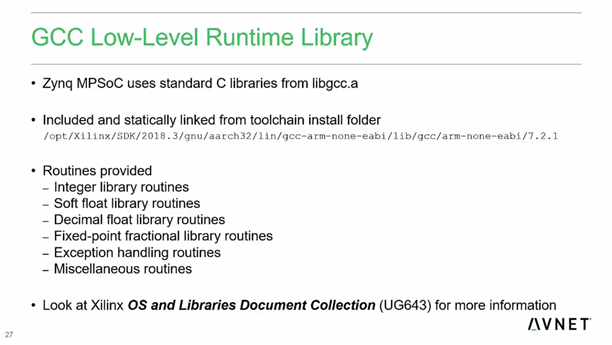
- SDK uses C libraries from GCC

SW Lab 3 - Bare Metal Board Support Package
- Xilinx SDK features automatic BSP generation. "A board support package (BSP) is a collection of libraries and drivers that will form the lowest layer of your application software stack. Your software applications must link against or run on top of a given software platform using the application programming interfaces that it provides."
- Created a new BSP & looked at all the options that wizard has.
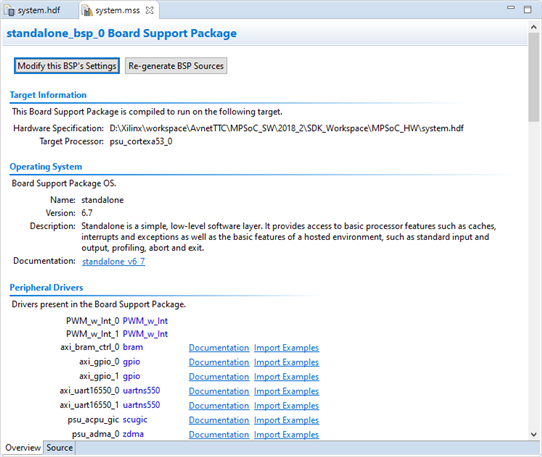
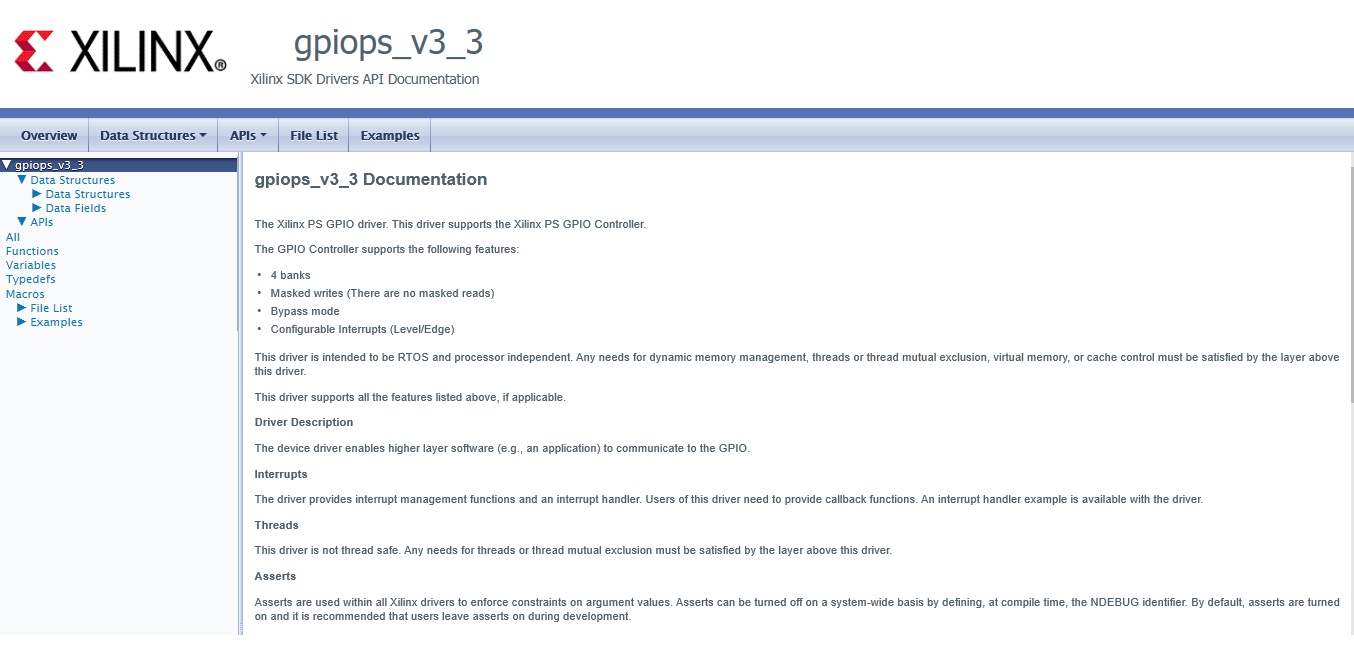
- The BSP viewer in Vivado automatically detects when a certain driver has documentation & examples, and displays a hyperlink.
- Had a brief look at the LibGen tool
SW Chapter 4 video: Developing Applications
- The BSP includes examples for drivers of Xilinx IP blocks
- Xilinx also includes sample applications eg. for the UART, executing memory tests
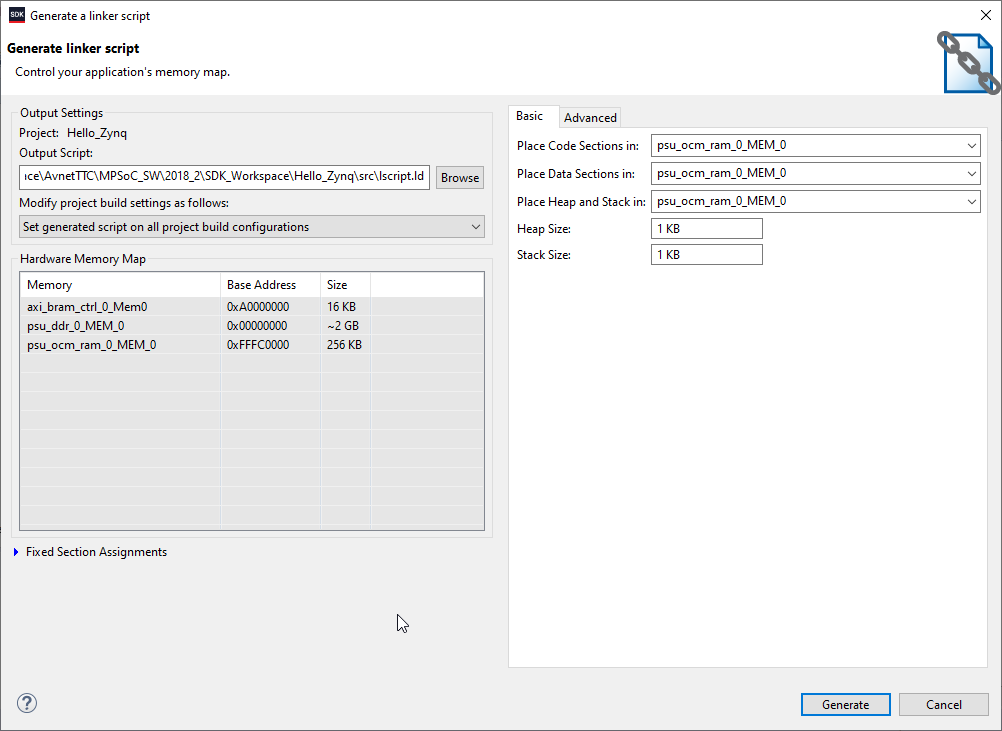
- SDK has a linker script generator - which allows you to place different sections (code, data, heap, stack) in different memories (on-chip memory, BRAM in the PL or DDR)
- Compiler & linker errors are displayed the same as standard Eclipse, which also provides syntax highlighting, code completion etc.
- Project Explorer shows you all the hardware platforms, BSPs & applications in your workspace


SW Lab 4 - Develop a Zynq Software Application
- Added an empty application project & copied over code from one of the UART examples.
- Looked at the linker script - Vivado parses the text file and displays the parameters in a nicer looking page.
- Generated a new linker script and relocated all the program sections from the BRAM to the OCM.
- Added applications to test the peripherals & memory