


Exploring Ultra96-V2 Linux terminal over SSH
Some questions about terminal emulators
What are terminal emulators ?
A terminal emulator, or terminal application, is a computer program that emulates a video terminal within some other display architecture. Though typically synonymous with a shell or text terminal, the term terminal covers all remote terminals, including graphical interfaces. A terminal emulator inside a graphical user interface is often called a terminal window.
Why do we use terminal emulators ?
The Terminal Emulator enables a machine to connect to and communicate with another machine using a command line or graphical interface. The Terminal Emulator uses the Telnet or SSH protocol to communicate with other machines. The Terminal Emulator command enables you to connect to and automate tasks on another machine.
What is SSH ?
SSH, also known as Secure Shell or Secure Socket Shell, is a network protocol that gives users, particularly system administrators, a secure way to access a computer over an unsecured network.
Why do we use SSH ?
SSH employs encryption to ensure that hackers cannot interpret the traffic between two connected devices.
How does SSH works ?
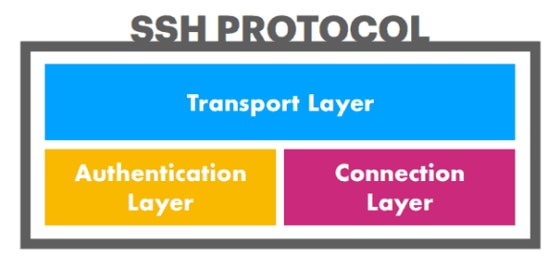
SSH consists of three distinct layers:
- The transport layer establishes safe and secure communication between a client and a server during and after authentication. It oversees data encryption, decryption, and integrity protection. Furthermore, it helps speed up data exchange by providing data compression and caching.
- The authentication layer communicates the supported authentication methods to the client. It also conducts the entire user authentication process.
- The connection layer manages the communication between the machines after the authentication succeeds. It handles the opening and closing of communication channels and allows multiple channels for multiple sessions.
Use case for SSH protocol ?
Remote access – SSH ensures encrypted remote connections for users and processes.
File transfers – SFTP, a secure file transfer protocol managed by SSH, provides a safe way to manipulate files over a network.
X11 Forwarding – Users can run server-hosted X applications from their client machines.
Port Forwarding – By mapping a client’s port to the server’s remote ports, SSH helps secure other network protocols, such as TCP/IP.
Tunneling – This encapsulation technique provides secure data transfers. Tunneling is useful for accessing business-sensitive online materials from unsecured networks, as it can act as a handy VPN alternative.
Network management – The SSH protocol manages network infrastructure and other parts of the system.
Working of SSH ?
SSH is a client-server based protocol. This means the protocol allows a device requesting information or services (the client) to connect to another device (the server).
When a client connects to a server over SSH, the machine can be controlled like a local computer.
The server has a designated TCP port over which it monitors the network, waiting for clients to initialize the connection. Before a client connects and starts issuing SSH commands, it needs to pass the authentication process.
How does SSH establishes the connection ?
Run the following command on a client machine to initiate an SSH connection:
ssh [username]@[server_ip_or_hostname]
When the server receives the requests, a session encryption negotiation begins.
Which terminal emulators are we going to use for our applications ?
We are going to use “TeraTerm” as a terminal application emulator
SSL project Execution
In this phase we are going to install “TeraTerm” terminal application emulator and connect to the Ultra96-V2 bord over SSH. Since the Ultra96-V2 is loaded with Linux OS. We will also execute some Linux command on the terminal.
Windows 8 by default doesn’t comes with any terminal emulator applications. We have to externally install terminal emulator application to access Ultra96-V2 Linux OS over SSH.
TeraTerm installation:-
To download TeraTerm open the link given bellow:-
https://osdn.net/projects/ttssh2/downloads/74780/teraterm-4.106.exe/
In the above link click on “teraterm-4.106.exe” as shown in figure 1.1 bellow
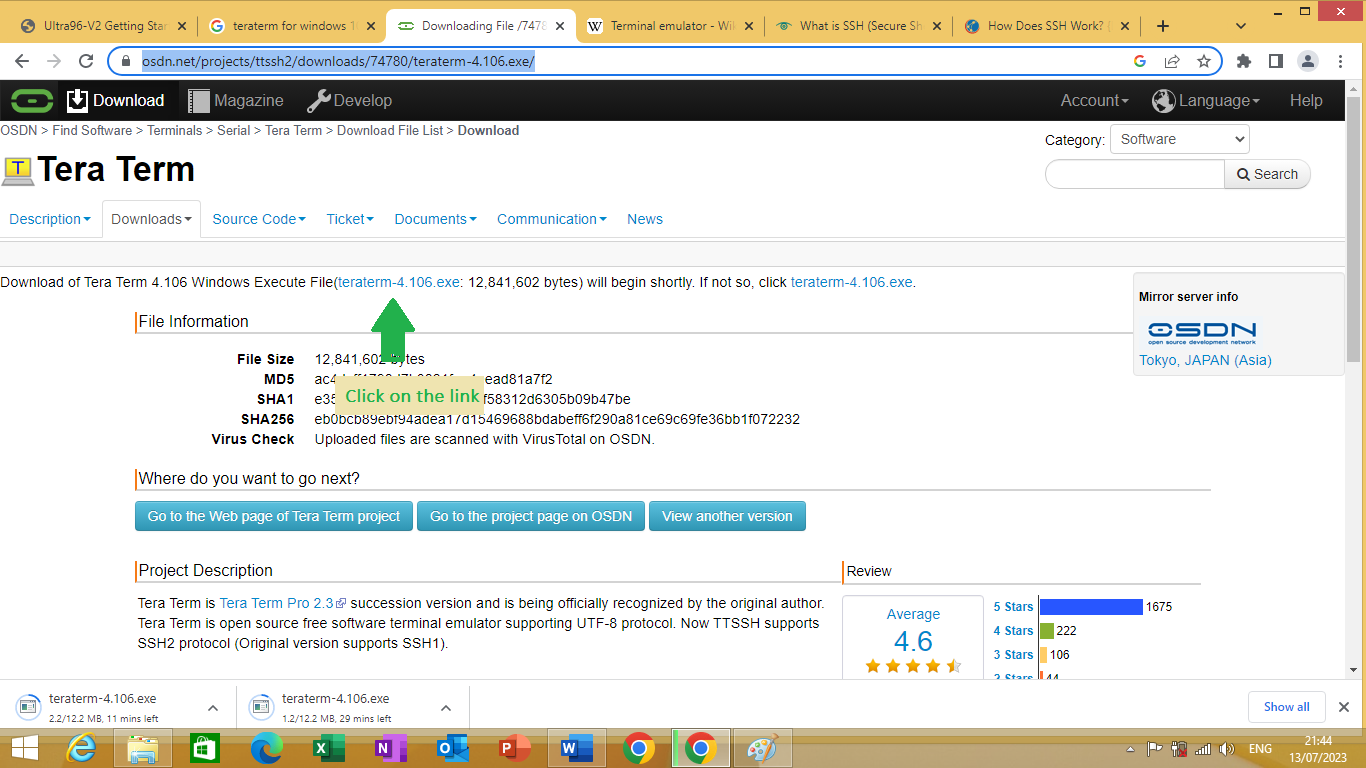
figure 1.1
After clicking on the link download will start the application name is “teraterm-4.106.exe”
To install “TeraTerm” double click on “teraterm-4.106.exe” application setup program.
As shown in Figure 1.2

figure 1.2
To open “TeraTerm” serch for teraterm application can double click on it as shown in Figure 1.3 bellow
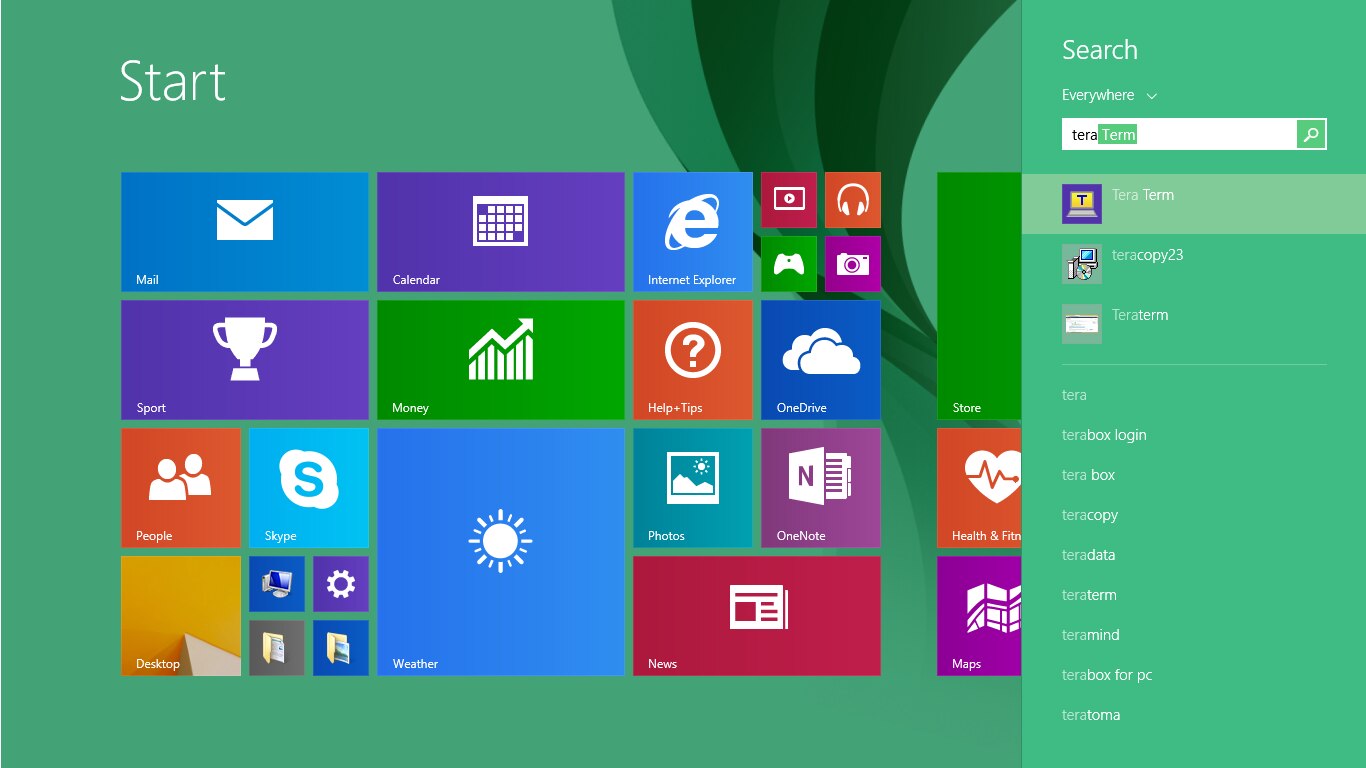
figure 1.3
To connect to the host you first have to start the Ultra96-V2 development board with Linux OS installed In it. Then you have to connect to that board via Wifi. After connecting to the Ultra96-v2 board via Wifi. Open teraterm in it mention host as “192.168.2.1” set TCP port as 22, Service as SSH, SSH version as SSH2 and IP version as AUTO as shown in figure 1.4 bellow
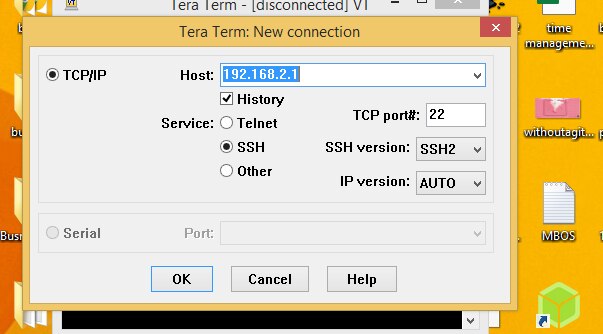
figure 1.4
Click on you will get a security warning and then you will be asked for SSH authentication information. Write “root” as Username and in paraphrase as show in figure 1.5 bellow

Figure 1.5
A terminal window connected to ultra 96 will be shown on terminal window as shown in figure 1.6 bellow
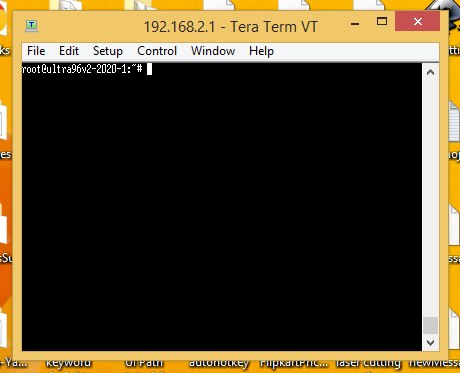
Figure 1.6
Know you can execute various Linux command on the terminal window.
Executing various Linux command on the terminal
Some questions for with respect to Linux
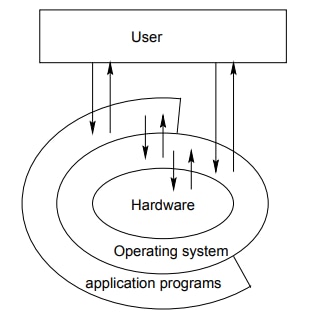
Basic Structure of Unix/Linux OS ?
What are the two types of User in Linux ?
- normal’ users with restricted rights
- system administrator (root) with all privileges. The latter is responsible for the installation, configuration and maintenance of the system as well as the user administration.
what is a Linux command ?
A Linux command is a program or utility that runs on the command line.
What is a command line ?
A command line is an interface that accepts lines of text and processes them into instructions for your computer.
What are the various basic Linux commands ?
ls Lists all files and directories in the present working directory
cd To change to a particular directory
cat to create new file or to display file information.
mv to move file or to rename file
sudo Allows regular users to run programs with the security privileges of the superuser or root.
rm use for deleting file.
man Gives help information on a command
history Gives a list of all past commands typed in the current terminal session
clear Clears the terminal
mkdir Creates a new directory in the present working directory
rmdir deletes a directory
lp sends command to printer for printing file
apt used to install or update packages
pwd used for displaying present working directory.
What are the various class of command in Linux OS ?
- File Permission commands
- Environment Variables command
- User management commands of linux
- Networking command
- Process command
- VI Editing Commands
What is the common saying about Linux OS ?
In UNIX/LINUX everything is a file
what are the various file system objects that can be found on UNIX/LINUX ?
- Normal text files
- Executable files
- Directories
- Device files
- Pipes
- Symbolic or hard links
How Linux treats it physical devices ?
All physical devices (hard disks, DVD, CDROM, USB, floppy) are denoted by specific files inside a certain directory within the file tree (usually within /dev).
What are shell scripts ?
Shell scripts are small programs consisting of UNIX commands and shell-specific program constructs (branches, loops etc), which behave like UNIX commands but are present in text form (instead of binary). These scripts are interpreted by the shell.
What are channels in Linux ?
All UNIX commands use input and output channels to read data and to output data. Usually, these are the keyboard and the screen assigned to the specific user, respectively.
Linux command execution project
We are going to execute linux command and know more about the Ultra96-v2 Linux Os terminal. First we will know about present working directory. For knowing present working directory we execute PWD command on the terminal as shown in figure 3.1 bellow
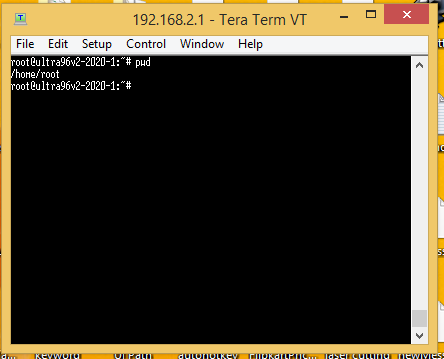
figure 3.1
From the figure 3.1 you can see the present working directory is /home/root
Know we will create a folder name “project” in which we are going to keep all our files on which we will perform operations on. To create project directory/Folder, we are going to use mkdir command as shown in figure 3.2 bellow
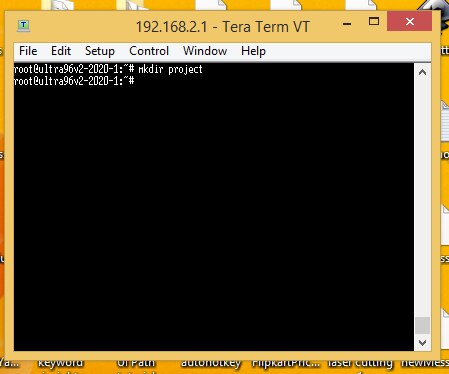
figure 3.2
The above command will create a folder name project in present directory. To know which files/folders exist in the present working directory we use ls command as shown in figure 3.3 bellow
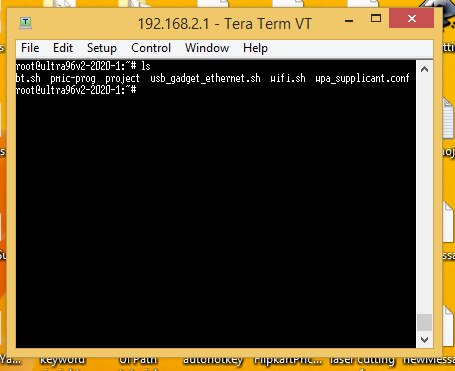
figure 3.3
You can see above ls command displays the list of available folder/file present in the present working directory. Over here you can even see the “project” folder that we have created using mkdir command.
Know we will open project directory, since we want to create various kinds of files in the project directory. The command we are going to use is cd also know as change directory command as shown in figure 3.4 bellow
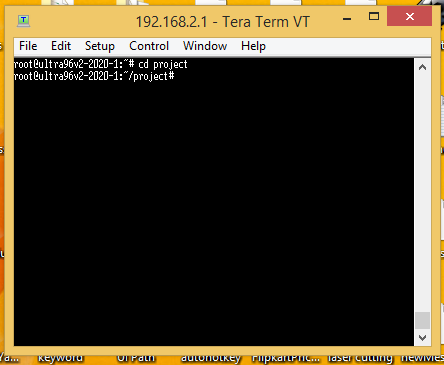
figure 3.4
In the above figure you can see that we have entered in the project directory. Know we are going to create a file name “file1”. To create and open file1 we use command vi file1 as shown in figure 3.5 bellow
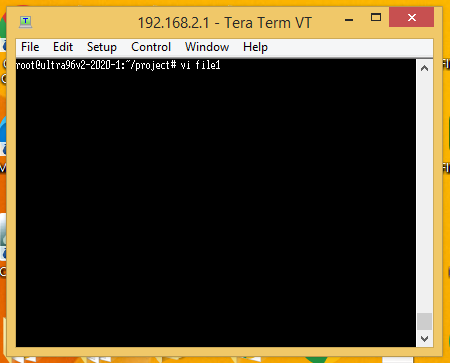
figure 3.5
Learning vi text editor of Unix/Linux
Some questions about vi editor
What is a vi editor ?
Vi editor is a powerful and widely used text editor in UNIX and Linux operating system. It allows us to create, edit and manage text files.
Why do we use vi editor ?
We use it to create, edit and manage text files
What are the various modes in vi editor ?
Command mode
Insert mode
Escape mode
What is the purpose of command mode ?
When vi starts up, it is in Command Mode. This mode is where vi interprets any characters we type as commands and thus does not display them in the window. This mode allows us to move through a file, and delete, copy, or paste a piece of text. Enter into Command Mode from any other mode, requires pressing the [Esc] key. If we press [Esc] when we are already in Command Mode, then vi will beep or flash the screen.
What is the purpose of insert mode ?
This mode enables you to insert text into the file. Everything that’s typed in this mode is interpreted as input and finally, it is put in the file. The vi always starts in command mode. To enter text, you must be in insert mode. To come in insert mode, you simply type i. To get out of insert mode, press the Esc key, which will put you back into command mode.
What is the purpose of last line mode(Escape mode) ?
Line Mode is invoked by typing a colon [:], while vi is in Command Mode. The cursor will jump to the last line of the screen and vi will wait for a command. This mode enables you to perform tasks such as saving files and executing commands.
Vi Editor Execution project
In this project we are going to create a text file and write some content in it and then save it. First, we will enter in our default directory named “project” directory. Know we will open file1 using vi editor. To open file1 in vi write command vi file1 as shown in figure 4.1 bellow
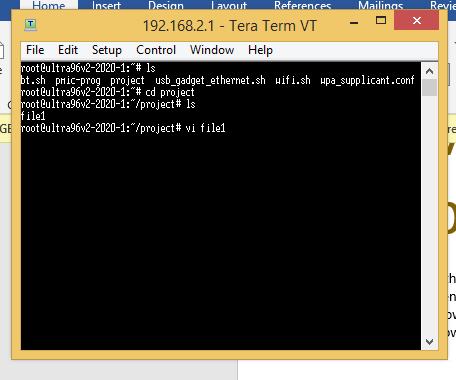
figure 4.1
After writing the above command vi editor will open as shown in figure 4.2 bellow
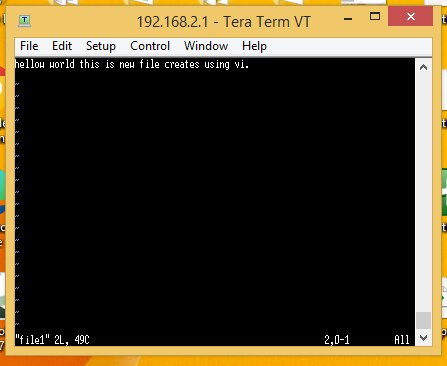
figure 4.2
To edit the content of the file1, we have to set vi in insert mode by pressing ‘I’ as shown in figure 4.3 bellow. In insert mode you can edit the content of the file.
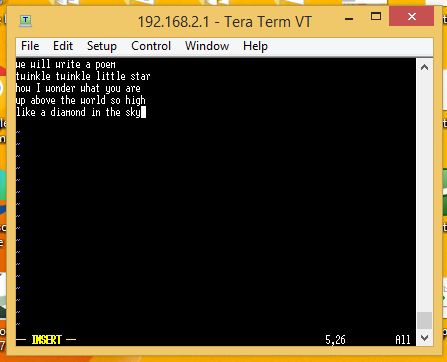
figure 4.3
Know in order to save the content of the file you need to enter in command mode and enter the command ‘:w!’ .The command will over right the content of the file and save it as shown in figure 4.4 bellow. To enter in command mode you have to press esc key on your keyboard.

figure 4.4
In figure 4.5 you will save the content of the file.

figure 4.6
After pressing enter the content is written in the file as shown in figure 4.7 bellow
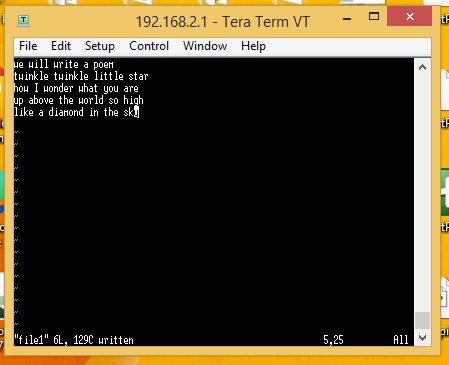
figure 4.7
Know we will quit the vi editor to quit we will use command ‘:q’ in command mode as shown in figure 4.8 bellow
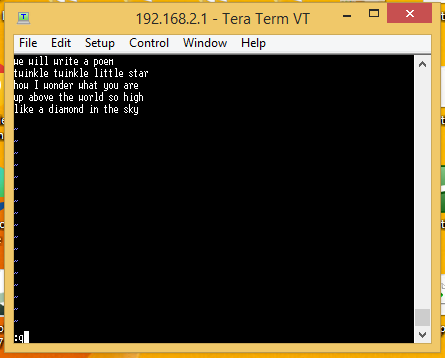
figure 4.8
After pressing enter the vi editor will exit and return to unix command prompt.
Writing your first C program in Unix/Linux ultra96-v2 terminal
Some question with respect to programming language.
What is a programming language ?
Programming languages allow to formulate certain problems or algorithms by means of particular syntactic rules. Such a program can be ‘translated’ by dedicated programs (interpreter, compiler) into machinereadable code and then executed by the computer.
What is a programming paradigm ?
Paradigm can also be termed as method to solve some problem or do some task. Programming paradigm is an approach to solve problem using some programming language or also we can say it is a method to solve a problem using tools and techniques that are available to us following some approach.
What is Procedural programming ?
A program consists of a hierarchic dissection of the problem into functional units.
What is object-oriented programming ?
User-defined types (classes) and associated operations are introduced. Thus, data and associated functions (methods) build a unit within a class. Data are (usually) accessible only via the associated methods. Inheritance of common properties allows to distinguish between general and special attributes of the types/classes.
What phase does a programming language source file goes through while generating an executable file ?
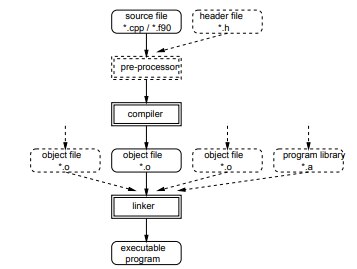
What is a preprocessor ?
The pre-processor replaces symbolic constants and macros and inserts additional files, if required.
What is a compiler ?
The compiler ‘translates’ the source code to machine readable code, creating the object files.
What is a linker ?
The linker binds all present object files (and, optionally, object files from libraries) to the executable program (executable object).
What does the GNU c++ compiler in Unix/ Linux is know as ?
g++
C program execution project
We are going to write our first c/c++ program using GNU c++ compiler of unix/linux. To start writing our c program we will open our file “helloworld.c” using vi editor and then we will write the content as shown in figure 5.1 bellow.

figure 5.1
We save the file and then compile the file using g++ compile as shown in figure 5.2 bellow
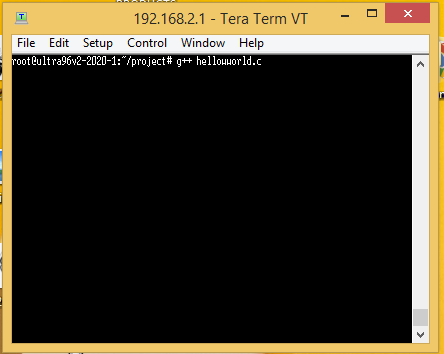
figure 5.2
After pressing enter the file will get compiled and linked an excusable file a.out will be created which can be seen in figure 5.3 bellow
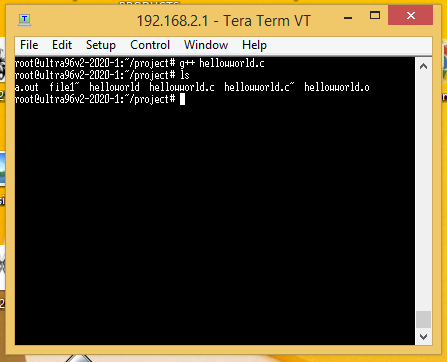
figure 5.3
To open the executable file a.out. we will write the following text on the command line “./a.out” as shown in figrure 5.4 bellow
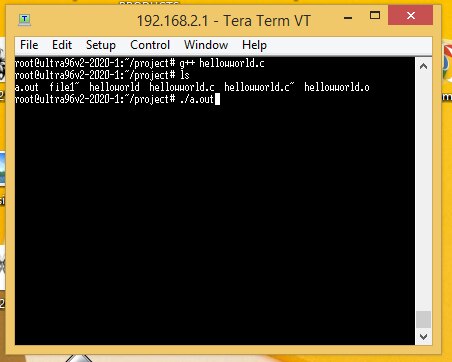
figure 5.4
After writing the above text and pressing enter you will find the out “hello world” displayed in the terminal as shown in figure 5.5 bellow.
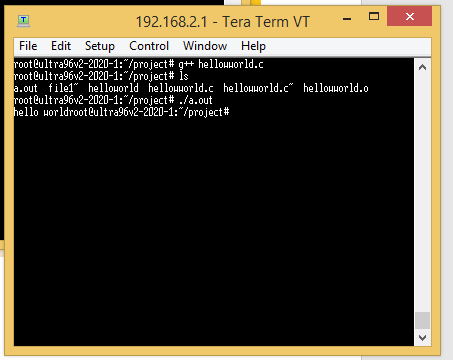
figure 5.5