element14 Community
element14 Community
    Register Log In
  • Site
  • Search
  • Log In Register
  • Community Hub
    Community Hub
    • What's New on element14
    • Feedback and Support
    • Benefits of Membership
    • Personal Blogs
    • Members Area
    • Achievement Levels
  • Learn
    Learn
    • Ask an Expert
    • eBooks
    • element14 presents
    • Learning Center
    • Tech Spotlight
    • STEM Academy
    • Webinars, Training and Events
    • Learning Groups
  • Technologies
    Technologies
    • 3D Printing
    • FPGA
    • Industrial Automation
    • Internet of Things
    • Power & Energy
    • Sensors
    • Technology Groups
  • Challenges & Projects
    Challenges & Projects
    • Design Challenges
    • element14 presents Projects
    • Project14
    • Arduino Projects
    • Raspberry Pi Projects
    • Project Groups
  • Products
    Products
    • Arduino
    • Avnet & Tria Boards Community
    • Dev Tools
    • Manufacturers
    • Multicomp Pro
    • Product Groups
    • Raspberry Pi
    • RoadTests & Reviews
  • About Us
    About the element14 Community
  • Store
    Store
    • Visit Your Store
    • Choose another store...
      • Europe
      •  Austria (German)
      •  Belgium (Dutch, French)
      •  Bulgaria (Bulgarian)
      •  Czech Republic (Czech)
      •  Denmark (Danish)
      •  Estonia (Estonian)
      •  Finland (Finnish)
      •  France (French)
      •  Germany (German)
      •  Hungary (Hungarian)
      •  Ireland
      •  Israel
      •  Italy (Italian)
      •  Latvia (Latvian)
      •  
      •  Lithuania (Lithuanian)
      •  Netherlands (Dutch)
      •  Norway (Norwegian)
      •  Poland (Polish)
      •  Portugal (Portuguese)
      •  Romania (Romanian)
      •  Russia (Russian)
      •  Slovakia (Slovak)
      •  Slovenia (Slovenian)
      •  Spain (Spanish)
      •  Sweden (Swedish)
      •  Switzerland(German, French)
      •  Turkey (Turkish)
      •  United Kingdom
      • Asia Pacific
      •  Australia
      •  China
      •  Hong Kong
      •  India
      •  Japan
      •  Korea (Korean)
      •  Malaysia
      •  New Zealand
      •  Philippines
      •  Singapore
      •  Taiwan
      •  Thailand (Thai)
      •  Vietnam
      • Americas
      •  Brazil (Portuguese)
      •  Canada
      •  Mexico (Spanish)
      •  United States
      Can't find the country/region you're looking for? Visit our export site or find a local distributor.
  • Translate
  • Profile
  • Settings
Ben Heck Featured Content
  • Challenges & Projects
  • element14 presents
  • element14's The Ben Heck Show
  • Ben Heck Featured Content
  • More
  • Cancel
Ben Heck Featured Content
Documents Winner Announcement: Ben Heck's Raspberry Pi Zero Portable!
  • Blog
  • Forum
  • Documents
  • Events
  • Polls
  • Files
  • Members
  • Mentions
  • Sub-Groups
  • Tags
  • More
  • Cancel
  • New
Join Ben Heck Featured Content to participate - click to join for free!
Actions
  • Share
  • More
  • Cancel
Engagement
  • Author Author: tariq.ahmad
  • Date Created: 28 Jul 2016 6:44 PM Date Created
  • Last Updated Last Updated: 18 Apr 2017 10:39 AM
  • Views 15134 views
  • Likes 5 likes
  • Comments 306 comments
Related
Recommended

Winner Announcement: Ben Heck's Raspberry Pi Zero Portable!

image

element14's The Ben Heck Show

Join the Ben Heck team every week for amazing hacks! Watch them build and mod community-inspired projects using electronics!

Back to The Ben Heck Show homepage image

Connect with TBHS
Featured Bonus Materials
See All Episodes


{tabbedtable} Tab LabelTab Content
Winner Announcement

Congratulations thefalcontype you are the winner of Ben Heck's Portable Raspberry Pi Zero!


Thank you for everyone who participated and sharing your amazing builds with the rest of the community!
Winning Entry

thefalcontype writes:


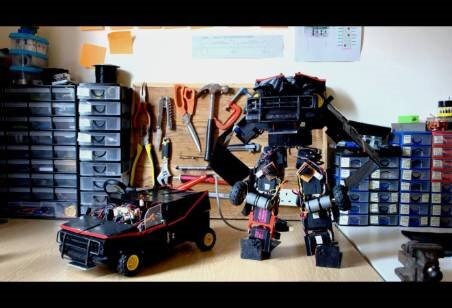
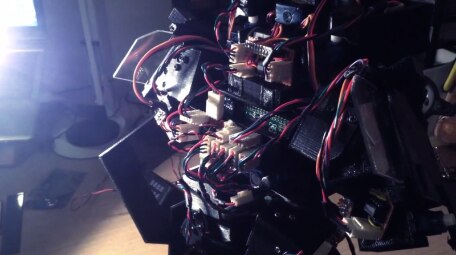
As a university student, i was struggling to decide what project I could do for my third year finals and that's when a lecturer told me, "processing is cheap". At first i thought he meant just small simple micro-controllers, however a week later the raspberry pi zero was announced and launched. I was lucky enough to run to town and managed to pick up the magazine which was giving it away for free. I had never owned or used a raspberry pi before then, but after that, i could not stop talking about it. £4 for a full spec PC with easily controllable gpio's. It truly was and still is an amazing bit of hardware. For that reason i felt i needed to build something that could use the amazing power of the tiny pi and push what had been done with not just the raspberry pi, but any small frame computer. That is why i then built a miniature, fully working transformer that could drive around, then transform to walk around as a fully pi-pedal robot. The raspberry pi really inspired me to realize what could be achieved in the modern day and age if you just put the time and effort into it. You don't need a big budget, you just need both the inspiration and then the dedication to follow through with it.


Video of the raspberry pi zero Transformer:


You don't have permission to edit metadata of this video.
Edit media
x
image
Upload Preview
image


image

image


You don't have permission to edit metadata of this video.
Edit media
x
image
Upload Preview
image


In 2006, Eben Upton and colleagues including Rob Mullins, Jack Lang, and Alan Mycroft came up with the idea of using a cheap, tiny computer to help teach kids how to code. They were concerned with the year-on-year declining popularity and skill set of A Level students applying for Computer Science in each academic year throughout the 2000's.  Something was clearly going on, the situation had changed drastically from what was happening in the early 1990s, when most kids who applied came to interviews as experienced hobbyist programmers as opposed to someone who did just a little bit of web design.


You don't have permission to edit metadata of this video.
Edit media
x
image
Upload Preview
image


A number of problems for why kids interacted differently with computers were identified: combining ICT curriculum with lessons on using Word and Excel, or writing web pages; the dot-com bust; and the rise of home PC and game consoles to replace the Amigas, BBC Micros, Spectrum ZX and Commodore 64 machines that the previous generation had grown up and learned to program on. While the consolidation of curriculum and the end of the .dom era are issues a small group of people could not address, reinvigorating an interest in programming lost on those growing up with modern computers was something they felt they could help with. Unlike modern computers, which were cost prohibitive and did not lend themselves to programming experimentation, the older computers of the previous generation could be booted into a programming environment.


{gallery} My Gallery Title

image

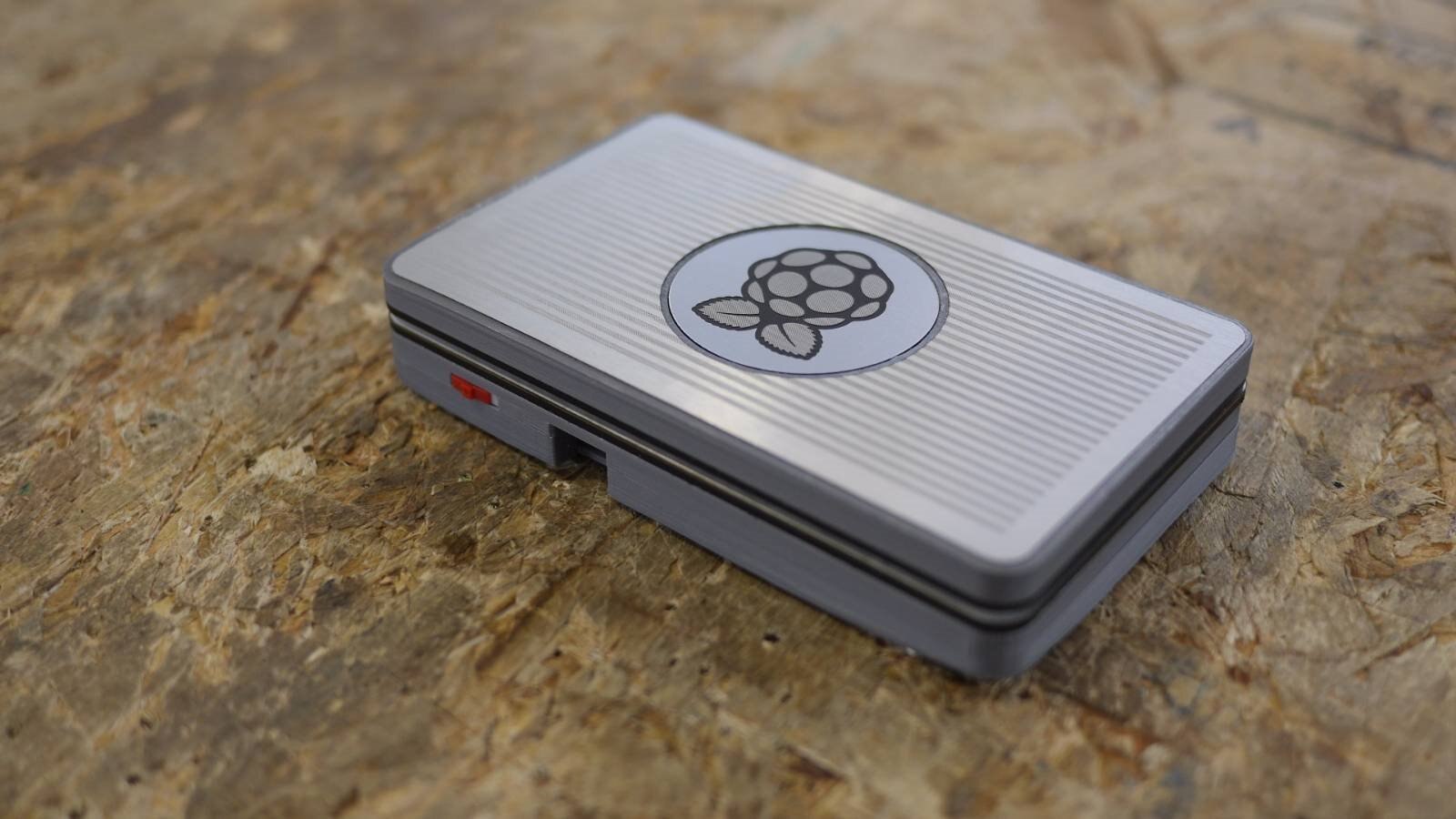
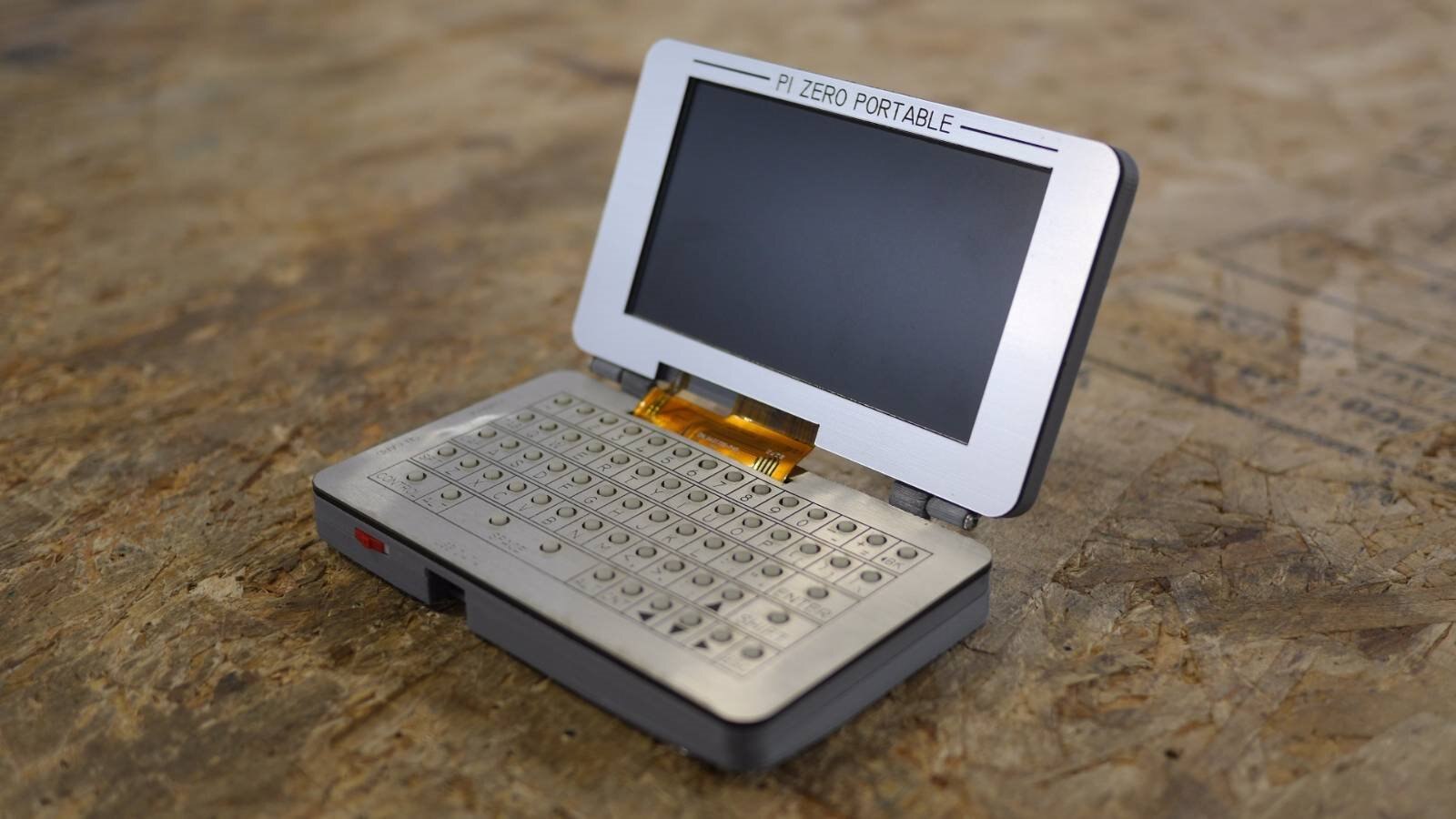
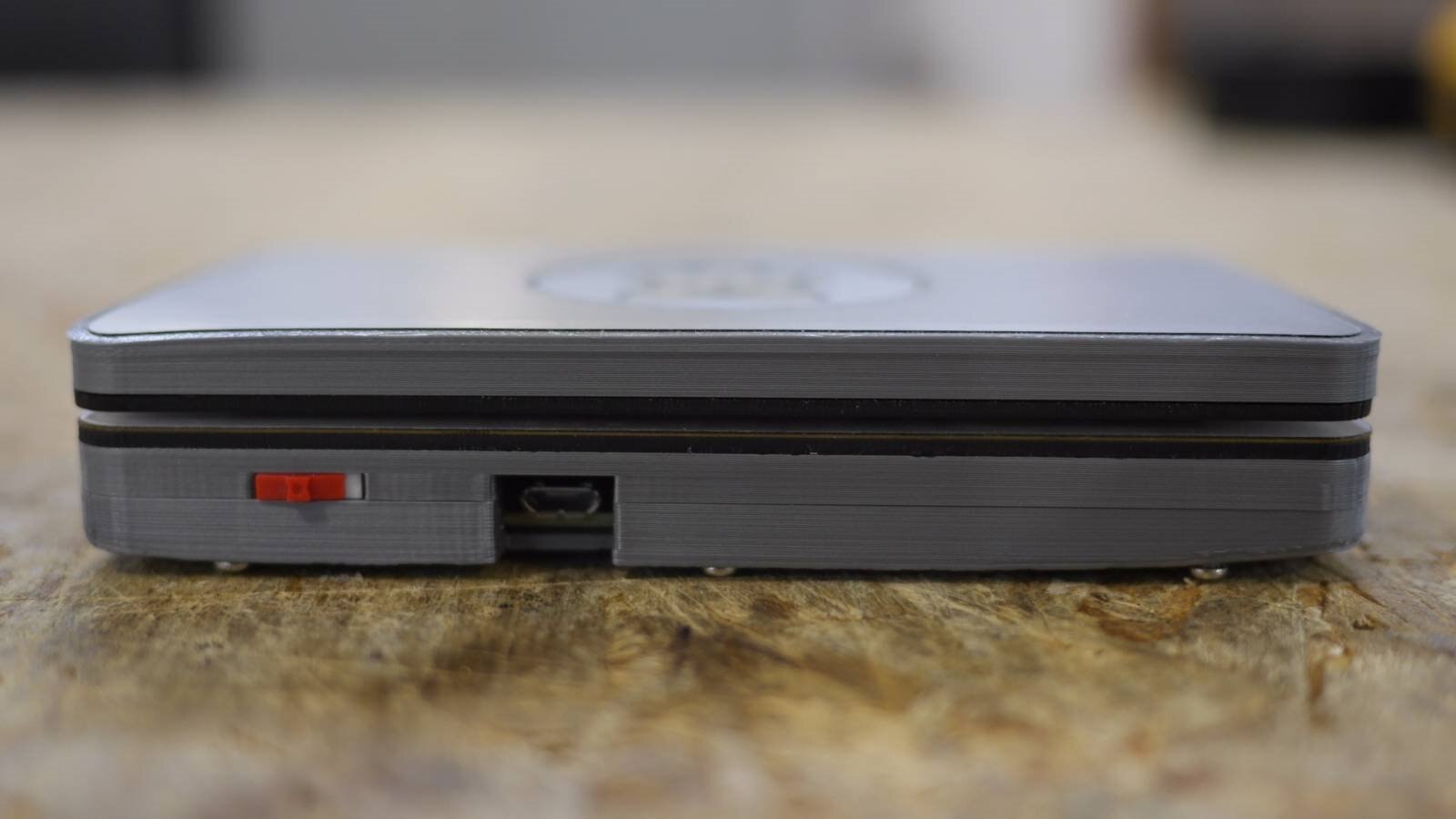
IMAGE TITLE: Raspberry Pi Zero Portable Image 1

image

IMAGE TITLE: Raspberry Pi Zero Portable Image 2

image

IMAGE TITLE: Raspberry Pi Portable Image 3

image

IMAGE TITLE: Raspberry Pi Portable Image 4


Several iterations of what would later be known as the Raspberry Pi were designed from Eben from 2006 to 2008. The idea gain steam until 2008, when processors used in mobile devices became more affordable and powerful enough to deliver a quality multimedia experience, making the boards attractive for kids not interested in a purely programming-oriented device. Eben Upton, Rob Mullins, Jack Lang, and Alan Mycroft teamed up Pete Lomas and David Braben to form the Raspberry Pi foundation and turn their vision into a reality.


The foundation also had several challenges including no manufacturing experience, price points with margins under acceptable levels for contract manufacturers, and volumes that were too low.  The original plan for the Raspberry Pi called for building just 1000 units for new undergraduates at Cambridge University. They figured they could operate at an initial loss by kick starting the project themselves and further develop the platform while early adopters helped with debugging, documentation, and education.


Raspberry Pi Zero Portable Episode
image

Instead, they became victims to their own success when just three weeks before launch, initial demand went well beyond 200,000 units.  It would be impossible for them to subsidize production at a level 200 times beyond what they initially expected and they could not fund demand by normal loan methods because they were registered as a UK charity. As as result, they began searching for a partner with the buying power to keep component prices low, the global presence to handle logistics, and the financial muscle to make it all happen immediately.


According to Pete Lomas: "What we learned is that we had to sell out (a little) to sell (a lot). I'd argue that many makers do this when they want to scale... Holding back schematics altogether troubled us. Not being open would impede people's ability to interface and hack the hardware - defeating the very goals we had set out to accomplish with Raspberry Pi in the first place. Because our remit is education in the broadest sense, we wanted - needed - to provide completely open access to the hardware. And we didn't want to alienate the devoted hacking and open source community that had fueled early interest and would provide much future development. ...But if other manufacturers copied our design, our partners would lose their investment, which was approaching several million dollars. They were spending this time and money optimizing their processes for manufacturing our product, while exploring component alternatives to meet our cost target."


The final design for the Raspberry Pi included what is perhaps its most important feature for the hacker and open source community, access to the General Purpose Input/Output (GPIO). Pete Lomas continues: "The GPIO was the key to unlocking the hardware so successfully developed in the Arduino ecosystem: The stuff people could add to and embed with the Raspberry Pi. The GPIO also meant features that ended up on the cutting room floor could be added back by our ever-inventive community. ...without all these specs, a hardware community could not grow around the Raspberry Pi."


The Raspberry Pi was released by Premier Farnell, the company behind element14, in 2012. According to the CEO at the time: "This partnership brings together the world's biggest online design engineer community with one of the most exciting electronic/embedded computing products to be launched for decades. ...Through our element14 community we will encourage everyone from developers, modders, coders and programmers to discuss, share and develop their ideas and fully (utilize) the game-changing potential of the Raspberry Pi computer."


In the comments below tell us how the Raspberry Pi inspires you!


Let us know and you could win Ben Heck's Portable Raspberry Pi Zero!


Feel free to send us pictures or videos of an invention you've made using it, something you did differently with it that no one else has thought of, how you were able to use it to learn something new, an amazing build you've made with it such as a portable device or a retro gaming machine, something useful that is either not affordable or commercially available, a programming language or a skill it helped you master, or anything else related to the Raspberry Pi.

Directions:

Step 1:  Log in or register on element14, it's easy and free.

Step 2: Post in the comments section below and tell us how the Raspberry Pi inspires you. Videos, pictures and text are all welcomed forms of submission.

Step 3:  Sit back, relax, and enjoy the show!  We will accept entries until 3:00pm CDT August 29th, 2016 and we will announce our winner on YouTube. If you need something to do between now and then make sure to check out what is happening This week on element14 Community, or watch more Ben at element14.com/TBHS.


Bonus points if you also comment and like your favorite Raspberry Pi builds.  Show your enthusiasm by liking or commenting on some or all of his builds:


image

Attachments:
imageGiveaway_TC.pdf
  • give-away
  • tbhs
  • raspi
  • ben heck giveaways
  • raspberry pi zero
  • free stuff
  • giveaway
  • the ben heck show
  • ben heck
  • eejournal
  • raspberry pi
  • pi_zero
  • raspberrypi
  • pi0
  • ras
  • ras_pi
  • rasperry_pi
  • ras pi
  • ben_heck
  • pi zero
  • bh_giveaways
  • Share
  • History
  • More
  • Cancel
  • Sign in to reply

Top Comments

  • vang1
    vang1 over 10 years ago +4
    Hello. Rapsberry pi is a very small and good computer to start your own projects. i started with my portable raspberry pi and made a gaming console using a mobilepower bank and a 5" LCD screen and raspberry…
  • maxdeny
    maxdeny over 10 years ago +2
    I just love how small it is It's tiny in comparison to the type of raspberry pi laptops I'm used to seeing much like this one It reminds me of devices like the open pandora and ben nanonote My experience…
  • richjteel
    richjteel over 10 years ago +2
    Inspired me to join my daughter when she attends cosplay events by making my own working Tricorder from the original Start Trek Series. I purchased a Diamond Selects TOS Tricorder, gutted it and stuffed…
  • jodybrown
    jodybrown over 10 years ago

    i'm currently making a baby monitor camera using a raspberry pi and a NoIR camera. i'm about 2/3 of the way through making it. it has a Pi B+, NoIR camera, 4 IR LED's, 1 switch and led to indicate and control power, and 2 more switches and 1 led to indicate and control the IR LED brightness. it's all mounted in a project box on the end of a flexible shaft, and the other end has a screw clamp so it can be secured to the crib (it is a re-purposed LED BBQ light).


    it'd be nice to upgrade this with a led bar matrix for brightness display, and perhaps a small LCD as a viewfinder. right now it's just going to be web based using Motion.

    • Cancel
    • Vote Up 0 Vote Down
    • Sign in to reply
    • More
    • Cancel
  • e14 Contributor
    e14 Contributor over 10 years ago in reply to e14 Contributor

    Chris,

    What antenna did you use?  I have been experimenting with a handful of telescoping antenna with mixed results.  I have been running a long USB cable from my dongle to my laptop.


    If the Raspberry Pi 3 doesn't have the grunt to handle an SDR dongle directly, I may look into a more customized front end that I could incorporate filters and LNAs into prior to connecting everything to the Pi.

    --Richard

    • Cancel
    • Vote Up 0 Vote Down
    • Sign in to reply
    • More
    • Cancel
  • e14 Contributor
    e14 Contributor over 10 years ago in reply to e14 Contributor

    In the past I have used my Pi B+ and an SDR dongle to listen to ATC and other signals, however the B+ didn't have the processing power to decode on the fly, but it was perfectly adequate for sending the signals over a network to my PC box where I could decode. This had many advantages, since the Pi could be placed as close to the antenna as possible to reduce interference, with the final (long) connection over Ethernet to a PC in my office, up to fifty metres away from the outdoors.


    Maybe the Pi 3 has enough grunt to decode on the fly now though? A hand held SDR would be awesome.

    • Cancel
    • Vote Up 0 Vote Down
    • Sign in to reply
    • More
    • Cancel
  • e14 Contributor
    e14 Contributor over 10 years ago

    I am a student pilot who is finishing up my private pilot certificate and moving on to my instrument rating.  I do a large amount of flight planning in the run up to any cross country, and I am in the process of designing a flight computer to be a dedicated aide in flight planning.  I could use an iPad and any number of flight planning apps that are designed for it, but I could not add my own hardware to expand the functionality.  For example, I could not add an RTL-SDR dongle to allow me to listen to air traffic control.


    A Raspberry Pi is the perfect platform for designing this kind of lightweight, specialized computer.

    • Cancel
    • Vote Up 0 Vote Down
    • Sign in to reply
    • More
    • Cancel
  • e14 Contributor
    e14 Contributor over 10 years ago

    I've just recently been introduced to electronics and seeing projects such as this really make me want to get started making my own projects.

    • Cancel
    • Vote Up 0 Vote Down
    • Sign in to reply
    • More
    • Cancel
  • e14 Contributor
    e14 Contributor over 10 years ago

    I love working with the Raspberry Pi.  My most recent project with one started out when I found a messed up IBM model M at work and decided to fix it and use it at my desk.  I got it up and running, but quickly realized how ofted I use the windows key, which is obviously missing from a keyboard this old.  To fix this, my original thought was just to make a box with a button to emulate the windows key, but why build a box with only one button? So from there, I built an 8 button macro keyboard.  This was better, but it still needed something else, so I threw in an LCD screen and a raspberry pi, then set it up to automatically pull my next appointment from my google calendar.  It worked out pretty well I think.  I'm now the subject of some pretty intense office nerd envy.  Those are arcade game buttons by the way.

    image

    • Cancel
    • Vote Up 0 Vote Down
    • Sign in to reply
    • More
    • Cancel
  • frikkiev
    frikkiev over 10 years ago

    Hi all


    Greetings from South-Africa. I’ve been a fan of the Ben Heck Show for a long time now and I decided to join the element 14 community after reading about this awesome giveaway. My favourite Raspi episode is the one where you make a functional oscilloscope with a Pi2, it is the one tool that I must still get as I think I will need it for future projects.

    The Raspberry Pi was a total revolution for home DIY’ers like myself, before it was available we had to buy expensive hardware that was built for some other function and try to manipulate it to do what we needed. Then the Pi came along, it was cheap, easily available, hackable and came with a massive community of bright people who can come up with interesting solutions to your problems.

    The place where I use the Pi’s the most is as media centers. I previously had a PC setup as my media center but it was big, took long to boot, was hard to configure and because it had a separate remote it was a problem for my family to use. Then along came the Raspberry Pi which with Openelec gives you a fast boot, easy GUI and best of all the HDMI-CEC feature which all allow us to easily play movies and watch YouTube using the normal TV remote. It has been so successfully that we now have 3 Raspi media centers in the house for comfort entertainment.


    Here are a few of my past Pi projects:

    Raspberry Pi 2-powered bookshelf arcade machine:


    I’ve been wanting to build my own arcade machine for a long time and about 10 years ago I built my own arcade controller for PC using a cheap USB keyboard controller. A few months ago I noticed a listing for an arcade stick with buttons and I knew it was time to build my own cabinet. I was looking at plans for cabinets when I decided to rather use an old bookshelf that we had around and were not using. I first installed the largest screen I could fit (a 24” FHD LCD TV) but after a few players got headaches as they were sitting too close to the screen I was forced to install a smaller screen (17” 1280x1024 LCD TV) but it looked and worked better because of the 4:3 ration that most old games used.


    imageimageimageimage


    Portable Pi with monitor


    I got a nice little 10” LCD from my brother-in-law and was wondering what I could do with it. The problem was that it only had a VGA connector which the Raspi did not. Luckily a new online store opened in South-Africa that sold the Gert 666 VGA that allowed you to have a VGA port on the Raspi. After soldering a LOT of resistors I got it working and it looked great. I have an electronic microscope that I want to use with the device but I’m still trying different drivers and software to get this working.


    image


    Future projects:

    Raspi vision Hexapod


    After watching a YouTube video of a Hexapod robot kit that you can buy I thought to myself how hard and expensive could it be. Luckily I didn’t give it much thought and just jumped in. Building the robot was one issue after the other and most of it had to do with weight. Strong light plastic is incredibly expensive but after a visit to a local store I found what I was looking for in a $3 plastic tray. I cut the pieces myself and used the servos as part of the structure. I decided to glue everything in place as it is much lighter than using screws, the glue also had other advantages. I configured each servo with the controller software and I started the servos on one at a time to center them and find the range of motion. As a test I connected all the servos to my bench power supply at the same time and did not think of how much current it will draw. My power supply started to make a weird sound and all of a sudden all the servos started to move in different directions and I watched my robot tear itself apart. From there I powered it with RC Nicads which can give the power required and is not too heavy for the robot to lift. For the controller I have to walk next to my robot with a laptop to give the walking commands but I would love to add a raspberry pi to control the front camera and perform basic computer vision like tracking a yellow ball and possibly replace the laptop later on.


    imageimage


    House Christmas Lighting


    Every year I like to decorate my house with lights even though it is not really a tradition here in South-Africa yet. 2 years ago I helped my parents decorate their house with lights and by using an Arduino together with a PC I synced the lights with music, it turned out so great that it ended up in the local newspaper. Since then I’ve built my own controller board and I would like to control my lights and music with a PI and make it compact so I can mount in on the wall.


    image

    Warning to everyone wanting to control lights with a PC, before you make even the smallest adjustment please make sure the mains is disconnected, I’ve never been shocked so much in my life.


    So there are a couple of things I have been busy with and planning, none of which would have been possible or viable if it was not for the great little computer called the Raspberry Pi. I have collected 8 Pi’s up to now and I love them so much that I request them as presents from family if they do not know what to buy me. I've gotten a lot of great ideas from the other posts in in this thread and I'm looking forward to many Pi projects in the future.

    • Cancel
    • Vote Up 0 Vote Down
    • Sign in to reply
    • More
    • Cancel
  • grove101
    grove101 over 10 years ago

    The Pi has inspired me in a lot of ways. There are so many things that you can do with it which is completely incredible. I would love to do a whole lot more with my Pi, but for now this is what I have done:

    image

    I took apart a BB-8 toy, took out some components, mounted a Raspberry Pi inside of it and basically turned it into a desktop computer. I would soon like to put a camera in his eye area for a webcam type of deal and give his head some movement. It's not much, but it's the best I can do for now!

    • Cancel
    • Vote Up 0 Vote Down
    • Sign in to reply
    • More
    • Cancel
  • adigger
    adigger over 10 years ago

    I want to be able to take it on holiday as well so I could do it. I have learnt about the micro:bit by bbc which can be used as well.

    • Cancel
    • Vote Up 0 Vote Down
    • Sign in to reply
    • More
    • Cancel
  • adigger
    adigger over 10 years ago

    As a school kid i have been learning python and I could take this to school to continue doing this in and out of school. I find it quite hard to take a screen to school so have been looking for a mini laptop for it but they are all too expensive. I have been trying to do a weather station but it is taking forever but I am also wanting to do a bicycle computer and heart moniter

    • Cancel
    • Vote Up 0 Vote Down
    • Sign in to reply
    • More
    • Cancel
<>
element14 Community

element14 is the first online community specifically for engineers. Connect with your peers and get expert answers to your questions.

  • Members
  • Learn
  • Technologies
  • Challenges & Projects
  • Products
  • Store
  • About Us
  • Feedback & Support
  • FAQs
  • Terms of Use
  • Privacy Policy
  • Legal and Copyright Notices
  • Sitemap
  • Cookies

An Avnet Company © 2026 Premier Farnell Limited. All Rights Reserved.

Premier Farnell Ltd, registered in England and Wales (no 00876412), registered office: Farnell House, Forge Lane, Leeds LS12 2NE.

Follow element14

  • X
  • Facebook
  • linkedin
  • YouTube