

Clem Mayer (Mayer Makes) walks through a fully homemade programming and test rig designed for small-batch electronics production. Built around a Raspberry Pi and the Arduino command line tools, the system combines a touchscreen interface, custom hardware and Python-based automation to flash and test boards quickly and repeatably. In the video, Clem explains the design decisions, shows how the software and routing hardware work together, and demonstrates how makers can build production-style test setups without industrial budgets.
Watch the Episode
A homemade answer to a real manufacturing problem
At Electronica 2024, tucked in among the polished industrial systems on show, was a project that stood out for different reasons. Built by Clem Mayer, also known as Mayer Makes, this small‑batch programming and testing rig is a fully homemade alternative to the sort of bespoke fixtures normally reserved for larger manufacturers. It was designed specifically for makers and engineers who need to flash and test their own boards without investing in expensive, specialist equipment.
As Clem explains early on, the motivation was simple: he has designed “a lot of projects that I may want to produce in bigger numbers”, but the usual production test solutions are “bespoke made by experts”. His conclusion was equally straightforward: “I could make that myself.”
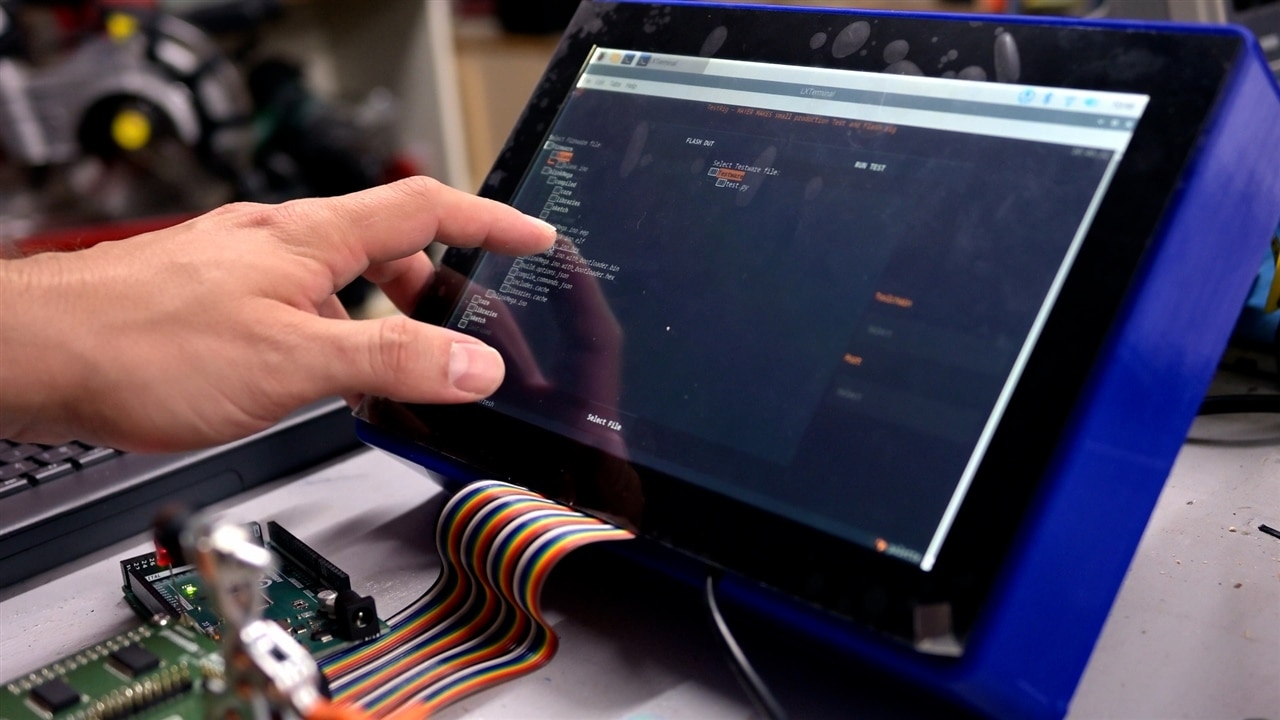
Defining the goal: one box, many products
The aim was to create a standalone system that could handle both programming and testing for multiple designs. The workflow is intentionally direct: plug in a board, select the relevant firmware and test procedure from a menu, and let the system do the rest.
Clem describes the requirement in the video as a single device that handles the user interface, programming and testing, while also interfacing with custom hardware designed for each product. That decision shaped everything that followed, from the software stack through to the mechanical design.
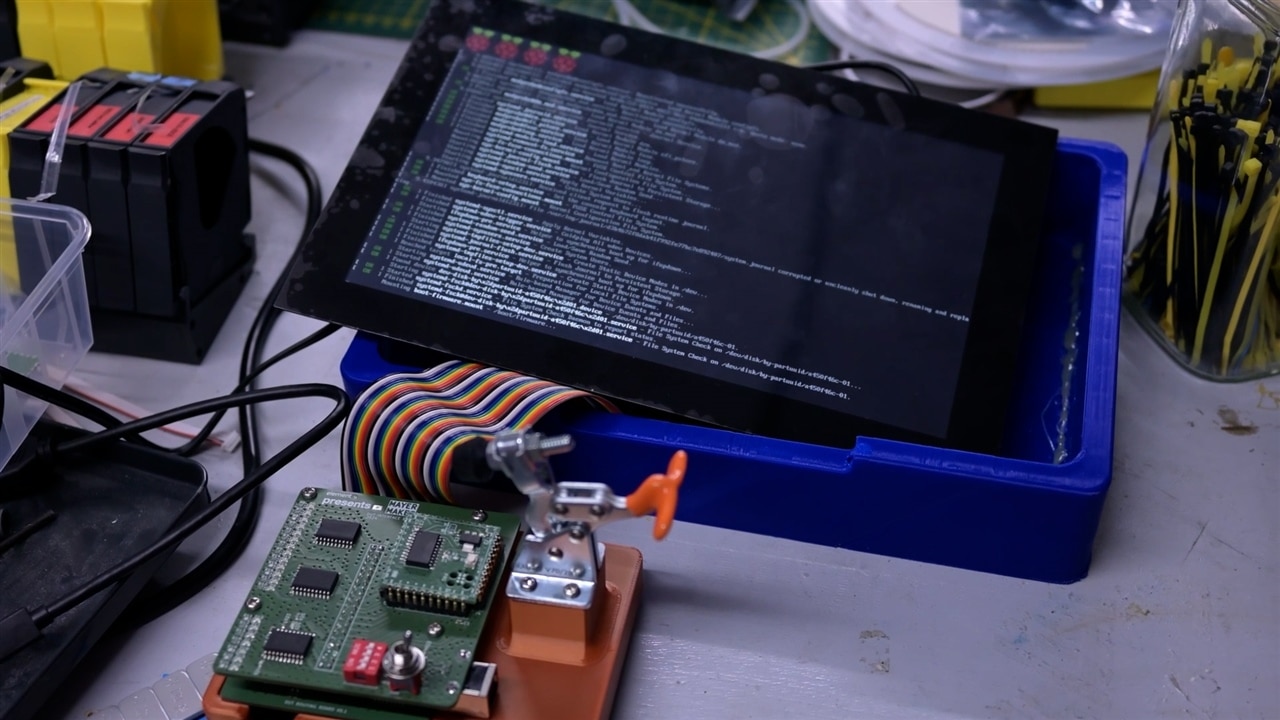
A text interface that behaves like a GUI
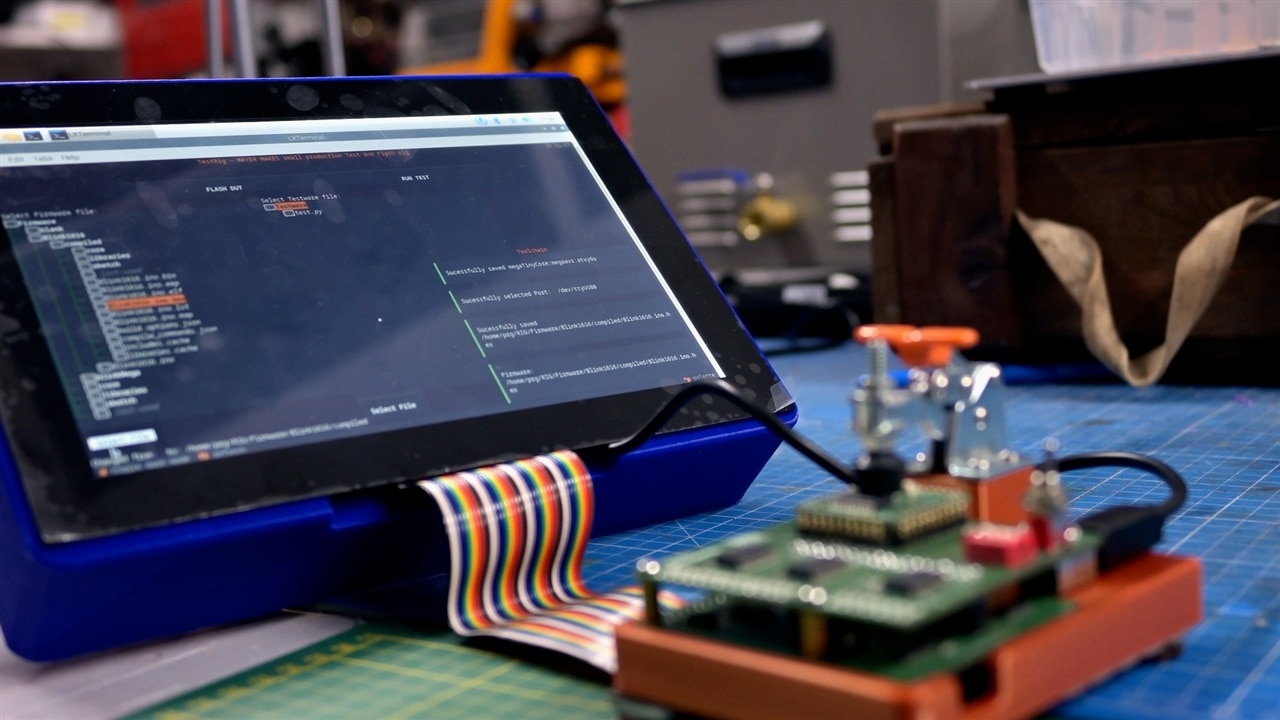
Rather than building a traditional desktop GUI, Clem opted for a text‑based user interface built using the Python Textual framework. It runs entirely in the terminal, but is designed to be used on a touchscreen.
“I’m very bad at programming graphical user interfaces,” Clem admits, “so I made a 2D text user interface… it’s still a touch screen interface, but it’s made in Textual.” The result looks and behaves like a lightweight GUI, complete with menus, notifications and status messages, without the overhead of a full graphical environment.
The interface allows the user to:
-
Select firmware files and test scripts
-
Choose the appropriate toolchain
-
Pick the serial port
-
Flash devices or run test routines
Pop‑up notifications confirm actions as they happen, and a running log gives immediate feedback during flashing and testing.

Modest hardware, deliberate choices
Despite how polished the interface looks, the entire system runs on a Raspberry Pi 3 Model B. Not a Pi 4 or Pi 5, and not even the B+ variant.
“This all runs on a Raspberry Pi three,” Clem notes. “It doesn’t really need much horsepower.” Compilation times are naturally slower than on a desktop machine, but that trade‑off is acceptable for the intended use case. In practice, pre‑compiled HEX files can be flashed directly, avoiding the need to compile on the device at all.
The Raspberry Pi runs Raspberry Pi OS, with an X server installed purely to support the touchscreen. The underlying interface remains a terminal application throughout.
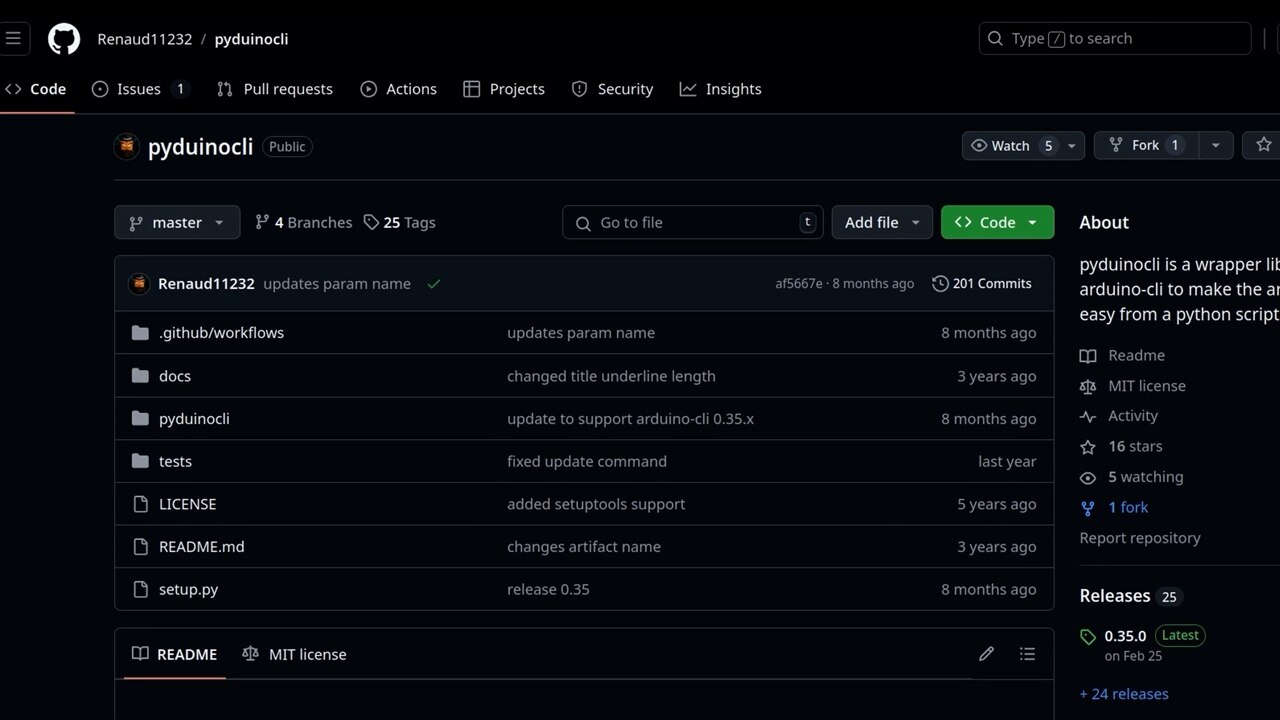
Arduino CLI at the core
The key software component behind the scenes is Arduino CLI. This command‑line version of the Arduino IDE provides the same core functionality — compiling sketches, selecting boards and flashing devices — without any graphical layer.
Because Arduino CLI runs entirely in the terminal, it can be controlled directly from Python. Clem uses a Python wrapper to call compile and upload commands programmatically, making it possible to integrate flashing directly into the test rig interface.
In the project’s rig.py file, the flashing logic is explicit and readable. For example, firmware selection determines whether a sketch is compiled or a pre‑built binary is uploaded:
if Firmware.endswith('.ino'):
arduino.compile(fqbn=fqbn, sketch=Firmware)
arduino.upload(fqbn=fqbn, sketch=Firmware, port=port)
elif Firmware.endswith('.hex') or Firmware.endswith('.bin'):
arduino.upload(fqbn=fqbn, input_file=Firmware, port=port)
This approach keeps the system flexible while relying on well‑understood tools.

Hardware designed for adaptability
The electronics are split into three main parts: the Raspberry Pi, a main routing board, and a project‑specific interface board.
The routing board sits between the Pi and the device under test (DUT). It uses analogue multiplexers and shift registers to dynamically route signals to different pins, allowing UART, I²C and GPIO lines to be reassigned as needed. Clem explains that this gives him the ability to test communication interfaces properly, rather than just toggling pins blindly.
The final stage is a bespoke interface board designed specifically for each product. This board includes the programming circuitry, pogo‑pin contacts for quick connection, and buffered outputs driving indicator LEDs. These LEDs provide immediate visual feedback during testing, showing pin states and device behaviour in real time.
For Clem, this modular approach is essential. Each new product only requires a new interface board, while the main system stays the same.

From laser‑cut wood to 3D‑printed plastic
Mechanically, the enclosure went through at least one rethink. The original plan was a laser‑cut plywood case, but warped sheets and glue‑ups proved time‑consuming. Transport was also a concern, particularly with Electronica looming.
The final version is a 3D‑printed PLA enclosure, complete with rear‑mounted cooling fan and angled legs that tilt the unit towards the user. The tilt makes the touchscreen easier to use on a bench, and also leaves room for cabling and power at the rear.
Power comes from a Mean Well supply, delivering enough current at 12 V to run the screen and the Raspberry Pi comfortably.
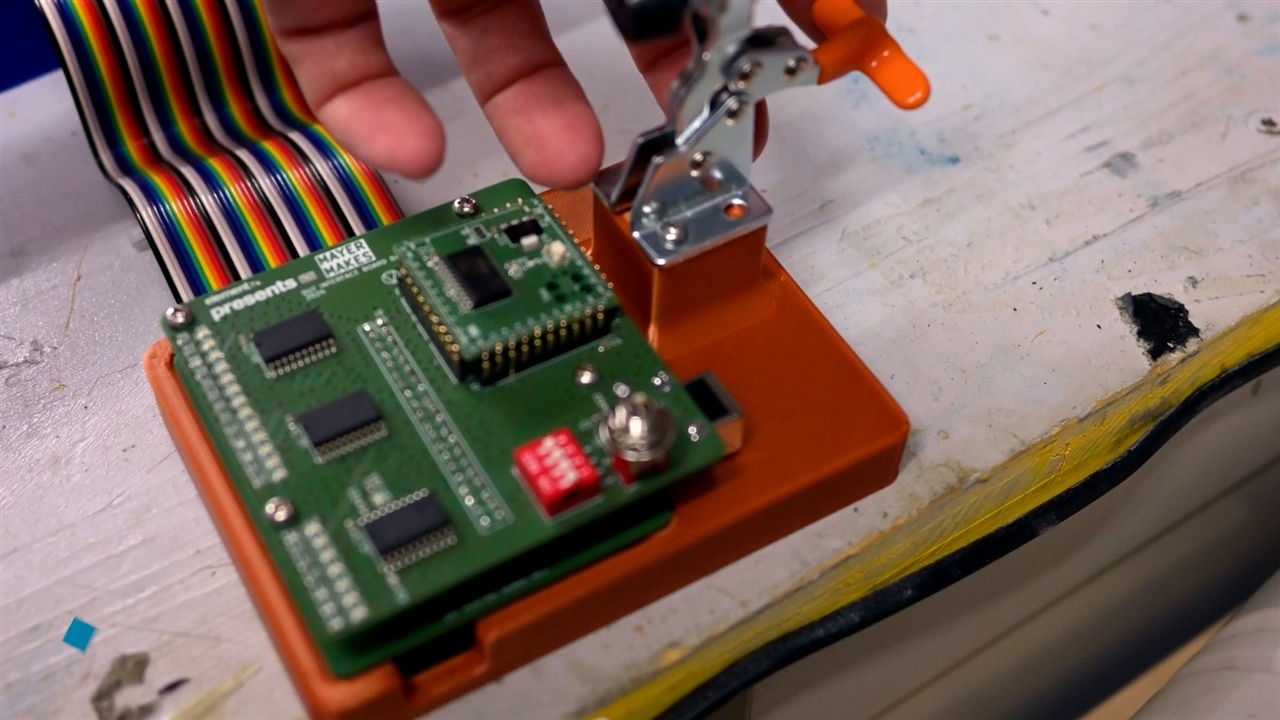
Testing, flashing, and feedback
Once a device is clamped into place on the pogo pins, the workflow is straightforward. The user selects the test script, chooses the toolchain and port, and runs the procedure.
Test scripts are written in Python and executed directly by the rig. During a test run, signals are routed automatically, responses are checked, and the system reports a pass or fail using on‑screen notifications.
“It got very complicated very quickly,” Clem admits, but that complexity is hidden behind the interface. From the operator’s perspective, it feels like using a small industrial tester.
Open source by design
All files for the project, code, PCB designs and build details, have been made available below in the 'Supporting Files and Links' section. Clem is clear that the project as open source is intentional. The system is meant to be adapted, extended and improved by others.
“This is more focused on the maker crowd,” he says, particularly those producing small runs or still refining their designs. The combination of open‑source software, readily available hardware and clear design intent makes the project easy to re-purpose.
A homemade system that earns its place
Clem’s rig holds its own. It delivers many of the same core functions, flashing, automated testing, repeatability, but in a form that should prove itself accessible to individual engineers and small teams, but you can let us know if that's the case.
As Clem sums it up, it is “basically a professional testing and flashing solution for your own products… completely homemade based on the Raspberry Pi and the Arduino command line”.
For makers looking to bridge the gap between prototype and production, it is a practical reminder that industrial‑style solutions do not have to be industrial‑scale.
Supporting Files and Links
- Textual Python Framework to make TUIs
- Pyduinocli python wrapper for the arduino-cli
- Episode 695 Supporting Files
Bill of Materials
| Product Name | Manufacturer | Quantity | Buy Kit |
|---|---|---|---|
| Arduino mega | ARDUINO | 1 | Buy Now |
| RASPBERRYPI3-MODB-1GB | Raspberry pi | 1 | Buy Now |
| 74HC595PW-Q100,118 | NEXPERIA | 6 | Buy Now |
| 74HC4051D,653 | NEXPERIA | 6 | Buy Now |
| TOUCHSCREEN 10.1 | Multicomp pro | 1 | Buy Now |
| 74HC241D,653 | NEXPERIA | 6 | Buy Now |
| GSM60E12-P1J | MEAN WELL | 1 | Buy Now |
| 3D Printer Filament, PLA, Blue, 205 °C to 225 °C, 1.75 mm Diameter, 1 kg | Multicomp pro | 1 | Buy Now |
| Toggle Clamp, Vertical, 70 N Holding Force, 35 mm x 56.3 mm | Brauer | 1 | Buy Now |


