

In this episode, Clem walks through his new electronics workbench and explains why he chose each part of the setup, from the adjustable desk and fume extraction to power supplies, soldering, rework, and test equipment. He shares what worked, what didn’t, and how real-world use shaped his decisions, with plenty of practical detail for makers and engineers planning their own bench upgrade.
Watch Clem Build the Ultimate Workbench!
Clem Builds a Practical, Professional-Grade Electronics Workbench
In this project, Clem sets out to solve a problem familiar to many engineers and advanced makers: outgrowing an improvised workspace. After years of working around limitations in tools, ergonomics, and layout, he designs and equips a new electronics workbench that reflects how he actually works day to day. Rather than chasing brand prestige or maximum specifications, Clem focuses on reliability, workflow efficiency, and what he repeatedly refers to as “bang for the buck” .
This workbench is not presented as a luxury lab or a niche setup for one specific task. Clem explicitly frames it as something that “represents the type of electronics workbench you would have if you are an advanced maker” and also as “an entry level professional electronics workbench” for early-career engineers and hardware-focused startup founders .
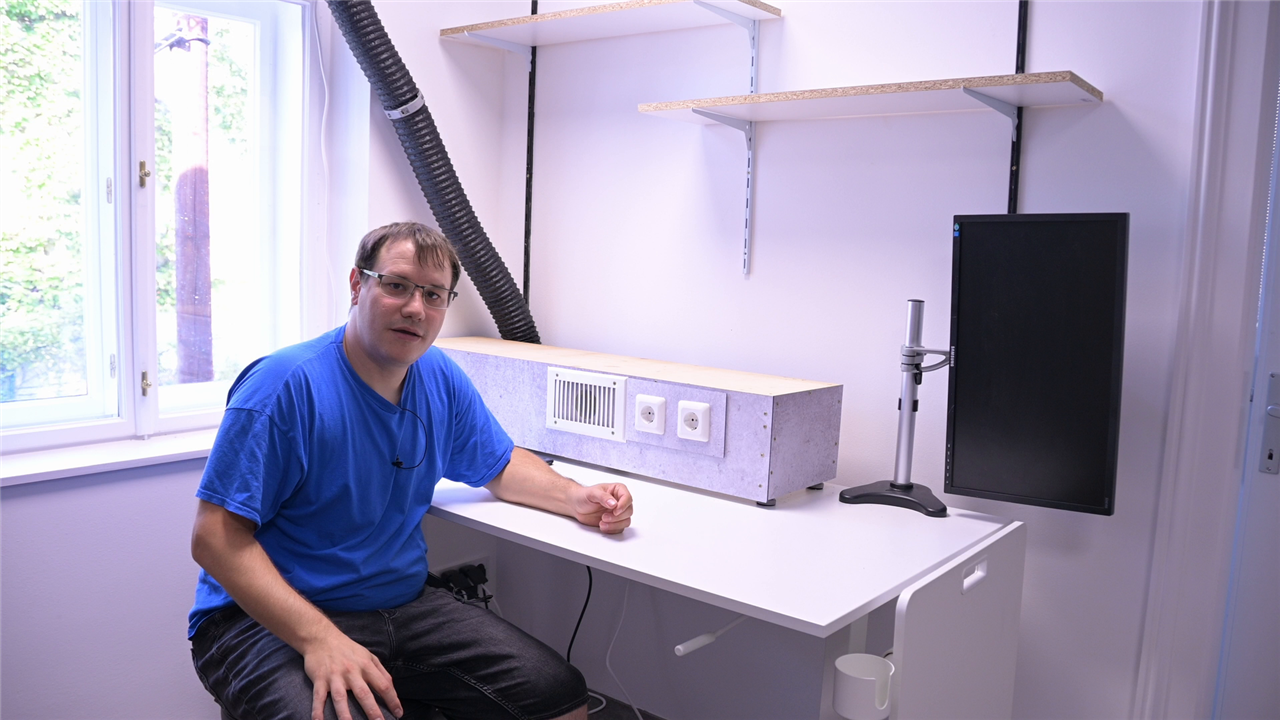
The Workbench Itself: Ergonomics First
At the centre of the build is a hand-crank adjustable bench that allows Clem to switch between sitting and standing. Ergonomics is not treated as an afterthought. Clem explains that being able to move the bench up and down is essential for comfort during long debugging sessions, noting that the desk can travel far enough to support proper standing work without re-configuring the rest of the setup .
Mounted above the bench is a homemade fume extraction system, designed to pull solder fumes directly away from the work surface and out through a filter. Both the extractor and the overhead lighting are controlled via remote outlets. As Clem puts it, this avoids “fumbling with switches mid-project” and reduces exposure to fumes during extended soldering work .
The layout is deliberate. Clem arranges tools from left to right based on how frequently he uses them and openly notes that he is left-handed, which influences the flow. Items used constantly live within arm’s reach, while less frequently used equipment is stored on shelves just above the bench.
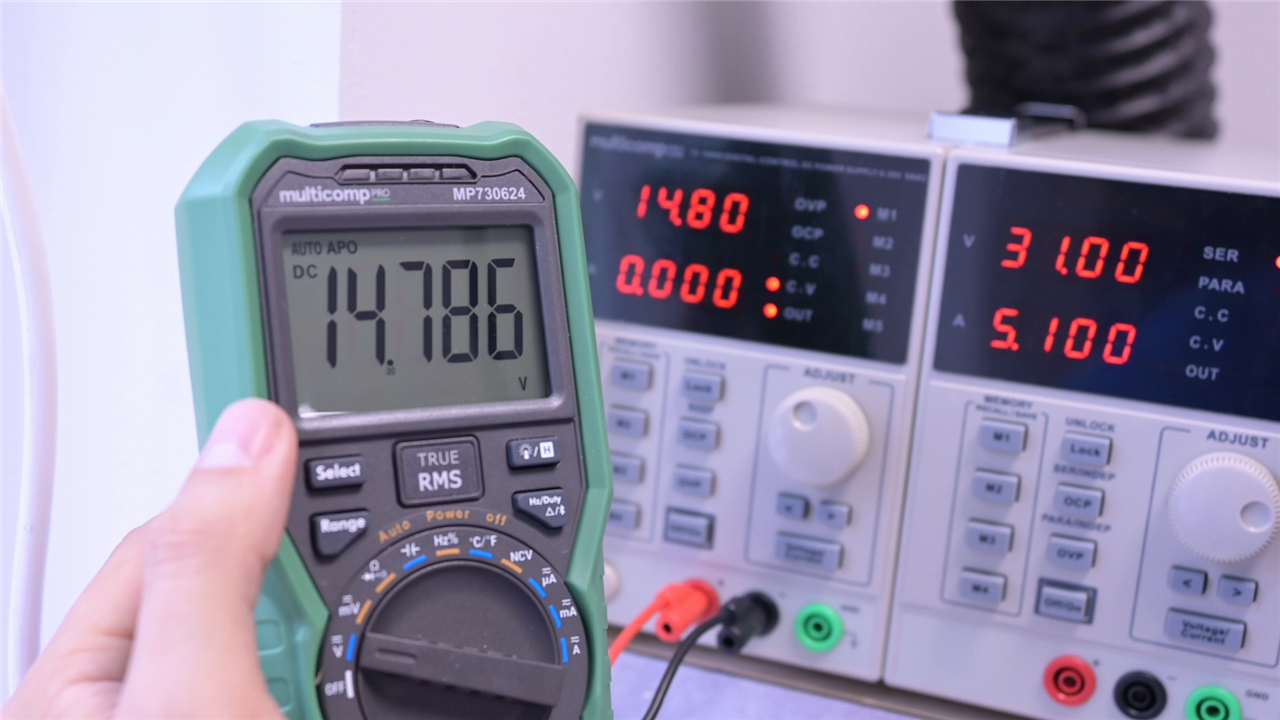
Bench Power: Low Ripple, Realistic Choices
The first major instrument on the bench is a dual-output lab power supply from multicomp Pro. Clem’s requirements are specific: independently controllable channels, the option to daisy-chain outputs, and, most importantly, low ripple. “A power supply has to have as low ripple as possible,” he says, adding that there is a price point beyond which “you wouldn’t get that much more performance” .
He describes the unit as heavy, which he takes as a positive indicator for power supplies, and highlights that it hits the performance-to-cost balance he was looking for. Even small details matter here. The included one-meter test leads are usable, but Clem notes they may be a bit short and that he plans to evaluate them before committing to more.
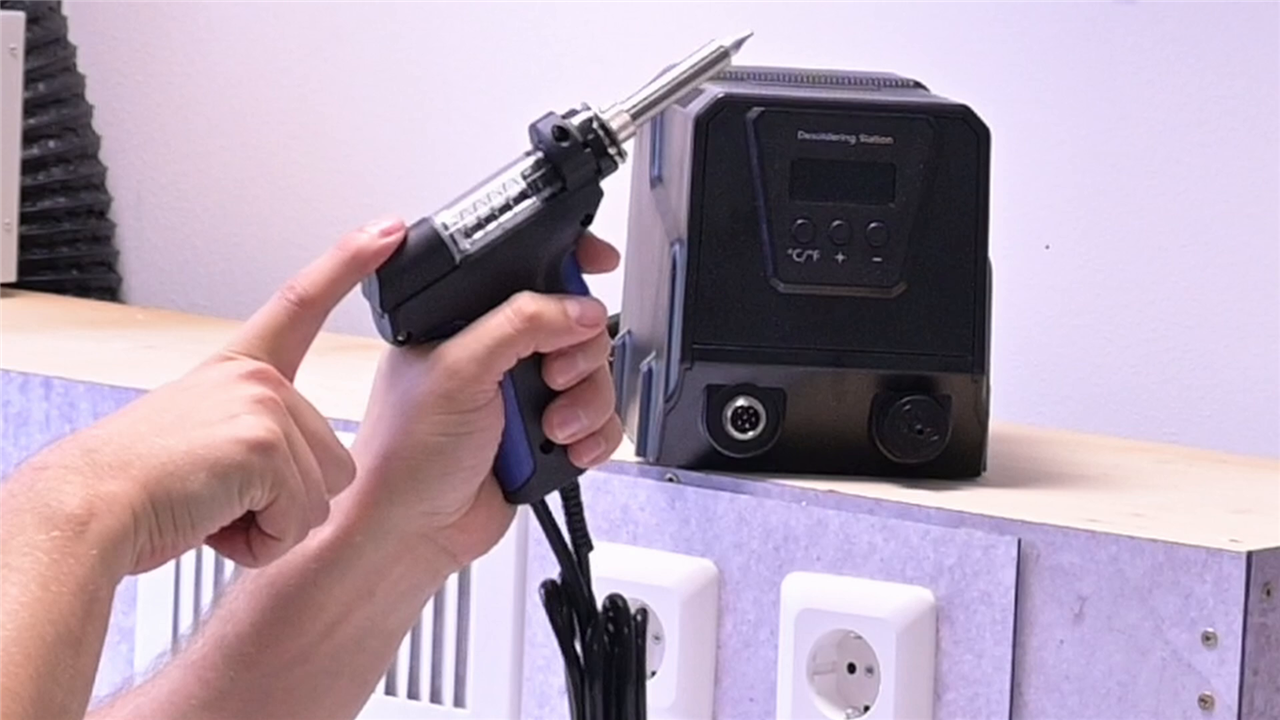
De-soldering: Fixing a Daily Frustration
De-soldering is one of the areas where Clem is most blunt about past compromises. His previous budget de-soldering iron is described as “pretty much useless garbage,” frequently clogging and lacking the power needed to remove components reliably .
The replacement is a dedicated de-soldering station that includes multiple tips, cleaning needles, filters, and a proper holder. Clem points out practical improvements rather than headline specs: a better trigger, easier maintenance, and enough thermal performance to make de-soldering a routine task instead of something to avoid. This upgrade reflects a broader theme of the project: removing friction from common debugging workflows.
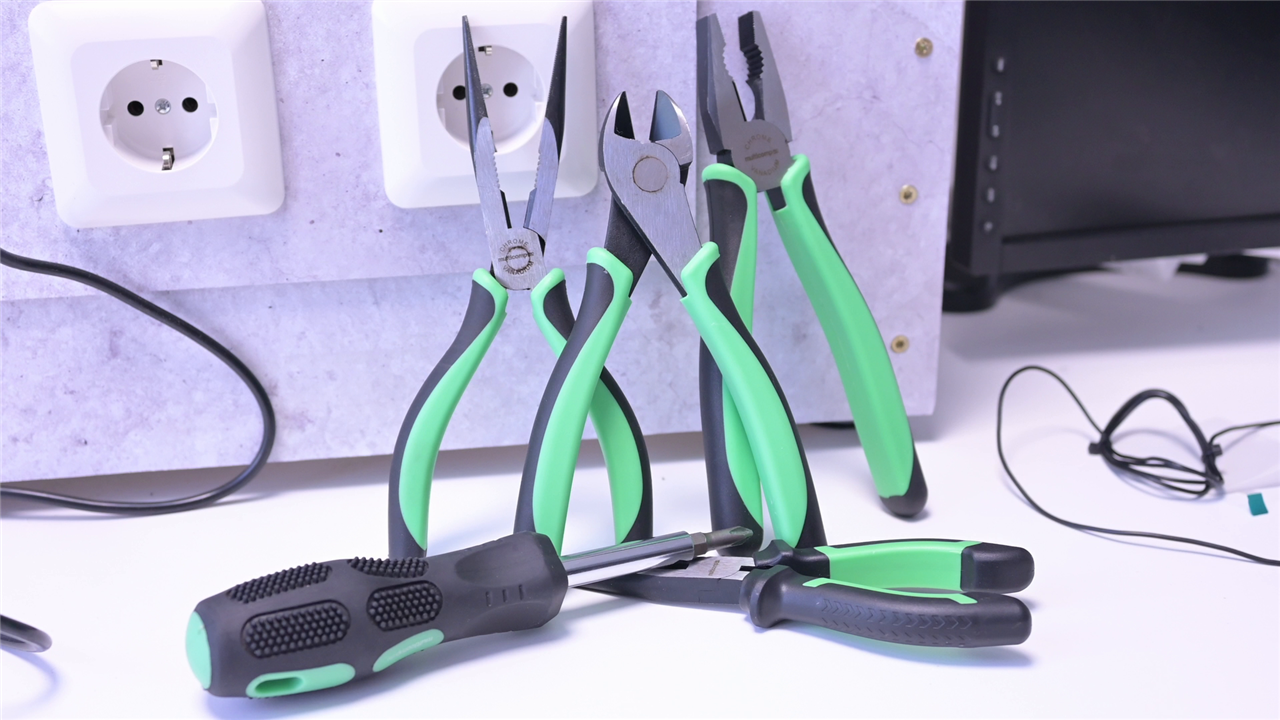
Hand Tools Chosen Through Use, Not Guesswork
Alongside the larger equipment, Clem builds out a full set of multicomp Pro hand tools, including wire strippers, pliers, tweezers, and cutters. These are not impulse additions. He explains that earlier, more basic versions of these tools were given out at Embedded World and ended up being used daily while building the workshop itself. “So why not get the whole set,” he reasons, after seeing how often he reached for them .
He also experiments with a different style of wire stripper, chosen specifically because it offered more control than the types he had used before. The emphasis here is on repeatable, comfortable use rather than novelty.
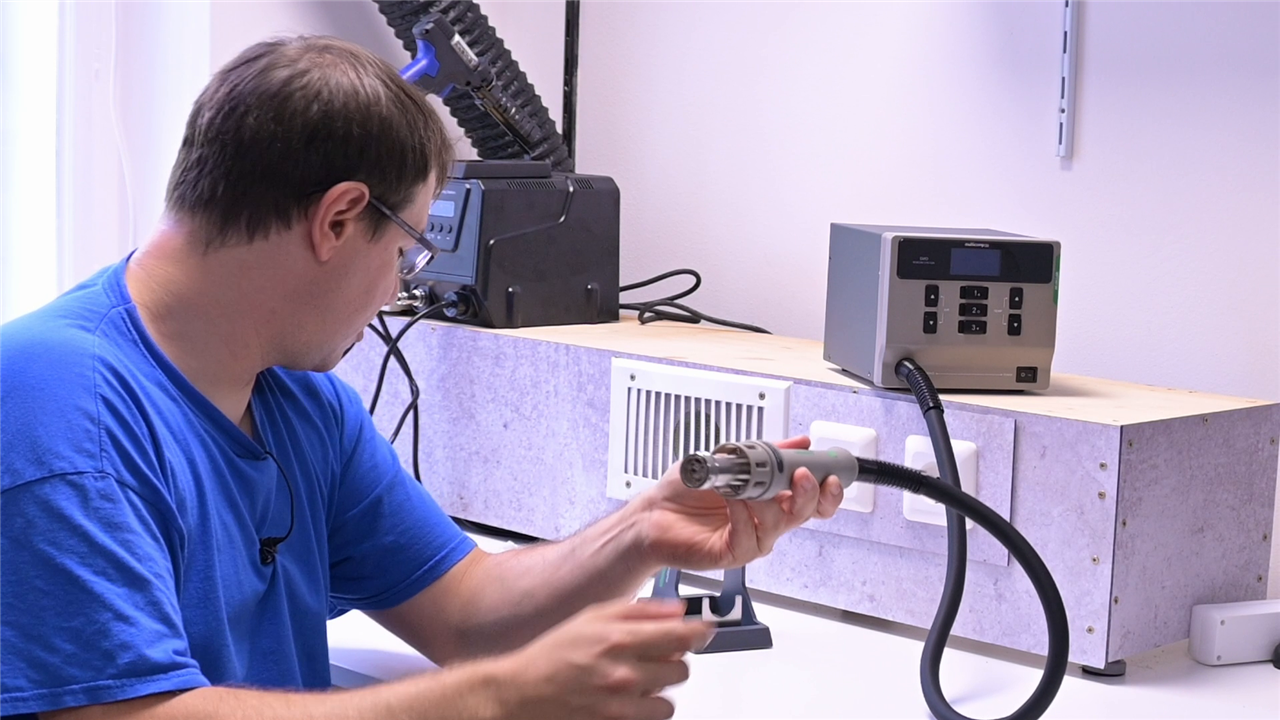
Hot Air Rework: Designed for SMD Reality
Clem’s move into heavier SMD work exposes the limits of another earlier compromise: a cheap hot air station that he describes as “utter garbage.” The new rework station addresses several workflow problems at once. It supports multiple nozzles, includes a proper stand, and introduces features Clem had not used before.
One of the most useful is a button on the handpiece that switches instantly between hot and cold air. “That is extremely handy,” Clem notes, explaining that it helps prevent overheating parts and can also be used to blow away cleaning agents or flux residue .
The station also offers three programmable presets for temperature and airflow. Clem uses different solder pastes and repair techniques, and being able to switch settings instantly avoids constant manual adjustment. He contrasts this with an older auto-detect feature that once resulted in accidental damage to his workbench, reinforcing why deliberate control matters more than automation in this context .
An additional detail not obvious at first glance is ESD grounding. Clem highlights that the station includes an ESD ground point and mentions that the entire workshop floor is ESD safe, making this a fully controlled environment for sensitive electronics work.
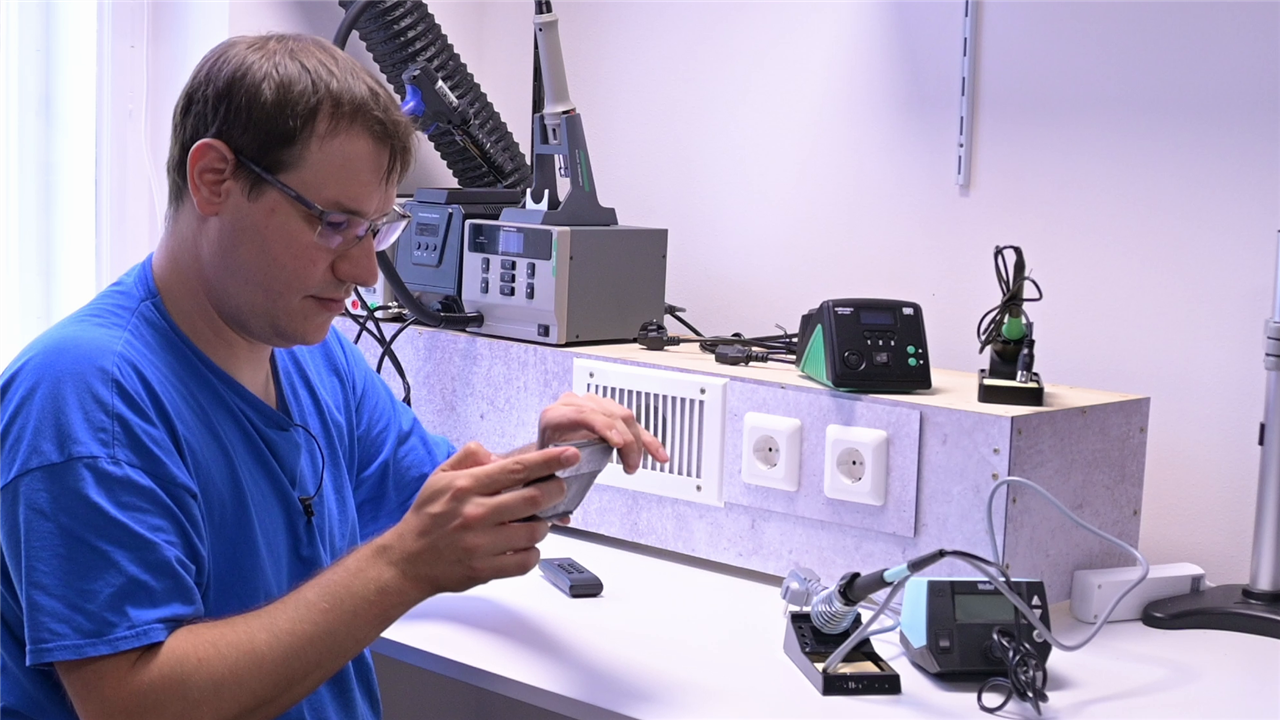
Two Soldering Irons, One Clear Reason
Rather than replacing his long-used Weller WE1010, Clem keeps it and adds a second soldering station from Multicomp Pro. Both stations are similar in power, but the benefit lies in having two irons ready with different tips and temperatures.
Clem explains the reasoning clearly: waiting for an iron to cool down, change tips, and reheat disrupts momentum and often leads to poor compromises mid-job. “If I have the option I will gladly use it,” he says, pointing out that time pressure often pushes engineers to work around tooling limitations rather than solve them properly .
He also notes a personal preference for brass or copper wool over damp sponges for tip cleaning, acknowledging that both methods work but that consistency matters more than dogma.
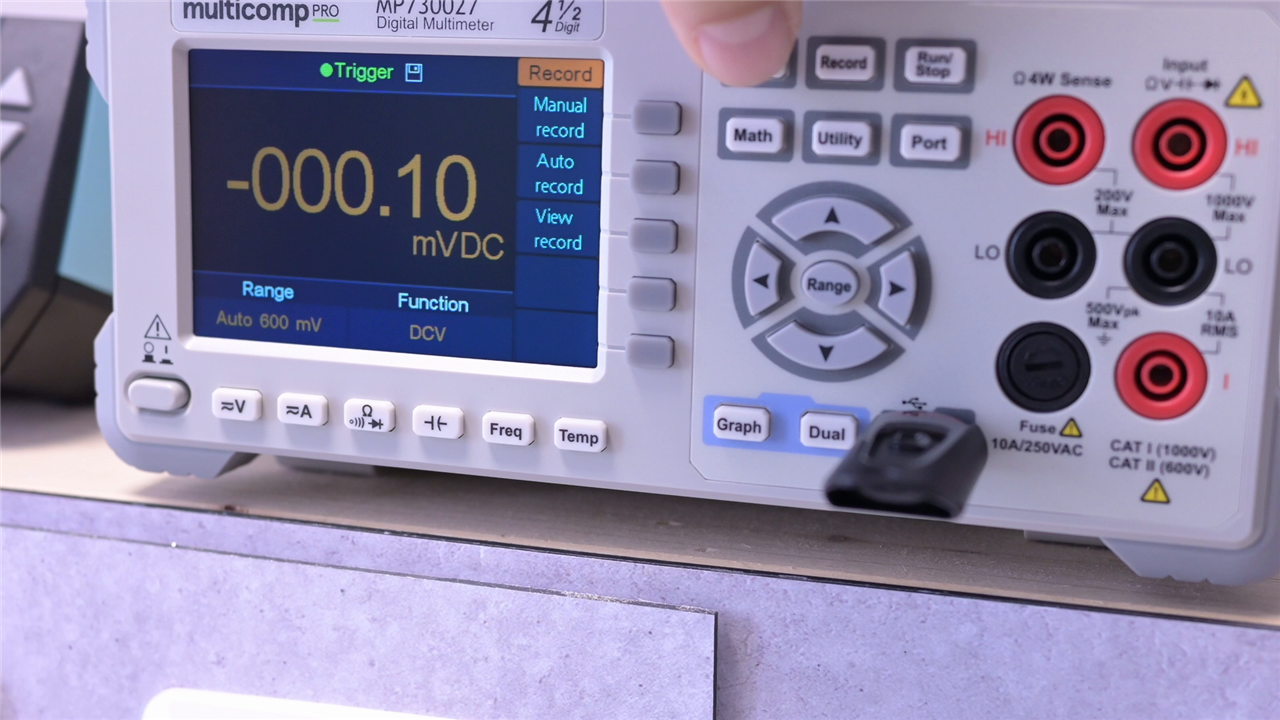
Measurement Moves to the Foreground
A major step up in the new setup is the addition of a bench-top multi-meter. Clem frames this as something he had wanted “for the longest time,” citing higher precision and four-wire (Kelvin) measurement capability as key reasons for the upgrade .
Beyond accuracy, connectivity is central. The multimeter supports RS-232, USB, and LAN, and Clem plans to control it via a dedicated Raspberry Pi. He highlights the ability to log data, capture screenshots to USB, and document testing more rigorously. “This is great for documentation of your testing journey,” he says, underscoring how this tool supports both engineering and communication workflows .
Service and support also factor into the decision. Clem explicitly considers what happens when something goes wrong and values knowing “who to call and where to complain about it,” reinforcing the practical mindset behind his equipment choices.
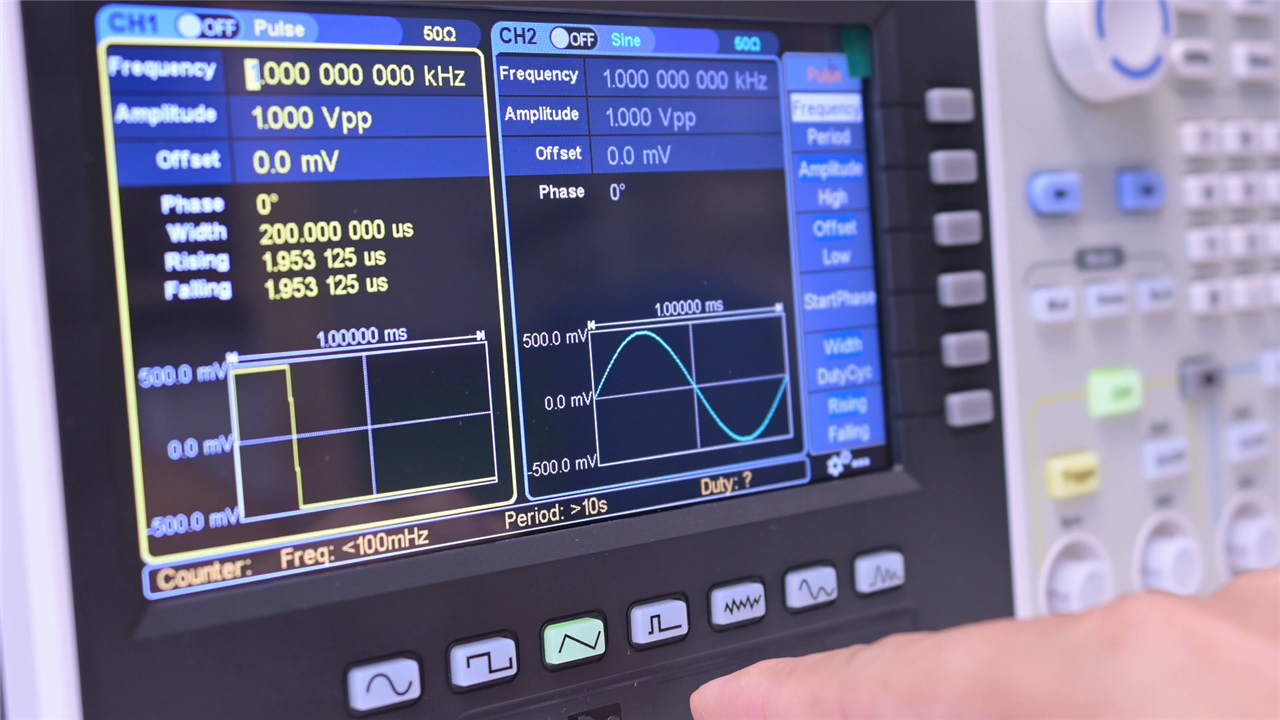
Signal Generation Without Artificial Limits
Signal generation is where Clem allows himself a more significant upgrade. His earlier generators were limited to low frequencies and basic waveforms, which he describes as insufficient for real development work. The new dual-channel arbitrary waveform generator supports frequencies up to 100 MHz and offers advanced modes such as sweep, burst, PWM-like signals, and user-defined waveforms.
“In most cases, I don’t need exactly those,” he says of simple sine or square waves. “I need like a real PWM signal where I can alter the duty cycle or… specific noises” .
Clem is clear that this is not essential for beginners, but for his work it removes a recurring limitation. Because it is not used constantly, the generator lives on a shelf above the bench and is brought down only when needed.
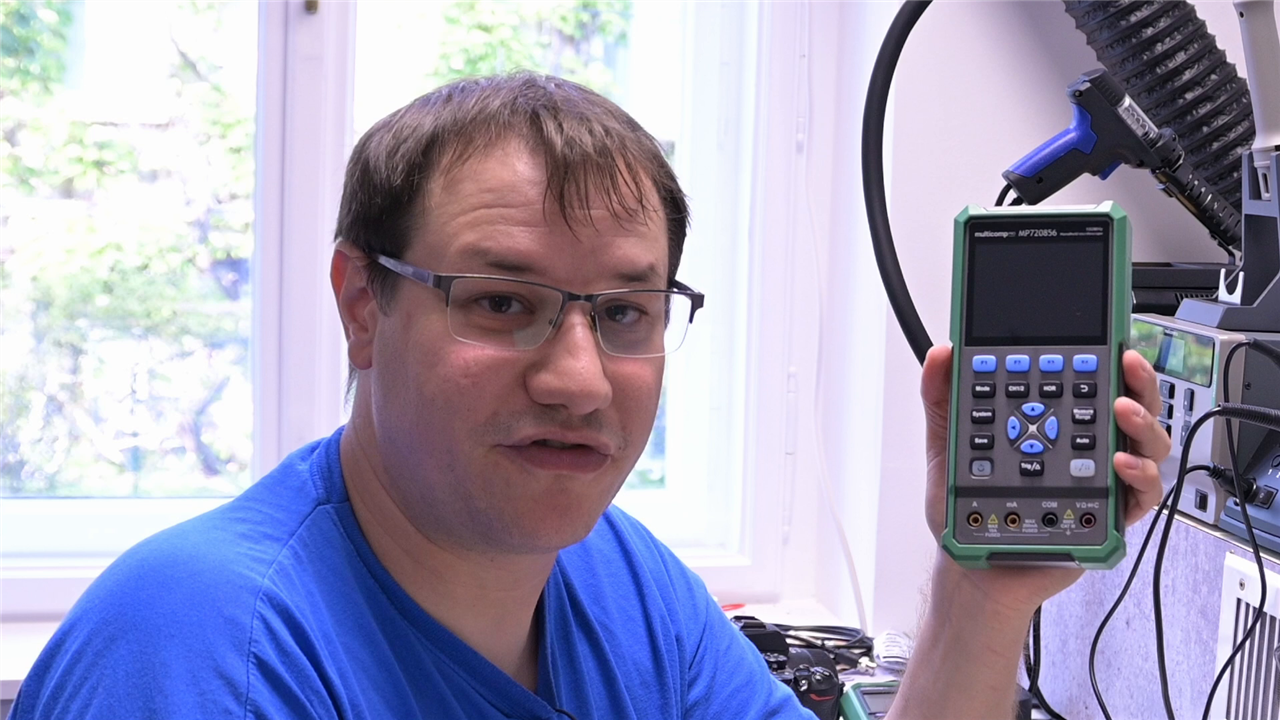
Portable Oscilloscope for Real-World Debugging
While Clem does own a full bench oscilloscope, it lives on a separate development desk near his computer. For this electronics bench, he opts for a handheld, battery-powered oscilloscope with 100 MHz bandwidth and built-in multimeter functionality.
This choice is driven by experience. Clem recalls having to debug large systems in the field, including appliances, where bringing a full bench scope and even finding power was impractical. “So now I just whip out this thing, connect it up, see the signal and go ‘oh yeah that’s broken,’” he explains .
The portable scope allows him to move seamlessly between benches and on-site troubleshooting without sacrificing measurement capability.
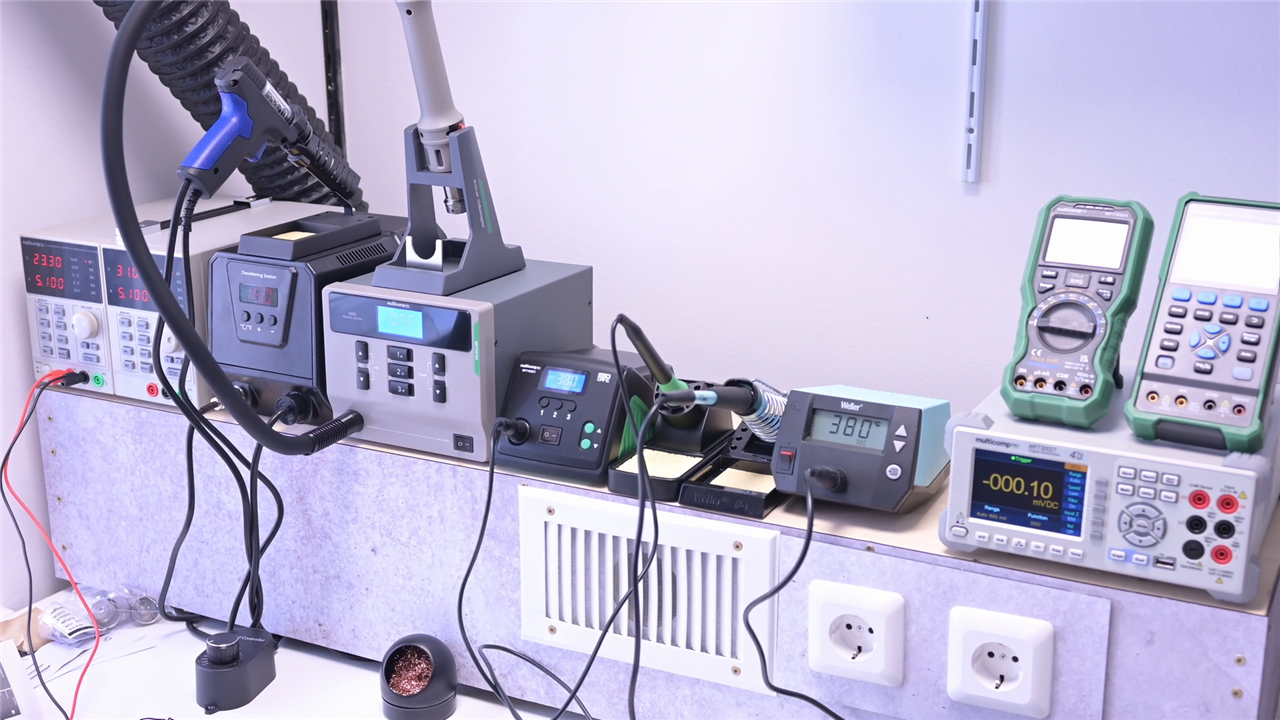
A Bench Built Around Real Use
By the end of the build, Clem has assembled a workbench that reflects years of accumulated lessons rather than theoretical ideals. There are no ultra-specialized tools here, by design. “Specialized work needs specialized workbenches,” Clem notes, and this setup is meant to cover the majority of electronics development tasks reliably and efficiently .
The result is a clear reference point for advanced makers and engineers looking to invest in their own workspace. It prioritizes ergonomics, repeatable workflows, serviceability, and tools that remove friction from daily work rather than add complexity.
Supporting Links and Downloads
- 4-Wire Resistance Measurements -- Workbench Wednesdays 19
Bill of Materials
| Product Name | Manufacturer | Quantity | Buy Kit |
|---|---|---|---|
| MP760990 | MULTICOMP PRO | 1 | Buy Now |
| JR9235-1M RED | MULTICOMP PRO | 1 | Buy Now |
| MP730027 EU-UK | MULTICOMP PRO | 1 | Buy Now |
| MP740784 EU | MULTICOMP PRO | 1 | Buy Now |
| MP740261 | MULTICOMP PRO | 1 | Buy Now |
| 72-10495 | MULTICOMP PRO | 1 | Buy Now |
| MP730624 | MULTICOMP PRO | 1 | Buy Now |
| MP720856 | MULTICOMP PRO | 1 | Buy Now |
| MP750513 | MULTICOMP PRO | 1 | Buy Now |
| MP008894 | MULTICOMP PRO | 1 | Buy Now |
| MP008893 | MULTICOMP PRO | 1 | Buy Now |
| MP015183 | MULTICOMP PRO | 1 | Buy Now |
| MP015184 | MULTICOMP PRO | 1 | Buy Now |
| MP015185 | MULTICOMP PRO | 1 | Buy Now |
| 501AS | MULTICOMP PRO | 1 | Buy Now |
| MP013929 | MULTICOMP PRO | 1 | Buy Now |
| MP013930 | MULTICOMP PRO | 1 | Buy Now |
| MP740415 EU | MULTICOMP PRO | 1 | Buy Now |
| MP740794 | MULTICOMP PRO | 1 | Buy Now |
| MP740790 | MULTICOMP PRO | 1 | Buy Now |
| JR9235-1M BLACK | MULTICOMP PRO | 1 | Buy Now |
Additional Parts
| Product Name | Manufacturer | Quantity |
|---|---|---|
| Workbench height adjustable trotton | ikea | 1 |


