

In this video, Lorraine tackles a familiar café problem: noisy spaces and unclear order callouts. Using a Raspberry Pi Zero, keypad, OLED screen, and USB audio, she designs a compact announcer that plays clear, pre‑recorded numbers at the press of a button. Along the way, she works through real‑world challenges, from slow installs on the Pi Zero and audio format conversions to keypad wiring, enclosure choices, and building a phone-based workflow for recording and uploading clips. The result is a practical, human‑centred project with potential far beyond cafés, including accessibility-focused communication tools, you can find the supporting files and project video below.
Order's Up!
A Clearer Way to Call Orders: Building a Raspberry Pi Café Announcer
Anyone who has spent time waiting for food in a busy café knows the routine. You’re handed a number, you sit down, and then you wait, half listening, half guessing, while numbers are quietly called out into a noisy room. Sometimes the speaker system distorts the audio. Sometimes there is no speaker system at all. And sometimes the number is announced so softly that it barely registers as speech. Lorraine’s project starts from this very familiar frustration and asks a simple question: what if café order announcements were always clear, consistent, and impossible to miss?
The idea behind the project is straightforward but thoughtful. Instead of relying on live announcements, cafés could pre‑record their order numbers in a quiet space, using a clear and steady voice. Those recordings could then be played back at the press of a button, loud enough to cut through background noise and consistent every time. The result would be faster service, fewer missed orders, and less repeated shouting from staff.
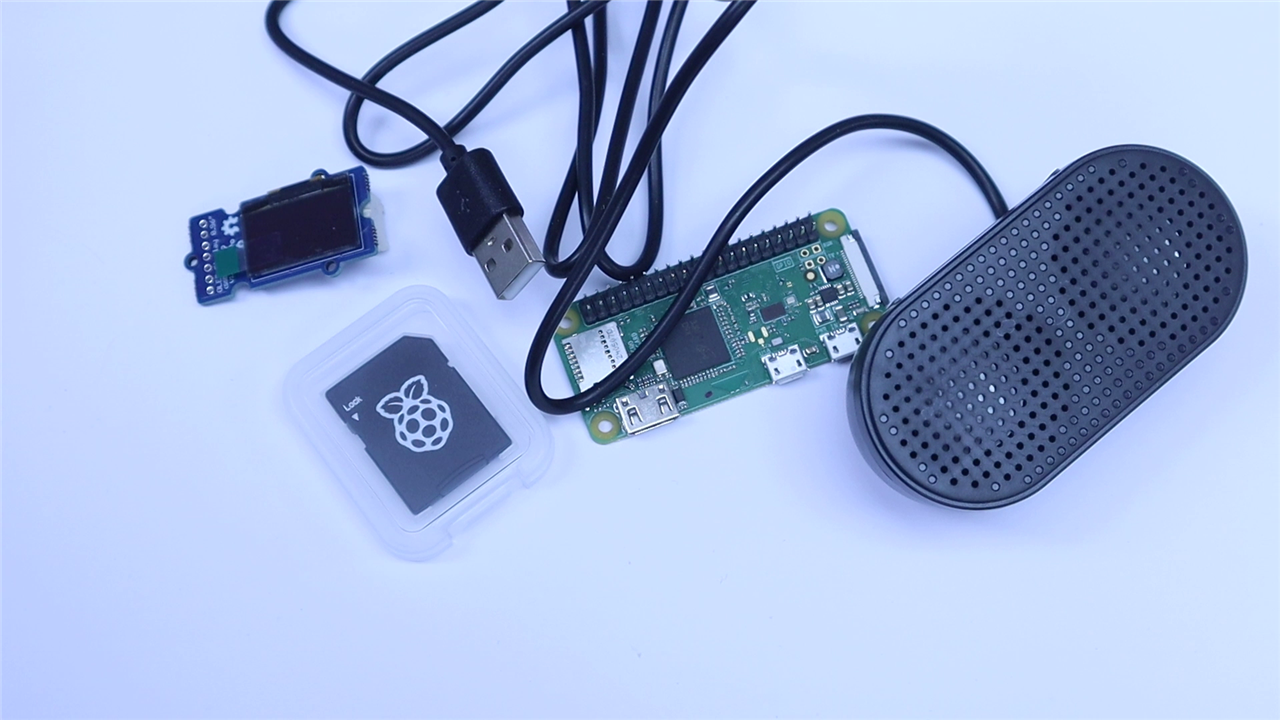
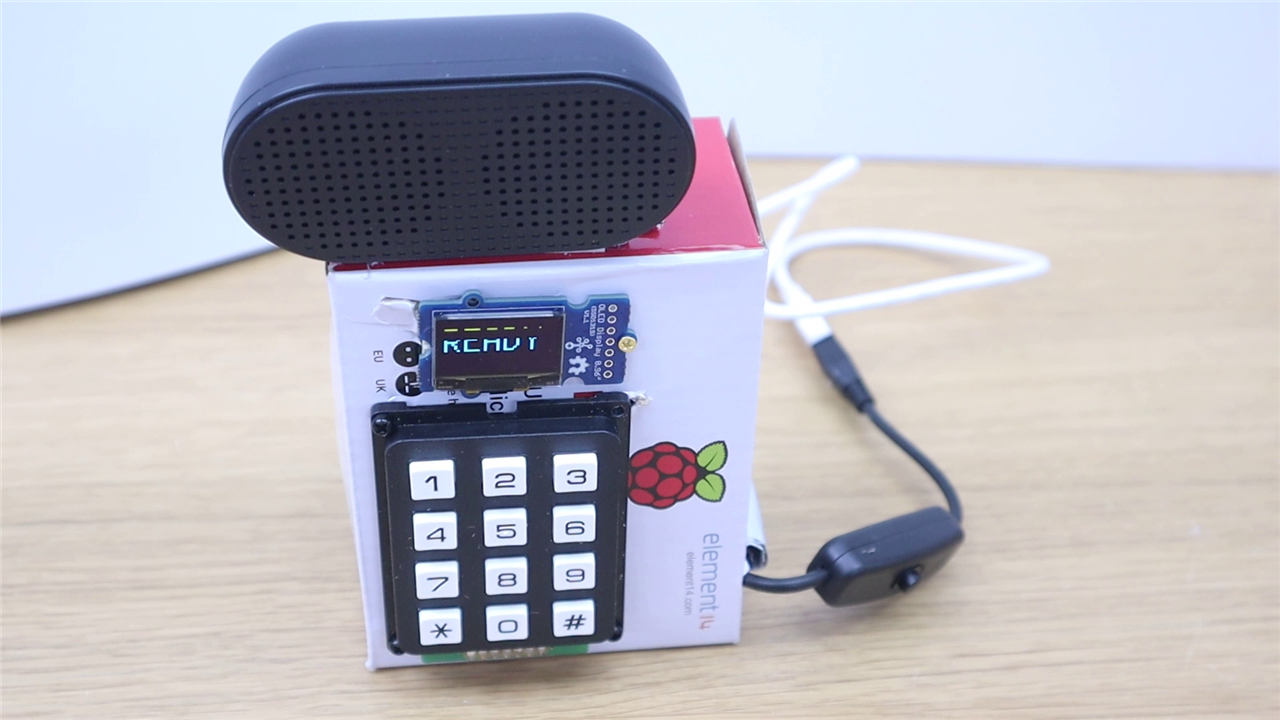
From that idea, Lorraine builds a compact, self‑contained café announcer using a Raspberry Pi Zero, a keypad, a small OLED screen, and a USB speaker.
Choosing Simple Parts Over Complexity
At the heart of the project is a Raspberry Pi Zero, selected not for power but for size and practicality. This is a device intended to live on a counter, not a desk, so keeping the footprint small matters. An SD card preloaded with Raspberry Pi OS handles storage and booting, while a standard Raspberry Pi power supply keeps things stable during testing and use.
One of the earliest design decisions Lorraine makes is to avoid unnecessary hardware complexity. Rather than using an audio HAT or custom amplifier circuitry, she opts for a simple USB speaker. This turns out to be one of the project’s biggest wins. By switching the Pi’s audio output from HDMI to USB and testing playback with a standard audio file, she confirms that sound works immediately and reliably, no extra drivers, no custom configuration, no fragile setup. Compared to previous projects involving more complex audio hardware, this approach is refreshingly painless.
That decision sets the tone for the rest of the build: wherever possible, choose solutions that are well supported, predictable, and easy to maintain.
Giving the Device a Straightforward Interface
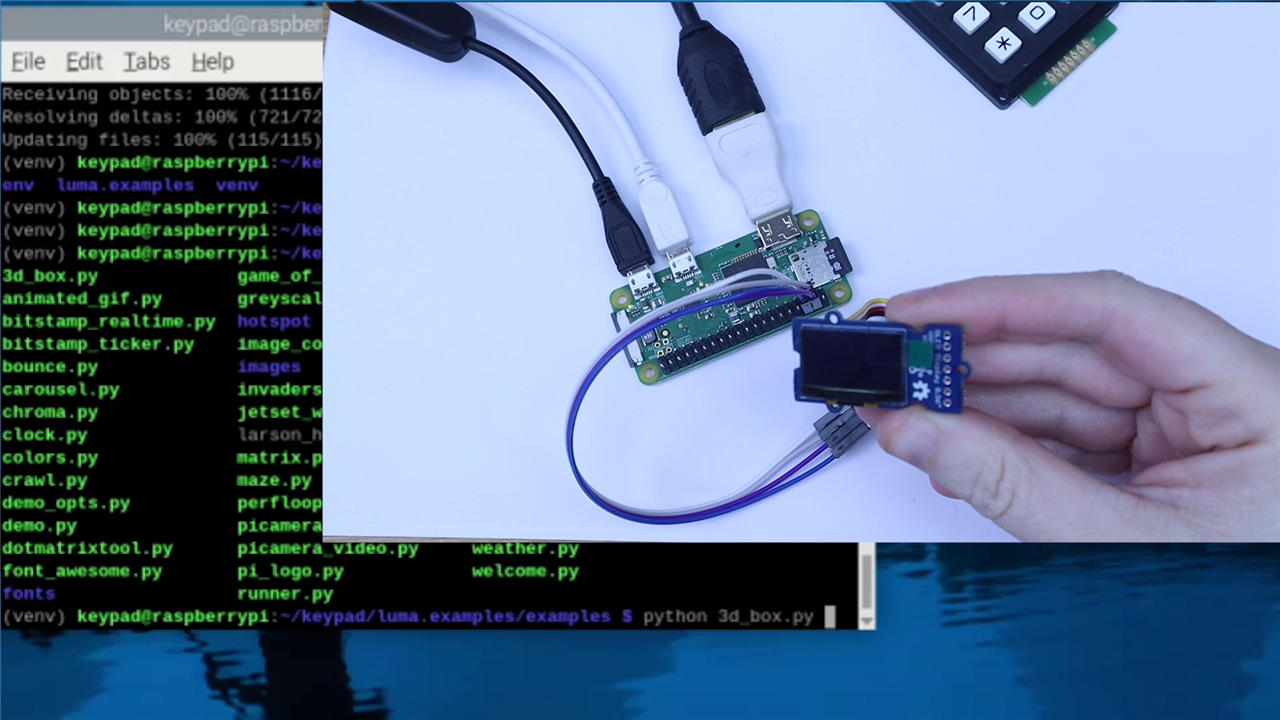
For user interaction, the project relies on two key components: a keypad for input and an OLED display for feedback. The keypad allows café staff to enter order numbers directly, while the OLED shows what is being typed so there is no ambiguity about the input.
The OLED connects over I²C, keeping wiring minimal. Lorraine enables I²C on the Pi, installs the required libraries, and runs test examples to confirm the display works correctly. She notes, candidly, that installing libraries on a Pi Zero can be painfully slow, something anyone who has used one will recognise. This reinforces the importance of keeping the software stack lean and avoiding unnecessary overhead.
Once the OLED is displaying output, attention shifts to the keypad. Lorraine takes care with the physical layout, choosing a right‑angle pin header so that wires can be routed neatly and kept out of sight inside the enclosure. This is not just about aesthetics; it reduces strain on solder joints and lowers the risk of cables being pulled loose during everyday use.
Wiring the keypad involves mapping rows and columns to specific GPIO pins. Lorraine follows the keypad’s technical documentation closely, noting that the physical orientation and pin numbering can be confusing if you are not careful. Before integrating anything else, she writes a simple test script to confirm that each key press is detected and printed correctly. Only once the keypad, OLED, and speaker all work independently does she move on to combining them.
Solving the Audio Problem Properly
With the hardware behaving as expected, the project’s focus shifts to audio, specifically, how the spoken numbers are recorded, managed, and played back.
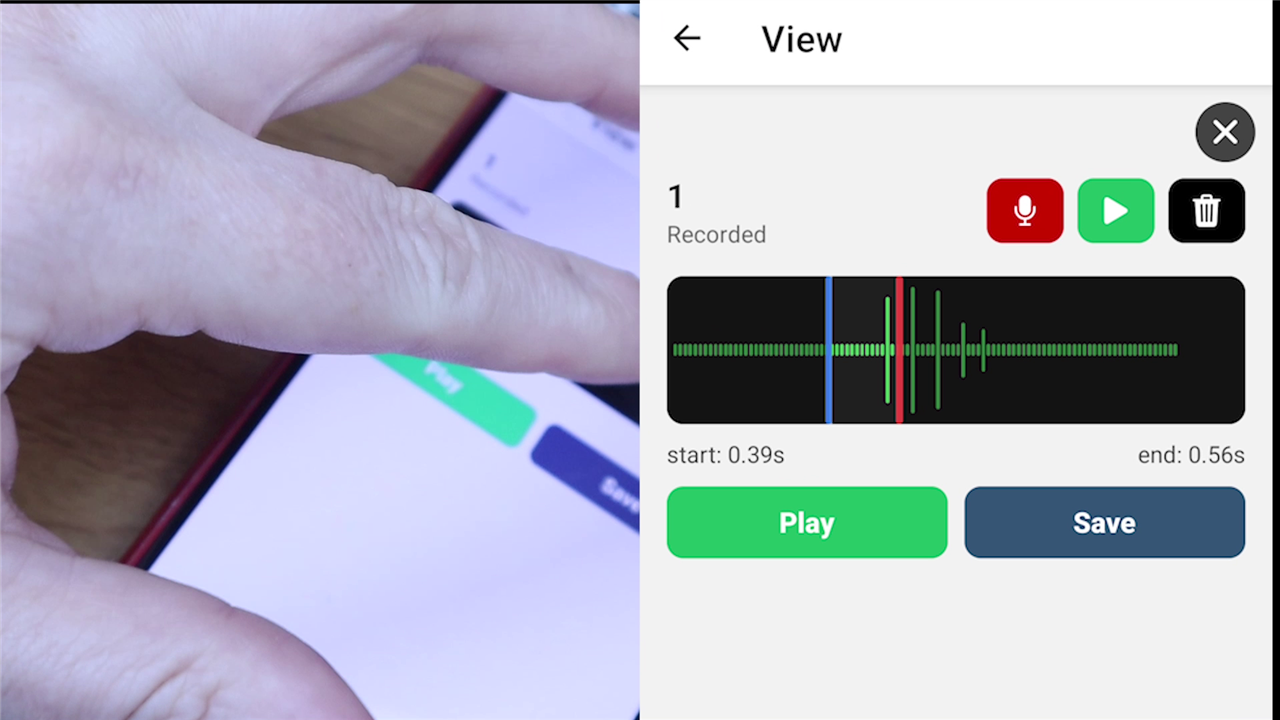
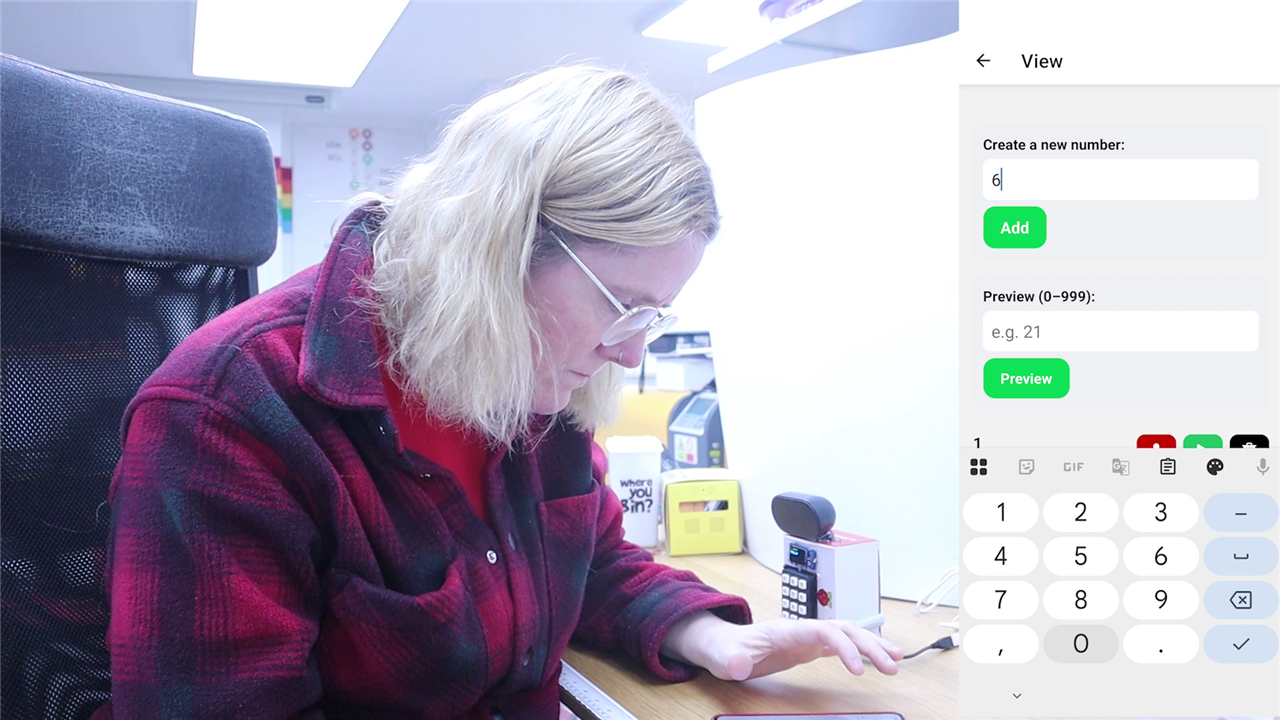
Rather than recording audio directly on the Raspberry Pi, Lorraine builds a companion phone app. This app allows numbers to be recorded in a quiet environment, trimmed visually using waveforms, and previewed before being sent to the Pi. This choice is significant: it recognises that cafés are not ideal places for recording clean audio and that staff need a simple, friendly way to update or re‑record announcements.
While testing, Lorraine encounters an interesting challenge. Playing back individual recordings for “20” and “1” does not always sound natural when combined into “21.” Timing gaps that are too long or too short can make the result feel awkward or robotic. She experiments with trimming and configurable gaps between clips, eventually concluding that there is a simpler and often better solution: record whole numbers as complete phrases. Recording “twenty‑two” as a single clip sounds far more natural than stitching together “twenty” and “two.”
This insight is an important one for anyone recreating the project. While clever audio composition is possible, sometimes the most reliable approach is to reduce complexity and record exactly what you intend to play.
Moving Files Efficiently on a Small Computer
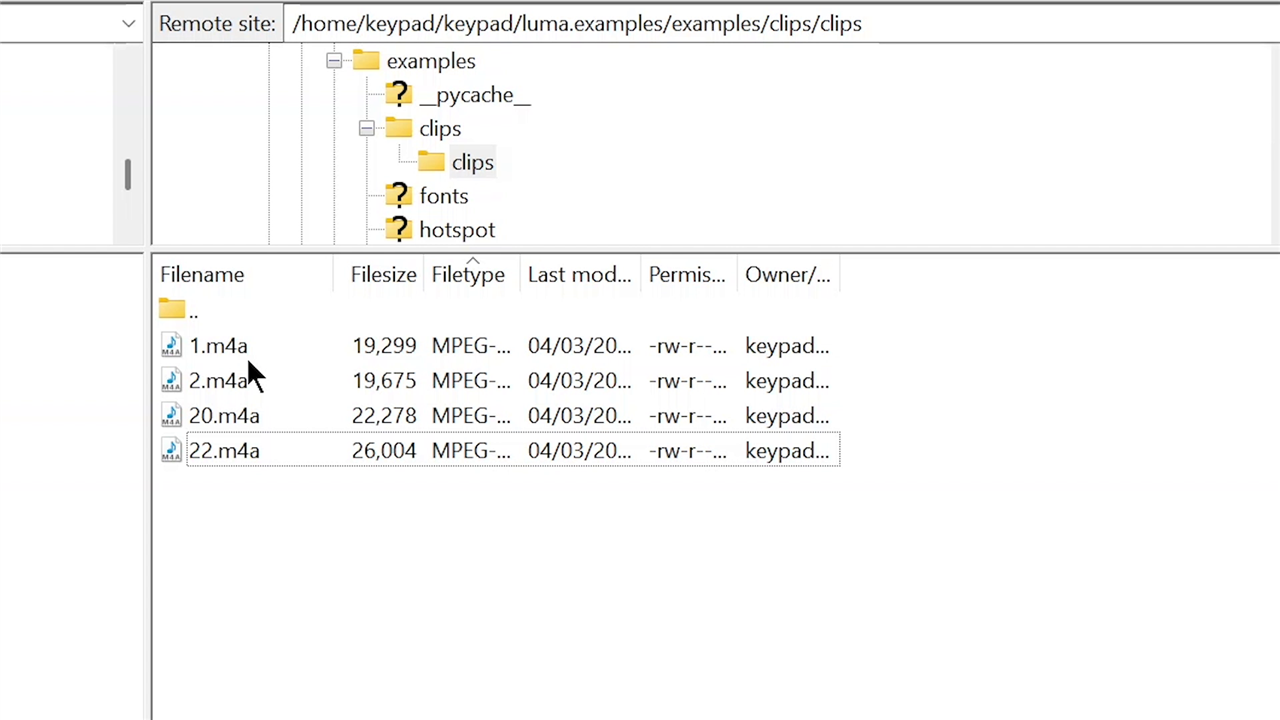
To transfer audio files from the phone to the Raspberry Pi, Lorraine turns the Pi into a small web service using Flask. As long as the phone and Pi are on the same network, audio files can be uploaded wirelessly. The moment the first upload succeeds is met with genuine surprise, a familiar reaction when networking works on the first try.
Once uploaded, the Pi handles the final processing. The recordings arrive as M4A files, which are not ideal for lightweight playback on a Pi Zero. While tools like mplayer can play them, Lorraine finds performance sluggish. Instead, she converts the files to WAV format using ffmpeg, making playback faster and more reliable. She notes that this conversion should ideally happen automatically as files arrive, and that further refinement is needed to avoid reprocessing files unnecessarily.
These performance‑driven choices highlight an important reality of working with small single‑board computers: format choices and processing overhead matter.
Packaging It as a Real Device
With the system working end‑to‑end, Lorraine turns her attention to enclosure design. She experiments with different boxes, thinking carefully about speaker placement, screen visibility, cable exits, and how to protect internal wiring from being pulled or damaged. While she does not settle on a final enclosure design, she is clear about the priorities: the device should feel solid, compact, and purpose‑built, not like exposed electronics in a box.
During final testing, she demonstrates two operating modes: a web mode for uploading new audio files and a ready mode for announcing numbers. The keypad input triggers playback exactly as intended, and the OLED provides immediate visual confirmation. One remaining improvement she identifies is better feedback when a number has not been recorded, currently, missing files result in silence, something that should be made clearer to the user.
By the end of the project, it is clear that this is more than a novelty café accessory. Lorraine reflects on broader uses, particularly in accessibility. The same system could be used to pre‑record phrases for people who struggle to speak in stressful situations, offering a discreet, button‑based alternative to using a phone.
The project is honest about what is unfinished, enclosure refinement, smarter file handling, improved feedback, but it also reaches a meaningful milestone: it works. The core idea is sound, the implementation is practical, and the device already solves the problem it set out to address. What's most underplayed is the full development and the integration of a standalone phone application that interacts with the 'hardware' that is the Raspberry Pi Zero WH, making this a well rounded project overal!
For Lorraine, getting the idea “out of her head and into the world” is the real success. And for anyone recreating the project, the lessons are clear: prioritise clarity, test each component in isolation, and choose simplicity wherever possible.
Supporting Links and Files
- Github Repo (snapshot of the files: Episode 709 Resources )
Bill of Materials
| Product Name | Manufacturer | Quantity | Buy Kit |
|---|---|---|---|
| Raspberry Pi Zero WH | Raspberry Pi | 1 | Buy Now |
| Raspberry Pi SD Card | Raspberry Pi | 1 | Buy Now |
| Raspberry Pi Power Supply Unit | Raspberry Pi | 1 | Buy Now |
| USB Adaptor | SECOMP | 1 | Buy Now |
| Keypad | MULTICOMP | 1 | Buy Now |
| OLED Screen | Seed studio | 1 | Buy Now |
| USB Switch | Pro Signal | 1 | Buy Now |
| Product Name | |||
| A box | |||
Top Comments