


PYNQ-Z2: Embedded Vision Workshop Series with Adam Taylor
Getting Started | Getting Up and Running | Unlocking Your Inner PYNQ Hero | Project14 | PYNQ Workshop 
Session 1 of the workshop covered two overlays that are included in the standard PYNQ image - the Base overlay and the Logictools overlay.
The base overlay provides the ability to work with all of the hardware interfaces on the PYNQ board, including the HDMI, Audio, Pmod, RPI and Shield Connector.
Here are the directories of the different example categories included:

The example notebook used in the lab is the board_btns_leds.ipynb.

The logictools overlay consists of programmable hardware blocks to connect to external digital logic circuits. It includes the following functions:
- Pattern Generator
- FSM Generator
- Boolean Generator
- Trace Analyzer
Here are the logictools notebooks. The ones with the "LabOne" prefix were ones created for use in the lab.
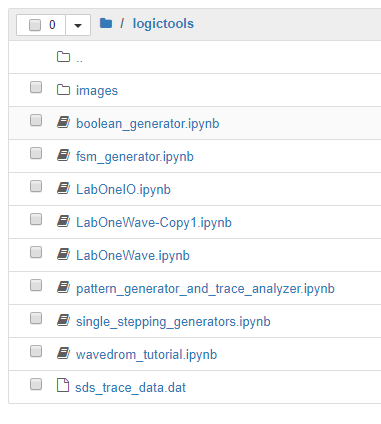
The first lab walked through using the base overlay to interact with the buttons and LEDs and using the logictools overlay to produce patterns on GPIO pins and then to feedback and capture those patterns on other GPIO pins.
The lab was relatively straightforward except that I had some issues when I tried to save time by cutting and pasting code from the lab instructions. There are a few places where there are "smart quotes" in the text which will cause syntax errors and I needed to fix those.
First homework assignment is to utilize the logictools overlay with other stimulus and display patterns.
I2C Trace Analyzer
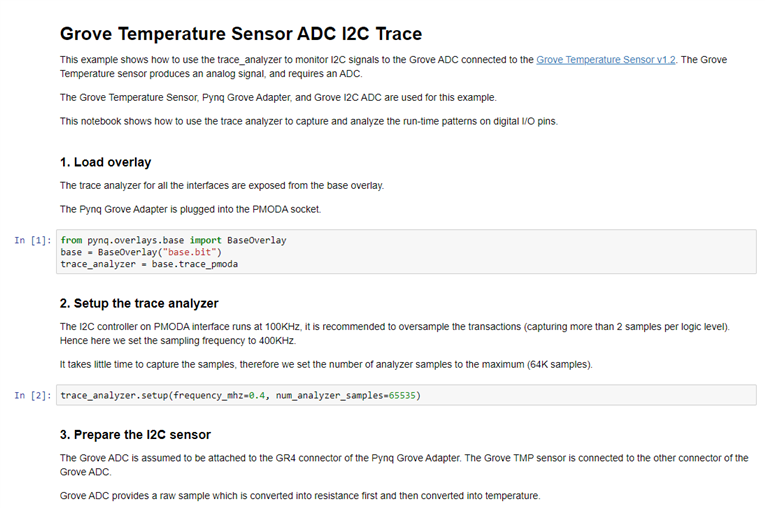
I thought that it would be useful to generate and capture an I2C transaction.
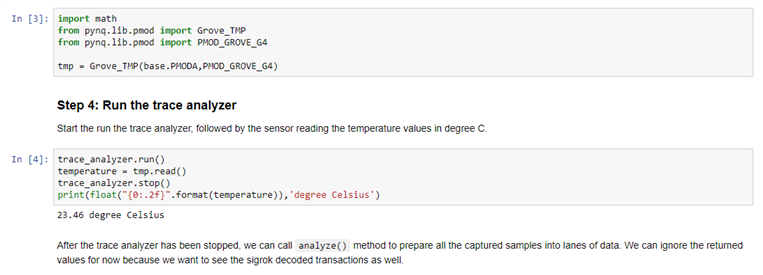
I couldn't think of a simple way to generate the initiator code using the logictools pattern generators, so I opted to just use one of the included hardware libraries.
There is an example of an I2C trace analyzer but it uses a PMOD_TMP2 temperature sensor and I don't have one of those.

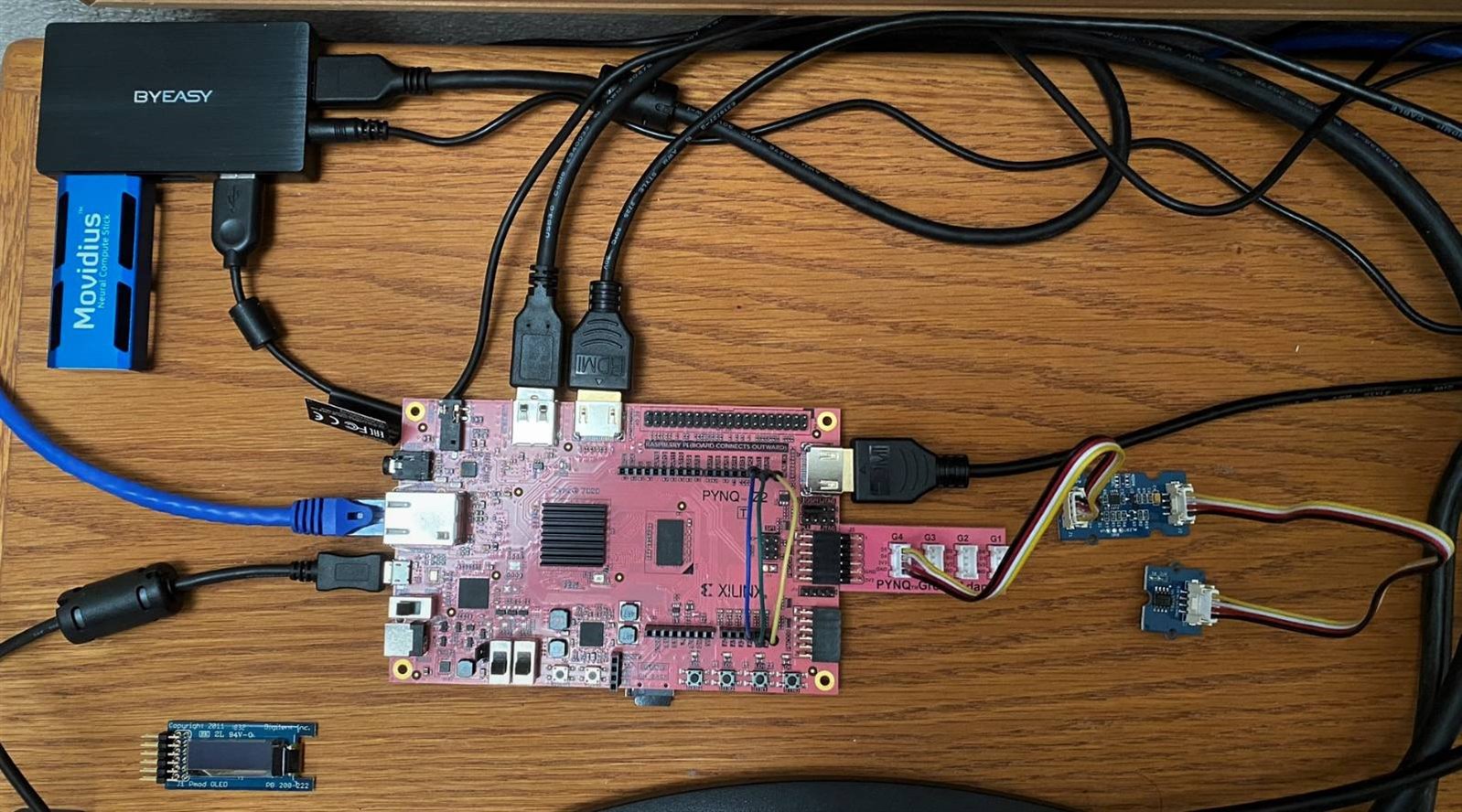
I do have a Grove analog Temperature Sensor 1.2 which interfaces with a Grove I2C ADC. I also have a Pynq Grove adapter board. A picture of my setup with the ADC and tmp sensor attached to the Grove adapter on the PMODA port.
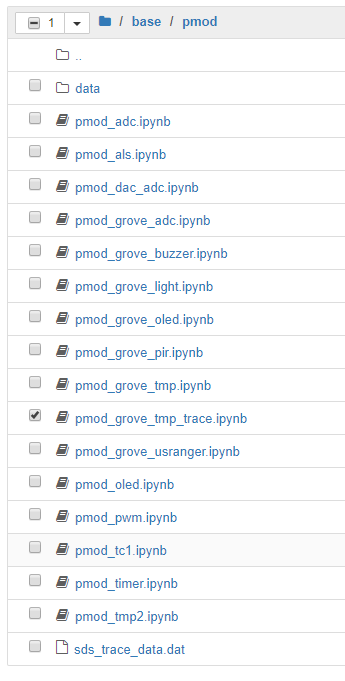
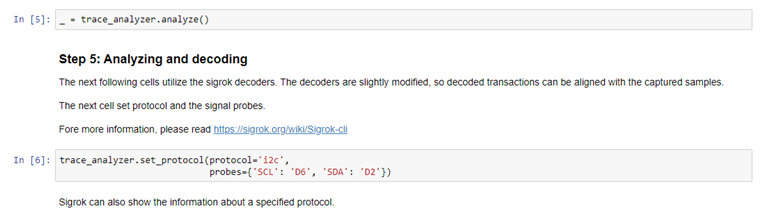
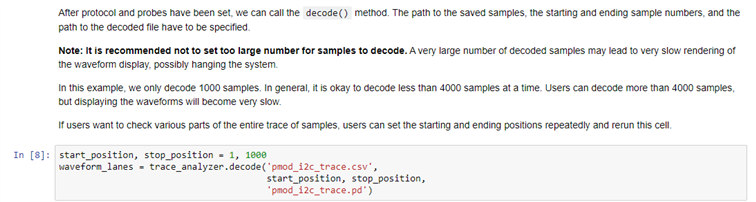
The PYNQ image includes a lot of libraries for different PMOD and Grove sensors and displays. I decided to modify the one that matches my sensor and add the I2C Trace Analyzer. The new notebook is shown below pmod_grove_tmp_trace.ipynb.

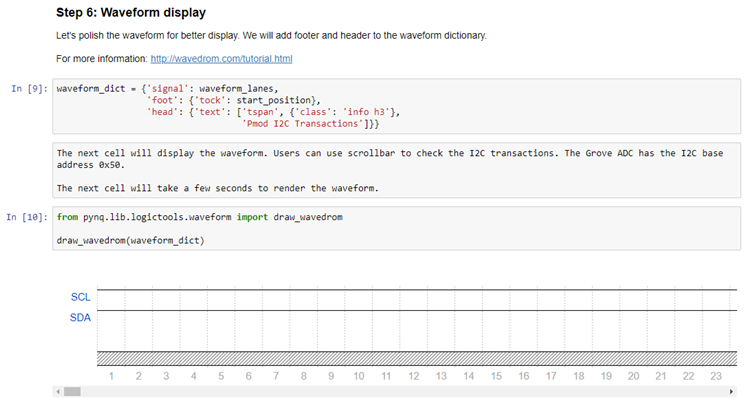
Display shifted to start of I2C transaction:

The start of the data read:
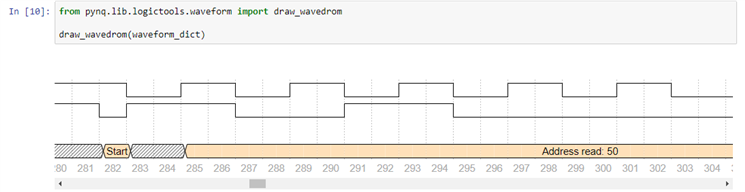
The initial read data byte:

The end of the transaction:
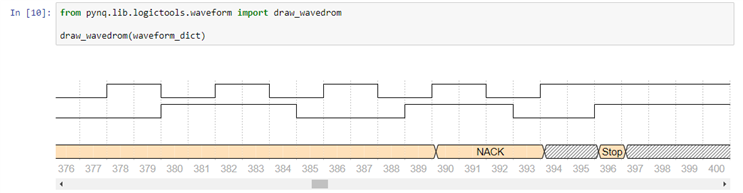
This data can also be printed as text:

Lots of stuff to play with. The trace analyzer will be very useful for developing new applications.
Top Comments
-

Fred27
-
Cancel
-
Vote Up
+1
Vote Down
-
-
Sign in to reply
-
More
-
Cancel
-

ralphjy
in reply to Fred27
-
Cancel
-
Vote Up
0
Vote Down
-
-
Sign in to reply
-
More
-
Cancel
Comment-

ralphjy
in reply to Fred27
-
Cancel
-
Vote Up
0
Vote Down
-
-
Sign in to reply
-
More
-
Cancel
Children