


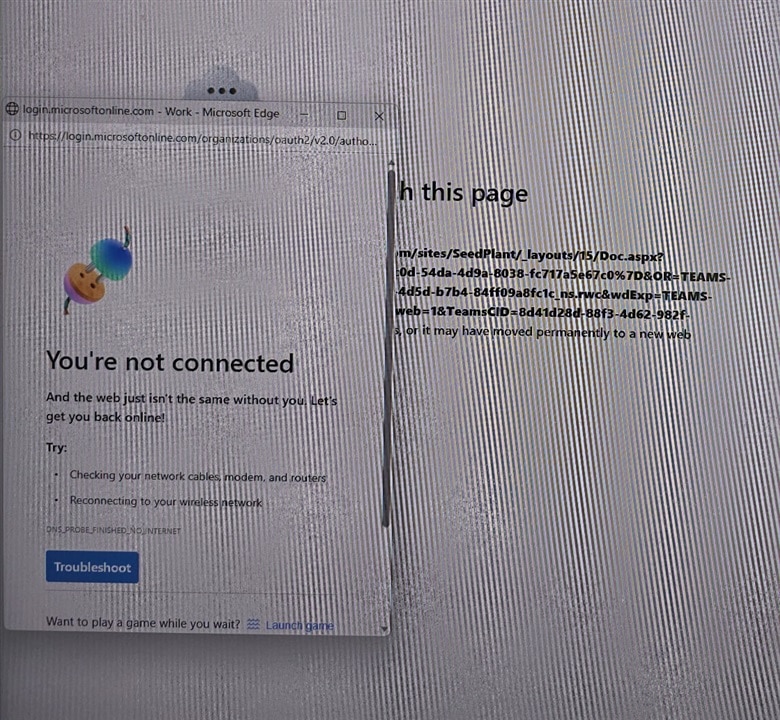
I had an IT itch that I needed to scratch. The yard supervisor met me at the office with his phone, he stated, “We’re performing seed-plant maintenance and received this message.” He showed me a screenshot of the control computer for the plant. Immediately I responded, “You don’t have a network. Let me take a look and I will let you know.”
All the golf carts used to ferry employees around the yard were gone. It was a walk or take my car the half kilometer to the seed-plant. How did I know it is half a kilometer? The point-to-point network elements that beam the network signal to that part of the yard indicate 600m.
While walking to the building, I pondered what could be wrong. I had used the network monitoring system in the office to examine that part of the network and it showed the switch for the plant was offline. When I arrived, I discovered the network switch didn’t have power. This issue stemmed from the UPS being offline.
The UPS was installed to prevent brownouts. The plant is at the far reaches of the yards AC power runs. Larger motors and industrial equipment powering up play havoc with the yard AC. Delicate equipment like computer had issues before the UPS was installed, frequent reboots or short network outages were normal.
Why was the UPS off? That question remained unanswered. My itch to know if and when such things happens motivated me to find a way to communicate with the UPS.
Of course, the vendor of the UPS had a solution. The UPS hardware was old so it didn't support the current solution. Looking through the archive there were some options. They had a cost that didn’t fit the budget. I had just done a spring cleaning and discovered a Raspberry Pi2B in a cardboard box. Why not build a UPS monitoring system?
After some internet research, I discovered that my idea was not original. According to Wikipedia https://en.wikipedia.org/wiki/Network_UPS_Tools was developed 28 years ago, many contributors designed a NUT server.
NUT (Network UPS Tools) is a software suite designed to monitor power devices. Here, I thought I had an original idea. Considerable software development occurred within the 28 years since the concept’s inception.

At the home for NUT https://networkupstools.org/ I found an archive that dates back to May 2005. Low and behold if the nuts that look after the NUT didn’t share a release for July 2026. YES my NUT itch could be scratched! My communication project is still on track.
OK for a BOM. I had a Pi2B with a 16M flash card and wall wart. The UPS equipment had a DB9 serial port and a USB 2.0 Type B connector. I call it a USB printer cable connector, since that is where I typically see that connector.
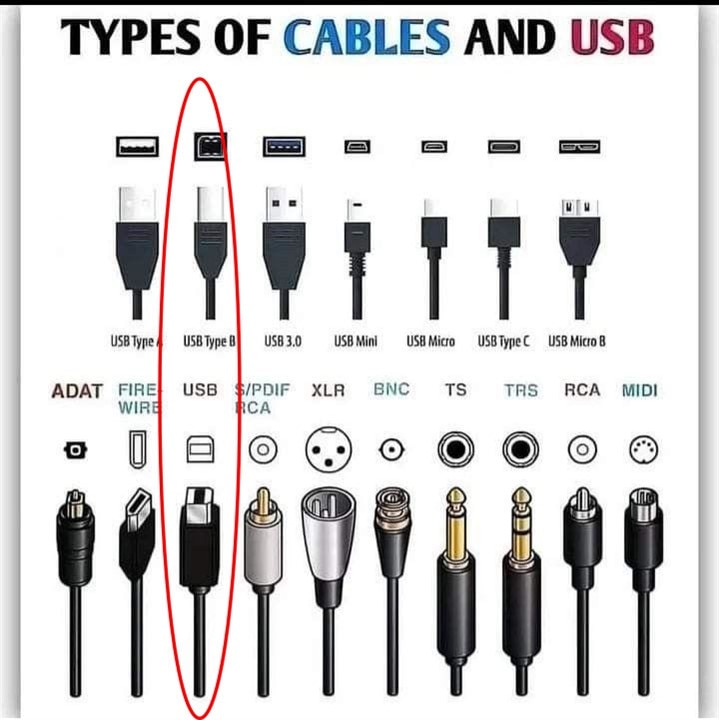
I didn’t have a USB to DB9 serial cable. I had plenty of USB printer cables. I couldn’t seem to lose all the USB printer cables kicking around the office. All the printers installed use a network connection, and the printer cable supplied never got used.
Got the software. Got the cable. Got the hardware. Let’s get communicating.
To get my NUT itch scratched required drawing on some knowledge not included in the HOW-TO’s that I found on the internet. If someone in IT pairs the two words “it’s” and “easy” in a statement, the immediate response should be “for whom”. I’ve been playing in IT for almost half of my 40-year career in technology. Tips and tricks I’ve learned along the way came in handy to crack this NUT.
sudo apt update                 		#just built the pi so the ubiquitous setup commands
sudo apt upgrade
sudo reboot                     		#my start from go command. It worked before does it work now.

vcgencmd get_throttled          		#check that the pi doesn't have any power issues

sudo apt install nut            		#install the Network UPS Tools package
sudo nut-scanner -U             		#with the USB cable connected this gets information needed later
sudo vi /etc/nut/ups.conf       		#the four configuration files that works for me.
sudo vi /etc/nut/upsd.conf
sudo vi /etc/nut/nut.conf
sudo vi /etc/nut/upsmon.conf
sudo reboot
I judge the quality of a HOW-TO document on HOW-MUCH I need to change the HOW-TO in order to get the project working. I didn’t find one HOW-TO, that worked from start to finish. Gather nuts from each of the stashes of videos and Internet posts finally got my NUT working.
Below I have provided screenshots or code for the four files that I added configuration details to get the NUT working. The Pi needs to communicate with the UPS hardware in order to configure the NUT server. The NUT software provides a tool nut-scanner -U to make that USB query possible.
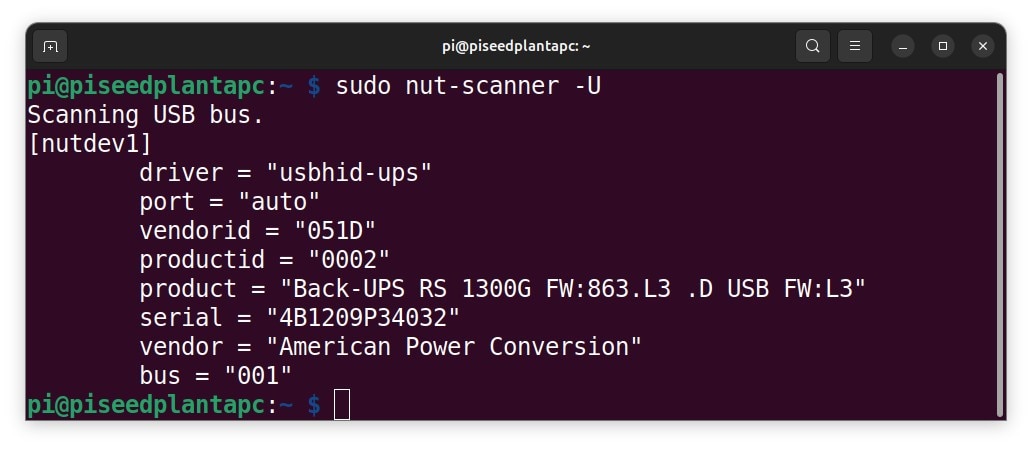
I’ve included a list MY-HOW-TO commands and the files to get a working NUT server, apc-seedplant. Note the software version reference points for this working NUT. Changes in the operating system, software packages, and the NUT software itself can move the dependencies so that things don’t work.
Hardware:
Description : Raspberry Pi 2B rev 1.1
RAM : 1GB
Storage : MicroSD 16G
Software:
Raspberry Pi OS Lite System 32-bit
PRETTY_NAME="Raspbian GNU/Linux 13 (trixie)"
Release date 18 Jun 2026
nut-server 2.8.1-5
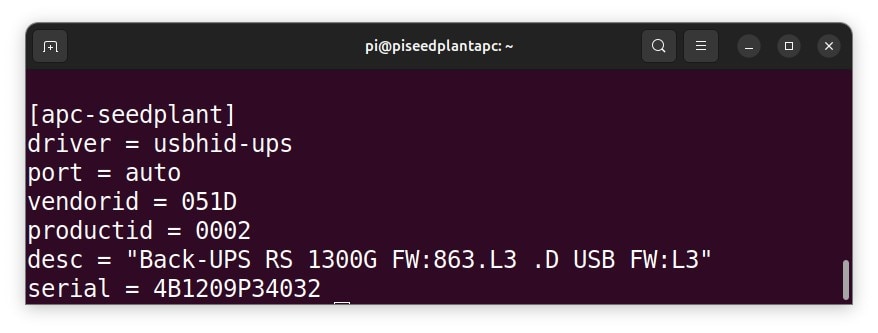
sudo cat /etc/nut/ups.conf Recall you queried the UPS for information. This is the file where that information goes. I just drop to the bottom of the file and start entering.
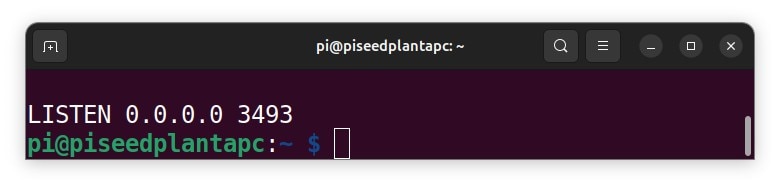
sudo cat /etc/nut/upsd.conf Setting up port requirements.
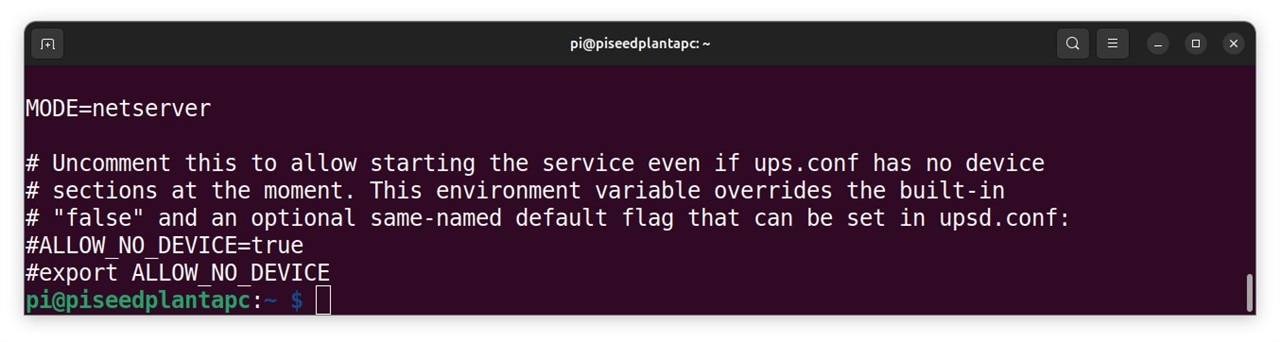
sudo cat /etc/nut/nut.conf You will find the MODE line inside this file. In mine it had <none>, I changed it to this value.
MONITOR apc-seedplant@localhost 1 upsadmin BN11ooM2-C@ primary

RUN_AS_USER root

MINSUPPLIES 1
SHUTDOWNCMD "/sbin/shutdown -h"
NOTIFYCMD /usr/sbin/upssched
POLLFREQ 2
POLLFREQALERT 1
HOSTSYNC 15
DEADTIME 15
POWERDOWNFLAG /etc/killpower

NOTIFYMSG ONLINE    "UPS %s on line power"
NOTIFYMSG ONBATT    "UPS %s on battery"
NOTIFYMSG LOWBATT   "UPS %s battery is low"
NOTIFYMSG FSD       "UPS %s: forced shutdown in progress"
NOTIFYMSG COMMOK    "Communications with UPS %s established"
NOTIFYMSG COMMBAD   "Communications with UPS %s lost"
NOTIFYMSG SHUTDOWN  "Auto logout and shutdown proceeding"
NOTIFYMSG REPLBATT  "UPS %s battery needs to be replaced"
NOTIFYMSG NOCOMM    "UPS %s is unavailable"
NOTIFYMSG NOPARENT  "upsmon parent process died - shutdown impossible"

NOTIFYFLAG ONLINE   SYSLOG+WALL+EXEC
NOTIFYFLAG ONBATT   SYSLOG+WALL+EXEC
NOTIFYFLAG LOWBATT  SYSLOG+WALL
NOTIFYFLAG FSD      SYSLOG+WALL+EXEC
NOTIFYFLAG COMMOK   SYSLOG+WALL+EXEC
NOTIFYFLAG COMMBAD  SYSLOG+WALL+EXEC
NOTIFYFLAG SHUTDOWN SYSLOG+WALL+EXEC
NOTIFYFLAG REPLBATT SYSLOG+WALL
NOTIFYFLAG NOCOMM   SYSLOG+WALL+EXEC
NOTIFYFLAG NOPARENT SYSLOG+WALL

RBWARNTIME 43200

NOCOMMWARNTIME 600

FINALDELAY 5
sudo cat /etc/nut/upsmon.conf Lots of stuff to enter in this file so I flipped presentation to code to support cut and paste.
This is not a tutorial on the NUT server. Therefore I have omitted the details of the settings and purpose. The NUT site has the documentation if you wish to delve deeper.
What does the NUT do for me? The NUT is physically on top of the UPS, quietly communicating over the network what the USB port tells it about the condition of the UPS. It is logging that data to disk (i.e. SD card). The NUT communicates the condition of the past and the present. Of course there has been no power outage lately to look at my NUT.
sudo systemctl status nut-server 		#is the NUT active and running

sudo systemctl restart nut-server 		#command to restart the NUT server when needed

systemctl list-units | grep nut                 #get a look at what is in NUT
journalctl -u nut-driver@apc-seedplant.service  #service tell me what you have logged.
journalctl -u nut-server                        #service tell me what you have logged.
journalctl -u nut-monitor                       #service tell me what you have logged.


upscmd -l apc-seedplant				#cli tool to send commands to your UPS via the upsd server.
upscmd -u upsadmin -p BN11ooM2-C@ apc-seedplant test.battery.start.quick

upsc apc-seedplant				#read-only cli command for the upsd server to provide UPS status
upsc apc-seedplant battery.runtime
Above is a list of commands to poke around the NUT server. Again there are little details for a fuller understanding of the commands.
The communication contest caught my eye; I wanted to take part, but I was not working on any electronic bits and bobs at the moment to fashion an entry. Then I broadened my understanding of communicating.
E14 community is all about communicating. Folks share their creations with others. Those shares have brought me success. I use the community as a knowledge repository. I returned to locate my project specifics; I can’t recall.
Then I got a NUT itch that I could communicate about it communicating.


