element14 Community
element14 Community
    Register Log In
  • Site
  • Search
  • Log In Register
  • Community Hub
    Community Hub
    • What's New on element14
    • Feedback and Support
    • Benefits of Membership
    • Personal Blogs
    • Members Area
    • Achievement Levels
  • Learn
    Learn
    • Ask an Expert
    • eBooks
    • element14 presents
    • Learning Center
    • Tech Spotlight
    • STEM Academy
    • Webinars, Training and Events
    • Learning Groups
  • Technologies
    Technologies
    • 3D Printing
    • FPGA
    • Industrial Automation
    • Internet of Things
    • Power & Energy
    • Sensors
    • Technology Groups
  • Challenges & Projects
    Challenges & Projects
    • Design Challenges
    • element14 presents Projects
    • Project14
    • Arduino Projects
    • Raspberry Pi Projects
    • Project Groups
  • Products
    Products
    • Arduino
    • Avnet & Tria Boards Community
    • Dev Tools
    • Manufacturers
    • Multicomp Pro
    • Product Groups
    • Raspberry Pi
    • RoadTests & Reviews
  • About Us
  • Store
    Store
    • Visit Your Store
    • Choose another store...
      • Europe
      •  Austria (German)
      •  Belgium (Dutch, French)
      •  Bulgaria (Bulgarian)
      •  Czech Republic (Czech)
      •  Denmark (Danish)
      •  Estonia (Estonian)
      •  Finland (Finnish)
      •  France (French)
      •  Germany (German)
      •  Hungary (Hungarian)
      •  Ireland
      •  Israel
      •  Italy (Italian)
      •  Latvia (Latvian)
      •  
      •  Lithuania (Lithuanian)
      •  Netherlands (Dutch)
      •  Norway (Norwegian)
      •  Poland (Polish)
      •  Portugal (Portuguese)
      •  Romania (Romanian)
      •  Russia (Russian)
      •  Slovakia (Slovak)
      •  Slovenia (Slovenian)
      •  Spain (Spanish)
      •  Sweden (Swedish)
      •  Switzerland(German, French)
      •  Turkey (Turkish)
      •  United Kingdom
      • Asia Pacific
      •  Australia
      •  China
      •  Hong Kong
      •  India
      • Japan
      •  Korea (Korean)
      •  Malaysia
      •  New Zealand
      •  Philippines
      •  Singapore
      •  Taiwan
      •  Thailand (Thai)
      • Vietnam
      • Americas
      •  Brazil (Portuguese)
      •  Canada
      •  Mexico (Spanish)
      •  United States
      Can't find the country/region you're looking for? Visit our export site or find a local distributor.
  • Translate
  • Profile
  • Settings
Electronic Art
  • Challenges & Projects
  • Project14
  • Electronic Art
  • More
  • Cancel
Electronic Art
Blog Electronic Art app controlled by Arduino Uno
  • Blog
  • Forum
  • Documents
  • Events
  • Polls
  • Files
  • Members
  • Mentions
  • Sub-Groups
  • Tags
  • More
  • Cancel
  • New
Join Electronic Art to participate - click to join for free!
  • Share
  • More
  • Cancel
Group Actions
  • Group RSS
  • More
  • Cancel
Engagement
  • Author Author: ilvyanyatka
  • Date Created: 28 Aug 2020 2:23 AM Date Created
  • Views 4811 views
  • Likes 12 likes
  • Comments 24 comments
  • electronic art app
  • electronicartch
  • c#.net
  • arduino
Related
Recommended

Electronic Art app controlled by Arduino Uno

ilvyanyatka
ilvyanyatka
28 Aug 2020

My project is an electronic Art App controlled by Arduino Uno.

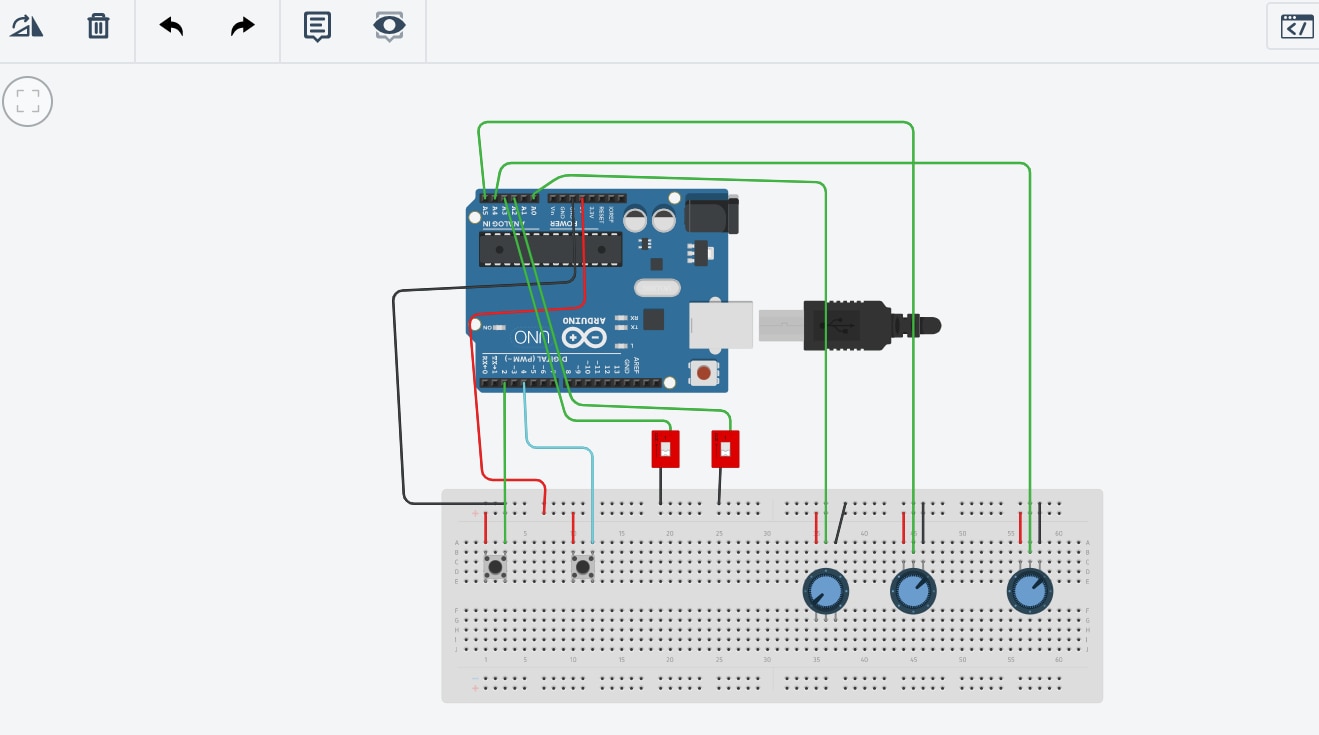
The app connects to Arduino port. goes full screen, and starts drawing abstract geometrical figures based on parameters it reads from the Arduino. The user can can control what the app is drawing using potentiometers, switches, and a push button. Everything can be controlled by Arduino, there is no need for keyboard and mouse (after connecting to Arduino port). App can be used for meditation, or just to relax. Drawings can be saved in real time using push button.


Push button 1 – clears app screen

Push button 2 - save the screenshot of the drawing

Switch 1 – Start/Stops drawing

Switch 2 – controls line type. Line type can be an Arc (Bezier curve) or a straight line

Potentiometer 1 – controls line width

Potentiometer 2 – controls an angle for a drawing

Potentiomenter 3 - controls drawing speed


The app itself is written in C#.NET. To communicate between .NET and Arduino I used open source Sharer library, it is awesome and it can be found here:

https://github.com/Rufus31415/Sharer


Fun fact: When testing the board I ran into a problem that all analogRead() functions returned incorrect values. I could not figure out why, it was driving me crazy. I was sure that I fried both of my Arduinos somehow. But finally I figured out that connections on my $1 breadboard were not wired properly. I changed the breadboard and everything started working right away.


Schematics (updated):
image


Demo video: (can also be found on YouTube: https://youtu.be/DOUr6JplXHg )

You don't have permission to edit metadata of this video.
Edit media
x
image
Upload Preview
image


Additional demo video for using save screenshots and changing drawing speed

You don't have permission to edit metadata of this video.
Edit media
x
image
Upload Preview
image


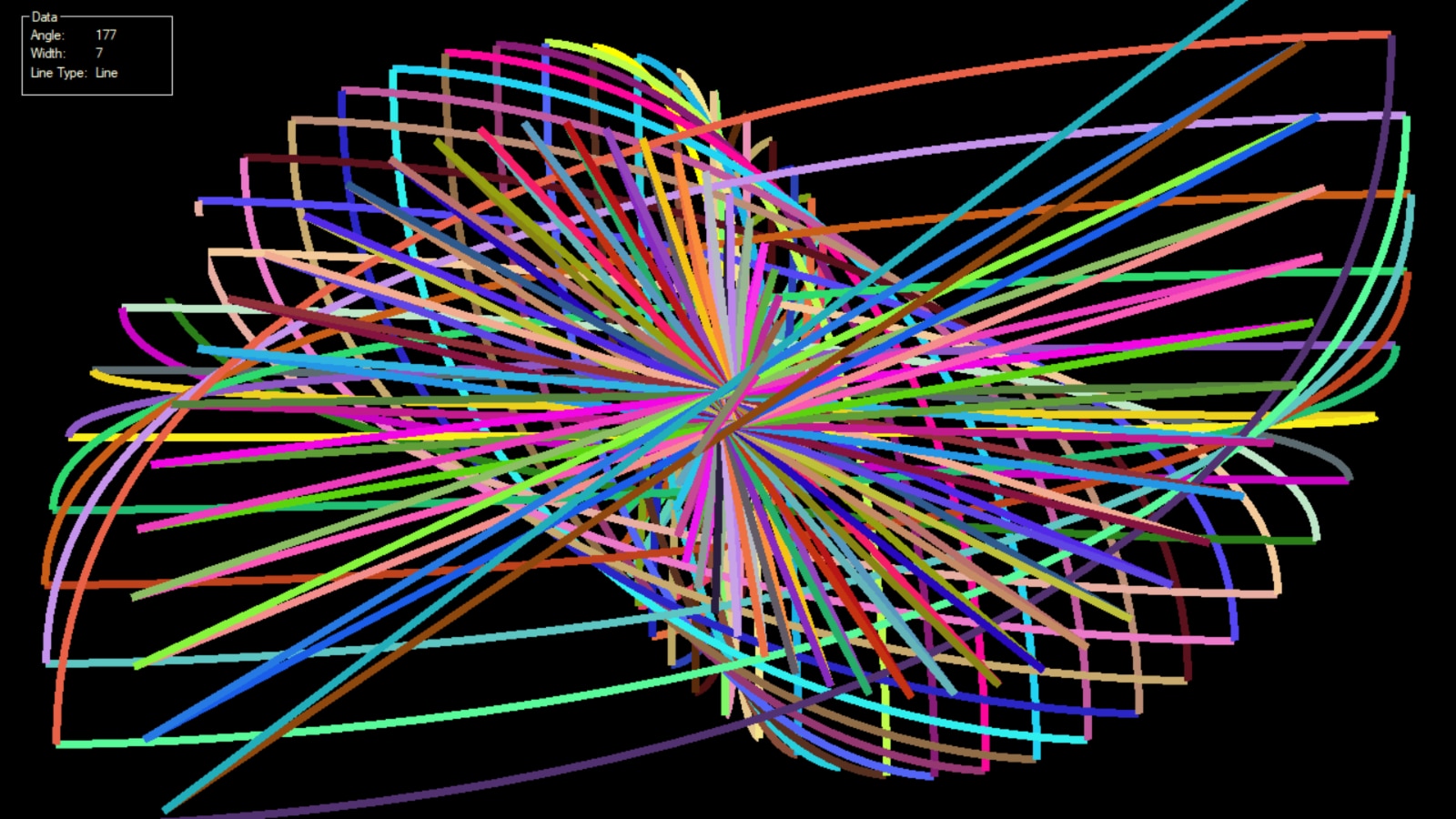
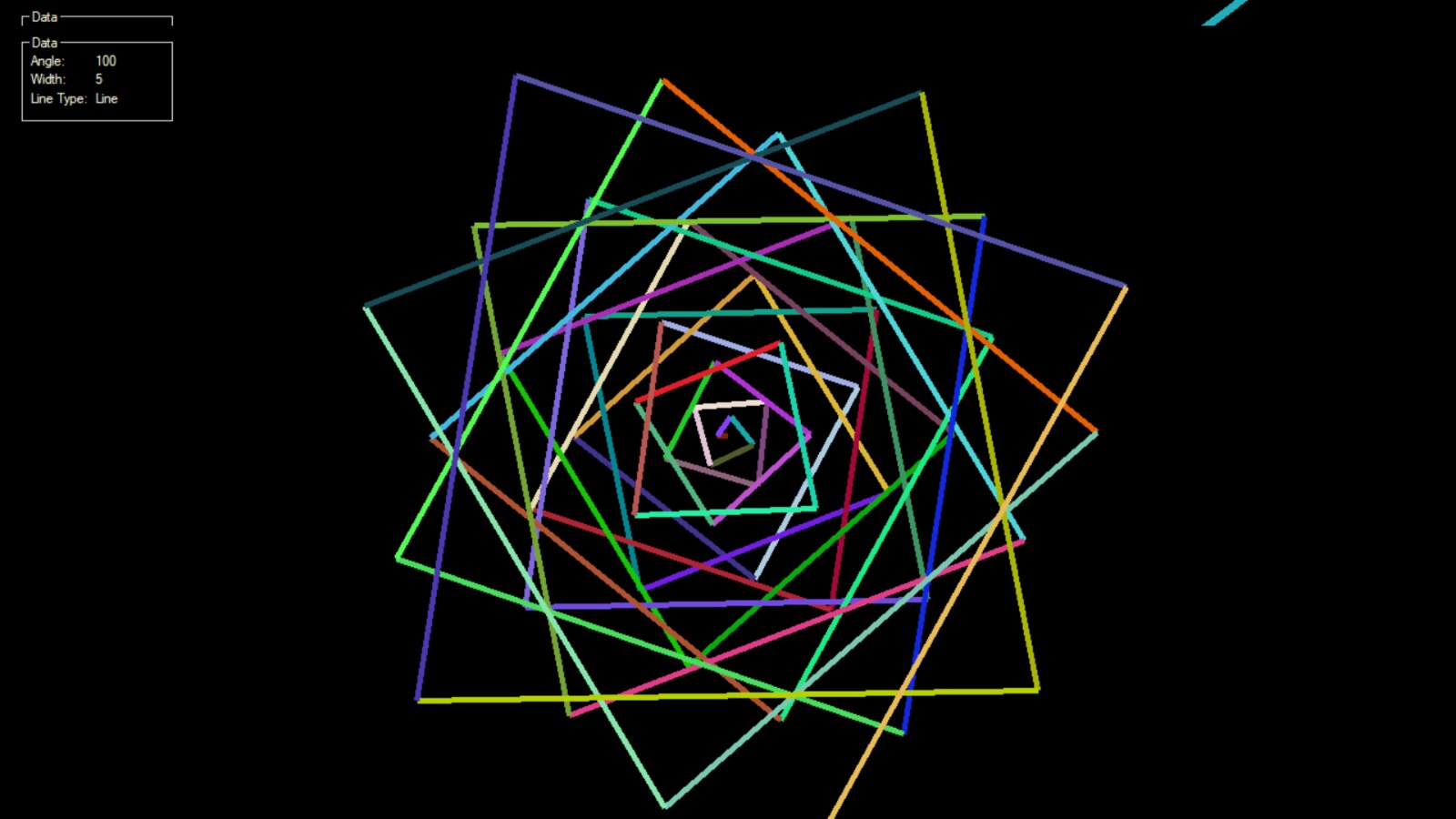
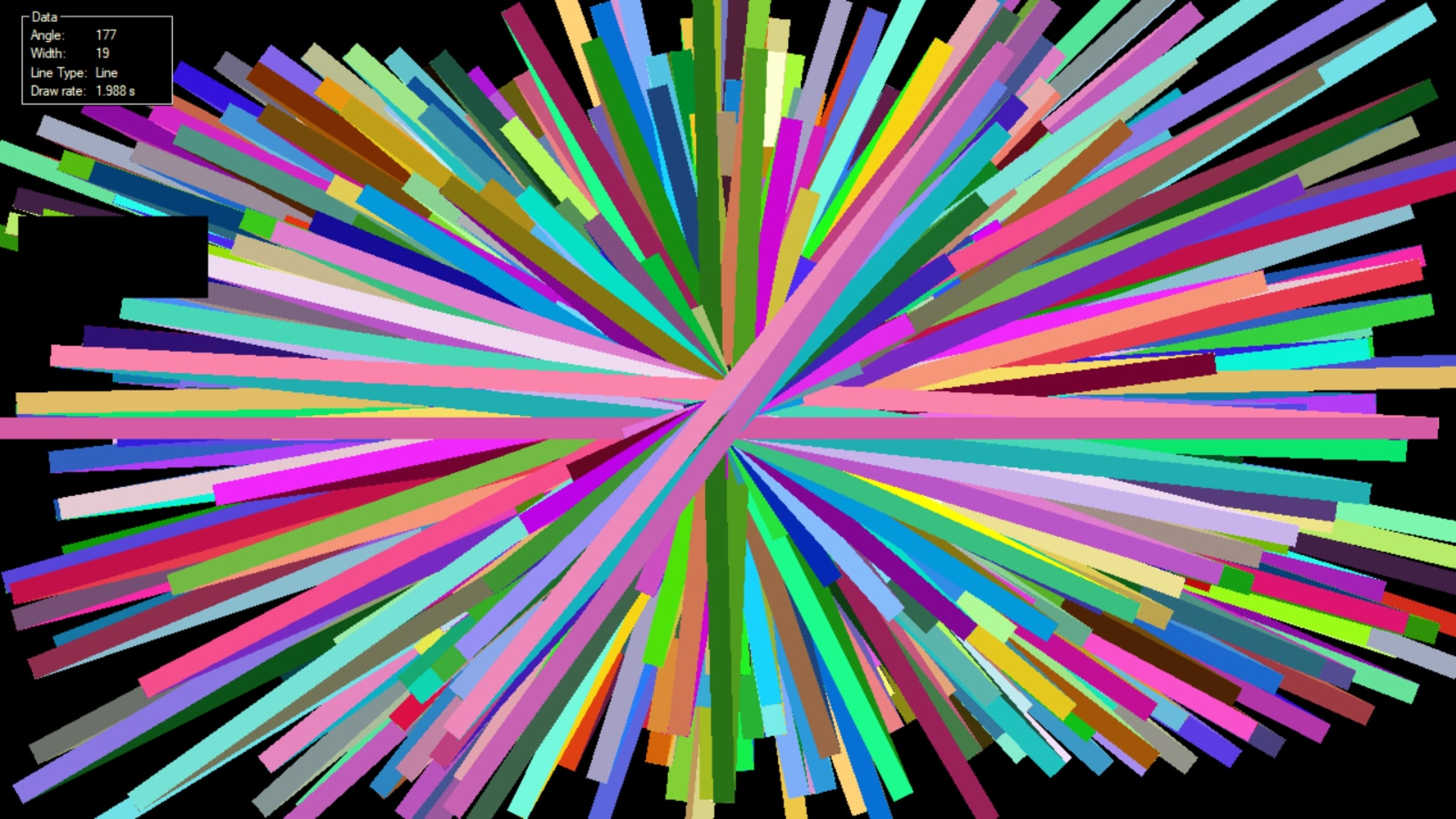
Couple of screenshots:

image


and

image


and

image


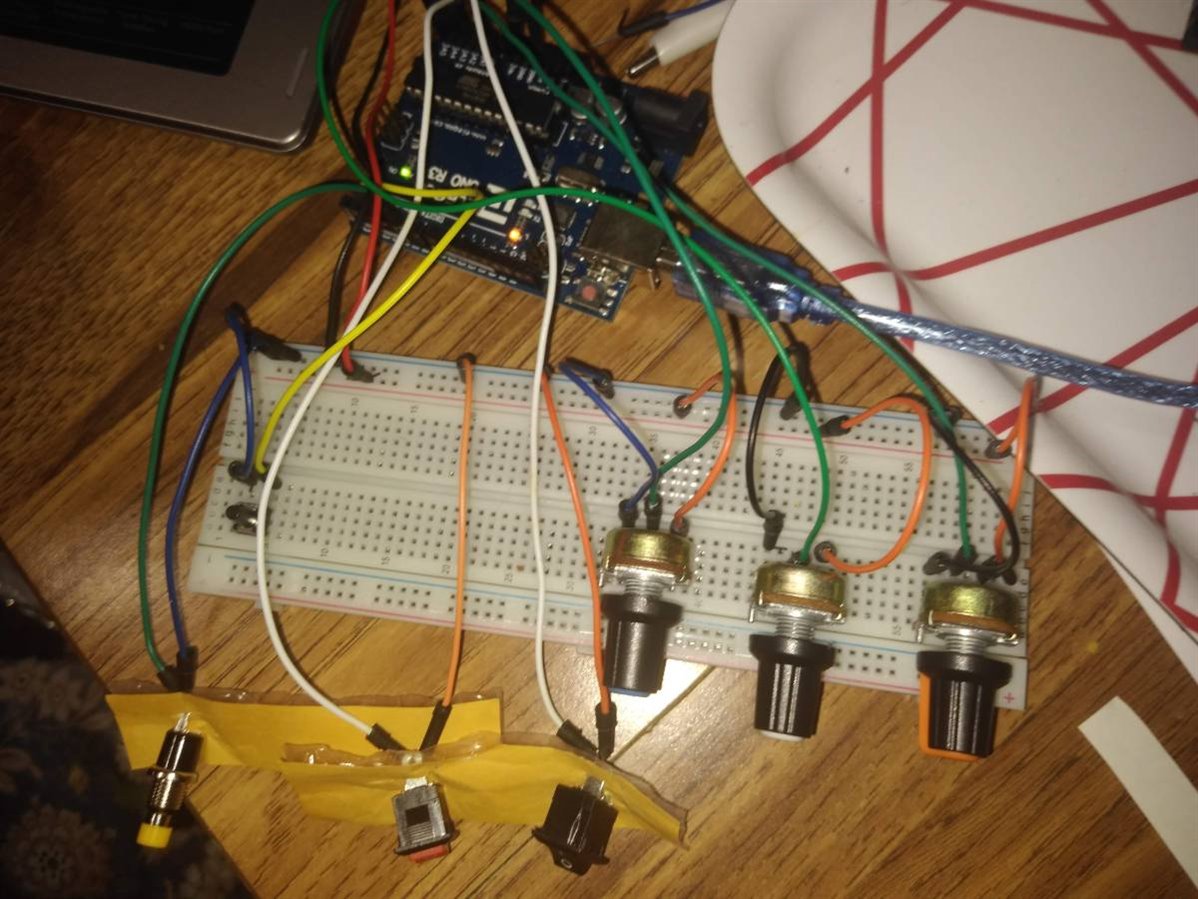
This is how the board looks like:

image

Arduino code, and NET main module with math and Arduino communication code will be attached soon.

Update: Code on Github: https://github.com/ilvyanyatka/ElectronicArtWithArduino

Before I added "Save screenshot" functionality, the code was cross platform. Now .NET code is Windows specific. To make it cross platform again one need to remove all the functionality related to "Select Windows Dialog" and "Take Screenshot". I am planning to come back to it later.

Attachments:
Electronic_Art.ino.txt.zip
  • Sign in to reply

Top Comments

  • fmilburn
    fmilburn over 5 years ago in reply to jw0752 +5
    I thought it was a fun project also. Well done
  • ilvyanyatka
    ilvyanyatka over 5 years ago in reply to jw0752 +4
    Thank you John, will do it tomorrow! I am glad you liked it!
  • ilvyanyatka
    ilvyanyatka over 5 years ago in reply to jw0752 +4
    John, I will, because it is so much fun. This projects bring a lot of emotions. When I was working on this one, all of analogRead values for all the pins were totally wrong. I thought I fried both of my…
  • beacon_dave
    beacon_dave over 5 years ago in reply to balearicdynamics

    Hi Enrico,


    Yes, in a lot of these type of projects the Arduino microcontroller can end up as a basic human interface device and not used to its full potential. Often it could be replaced by a much simpler GPIO device connected via I2C/SPI to the host processor if all you require is AtoD or digital IO when it is not available on the host device.


    I don't see it as a 'trick' though, just a convenient way to add physical computing IO to a host platform. Many Arduino microcontroller devices are used just to emulate USB HID keyboard / mouse / joystick devices in projects (e.g. PIK3A tables). I've also seen projects which use tens of Arduino Nanos just to enable GPIO for large button and indicator panels (e.g. Carnegie Science Centre 200 button wall interactive installation).


    I don't think that it necessarily detracts from the overall project however, it is just a very low cost and easy way to achieve the desired connectivity.


    In this case 'Firmata' has been replaced by 'Sharer', and Processing by .Net with communication between the two still occurring over a serial protocol.


    In each case I think there tends to be a very fuzzy line drawn between the two devices and you can choose to make the 'brain' of each side as clever or as 'stupid' as you want within the capabilities of the devices/programmer.


    It crops up in other areas as well. How much do you program on the client terminal and how much on the server it connects to. How intelligent do you make a touch panel device versus its central controller, or device being controlled.


    What if you used every ounce of the Arduino's features in order to create a highly tactile responsive controller with aesthetic visual feedback, and then connected it to a host device running the same Processing sketch via the same serial protocol ? Does that make a difference to the project 'architecture' ?


    On a similar note, I often see single board computer projects which appear as if they could be easily be replaced by a microcontroller, and microcontroller projects which could be replaced by smaller microcontrollers and smaller microcontroller projects which could be replaced by discrete components... ( I've also seen Processing projects which could be done within SVG animation/scripting for that matter. )


    At the end of the day though, I think that these choices are up to the programmer/artist to decide how much processing happens on which side of the line.


    Dave

    • Cancel
    • Vote Up +2 Vote Down
    • Sign in to reply
    • More
    • Cancel
  • ilvyanyatka
    ilvyanyatka over 5 years ago in reply to beacon_dave

    Hello Dave,


    Thank you. Rotary encoders look like very useful components. I never heard of them before.


    For Up/Down/Select controls, I am trying to avoid any UI elements on the screen. Trying to keep it completely black.

    I coded a prototype using just .NET code, no Arduino. But UI controls make part of the screen unusable and make graphics look not so fun, not so relaxing.

    With Arduino it is easier to control the data. In this case used don't need a mouse and keyboard at all, and can change the angle from, for example, 30 degree to 179 degree in split second. When using UI controls, like track bar, it takes several seconds to change the value; and graphics code picks up the values in between that I am also trying to avoid.

    • Cancel
    • Vote Up +2 Vote Down
    • Sign in to reply
    • More
    • Cancel
  • balearicdynamics
    balearicdynamics over 5 years ago in reply to beacon_dave

    Hello Dave,

    you know I am always critic respect the options that sound apparently incredibly innovative but not sure if they are. I have developed in past some very strong graphical 2D and 3D algorithms (still available included the source code on the Processing showcase). Me too were fascinated by this couple Arduino + Processing but then I found the trick and my enthusiasm flew away. Processing is just one of the tons of computer java-based programs. And under this perspective, it is incredibly nice and powerful, especially if you integrate it with PureData (I made a first Pi Synth version just in this way). But it is computer-centric. I mean that you connect Arduino just controlling it by serial, with Arduino loaded with Firmata (to have all the hardware potential of the microcontroller). I have also developed in the past, a customized version of Firmata for this purpose. But with this kind of architecture Arduino becomes the stupid side of the project: all the math and design and all the other features are software on the PC while Arduino only exposes the GPIO features through serial commands. Nothing else.

    The real value-added of the project of ilvyanyatka  IMHO is instead that she used Arduino as the core algorithm, the brain is on the microcontorller-side instead of the computer. At least in my opinion.


    Enrico

    • Cancel
    • Vote Up +2 Vote Down
    • Sign in to reply
    • More
    • Cancel
  • beacon_dave
    beacon_dave over 5 years ago in reply to ilvyanyatka

    "...Adding other geometrical figures could be fun. I will just need something like a 4-positions switch for it..."

    You may find that at some point 4 positions won't be enough. You perhaps may need to use an up/down & select method using three push button switches to select the geometrical figure from a list.


    You can also get rotary encoders with built-in pushbutton that can work well for this task

    https://www.adafruit.com/product/377

    • Cancel
    • Vote Up +1 Vote Down
    • Sign in to reply
    • More
    • Cancel
  • dubbie
    dubbie over 5 years ago in reply to ilvyanyatka

    Victoria,


    A four position switch is pretty much a suitable term.


    Dubbie

    • Cancel
    • Vote Up +2 Vote Down
    • Sign in to reply
    • More
    • Cancel
<>
element14 Community

element14 is the first online community specifically for engineers. Connect with your peers and get expert answers to your questions.

  • Members
  • Learn
  • Technologies
  • Challenges & Projects
  • Products
  • Store
  • About Us
  • Feedback & Support
  • FAQs
  • Terms of Use
  • Privacy Policy
  • Legal and Copyright Notices
  • Sitemap
  • Cookies

An Avnet Company © 2026 Premier Farnell Limited. All Rights Reserved.

Premier Farnell Ltd, registered in England and Wales (no 00876412), registered office: Farnell House, Forge Lane, Leeds LS12 2NE.

ICP 备案号 10220084.

Follow element14

  • X
  • Facebook
  • linkedin
  • YouTube