element14 Community
element14 Community
    Register Log In
  • Site
  • Search
  • Log In Register
  • Community Hub
    Community Hub
    • What's New on element14
    • Feedback and Support
    • Benefits of Membership
    • Personal Blogs
    • Members Area
    • Achievement Levels
  • Learn
    Learn
    • Ask an Expert
    • eBooks
    • element14 presents
    • Learning Center
    • Tech Spotlight
    • STEM Academy
    • Webinars, Training and Events
    • Learning Groups
  • Technologies
    Technologies
    • 3D Printing
    • FPGA
    • Industrial Automation
    • Internet of Things
    • Power & Energy
    • Sensors
    • Technology Groups
  • Challenges & Projects
    Challenges & Projects
    • Design Challenges
    • element14 presents Projects
    • Project14
    • Arduino Projects
    • Raspberry Pi Projects
    • Project Groups
  • Products
    Products
    • Arduino
    • Avnet & Tria Boards Community
    • Dev Tools
    • Manufacturers
    • Multicomp Pro
    • Product Groups
    • Raspberry Pi
    • RoadTests & Reviews
  • About Us
    About the element14 Community
  • Store
    Store
    • Visit Your Store
    • Choose another store...
      • Europe
      •  Austria (German)
      •  Belgium (Dutch, French)
      •  Bulgaria (Bulgarian)
      •  Czech Republic (Czech)
      •  Denmark (Danish)
      •  Estonia (Estonian)
      •  Finland (Finnish)
      •  France (French)
      •  Germany (German)
      •  Hungary (Hungarian)
      •  Ireland
      •  Israel
      •  Italy (Italian)
      •  Latvia (Latvian)
      •  
      •  Lithuania (Lithuanian)
      •  Netherlands (Dutch)
      •  Norway (Norwegian)
      •  Poland (Polish)
      •  Portugal (Portuguese)
      •  Romania (Romanian)
      •  Russia (Russian)
      •  Slovakia (Slovak)
      •  Slovenia (Slovenian)
      •  Spain (Spanish)
      •  Sweden (Swedish)
      •  Switzerland(German, French)
      •  Turkey (Turkish)
      •  United Kingdom
      • Asia Pacific
      •  Australia
      •  China
      •  Hong Kong
      •  India
      •  Japan
      •  Korea (Korean)
      •  Malaysia
      •  New Zealand
      •  Philippines
      •  Singapore
      •  Taiwan
      •  Thailand (Thai)
      •  Vietnam
      • Americas
      •  Brazil (Portuguese)
      •  Canada
      •  Mexico (Spanish)
      •  United States
      Can't find the country/region you're looking for? Visit our export site or find a local distributor.
  • Translate
  • Profile
  • Settings
Webinars, Training and Events
  • Learn
  • More
Webinars, Training and Events
Documents Winners Announcement: PYNQ-Z2: Embedded Vision Workshop (Zero to Hero) Series with Adam Taylor!
  • Blog
  • Forum
  • Documents
  • Events
  • Polls
  • Files
  • Members
  • Mentions
  • Sub-Groups
  • Tags
  • More
  • Cancel
  • New
Join Webinars, Training and Events to participate - click to join for free!
Actions
  • Share
  • More
  • Cancel
Engagement
  • Author Author: tariq.ahmad
  • Date Created: 3 Apr 2020 11:10 PM Date Created
  • Last Updated Last Updated: 17 Aug 2020 3:07 PM
  • Views 11653 views
  • Likes 20 likes
  • Comments 86 comments
Related
Recommended

Winners Announcement: PYNQ-Z2: Embedded Vision Workshop (Zero to Hero) Series with Adam Taylor!

image

PYNQ-Z2: Embedded Vision Workshop Series with Adam Taylor


Getting Started | Getting Up and Running  | Unlocking Your Inner PYNQ Hero  | Project14 | PYNQ Workshop image


Thank you to everyone who participated and we apologize for the delays.  We are pleased the following winners:


Grand Prize:   The winner of the $500 gift card goes to Fred27 for Ponq - bringing Pong to life with Pynq !


First Place Prizes: The winner of the $200 Gift Card goes to  yuricts for Taylor waves - WaveDrom demonstration on the PYNQ framework  + Ping Pong trainer, beacon_dave for PYNQ-Z2 Workshop - AXI GPIO and PYNQ-Z2 Workshop - PS GPIO , and riklaunim with Using PYNQ as user interface/user experience platform!


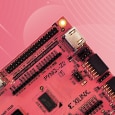
The element14 community is proud to welcome Adam Taylor, author of the MicroZed Chronicles, to present a hands-on workshop featuring the PYNQ-Z2.  If you follow along with Adam, for all three workshops, he'll walk you through everything you need to do to build an Embedded Vision application.  PYNQ is an open source project started by Xilinx, which fuses the productivity of Python with the acceleration provided by programmable logic within the Zynq / Zynq MPSoC.  The PYNQ-Z2 board that you will need in order to follow along with this workshop is a good board to get started using PYNQ because its got a strong community supporting it and it has Arduino and Raspberry Pi compatibility.


To complete this lab series, you will need the following Hardware:


  • PYNQ-Z2 BoardPYNQ-Z2 Board
  • Micro SD CardMicro SD Card greater than or equal to 16 GB
  • Micro USB CableMicro USB Cable
  • Ethernet CableEthernet Cable
  • Jumper CableJumper Cable
  • HDMI to Micro HDMI CableHDMI to Micro HDMI Cable


Buy KitBuy Kit


Not Included in Kit:  You will also need an HDMI camera such as:


  • HDMI Camera  (Any camera as long as HDMI Output is 720p or lower!)


To be able to complete these three labs you will need the following software on your development machine:


  • Vivado 2019.1
  • 7 Zip
  • Etcher
  • TerraTerm
  • WinSCP
  • PYNQ-Z2 Image


Each workshop session will walk you through everything you need to know to go from a Zero to a Hero using the PYNQ-Z2 board.  In between each session you'll be given missions where you can earn badges and win free swag prizes for blogging about PYNQ experience.  We'll set up a workshop space in Project14 but you're free to blog anywhere on the community as long as you use the assigned tags for your blog.  During the final mission, 3 First Place Winners will receive a $200 Amazon Gift Card for having the most creative and original Embedded Vision project.


In the spirit of open-source, we want to be as inclusive as possible and make sure that everyone has an opportunity learn while having fun and being creative.  No experience required.  We've even put together a short quiz based on Free material on pynq.io and the book Exploring Zynq MPSoC Book which you can download a free PDF copy of on the Xilinx site.


Dates and Register for Free:


Workshop:Dates and Missions:

Session 1 - Getting Started with PYNQ


What You'll Learn:

  • PYNQ Framework and PYNQ-Z2 Development Board
  • Base and Logic Tool Overlays
  • How to install existing overlays from the PYNQ Community

Tuesday, 5th of May 2020image


  • PYNQ-Z2 Workshop: Getting Started with PYNQ

Your Mission:

  • Update the overlay to include additional features.
  • Blog about your PYNQ experience and tag it pynqstarter to earn a badge and a chance to win free swag!

Session 2 - Getting Up and Running with PYNQ


What You'll Learn:

  • How to Build Your Own Overlays for the PYNQ Framework
  • Using existing PYNQ IP cores to aid in the creating an application
  • Using the Jupyter notebook to understand control with the application
  • Create GitHub repositories which can be used to share overlays

Tuesday, 19th of May 2020image


  • PYNQ-Z2 Workshop: Getting Up and Running with PYNQ

Your Mission:

  • Update the overlay to include additional features.
  • Blog about your PYNQ experience and tag it pynqrunner to earn a badge and a chance to win free swag!

Session 3 - Unlocking Your Inner PYNQ Hero


What You'll Learn:


  • Create a PYNQ overlay which implements an embedded vision application
  • Use an HDMI camera to receive images before processing and using OpenCV

Tuesday 2nd of June 2020image


  • PYNQ-Z2 Workshop: Unlocking Your Inner PYNQ Hero

Your Mission:

  • Accelerate the overlay using additional OpenCV functions
  • Blog about your PYNQ experience and tag it pynqhero to earn a badge a chance to win free swag!


Prizes:

imageimage
One Grand Prize Winner Receives a $500 Gift Card!3 First Place Winners Receive a $200 Amazon Gift Card


In-between sessions, blog about your learning experience to win badges, free swag, and a chance to win a $500 Gift Card Grand Prize for the Best Embedded Vision Project. 


3 First place winners will receive a $200 Amazon Gift Card. 


To be eligible you must:


  • Attend all 3 sessions with Adam Taylor!
  • Blog about your PYNQ experience and earn 3 PYNQ badges!
  • Every time you earn a badge you have a chance to win free swag!
  • Demonstrate what you've learned by completing an Embedded Vision Project!
  • The Best Overall Embedded Vision Project Wins a $500 Gift Card!
  • 3 First Place Winners Receive a $200 Amazon Gift Card!
  • Winners will be chosen based on Creativity and Originality!
  • Have Fun, Be Creative!


Presenter:


image
Founder and Lead Engineer, Adiuvo Engineering & Training Ltd
Adam has over 18 years engineering experience of which a significant number of these are at Design Authority / Responsible Engineer level on complex System and Electronic projects for advanced satellite payloads, safety critical systems (SIL4) and other high performance systems. He is both a Chartered Engineer and Fellow of the IET, as well as, a prolific blogger on technical subjects such as Electronics design, FPGA design and Reliable techniques.He is also the author of the MicroZed Chronicles, a weekly blog which focuses on the Xilinx Zynq & Zynq UltraScale+ SoC, as well as, the Vivado and SDSoC tool sets. The series contains over 250 in depth technical articles, providing examples and how to's which cover every aspect of using the device from basics to advanced concepts such as Asymmetric Multi Processing and High Level Synthesis.
  • pynqworkshpch
  • pynq-z2
  • pynqseries
  • embedded vision workshop
  • pynq
  • zero to hero
  • webinar_update
  • Share
  • History
  • More
  • Cancel
  • Sign in to reply

Top Comments

  • weiwei2
    weiwei2 over 5 years ago +6
    Keep Captain Hook Away I want to do a home "pest' repellent. In this case is a stray cat that often "invade" and "rampage" my home garden. It does a lot of naughty job like pooping, digging food. Just…
  • Fred27
    Fred27 over 5 years ago +5
    I thought I'd make sure I was ready to hit the ground running with the webinar and found there were a few quirks to getting PYNQ set up. If you already see a Jupyter notebook when you open http://pynq;9090…
  • Fred27
    Fred27 over 5 years ago +4
    I notice that Vivado 2019.1 has been added to the prerequisites. I just wanted to add that when you're installing this do not be tempted to go for 2019.2 . There's nothing wrong with 2019.2 - in fact it…
  • weiwei2
    weiwei2 over 5 years ago in reply to beacon_dave

    to add on, initially i am also confuse how to enrol, after you clcik to individual session, you see list of attendees, you click the somewhere above there image to enrol (there is no obvious 'button' but the link is working

    • Cancel
    • Vote Up 0 Vote Down
    • Sign in to reply
    • More
    • Cancel
  • weiwei2
    weiwei2 over 5 years ago in reply to beacon_dave

    after further checking, the ultra96 is running yolo off PL (programmable logic) fabric for the computational expensive convolution calculation. Although ultra96 is not pynq-z2, both are using pynq, i not sure if that means pynq-Z2 can run yolo example by just copy over the demo or we need to do some tinkering with overlay. based on my current understanding (refer to the pynq diagram below), to make use of PL for acceleration, it need a platform specific overlay.


    i watched a webinar, and got helpful reply from bhfletcher here

    https://www.element14.com/community/events/5519/l/using-python-overlays-to-experiment-with-neural-networks#comment-25572…


    image

    • Cancel
    • Vote Up 0 Vote Down
    • Sign in to reply
    • More
    • Cancel
  • maxim.yudayev
    maxim.yudayev over 5 years ago

    I am working on a startup idea in the logistics and freight carrying sector, which originated when observing the market potential related to the struggles my parents' trucking company had over the last decade.


    The product consists of a combination of HaaS and SaaS offering. The HaaS category is my current focus and is the one I have made the most progress in so far; it consists of:

    • a sensor mesh network;
    • a bidirectional CAN to wireless bridge device for communication with the vehicle;
    • a GPS/Cellular gateway with LoRa subsystem for a custom VANET implementation (topic of my Master Thesis) for distributed peer to peer communication between vehicles and routing of packets without the use of commercial LTE networks;
    • an FPGA based Embedded Vision SBC for edge case detection and CCTV footage collection/processing.


    The content of these webinars will allow me to gain an edge in implementing these algorithms for the latter aspect of my project and allow me to take the project idea to a complete product as I had envisioned it. I am lucky to already have access to a Pynq Z2 board, thanks to our course of Digital Systems at KU Leuven, but I will have to return this board before the 2nd webinar takes place, leaving me without the resources to follow along the webinars and hence not allowing me to implement the part of the product I mentioned above for some time (until I am able to purchase a similar device) despite of this great webinar initiative purpose. I would be grateful if I was nominated for one of the PYNQ Z2 boards in order not to have this delay/inability to realize the idea due to temporary inability to purchase own device.

    I am extremely excited to dive into the webinars and have already began reading the MPSoC book in between completing the university assignments! Regardless, I will attempt to get the most out of these webinars with the time I have before having to return the current board back to the university!

    • Cancel
    • Vote Up 0 Vote Down
    • Sign in to reply
    • More
    • Cancel
  • beacon_dave
    beacon_dave over 5 years ago in reply to sambit1991

    "...Presently, I do not see an enroll button.

    How may I enrol?..."


    You need to select the individual workshop session pages and enrol for each session there.

    PYNQ-Z2 Workshop: Getting Started with PYNQ

    PYNQ-Z2 Workshop: Getting Up and Running with PYNQ

    PYNQ-Z2 Workshop: Unlocking Your Inner PYNQ Hero

    • Cancel
    • Vote Up 0 Vote Down
    • Sign in to reply
    • More
    • Cancel
  • sambit1991
    sambit1991 over 5 years ago

    Hi,


    I do not need the board, as I have already got one from Element14 as part of a previous road test.


    However, I would like to enroll to learn more about how to design overlays with Xilinx SDK like SDSoC, Vivado etc. (whatever is on offer).


    I feel this is one area that needs really long and in depth tutorials since FPGA development has moved a long way further from VHDL/ Verilog to C/C++


    Presently, I do not see an enroll button.

    How may I enroll?


    Best Regards
    Sambit

    • Cancel
    • Vote Up 0 Vote Down
    • Sign in to reply
    • More
    • Cancel
  • joshbrill213
    joshbrill213 over 5 years ago

    I'm looking to make a prototype of a single board computer using a RISC-V CPU in the SoC, but there aren't any reasonably priced RISC-V based FPGA systems available for purchase yet. This board and its implemented framework seem like a great starting point to understanding FPGA programming, and trying to compile OSes in ARM seems like a less daunting task to accomplish. I was also thinking of how I could implement this framework for my own project.


    I also have an idea for an easy to use all in one recording device.


    There's just so many things I want to do I need to see what I can even pull off first before deciding on a direct path.

    • Cancel
    • Vote Up 0 Vote Down
    • Sign in to reply
    • More
    • Cancel
  • weiwei2
    weiwei2 over 5 years ago in reply to rsc

    interesting...i once have tried to use zynq to emulate my tv ir remote control. didn't complete it as back then there is no pynq and i was using zc702, and the relative complexity of doing it with non high level language was a killer image


    i feel pynq will make this possible.

    • Cancel
    • Vote Up 0 Vote Down
    • Sign in to reply
    • More
    • Cancel
  • weiwei2
    weiwei2 over 5 years ago in reply to weiwei2

    this is what i mean with android + roku as a mobile hdmi output camera

    image

    • Cancel
    • Vote Up 0 Vote Down
    • Sign in to reply
    • More
    • Cancel
  • weiwei2
    weiwei2 over 5 years ago in reply to beacon_dave

    thanks for the link, i did read through this project but as it has the Intel Movidius it gives me the impression that it is offloading the yolo to the movidius rather than running through the FPGA fabric. I might be wrong, but i do try to relook at the link you posted and go more details into its shared project file. Based on https://github.com/fpgadeveloper/pynq-ncs-yolo/blob/master/notebooks/yolo-hdmi.ipynb  , it is using HDMI (so it pretty near to what this workshop is gonna be using), but after that setting up for movidius and going through movidius. It also doesn't seem to be using overlay for image processing, although i might be wrong.


    Anyhow, i did continue my exploration, and have just watched the webinar Using Python Overlays to Experiment with Neural Networks organized by tariq.ahmad recently, and find some useful reference. During the webinar presented by bhfletcher, some built in example of the ultra96 MPSoC board is shown, specifically it is using overlay. BNN vgg16, QNN with image net classifier is showcased. I am pretty amaze that may be the QNN with imageNet is sufficient for my use case as many of the animals have being pretrained. One can browse the training set here, here and here. the 3rd here is interesting as i read on the comment that 2nd here doesn't match the labels used to train keras inception v3. But the good thing for me is that i found guinea pig is a trained classified animal in the image net. Likewise, cat is classfied too. So with imagenet alone probably is suitable for my application. However, image net is not an RCNN, meaning although it can classify, i believe it can't give the bounding box. So i am still eager to see whether yolo can be used as with the bounding we can know where captain hook is and shoot the water jet towards the direction.


    image

    figure cat on imagenet

    • Cancel
    • Vote Up +1 Vote Down
    • Sign in to reply
    • More
    • Cancel
  • ipv1
    ipv1 over 5 years ago

    Most current ML projects are limited by the processing rate of the system. Realistically, if the cameras an driver are not in sync, you get blurs for moving objects. LPC systems would have two parts. 1. The capture and image conditioning system and 2. the actual ML system.

    Just my two cents.

    • Cancel
    • Vote Up 0 Vote Down
    • Sign in to reply
    • More
    • Cancel
<>
element14 Community

element14 is the first online community specifically for engineers. Connect with your peers and get expert answers to your questions.

  • Members
  • Learn
  • Technologies
  • Challenges & Projects
  • Products
  • Store
  • About Us
  • Feedback & Support
  • FAQs
  • Terms of Use
  • Privacy Policy
  • Legal and Copyright Notices
  • Sitemap
  • Cookies

An Avnet Company © 2026 Premier Farnell Limited. All Rights Reserved.

Premier Farnell Ltd, registered in England and Wales (no 00876412), registered office: Farnell House, Forge Lane, Leeds LS12 2NE.

ICP 备案号 10220084.

Follow element14

  • X
  • Facebook
  • linkedin
  • YouTube