

Webinars are a big part of the community and provide wonderful learning experience. Best of all they are free and we've also frequently included giveaways so you can not only learn about new products, but you have a chance to get your hands on new products by attending live and contributing to the Q&A with your thoughtful questions.
To sign up for a webinar simply click on the link on the upper right of the webinar landing page where it asks if you will attend:
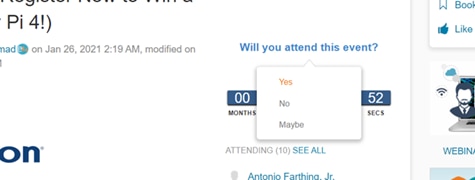
If you select yes then you should see this screen:
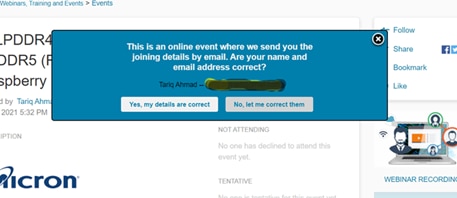
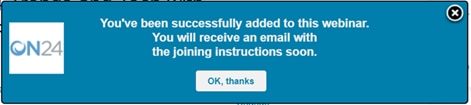
If the registration is successful you will receive a confirmation message and an email with a link where you will go when the event takes place:
Your email will include a link to the webinar landing page. 10 minutes prior to the event you will see a blue button to join the webinar so you can be present as soon as we begin:
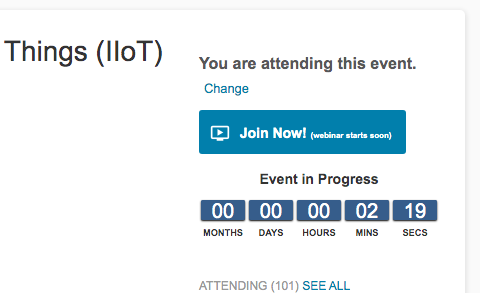
If you are a member of the community it should automatically log you into the presentation. We are committed to making our webinar process as seamless as possible and part of that is the seamless integration we've made with our website and the On24 platform. If you are familiar with On24 you may have noticed this may be a little different than what you're use to but as a member of the community, this integration should automatically take you to the presentation without having to fill out any more forms.
To view the recording, you can visit the event page when the event has ended, when you've registered and logged into the element14 Community you should see a 'View Event Recording' button where you usually see the 'Join Now' button:
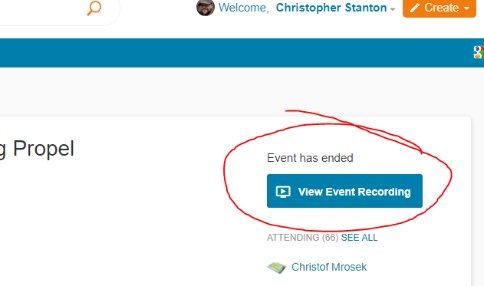
You may be asked to confirm your details, and you'll be taken directly through to on24 where you can view the on-demand event recording.