element14 Community
element14 Community
    Register Log In
  • Site
  • Search
  • Log In Register
  • Community Hub
    Community Hub
    • What's New on element14
    • Feedback and Support
    • Benefits of Membership
    • Personal Blogs
    • Members Area
    • Achievement Levels
  • Learn
    Learn
    • Ask an Expert
    • eBooks
    • element14 presents
    • Learning Center
    • Tech Spotlight
    • STEM Academy
    • Webinars, Training and Events
    • Learning Groups
  • Technologies
    Technologies
    • 3D Printing
    • FPGA
    • Industrial Automation
    • Internet of Things
    • Power & Energy
    • Sensors
    • Technology Groups
  • Challenges & Projects
    Challenges & Projects
    • Design Challenges
    • element14 presents Projects
    • Project14
    • Arduino Projects
    • Raspberry Pi Projects
    • Project Groups
  • Products
    Products
    • Arduino
    • Avnet & Tria Boards Community
    • Dev Tools
    • Manufacturers
    • Multicomp Pro
    • Product Groups
    • Raspberry Pi
    • RoadTests & Reviews
  • About Us
  • Store
    Store
    • Visit Your Store
    • Choose another store...
      • Europe
      •  Austria (German)
      •  Belgium (Dutch, French)
      •  Bulgaria (Bulgarian)
      •  Czech Republic (Czech)
      •  Denmark (Danish)
      •  Estonia (Estonian)
      •  Finland (Finnish)
      •  France (French)
      •  Germany (German)
      •  Hungary (Hungarian)
      •  Ireland
      •  Israel
      •  Italy (Italian)
      •  Latvia (Latvian)
      •  
      •  Lithuania (Lithuanian)
      •  Netherlands (Dutch)
      •  Norway (Norwegian)
      •  Poland (Polish)
      •  Portugal (Portuguese)
      •  Romania (Romanian)
      •  Russia (Russian)
      •  Slovakia (Slovak)
      •  Slovenia (Slovenian)
      •  Spain (Spanish)
      •  Sweden (Swedish)
      •  Switzerland(German, French)
      •  Turkey (Turkish)
      •  United Kingdom
      • Asia Pacific
      •  Australia
      •  China
      •  Hong Kong
      •  India
      •  Korea (Korean)
      •  Malaysia
      •  New Zealand
      •  Philippines
      •  Singapore
      •  Taiwan
      •  Thailand (Thai)
      • Americas
      •  Brazil (Portuguese)
      •  Canada
      •  Mexico (Spanish)
      •  United States
      Can't find the country/region you're looking for? Visit our export site or find a local distributor.
  • Translate
  • Profile
  • Settings
microbit
  • Learn
  • Learning Center
  • STEM Academy
  • microbit
  • More
  • Cancel
microbit
micro:bit Blog Classroom Ready Lesson Plans For The :GAME ZIP 64 For microbit
  • Blog
  • Forum
  • Documents
  • Events
  • Polls
  • Files
  • Members
  • Mentions
  • Sub-Groups
  • Tags
  • More
  • Cancel
  • New
Join microbit to participate - click to join for free!
  • Share
  • More
  • Cancel
Group Actions
  • Group RSS
  • More
  • Cancel
Engagement
  • Author Author: donnison
  • Date Created: 2 May 2019 2:53 PM Date Created
  • Views 855 views
  • Likes 3 likes
  • Comments 0 comments
  • classroom
  • teaching programming
  • microbit games
  • microbit
  • lessons
  • ks3
Related
Recommended

Classroom Ready Lesson Plans For The :GAME ZIP 64 For microbit

donnison
donnison
2 May 2019

Unlock your students potential with our 5 Lesson Plans For The :GAME ZIP 64 for BBC microbit. Written by a Teacher for Teachers. They are classroom-ready lesson plans designed specifically to help you deliver the curriculum at Key Stage 3. While these resources have been produced for the classroom they are also a great introduction to writing games for anyone that wants to get more from their :GAME ZIP 64. Cherry pick your areas of interest and begin writing your first game now!


lesson plans for :GAME ZIP 64 main image

Devising quality resources for Teachers has always been a key part of the Kitronik product development cycle. Because the curriculum can be a complicated animal, it has also been our policy to regularly seek advice from Teachers.

This time we’ve gone a step further, we worked directly with a Teacher to deliver lesson plans that are ready to take straight to the classroom. All of the lessons were written by Lorraine Underwood (@LMcUnderwood ) and formatted by Kitronik. We think this is a fantastic set of resources. Hence, we have already produced another set of resources with Lorraine. Watch out for those!

We have provided these lesson plans as a free resource. The download is a .zip file that contains the 5 lesson plans. The lessons include curriculum mapping, practical challenges and also linked PowerPoint presentations.


:GAME ZIP 64 For microbit Lesson Plan 1 Summary:image

This is an introductory lesson for students in Key Stage 3 to the Kitronik :GAME ZIP 64 controller. The lesson involves a discussion about colours through light and how we make different colours. Students will create their own 8x8 character and subsequently choose its colours using RGB codes. They will then code the micro:bit to display this character on the ZIP controllers.


:GAME ZIP 64 For microbit Lesson Plan 2 Summary:image
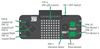
This is the second lesson for students in Key Stage 3 to the Kitronik :GAME ZIP 64 controller. The lesson involves using the buttons on the ZIP controller alongside the lights. It also uses the buzzer and motor on the controller.


:GAME ZIP 64 For microbit Lesson Plan 3 Summary:image
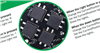
This is the third lesson for students in Key Stage 3 to the :GAME ZIP 64 controller. This lesson involves combining the skills learnt from the previous two lessons together. The students will use the buttons to move a light around the controller. At the end of the lesson, the students will create a simple game.


:GAME ZIP 64 For microbit Lesson Plan 4 Summary:image

This is the fourth lesson for students in Key Stage 3 to the Kitronik :GAME ZIP 64 controller. This lesson teaches the students to use x and y coordinates to control the lights on the grid. They will also learn what a function is, how to create one and how to call it. They will create and modify their own functions.


:GAME ZIP 64 For microbit Lesson Plan 5 Summary:image

Finally, this is the fifth lesson for students in Key Stage 3 to the Kitronik :GAME ZIP64 controller. This lesson gives the students a chance to change their game to use the matrix created last week and add any extra features to it. This lesson is the final lesson in the series using Microsoft MakeCode blocks.


In conclusion, we would like to thank Lorraine Underwood for working with us to produce these lesson plans. In addition, we would also like to mention that we have another set of lesson plans completed that were also produced with Lorraine. We intend to release them very soon and we hope that you find them a useful addition to your KS3 classroom activities for the year.

  • You can keep up to date with Lorraine’s activities on Twitter @LMcUnderwood.
  • For more classroom coding inspiration, check out these Kitronik University microbit resources.
  • Pong Game Download.
  • Snake Game Download.
Attachments:
5626_GAME_ZIP_64_Lesson_Plans.zip
  • Sign in to reply
element14 Community

element14 is the first online community specifically for engineers. Connect with your peers and get expert answers to your questions.

  • Members
  • Learn
  • Technologies
  • Challenges & Projects
  • Products
  • Store
  • About Us
  • Feedback & Support
  • FAQs
  • Terms of Use
  • Privacy Policy
  • Legal and Copyright Notices
  • Sitemap
  • Cookies

An Avnet Company © 2025 Premier Farnell Limited. All Rights Reserved.

Premier Farnell Ltd, registered in England and Wales (no 00876412), registered office: Farnell House, Forge Lane, Leeds LS12 2NE.

ICP 备案号 10220084.

Follow element14

  • X
  • Facebook
  • linkedin
  • YouTube