


The school year has started again after a solid two week break.

And it was a solid two weeks of me thinking about how I was going to approach my Tuesday grind because it is every Tuesday I teach a variety of classes based on the subject of programming. These days, I'm running a very special class where I have been using the Python Programming Language with the Raspberry Pi "Turtle Bot." For an explanation of how to make the Turtle Bot and the thought that went into it please refer to my last blog post.....
here is the video from last week....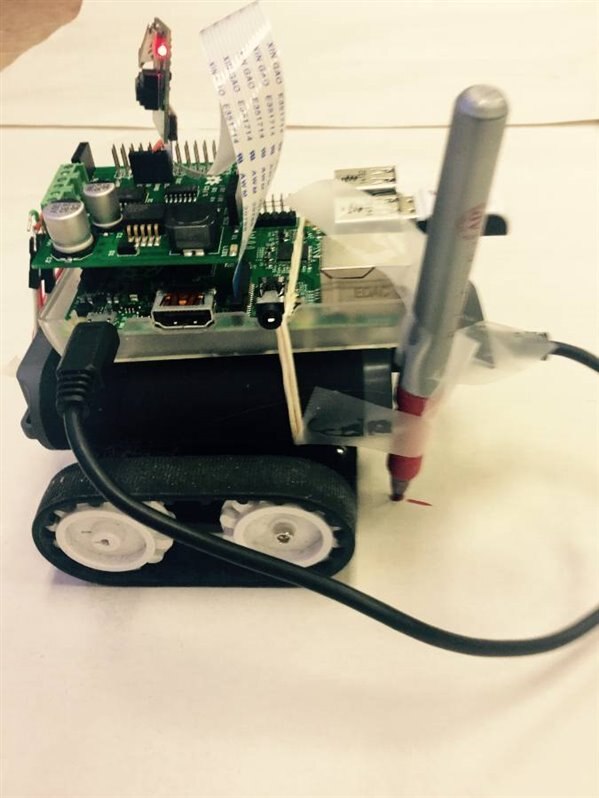
Anyway, last night I was preparing my material and was anticipating the moment when I would break out the Turtle Bot and let it roll around my classroom floor during a lesson with my one student, William. Last lesson we programmed shapes using the "turtle" library in Python but my objective during this lesson was to bring the graphics onscreen to life by using a robot as a physical manifestation on the python turtle as the one and only "Turtle Bot."
Below is the link to the lesson plan I wrote for this lesson:
https://drive.google.com/file/d/0B8Kb7tLLB0yzRHR6dU93MnNTY00/view?usp=sharing
This was a lesson designed for a full 40 minute class however, because today just had to be a snow day  , with school's opening being delayed for two hours and thus all class periods shorted I ended up only 30 minutes to run my lesson
  . What I realized is that things moved a bit slower than expected however, this was certainly for the better and without a doubt it was a valuable learning experience both for my student and I. In the end, I was only able to get through two of my goals from the lesson plan; 1. being to revise drawing shapes using the Python turtle library and then 2. Translating this into the "Turtle Bot's" movement when a pen is taped to the back of it
  . In this way, the robot could really draw some gems (but really they were only squares)!
The Python code I wrote below is what I based this lesson off of :
import turtle
t = turtle.Pen()

def square():
    for x in range (4):
        t.forward(100)
        t.left(90)
    turtle.done()

while True:
    square()
This produces the following image when run in the Python IDE ("IDLE"):
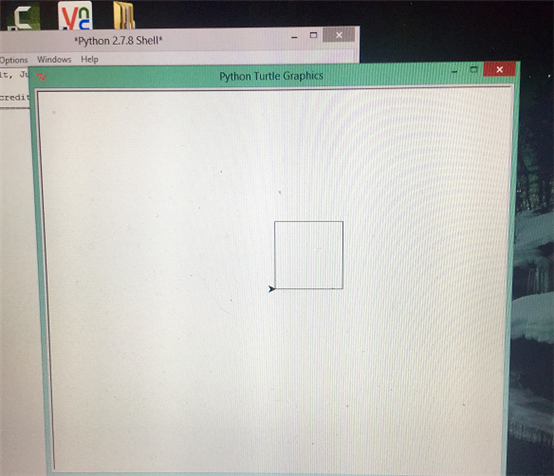
After reviewing the basic Python library turtle commands with t = turtle.Pen() such as t.forward, t.left, t.right in the shell I let William attempt to write a script for drawing a square. But I did not show him the script that I had wrote earlier as I wanted him to come up with a script on his own and also, he is not familiar enough with the Python syntax to declare a "range" yet. My objective during all of this was to talk about creating a function; in our case square(). This was necessary because when using the Raspberry Pi robot I built it relies on functions from the RRB2 Motor Shield library such as forward(), backward(), left() and right(). To put these types of commands in context and to better explain them I felt it was thus necessary to relate the creation of a functions to drawing a square in Python.
This is what we ended up with without much guidance:
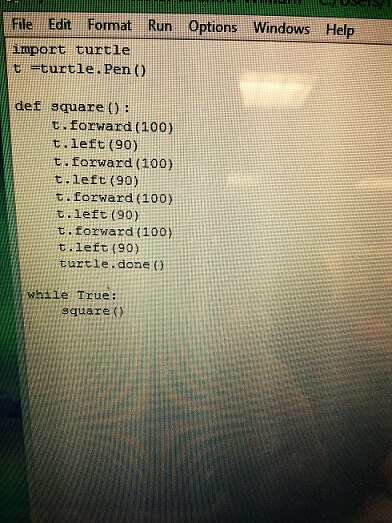
This code produced a square according to the function: square(). Just as planned! Oh, and of note, all this experimentation was being done on the Raspberry Pi since it has Python pre-installed on it; and just as I planned, it was being mirrored to my laptop desktop using VNC viewer:
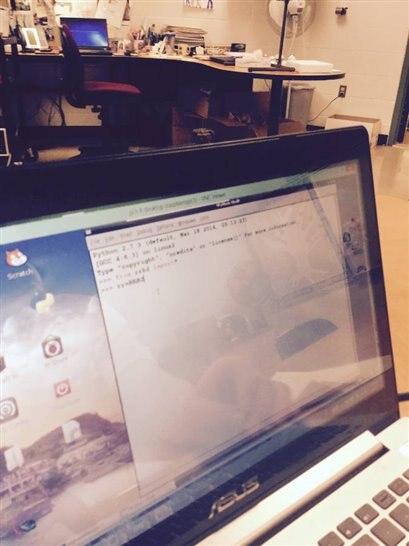
The photo above shows William putting in dat work on the Python shell!
Now the next step after creating the square was to experiment with the movement commands for the RRB2 Motor Shield; paying particular attention to the use of functions. To reinforce this and for comparison to the script we just wrote I gave out this handout taken from the RRB2 github resource page:
https://drive.google.com/file/d/0B8Kb7tLLB0yzVlJ4ZDBLVzZJcmM/view?usp=sharing
It was fun driving the robot around in the shell, and also realizing that we were working with seconds whenever we plugged a command into a RRB2 function. For example: rr.forward(5) would cause the robot to drive forward for 5 seconds. Here is a photo of the robot in action:
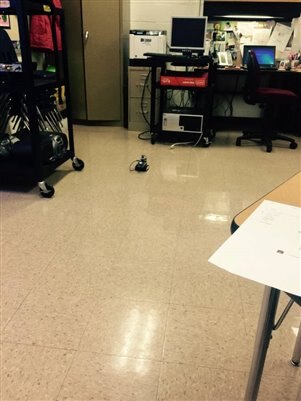
Yes, that's the mighty turtle bot driving off into the distance! Into that mess of wires next to a desk.
What we realized is that if we were going to create a function for the "Turtle Bot" to draw a square and it was moving by seconds we had to figure out how many seconds it would take for the robot to turn 90 degrees in one direction. This was a fun process to figure out because I would continually replace the robot on the floor according to a tile while William experimented with different variables in the Python shell in order to find the exact amount of time it would take to rotate the beast 90 degrees. Time was quickly running out by this point and it was time! But excitement and engagement with the activity was at an all time high. With very little guidance this is the script that William wrote to get the turtle bot to draw a square on paper when a pen is attached to it:

Impressive stuff in a very short period of time and also considering that this is only his second time working with Python programming; the first time was two weeks ago before the winter break!
The end result from running this script wasn't perfect as the video will show but it did generate a lot of enthusiasm in a shot amount of time. When we get the code right and it draws squares correctly on the paper we will bundle it up into a function square() which can then be elicited by a Tkinter button. In this way, we are really working towards creating a control interface using Python to create geometric shapes in real life.

Overall, I am looking forward to how this all evolves by next week and the feedback I got from William was that the experience was very positive and productive. So much so that we almost ran into the gym period time during our attempts to get the thing to draw a proper square! What I realized from this is that robots and movement is a great way to engage one's mind in coding. Maybe next week we will use the camera on the Raspberry Pi to take pictures of all of our progress.
Top Comments
-

masonc
-
Cancel
-
Vote Up
+2
Vote Down
-
-
Sign in to reply
-
More
-
Cancel
-

kitfud
in reply to masonc
-
Cancel
-
Vote Up
+1
Vote Down
-
-
Sign in to reply
-
More
-
Cancel
Comment-

kitfud
in reply to masonc
-
Cancel
-
Vote Up
+1
Vote Down
-
-
Sign in to reply
-
More
-
Cancel
Children