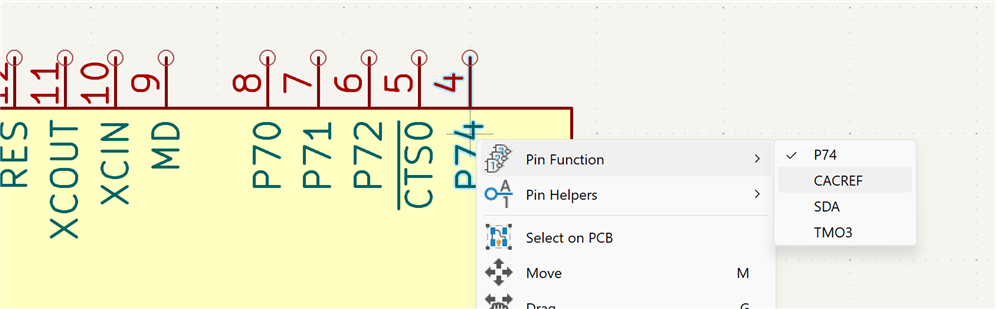
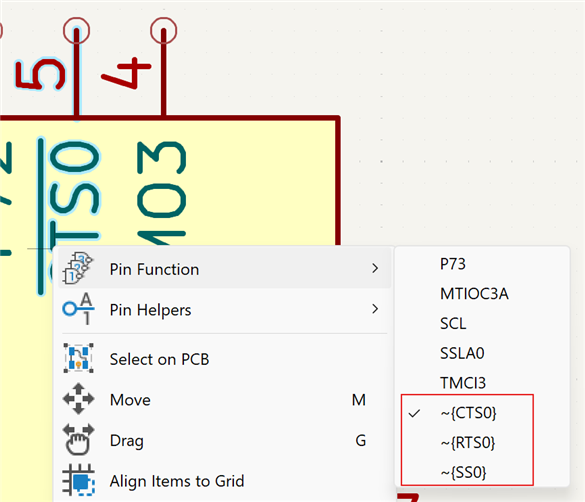
For an appreciation of the scale of the exercise: most pins have a lot of functions:
It's a lot of work to do - I usually (using a CAD system that doesn't support multi functions for pins) do new footprints for a significant new job so I can break the part up into functional blocks that make sense for the design.
Once you have defined the Renesaspart with its multi function pins I'll be interested to see how you choose the function in the design - and how easily you can move them about.
Here's a thought - now that Renesas has bought Altium I suppose that its very unlikely that they would put much effort into doing Kicad symbols for their products.
Once you have defined the Renesaspart with its multi function pins I'll be interested to see how you choose the function in the design
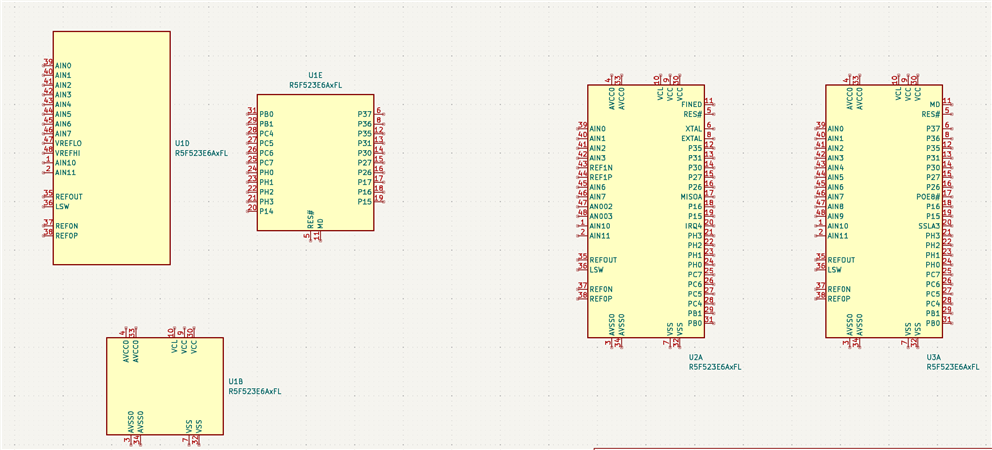
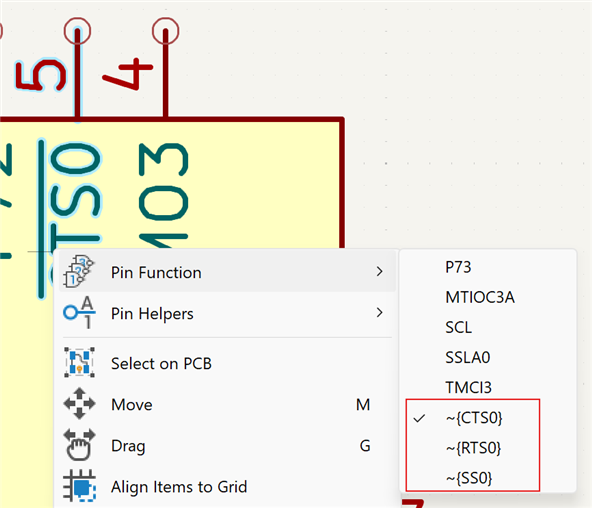
The 2 right ones in the image above are instances of my original "all pins" symbol for that same controller. You can spot that some pins (e.g.: pin 6 and 8) have a different function on U2 and U3. If you right-click on a multi-function pin, the menu will show the option "pin function":
Once you placed a symbol, you can right-click on it and select "Edit with symbol editor". You can then move pins around, for that particular instance on your schematic. Without affecting the library symbol.
I don't know if you can "slice and dice" an existing symbol into multiple units, once it's placed on a schema ... I haven't tried to do it, maybe it's easy ...
Thanks very much for the info. I'm not sure when I'll attempt a reasonable complex design with Kicad but I shall attempt to follow your tips when I do.
Thanks very much for the info. I'm not sure when I'll attempt a reasonable complex design with Kicad but I shall attempt to follow your tips when I do.