


I thought I shouldn't let Pi Day go by without doing something on an RPi, so I decided that since I've been using the C/C++ SDK with the RP2040 that it would be appropriate to try something on the Pi Pico with MicroPython and the Python SDK. I'm using the RPi400 as the development host, so I'm actually using 2 Pis  - bonus points...
Loading MicroPython was easy since there is a UF2 file provided (https://www.raspberrypi.org/documentation/rp2040/getting-started/static/f70cc2e37832cde5a107f6f2af06b4bc/rp2-pico-202102… ) and I've added a Reset button to my breadboard so I don't have to mess with unplugging and re-plugging the USB cable to get the Pico in mass storage mode.
The Thonny IDE is already included in the RPi400 OS image, so I just needed to pick up some example files. I thought it would be fun to try out the NeoPixel ring since I had one handy. There is code available on the github repo pico-micropython-examples https://github.com/raspberrypi/pico-micropython-examples/blob/master/pio/neopixel_ring/neopixel_ring.py#L1-L104 .
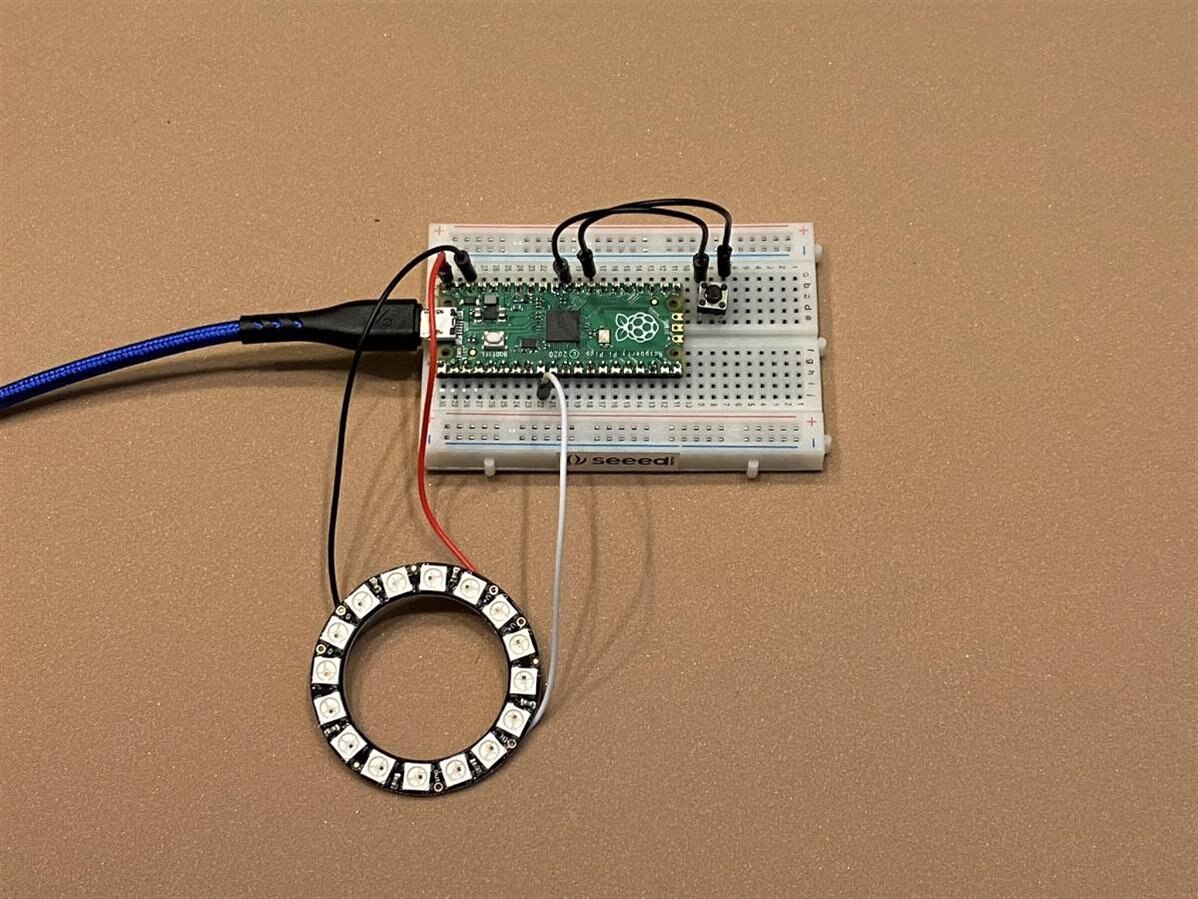
Here's the basic hookup - just +5V, Gnd, and GPIO 6 for the NeoPixel ring. You can also see the Reset button that I have wired between the Run pin and Gnd.
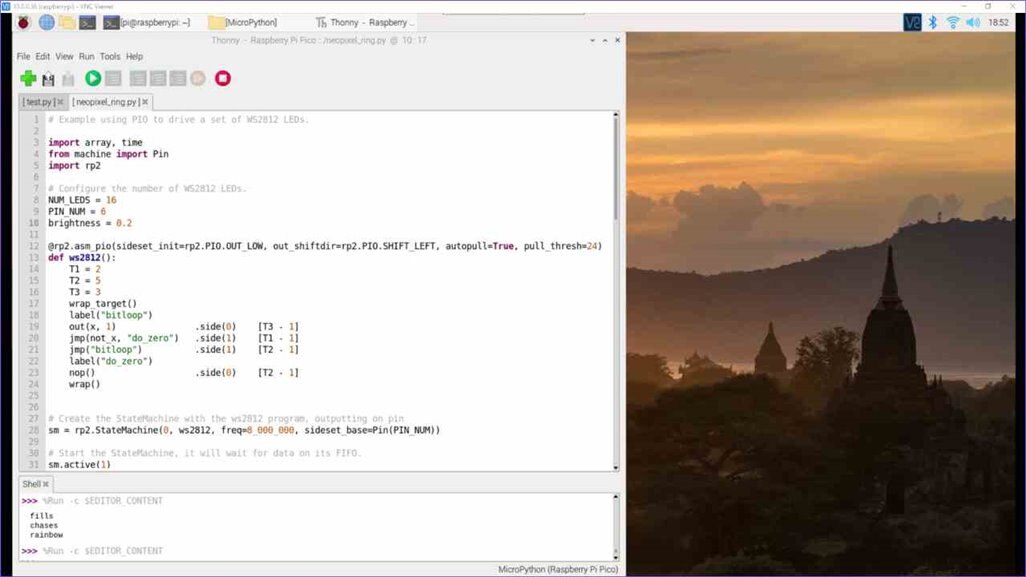
Here is the program loaded in Thonny (I'm using VNC to operate the RPi400 remotely).
And a quick video.
I've satisfied my need to do something for Pi Day. MicroPython is a lot easier to set up than C/C++, but I think It's really about being able to find libraries for what you're trying to run.
I hear the Marie Callendar pot pie calling me for dinner....
Top Comments
-

neilk
-
Cancel
-
Vote Up
+1
Vote Down
-
-
Sign in to reply
-
More
-
Cancel
Comment-

neilk
-
Cancel
-
Vote Up
+1
Vote Down
-
-
Sign in to reply
-
More
-
Cancel
Children