


I set out to better understand how the Azure Sphere development process was different than a typical embedded environment and decided upon using the Azure Sphere MT3620 and it's included 'lsm6ds3 iNEMO inertial module by ST Micro' to develop a simple sensor that could be mounted on the inside of the garage door and would use the accelerometer to detect whether the garage door is open or closed and publish to a web service via the WiFi.
Web Services Back End
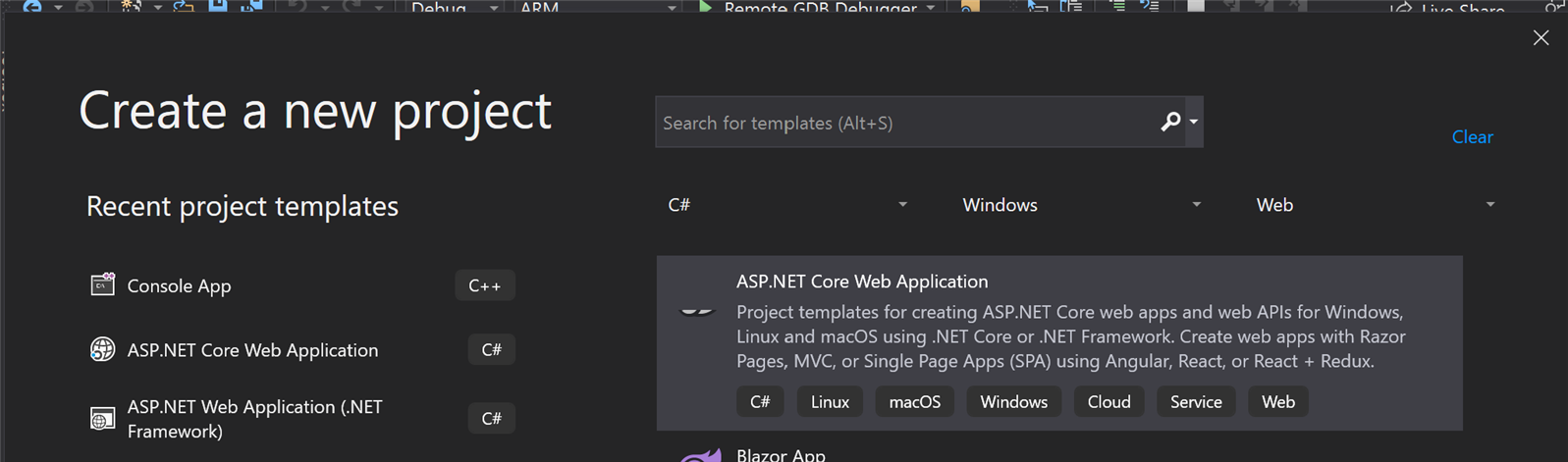
To prove this concept a simple .Net Core web service could be built. I started with the Visual Studio Template ASP.Net Core Web Application.
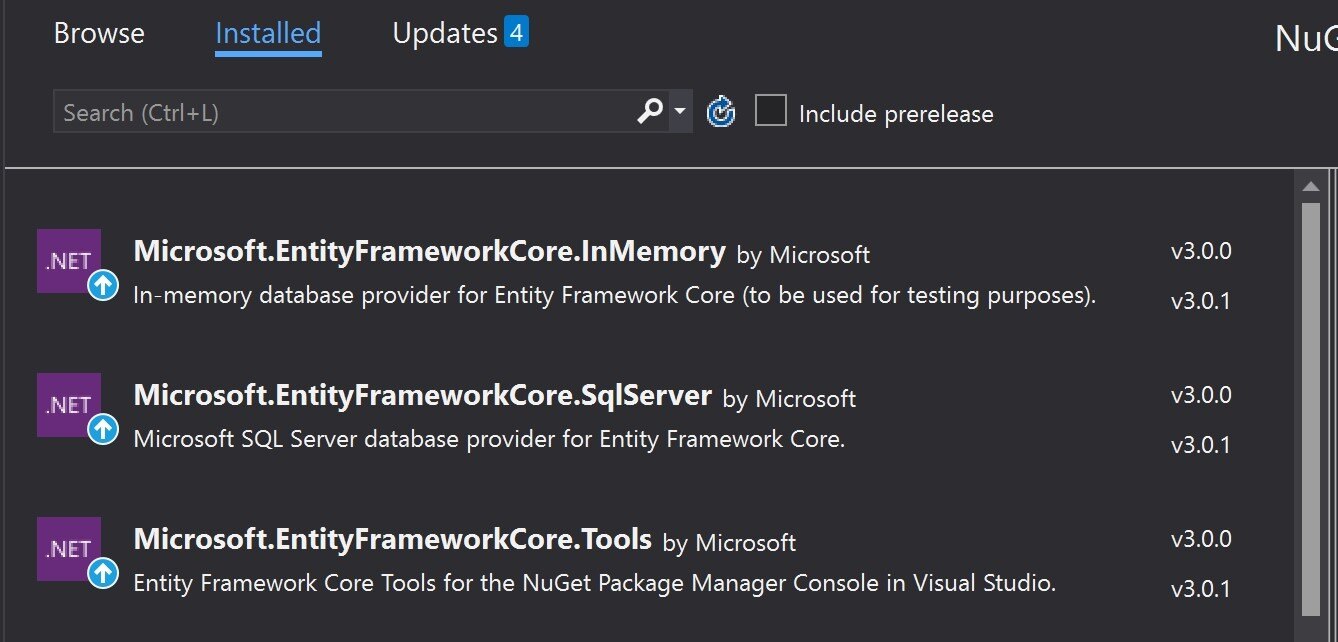
For data storage, I used an In Memory EF Core database to simulate a database without actually having to use a full SQL server. This will also provide a simple migration to a full persistent database. The package can be added to the project via the NuGet packages below.
In order to get Entity Framework working for this sample, a very simple entity was defined with just an index and a status. Extending this to keep track of an identity and timestamp would be simple extensions but not necessary for this sample.
public class GarageStatus
{
public long Id { get; set; }
public string CurrentStatus { get; set; }
}
Then after defining the entity, we can then build the context and include a DbSet of our new entity.
public class GarageStatusContext : DbContext
{
public GarageStatusContext(DbContextOptions<GarageStatusContext> options)
: base(options)
{
}
public DbSet<GarageStatus> Statuses { get; set; }
}
Then the last step with Entity Framework is to get the Database context to be injected into the endpoints so we need to make sure that it's registered in the startup.cs file. The ConfigureServices function needs to be modified to add the Context.
// This method gets called by the runtime. Use this method to add services to the container.
public void ConfigureServices(IServiceCollection services)
{
services.AddDbContext<GarageStatusContext>(opt =>
opt.UseInMemoryDatabase("GarageStatus"));
services.AddControllers();
}
Then an endpoint is defined very similar to the template with the addition of the read/write to the Entity Framework and the Context being added as a parameter to the constructor.
At this point we can prove that this portion is functional using Postman with simple get/post commands and troubleshoot any issues at this point before adding in the complexity of the embedded client.
Embedded Solution
Accelerometer
The accelerometer included in the dev kit was an lsm6ds3 iNEMO inertial module by ST Micro. The sample applications that were provided with the SDK samples used a slightly different piece of hardware. So using the sample as a basis, and referring to the ST Micro documentation to find the specific things that needed to be modified to work with this different part.
One of the major changes was the WhoAmI Register had a different value, so replacing that with the value out of the documentation led to a straight forward reading of the data out of that chipset.
The increased security model of the platform required that the module was enabled in the app_manifest.json to allow the use of the I2C bus and while editing that file, I went ahead and added access to the LEDs for diagnostics.
"Capabilities": {
"I2cMaster": [ "$SAMPLE_LSM6DS3_I2C" ],
"Gpio": [ "$SAMPLE_BUTTON_1", "$SAMPLE_LED", "$MT3620_RDB_LED1_BLUE" ]
}
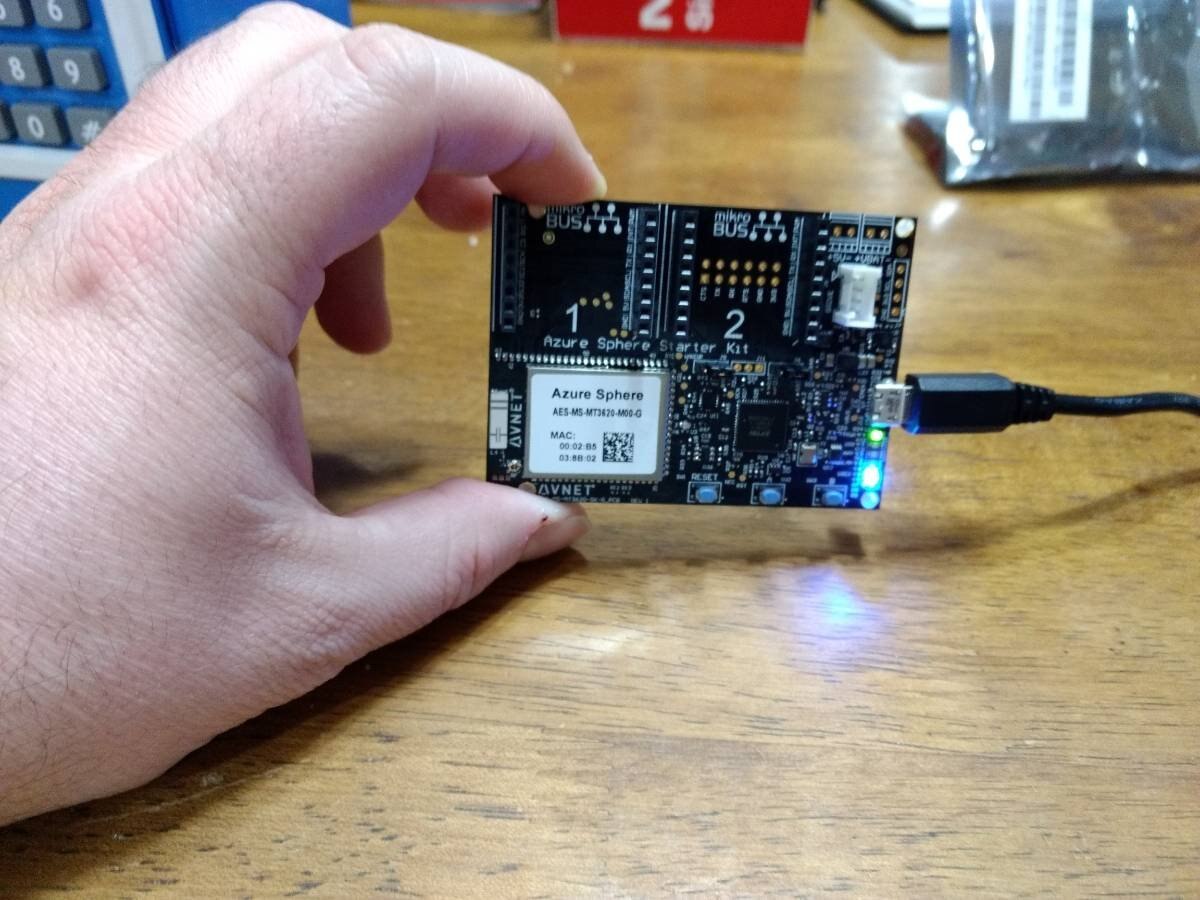
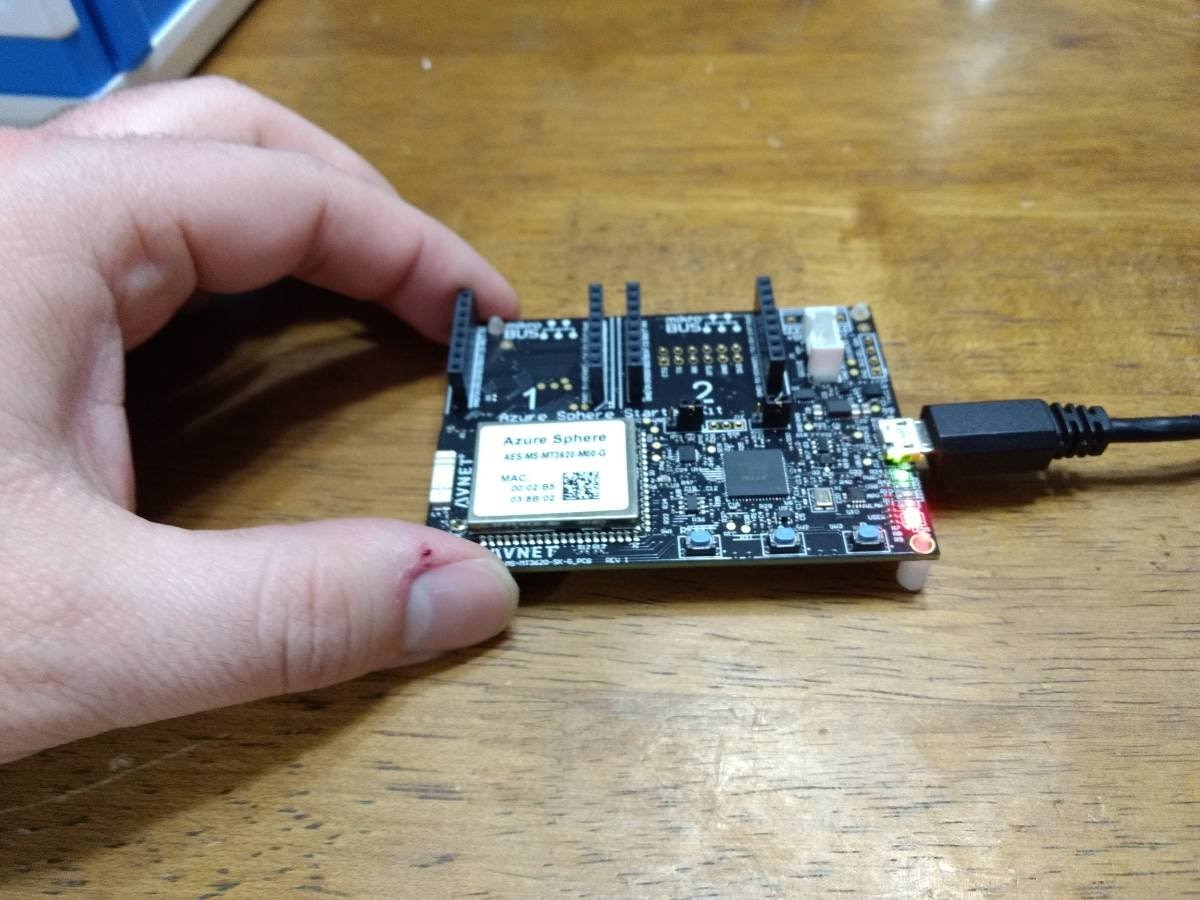
I then used the Accelerometer data to decide whether the unit was parallel to the ground or vertically oriented which would be the two states of the garage door if this sensor was attached to the door. When the unit is reading near zero it was reading in the vertical position, where as a value of near 1 was indicative of the unit being parallel to the ground as if the door were open. At the same time, I went ahead and changed the LEDs to indicate whether the door was in an open position by changing the LEDs from Blue to Red based on the position.
Curl Updates:
The HTTP access was done via the Curl software basing it off of the provided sample app 'HTTPS_Curl_Easy' from the SDK. The existing sample app was doing a simple get, and the major change here was to adapt the code to utilize a POST instead of the get. This allowed the Azure Sphere to post JSON to a web service and update the server on what the current status of the door is.
In order to post JSON content, the HTTP headers need to be updated so that the server knows how to interpret the post content. The following code updated the headers sent by the curl module.
struct curl_slist* headers = NULL;
headers = curl_slist_append(headers, "Accept: application/json");
headers = curl_slist_append(headers, "Content-Type: application/json");
headers = curl_slist_append(headers, "charsets: utf-8");
An important detail here is that the curl_slist_append call return value needs to be chained back into the next append call. Without this, the header would not receive all of the settings that are required.
Once the header options were defined, they needed to actually be attached to the request using the curl_easy_setopt function.
res = curl_easy_setopt(curlHandle, CURLOPT_HTTPHEADER, headers)
The next step for setting up the POST call was to set the command to Post as opposed to the Get provided in the sample application. This is again accomplished via the curl_easy_setopt using the following snippet.
res = curl_easy_setopt(curlHandle, CURLOPT_POST, 1L)
Configuring the the post buffer was a two step process.
First the buffer needs to be provided to the Curl library.
res = curl_easy_setopt(curlHandle, CURLOPT_COPYPOSTFIELDS, openBuffer)
Second the buffer size needs to be specified.
res = curl_easy_setopt(curlHandle, CURLOPT_POSTFIELDSIZE, strlen(openBuffer)
And finally, the code needs to be told to execute the request.
curl_easy_perform(curlHandle)) != CURLE_OK
At this point I ran into what seems like what would be a common problem for embedded programmers. One of the major differences between this and typical embedded programming is the increased security.
The post was failing due to not being able to connect to the web service, ultimately the problem was the app_manifest.json needed to have the target web server's IP added to the allowed connections list. Replace the 10.0.0.18 with the IP address of where the web services are hosted.
"Capabilities": {
"AllowedConnections": [ "10.0.0.18" ]
. ..
},
Final Thoughts
All in all, it was nice to see the embedded experience pulled into the Visual Studio environment and feel more like application level development and have access to the benefits of the IDE. It took some getting used to not having full control of the device and needing to enable the features with the application manifest but beyond that it was much easier than learning a separate IDE for the embedded environment than the server side back end. My first attempt was to utilize IOT Central in Azure, unfortunately I just couldn't figure out how to get IOT central working with my current Azure account due to the Identity Management aspects, even with creating a new account under my subscription I was unable to get it working and just couldn't justify creating a new Azure account instead of using my already existing MSDN account. Instead I chose to fall back and learn the basics of getting started with .Net Core and Entity Framework core and was able to get a solution working that way.
Attached are the source code from my learning in 2 separate zip files. One for the embedded sln and another for the server backend. The embedded was built off of the azure sdk and assumes to be placed in the samples folder of the SDK otherwise will need to be updated to find the proper references.
