I am trying to create Design Rule for Poly to Board Edge. I do not see any were to select a board edge to create this design rule.
Scott
Peter,
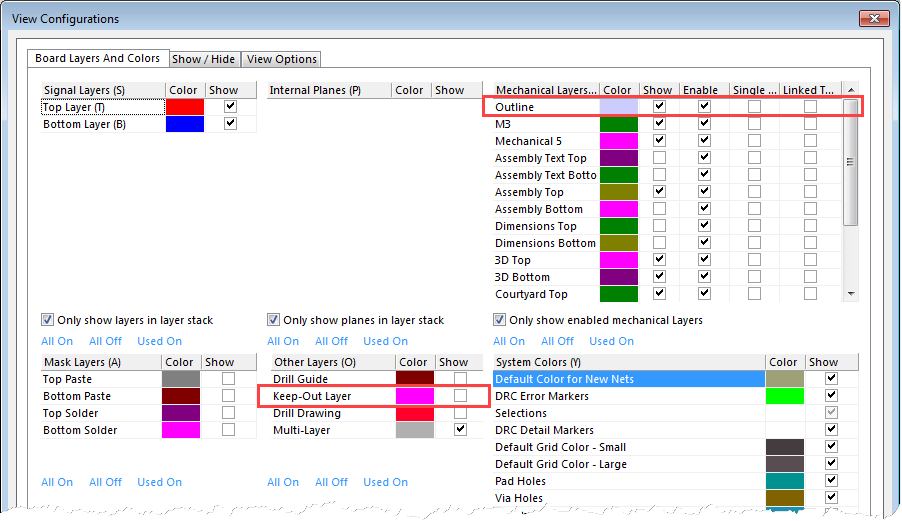
I am used to Altium and there is a layer dedicated for the board outline. In CS I do not see a layer dedicated just to the board, in CS is this layer called "Outline"?
My question comes from when you say make a copy of the board outline to create a keep-out area. I do not see this in my layout, were i can even see the board outline noted as a color. I notice it appears when I edit the board outline but this is the only time. Note I am trying to create an automatic ability to re leave copper pours from my board edges so they can be sealed by solider mask. Sorry i am used to doing this in Altium but a bit confused as to how to get this accomplished in CS.
Thanks
Scott Clifford
Board outlines can be a confusion subject as there are so many of them!! There is the '3D' board outline defined using Home | Board Shape which gives the colouring to the workspace areas and the 3D view; the Outline layer which is typically used to hold a copy of the board outline for Gerber file generation and Keepout Layer which is typically used as a global keepout and is a copy of the board outline. It is possible to copy the 3D outline to a normal layer (Home | Board Shape > Create Primitives from Board Shape) and create the 3D outline from a collection of shapes (Home | Board Shape > Define From Selected Objects).