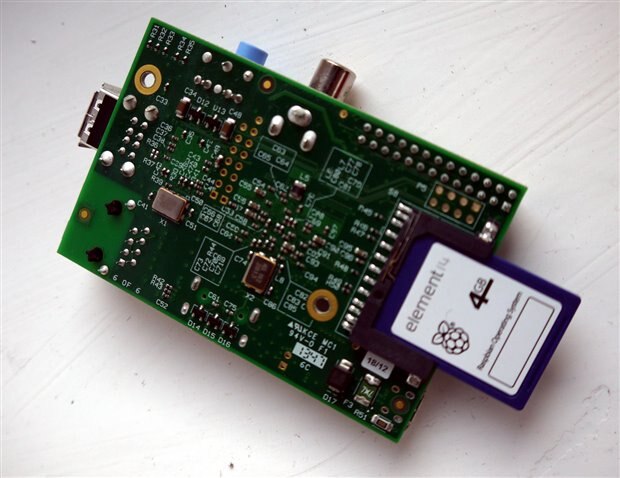
Hello,
after having got an used RPi, the hdmi connected screen remains black after booting. The green light is on very very short time, the red LED remains.
Is there a chance that the board may be still usable?
thanks
best regards

Hello,
after having got an used RPi, the hdmi connected screen remains black after booting. The green light is on very very short time, the red LED remains.
Is there a chance that the board may be still usable?
thanks
best regards

Basic troubleshooting first. Check you connections. Do you have an SD card plugged in with noobs installed. Is your power supply suitable. Is there any noticeable damage to the board. Is the capacitor still in place. Does the screen work. Try these and report back.
Capacitor is a small silver cylinder near power plug on side with gpio pins.
Thanks a lot, I'm measuring 303 µF having the capacitor on the board. Hope I should not replace it, because of the complicated double layer layout of the board.
Goddness no! I didn't need you to measure it, let alone replace it. The capacitor can sometimes come off these boards. It isn't 100% neccesary but it is best to check it is there. Next step: try hooking it up with the av output jack (yellow one).
Thanks for the guidance. Connecting the component output of the raspberry PI to my TV showed no signal (yellow audio to YPBPR).
best regards
OK. Let's see if you have the micron version of the pi. Look at the description from this link and see if it matches your pi. If so then I can easily fix it. http://www.raspberrypi.org/public-service-announcement/ You may need to update the is on your SD card, I can guide you through this if this is the problem.
Hello, yes the chip has a big M on it. So you say that the newest original elements 14 4GB Raspbian SD card is not good for the Micron Version? What do you propose? many thanks
Excellent, we have found the problem. Do you have an SD card reader. You will need to beg borrow or buy one for this fix.
Step 0:Set write protect for SD card to off and insert into SD reader
Step 1:Format the SD card
Step 2:Download NOOBS from this web site http://www.raspberrypi.org/downloads/
Step 3:Unzip and copy all of the files onto your SD card
Step 4:Insert card into pi and boot normally. Make sure you use the HDMI connection.
Step 5:Use NOOBS to install rasbian
Comment if you need more help but I remember this part as being very simple when I did my first install.