When I try to read the camera I got the following debug error on the screen "received unexpected camera control callback event 0x4f525245", can anybody help how to resolve this issue. or is this raspberry pi board has problem.


0x4f525245 read "ORRE" when interpreted as ASCII. Whatever that means....
Read it backwards..
Erro(r).
Sounds like the routine is returning the pointer to the error message.
yep, Clem - I looked at that last fall followed the directions... had no effect. the problem follows the camera.
On the Pi I emailed the report / gpu bump from - I am including a screenshot with the error that many (google the error) are seeing (raspistill -o).
shut down the pi, swapped it out with a known good camera and got the following image (raspistill -o) - no chnaged to the pi2 with the latest wheezy with latest
updates as of this morning, prior to the test... BTW, I reseated and then swapped out cameras, and reset the camera on-board connector on the suspect unit today, too...
Images were taken within an hour of your last post (today)....
thoughts?
What I meant to say in the somewhat incoherent response is that I swapped out the camera cables and re-seated them, today, and that no changes were made to the pi 2 between the time the suspect camera generated the error and the known good camera was connected. I just powered off the Pi 2 (sudo shutdown -h), unplugged it, swapped out the cameras, powered up the pi and re-ran the command.
Thanks for the confirmation.
Have you also double checked that the suspect doesn't work again when you reconnect it?
Can you check the suspect camera with the flatcable from the working one?
Yes, both on that Pi and on others. Also, the camera error (s) are the same across devices.
This is a consistent issue. My thought is that something is shorting the camera - it would be great to know what it is, and what precautions to take if no fix for this problem is planned.
Thanks
Are the cameras always plugged in with power off on the Pi? I noticed in the picture, the red light is on for the bad camera and not for the good one. Maybe this is a clue?
Clem
Also:
>Can you check the suspect camera with the flatcable from the working one?
I will not do it with this particular working one since I do not want to break the good one. I have done this in the past many times, and found that it makes no difference.
There is also a connector on the camera board itself, marked "p5v04a sunny" that I reseated as well.
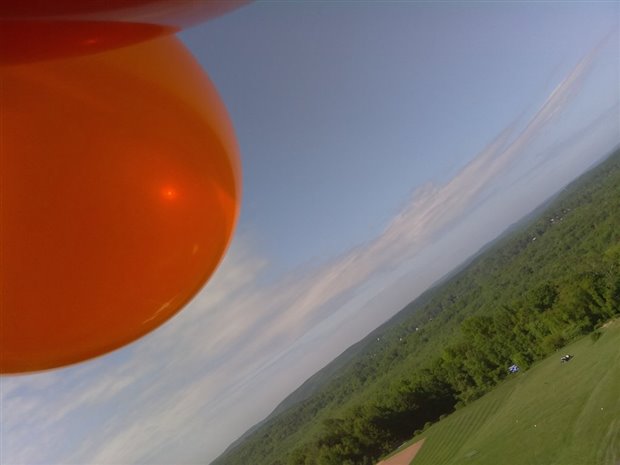
the reason I am heating up this topic again is that my class will be putting our Pi's and cameras on helium balloons and launching them... They'll be using ssh to run the code and download them to their laptops using sftp. This is last year's image.
This year, we are going to adapt a project we saw on adafruit last week and make our own:
Never mind - I hacked it, and I get nothing. no light....
No - in both shots, the cameras connected to the Pi have the red light on.
In the second shot, I have the bad camera in the pic, disconnected.
In the first shot, the suspect pi light turns on until I cntrl+c out of the raspistill -o command...
I am more than happy to mail you a few of the bad Pi's - I don't want them back... I just want to know what happened.
Eh.... bad PI? It was a bad camera, right?
I'm game. :-)
I was already secretly considering sending you a free raspberry pi camera extension kit from my shop, as well as an extra flatcable so that if that happens to be the problem you can repair one other camera with that.
Deal?
I got your hardware, and will use it if any more cameras go bad. I have shipped the bad cameras to Clem - I will let you know what he sees when he gets back to me. I will return your hardware when all this dust settles. Thanks so much for your help, Roger!
Charlie, please just test the camera extension with working hardware, and then let everybody know something like: "It works, but I've got no use for it". Or maybe you do find a use for it.... :-) No need to return the hardware.