When I try to read the camera I got the following debug error on the screen "received unexpected camera control callback event 0x4f525245", can anybody help how to resolve this issue. or is this raspberry pi board has problem.

Yes, both on that Pi and on others. Also, the camera error (s) are the same across devices.
This is a consistent issue. My thought is that something is shorting the camera - it would be great to know what it is, and what precautions to take if no fix for this problem is planned.
Thanks
Are the cameras always plugged in with power off on the Pi? I noticed in the picture, the red light is on for the bad camera and not for the good one. Maybe this is a clue?
Clem
Also:
>Can you check the suspect camera with the flatcable from the working one?
I will not do it with this particular working one since I do not want to break the good one. I have done this in the past many times, and found that it makes no difference.
There is also a connector on the camera board itself, marked "p5v04a sunny" that I reseated as well.
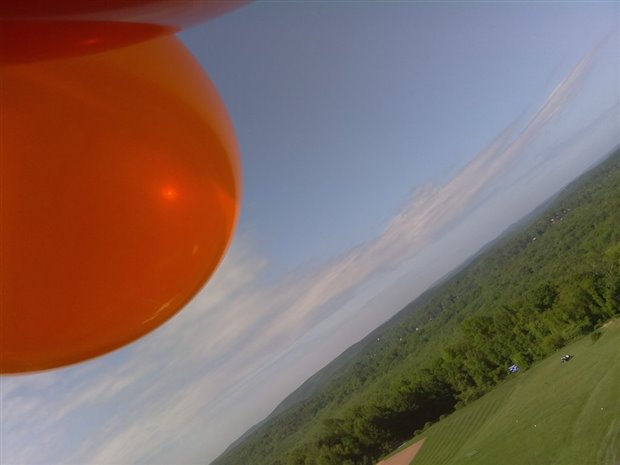
the reason I am heating up this topic again is that my class will be putting our Pi's and cameras on helium balloons and launching them... They'll be using ssh to run the code and download them to their laptops using sftp. This is last year's image.
This year, we are going to adapt a project we saw on adafruit last week and make our own:
I would like to test the following code on the bad camera:
#!/usr/bin/env pythonimporttime
importRPi.GPIO as GPIO
# Use GPIO numbering
GPIO.setmode(GPIO.BCM)
# Set GPIO for camera LED
# Use 5 for Model A/B and 32 for Model B+
CAMLED =5
# Set GPIO to output
GPIO.setup(CAMLED, GPIO.OUT, initial=False)
# Five iterations with half a second
# between on and off
fori inrange(5):
GPIO.output(CAMLED,True) # On
time.sleep(0.5)
GPIO.output(CAMLED,False) # Off
time.sleep(0.5)
Does the light blink?
Clem
Did you also check the little connector on the camera board itself (usually (always?) marked "sunny")?
Clem
My same trouble cleared when I put on a headband magnifier and reseated flexible ribbon cable and made sure the push down locks really locked. One or both locks can be pulled up easily just by pulling or twisting the cable slightly. This happened to me when I was trying to arrange the cable in certain position.
Another possibility,
Clem
PS I'd recommend you to buy a new camera. I managed to kill two by letting them flop onto the pi, exactly the same issues. Bit of an expensive mistake, so be careful! <== protect the electronics!
More info:
Example error message: "mmal: mmal_vc_component_create: failed to create component 'vc.ril.camera' (1:ENOMEM)"
Make sure the flex cable is inserted the correct way on both ends, and each connector has the locking tab engaged. The RPi + camera draws about 260 mA more current when recording video, than without the camera. The Model B is about 550 mA by itself, so camera use pushes it over 800 mA. Some power supplies, cables, and polyfuses may not maintain 5V onboard at this current load well enough for reliable operation. You can check this with a voltmeter across TP1 and TP2.[15][16]
In some cases, the micro-connector from the camera module to the camera board PCB has been loose. This can be fixed by removing and re-seating the small (tiny!) yellow flex cable connector labelled "P5V04A SUNNY" on the camera board. It makes a click when it is fully seated.[17] Note: before touching the camera board, make sure you are grounded, as the board is ESD sensitive (can be damaged by static shock).
This error message also appear if you forgot to configure the configuration file of the Raspberry. Just type: sudo raspi-config and choose "5- Enable camera" option then "Enable"
As of august 2014, with 2014-06-20-wheezy-raspbian.img, the firmware of a RPi B+ model needs to be updated :
$ sudo rpi-update
Here is a working version :
$ vcgencmd version Aug 12 2014 18:21:28 Copyright (c) 2012 Broadcom version f32b2bbfdea55d48c9a52b92e5c798f9aa5f47bc (tainted) (release) $ uname -a Linux poopdeck 3.12.26+ #703 PREEMPT Tue Aug 12 18:13:52 BST 2014 armv6l GNU/Linux $ cat /proc/cpuinfo | grep Revision
Can you re-edit?
I see commands with no spaces and there is no indentation..
I can hack through it, but it would be easier to resubmit (?)
Never mind - I hacked it, and I get nothing. no light....
here's the edited code lemme know if I screwed it up - it ran without
error, though....
import time
import os
import RPi.GPIO as GPIO
Use GPIO numbering
GPIO.setmode(GPIO.BCM)
Set GPIO for camera LED
Use 5 for Model A/B and 32 for Model B+
CAMLED =5
Set GPIO to output
GPIO.setup(CAMLED, GPIO.OUT, initial=False)
Five iterations with half a second
between on and off
for i in range(5):
GPIO.output(CAMLED,True) # On
time.sleep(0.5)
GPIO.output(CAMLED,False) # Off
time.sleep(0.5)