element14 Community
element14 Community
    Register Log In
  • Site
  • Search
  • Log In Register
  • Community Hub
    Community Hub
    • What's New on element14
    • Feedback and Support
    • Benefits of Membership
    • Personal Blogs
    • Members Area
    • Achievement Levels
  • Learn
    Learn
    • Ask an Expert
    • eBooks
    • element14 presents
    • Learning Center
    • Tech Spotlight
    • STEM Academy
    • Webinars, Training and Events
    • Learning Groups
  • Technologies
    Technologies
    • 3D Printing
    • FPGA
    • Industrial Automation
    • Internet of Things
    • Power & Energy
    • Sensors
    • Technology Groups
  • Challenges & Projects
    Challenges & Projects
    • Design Challenges
    • element14 presents Projects
    • Project14
    • Arduino Projects
    • Raspberry Pi Projects
    • Project Groups
  • Products
    Products
    • Arduino
    • Avnet & Tria Boards Community
    • Dev Tools
    • Manufacturers
    • Multicomp Pro
    • Product Groups
    • Raspberry Pi
    • RoadTests & Reviews
  • About Us
  • Store
    Store
    • Visit Your Store
    • Choose another store...
      • Europe
      •  Austria (German)
      •  Belgium (Dutch, French)
      •  Bulgaria (Bulgarian)
      •  Czech Republic (Czech)
      •  Denmark (Danish)
      •  Estonia (Estonian)
      •  Finland (Finnish)
      •  France (French)
      •  Germany (German)
      •  Hungary (Hungarian)
      •  Ireland
      •  Israel
      •  Italy (Italian)
      •  Latvia (Latvian)
      •  
      •  Lithuania (Lithuanian)
      •  Netherlands (Dutch)
      •  Norway (Norwegian)
      •  Poland (Polish)
      •  Portugal (Portuguese)
      •  Romania (Romanian)
      •  Russia (Russian)
      •  Slovakia (Slovak)
      •  Slovenia (Slovenian)
      •  Spain (Spanish)
      •  Sweden (Swedish)
      •  Switzerland(German, French)
      •  Turkey (Turkish)
      •  United Kingdom
      • Asia Pacific
      •  Australia
      •  China
      •  Hong Kong
      •  India
      • Japan
      •  Korea (Korean)
      •  Malaysia
      •  New Zealand
      •  Philippines
      •  Singapore
      •  Taiwan
      •  Thailand (Thai)
      • Vietnam
      • Americas
      •  Brazil (Portuguese)
      •  Canada
      •  Mexico (Spanish)
      •  United States
      Can't find the country/region you're looking for? Visit our export site or find a local distributor.
  • Translate
  • Profile
  • Settings
Raspberry Pi
  • Products
  • More
Raspberry Pi
Raspberry Pi Forum New Pi user, interested prototyping handheld devices.
  • Blog
  • Forum
  • Documents
  • Quiz
  • Events
  • Polls
  • Files
  • Members
  • Mentions
  • Sub-Groups
  • Tags
  • More
  • Cancel
  • New
Join Raspberry Pi to participate - click to join for free!
Featured Articles
Announcing Pi
Technical Specifications
Raspberry Pi FAQs
Win a Pi
Raspberry Pi Wishlist
Actions
  • Share
  • More
  • Cancel
Forum Thread Details
  • State Verified Answer
  • Replies 5 replies
  • Answers 2 answers
  • Subscribers 675 subscribers
  • Views 594 views
  • Users 0 members are here
  • raspberry_pi
Related

New Pi user, interested prototyping handheld devices.

Former Member
Former Member over 11 years ago

Hello just picked up a Pi-B i have a pi-cam. I am interested in adding sensors to my pi to detect weather and relay the information to me and wunderground. I dont know how to solder but can learn or use a bread board not sure the exact terminology or equipment i will need. Many forums explain the layout of circuitry but no instructions on how to add the components to the board.


Thanks in advance


Ben

  • Sign in to reply
  • Cancel
Parents
  • crosseyejack
    0 crosseyejack over 11 years ago

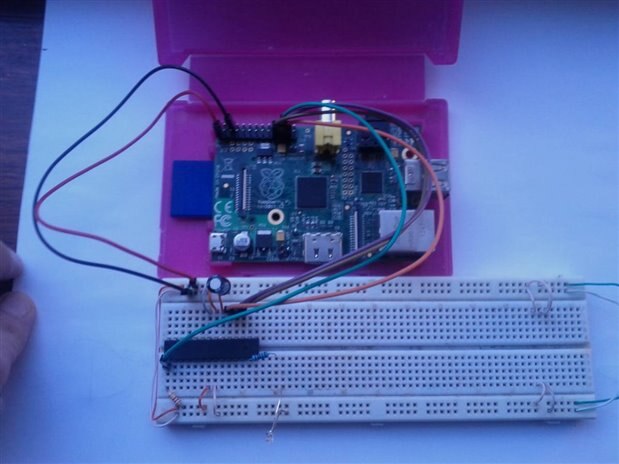
    If you are using a breadboard you just insert the components into the breadboard and connect up the pins following the circuit diagram. For an example here is a Pi connected to an ATMega.

    image

    If you are just starting out I would say start with a bread board and learn from there as for the equipment you will need, well that all depends on the circuit you are creating. But basically you're going to need a breadboard, the components for the circuit you're creating, some Female to male jumper wire for connecting the Pi to the Breadboard and some male to male jumper wire for making connections on the breadboard (you can also use solid core wire for making your connections around the breadboard but I recommend getting some jumper wires for this as they come in different colours and it will help you navigate your way around your circuit., when all your connections use the same colour wire (if you're just cutting wire from a single spool) you can easily get lost in the wiring.


    EDIT: I would also recommend you have a read of these links as they will give you the basics of breadboarding.


    http://wiring.org.co/learning/tutorials/breadboard/

    http://www.ladyada.net/learn/arduino/lesson3.html (Designed for the Arduino but the principle is the same)

    https://learn.sparkfun.com/tutorials/how-to-use-a-breadboard/all

    • Cancel
    • Vote Up +1 Vote Down
    • Sign in to reply
    • Reject Answer
    • Cancel
  • Former Member
    0 Former Member over 11 years ago in reply to crosseyejack

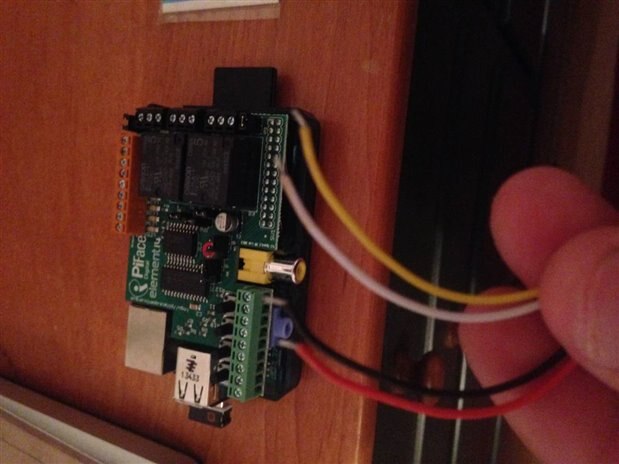
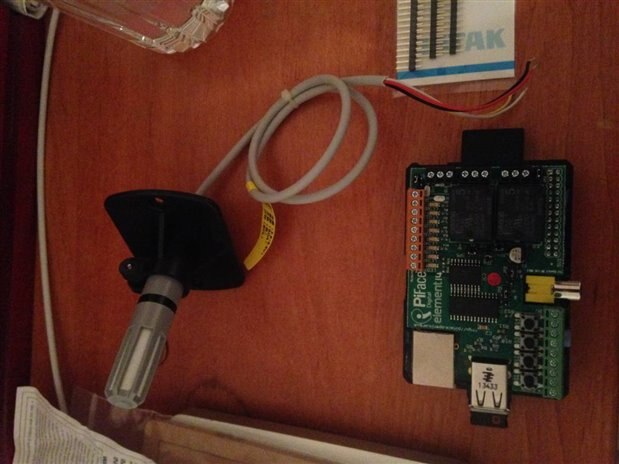
    Thank you very much i have purchased a PiFace digital and a temp and humidity transmitter. It only has wires coming from the sensor 4 yellow white black and red. I am installing the necessary software but am unsure about how to proceed from there. 

    • Cancel
    • Vote Up 0 Vote Down
    • Sign in to reply
    • Verify Answer
    • Cancel
  • Robert Peter Oakes
    0 Robert Peter Oakes over 11 years ago in reply to Former Member

    can you post a link to the sensor or details about it, picture etc, that way people can help much better if they know what your using

    • Cancel
    • Vote Up 0 Vote Down
    • Sign in to reply
    • Verify Answer
    • Reject Answer
    • Cancel
Reply
  • Robert Peter Oakes
    0 Robert Peter Oakes over 11 years ago in reply to Former Member

    can you post a link to the sensor or details about it, picture etc, that way people can help much better if they know what your using

    • Cancel
    • Vote Up 0 Vote Down
    • Sign in to reply
    • Verify Answer
    • Reject Answer
    • Cancel
Children
  • Former Member
    0 Former Member over 11 years ago in reply to Robert Peter Oakes

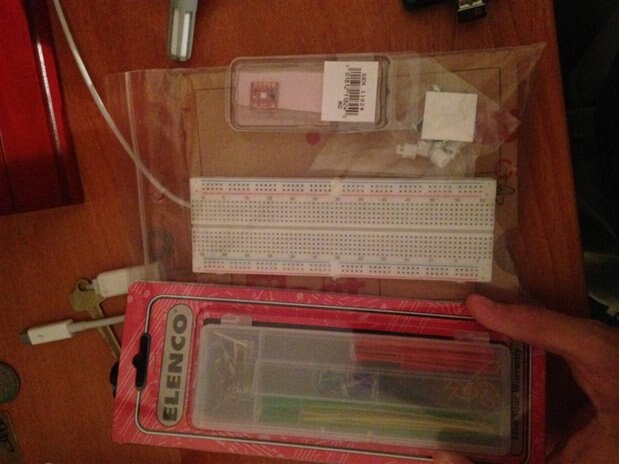
    imageimageimage

    • Cancel
    • Vote Up 0 Vote Down
    • Sign in to reply
    • Verify Answer
    • Cancel
  • crosseyejack
    0 crosseyejack over 11 years ago in reply to Former Member

    Thanks for the pictures, but we are going to need a little bit more information for you. Could you please link to the model of the temperature and humidity sensor you brought, it will help us better explain to you how to wire this thing up.


    OK Red and Black are pretty much always Power, Red being positive voltage and Black being ground, the other two wires carry the information the sensor well senses. but the question now is 'Is that data digital or analog?' with the make and model of the sensor we should be able to figure that out.


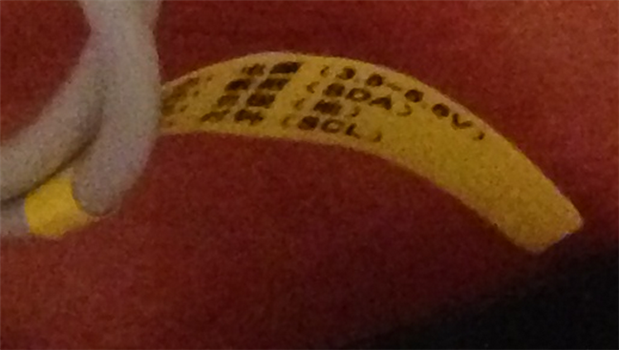
    But wait, theres more. A little CSI'ing later (using the included image manipulation tools on this machine) I can better read the label.

    image

    SDA and SCL are the give away signs that this is an i2c device. After a quick Google led me to Gordon Henderson's site (No not the MP, the guy who wrote WiringPi) https://projects.drogon.net/piface/ which states :-

    The PiFace leaves all ports accessible on the Raspberry Pi itself, with the obvious exception of the GPIO port. It uses power and the SPI bus on the GPIO only. It does not make the other GPIO pins available for use.

    Which kinda tells me that the PiFace can not be used directly to access i2c devices. So you are going to have to break out the breadboard and your jumper wires. But I will leave it at that for now as until I can get a better look at the temp/humid sensor.

    • Cancel
    • Vote Up 0 Vote Down
    • Sign in to reply
    • Verify Answer
    • Reject Answer
    • Cancel
element14 Community

element14 is the first online community specifically for engineers. Connect with your peers and get expert answers to your questions.

  • Members
  • Learn
  • Technologies
  • Challenges & Projects
  • Products
  • Store
  • About Us
  • Feedback & Support
  • FAQs
  • Terms of Use
  • Privacy Policy
  • Legal and Copyright Notices
  • Sitemap
  • Cookies

An Avnet Company © 2025 Premier Farnell Limited. All Rights Reserved.

Premier Farnell Ltd, registered in England and Wales (no 00876412), registered office: Farnell House, Forge Lane, Leeds LS12 2NE.

ICP 备案号 10220084.

Follow element14

  • X
  • Facebook
  • linkedin
  • YouTube