element14 Community
element14 Community
    Register Log In
  • Site
  • Search
  • Log In Register
  • Community Hub
    Community Hub
    • What's New on element14
    • Feedback and Support
    • Benefits of Membership
    • Personal Blogs
    • Members Area
    • Achievement Levels
  • Learn
    Learn
    • Ask an Expert
    • eBooks
    • element14 presents
    • Learning Center
    • Tech Spotlight
    • STEM Academy
    • Webinars, Training and Events
    • Learning Groups
  • Technologies
    Technologies
    • 3D Printing
    • FPGA
    • Industrial Automation
    • Internet of Things
    • Power & Energy
    • Sensors
    • Technology Groups
  • Challenges & Projects
    Challenges & Projects
    • Design Challenges
    • element14 presents Projects
    • Project14
    • Arduino Projects
    • Raspberry Pi Projects
    • Project Groups
  • Products
    Products
    • Arduino
    • Avnet & Tria Boards Community
    • Dev Tools
    • Manufacturers
    • Multicomp Pro
    • Product Groups
    • Raspberry Pi
    • RoadTests & Reviews
  • About Us
    About the element14 Community
  • Store
    Store
    • Visit Your Store
    • Choose another store...
      • Europe
      •  Austria (German)
      •  Belgium (Dutch, French)
      •  Bulgaria (Bulgarian)
      •  Czech Republic (Czech)
      •  Denmark (Danish)
      •  Estonia (Estonian)
      •  Finland (Finnish)
      •  France (French)
      •  Germany (German)
      •  Hungary (Hungarian)
      •  Ireland
      •  Israel
      •  Italy (Italian)
      •  Latvia (Latvian)
      •  
      •  Lithuania (Lithuanian)
      •  Netherlands (Dutch)
      •  Norway (Norwegian)
      •  Poland (Polish)
      •  Portugal (Portuguese)
      •  Romania (Romanian)
      •  Russia (Russian)
      •  Slovakia (Slovak)
      •  Slovenia (Slovenian)
      •  Spain (Spanish)
      •  Sweden (Swedish)
      •  Switzerland(German, French)
      •  Turkey (Turkish)
      •  United Kingdom
      • Asia Pacific
      •  Australia
      •  China
      •  Hong Kong
      •  India
      •  Japan
      •  Korea (Korean)
      •  Malaysia
      •  New Zealand
      •  Philippines
      •  Singapore
      •  Taiwan
      •  Thailand (Thai)
      •  Vietnam
      • Americas
      •  Brazil (Portuguese)
      •  Canada
      •  Mexico (Spanish)
      •  United States
      Can't find the country/region you're looking for? Visit our export site or find a local distributor.
  • Translate
  • Profile
  • Settings
Raspberry Pi Projects
  • Products
  • Raspberry Pi
  • Raspberry Pi Projects
  • More
  • Cancel
Raspberry Pi Projects
Blog Adding Wireless Capability to Custom RP2040/RP2350 Projects: Pi Radio Module 2 - Anyone tried it?
  • Blog
  • Documents
  • Events
  • Polls
  • Members
  • Mentions
  • Sub-Groups
  • Tags
  • More
  • Cancel
  • New
Join Raspberry Pi Projects to participate - click to join for free!
  • Share
  • More
  • Cancel
Group Actions
  • Group RSS
  • More
  • Cancel
Engagement
  • Author Author: shabaz
  • Date Created: 30 Jun 2026 4:29 PM Date Created
  • Views 185 views
  • Likes 10 likes
  • Comments 9 comments
  • RP2350
  • Pi Pico W
  • RM2
  • wlan
  • 2.4ghz
  • wireless lan
  • rpiexpert
  • rp2040
  • 2.4 ghz
  • wireless
  • Pi Radio Module 2
  • RMC20452T
  • pi pico
Related
Recommended

Adding Wireless Capability to Custom RP2040/RP2350 Projects: Pi Radio Module 2 - Anyone tried it?

shabaz
shabaz
30 Jun 2026

I just noticed the other day that this thing existed; it supports 2.4 GHz wireless (not 5 GHz), and Bluetooth LE (BLE); the manufacturer part code is RMC20452T , also known as RM2 and it costs about $4. 
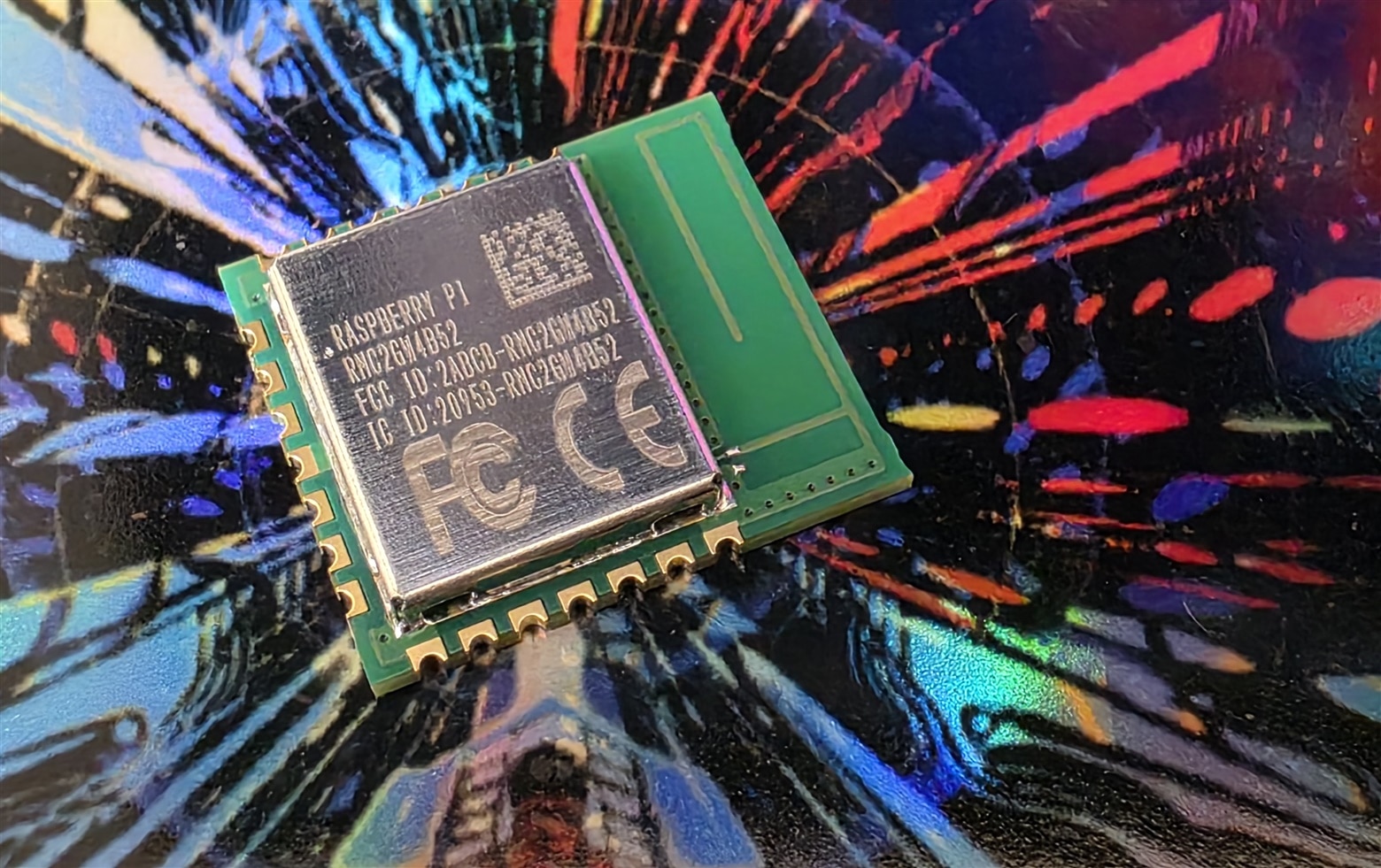
image

Underside; the board is 16.5 x 14.5 mm in size (but you'll need some space for a ground plane):
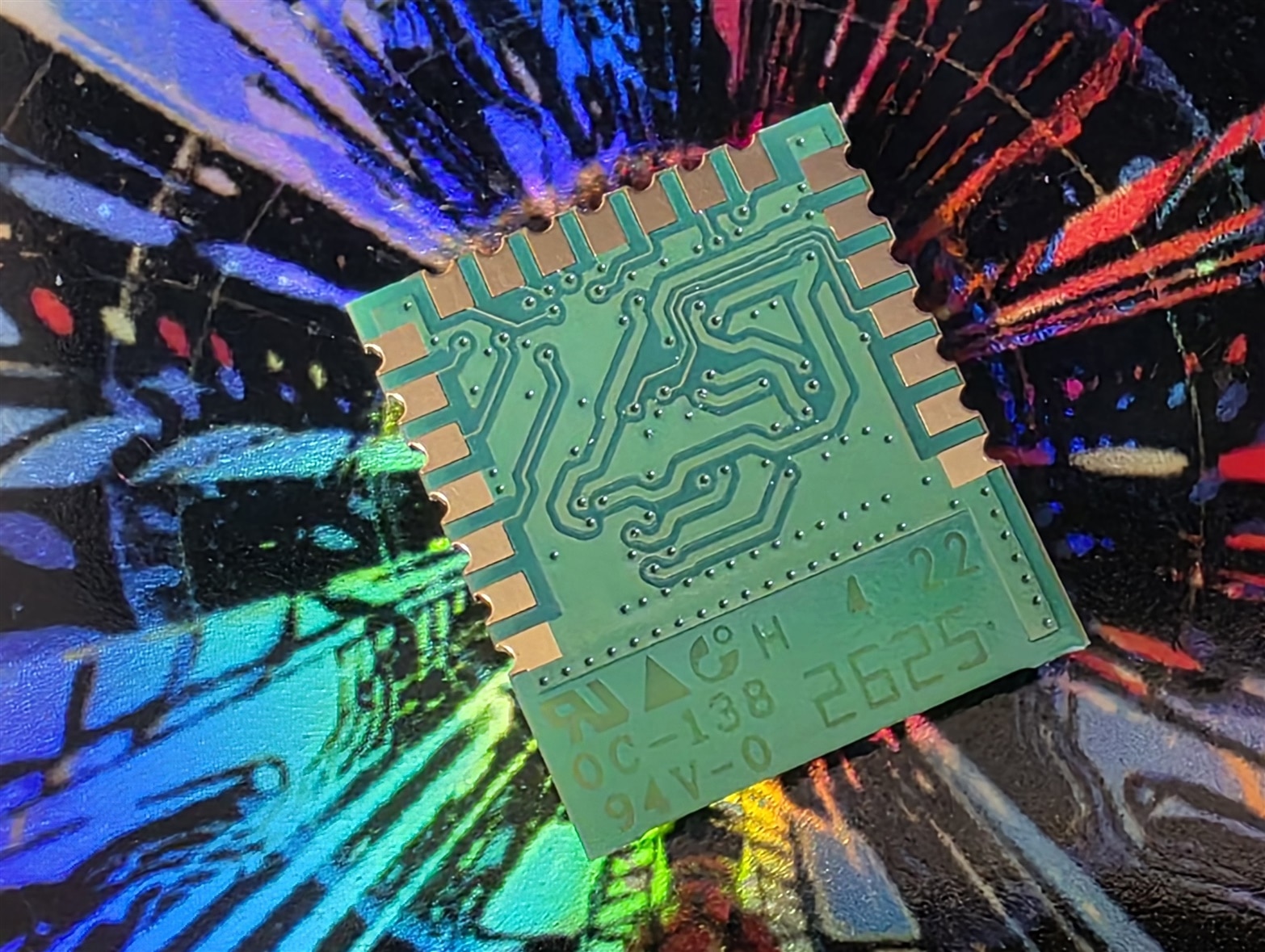
image

The RM2 is useful for custom RP2040 or RP2350 projects where WLAN (again, annoyingly just 2.4 GHz)/BLE is needed; not useful for anything else as far as I'm aware. From a software perspective, coding should be no different to using a Pi Pico W.

The RM2 should be very easy to drop into KiCad projects, since the footprint/symbol/3D model is available.

The RM2 datasheet (PDF) seems easy enough to follow, but is extremely basic; and I found it a bit confusing regarding a 'reset' line it mentions, but the text is silent on that later. It is not clear what line that refers to.

There are no suggested layouts, the PDF just states a good ground plane is needed, and shows the copper fill keepout area.

Note that there isn't a version with antenna connector, however, one workaround would be to place the module on a PCB (large enough to have a ground plane, or perhaps use parts of an enclosure for that) and run the interface wires a short distance to the microcontroller, if you needed the antenna positioned somewhere not feasible on the main circuit board. Personally, if it were me, I would try to use the module in that way, i.e. on a separate PCB with short wires, before integrating onto a larger PCB; I'd much rather have it separately and position it for the best signal.

Anyone see a use for this module? Or if anyone has seen it in use, any photos showing how it was deployed in the design would be great to see. 

At some point I'd like to experiment with creating a PCB for it, but I was wondering if anyone else had given it a shot, or were planning to, or would like to!

Thanks for reading.

  • Sign in to reply
  • embeddedguy
    embeddedguy 12 days ago in reply to shabaz

    Oh, I realized that there some FEM for the same device mentioned in the datasheet. That supports 20dbm

    • Cancel
    • Vote Up 0 Vote Down
    • Sign in to reply
    • More
    • Cancel
  • shabaz
    shabaz 13 days ago in reply to shabaz

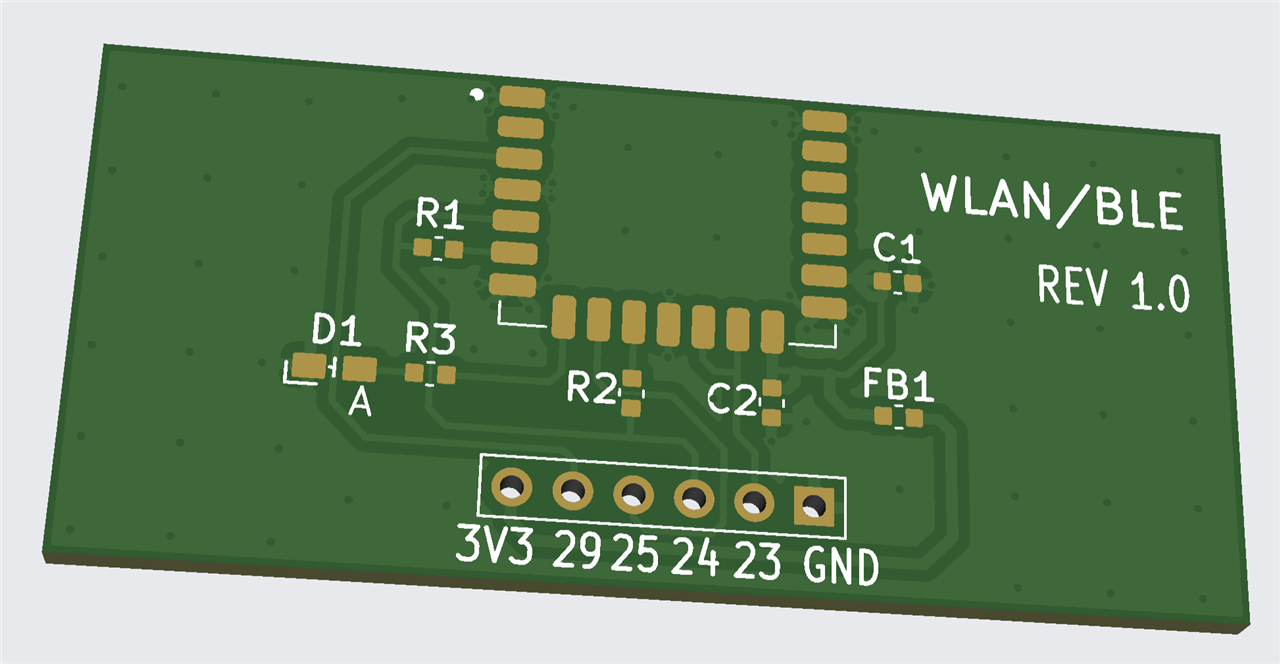
    That wasn't too difficult.. I decided to extend the 10-pin GPIO header to become 14-pin, and insert in those four connections (shown in yellow):

    image

    image

    • Cancel
    • Vote Up 0 Vote Down
    • Sign in to reply
    • More
    • Cancel
  • shabaz
    shabaz 13 days ago

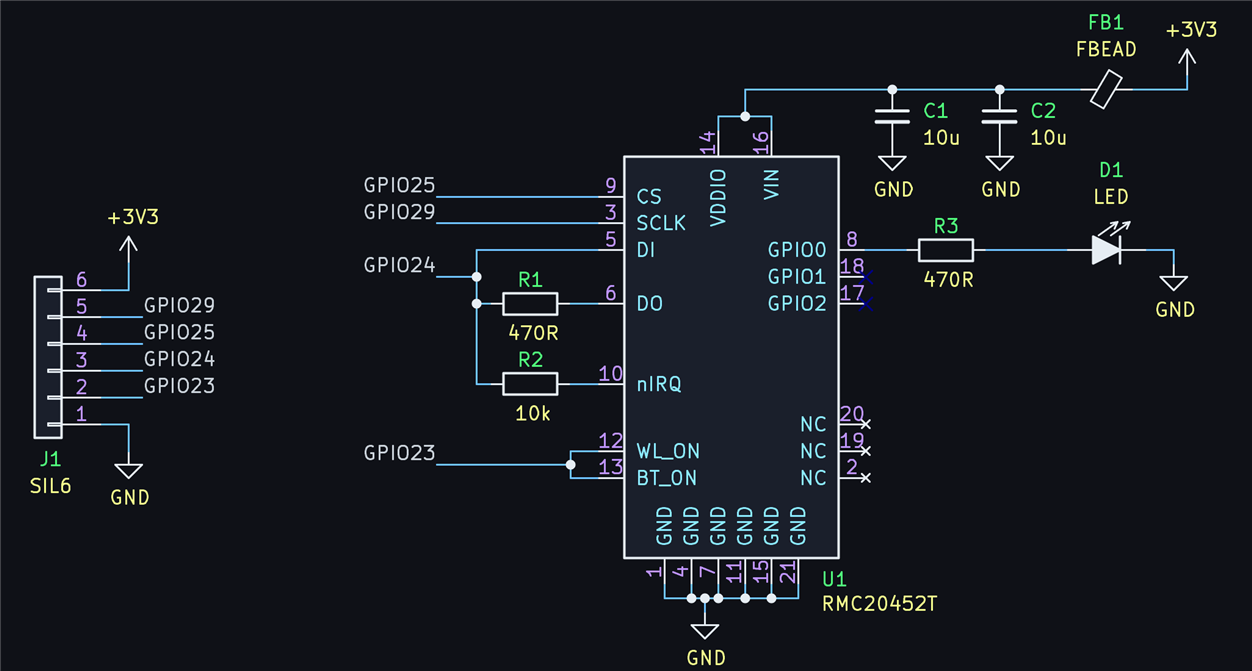
    Using the schematic mentioned by veluv01 just four GPIO connections are needed to the RP2040, and I was curious roughly were the module could fit on a minimal RP2040 design (e.g. (+) Making a Custom RP2040 Project with KiCad, Part 1! - element14 Community ). The illustration here shows the four required connections in yellow, and approximately where the module could be placed so traces could be routed easily (I'm not planning to do this with the particular circuit I'm working on, but will consider it for future, or maybe place a SIL header there, for wiring up later.

    Aside from those four connections, GND and 3.3V is needed of course (The Pimoroni Pico 2 W uses a ferrite bead on the supply), and the module has three GPIO, one of which is used for an LED, and another is wired to a potential divider attached to the USB 5V supply, but seems unnecessary (I don't think the firmware does anything with that, it is just for developer use if they want to see if the USB supply is present, so I think that could be omitted if it simplifies PCB routing).

    image

    • Cancel
    • Vote Up 0 Vote Down
    • Sign in to reply
    • More
    • Cancel
  • embeddedguy
    embeddedguy 13 days ago in reply to shabaz

    haha, nice tiny little device, but the TX power is bit low it is 12dbm max. I have seen some modules with +20dbm and that will increase the comm. range for sure. Another thing that I would look is how to make P2P link secure and hackproof. That way I am good to go.

    • Cancel
    • Vote Up 0 Vote Down
    • Sign in to reply
    • More
    • Cancel
  • wolfgangfriedrich
    wolfgangfriedrich 13 days ago

    When I saw this, my first thought was: put it on some sort of m.2 carrier for a more universal wireless card. But the interface does not seem to be fully compatible with whatever m.2 has to offer. 

    • Cancel
    • Vote Up 0 Vote Down
    • Sign in to reply
    • More
    • Cancel
>
element14 Community

element14 is the first online community specifically for engineers. Connect with your peers and get expert answers to your questions.

  • Members
  • Learn
  • Technologies
  • Challenges & Projects
  • Products
  • Store
  • About Us
  • Feedback & Support
  • FAQs
  • Terms of Use
  • Privacy Policy
  • Legal and Copyright Notices
  • Sitemap
  • Cookies

An Avnet Company © 2026 Premier Farnell Limited. All Rights Reserved.

Premier Farnell Ltd, registered in England and Wales (no 00876412), registered office: Farnell House, Forge Lane, Leeds LS12 2NE.

Follow element14

  • X
  • Facebook
  • linkedin
  • YouTube