element14 Community
element14 Community
    Register Log In
  • Site
  • Search
  • Log In Register
  • Community Hub
    Community Hub
    • What's New on element14
    • Feedback and Support
    • Benefits of Membership
    • Personal Blogs
    • Members Area
    • Achievement Levels
  • Learn
    Learn
    • Ask an Expert
    • eBooks
    • element14 presents
    • Learning Center
    • Tech Spotlight
    • STEM Academy
    • Webinars, Training and Events
    • Learning Groups
  • Technologies
    Technologies
    • 3D Printing
    • FPGA
    • Industrial Automation
    • Internet of Things
    • Power & Energy
    • Sensors
    • Technology Groups
  • Challenges & Projects
    Challenges & Projects
    • Design Challenges
    • element14 presents Projects
    • Project14
    • Arduino Projects
    • Raspberry Pi Projects
    • Project Groups
  • Products
    Products
    • Arduino
    • Avnet & Tria Boards Community
    • Dev Tools
    • Manufacturers
    • Multicomp Pro
    • Product Groups
    • Raspberry Pi
    • RoadTests & Reviews
  • About Us
  • Store
    Store
    • Visit Your Store
    • Choose another store...
      • Europe
      •  Austria (German)
      •  Belgium (Dutch, French)
      •  Bulgaria (Bulgarian)
      •  Czech Republic (Czech)
      •  Denmark (Danish)
      •  Estonia (Estonian)
      •  Finland (Finnish)
      •  France (French)
      •  Germany (German)
      •  Hungary (Hungarian)
      •  Ireland
      •  Israel
      •  Italy (Italian)
      •  Latvia (Latvian)
      •  
      •  Lithuania (Lithuanian)
      •  Netherlands (Dutch)
      •  Norway (Norwegian)
      •  Poland (Polish)
      •  Portugal (Portuguese)
      •  Romania (Romanian)
      •  Russia (Russian)
      •  Slovakia (Slovak)
      •  Slovenia (Slovenian)
      •  Spain (Spanish)
      •  Sweden (Swedish)
      •  Switzerland(German, French)
      •  Turkey (Turkish)
      •  United Kingdom
      • Asia Pacific
      •  Australia
      •  China
      •  Hong Kong
      •  India
      • Japan
      •  Korea (Korean)
      •  Malaysia
      •  New Zealand
      •  Philippines
      •  Singapore
      •  Taiwan
      •  Thailand (Thai)
      • Vietnam
      • Americas
      •  Brazil (Portuguese)
      •  Canada
      •  Mexico (Spanish)
      •  United States
      Can't find the country/region you're looking for? Visit our export site or find a local distributor.
  • Translate
  • Profile
  • Settings
Raspberry Pi
  • Products
  • More
Raspberry Pi
Documents Raspberry Pi 2 Model B Frequently Asked Questions (FAQs)
  • Blog
  • Forum
  • Documents
  • Quiz
  • Events
  • Polls
  • Files
  • Members
  • Mentions
  • Sub-Groups
  • Tags
  • More
  • Cancel
  • New
Join Raspberry Pi to participate - click to join for free!
Actions
  • Share
  • More
  • Cancel
Engagement
  • Author Author: joeman
  • Date Created: 26 Jan 2015 6:04 PM Date Created
  • Last Updated Last Updated: 10 May 2021 7:09 PM
  • Views 10570 views
  • Likes 4 likes
  • Comments 37 comments
Related
Recommended

Raspberry Pi 2 Model B Frequently Asked Questions (FAQs)

If you have a question that is not answered in this FAQ, please ask it below in the comments.  If your question is specific to your order or status of delivery, please reach out to us in Feedback & Support.


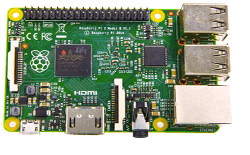
imageWhat is the Raspberry Pi 2 Model B?
The Raspberry Pi 2 Model B is the latest single board computer to be released by the Raspberry Pi Foundation. It is the highest spec variant of the Raspberry Pi, perfect for learning, coding, and creating your own projects.


How much does it cost?
$35 USD (excluding sales tax, shipping & handling fees)


What is the difference between the Raspberry Pi Model B+ and Pi 2 Model B?
It runs 6X Faster than the B+, and comes with 1GB of RAM--that's double the amount of RAM of the previous model. It's equipped with a new ARMv7 quad core processor that's lightning quick, runs an updated OS, and is compatible with all B+ accessories. The new Raspberry Pi is backward compatible with nearly all your existing Raspberry Pi accessories. (See the next question for additional information about this.)


Want to compare even more Raspberry Pi products?

Raspberry Pi 4, 3 B+, Pi 3, Pi 2, B+, A+ Comparison Chart


What accessories are compatible with the Raspberry Pi 2 Model B?
All of the Raspberry Pi Model B+ accessories are compatible with this new model. We always recommend you purchase the 16GB NOOBS SD Card with the Operating System pre-loaded to get started as quickly and easily as possible.


Please note: the Raspberry Pi 2 Model B V1.2 requires the latest operating system for full functionality. Please download and install the latest version available from RaspberryPi.org/downloads onto your microSD card before booting. We also recommend purchasing a case for protection. You can shop for expansion boards, cases, and other cool items on our Pi Accessories page.


Are any new accessories available that I can purchase for my new Raspberry Pi 2 Model B?
Of course! Check out our Pi Accessories page to see our whole range of cool accessories!


If the Raspberry Pi 2 is not in stock, how long will it be before it becomes available?
All orders for the Raspberry Pi 2 are filled on a first-come, first-serve basis. Placing your order now ensures that as soon as we get more units in stock, your new Raspberry Pi 2 will be shipped. You can expect to receive your Raspberry Pi 2 within the delivery time quoted on our websites.


Which countries can I buy a Raspberry Pi 2 Model B from?
The Raspberry Pi is available for sale in the majority of countries around the globe. Check out our Raspberry Pi global sales page for a complete listing.


How do I get started, and will I need a new OS to run the Raspberry Pi 2?
To 'Get Started' with your new Raspberry Pi 2 you will need to download the latest version of the 'Out of the Box' Software (NOOBS) from the Raspberry Pi Foundation. The Raspberry Pi 2 Model B V1.2 requires the latest operating system for full functionality. Please download and install the latest version available from RaspberryPi.org/downloads onto your microSD card before booting.


Download


What software will be made available and where can I download it?
The latest version of new ‘Out of the Box’ Software (NOOBS) or a specific Operating System image are all available to download from the Raspberry Pi Foundation's website. More details and downloads are available from http://www.raspberrypi.org/downloads/


What power supply do I need?
We recommend a good quality 5 Volt Micro-USB power supply with at least 1.8 Amp output.
image


For UK and European AC Outlets:

http://uk.farnell.com/stontronics/t5582dv/psu-raspberry-pi-5v-2a-micro-usb/dp/2427499


image


For North American AC Outlets:

http://www.mcmelectronics.com/product/28-17985


Will the Raspberry Pi 2 Model B support more than just the Raspbian Operating System?
Yes, within NOOBS there are Raspbian and 5 other Operating Systems . You can choose which one you want to install on the microSD card.


Is there a size limit on the SDCard with the Raspberry Pi 2 Model B?
Card sizes up to 32GB have been verified to work without any problem.


Can the Raspberry Pi 2 Model B be over-clocked?
At the time of writing we do not believe the Raspberry Pi Model B will have an over-clocking feature.


What is the GPIO pin-out of the Raspberry Pi 2 Model B?
It is the same 40 pins as the Raspberry Pi Model A+ and B+. The first 26 pins are are as per the original Model B to facilitate backwards compatibility. The Raspberry Pi 2 is also fully HAT compatible.


My processing monitor in Raspbian only shows one processor graph! Where are my other three?
Some software will combine the processor usage, others may just show one core - this is software dependent.


However in Raspbian if you open a terminal and type the command:


    top


You can see each of the processor cores if you then press:


    1


This should show a breakdown of central processing unit usage per core.


How can I connect the Raspberry Pi 2 Model B to a display screen?
Via HDMI, or composite video using a break-out cable for the 3.5mm jack connection which will break-out the audio connection to audio and composite video. The PiView HDMI to VGA adapterPiView HDMI to VGA adapter available from element14 works with the new Raspberry Pi 2 Model B.


Can I use the HDMI to VGA adapter on the Raspberry Pi 2 Model B?
image


Yes, the PiViewPiView HDMI to VGA adapter available from element14 works with the new Raspberry Pi 2 Model B.


For Resellers

How can I become a reseller of the Raspberry Pi?
We are always interested in expanding our network of Raspberry Pi resellers around the globe. Please contact your local Premier Farnell/element14 sales office with your details, including which country you intend to sell the Raspberry Pi and a link to your website. We will get in touch with you.


I am a Reseller. How can I obtain bulk stock of the new Raspberry Pi 2 Model B?
Please contact your local account manager, who will be happy to provide you with a high volume quote and delivery.


I am Reseller. Is there any marketing content and product data available for the new board?
Please contact your local account manager who will be happy to set up your access to an online portal, where you will be able to retrieve all the marketing content and product data you require to promote the product online.


Must be logged in to post comment. Not yet a member? Click here to join element14.

  • help
  • how_to_buy
  • questions
  • raspberry_pi
  • raspberry_pi_2
  • raspberry_pi_space
  • Share
  • History
  • More
  • Cancel
  • Sign in to reply

Top Comments

  • Former Member
    Former Member over 10 years ago in reply to Former Member +4
    Here I found detailed information about Raspberry Pi 2 model B Power Usage, and Raspberry Pi (all models) Power Usage Comparison. I think, could be useful to see this information included in Raspberry…
  • jstodberg
    jstodberg over 11 years ago +2
    I need to get one my little girl wants to learn programming so I thought a Raspberry Pi would be perfect.
  • Former Member
    Former Member over 11 years ago +1
    Does anybody know what is the real current consumption of this board? Compare with Rpi B+ and Rpi A+
  • jstodberg
    jstodberg over 11 years ago

    I need to get one my little girl wants to learn programming so I thought a Raspberry Pi would be perfect.

    • Cancel
    • Vote Up +2 Vote Down
    • Sign in to reply
    • More
    • Cancel
  • Former Member
    Former Member over 11 years ago

    Just got my hands on a Pi2 and found a 2A phone charger, but all I'm getting is the green ACT LED coming on briefly and then fading off quite quickly.

    Anyone any ideas if it's the PSU not providing enough power or if it's a duff board?

    • Cancel
    • Vote Up 0 Vote Down
    • Sign in to reply
    • More
    • Cancel
  • mcb1
    mcb1 over 11 years ago in reply to element14jamie

    Jamie

    Well done thanks.


    For some reason the Buy now icons on the first three come up, and then disappear  ...I'll try a refresh of the cache.


    One minor thing .... you list the Power but if I'm right this is the maximum power draw ...an A+ certainly doesn't require a 1.8A source to run.

    It may well be capable of drawing up to 1.8A but only if fully loaded.


    Mark

    • Cancel
    • Vote Up +1 Vote Down
    • Sign in to reply
    • More
    • Cancel
  • element14jamie
    element14jamie over 11 years ago in reply to mcb1

    Hello mcb1

    Please click HERE for the updated comparison chart.


    Thank you again,


    Jamie

    • Cancel
    • Vote Up 0 Vote Down
    • Sign in to reply
    • More
    • Cancel
  • element14jamie
    element14jamie over 11 years ago in reply to mcb1

    Hello mcb1

    I have put a request in, thank you for letting us know.


    Thank you again,


    Jamie

    • Cancel
    • Vote Up 0 Vote Down
    • Sign in to reply
    • More
    • Cancel
  • mcb1
    mcb1 over 11 years ago in reply to element14jamie

    element14jamie

    Jamie

    Your chart is useful but doesn't include the newer Pi2 with 1GB ram.


    Is someone going to update it, since the new board is generating a few questions.?


    Thanks

    mark

    • Cancel
    • Vote Up 0 Vote Down
    • Sign in to reply
    • More
    • Cancel
  • element14jamie
    element14jamie over 11 years ago in reply to Former Member

    Hello bsv369

    Click HERE for a comparison chart.


    Hope this helps,


    Jamie

    • Cancel
    • Vote Up 0 Vote Down
    • Sign in to reply
    • More
    • Cancel
  • Former Member
    Former Member over 11 years ago

    What are the differences between Raspberry Pi Model-A and Raspberry Pi Model-B boards.  I am in the processes of identifying suitable hardware to take pictorial images at regular intervals and analyzing the same for changes from one image to the other image.


    I know that Model-A comes with 256MB SD-RAM and Model-B with 512MB SD-RAM and please let me know, if there are any other differences with respect to hardware and software functionality.


    Please let me know your thoughts/ suggestions in this regard.

    • Cancel
    • Vote Up 0 Vote Down
    • Sign in to reply
    • More
    • Cancel
  • cstanton
    cstanton over 11 years ago in reply to Former Member

    So basically the draw under different scenarios ?


    Aside from calculating the maximum potential draw based upon the specification of the components, I'm sorry but I don't have the hardware to monitor such power usage in those scenarios.

    • Cancel
    • Vote Up 0 Vote Down
    • Sign in to reply
    • More
    • Cancel
  • Former Member
    Former Member over 11 years ago in reply to cstanton

    Dear Christopher, 5 Volts X 2 Amps would be 10 Watts ..., but (excuse my English) I asking something else. I would happy to see somewhere any tests of the real current (or power, it's doesn't matter) consumption of this very attractive board. (Like for example here: http://www.element14.com/community/message/136875/l/re-wolfsoncirrus-logic-audio-card-for-raspberry-pi-ba-power-usage#136875

    where @Matthias Reichl measured the current consumption of RPi B with and without Wolfson AC versus RPi B+ with and without Cirrus Logic AC - simple tests, but quite useful.)

    The row in the table of this FAQ above - "Power draw/ voltage" shows "1.8 Amps @ 5 V" for both models. But it means maximum potential power. Usually in "normal" conditions it is much less, depends of tasks and plugged peripherals. For example, my RPi B+ with keyboard, mouse, DVI and LAN uses something between 170 and 250 mAmps, but not 1.8 Amps.

    It would be very useful information about behaviour of this new board in different tasks, using one, two or four cores. If it consumes the same power or even a little above as old one model B+ in the same tasks, but performs them (of course) x times faster, the board would be very attractive to use in various battery powered field projects too.

    Hope you understand what I mean. image

    • Cancel
    • Vote Up 0 Vote Down
    • Sign in to reply
    • More
    • Cancel
<>
element14 Community

element14 is the first online community specifically for engineers. Connect with your peers and get expert answers to your questions.

  • Members
  • Learn
  • Technologies
  • Challenges & Projects
  • Products
  • Store
  • About Us
  • Feedback & Support
  • FAQs
  • Terms of Use
  • Privacy Policy
  • Legal and Copyright Notices
  • Sitemap
  • Cookies

An Avnet Company © 2026 Premier Farnell Limited. All Rights Reserved.

Premier Farnell Ltd, registered in England and Wales (no 00876412), registered office: Farnell House, Forge Lane, Leeds LS12 2NE.

ICP 备案号 10220084.

Follow element14

  • X
  • Facebook
  • linkedin
  • YouTube