element14 Community
element14 Community
    Register Log In
  • Site
  • Search
  • Log In Register
  • Community Hub
    Community Hub
    • What's New on element14
    • Feedback and Support
    • Benefits of Membership
    • Personal Blogs
    • Members Area
    • Achievement Levels
  • Learn
    Learn
    • Ask an Expert
    • eBooks
    • element14 presents
    • Learning Center
    • Tech Spotlight
    • STEM Academy
    • Webinars, Training and Events
    • Learning Groups
  • Technologies
    Technologies
    • 3D Printing
    • FPGA
    • Industrial Automation
    • Internet of Things
    • Power & Energy
    • Sensors
    • Technology Groups
  • Challenges & Projects
    Challenges & Projects
    • Design Challenges
    • element14 presents Projects
    • Project14
    • Arduino Projects
    • Raspberry Pi Projects
    • Project Groups
  • Products
    Products
    • Arduino
    • Avnet & Tria Boards Community
    • Dev Tools
    • Manufacturers
    • Multicomp Pro
    • Product Groups
    • Raspberry Pi
    • RoadTests & Reviews
  • About Us
    About the element14 Community
  • Store
    Store
    • Visit Your Store
    • Choose another store...
      • Europe
      •  Austria (German)
      •  Belgium (Dutch, French)
      •  Bulgaria (Bulgarian)
      •  Czech Republic (Czech)
      •  Denmark (Danish)
      •  Estonia (Estonian)
      •  Finland (Finnish)
      •  France (French)
      •  Germany (German)
      •  Hungary (Hungarian)
      •  Ireland
      •  Israel
      •  Italy (Italian)
      •  Latvia (Latvian)
      •  
      •  Lithuania (Lithuanian)
      •  Netherlands (Dutch)
      •  Norway (Norwegian)
      •  Poland (Polish)
      •  Portugal (Portuguese)
      •  Romania (Romanian)
      •  Russia (Russian)
      •  Slovakia (Slovak)
      •  Slovenia (Slovenian)
      •  Spain (Spanish)
      •  Sweden (Swedish)
      •  Switzerland(German, French)
      •  Turkey (Turkish)
      •  United Kingdom
      • Asia Pacific
      •  Australia
      •  China
      •  Hong Kong
      •  India
      •  Japan
      •  Korea (Korean)
      •  Malaysia
      •  New Zealand
      •  Philippines
      •  Singapore
      •  Taiwan
      •  Thailand (Thai)
      •  Vietnam
      • Americas
      •  Brazil (Portuguese)
      •  Canada
      •  Mexico (Spanish)
      •  United States
      Can't find the country/region you're looking for? Visit our export site or find a local distributor.
  • Translate
  • Profile
  • Settings
Raspberry Pi
  • Products
  • More
Raspberry Pi
Polls Raspberry Pi 2: Which OS is best?
  • Blog
  • Forum
  • Documents
  • Quiz
  • Events
  • Polls
  • Files
  • Members
  • Mentions
  • Sub-Groups
  • Tags
  • More
  • Cancel
  • New
Join Raspberry Pi to participate - click to join for free!
Actions
  • Share
  • More
  • Cancel
Engagement
  • Author Author: biglesp
  • Date Created: 18 May 2015 9:54 AM Date Created
  • Last Updated Last Updated: 11 Oct 2021 3:01 PM
  • Views 37160 views
  • Likes 1 like
  • Comments 56 comments
Related
Recommended

Raspberry Pi 2: Which OS is best?

16248420710_34e2a2339b_z_d.jpg

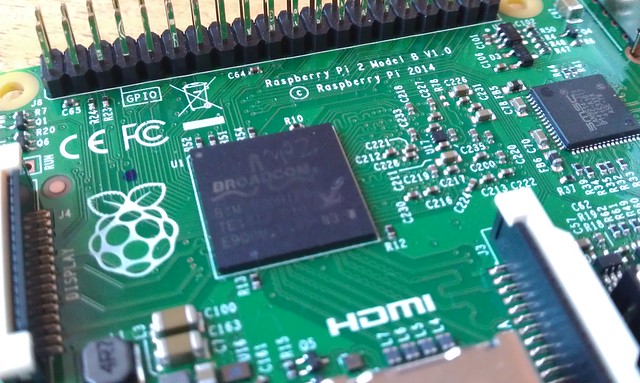
When we think of the Raspberry Pi operating system we instantly think of the giant raspberry wallpaper that is prominently placed on the Raspbian desktop. But is Raspbian still the best distro for the Pi? Well we put Raspbian up against two new distros for the Raspberry Pi, but these are well known distros in the world of Linux and their pedigree is hard to beat. Ubuntu has been a runaway success on the desktop and has converted thousands of users since it’s release in the mid 2000s, it has even recently spawned a version for mobile devices. Fedora is another big distro, coming from Red Hat and considered the leading name in open source solutions. Fedora is Red Hat’s bleeding edge product that often tests new innovations and technologies for Enterprise class products. Both of these distros have enjoyed a long and prominent history in the Linux community and their entrance to the Raspberry Pi community is something to get excited about.


There are many more distros for the Raspberry Pi but for this feature we wanted to show two strong new contenders against the de facto standard that is Raspbian.


So can Ubuntu or Fedora beat Raspbian’s dominance in the Raspberry Pi community? Or is Raspbian the perfect example of what a Raspberry Pi distro should aim to be? Let’s find out.


For all of these reviews we created a baseline to ensure a fair test.

  • A Raspberry Pi 2 Model B
  • No overclocking or tinkering of hardware
  • 8GB SD card that came with our Pi


Raspbian

The de facto standard for Raspberry Pi projects but does it still meet the needs of the user?

Download link


16749044389_2317edc558_b_d.jpg

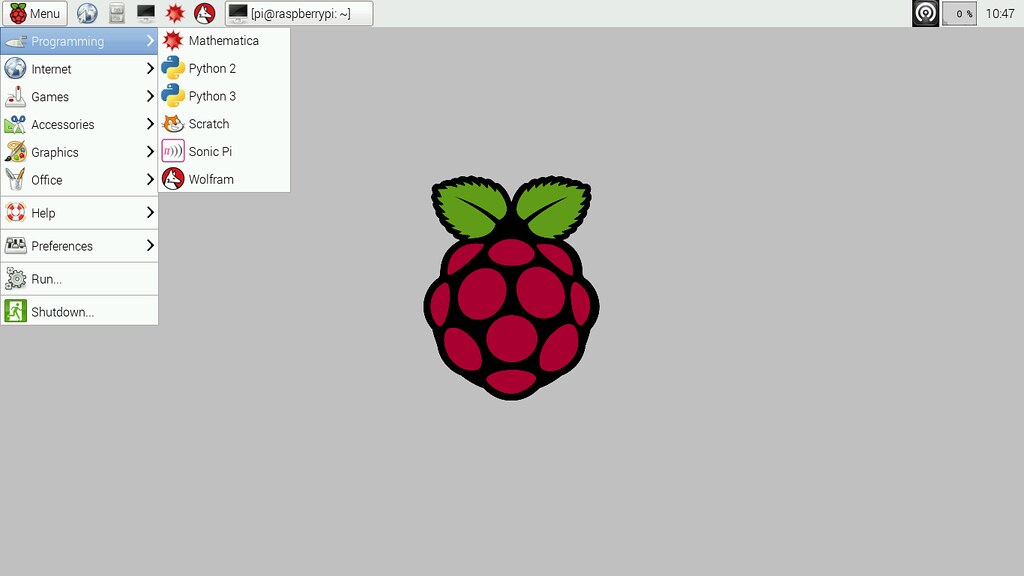
Raspbian has been the standard Raspberry Pi operating system, more commonly referred to as a “distro”,  since the Pi arrived in 2012 and we have seen it grow over time into the capable distro that we use today. Raspbian is a fork of the massively popular Debian distribution and it is jointly maintained by the Raspberry Pi Foundation and the community.


Being based on Debian, Raspbian comes with the APT (Advanced Packaging Tool) as it’s package manager, which is used to install software from the vast Raspbian repositories, but Raspbian also comes with raspi-config, a menu based tool that simplifies the act of managing Raspberry Pi configurations such as setting up an SSH, overclocking and enabling the official Raspberry Pi camera.


Since December 2014 the Raspbian desktop has received a notable improvement to it’s user interface thanks to the hard work of Simon Long. Moving away from the cluttered LXDE menu system we now have a simplified and refined interface that groups applications and configuration tools into clearer categories. As Raspbian is the default distro for Raspberry Pi it is also the distro that sees the most improvement and innovations examples of this are the RPi.GPIO library that enables Python to talk to the GPIO (General Purpose Input Output) pins, Minecraft the popular survival / sandbox game that has seen a massive investment of time from the community to enable a Python API for programming the game world. Lastly we have Sonic Pi the Ruby powered music creation application that has risen in popularity thanks to the efforts of Sam Aaron.


With the release of the Raspberry Pi 2 we have seen Raspbian receive the speed boost that it always needed, by no means was it a slouch on the original Raspberry Pi, but the addition of more RAM and better CPU has enabled it to become a usable desktop distro that can easily be used as a main machine.


Raspbian has improved since it was first released in 2012 and with each new release we see more refinements added to it, no wonder the majority of projects around the world are based upon this distro. It is a rock solid development base that runs well on the original Raspberry Pi but screams ahead on the new Raspberry Pi 2 specification.


If you are taking your first steps with the Raspberry Pi or need a solid and dependable basis for a project, Raspbian has to be your first choice. No other Raspberry Pi distro can compete with it’s stability, range of projects nor it’s supportive community. Hence why Raspbian is the official distro for the Raspberry Pi and is supported by a series of projects available via the Raspberry Pi Foundation’s learning resources.


Ubuntu MATE

Ubuntu finally makes it’s onto the Raspberry Pi but will it claim the top spot?

Download Link


17539054866_8f0108f47a_h_d.jpg


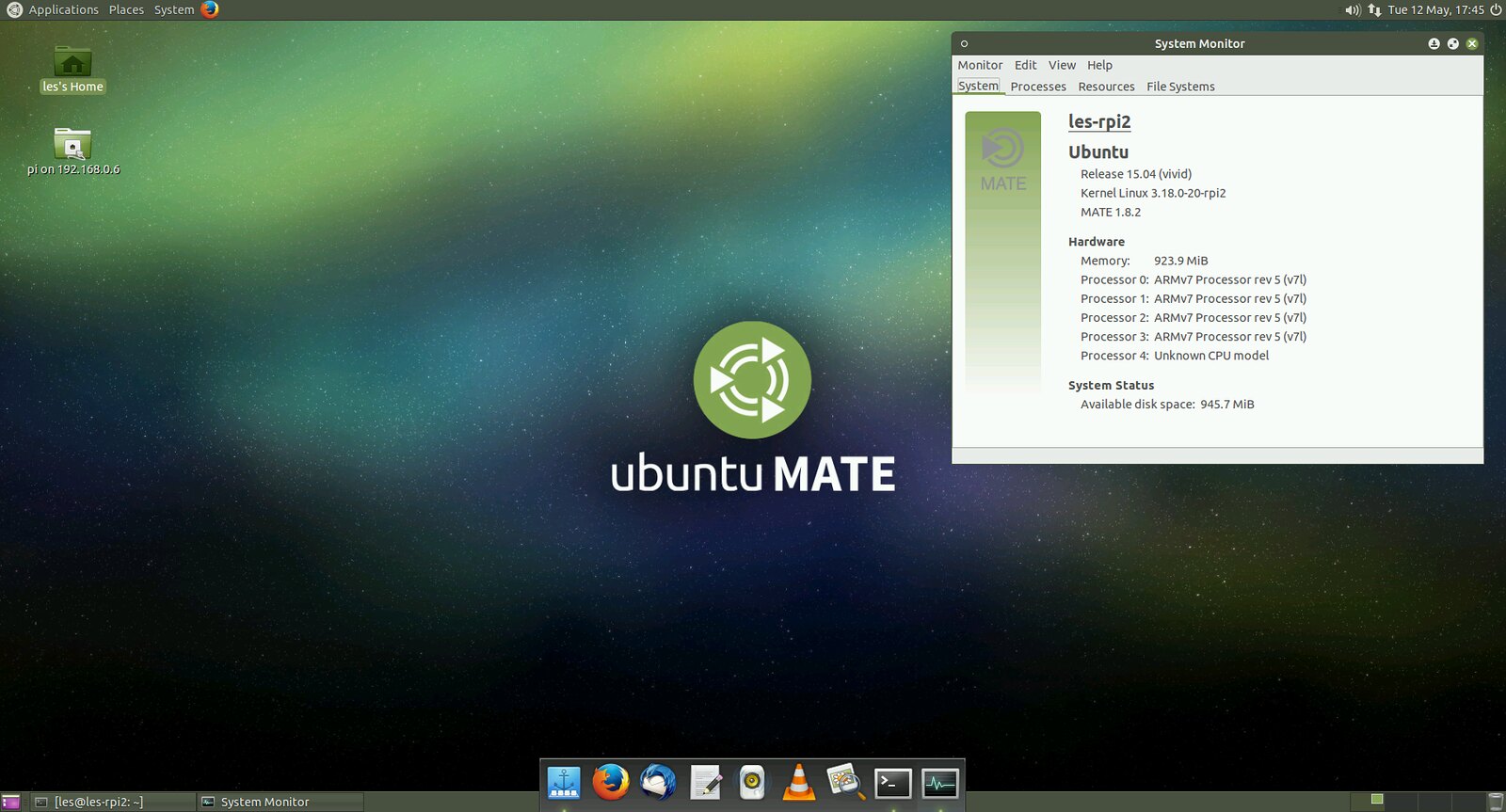
In the early days of the Raspberry Pi many questioned the choice of Raspbian over Ubuntu. At that time Canonical had stopped supporting the ARM11 CPU that powered the Raspberry Pi and this spelt the end of any possible Ubuntu releases. We now fast forward to the Raspberry Pi 2 release and it’s ARM7 CPU which is now compatible with Ubuntu to try out Ubuntu MATE. Ubuntu MATE can be downloaded via the Raspberry Pi Foundation downloads page and copied to your SD card using dd or another image writing tool. On first boot you will be asked to configure the system and create a user account. Once complete and quick reboot will present a graphical login screen and once logged in you will see the desktop, but not the Unity desktop, rather you will see the MATE desktop, which is a lightweight desktop based upon the GNOME 2 desktop environment . Unity is the default desktop for Ubuntu but it is too heavy even for the new Raspberry Pi 2 specification. MATE is a rather light and full featured desktop.


Ubuntu comes with a few applications installed, such as LibreOffice, but you will need to install a few more applications to make the most of it, you can do this using the Software Center or by dropping into a terminal and running apt-get. Ubuntu MATE feels very slick and using a class 6 or 10 SD card will help speed up the operating system.


At the time of writing this version of Ubuntu does not have access to the Raspbian repositories, meaning that RPi.GPIO, the library needed to use the GPIO pins, is not available for use. But as Ubuntu for Raspberry Pi 2 is still in heavy development by the community it is just a matter of time before it is successfully ported across along with other favourites such as raspi-config.


The version of Ubuntu used in this review was based upon Ubuntu 15.04 which has just been released. At the time of writing there is another version of Ubuntu for Pi 2 based on the 14.04 image. This version does not come with a desktop so will require installation of LXDE, KDE or another lightweight window manager.


Using Ubuntu is a joy, it is swift and smooth enough to be used as a desktop computer. The current lack of “Raspbian” features is not a major issue due to the community interest of integrating them into Ubuntu. A good distro for general use but not one for the makers amongst us, yet.


Fedora

Fedora is one of the big names in the Linux world, but is it ready for the Raspberry Pi?

Download Link

16305641194_688d81c2f0_b_d.jpg


Back before the Raspberry Pi was released to an eager public, there were a number of videos and blog posts that showcased the Pi running Fedora. It turned out that at the time Fedora was too much for the original specification, but with the recent release of the Raspberry Pi 2 the rules have changed.


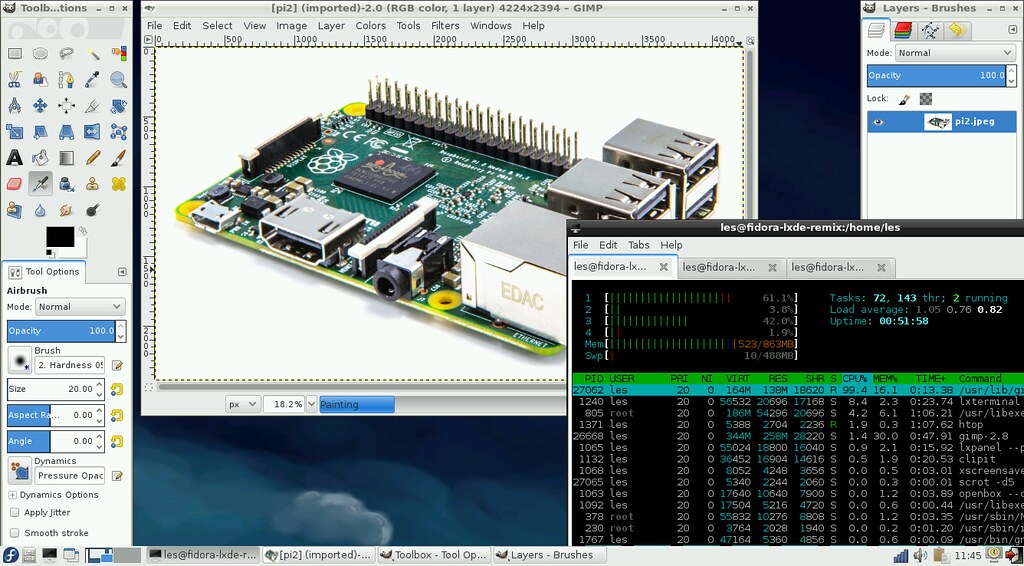
We’re looking at the Fedora 21 remix and chose to run the LXDE window manager. Installation was relatively painless requiring us to copy the raw image to a blank 8GB micro SD card, the image is created for 8GB and above cards only. Upon first boot we were presented with a config screen which enabled us to setup the root password and create a user account for general use. Once created we are asked to login to the desktop via a pleasant login screen. Once logged in we see a typical LXDE desktop environment,  an uncluttered and functional desktop with the main menu in the bottom left of the screen. Fedora comes with a few applications installed, such as Abiword for word processing, Gnumeric for spreadsheets and the file manager PCmanFM.


To test Fedora we installed a few essential applications via the terminal and the yum package manager. Firstly we installed Libreoffice, weighing in at 275MB it installed quickly and when we launched the Writer application it opened in less than 15 seconds and was very usable with no lag experienced. The same was true for installing Firefox which provided a better browsing experience thanks to it’s ARM7 optimisations.


The only application we tested that felt sluggish was GIMP, but it is quite a beast of an application that gobbles up RAM and CPU cycles. Multitasking was possible and we had Firefox, GIMP and Libreoffice open with the terminal program “scrot” capturing images in the background. We’re pleased to say that Fedora also has the RPi.GPIO Python library in it’s repositories which means that you can easily build GPIO powered projects using this distro, but the library is only for Python 2.7 with no Python 3 version in the repositories.


Fedora handled our hardware quite well, we used the official Raspberry Pi Wifi dongle to connect to the Internet and it required no extra configuration steps, unlike Ubuntu which required a hack of the wpa_supplicants.conf file.


Fedora is a slick and very usable distro and we enjoyed the experience of moving away from a Debian derivative distro. Fedora is competent and provides a good user experience and could quite easily be used as desktop distro for general purpose work. The Python GPIO library is a nice addition but it really needs to be updated for Python 3 inline with the Foundation’s learning resources.

  • raspberry_pi_space
  • Share
  • History
  • More
  • Cancel
  • Sign in to reply

Top Comments

  • e14 Contributor
    e14 Contributor over 10 years ago in reply to Eyedoll +5
    I have seen the birth and growth of M$. That's how long I have been playing with computers. Starting around 1979 when Bill Gates ported CP/M-86 to IBM's new PC creation which was the start of Microsoft…
  • Eyedoll
    Eyedoll over 10 years ago in reply to Robert Peter Oakes +4
    You're right about the cost difference between MS products and Linux. The cost of something is important for someone who is experimenting and also for someone who is implementing in large scale. So yes…
  • clem57
    clem57 over 10 years ago in reply to Robert Peter Oakes +3
    I just got it!
  • clem57
    clem57 over 10 years ago in reply to Robert Peter Oakes

    I just got it! image


    image

    • Cancel
    • Vote Up +3 Vote Down
    • Sign in to reply
    • More
    • Cancel
  • Robert Peter Oakes
    Robert Peter Oakes over 10 years ago in reply to clem57

    I guess im going to get it now image....

    • Cancel
    • Vote Up 0 Vote Down
    • Sign in to reply
    • More
    • Cancel
  • Robert Peter Oakes
    Robert Peter Oakes over 10 years ago in reply to Eyedoll

    One of the bigest reasons people legitimatly stay away from windows is because it is not free, flavours of Linux are mostly free for most platforms and so is selected


    Linux has a much smaller foo print and resource requirement if that is important to your solution as well so may also influence the choice


    There are many products you may have that use windows of some sort in the background and you may not even know it, the same can be said for Linux / Unix vaiants


    I do not understand why prople are so "Religious and Extreme" about windows, it is perfectly capapable and if it truely was that bad it would not be the most popular desktop on the planet right now, Unix was there first along with others but yet it still took hold, it was the customers that made that choice


    Before making such extreme statement you need to evaluate products and understand them, I use Windows, Linux, OSx (Another flavour of Linux), Android (Another flavour of Unix/Linux) and other OSs or embedded programs and select them as appropriate to the job at hand


    I would be very interested to hear why you feel this way about windows and MS. (Keeping emotion out of the response and sticking to perceved facts)


    Peter

    • Cancel
    • Vote Up +1 Vote Down
    • Sign in to reply
    • More
    • Cancel
  • Eyedoll
    Eyedoll over 10 years ago in reply to Robert Peter Oakes

    I guess that's an option if you already use Winblows and other Microsuck products.  I'm doing all I can to stay away from everything related to Microsuck.

    • Cancel
    • Vote Up 0 Vote Down
    • Sign in to reply
    • More
    • Cancel
  • clem57
    clem57 over 10 years ago

    Depends on usage, bur Ubuntu is great.

    C

    • Cancel
    • Vote Up +2 Vote Down
    • Sign in to reply
    • More
    • Cancel
  • e14 Contributor
    e14 Contributor over 10 years ago in reply to Robert Peter Oakes

    References:

    https://ms-iot.github.io/content/en-US/win10/SetupRPI.htm

    http://ms-iot.github.io/content/en-US/Downloads.htm

    http://ms-iot.github.io/content/en-US/win10/StartCoding.htm


    Unfortunately, Windows on RPi requires the availability of a separate Windows 10 desktop which has Visual Studio 2015 installed just to create the installation RPi boot image.  I was curious to try Windows 10 IoT on RPi and the Windows device portal but not enough to disrupt my desktop and server work in progress (Linux and Mac based).  I am accustomed to RPi Linux distros that are vendor neutral concerning installation; the RPi image sites provide separate instructions to Mac, Windows, and Linux desktop users for making an installable RPi boot image (desktop, IoT, etc.).


    I suppose that I could try it out with a Windows 10 desktop installed into a VirtualBox VM if I wanted to shell out the USD 85.00 for a Windows 10 home edition license.  Note that Visual Studio 2015 is free for the developer/express edition.  Hopefully, that edition works adequately for RPi and other IoT devices.


    I've developed for Windows before using a few ancestors of Visual Studio 2015.  I am confident that the Microsoft development community will make the cross-development process more seamless in the future than it is today.  On the other hand, there are a large variety of donation-ware or free IoT and other GUI-type tools available for Linux distributions with excellent support communities so I do not feel compelled to move away.  Maybe I am missing something?  (-:


    Robert Peter Oakes - Please let us know what projects you are completing and any lessons you have learned about the Microsoft IoT process.

    • Cancel
    • Vote Up +2 Vote Down
    • Sign in to reply
    • More
    • Cancel
  • Robert Peter Oakes
    Robert Peter Oakes over 10 years ago

    While Raspian may be the most popular for a desktop replacement, I tend to favour Windows 10 IoT for the appliance OS


    Peter

    • Cancel
    • Vote Up 0 Vote Down
    • Sign in to reply
    • More
    • Cancel
  • ianken51
    ianken51 over 10 years ago

    Pi-TopOS which comes with the Pi-Top laptop computer; which itself uses a Raspberry Pi 2 as the processing unit. I understand Pi-Top has modified Raspbian to optimise it for the battery, keyboard and 13.3 inch screen. There is a Dashboard front end for logging in to the main Pi-TopOS which is said to be fully compatible with Raspbian.


    I'm still testing as mine arrived shortly before Christmas. So far it seems to be true as regards compatibility. I have installed Pi-TopOS onto a 64GB micro SD card and it seems a little slower that Raspbian. It definitely takes longer to boot through the Dashboard. Also Pi-TopOS uses Chromium as the web browser and while very good at rendering web sites it seems quite slow.


    I intend to set up both Raspbian and Pi-TopOS on 16GB micro SD cards and run a few tests to see if Pi-TopOS is really slower or that is just my imagination. My normal desktop PC is an H-P Pavilion Core i7 so I have to adjust myself to the Raspberry Pi before further testing.

    • Cancel
    • Vote Up 0 Vote Down
    • Sign in to reply
    • More
    • Cancel
  • Robert Peter Oakes
    Robert Peter Oakes over 11 years ago

    You dont say the purpose of the OS, and this matters

    A Desktop (My assumption is this is you poll intended use), or an embedded system in which case peoples answer may change

    • Cancel
    • Vote Up 0 Vote Down
    • Sign in to reply
    • More
    • Cancel
  • e14 Contributor
    e14 Contributor over 11 years ago in reply to e14 Contributor

    All of the Linux and Unix distros will do what you have stated equally well.  But, I think that your question was ambiguous.


    Just copy individual directories and/or files?  This only needs the `cp` program once the source and target partitions are mounted somewhere (E.g. /media/...).


    Or, did you mean copying whole disk images with `dd`?  If yes, be very careful with `dd`; its not very forgiving.  Make sure that the if= parameter points to the source device and the of= points to the target device.  Insert the source pen drive and note its device name (E.g. use `lsblk`).  Ditto with the target pen drive. 


    So, if you are copying the image of /dev/sdx to /dev/sdy (replaces the former contents of /dev/sdy i.e. all partitions), then unmount (`umount`) any partitions on those two devices and execute dd.


    For example, if partion 3 on /dev/sdy is still mounted, the following command will unmount it:


         sudo umount /dev/sdy3


    Once all partitions are unmounted, execute the following:


         sudo dd if=/dev/sdx of=/dev/sdy bs=4M

    • Cancel
    • Vote Up 0 Vote Down
    • Sign in to reply
    • More
    • Cancel
<>
element14 Community

element14 is the first online community specifically for engineers. Connect with your peers and get expert answers to your questions.

  • Members
  • Learn
  • Technologies
  • Challenges & Projects
  • Products
  • Store
  • About Us
  • Feedback & Support
  • FAQs
  • Terms of Use
  • Privacy Policy
  • Legal and Copyright Notices
  • Sitemap
  • Cookies

An Avnet Company © 2026 Premier Farnell Limited. All Rights Reserved.

Premier Farnell Ltd, registered in England and Wales (no 00876412), registered office: Farnell House, Forge Lane, Leeds LS12 2NE.

Follow element14

  • X
  • Facebook
  • linkedin
  • YouTube