element14 Community
element14 Community
    Register Log In
  • Site
  • Search
  • Log In Register
  • Community Hub
    Community Hub
    • What's New on element14
    • Feedback and Support
    • Benefits of Membership
    • Personal Blogs
    • Members Area
    • Achievement Levels
  • Learn
    Learn
    • Ask an Expert
    • eBooks
    • element14 presents
    • Learning Center
    • Tech Spotlight
    • STEM Academy
    • Webinars, Training and Events
    • Learning Groups
  • Technologies
    Technologies
    • 3D Printing
    • FPGA
    • Industrial Automation
    • Internet of Things
    • Power & Energy
    • Sensors
    • Technology Groups
  • Challenges & Projects
    Challenges & Projects
    • Design Challenges
    • element14 presents Projects
    • Project14
    • Arduino Projects
    • Raspberry Pi Projects
    • Project Groups
  • Products & Partners
    Products & Partners
    • Arduino
    • Avnet & Tria Boards Community
    • Dev Tools
    • Manufacturers
    • Multicomp Pro
    • Product Groups
    • Raspberry Pi
    • RoadTests & Reviews
  • About Us
    About the element14 Community
  • Store
    Store
    • Visit Your Store
    • Choose another store...
      • Europe
      •  Austria (German)
      •  Belgium (Dutch, French)
      •  Bulgaria (Bulgarian)
      •  Czech Republic (Czech)
      •  Denmark (Danish)
      •  Estonia (Estonian)
      •  Finland (Finnish)
      •  France (French)
      •  Germany (German)
      •  Hungary (Hungarian)
      •  Ireland
      •  Israel
      •  Italy (Italian)
      •  Latvia (Latvian)
      •  
      •  Lithuania (Lithuanian)
      •  Netherlands (Dutch)
      •  Norway (Norwegian)
      •  Poland (Polish)
      •  Portugal (Portuguese)
      •  Romania (Romanian)
      •  Russia (Russian)
      •  Slovakia (Slovak)
      •  Slovenia (Slovenian)
      •  Spain (Spanish)
      •  Sweden (Swedish)
      •  Switzerland(German, French)
      •  Turkey (Turkish)
      •  United Kingdom
      • Asia Pacific
      •  Australia
      •  China
      •  Hong Kong
      •  India
      •  Japan
      •  Korea (Korean)
      •  Malaysia
      •  New Zealand
      •  Philippines
      •  Singapore
      •  Taiwan
      •  Thailand (Thai)
      •  Vietnam
      • Americas
      •  Brazil (Portuguese)
      •  Canada
      •  Mexico (Spanish)
      •  United States
      Can't find the country/region you're looking for? Visit our export site or find a local distributor.
  • Translate
  • Profile
  • Settings
RoadTests & Reviews
  • Products & Partners
  • More
RoadTests & Reviews
Review Blogs UNIHIKER M10 Kit description and general information
  • Blogs
  • Forum
  • Documents
  • RoadTests
  • Reviews
  • Polls
  • Files
  • Members
  • Sub-Groups
  • More
  • Cancel
  • New
Join RoadTests & Reviews to participate - click to join for free!
  • Share
  • More
  • Cancel
  • Author Author: mihaita802003
  • Date Created: 15 Nov 2026 9:12 PM Date Created
  • Views 57 views
  • Likes 4 likes
  • Comments 1 comment
Related
Recommended
  • UNIHIKER M10

UNIHIKER M10 Kit description and general information

mihaita802003
mihaita802003
15 Nov 2026

Hello all,

This is the second post that will contain the kit description and main information about the Unihiker M10.

The kit: the Unihiker M10 kit comes in a very well-made protective plastic box, featuring an interesting locking system:
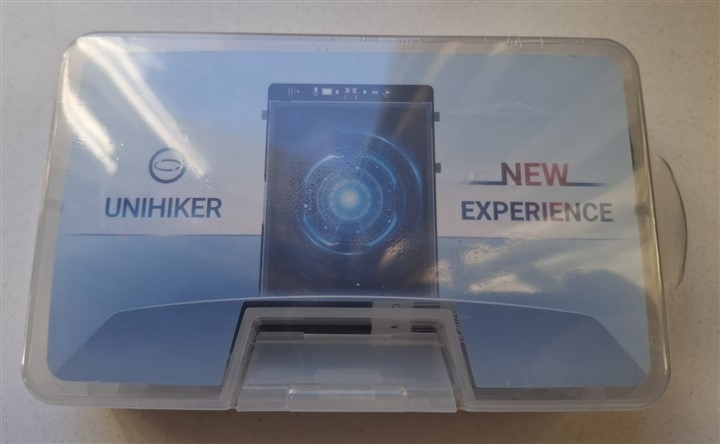
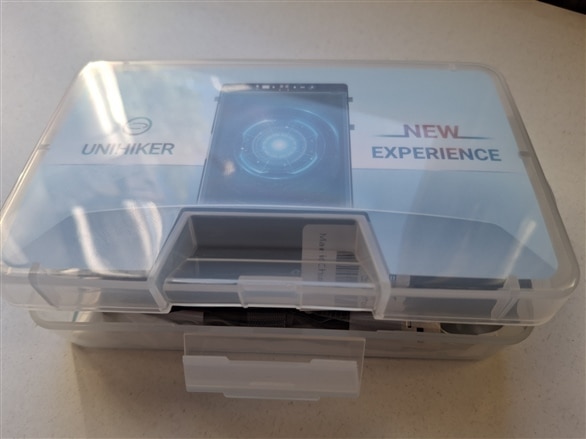
image   image

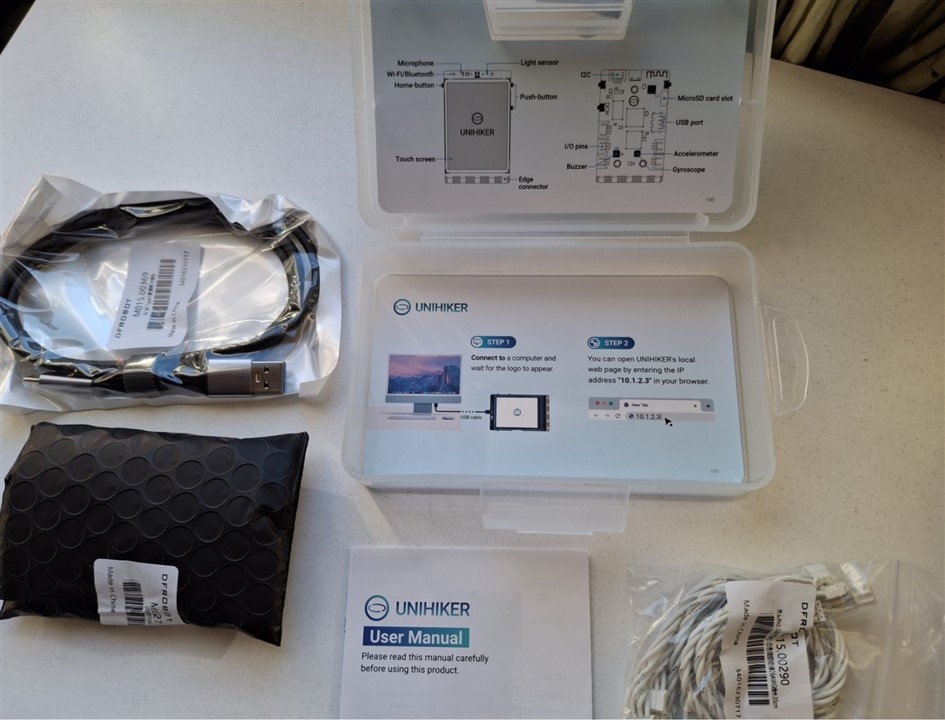
The content of the kit:

- high quality USB-C cable x1;

- double sided PH2.0-3P white 20cm silicone wire x4;

- double sided PH2.0-4P white 20cm silicone wire x2;

- user manual;

- UNIHIKER M10 Single Board Conputer x1;

- Cards with brief instructions and presentations on the lid and the bottom of the box x2;
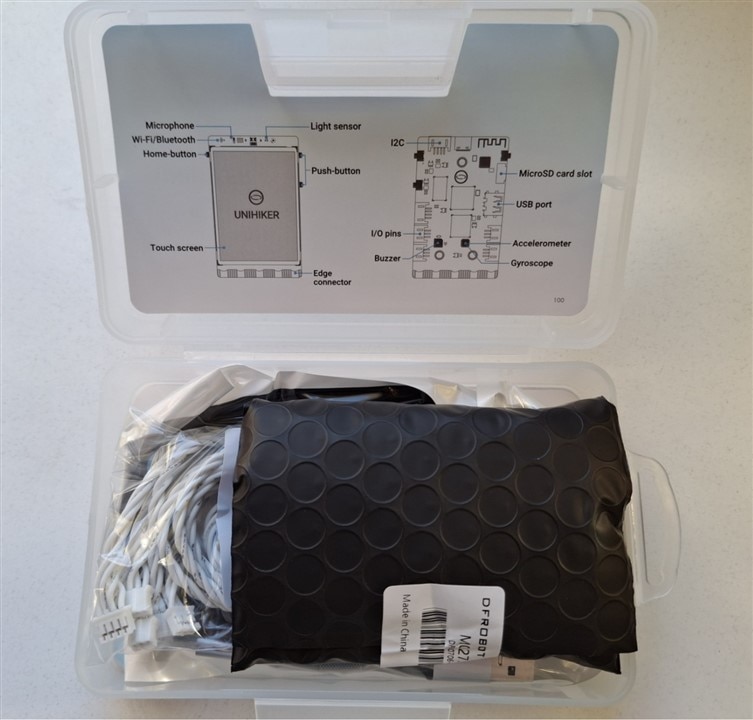
image   image

Obs: the Unihiker M10 SBC is very well packaged and protected against impacts, as well as against electrostatic shocks, using a special black-colored bag.

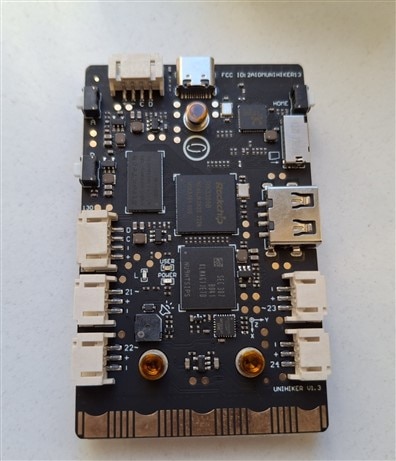
The UNIHIKER M10 Single Board Computer brings you brand new programming experience and usage in credit-card shape; thanks to edge connector in Micro:bit style, a lot of accessoryes can be connected to the board.

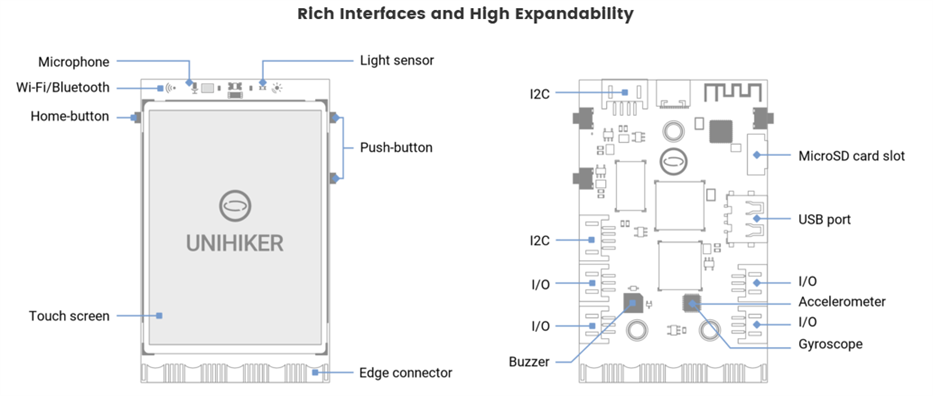
It features a 2.8-inch 240x320 touchscreen, Wi-Fi and Bluetooth 4.0 (based ob RTL8723DS) and it is equipped with:

- buttons,

- light sensor;

- accelerometer sensor;

- gyroscope sensor;

- microphone,

- MicroSD card slot;

- LEDs;

- Buzzer.

Specification: 

- CPU: RK3308 Quad-Core ARM Cortex-A35 64-bit, up to 1,2GHz;

- RAM: 512 MB;

- Flash: 16GB;

- OS: Debian 10;

- MCU: GD32VF103;

- Port: USB-Type-C, USB-A, Gravity 3 & 4 pin ports, Micro:bit Edge connector style;

- Power: 5V 2A from USB Type-C

- Size: 51.6mm x 83mm x 13mm
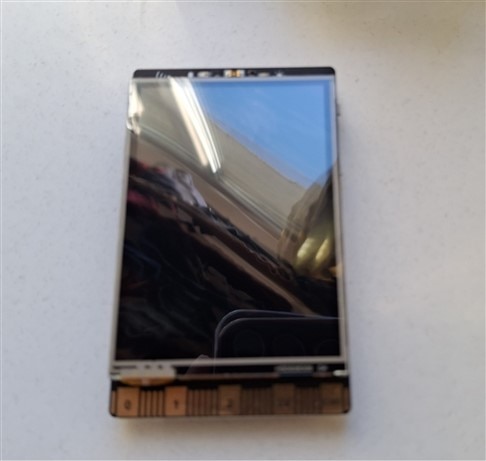
image   image   image

Unihiker M10 come with Debian OS installed and ready to be used. This SBC can be programmed in Python, using the following choises:

- Jupyter Notebook (built-in) --> Python; this option allows developers to program the SBC from a browser, using a smartphone or a tablet.

- Mind+ --> Python & Graphical Python; this option is designed for teenagers that support AI and IoT functions; no code is needed;

- VSCode --> Python; an elegant, free and open-source code editor developed by Microsoft that support Python and other programming languages;

- Python IDLE --> Python; official IDE for python;

- Thonny - Python; an IDE specifically developed for Python beginners with a frendly user interface and robust code editing;

- SSH tools --> Python; used for remote connection to Unihiker M10.

Obs: UNIHIKER can be programmed from a computer or wirelessly, from an iPad, even a phone; It also supports Hotspot.

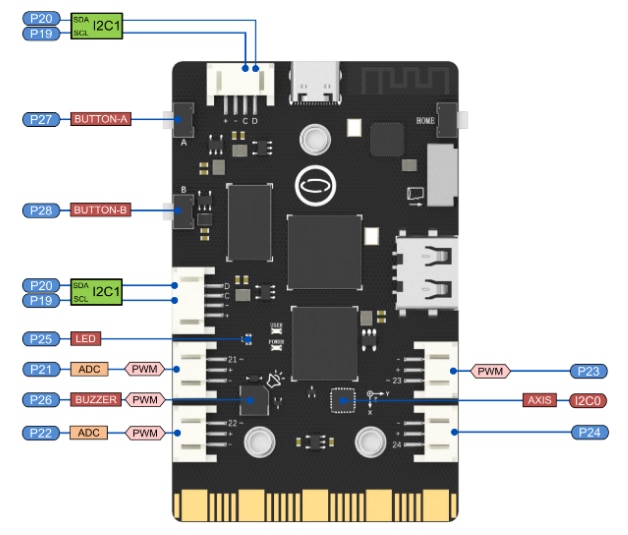
To interact with external world (sensors, actuators, etc), the Unihiker M10 offers:

- two dedicated I2C connectors;

- four connectors with access to several pins from MCU, as: PWM, ACD, I/O pins and power supply;

- one Edge connector Micro:bit style with 19 independent I/O (Support 1 ×I2C, 1×UART, 2×SPI, 6×12-bit ADC, 5×10-bit PWM).
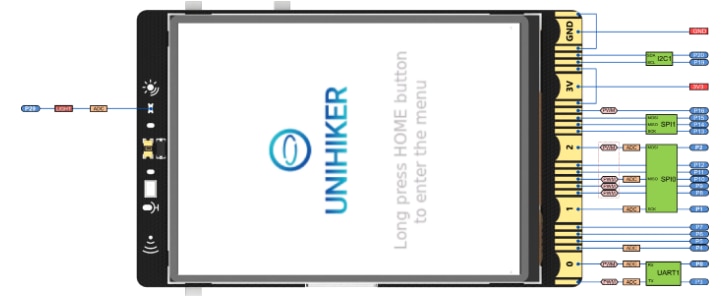
image   image

Video with onboard demo:

You don't have permission to edit metadata of this video.
Edit media
x
image
Upload Preview
image


Obs: information user are from here:

- programming: Getting Started - UNIHIKER Documentation 

- general: UNIHIKER M10 - IoT Python Single Board Computer with Touchscreen - DFRobot

- board overview: 5.Board Overview - UNIHIKER Documentation


I will continue in next post with connection the kit to PC and/or tablet and smartphone.

See you next.

  • Sign in to reply
  • DaNobody
    DaNobody 3 days ago

    I hope it can work with Home Assistant

    • Cancel
    • Vote Up 0 Vote Down
    • Sign in to reply
    • More
    • Cancel
element14 Community

element14 is the first online community specifically for engineers. Connect with your peers and get expert answers to your questions.

  • Members
  • Learn
  • Technologies
  • Challenges & Projects
  • Products
  • Store
  • About Us
  • Feedback & Support
  • FAQs
  • Terms of Use
  • Privacy Policy
  • Legal and Copyright Notices
  • Sitemap
  • Cookies

An Avnet Company © 2026 Premier Farnell Limited. All Rights Reserved.

Premier Farnell Ltd, registered in England and Wales (no 00876412), registered office: Farnell House, Forge Lane, Leeds LS12 2NE.

Follow element14

  • X
  • Facebook
  • linkedin
  • YouTube