


While I was waiting to receive my USB-C Hub, I watched the Official Arduino Days 2026: Day 1 video on YouTube. At the 1 hour and 33 minute mark there is a presentation about using Custom AI Models in AppLab. Christopher Mendez is the author of the tutorial on using custom AI models in AppLab. Since I plan to do that with the Uno Q, I found that video segment interesting and informative.

What really caught my attention was that he used a small OTG adapter with his webcam and the Uno Q. The Uno Q only has a single USB-C port that is used for power and data and that port is usually in "device" mode where it is seen as a peripheral to the PC. I normally don't use the Uno Q in SBC mode, but in headless mode over the network. Therefore I don't often need a large multi-port hub, but my projects frequently have a requirement for external storage and occasionally for a webcam and I think that it would be useful to have a small one or two port hub on that single USB-C port.
So, it caught my eye when he held up a small OTG adapter with a single USB3.2 peripheral port and USB-C PD passthrough..
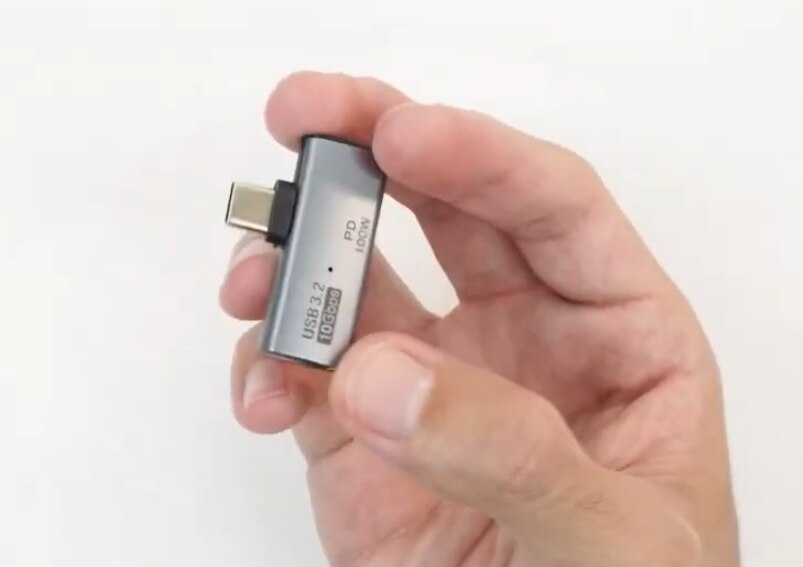
A quick search found a bunch of them on Amazon with differing prices from $7-$20 dollars from multiple vendors. They all look identical even down to the case markings and descriptions. There is actually no manufacturer name or model number on the case. Made me suspect that this was just the same product from different vendors.
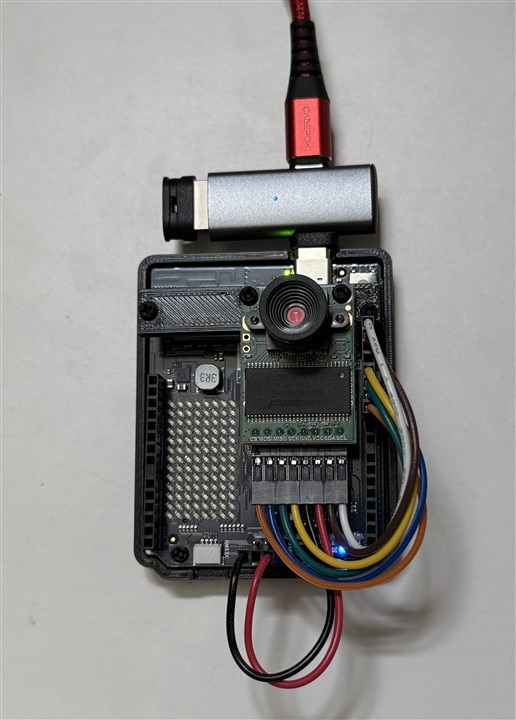
I chose one with a midrange ($13) price - QIANRENON USB C 1 in 2 Charging OTG Adapter USB C Male to USB C Female & USB3.2 Female 90° Angle Connector, Same time USB C PD100W Charging+USB3.2 10Gpbs Transfer/OTG. I connected my USB-C power supply and webcam and the setup booted normally.

The adapter is a nice compact fit the Uno Q. I tried to run the Detect Objects on Camera app which uses a webcam, but the Python code hung because it could not find a camera. I tried lsusb and it did not detect the webcam and I could not find a /dev/video listing using v4l2-ctl --list-devices. So, it appears that the OTG negotiation to switch the port from device to host mode did not work. Could be the way the CC (Configuration Channel) pins are setup in the USB-C connector interface between the adapter and Uno Q.
I saw a discussion in the Arduino Forum that a different adapter had been used successfully with the Uno Q - the AreMe 2-in-1 USB C to USB 3.2 Adapter with 100W Charging Port, Thunderbolt 4/3 OTG Converter. This was also available on Amazon for $7. Of course with Murphy's Law, a next day Prime delivery took over a week to arrive. Actually, I had to cancel it and reorder it after a week. I have found that once Amazon messes up a delivery that it goes into a black hole where they don't/can't provide any further delivery information.
When the new adapter arrived, I ran some quick tests. My Logitech C525 webcam was found as expected and the Uno Q was in "host" mode.

Back to trying the Detect Objects on Camera app to try out the webcam.
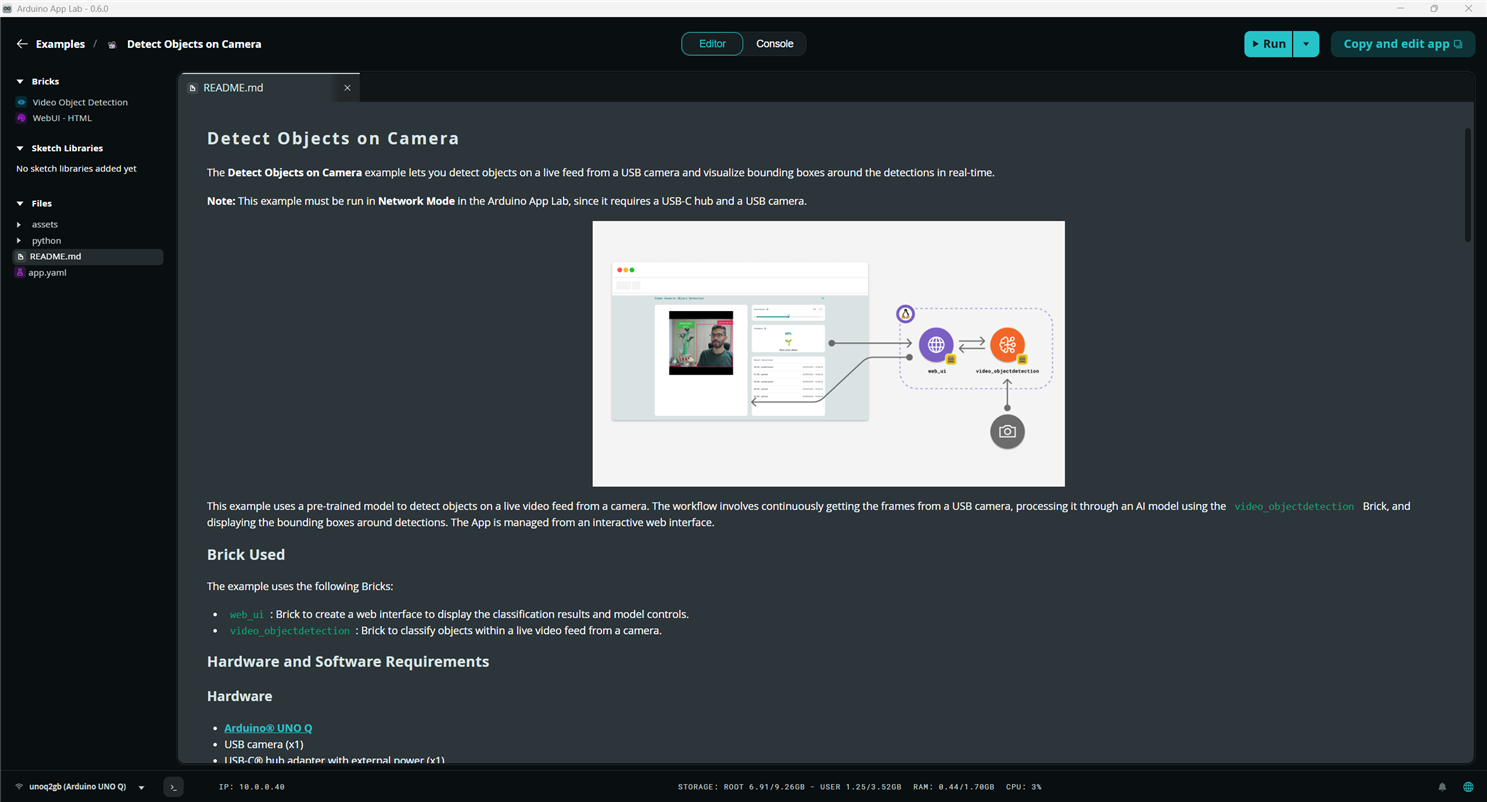
The browser window at unoq_ipaddr:7000 showing the camera stream with bounding boxes and detection results.
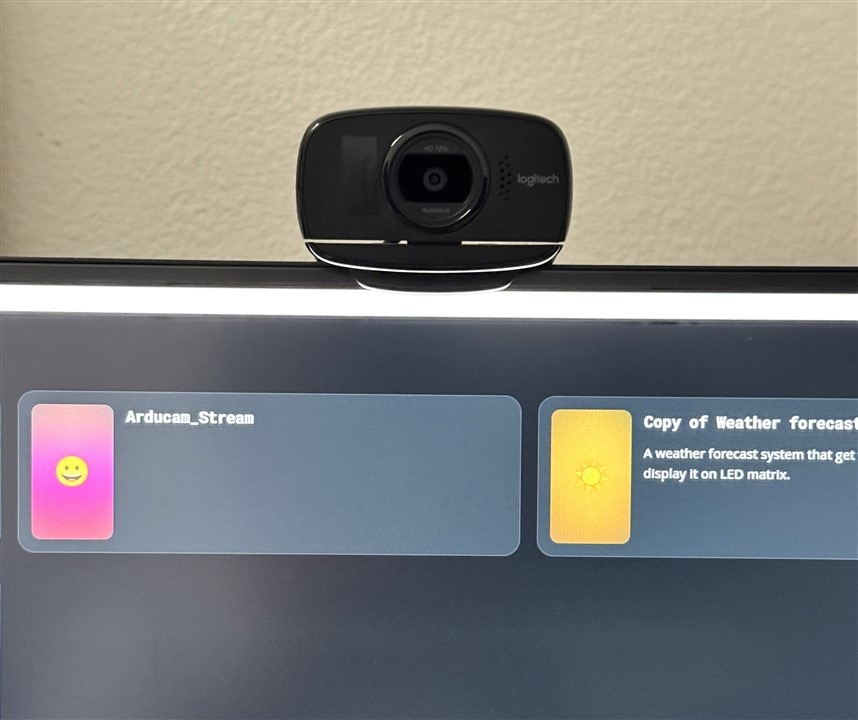
And a short clip when I was taking a pic of the webcam with my phone.
The Logitech C525 is a USB2, 1280x720, 30FPS webcam. It is an older camera, but I like it because it is compact and has sufficient for most of what I'll be doing. I also plan to try a SPI camera on the MCU and an IP camera on the MPU for the roadtest.
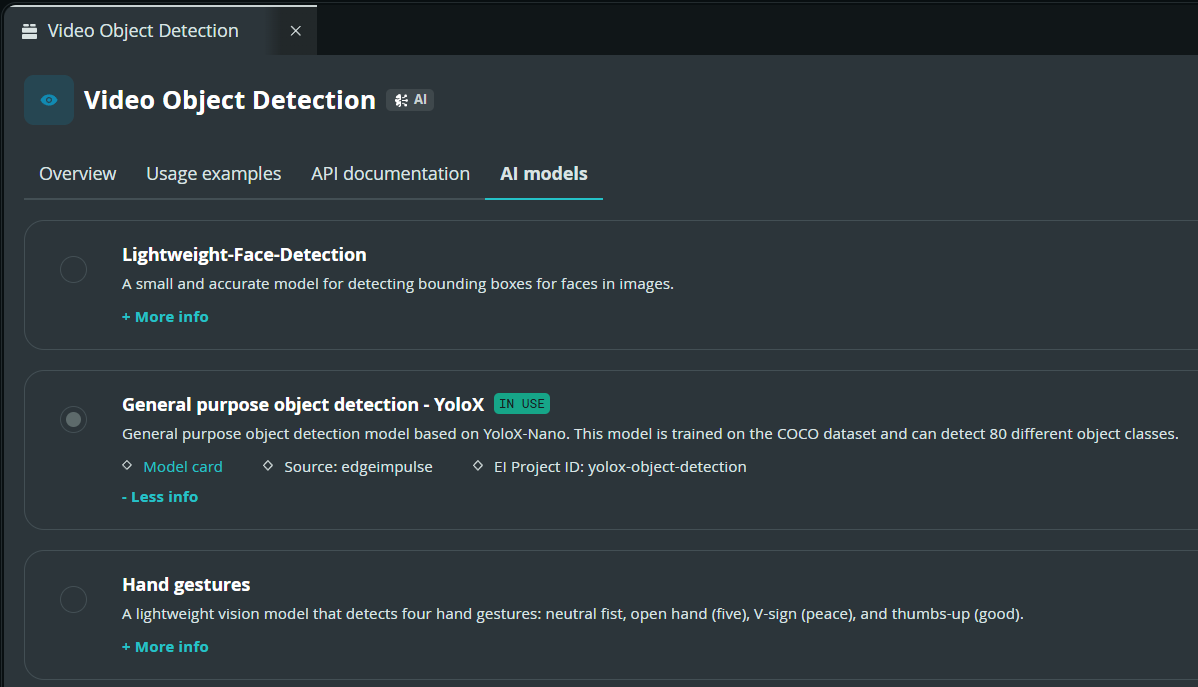
The Detect Objects on Camera app uses a Video Object Detection Brick that is using a YoloX-Nano model that can detect 80 object classes.
The Object Classes:
Object classes
{
  "class": {
    "0": "person",
    "1": "bicycle",
    "2": "car",
    "3": "motorcycle",
    "4": "airplane",
    "5": "bus",
    "6": "train",
    "7": "truck",
    "8": "boat",
    "9": "traffic light",
    "10": "fire hydrant",
    "11": "stop sign",
    "12": "parking meter",
    "13": "bench",
    "14": "bird",
    "15": "cat",
    "16": "dog",
    "17": "horse",
    "18": "sheep",
    "19": "cow",
    "20": "elephant",
    "21": "bear",
    "22": "zebra",
    "23": "giraffe",
    "24": "backpack",
    "25": "umbrella",
    "26": "handbag",
    "27": "tie",
    "28": "suitcase",
    "29": "frisbee",
    "30": "skis",
    "31": "snowboard",
    "32": "sports ball",
    "33": "kite",
    "34": "baseball bat",
    "35": "baseball glove",
    "36": "skateboard",
    "37": "surfboard",
    "38": "tennis racket",
    "39": "bottle",
    "40": "wine glass",
    "41": "cup",
    "42": "fork",
    "43": "knife",
    "44": "spoon",
    "45": "bowl",
    "46": "banana",
    "47": "apple",
    "48": "sandwich",
    "49": "orange",
    "50": "brocolli",
    "51": "carrot",
    "52": "hot dog",
    "53": "pizza",
    "54": "donut",
    "55": "cake",
    "56": "chair",
    "57": "couch",
    "58": "potted plant",
    "59": "bed",
    "60": "dining table",
    "61": "toilet",
    "62": "tv",
    "63": "laptop",
    "64": "mouse",
    "65": "remote",
    "66": "keyboard",
    "67": "cell phone",
    "68": "microwave",
    "69": "oven",
    "70": "toaster",
    "71": "sink",
    "72": "refrigerator",
    "73": "book",
    "74": "clock",
    "75": "vase",
    "76": "scissors",
    "77": "teddy bear",
    "78": "hair drier",
    "79": "toothbrush"
  }
}
I'll have try to detect some of the other classes  .
.
You can also see that Brick can also be used with a couple of other models. If you create your own app with a copy of this Brick, you can then create a custom detection model that you train with custom data. I'll cover this with either another post or within the RT review.
The next thing to try with the adapter is a USB drive for storage. This is a USB2 64GB mini drive. It is formatted as exFAT to get around the FAT32 4GB file size limit and maintain Windows compatibility. I will probably also try the other formats (FAT32, ext4) and USB3 for the roadtest.
The drive could be seen and the Uno Q was in device mode:

But the drive was not seen in the typical system mount points:

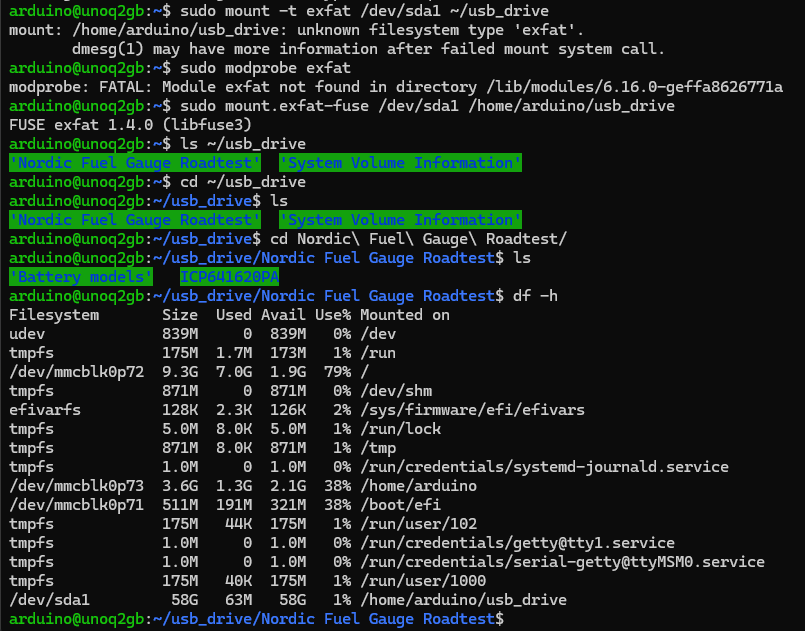
An attempt to manually mount the drive also failed:

It appears that the exFAT module is not in the Linux kernal that the Uno Q is using. dmesg did not have any useful failure information.
I tried installing the exfat packages: exfat-fuse (File in Userspace) and exfatprogs (utilities).

But, the standard mount command uses the kernal so it failed. Tried running the exfat-fuse binary directly sudo mount.exfat-fuse /dev/sda1 /home/arduino/usb_drive and the drive can be seen mounted at ~/usb_drive. I have only one directory on this drive that I had previously used for the Nordic Fuel Gauge Roadtest. So, it does work and you can see the subdirectories on the drive.
Moral of the story is that I should probably use FAT32 or ext4. Or maybe Trixie will add the exFAT format in the future. I'll verify that the other formats work in the RT.
But, at least for now I have a working OTG adapter!


