


It's amazing that almost exactly 2 years ago, I had posted Using an RPi Camera Module 3 with the RPi5 AI Kit. At that time I was waiting for the Hailo-8L capability to be added to Frigate NVR application, so that I could replace the Coral USB accelerator that I was using. The Hailo-8L has 13 TOPS performance versus 4 TOPS for the Coral and also has the advantage of a more direct PCIe connection versus the USB for the Coral.
Here's a quick summary of the specs:
Technical Specifications
• AI Performance: Up to 13 TOPS (INT8)
• Form Factor Options: M.2 Key B+M or Key A+E
• Interface: PCIe Gen-3.0, 2-lanes
• Dimensions:
• Key B+M: 22×42 mm (with breakable extensions to 22×60 mm & 22×80 mm)
• Key A+E: 22×30 mm
• Power Consumption: ~1.5W typical
• Supported Host Architectures: x86 or ARM-based
• Supported Operating Systems: Linux, Windows
• Supported AI Frameworks: TensorFlow, TensorFlow Lite, Keras, PyTorch, and ONNX
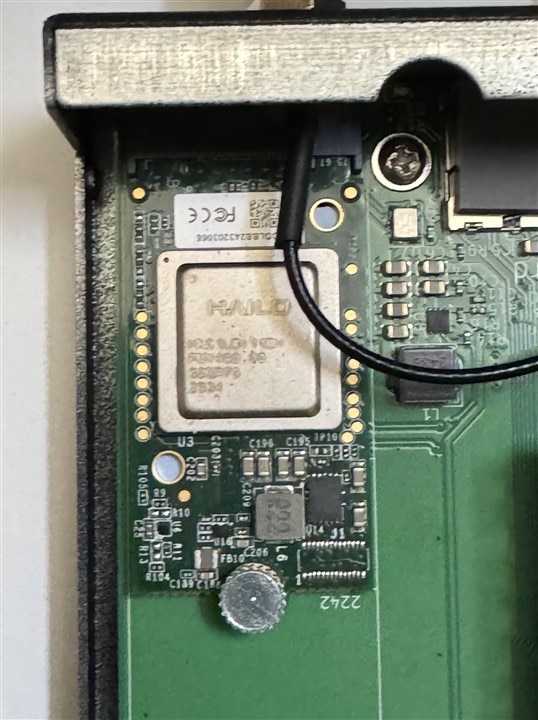
I am going to use the Hailo-8L M.2 module from the AI Kit which is a B+M Key 2242 size. The installation should be straightforward, my main concern is whether I will need to replace the thermal pad that goes between the module and the carrier board. I'm also not going to attach a heatsink to the top of the Hailo-8L itself. If the thermal performance is not good, I'll need to find a 8x8 or 10x10 mm heatsink that I can use. The airflow should be better in the CM 5 IO case than in my RPi 5 case, so I think that won't be necessary.
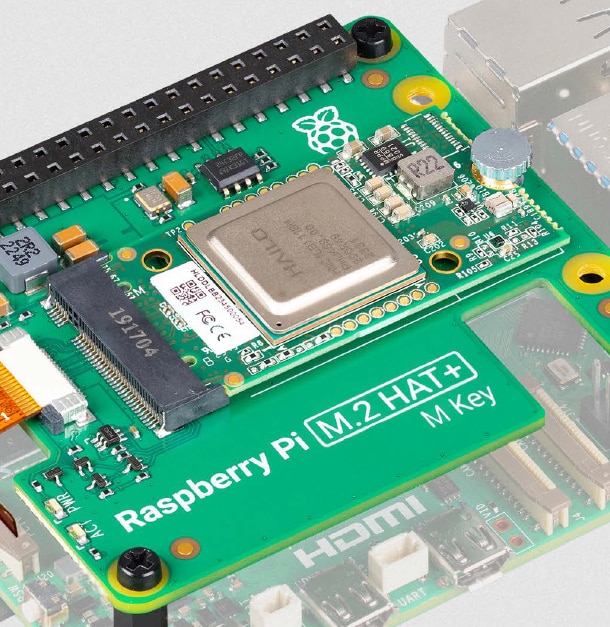
Here is a picture of the Hailo-8L mounted on the M.2 Hat+ from the AI Kit datasheet.
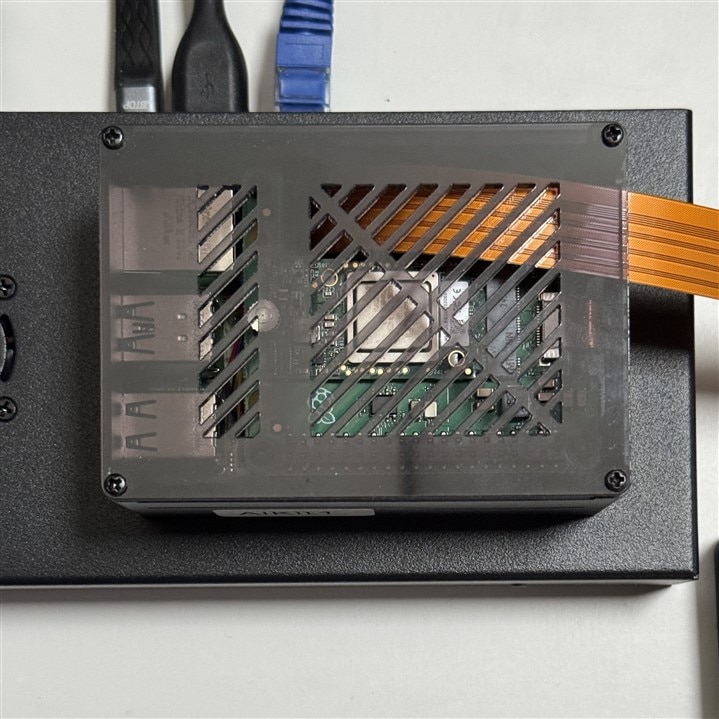
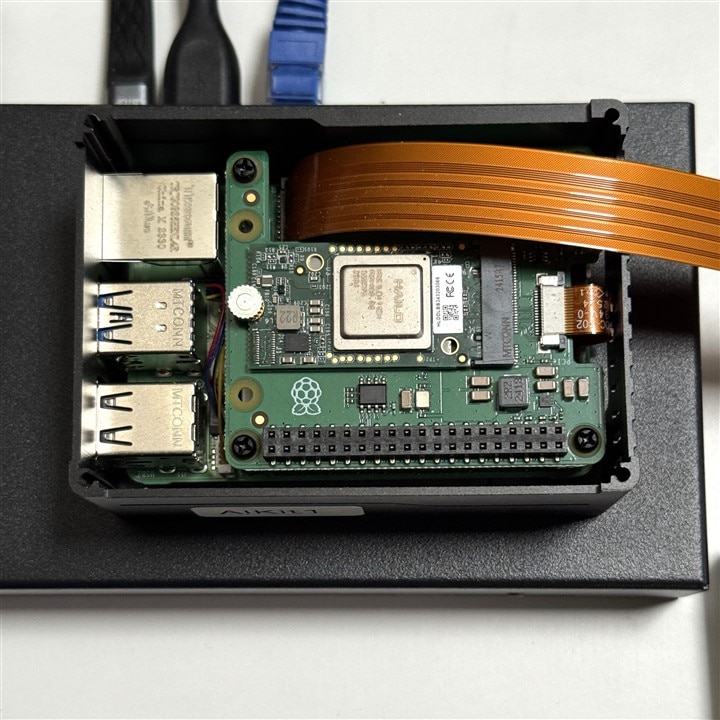
And here are pictures of it mounted in my RPi 5 case with the lid on and removed. The RPi Active Cooler is below the Hat+. The flat ribbon running over the top is for an RPi Camera Module 3. The RPi 5 case is sitting on top of the CM5 IO case getting ready for the transplant.
I should mention that I had considered getting a Hailo-8 module that is rated at 26 TOPs at 2.5W typical. It appears that I have the power and thermal margin for that. However, the RPi 5 and CM5 only support a single PCIe lane to the M.2 slot and I read that will constrain much of the increased performance advantage (Hailo-8 has 4 lanes and the Hailo-8L has 2) as both modules will only have use of that single lane.
Hardware Installation
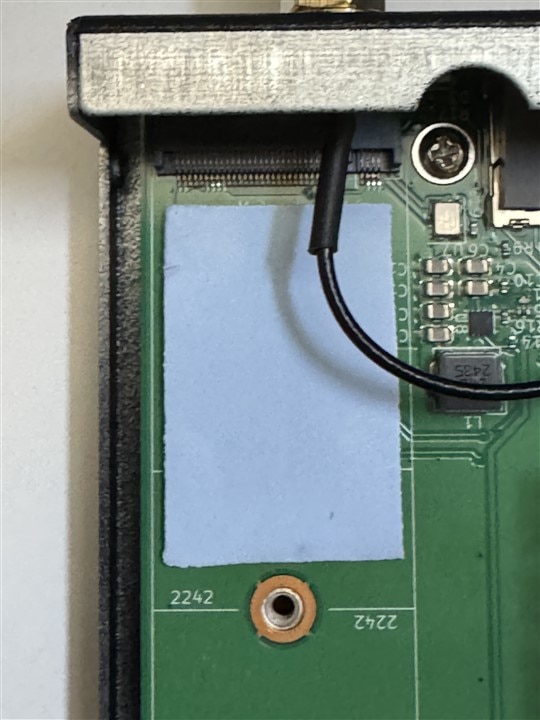
The Hailo-8L installation just required moving the module from the AI Hat+ M.2 slot to the CM5 IO M.2 slot. Here is the photo showing the dimples in the thermal pad on the AI Hat+ after the Hailo-8L was removed. Since the pad stayed with Hat+ PCB, I'll just use another one for the CM5 IO PCB.
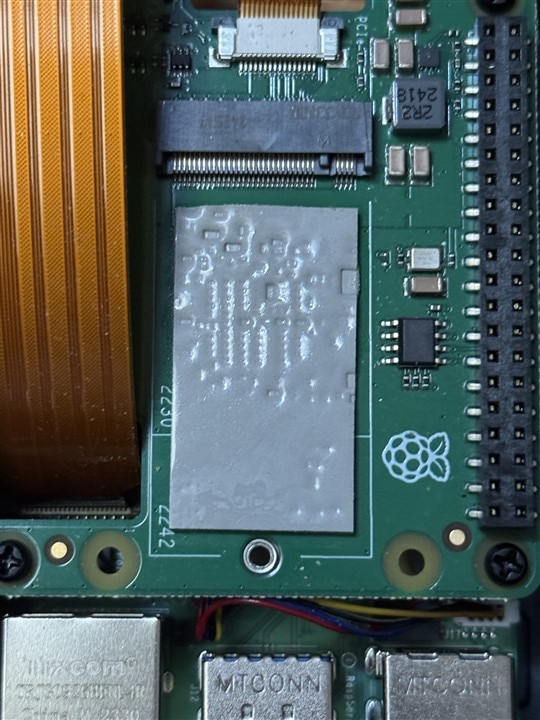
I bought some thermal pad material that was 20 mm wide and cut it to 40 mm length.
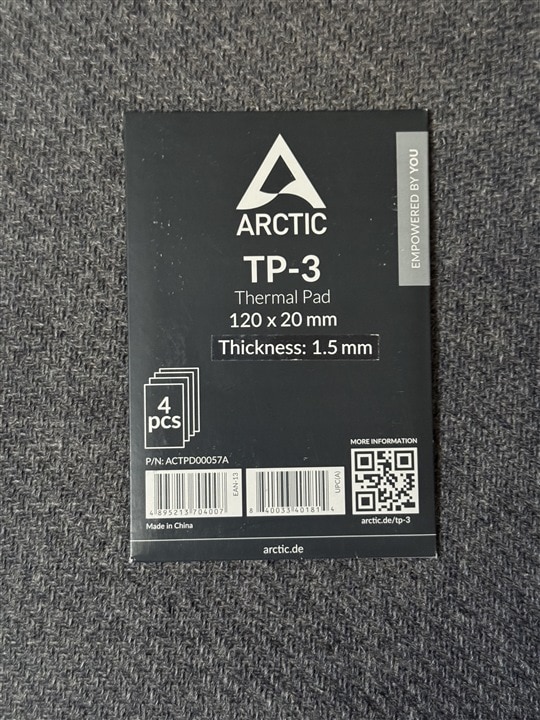
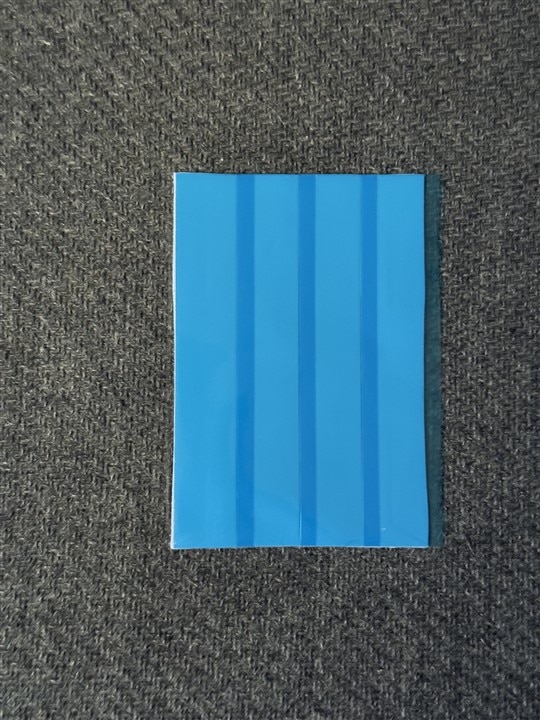
Installed the thermal pad and mounted the Hailo-8L.
Software and Firmware Installation
I had anticipated that this process would be easy since Frigate now natively supports the Hailo-8 and Hailo-8L. Of course, the devil is in the details and it ended up being somewhat of a nightmare. I installed the latest HailoRT and CLI packages on the CM5 Host (Linux) and installed the latest stable Frigate Docker container image. Then followed the instructions to update my docker and frigate config files. Also needed to update raspi-config to PCIe Gen3 and add the pciex1 dtoverlay to /boot/firmware/config.txt.
The addition to the frigate/config/config.yml is just a few lines to set the Hailo-8L as the detector:
detectors:
hailo:
type: hailo8l
device: PCIe
Verify that the device node and control utility recognize the Hailo-8L:
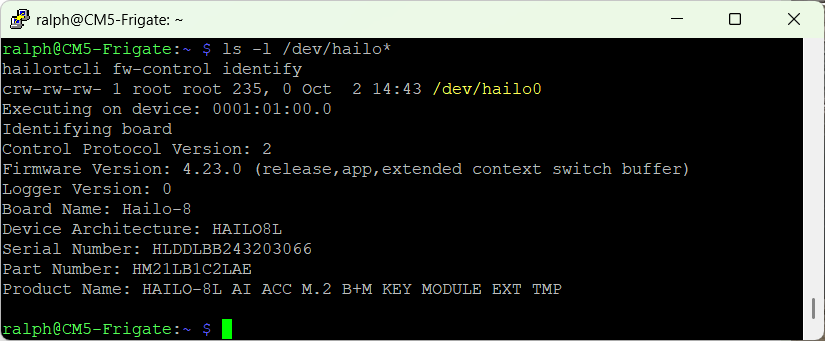
Check that Frigate's container can successfully communicate with the accelerator.
Run docker exec -it frigate hailortcli fw-control identify to confirm the containerized runtime can detect the Hailo-8L hardware.
Unfortunately there is a version mismatch between the latest Hailo release version and the latest Frigate container Hailo version.

The Hailo runtime driver and CLI on the host were at version 4.23.0 and the Hailo libraries in the container were at version 4.21.0. It turns out that the Frigate container version was held back on purpose - something about staying in sync with Home Assistant (HAOS).
I could not find a Linux package distribution for 4.21.0 that I could downgrade to (apt could not install v4.21.0) and I could not figure out how to determine which build of Frigate would include 4.23.0 (I don't think there is a container built, but locating the source code would allow me to build it locally). There is actually a discussion on the frigate github repo concerning this exact issue. The gist of it is - you just need to change the version to 4.23.0 in the docker/main/install_hailort.sh file and rebuild the image.
First problem is which branch of the source code do I check out? I did not find one that I could identify to be the one that loads 4.21.0. Luckily, ChatGPT was able to help me with the command to extract that information from the docker container.
The command docker exec frigate bash -c 'cat /opt/frigate/frigate/version.py' returned VERSION = "0.17.2-3d4dd3a".
It turns out that this version is also shown on the General Stats page of the Frigate UI, but I had not noticed it (or at least didn't understand what it meant).
So, I cloned the Frigate github repo and checked out branch 3d4dd3a and changed the version of hailo in the install_hailort.sh from 4.21.0 to 4.23.0.
Now the fun began...
The CM5 is not a very good platform for building large images like the frigate docker container. For one thing it takes a while to build. In my first attempt, after about 15 minutes it failed because of lack of disk space.
5.082 /tmp/mx_accl_frigate-2.1.0/memryx/mxapi.cpython-312-x86_64-linux-gnu.so: write error (disk full?). Continue? (y/n/^C)
5.083 warning: /tmp/mx_accl_frigate-2.1.0/memryx/mxapi.cpython-312-x86_64-linux-gnu.so is probably truncated
5.083 finishing deferred symbolic links:
5.084 /tmp/mx_accl_frigate-2.1.0/memryx/arm/libmemx.so -> libmemx.so.2.1.0
5.084 /tmp/mx_accl_frigate-2.1.0/memryx/arm/libmx_accl.so -> libmx_accl.so.2
------
ERROR: failed to build: failed to solve: process "/bin/sh -c bash -c \"bash /deps/install_memryx.sh\"" did not complete successfully: exit code: 50
I had an extra container image stable-h8l loaded in the eMMC (this used 4.19.0), so I deleted that and tried the build again. After about 20 minutes it looked like the build had hung because the terminal stopped updating. After a quick check I determined that the CM5 had rebooted. Nothing in the logs to indicate why, but I realized that I might have left Frigate running during the build. Can't be sure because I had Frigate configured to start on reboot if it had not been explicitly stopped, so it was running when I checked. If Frigate was running it is possible that I ran out of memory during the build.
I stopped Frigate and tried again. This time the built did not hang, but it failed literally at the very end of the process.
> exporting to image:
------
ERROR: failed to build: failed to solve: failed to extract layer sha256:c03f3ff6755741f5ed9898719846327d003421a0ed9646746d54b8658eb862c0: write /var/lib/containerd/io.containerd.snapshotter.v1.overlayfs/snapshots/254/fs/usr/local/lib/python3.11/dist-packages/cv2/qt/fonts/DejaVuSansCondensed-Bold.ttf: no space left on device
The interesting thing is that apparently the image was created even though the build indicated that it had failed.

So, the obvious thing to do is try running it and I got an odd failure - a mismatch of the firmware loaded on the device.
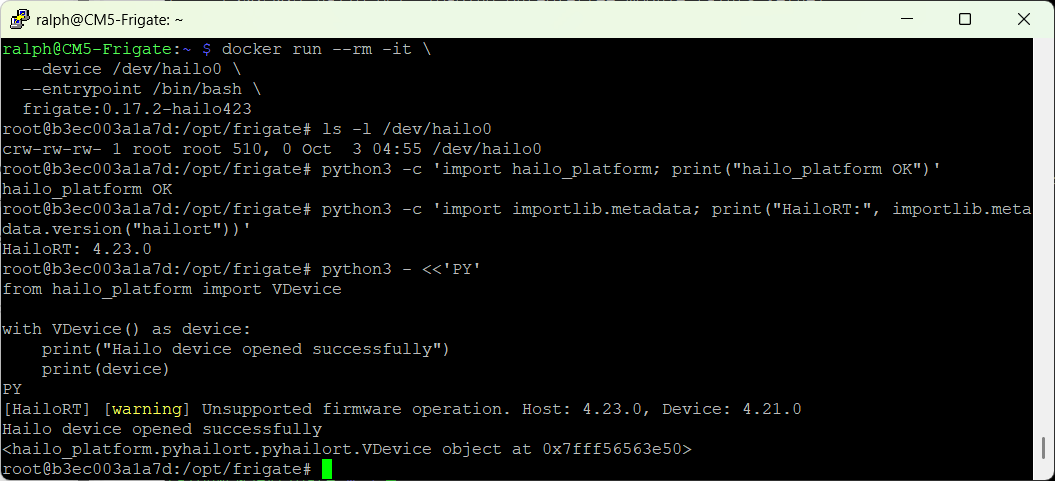
A quick check verified that the firmware on the device was indeed 4.21.0
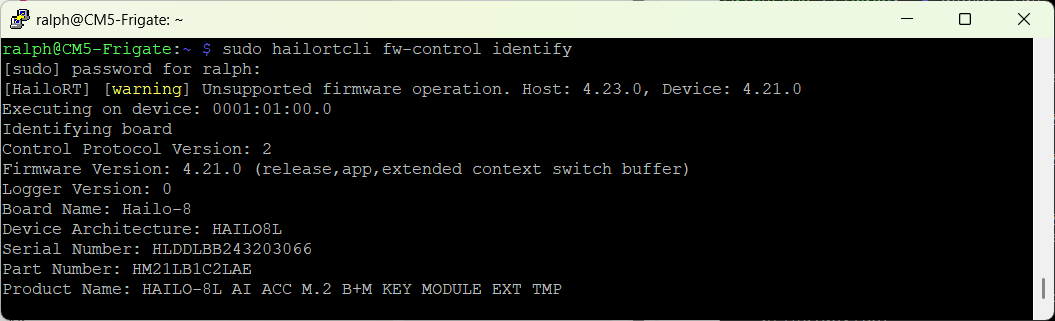
There were two different firmware files in /lib/firmware/hailo:
hailo8_fw.4.23.0.bin Nov 5 2025 161K
hailo8_fw.bin May 25 2025 161K
and their MD5 hashes were different
a00681cd... hailo8_fw.4.23.0.bin
d6a0391b... hailo8_fw.bin
By default hailo8_fw.bin gets loaded. Don't know how to check but can sort of infer that the current hailo8_fw.bin is the 4.21.0 version.
Also don't know how to specify loading the non-default file so did the next best thing - backed up current default and overwrote it with the 4.23.0 file.

Reboot and verify the fix:
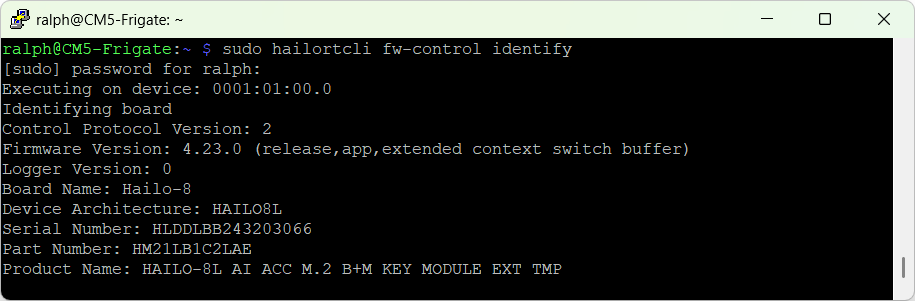
Then try running Frigate.
Here is the General Stats page from the UI.
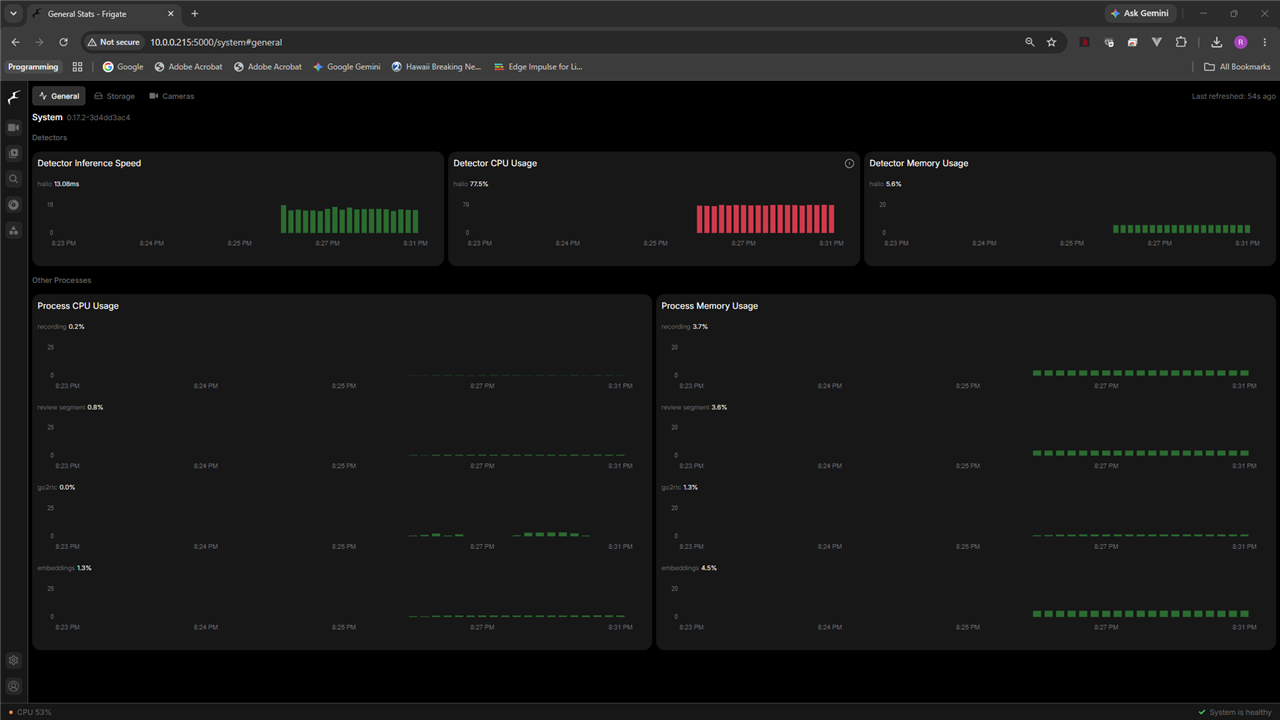
In the first detector panel you can see that I am now running Hailo.
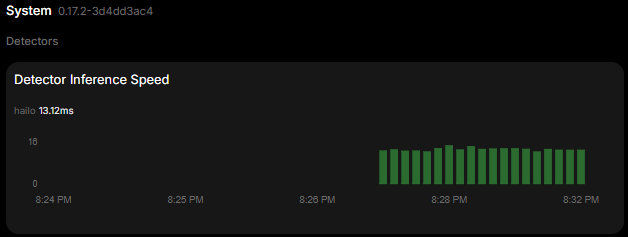
So, Frigate is running okay using the Hailo-8L. This particular run I am still using all 8 cameras.
Unfortunately, I noticed that the method that I am using to get the Hailo temperature is not working. so I'll need to fix that before I start taking the benchmark data.
