


I've experienced some challenges since I last wrote.
I'm about eight hours invested over the last few days and wanted to share my experience in the hope others can avoid the frustrations I've experienced.
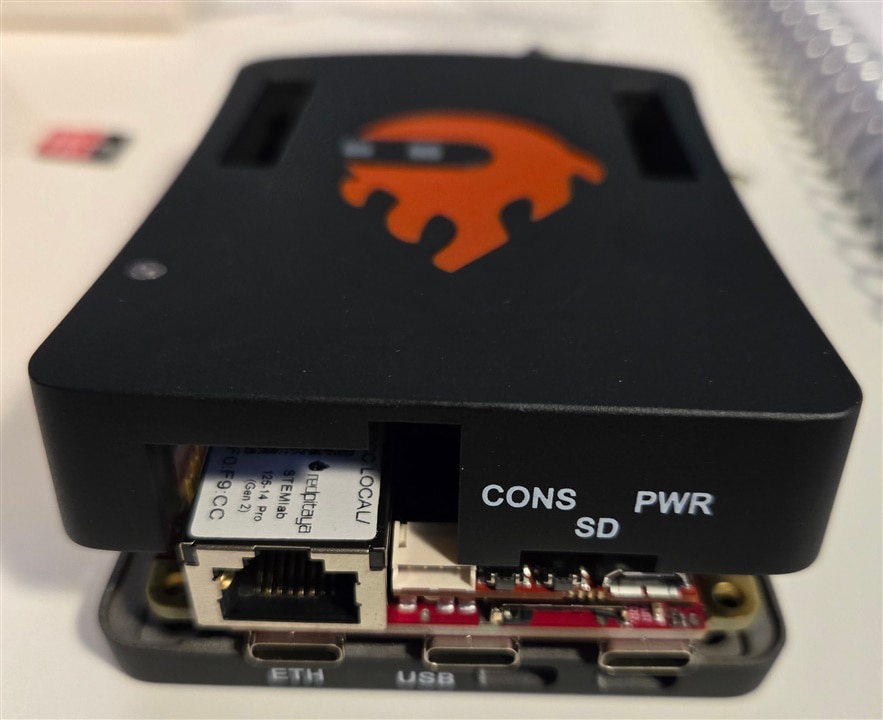
FIRST:
The case I purchase online is for all the other models. The spec sheet at Digi_Key doesn't mention compatibility but in the Rd Pitaya startup guide under installing the case you discover.
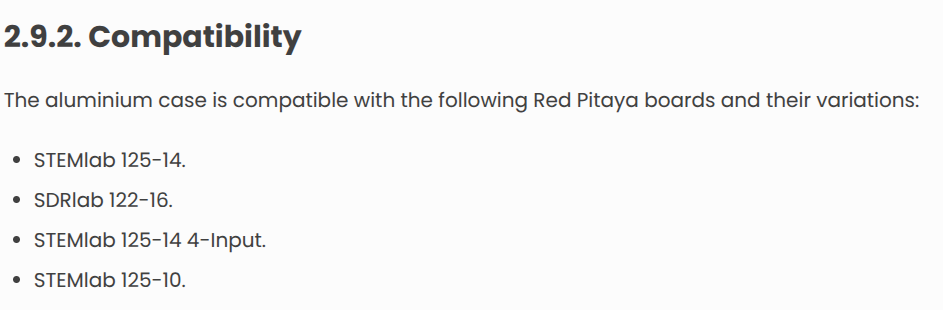
The alternate way to find out is when the case arrives and you find out an 125-14 PRO is not a variation of a compatible Red Pitaya board. CRAP!
SECOND:
Don't bother using the OS provided on the SD card. There are more menu items that don't work than do. The biggest is not being able to upgrade. The system reports that it is offline. You can connect to the device over the network (keeps dropping for me) but behind the scenes the OS can't connect to the mother-ship or so it appears.
So I installed the latest OS on a second SD card. I didn't want to lose what they gave me. I still had the same problem when I tried to upgrade using the menu. Offline.
I would like to share the story of how methodical troubleshooting solved the problem but that would be a lie. After Internet combing for answers and finding nothing, I thought I would look at the OS under the hood as a distraction. Ubuntu 24 is what I read the device is using. I stumble across the fix.
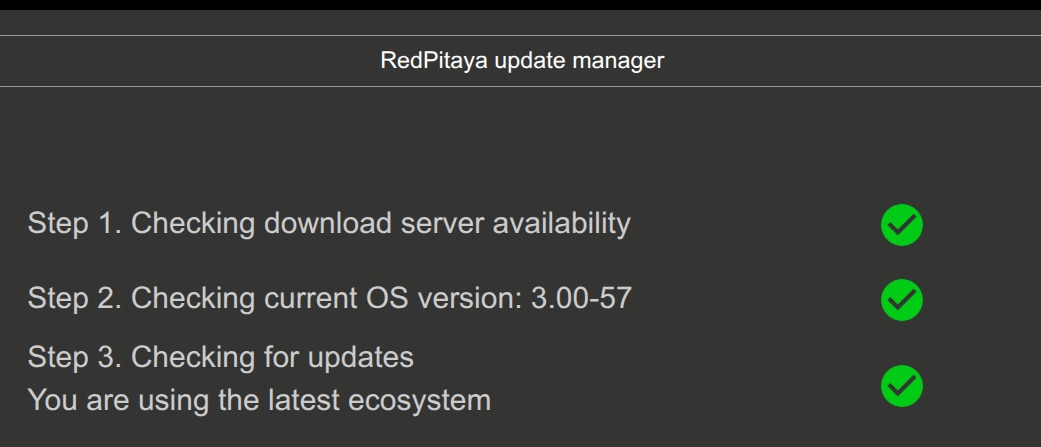
Set the correct date & time and timezone from the command line. I ssh'd to the device and from the command line made the time changes. You soon discover sudo apt update & upgrade work. Then when you try to upgrade via the application, It works
THIRD:
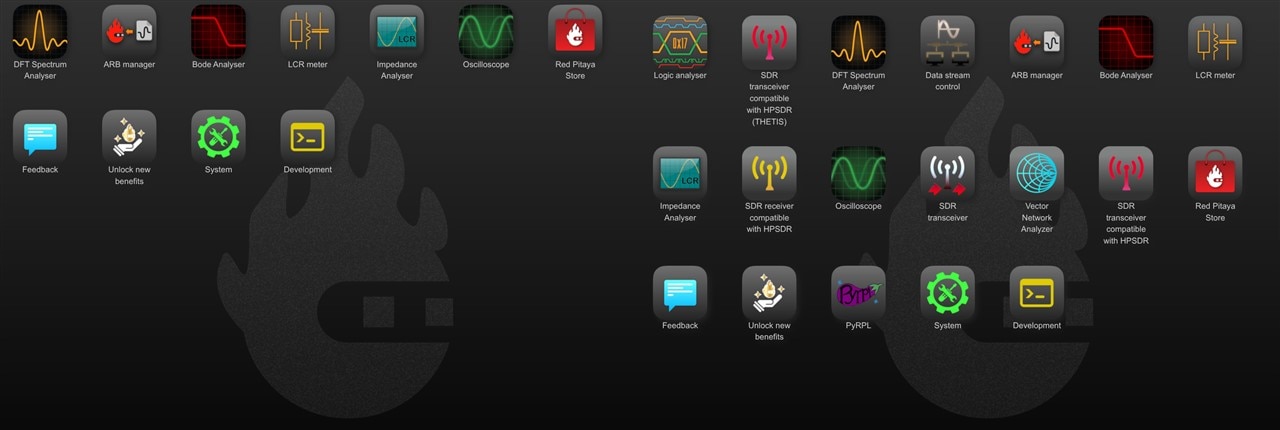
Another reasons to upgrade is there is more stuff on a new load than the old. On the left is the OS that came with the product. On the right is the current release. I'm not sure of what it all is but there is more stuff.
FORTH:
Be aware that not all blinking lights are the same. Documentation keeps referring to a row of LED's that can be used to determine status. What they don't tell you is that the LED pattern changes depending on the configuration of the board. A Red Pitaya with no eMMC flashes LED's differently that one with an eMMC. Very different. Now the light flashing might even be different between software versions. I'm not going to go back and test that theory. I just know I watched the light one time for three minutes after booting and the pattern never appeared but the board was working the whole time.
FIFTH:
If you find an extra M2 screw to hold the eMMC board in place it is mine. I was lucky to have just taken apart a laptop for disposal. The M2 screws from the laptop fit the Red Pitaya. Really difficult to push a power button and not have the board pop out of the connector holding it if that screw is missing.
I have to confess, I am not looking forward to working with the product. My extended tour of Quick Start Guide has eroded my confidence. First, second and third visits to the docs site is that it is a rabbit warren of dead ends.
I think I am going to cut holes in a card board box to have a case. The fruit slipped on the bench today missing the metal ends of the scope probes by the length of an M2 screw. I uttered some curse words as I boxed the useless case up for return.


