


Recall from an earlier post, that I had ordered and then reordered a case for the Red Pitaya. The first case ordered from a local supplier, wasn’t compatible with the RoadTest unit. It would have been nice if compatibility was mentioned during ordering. It seems the Red Pitaya STEMlab 125-14 PRO Gen 2 needs its own unique case. It took a member from the E14 community to find and identify the case. My search skills are not up to par. I looked and couldn’t find the unit.
In Canadian dollar it was $148 to purchase. Duties and tariffs added another $25. Returning the wrong case cost me $29 in restocking charges. All in, a little over $200 for the case.
What rubs me the wrong way is that, Red Pitaya recommends using a case in their documentation but didn’t provide one as part of the RoadTest.
No case concerned me from the beginning. The Red Pitaya PCB exposed to my test bench had a high probability of being shorted out coming in touch with something metal.
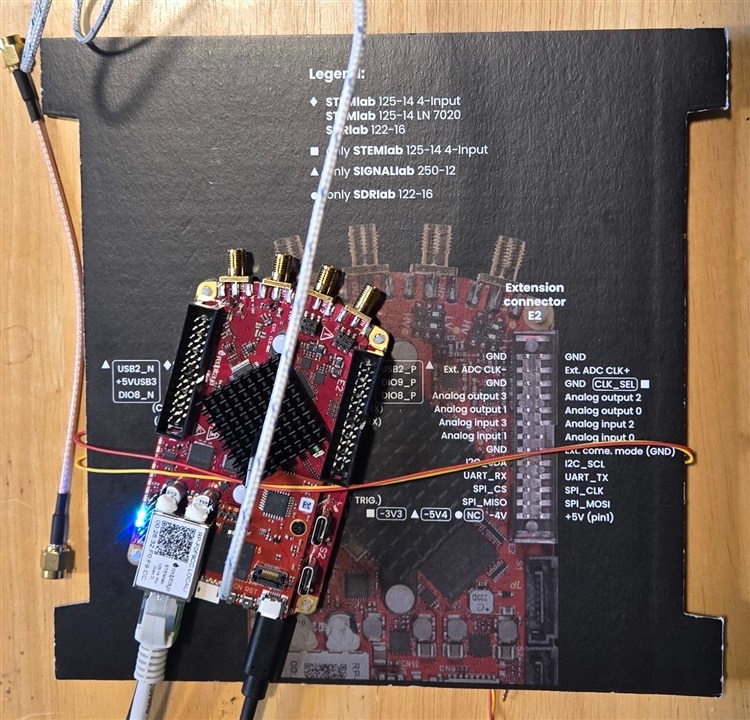
After the unit was dragged off the bench due to the weight of cables, I used the pinout card to isolate and expand the surface area of the PCB using a piece of wire.
Adding the cable drag option didn’t relieve my concern of the unit being to hot to touch during operation. The metal case is designed to be heat sink as well.

Without the case the temperature at the heat sink was 53.1C. With the Red Pitaya wrapped in a case the temperature is down close to ten degrees at 44.5C.
I'm happy with the case. Well reasonably happy. The connectors are labeled on the PCB. You lose the labeling when enclosed in the case.
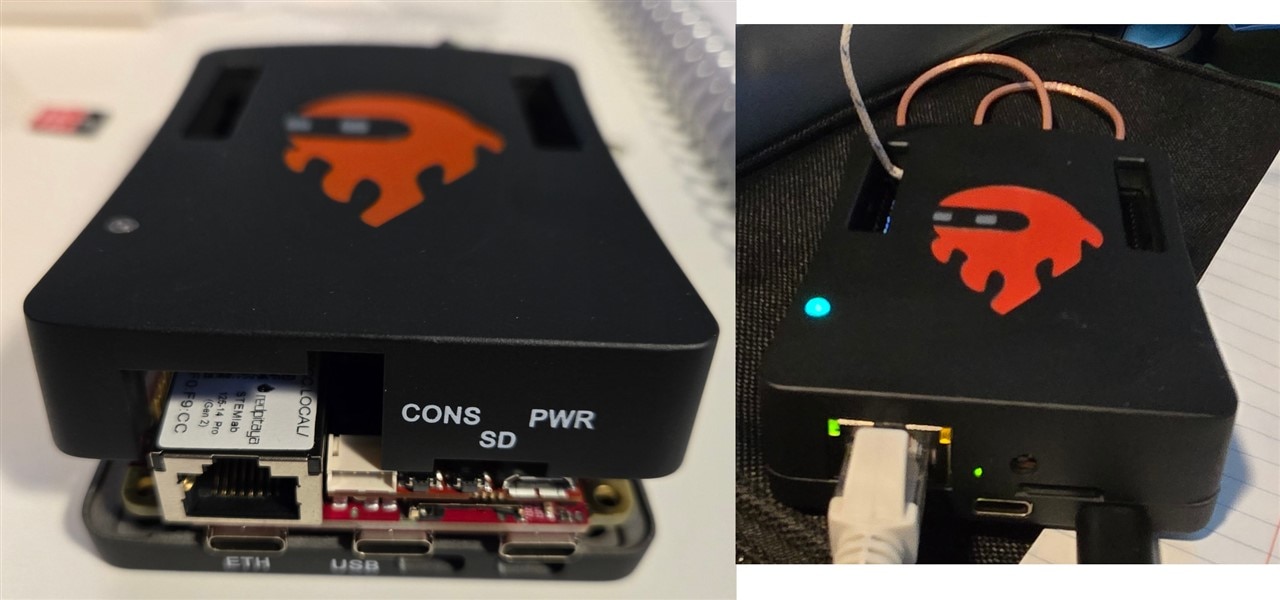
It seems the Red Pitaya STEMlab 125-14 PRO Gen 2 case doesn't need labels. The case on left wasn't physically compatible but it did include labels.
I'm not sure I want to test plugging the power cable the far right USB-C into the Serial console USB-C connector under the RJ45 jack. I think I'm going to break out the label maker for my new case.