element14 Community
element14 Community
    Register Log In
  • Site
  • Search
  • Log In Register
  • Community Hub
    Community Hub
    • What's New on element14
    • Feedback and Support
    • Benefits of Membership
    • Personal Blogs
    • Members Area
    • Achievement Levels
  • Learn
    Learn
    • Ask an Expert
    • eBooks
    • element14 presents
    • Learning Center
    • Tech Spotlight
    • STEM Academy
    • Webinars, Training and Events
    • Learning Groups
  • Technologies
    Technologies
    • 3D Printing
    • FPGA
    • Industrial Automation
    • Internet of Things
    • Power & Energy
    • Sensors
    • Technology Groups
  • Challenges & Projects
    Challenges & Projects
    • Design Challenges
    • element14 presents Projects
    • Project14
    • Arduino Projects
    • Raspberry Pi Projects
    • Project Groups
  • Products
    Products
    • Arduino
    • Avnet & Tria Boards Community
    • Dev Tools
    • Manufacturers
    • Multicomp Pro
    • Product Groups
    • Raspberry Pi
    • RoadTests & Reviews
  • About Us
    About the element14 Community
  • Store
    Store
    • Visit Your Store
    • Choose another store...
      • Europe
      •  Austria (German)
      •  Belgium (Dutch, French)
      •  Bulgaria (Bulgarian)
      •  Czech Republic (Czech)
      •  Denmark (Danish)
      •  Estonia (Estonian)
      •  Finland (Finnish)
      •  France (French)
      •  Germany (German)
      •  Hungary (Hungarian)
      •  Ireland
      •  Israel
      •  Italy (Italian)
      •  Latvia (Latvian)
      •  
      •  Lithuania (Lithuanian)
      •  Netherlands (Dutch)
      •  Norway (Norwegian)
      •  Poland (Polish)
      •  Portugal (Portuguese)
      •  Romania (Romanian)
      •  Russia (Russian)
      •  Slovakia (Slovak)
      •  Slovenia (Slovenian)
      •  Spain (Spanish)
      •  Sweden (Swedish)
      •  Switzerland(German, French)
      •  Turkey (Turkish)
      •  United Kingdom
      • Asia Pacific
      •  Australia
      •  China
      •  Hong Kong
      •  India
      •  Japan
      •  Korea (Korean)
      •  Malaysia
      •  New Zealand
      •  Philippines
      •  Singapore
      •  Taiwan
      •  Thailand (Thai)
      •  Vietnam
      • Americas
      •  Brazil (Portuguese)
      •  Canada
      •  Mexico (Spanish)
      •  United States
      Can't find the country/region you're looking for? Visit our export site or find a local distributor.
  • Translate
  • Profile
  • Settings
Embedded and Microcontrollers
  • Technologies
  • More
Embedded and Microcontrollers
Pic Microcontrollers Forum FizzBuzz in PIC16f877A driving me crazy..
  • Blog
  • Forum
  • Documents
  • Quiz
  • Polls
  • Files
  • Members
  • Mentions
  • Sub-Groups
  • Tags
  • More
  • Cancel
  • New
Join Embedded and Microcontrollers to participate - click to join for free!
Actions
  • Share
  • More
  • Cancel
Forum Thread Details
  • State Not Answered
  • Replies 2 replies
  • Subscribers 235 subscribers
  • Views 73 views
  • Users 0 members are here
Related

FizzBuzz in PIC16f877A driving me crazy..

madthescientist
madthescientist 1 day ago

I am trying to create a firmware for Pic16f877A, using mplab 6.15 on gnu/linux and  pickit 3.

After finding out code examples in C language i could try and test parts to build a working piece of source code for it. However, i am finding myself at odds whenever i do wish to get actual work done.

I do wish to drive some leds on an off in sequences, sometimes turning on one, off other several times and holding them off some minutes to do it back. I could accomplish part of it using something called "fizz buzz" example and reading ticks from Timer 1's prescaler. My C and PIC knowledge is not yet the best.

The major problem i am struggling with is that, i can get 2 leds toggling one after the other, but if i try to get that within a FOR cycle, it either never stops if i do not add any code at FOR's end, or if i add code, it inmediatly jumps to it avoiding to toggle the leds altogether. If i code them off after for() they stay off, if i code them on after for, they stay offf.

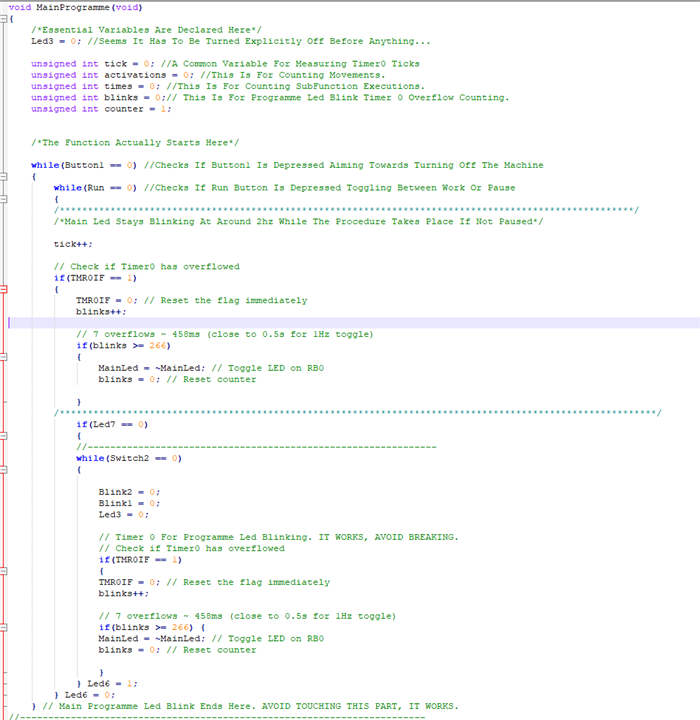
The source code i am in trouble with is this one:

void MainProgramme(void)
{
/*Essential Variables Are Declared Here*/
Led3 = 0; //Seems It Has To Be Turned Explicitly Off Before Anything...

unsigned int tick = 0; //A Common Variable For Measuring Timer0 Ticks
unsigned int activations = 0; //This Is For Counting Movements.
unsigned int times = 0; //This Is For Counting SubFunction Executions.
unsigned int blinks = 0;// This Is For Programme Led Blink Timer 0 Overflow Counting.
unsigned int counter = 1;


/*The Function Actually Starts Here*/

while(Button1 == 0) //Checks If Button1 Is Depressed Aiming Towards Turning Off The Machine
{
while(Run == 0) //Checks If Run Button Is Depressed Toggling Between Work Or Pause
{
/******************************************************************************************************/
/*Main Led Stays Blinking At Around 2hz While The Procedure Takes Place If Not Paused*/

tick++;

// Check if Timer0 has overflowed
if(TMR0IF == 1)
{
TMR0IF = 0; // Reset the flag immediately
blinks++;

// 7 overflows ~ 458ms (close to 0.5s for 1Hz toggle)
if(blinks >= 266) {
MainLed = ~MainLed; // Toggle LED on RB0
blinks = 0; // Reset counter

}


/**********************************************************************************************************/
if(Led7 == 0)
{
//--------------------------------------------------------------
while(Switch2 == 0)
{

Blink2 = 0;
Blink1 = 0;
Led3 = 0;

// Timer 0 For Programme Led Blinking. IT WORKS, AVOID BREAKING.
// Check if Timer0 has overflowed
if(TMR0IF == 1)
{
TMR0IF = 0; // Reset the flag immediately
blinks++;

// 7 overflows ~ 458ms (close to 0.5s for 1Hz toggle)
if(blinks >= 266) {
MainLed = ~MainLed; // Toggle LED on RB0
blinks = 0; // Reset counter

}
} Led6 = 1;
} Led6 = 0;
} // Main Programme Led Blink Ends Here. AVOID TOUCHING THIS PART, IT WORKS.
//------------------------------------------------------------------------
if(Led7 == 1)
{
while(Switch1 == 0)
{

Blink2 = 0;
Blink1 = 0;
Led3 = 0;

// Timer 0 For Programme Led Blinking
// Check if Timer0 has overflowed
if(TMR0IF == 1)
{
TMR0IF = 0; // Reset the flag immediately
blinks++;

// 7 overflows ~ 458ms (close to 0.5s for 1Hz toggle)
if(blinks >= 266) {
MainLed = ~MainLed; // Toggle LED on RB0
blinks = 0; // Reset counter

}
}
Led6 = 1;
} Led6 = 0;
} // Main Programme Led Blink Ends Here. AVOID TOUCHING THIS PART, IT WORKS.
//------------------------------------------------------------------------------------------------


//Timer 1 For Blink Led Timings
while(Switch1 == 1 || Switch2 == 1)
{


/************************************************************************/
/*Programme Led Seems To Be Blinked Locally*/
// Check if Timer0 has overflowed
if(TMR0IF == 1)
{
TMR0IF = 0; // Reset the flag immediately
blinks++;

// 7 overflows ~ 458ms (close to 0.5s for 1Hz toggle)
if(blinks >= 198) {
MainLed = ~MainLed; // Toggle LED on RB0
blinks = 0; // Reset counter

}
}
/*************************************************************************/
//This Is Timer 1 Setting leds Timings.Timer 0 Sets Programme Led Blinking
if (PIR1bits.TMR1IF) { // Check if Timer1 overflowed
PIR1bits.TMR1IF = 0; // Clear flag
TMR1H = 0x00; // Reload timer
TMR1L = 0x00;


counter++;
if (counter > 200) counter = 1; // Loop 1 to 100
}


if((MainStrenghtRedLed == 0) && (MainStrenghtGreenLed == 1))
{
for(times = 10; times >= 0; times --)
{

if (counter % 3 == 0)
{
times = times + 1;
Blink1 = 0;
Blink2 = 1;
} else if (counter % 5 == 0)
{
Blink1 = 1;
Blink2 = 0;
} else if (counter % 7 == 0)
{
Blink1 = 0;
Blink2 = 1;
}

else if (counter % 9 == 0)
{
Blink1 = 1;
Blink2 = 0;
}

else if (counter % 11 == 0)
{
Blink1 = 0;
Blink2 = 1;
}

else if (counter % 13 == 0)
{
Blink1 = 1;
Blink2 = 0;
}

else if (counter % 15 == 0)
{
Blink1 = 0;
Blink2 = 1;
activations--;
}


} //It's suposed to perform this FizzBuzz routine a couple of times and stop, then again for some times.
Problem is: it never stops. If i do add any code after the For() it actually jumps to it.
}
}Led6 = 1; //End Of While


/*******************************************************/
}

/*******************************************************/
}
}__delay_ms(100);
PowerOff();
}

  • Sign in to reply
  • Cancel
Parents
  • vmate
    0 vmate 1 day ago

    I don't quite fully understand what you did so far and what the goal would be, but I can see several problems:

    The for loop you made is an infinite loop, because 'times' is unsigned, aka. it can never be lower than 0, and the condition for the for loop to finish is 'times' being lower than 0.

    Also, the 'if (counter % 3 == 0)' part increments 'times', and the for loop decrements it, so they are actively fighting one another. You might've intended for that to happen, but this is not generally a good idea to do: the rule of thumb is to use a for loop if you already know how many times you want the loop to run, or use a while loop if you don't.

    Another problematic part is the speed of execution. You're checking the counter's value in the for loop in multiple places, but that loop will execute many thousands of times faster than the counter's increment speed.

    If I were you, I'd probably start from scratch, and ignore the hardware timer for now. Have a big while(1) loop with a __delay_ms(10); at the end, and just increment your own counter somewhere. Getting an Arduino, and going through the Arduino IDE's examples(like 'Blink without delay()') to learn the logic and program flow for such a microcontroller would probably be the ideal path, as the learning curve is much gentler there.

    • Cancel
    • Vote Up 0 Vote Down
    • Sign in to reply
    • Verify Answer
    • Cancel
Reply
  • vmate
    0 vmate 1 day ago

    I don't quite fully understand what you did so far and what the goal would be, but I can see several problems:

    The for loop you made is an infinite loop, because 'times' is unsigned, aka. it can never be lower than 0, and the condition for the for loop to finish is 'times' being lower than 0.

    Also, the 'if (counter % 3 == 0)' part increments 'times', and the for loop decrements it, so they are actively fighting one another. You might've intended for that to happen, but this is not generally a good idea to do: the rule of thumb is to use a for loop if you already know how many times you want the loop to run, or use a while loop if you don't.

    Another problematic part is the speed of execution. You're checking the counter's value in the for loop in multiple places, but that loop will execute many thousands of times faster than the counter's increment speed.

    If I were you, I'd probably start from scratch, and ignore the hardware timer for now. Have a big while(1) loop with a __delay_ms(10); at the end, and just increment your own counter somewhere. Getting an Arduino, and going through the Arduino IDE's examples(like 'Blink without delay()') to learn the logic and program flow for such a microcontroller would probably be the ideal path, as the learning curve is much gentler there.

    • Cancel
    • Vote Up 0 Vote Down
    • Sign in to reply
    • Verify Answer
    • Cancel
Children
No Data
element14 Community

element14 is the first online community specifically for engineers. Connect with your peers and get expert answers to your questions.

  • Members
  • Learn
  • Technologies
  • Challenges & Projects
  • Products
  • Store
  • About Us
  • Feedback & Support
  • FAQs
  • Terms of Use
  • Privacy Policy
  • Legal and Copyright Notices
  • Sitemap
  • Cookies

An Avnet Company © 2026 Premier Farnell Limited. All Rights Reserved.

Premier Farnell Ltd, registered in England and Wales (no 00876412), registered office: Farnell House, Forge Lane, Leeds LS12 2NE.

Follow element14

  • X
  • Facebook
  • linkedin
  • YouTube