element14 Community
element14 Community
    Register Log In
  • Site
  • Search
  • Log In Register
  • Community Hub
    Community Hub
    • What's New on element14
    • Feedback and Support
    • Benefits of Membership
    • Personal Blogs
    • Members Area
    • Achievement Levels
  • Learn
    Learn
    • Ask an Expert
    • eBooks
    • element14 presents
    • Learning Center
    • Tech Spotlight
    • STEM Academy
    • Webinars, Training and Events
    • Learning Groups
  • Technologies
    Technologies
    • 3D Printing
    • FPGA
    • Industrial Automation
    • Internet of Things
    • Power & Energy
    • Sensors
    • Technology Groups
  • Challenges & Projects
    Challenges & Projects
    • Design Challenges
    • element14 presents Projects
    • Project14
    • Arduino Projects
    • Raspberry Pi Projects
    • Project Groups
  • Products
    Products
    • Arduino
    • Avnet & Tria Boards Community
    • Dev Tools
    • Manufacturers
    • Multicomp Pro
    • Product Groups
    • Raspberry Pi
    • RoadTests & Reviews
  • About Us
  • Store
    Store
    • Visit Your Store
    • Choose another store...
      • Europe
      •  Austria (German)
      •  Belgium (Dutch, French)
      •  Bulgaria (Bulgarian)
      •  Czech Republic (Czech)
      •  Denmark (Danish)
      •  Estonia (Estonian)
      •  Finland (Finnish)
      •  France (French)
      •  Germany (German)
      •  Hungary (Hungarian)
      •  Ireland
      •  Israel
      •  Italy (Italian)
      •  Latvia (Latvian)
      •  
      •  Lithuania (Lithuanian)
      •  Netherlands (Dutch)
      •  Norway (Norwegian)
      •  Poland (Polish)
      •  Portugal (Portuguese)
      •  Romania (Romanian)
      •  Russia (Russian)
      •  Slovakia (Slovak)
      •  Slovenia (Slovenian)
      •  Spain (Spanish)
      •  Sweden (Swedish)
      •  Switzerland(German, French)
      •  Turkey (Turkish)
      •  United Kingdom
      • Asia Pacific
      •  Australia
      •  China
      •  Hong Kong
      •  India
      • Japan
      •  Korea (Korean)
      •  Malaysia
      •  New Zealand
      •  Philippines
      •  Singapore
      •  Taiwan
      •  Thailand (Thai)
      • Vietnam
      • Americas
      •  Brazil (Portuguese)
      •  Canada
      •  Mexico (Spanish)
      •  United States
      Can't find the country/region you're looking for? Visit our export site or find a local distributor.
  • Translate
  • Profile
  • Settings
Experts, Learning and Guidance
  • Technologies
  • More
Experts, Learning and Guidance
Ask an Expert Forum MATLAB licensing advice for SDR/general hobby?
  • Blog
  • Forum
  • Documents
  • Leaderboard
  • Files
  • Members
  • Mentions
  • Sub-Groups
  • Tags
  • More
  • Cancel
  • New
Join Experts, Learning and Guidance to participate - click to join for free!
Actions
  • Share
  • More
  • Cancel
Forum Thread Details
  • Replies 21 replies
  • Subscribers 298 subscribers
  • Views 2230 views
  • Users 0 members are here
  • ADALM-PLUTO
  • matlab
  • sdr
Related
See a helpful answer?

Be sure to click 'more' and select 'suggest as answer'!

If you're the thread creator, be sure to click 'more' then 'Verify as Answer'!

MATLAB licensing advice for SDR/general hobby?

JWx
JWx 11 months ago

Hello!

As a follow-up to the SDR Pluto Roadtest forum thread I have a question to the MATLAB experts: considering home licensing model, what add-ons are required/nice to have for - for example - SDR related, entry level experiments?

It seems that at least:

  • Communications Toolbox
  • DSP System Toolbox
  • Signal Processing Toolbox

are needed in addition to the main license...

  • Sign in to reply
  • Cancel

Top Replies

  • dougw
    dougw 11 months ago in reply to JWx +4
    Is it cheaper to take a single uni course just to be eligible for a student license? I believe the universities around here provide free on-line degree programs for seniors, so retirees might work something…
  • shabaz
    shabaz 11 months ago +4
    A fun simple MATLAB script that I think uses just the Communications Toolbox: % FM I/Q WAV file generator % rev 1 - shabaz - feb 2024 % Generates a WAV file containing I and Q components of an % FM modulated…
  • anniel747
    anniel747 11 months ago in reply to beacon_dave +3
    Deleted
Parents
  • shabaz
    shabaz 11 months ago

    A fun simple MATLAB script that I think uses just the Communications Toolbox:

    % FM I/Q WAV file generator
    % rev 1 - shabaz - feb 2024
    % Generates a WAV file containing I and Q components of an
    % FM modulated signal. The audio source is a mono WAV file.
    % Sample rates are 48 kHz for input and output.
    
    % input audio
    audio_fname = 'eveshort-48-mono.wav';
    % FM modulation parameters, fd = frequency deviation
    fd = 5e3; % 5 kHz
    out_bw = 2*(fd + 12e3); % 2*(freq deviation + audio bandwidth (12kHz))
    out_fs = 2*out_bw; % 180*2 = 44ksps
    % might as well make it 48ksps, for a round number!
    out_fs = 48e3;
    
    % read in the source audio
    [x,fs] = audioread(audio_fname);
    
    % create the FM modulator object
    fmmodulator = comm.FMModulator( ...
        'SampleRate',out_fs, ...
        'FrequencyDeviation',fd);
    
    % perform the FM modulation
    y = fmmodulator(x);
    
    % obtain the I/Q components
    I = real(y);
    Q = imag(y);
    
    % build the stereo WAV file containing the I and Q outputs
    IQ_stereo = [I';Q']';
    audiowrite('iq_file.wav', IQ_stereo, 48e3);

    Hopefully the comments make sense. It converts an input mono WAV audio file, into an output WAV stereo file that has FM modulated I/Q output at baseband.

    You could play the stereo output file using any media player, and you should hear distortion.

    You can then play that file using any free SDR software on your PC, to demodulate the FM and convert back to the original audio.

    I've placed the file plus the example WAV input and the generated output file (so that anyone can try it without requiring MATLAB) here: https://github.com/shabaz123/fm_iq_create

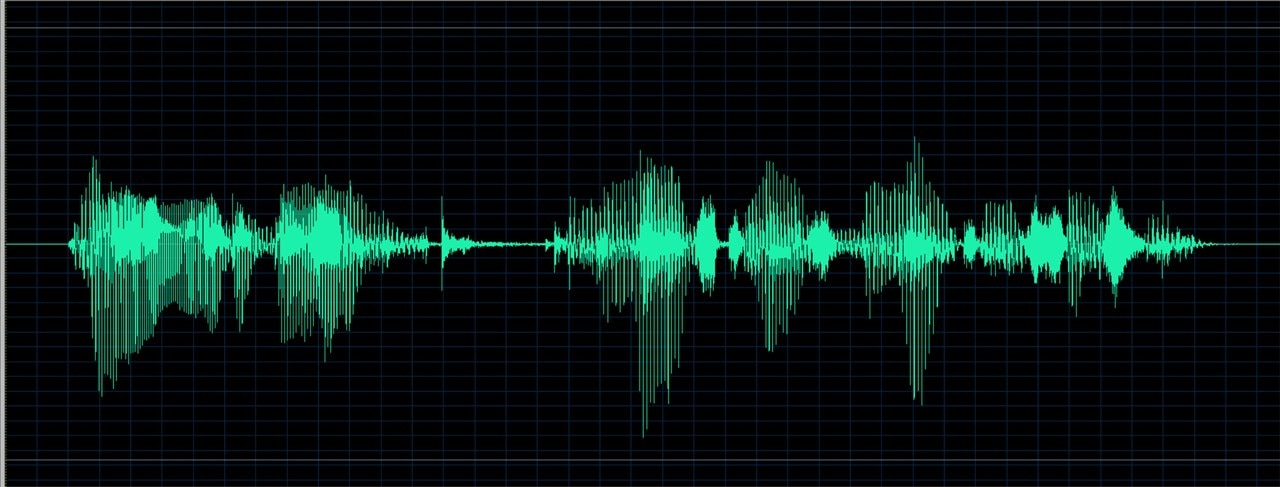
    This is the example mono input file content:

    image

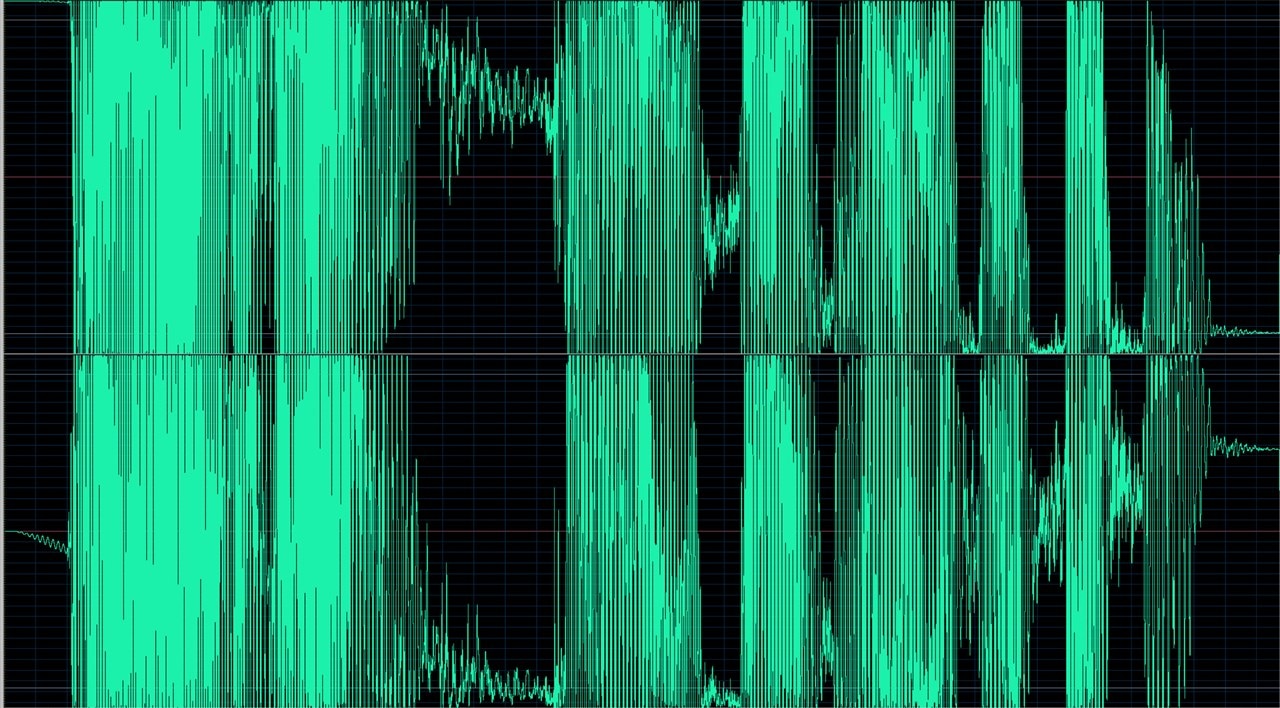
    And this is the output WAV file with FM modulation, with I and Q in the stereo channels:

    image

    See that GitHub link readme, to see how to use it with free SDR++ software as an example.

    image

    • Cancel
    • Vote Up +4 Vote Down
    • Sign in to reply
    • Cancel
Reply
  • shabaz
    shabaz 11 months ago

    A fun simple MATLAB script that I think uses just the Communications Toolbox:

    % FM I/Q WAV file generator
    % rev 1 - shabaz - feb 2024
    % Generates a WAV file containing I and Q components of an
    % FM modulated signal. The audio source is a mono WAV file.
    % Sample rates are 48 kHz for input and output.
    
    % input audio
    audio_fname = 'eveshort-48-mono.wav';
    % FM modulation parameters, fd = frequency deviation
    fd = 5e3; % 5 kHz
    out_bw = 2*(fd + 12e3); % 2*(freq deviation + audio bandwidth (12kHz))
    out_fs = 2*out_bw; % 180*2 = 44ksps
    % might as well make it 48ksps, for a round number!
    out_fs = 48e3;
    
    % read in the source audio
    [x,fs] = audioread(audio_fname);
    
    % create the FM modulator object
    fmmodulator = comm.FMModulator( ...
        'SampleRate',out_fs, ...
        'FrequencyDeviation',fd);
    
    % perform the FM modulation
    y = fmmodulator(x);
    
    % obtain the I/Q components
    I = real(y);
    Q = imag(y);
    
    % build the stereo WAV file containing the I and Q outputs
    IQ_stereo = [I';Q']';
    audiowrite('iq_file.wav', IQ_stereo, 48e3);

    Hopefully the comments make sense. It converts an input mono WAV audio file, into an output WAV stereo file that has FM modulated I/Q output at baseband.

    You could play the stereo output file using any media player, and you should hear distortion.

    You can then play that file using any free SDR software on your PC, to demodulate the FM and convert back to the original audio.

    I've placed the file plus the example WAV input and the generated output file (so that anyone can try it without requiring MATLAB) here: https://github.com/shabaz123/fm_iq_create

    This is the example mono input file content:

    image

    And this is the output WAV file with FM modulation, with I and Q in the stereo channels:

    image

    See that GitHub link readme, to see how to use it with free SDR++ software as an example.

    image

    • Cancel
    • Vote Up +4 Vote Down
    • Sign in to reply
    • Cancel
Children
No Data
element14 Community

element14 is the first online community specifically for engineers. Connect with your peers and get expert answers to your questions.

  • Members
  • Learn
  • Technologies
  • Challenges & Projects
  • Products
  • Store
  • About Us
  • Feedback & Support
  • FAQs
  • Terms of Use
  • Privacy Policy
  • Legal and Copyright Notices
  • Sitemap
  • Cookies

An Avnet Company © 2025 Premier Farnell Limited. All Rights Reserved.

Premier Farnell Ltd, registered in England and Wales (no 00876412), registered office: Farnell House, Forge Lane, Leeds LS12 2NE.

ICP 备案号 10220084.

Follow element14

  • X
  • Facebook
  • linkedin
  • YouTube