


Introduction
I own a pretty old, portable PicoScope model (2000 series), which cost very little. Although I have larger desktop ‘scope options with screens, I still find that PicoScope gets used regularly. I’ve even written my own ‘scope software for it, which runs on a tablet.
A friend of mine is a PicoScope reseller (the automotive models) and he introduced me to PicoScope instruments all those years ago, so that encouraged me to purchase one.
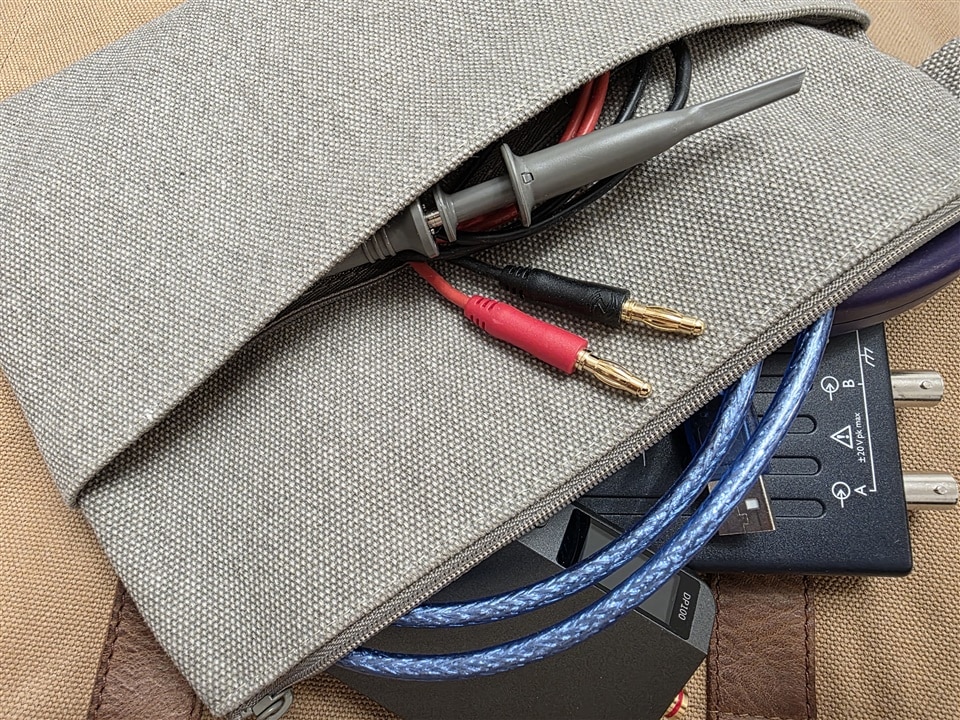
It’s so small, I have time-domain, frequency-domain and signal generation capabilities from the PicoScope, plus a power supply, ESR meter, various USB and banana cables and a couple of ‘scope probes and other ancillaries, in one little zipped travel wash-bag!
A major benefit is that more than a decade after my purchase, the Pico software still receives updates! I had not installed the latest software in quite a while, but I recently did. PicoScope 7 software has a completely redesigned user interface, and it looks great, far more like what a test instrument display is expected to look like these days, with the easy-on-the-eyes monochrome icons and so on. My ancient PicoScope now looks really good : )
Here are some of the issues, improvements and interesting features I’ve discovered so far. They are in no particular order, and this is not a review; it’s actually more to just kick off a discussion and hopefully get feedback and opinions from others, to help anyone reading this. Even if you don’t have a PicoScope, I’d be interested in hearing about what things resonate (or don’t resonate) with you. And if you do have a PicoScope, what’s your opinion?
I may use the feedback to decide what PicoScope model to upgrade to one day.
Dark Mode
By default, the software now supports a dark mode! This is quite useful for me, because my new laptop has an OLED screen, and I’d like to preserve that for as long as possible. I’d rather run apps in dark mode as a result.
Some colors are customizable (in particular, the trace colors (accessible from the channel settings), so you can match them to your bench ‘scope if you wish) but it would be nice if all colors could be changed.
The screenshot here shows a typical view in dark mode. I was troubleshooting why my 3.3V UART signals were at 2V! The serial decode was nice and clear to follow.

Improved Usability for Touchscreens
The older PicoScope software was frankly hopeless on a tablet, because some of the things you had to click on were tiny, and the text was extremely small on a high-res display. That’s improved a lot. I wouldn’t say it’s perfect (some of the things you want to click or drag on can still feel a bit small but it will depend on the display size/resolution) but it’s gone from needing a mouse or pen to being feasible using fingers alone.
What I found extremely annoying, is that any side panels that pop into view automatically can collapse away when the trace (chart) area or the top icon pane is touched. It’s very disconcerting that the chart area resizes when your attention is elsewhere and not on the pane that’s just disappeared. I should record a video showing this sometime, but it’s really not nice. I think the manufacturer should test more regularly with tablets, to spot these sorts of usability issues.
I really like that you can set the trace width, so that the trace isn’t so fine in high-res. I don’t recall if that was possible in PicoScope 6, but I’m glad I found it in 7; I’ve got the width set to 3 instead of 1, and it looks great on my laptop screen. By the way, the Settings are hard to find; the cog icon is buried within a “More…” icon! I would have expected the cog to be prominent on the top toolbar.
Linux and Mac Support
This in my opinion is a big deal. It means you can buy a cheap tablet, stick Linux on it, and have a very low-cost but powerful portable test setup! I have several old tablets, I cannot wait to try this.
Trigger Features
A really nice usability touch is that when triggering with really slow timebase settings, a vertical bar slides along with the trace, and halts at the trigger location.

And then when the trigger event occurs, it slides along : )
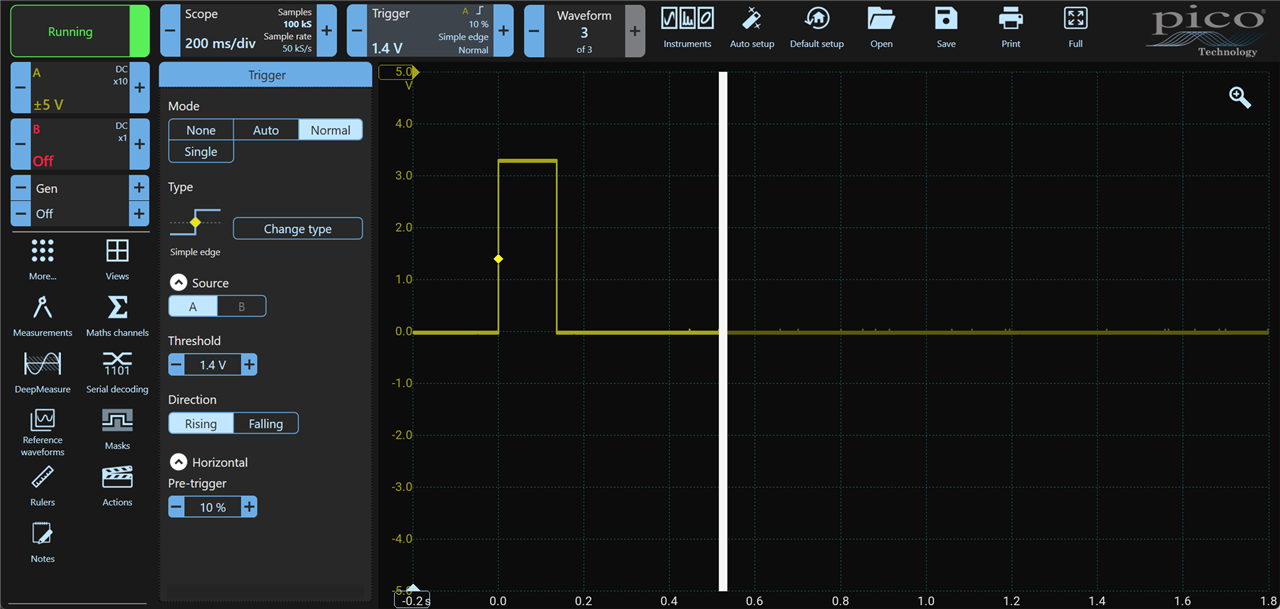
It’s really neat, has to be seen to appreciate it. There are some minor bugs, the software did crash for me a couple of times, but it prompts to send a report to Pico, so the manufacturer should already be aware, with no effort needed for me to create a problem report manually.
Actions
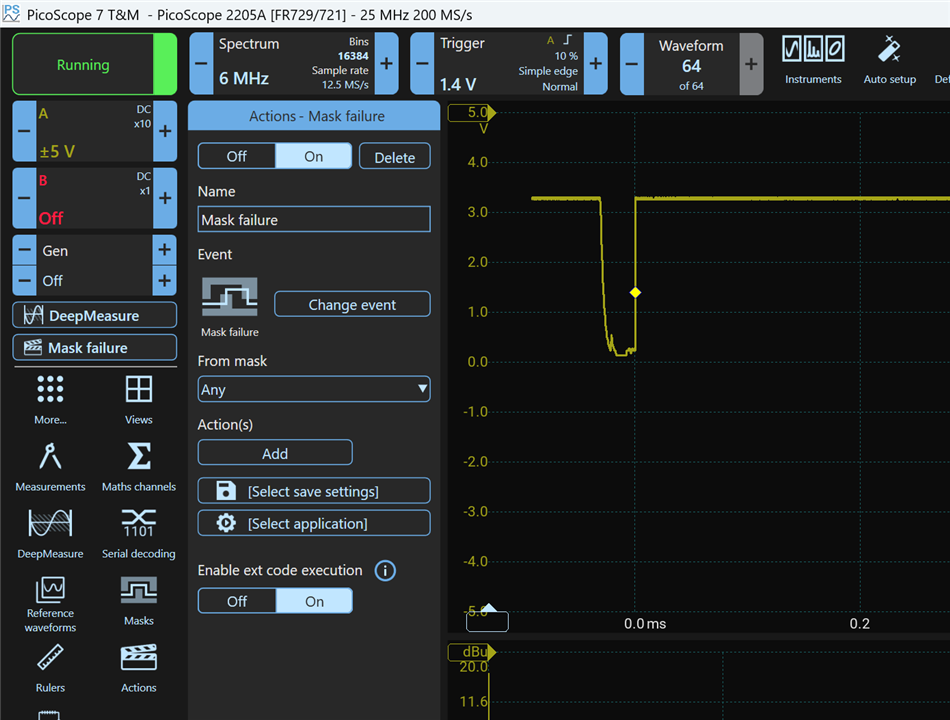
A quite unique feature is that often there’s no need for additional programmability (e.g. through SCPI which let’s face it, is dated! Personally I don't miss it provided there is a more powerful alternative - which there is - see further below - but it won't suit everyone's needs). There are built-in actions that the PicoScope can take, and you can chain multiple actions.
Spectrum View
In the frequency domain, I have been spoiled by Rohde & Schwarz and Keysight desktop instruments so nothing is going to compare (although, having said that, Pico Tech have been developing frequency domain products in recent years, such as a VNA, so perhaps their roadmap will fill out this area). In general, the spectrum view is for sure usable. I’m unclear if I would see more features if I have a better/more recent PicoScope. However, it’s extremely impressive that the old 2000 series still allows one to get quite usable results.
I found the user interface a little confusing, I spent the best part of half an hour trying to locate where the spectrum settings were (and the user manual didn’t help as much as it could have). What was confusing me, was that the left pane has a View icon, that allows a spectrum view to be added, but the configuration of that needs to be done from the Instruments icon at the top pane. The Instruments panel allows one to switch from some oscilloscope configuration elements, to spectrum configuration. In the screenshot below, you can see at the top the spectrum settings are displayed where some of the scope configuration (timebase, acquisitions etc) were previously shown. The Instruments icon is used to switch between the settings. I’m OK with that, but it was quite hard to initially figure out.
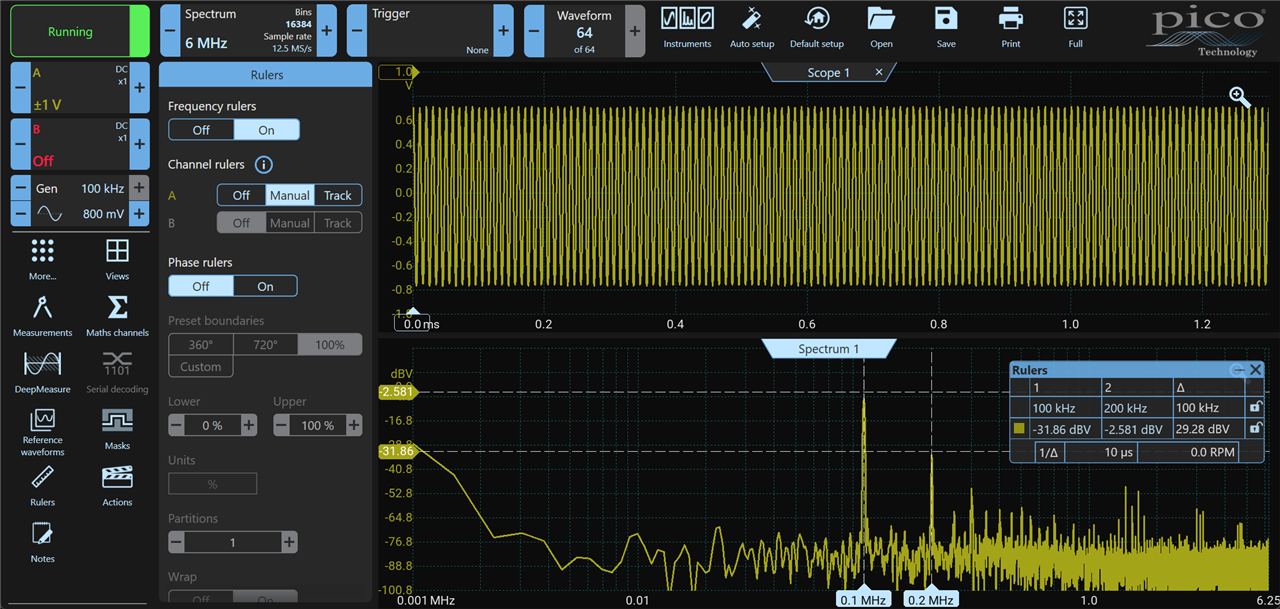
There's quite a dichotomy in terms of spectrum features. On the one hand some "normal" spectrum features are missing, such as the ability to simultaneously display the peak as well as the normal trace, or to freeze the spectrum trace as a reference overlay and so on. Markers are not really implemented, just very manual cursors. And yet on the other hand, measurements can be added to the spectrum and then there's a wealth of additional capabilities, and dead easy to use. I didn't expect to be using such a low-cost, old instrument, and still be able to use it for measuring distortion! (Sure, I cannot use the 8-bit instrument that I have for Hi-Fi, but I can certainly see major anomalies that would be difficult or impossible to discern from the time-domain).
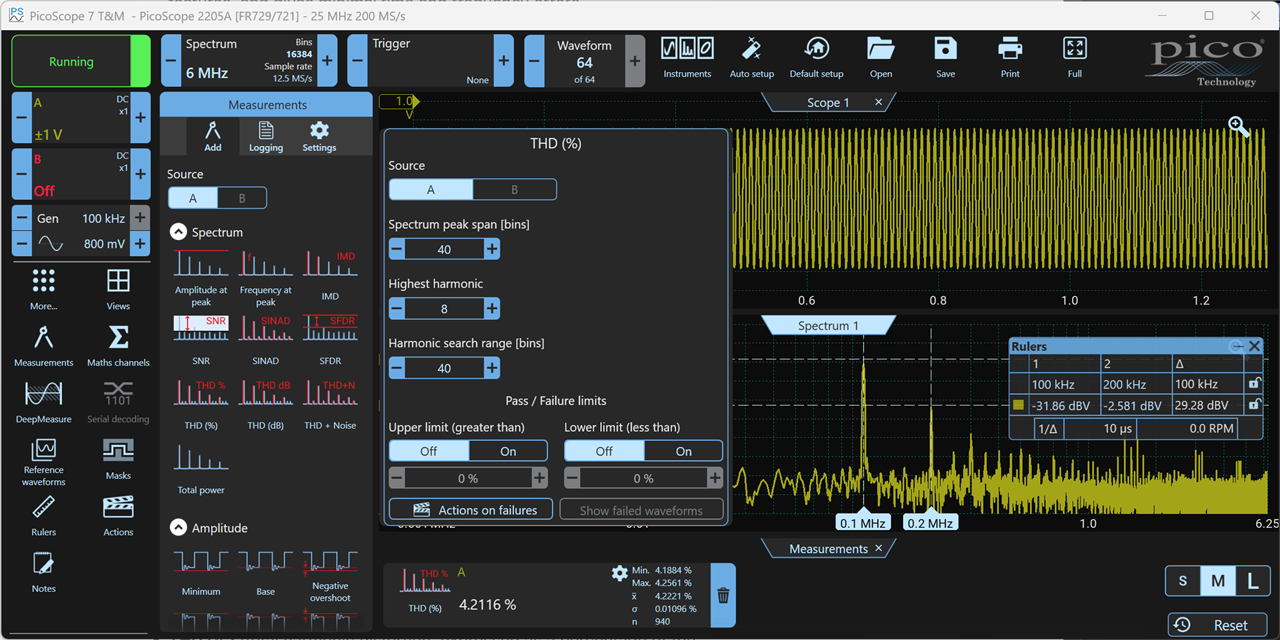
In general, I think the core spectrum functionality is there and it works pretty fast even with my ancient PicoScope, since the PC is doing all the mathematics to convert from the time domain. It’s very usable, I love the measurements, and I can always “print screen” and manually compare at ease on the large PC screen, or even perhaps write my own app if I ever have a niche requirement - I'd probably upgrade my PicoScope to a higher-res one at some point too.
Programmability
SCPI isn’t natively an option. Pico offer a Software Development Kit (SDK) and from experience with it, it’s really not hard to get going with it (I wrote my own lightweight oscilloscope software with it, I had reasons). It’s well documented and there are examples.
For users of software like LabVIEW, you don’t need to code with the SDK, because LabVIEW interfaces with that for you (apparently).
There may well be users of other software that require SCPI and are unwilling or unable to use the SDK. The PicoScope is probably not for them. Personally, I'm extremely happy the SDK is available for coding in C, C++, C#, LabVIEW as mentioned, even VB.Net, and MATLAB, and also Python. This is simply awesome, and aligns with (and probably exceeds) the programmability options with all leading manufacturers, e.g. R&S now offer a Python API for some of their instruments too.
Summary
There’s a lot to explore with PicoScope 7, I’ve merely touched the surface, after a few hours of trying it out. Overall, I’m really happy with the improvements, and excited about the Linux and Mac support – super pleased that Pico did this, and will save people a lot of money if they can continue to use their older laptops and tablets for many years longer, given the costs involved these days with upgrading or replacing computers.
I’d be very curious to hear about other people’s opinions on the software and the Pico instruments.
Thanks for reading.


