


Oscilloscope Security
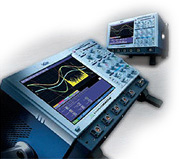 In order to insure your best "safe scoping" experience, LeCroy has implemented a number of easy to follow steps. Below is a list of suggestions we recommend doing to maintain the safety of your DSO.
Windows Based Digital Oscilloscopes
Your LeCroy Digital Storage Oscilloscope (DSO), when viewed from the signal path, is functionally an oscilloscope that happens to be built on the widely used Windows operating system. Using Windows provides easy access to peripheral hardware, third party software, and familiar user interfaces, to supplement the scope's primary design purpose... capture and analysis of waveforms.
When viewed from the network connector or removable disk drives (e.g. floppy, CD-ROM, USB storage key) however, your LeCroy DSO is a computer, that happens to run an oscilloscope application. From this vantage point, LeCroy as the provider of the DSO, and yourself as its user, need to take proper precautions relating to prevention of viruses and other security threats.
This web page contains up-to-date news, and easy to follow suggestions for maintaining your DSO.
LeCroy's Commitment to DSO Security
LeCroy is committed to providing industry leading DSO protection to users, and has established procedures to insure:
- LeCroy's pool of demonstration digital oscilloscopes are protected against viruses, and can be safely connected to customer information networks for evaluation purposes.
- Every new LeCroy Windows based digital oscilloscope is shipped from our factory with an industry leading Anti Virus (AV) software trial subscription included free of charge.
- Every LeCroy DSO is manufactured and tested in a secure and isolated network environment. It is scanned non-invasively using the latest virus definitions before being put into its shipping carton, with a signed certificate included in the box.
- Every DSO returned to LeCroy for repair, calibration, or updating is scanned non-invasively on receipt and prior to return, with a signed certificate provided, and is worked on in a secure and isolated network environment.
- Every reconditioned DSO is treated like a manufactured or serviced DSO from a software perspective and is made fully safe, secure, and up to date prior to sale.
LeCroy actively participates in Microsoft Service Pack betas, and also tests critical updates as soon as they are available. In the very unlikely event that an update adversely affects the performance of your DSO we will update the DSO Security site with information and potential workarounds.
LeCroy's recommendation on AntiVirus software
LeCroy advises strongly that all X-Stream based scopes be equipped with antivirus software prior to connection to a network. It is equally important to keep the virus definition files frequently updated. LeCroy has evaluated Symantec AntiVirus for effectiveness and impact on performance. Click here to view the results of these tests.
Scopes equipped with Windows XP Pro SP2, or later, will detect installed anti-virus software and will report when antivirus definitions are out of date.
Recommendations For You
While this process ensures that you will receive your instrument without viruses, it does not necessarily protect your instrument from receiving a virus once it has been connected to your network.
You should take precautions when connecting a LeCroy instrument to your network including:
- Install antivirus software on your instrument.
You may wish to check your IS department first to see if they have a "preferred Anti-Virus" tool. - Ensure that the Anti-Virus definitions are up-to-date using Symantec's "Live Update" service.
- Ensure that the latest Operating System Service Pack and Critical Updates have been installed by running "Windows Update", available in the windows "Start" menu.
This page provides information regarding operating system updates in the unlikely event that an O/S update is incompatible with the X-Stream firmware.
Since new Operating System Vulnerability, Worms, and Viruses are detected frequently it is highly recommended to periodically ensure your virus definitions and operating system patches are up to date.
New Oscilloscopes
LeCroy has selected NOD32 as the tool of choice for protection of Digital Oscilloscopes. We have tested this product fully for compatibility and performance impact. Because some DSO users may prefer another tool for this purpose, or may be planning to use their DSO in stand alone mode, LeCroy includes NOD32 trial installer on the oscilloscope desktop.
If a DSO is protected with antivirus, however has been disconnected from the network for an extended period, LeCroy recommends that the virus definition files be updated manually using a CD or USB memory stick, prior to reconnection to the network.
LeCroy's DSO production lines are updated regularly, to ship OS images complete with needed service packs and patches. A recovery partition is included on the hard disk drive of each LeCroy oscilloscope. It is possible you may receive a DSO that has been in transit or storage for some period, and LeCroy recommends that users routinely apply critical OS patches as part of DSO maintenance. Your DSO is expected to provide long service life (LeCroy long term support extends for seven years after your DSO is removed from the new product catalog) and therefore your recovery partition will 'age'. If you find it necessary to rebuild an older DSO, it is important that needed service packs and critical updates be reinstalled.
New Demonstration Oscilloscopes
LeCroy demonstration Digital Oscilloscopes are protected by NOD32, which is updated weekly, and by OS patches monthly. If you wish, prior to any demonstration at your facility, you may invite your IT department to examine the DSO prior to connecting it to your network. LeCroy Sales and Applications Engineers are equipped with a set of security tools that allow them to keep demonstration Digital Oscilloscopes clean and safe for your evaluation.
Oscilloscopes sent for Repair or Calibration
Your DSO will be scanned non-invasively for viruses upon receipt at a LeCroy service center. If a virus is found, you will be contacted and asked for instructions on how you want us to proceed. While at LeCroy, your machine will be carefully isolated and protected, and prior to return shipment it will be non-invasively scanned again and certified.
Windows Vista 64 -based Oscilloscopes
The WavePro 7 Zi, DDA 7 Zi, SDA 7 Zi, WaveMaster 8 Zi, DDA 8 Zi, SDA 8 Zi are shipped with Windows Vista 64 with Service Pack 1 installed.
These oscilloscopes offer an increased level of security out of the box due to the enhancements that SP1 offers, including a network firewall that is enabled by default.
Windows Vista 64 -based oscilloscopes can benefit from Microsoft's Windows Update service, and users are highly recommended to take advantage of the critical updates that are published there.
Windows XP Pro -based Oscilloscopes
The WaveRunner 6000 'A' models, the WavePro 7000 'A' models, and currently shipping WaveMaster, WaveExpert, SDA, and DDA variants ship with Windows XP Professional with Service Pack 3 installed.
These oscilloscopes offer an increased level of security out of the box due to the enhancements that SP3 offers, including a network firewall that is enabled by default.
Windows XP Pro -based oscilloscopes can benefit from Microsoft's Windows Update service, and users are highly recommended to take advantage of the critical updates that are published there.
Users should monitor the space available on C:\, when installing Windows updates. If the oscilloscope is running short on hard drive space on C:\, please contact the Service Department for information on upgrading the drive.
Windows XP Embedded -based Oscilloscopes
The WaveSurfer product line currently ships with XP Embedded SP3.
Although your WaveSurfer is shipped from the factory at the SP3 level, it may report itself as XP without SP3, which may preclude some Windows applications from being installed. The first of the patches described below resolves this issue.
XP Embedded, even though virtually identical to XP Pro, cannot currently use the Windows Update service. Instead, LeCroy has created two O/S update installers which are available here ("WaveSurfer Patch" for WaveSurfer 400 Series Only).
It is very important to note that the released Service Pack 2 and Service Pack 3 for Windows XP Home and Professional is not compatible with XP Embedded. Installing this service pack will almost certainly render your oscilloscope unusable, requiring the OS to be re-installed.
Support for critical updates and service packs are not provided for XP Embedded. XP pro may be installed if SW patches and security updates are required. Contact your local service office for information concerning this upgrade.
Windows 2000 -based Oscilloscopes
The WaveRunner 6000 (non-A), older WavePro, WaveMaster, SDA, and DDA oscilloscopes are based upon Microsoft's Windows 2000 Operating System.
The first units shipped at the Service Pack 2 (SP2) level, more recent units ship with SP3, and SP4.
Based on past events, most notably on the pervasiveness of the Blaster, and other worms and viruses, LeCroy recommends that all users upgrade their scope's operating system to Windows 2000 Service Pack 4 which can be found at Windows 2000 Service Pack 4.
Before upgrading, you should note that the use of Service Pack 4 requires the scope software version 2.9.1.10 or greater. The scope will not operate properly if Service Pack 4 is installed with older scope software versions.
CAUTION
Scope users MUST upgrade their software to the latest software version prior to installing Windows 2000 Service Pack 4.
Currently, LeCroy does not recommend upgrading scopes which run Windows 2000 to other Microsoft operating systems such as Windows XP.

