


Project Information
Project Description: https://green-scientist.com/projects/1-meter-of-pi-2pi-microgravity-garden/
1 Meter of Pi Project Blog: 1 Meter of Pi
Github repo: https://github.com/kurama007/1MeterOfPi
Objective of This 1 meter of Pi Project
Just as a reminder, the objective of this project is to demonstrate a working prototype to grow vegetables to feed astronauts inside 1 cubic meter.
The challenges that we faced in this environment are
1. Constantly provide water
2. Non-self pollination plants need pollination without bees and wind in space
3. Environment Change in space. For example, temperature, humidity, pressure, and microgravity!
1 meter of Pi Setup
The Proof of Concept Hydroponic system is developed in my home garage 
1. Leafy Plants
The first one is leafy plants. The warm mat helped keep the temperature at room temperature like 25 degree Celcius.

Non-contact water sensor is connected to Raspberry Pi GPIO pin 4. Next, let's go over hardware list!
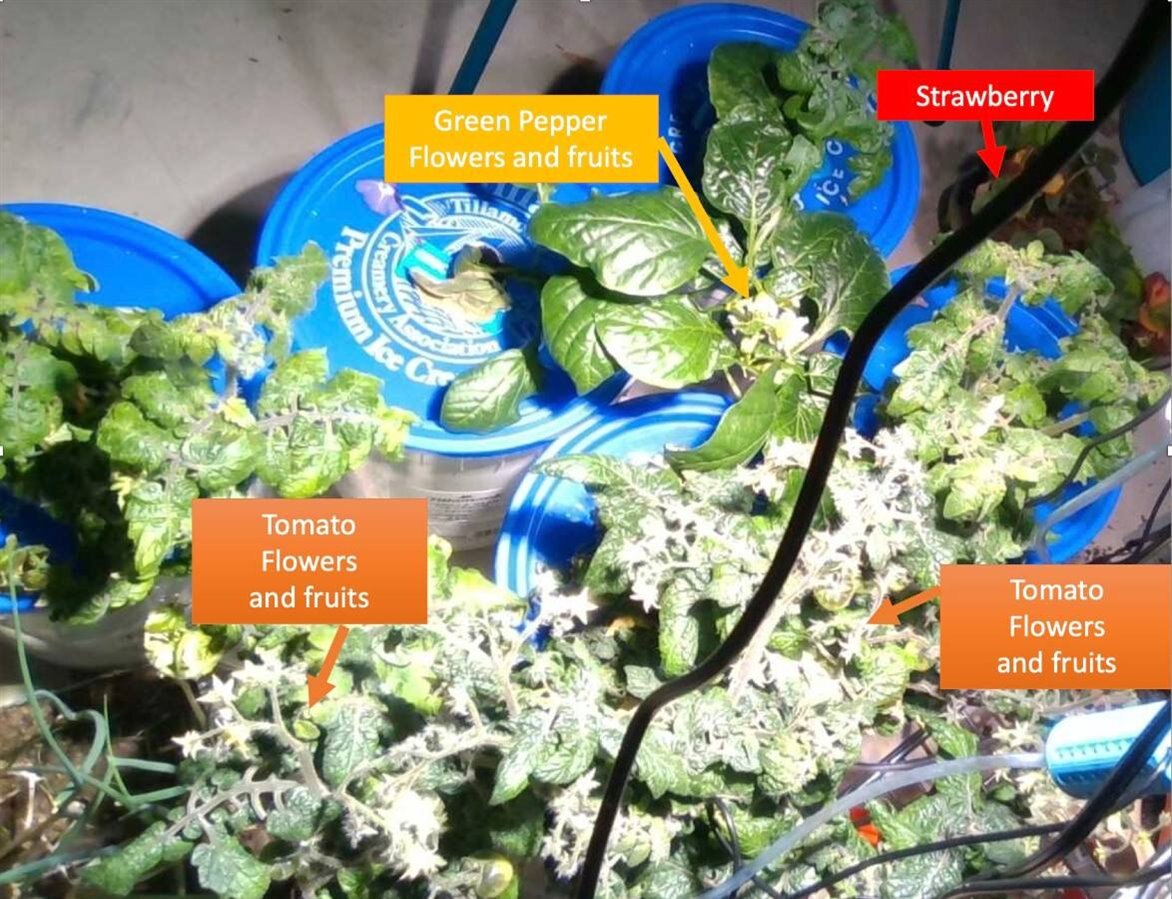
2. Fruitful Plants
Here is a second setup to watch fruitful plants grow!
Required Hardware
Here is a list of hardware.
1. Raspberry Pi 4 - https://www.raspberrypi.org/products/raspberry-pi-4-model-b/
2. Pimoroni Enviro - https://shop.pimoroni.com/products/enviro?variant=31155658489939
3. USB Webcam or Raspberry Pi camera
4. Non-contact Water Sensor - https://www.dfrobot.com/product-1493.html
5. Light Source and IOT outlet - https://primewirecable.com/collections/smart-home-devices/products/2-outlet-black-outdoor-wi-fi-remote-control
6. Hydroponic System - https://green-scientist.com/2020/05/16/diy-hydroponics-under-10-mins-with-basil/
Software Installation
1. Raspberry Pi 4 Operating System
2. Enviro Plus Software Library - https://github.com/pimoroni/enviroplus-python/
3. Python packages
sudo apt-get install qt5-defaultsudo apt-get install qtcreatorsudo apt-get install libqt5serialport5sudo apt-get install libqt5serialport5-devsudo apt-get install qttools5-dev-tools
4. 1 Meter of Pi Project code at https://github.com/kurama007/1MeterOfPi
5. IOT Outlet software application- Prime Wire iOS app
How to run the GUI from github repository
The instructions are written on github ReadMe file.
https://github.com/kurama007/1MeterOfPi
git clone https://github.com/kurama007/1MeterOfPi.git
cd 1MeterOfPi/gui
python3 run.py
Demo Snapshots and Video
Hoping to add some video.
1. I've tried some image recognition with Tensor Flow Lite. The details are covered in the blog post 7 and 8 below.
2Pi Microgravity Garden Blog 7 | AI Image Recognition with Raspberry Pi and Tensor Flow
2Pi Microgravity Garden Blog 8 | AI Image Recognition Improvements with Google Coral and Heat Mat
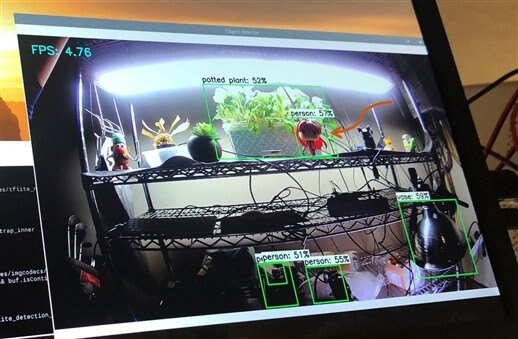
2. This picture shows the PyQt5 based GUI is run as a tab.
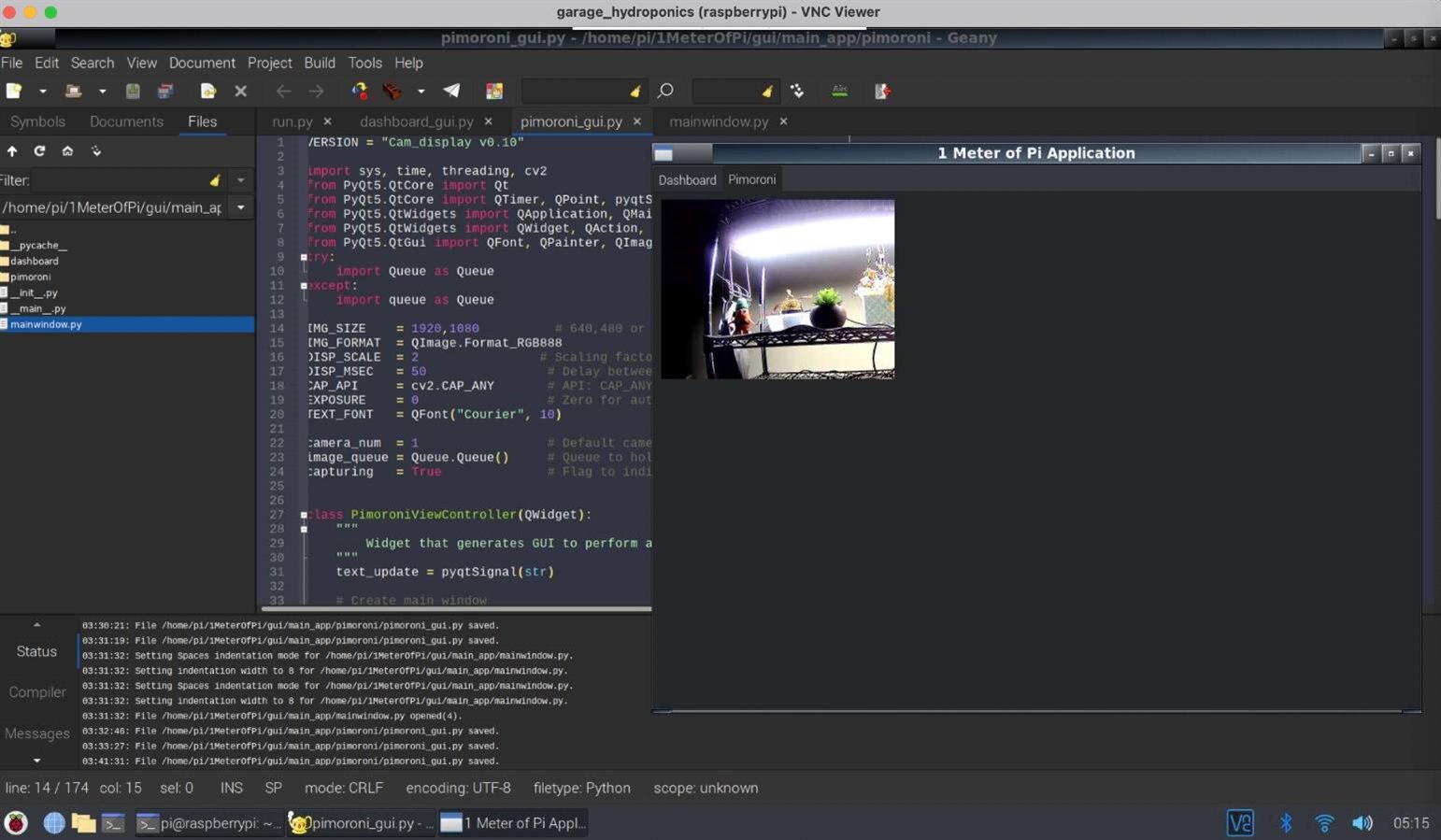
I would like to customize things usually, so I made the Raspberry pi in dark mode-ish and set it up as the VNC server, so we can log into this system in my garage remotely. Also, we can see the plant with the webcam.
Adding more pictures shortly ...