


Hey guys,
So I received the MiniZed about four weeks back . It arrived during my final year exams which gave me no time to mess around with the board and the training material. Finally after my exams got over and a few celebrations (:P) I am ending off 2018 with this blog series. Before we dive into the material composition, I thought it might be best I introduced myself to the community :
I am a fourth year undergrad currently studying Electronics and Computers Engineering. My experience with Xilinx products, dates a year back, when I had my hands on a Spartan 3E. My first project on it was to build a traffic light system. And boy, I haven't looked back since then. I wrote a roadtest review on the Basys 3, after which I spent my summer vacation in Xilinx as an intern. Over there I had a chance to work with a few boards - PYNQ-Z2 , Nexys 4 DDR. It was a wonderful experience, and I learnt about the world of MPSoCs from there.
Only recently, I've been selected *again* to intern in Xilinx again for the next half of the year. So do except some interesting stuff from me.
Ever since I got the MiniZed, I have been itching to start a few experiments with Deep Learning on it. However, as protocol demands, I would be putting up my training material experience first.
A Github repository will be maintained for this entire series, which would be consisting of any extra files I have generated or found. There would also be a few TCL scripts for each of the labs, for those who want to take the easy way out ! Beware however, It would be configured for my use (i will indicate where something is specifically configured). I also will be taking into consideration a few other MPSoC boards, and will be linking some content at the end of each blog later . The link is : https://github.com/wady101/MiniZed_PTP
Okay that's enough talk out of me ! Let's get this show started !
- Talking about the board - MiniZed has very interesting connectivity features compared to PYNQ board which only had an Ethernet connection.
- I am happy they got rid of plenty of the switches and push buttons which was a standard for FPGA and MPSoCs (Don't believe me ? Have a look at the Basys 3 board). They weren't required anyways (
 )
)

- The Motion and temperature sensors look pretty slick and can be used for IoT applications along with the Bluetooth and Wifi connectivity. For the PYNQ-Z2, I had to carry along a Grove kit to use some of the sensors. The retention of the PMOD connectors is a plus point.
- My main concern with this board would be the extent at which this board's 7Z007S would be used. I do hope to see some interesting numbers when I am done with the Place and Route of the Programming Logic side.
Talking about the training material - I would go ahead and use Vivado 2017.4 version, and minicom as my serial monitor. I would be running this on Ubuntu 18.04, but will be experimenting Vivado on Arch Linux. Would be putting up a paragraph or two of this in the next blog. For now a brief look at the training material :
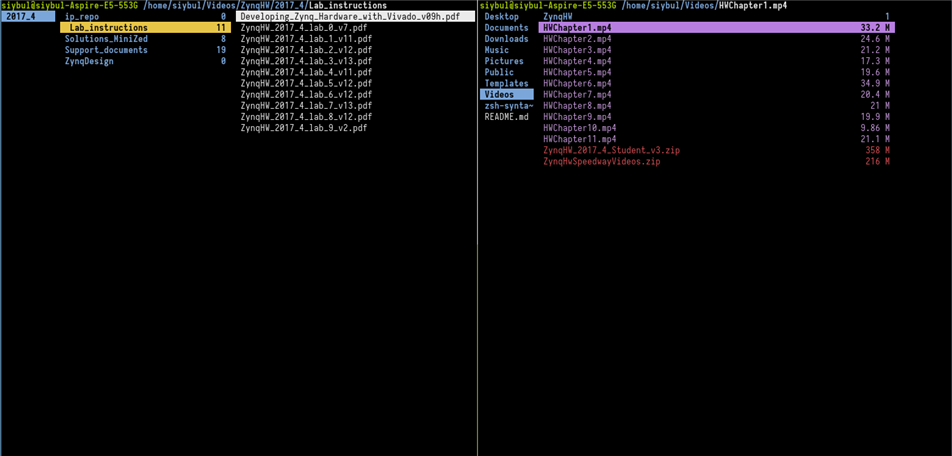
There is also a pdf which covers the slides in the videos (Highlighted). Size wise, not too bad, I have seen worse 
HW_Chapter 1.mp4
Until then, I have looked through the first video of the Zynq material.
Covers :
- Why we need MPSoCs
- Zynq is the most badass SoC out there
- Programs can update hardware in real time.
- SoC reduces I/O power (as there is no need for some MOS drivers)
- Zynq is a pretty secure platform
Was very concise and represented the Zynq ecosystem in a nutshell. Would have loved some subtitles !
ZynqHW_2017_4_lab_0_v7 :
Nothing much. Just talks about setting up Tera Term (a serial monitor) and Vivado. I plan to keep the same directory structure as mentioned in the lab.
The MiniZed:
The whole kit consists of the board itself, the USB connector, a quick start instruction guide and a safety guide. A few roadtests have been done in the past for this board, do have a look at them! AVNET MiniZed
So booting up the board is like this:
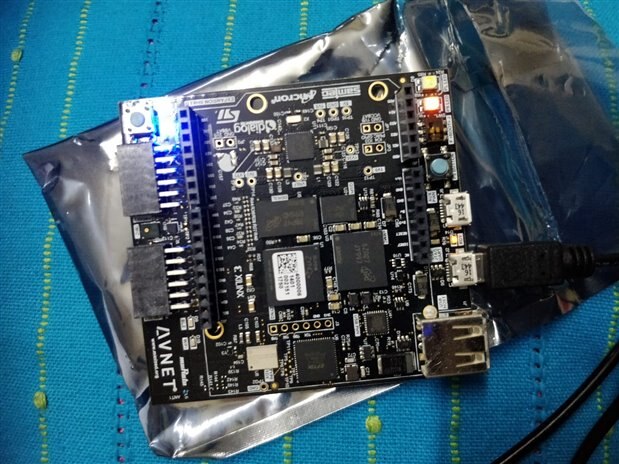
Absolutely loved the little PL and PS LEDs flashing respectively when it's being used. That is a pretty cool feature that can be used for Zynq training boards.
A successful bootup of the PetaLinux bash shell in root :
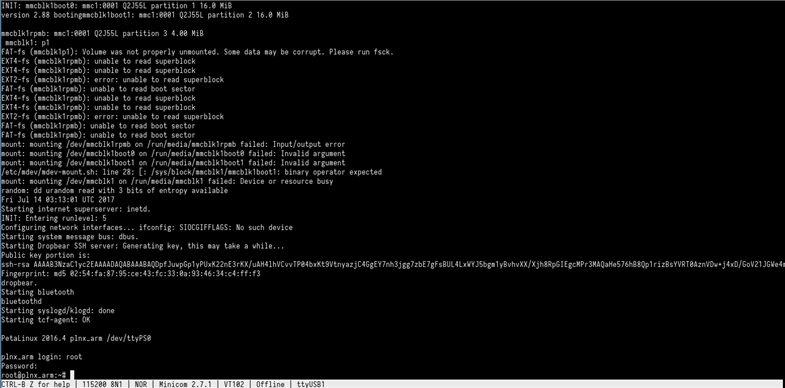
I plan is to first try out the few tests given on the MiniZed board.
The bt.sh command is a script that scans for nearby Bluetooth devices (here I used my phone as a guinea pig). From what I could guess, the PS offloads the Bluetooth to a "serial device" (could be a PL side Bluetooth IP, responsible for handling the Murata LBEE5KL1DX Bluetooth module) and then brings back control to the PS which behaves as if there was a bluetooth module attached directly to the ARM processor. Looks like I just would have to dig deeper to find out .
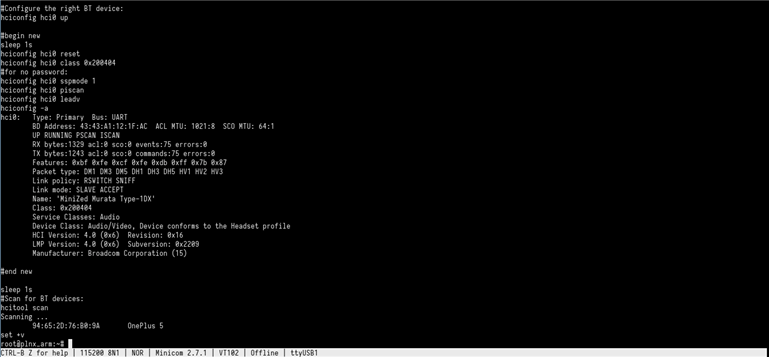
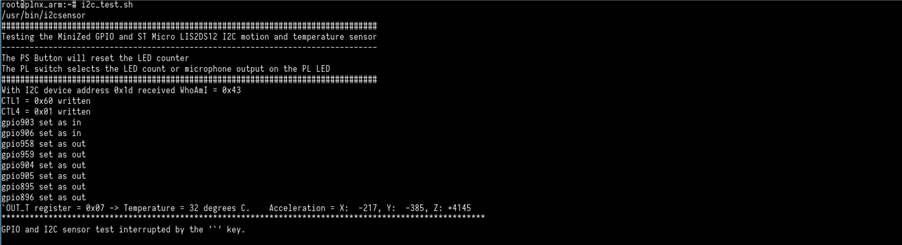
The second script, i2c_test.sh, tests all the GPIO connected peripherals of the PL side. This includes the microphone. temperature sensor and motion sensor. I however could not get the LED counter working. The PL switch was just too damn small to adjust!
So, that was a brief intro to this blog series. More crazy stuff with time to come. Stay tuned and a Happy New Year to everyone !
Top Comments
-

mu.udhay
-
Cancel
-
Vote Up
+2
Vote Down
-
-
Sign in to reply
-
More
-
Cancel
Comment-

mu.udhay
-
Cancel
-
Vote Up
+2
Vote Down
-
-
Sign in to reply
-
More
-
Cancel
Children