


Creating Graphics for the Sharp LCD
Hardware:
SimpleLink MSP432P401R LaunchPad
Software:
Image Reformer Tool
Microsoft Paint
From the inception of my project I had an idea of a graphic image that I wanted to represent the project but I was not sure how to get this created and added to the MSP432 to display on the the Sharp 96x96 LCD booster. I had taken the Valvano Embedded MOOCs on edX and tried to use the example that was used in the courses, but these did not work with the grlib and LCD code I have with TI-RTOS. After some searching, I found that TI provided a nifty tool that can take an image and convert to a '.c' file which can be added to the exist code to display the image on a LCD such as the Sharp LCD Booster pack.
The tool is the MSP430 Image Reformer Tool which is found in the MSP GRLIB Graphics Library download
.
http://www.ti.com/tool/msp-grlib
The code produced from this tool is compatible with the MSP430 and MSP432 line of Launchpads and devices and the Grlib calls from TI.
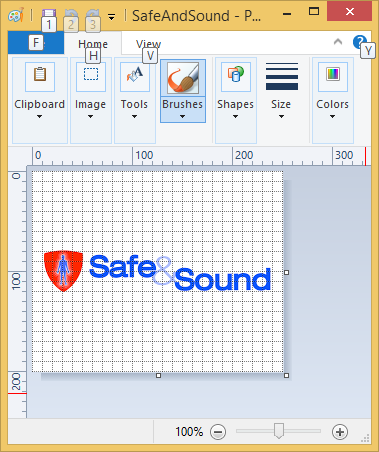
As an example, I downloaded the Element14 Safe & Sound log, and using MS Paint, I made some minor changes and then created a .bmp. file to be used with Image Reformer.
First, open the file in Paint (Or an equivalent tool to create bitmaps with).
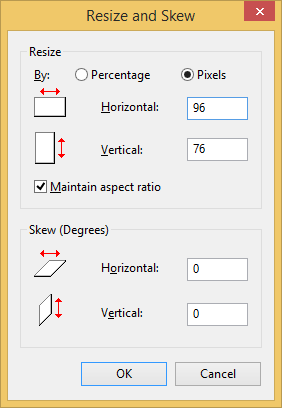
Resize the image to fit n the Sharp LCD 96x96 pixel screen:
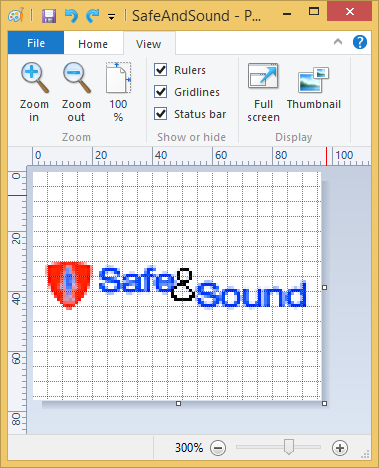
If needed, you can zoom in or out to work on the image or add Gridlines to edit each pixel. I changed the '&' symbol color to black so it would stand out in the black and white image from Image Reformer.
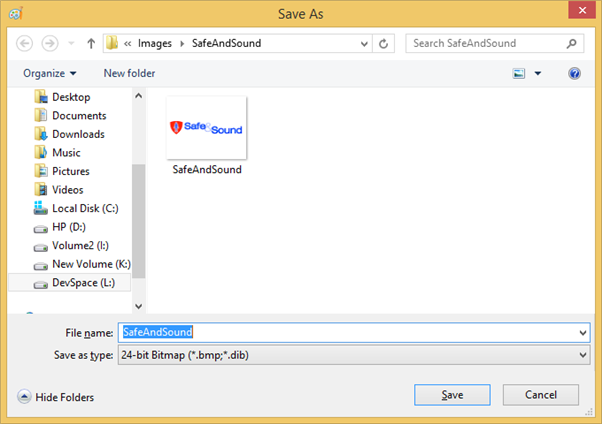
Then, save the image as a 24-bit bitmap with a ".bmp" extension for use with the Image Reformer Tool.
Then launch the MSP430 Graphics Library Image Reformer tool.
On my system, after it was installed, the tool executable was found at:
C:\ti\msp430\imagereformer_1_00_00_00\imagereformer.exe
Once the Image Reformer Tool is launched, you will get a blank page.
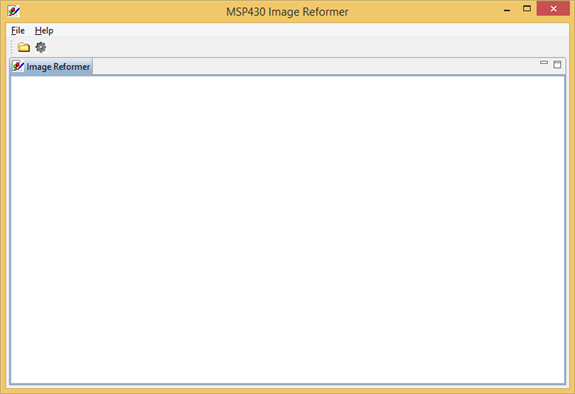
From the 'File-Open Image' menu option, find your bitmap file and open it.
The image should be shown on both the left and the right screens.
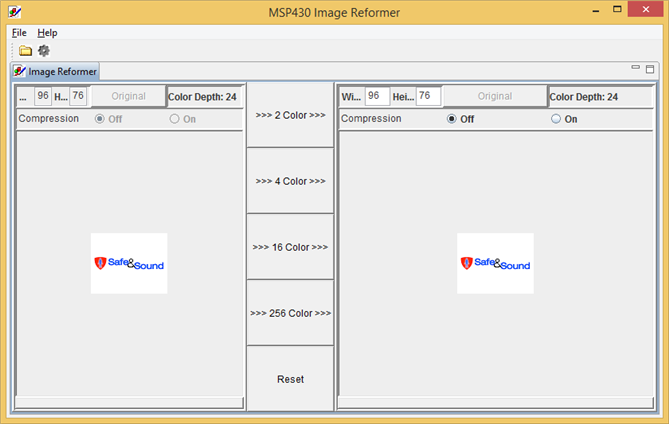
From here,you can set the Width, Height, Number of colors to use and whether Compression is on or off.
For the Sharp 96x96 LCD, I found the following settings to work best:
- Number of colors - 2 Color
- Width - 96 Max
- Height - 96 Max (76 in this case)
- Compression - Off
This will change the image on the right to a Black and White Image.
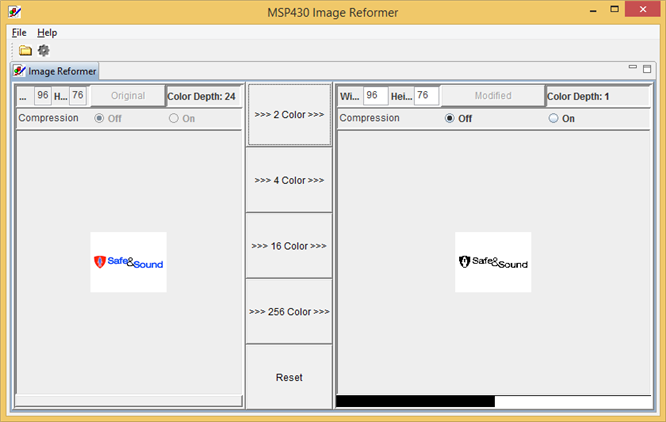
Once the settings are in place, just click on the Gear icon next to the folder icon in the menu bar to Generate the image 'C' code.
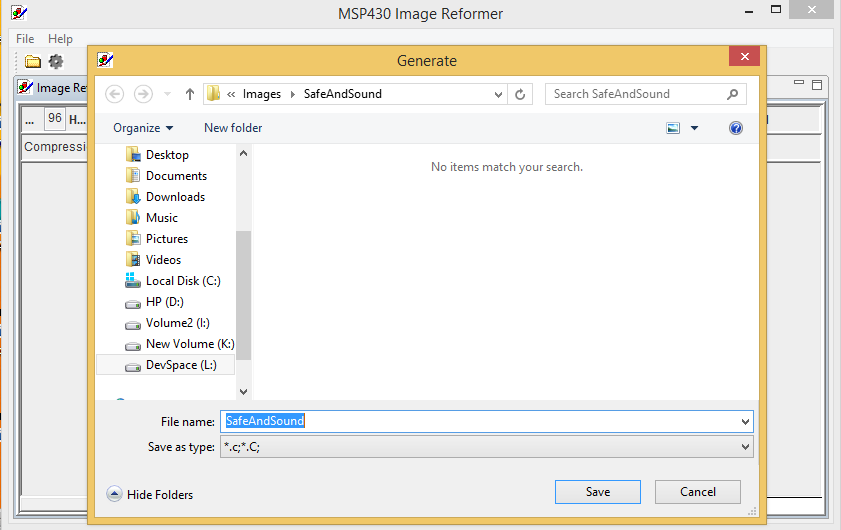
This will generate the '.c' file that will be used in the Code Composer Code to display the image on the LCD screen.
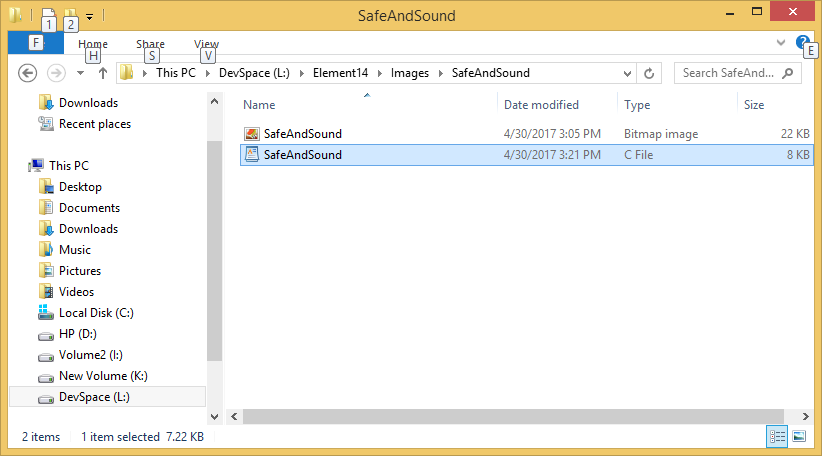
Data in the '.c' file
/* Copyright (c) 2012, Texas Instruments Incorporated
All rights reserved.


Redistribution and use in source and binary forms, with or without
modification, are permitted provided that the following conditions
are met:


*  Redistributions of source code must retain the above copyright
   notice, this list of conditions and the following disclaimer.


*  Redistributions in binary form must reproduce the above copyright
   notice, this list of conditions and the following disclaimer in the
   documentation and/or other materials provided with the distribution.


*  Neither the name of Texas Instruments Incorporated nor the names of
   its contributors may be used to endorse or promote products derived
   from this software without specific prior written permission.


THIS SOFTWARE IS PROVIDED BY THE COPYRIGHT HOLDERS AND CONTRIBUTORS "AS IS"
AND ANY EXPRESS OR IMPLIED WARRANTIES, INCLUDING, BUT NOT LIMITED TO,
THE IMPLIED WARRANTIES OF MERCHANTABILITY AND FITNESS FOR A PARTICULAR
PURPOSE ARE DISCLAIMED. IN NO EVENT SHALL THE COPYRIGHT OWNER OR
CONTRIBUTORS BE LIABLE FOR ANY DIRECT, INDIRECT, INCIDENTAL, SPECIAL,
EXEMPLARY, OR CONSEQUENTIAL DAMAGES (INCLUDING, BUT NOT LIMITED TO,
PROCUREMENT OF SUBSTITUTE GOODS OR SERVICES; LOSS OF USE, DATA, OR PROFITS;
OR BUSINESS INTERRUPTION) HOWEVER CAUSED AND ON ANY THEORY OF LIABILITY,
WHETHER IN CONTRACT, STRICT LIABILITY, OR TORT (INCLUDING NEGLIGENCE OR
OTHERWISE) ARISING IN ANY WAY OUT OF THE USE OF THIS SOFTWARE,
EVEN IF ADVISED OF THE POSSIBILITY OF SUCH DAMAGE.*/


#include "grlib.h"


static const unsigned char pixel_SafeAndSound1BPP_UNCOMP[] =
{
0xff, 0xff, 0xff, 0xff, 0xff, 0xff, 0xff, 0xff, 0xff, 0xff, 0xff, 0xff,
0xff, 0xff, 0xff, 0xff, 0xff, 0xff, 0xff, 0xff, 0xff, 0xff, 0xff, 0xff,
0xff, 0xff, 0xff, 0xff, 0xff, 0xff, 0xff, 0xff, 0xff, 0xff, 0xff, 0xff,
0xff, 0xff, 0xff, 0xff, 0xff, 0xff, 0xff, 0xff, 0xff, 0xff, 0xff, 0xff,
0xff, 0xff, 0xff, 0xff, 0xff, 0xff, 0xff, 0xff, 0xff, 0xff, 0xff, 0xff,
0xff, 0xff, 0xff, 0xff, 0xff, 0xff, 0xff, 0xff, 0xff, 0xff, 0xff, 0xff,
0xff, 0xff, 0xff, 0xff, 0xff, 0xff, 0xff, 0xff, 0xff, 0xff, 0xff, 0xff,
0xff, 0xff, 0xff, 0xff, 0xff, 0xff, 0xff, 0xff, 0xff, 0xff, 0xff, 0xff,
0xff, 0xff, 0xff, 0xff, 0xff, 0xff, 0xff, 0xff, 0xff, 0xff, 0xff, 0xff,
0xff, 0xff, 0xff, 0xff, 0xff, 0xff, 0xff, 0xff, 0xff, 0xff, 0xff, 0xff,
0xff, 0xff, 0xff, 0xff, 0xff, 0xff, 0xff, 0xff, 0xff, 0xff, 0xff, 0xff,
0xff, 0xff, 0xff, 0xff, 0xff, 0xff, 0xff, 0xff, 0xff, 0xff, 0xff, 0xff,
0xff, 0xff, 0xff, 0xff, 0xff, 0xff, 0xff, 0xff, 0xff, 0xff, 0xff, 0xff,
0xff, 0xff, 0xff, 0xff, 0xff, 0xff, 0xff, 0xff, 0xff, 0xff, 0xff, 0xff,
0xff, 0xff, 0xff, 0xff, 0xff, 0xff, 0xff, 0xff, 0xff, 0xff, 0xff, 0xff,
0xff, 0xff, 0xff, 0xff, 0xff, 0xff, 0xff, 0xff, 0xff, 0xff, 0xff, 0xff,
0xff, 0xff, 0xff, 0xff, 0xff, 0xff, 0xff, 0xff, 0xff, 0xff, 0xff, 0xff,
0xff, 0xff, 0xff, 0xff, 0xff, 0xff, 0xff, 0xff, 0xff, 0xff, 0xff, 0xff,
0xff, 0xff, 0xff, 0xff, 0xff, 0xff, 0xff, 0xff, 0xff, 0xff, 0xff, 0xff,
0xff, 0xff, 0xff, 0xff, 0xff, 0xff, 0xff, 0xff, 0xff, 0xff, 0xff, 0xff,
0xff, 0xff, 0xff, 0xff, 0xff, 0xff, 0xff, 0xff, 0xff, 0xff, 0xff, 0xff,
0xff, 0xff, 0xff, 0xff, 0xff, 0xff, 0xff, 0xff, 0xff, 0xff, 0xff, 0xff,
0xff, 0xff, 0xff, 0xff, 0xff, 0xff, 0xff, 0xff, 0xff, 0xff, 0xff, 0xff,
0xff, 0xff, 0xff, 0xff, 0xff, 0xff, 0xff, 0xff, 0xff, 0xff, 0xff, 0xff,
0xff, 0xff, 0xff, 0xff, 0xff, 0xff, 0xff, 0xff, 0xff, 0xff, 0xff, 0xff,
0xff, 0xff, 0xff, 0xff, 0xff, 0xff, 0xff, 0xff, 0xff, 0xff, 0xff, 0xff,
0xff, 0xff, 0xff, 0xff, 0xff, 0xff, 0xff, 0xff, 0xff, 0xff, 0xff, 0xff,
0xff, 0xff, 0xff, 0xff, 0xff, 0xff, 0xff, 0xff, 0xff, 0xff, 0xff, 0xff,
0xff, 0xff, 0xff, 0xff, 0xff, 0xff, 0xff, 0xff, 0xff, 0xff, 0xff, 0xff,
0xff, 0xff, 0xff, 0xff, 0xff, 0xff, 0xff, 0xff, 0xff, 0xff, 0xff, 0xff,
0xff, 0x81, 0xff, 0xff, 0xff, 0xff, 0xff, 0xff, 0xff, 0xff, 0xff, 0xff,
0xf8, 0x18, 0x1f, 0xff, 0xff, 0xff, 0xff, 0xff, 0xff, 0xff, 0xff, 0xff,
0xf8, 0x38, 0x1e, 0x0f, 0xfc, 0x7f, 0xff, 0xff, 0xff, 0xff, 0xff, 0xff,
0xf8, 0x3c, 0x1e, 0xe7, 0xfd, 0xff, 0xff, 0xff, 0xff, 0xff, 0xff, 0xff,
0xf8, 0x24, 0x1c, 0xf6, 0x10, 0xc3, 0xff, 0xff, 0xff, 0xff, 0xff, 0xff,
0xf8, 0x66, 0x1e, 0x1d, 0xc9, 0x99, 0xff, 0xff, 0xff, 0xff, 0xff, 0xff,
0xf8, 0x6e, 0x1f, 0x87, 0x0d, 0x81, 0xff, 0xff, 0xff, 0xff, 0xff, 0xff,
0xfc, 0x66, 0x1d, 0xf4, 0xcd, 0xbf, 0xff, 0x07, 0xff, 0xff, 0xff, 0xdf,
0xfc, 0xfe, 0x3c, 0xf5, 0xcd, 0x9d, 0xfe, 0x73, 0xff, 0xff, 0xff, 0xdf,
0xfc, 0x7e, 0x3e, 0x0c, 0x05, 0xc3, 0xfe, 0x7f, 0x0c, 0xe8, 0x18, 0x1f,
0xfe, 0x3c, 0x7f, 0xff, 0xff, 0xff, 0xff, 0x0e, 0xe4, 0xe9, 0xdb, 0x9f,
0xfe, 0x3c, 0x7f, 0xff, 0xff, 0xff, 0xff, 0xc2, 0xf4, 0xe9, 0xd3, 0xdf,
0xff, 0x3c, 0xff, 0xff, 0xff, 0xff, 0xfe, 0xf8, 0xf4, 0xe9, 0xd3, 0xdf,
0xff, 0xbd, 0xff, 0xff, 0xff, 0xff, 0xfe, 0x72, 0xe4, 0xc9, 0xdb, 0x9f,
0xff, 0xc3, 0xff, 0xff, 0xff, 0xff, 0xff, 0x07, 0x0e, 0x09, 0xdc, 0x1f,
0xff, 0xff, 0xff, 0xff, 0xff, 0xff, 0xff, 0xff, 0xff, 0xff, 0xff, 0xff,
0xff, 0xff, 0xff, 0xff, 0xff, 0xff, 0xff, 0xff, 0xff, 0xff, 0xff, 0xff,
0xff, 0xff, 0xff, 0xff, 0xff, 0xff, 0xff, 0xff, 0xff, 0xff, 0xff, 0xff,
0xff, 0xff, 0xff, 0xff, 0xff, 0xff, 0xff, 0xff, 0xff, 0xff, 0xff, 0xff,
0xff, 0xff, 0xff, 0xff, 0xff, 0xff, 0xff, 0xff, 0xff, 0xff, 0xff, 0xff,
0xff, 0xff, 0xff, 0xff, 0xff, 0xff, 0xff, 0xff, 0xff, 0xff, 0xff, 0xff,
0xff, 0xff, 0xff, 0xff, 0xff, 0xff, 0xff, 0xff, 0xff, 0xff, 0xff, 0xff,
0xff, 0xff, 0xff, 0xff, 0xff, 0xff, 0xff, 0xff, 0xff, 0xff, 0xff, 0xff,
0xff, 0xff, 0xff, 0xff, 0xff, 0xff, 0xff, 0xff, 0xff, 0xff, 0xff, 0xff,
0xff, 0xff, 0xff, 0xff, 0xff, 0xff, 0xff, 0xff, 0xff, 0xff, 0xff, 0xff,
0xff, 0xff, 0xff, 0xff, 0xff, 0xff, 0xff, 0xff, 0xff, 0xff, 0xff, 0xff,
0xff, 0xff, 0xff, 0xff, 0xff, 0xff, 0xff, 0xff, 0xff, 0xff, 0xff, 0xff,
0xff, 0xff, 0xff, 0xff, 0xff, 0xff, 0xff, 0xff, 0xff, 0xff, 0xff, 0xff,
0xff, 0xff, 0xff, 0xff, 0xff, 0xff, 0xff, 0xff, 0xff, 0xff, 0xff, 0xff,
0xff, 0xff, 0xff, 0xff, 0xff, 0xff, 0xff, 0xff, 0xff, 0xff, 0xff, 0xff,
0xff, 0xff, 0xff, 0xff, 0xff, 0xff, 0xff, 0xff, 0xff, 0xff, 0xff, 0xff,
0xff, 0xff, 0xff, 0xff, 0xff, 0xff, 0xff, 0xff, 0xff, 0xff, 0xff, 0xff,
0xff, 0xff, 0xff, 0xff, 0xff, 0xff, 0xff, 0xff, 0xff, 0xff, 0xff, 0xff,
0xff, 0xff, 0xff, 0xff, 0xff, 0xff, 0xff, 0xff, 0xff, 0xff, 0xff, 0xff,
0xff, 0xff, 0xff, 0xff, 0xff, 0xff, 0xff, 0xff, 0xff, 0xff, 0xff, 0xff,
0xff, 0xff, 0xff, 0xff, 0xff, 0xff, 0xff, 0xff, 0xff, 0xff, 0xff, 0xff,
0xff, 0xff, 0xff, 0xff, 0xff, 0xff, 0xff, 0xff, 0xff, 0xff, 0xff, 0xff,
0xff, 0xff, 0xff, 0xff, 0xff, 0xff, 0xff, 0xff, 0xff, 0xff, 0xff, 0xff,
0xff, 0xff, 0xff, 0xff, 0xff, 0xff, 0xff, 0xff, 0xff, 0xff, 0xff, 0xff,
0xff, 0xff, 0xff, 0xff, 0xff, 0xff, 0xff, 0xff, 0xff, 0xff, 0xff, 0xff,
0xff, 0xff, 0xff, 0xff, 0xff, 0xff, 0xff, 0xff, 0xff, 0xff, 0xff, 0xff,
0xff, 0xff, 0xff, 0xff, 0xff, 0xff, 0xff, 0xff, 0xff, 0xff, 0xff, 0xff,
0xff, 0xff, 0xff, 0xff, 0xff, 0xff, 0xff, 0xff, 0xff, 0xff, 0xff, 0xff,
0xff, 0xff, 0xff, 0xff, 0xff, 0xff, 0xff, 0xff, 0xff, 0xff, 0xff, 0xff,
0xff, 0xff, 0xff, 0xff, 0xff, 0xff, 0xff, 0xff, 0xff, 0xff, 0xff, 0xff,
0xff, 0xff, 0xff, 0xff, 0xff, 0xff, 0xff, 0xff, 0xff, 0xff, 0xff, 0xff
};


static const unsigned long palette_SafeAndSound1BPP_UNCOMP[]=
{
  0x000000, 0xffffff
};


const tImage  SafeAndSound1BPP_UNCOMP=
{
  IMAGE_FMT_1BPP_UNCOMP,
  96,
  76,
  2,
  palette_SafeAndSound1BPP_UNCOMP,
  pixel_SafeAndSound1BPP_UNCOMP,
};
This file can be added to a CCS project such as the MSP432 Sharp LCD example that Jan Cumps outlines:
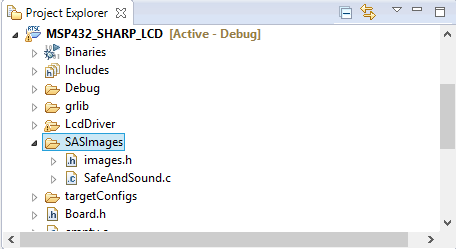
I added a 'images.h' file to add an interface to the image so I can just include this where I wish to use the image code.
For the Safe & Sound image, the '.h' file looks like this.
/*
 * images.h
 *
 *  Created on: Apr 20, 2017
 *      Author: Jon Morss
 */


#ifndef HGSIMAGES_IMAGES_H_
#define HGSIMAGES_IMAGES_H_


extern const Graphics_Image  SafeAndSound1BPP_UNCOMP;
//extern const Graphics_Image  TI_Logo_69x64_1BPP_UNCOMP;


#endif /* HGSIMAGES_IMAGES_H_ */
To use the image, just include the header file for the image where the image will be displayed.
Example:
#include <lcddriver/sharp96x96.h>


#include "SASImages/images.h"


Graphics_Context g_sContext;
To display the image, just replace the "Hello World" string output, or as in my case, just added a function to display the image before the Task runs in the main.
    System_flush();


    drawLogo();
    Delay(10);
Function drawLogo:
void drawLogo(void)
{
    Graphics_clearDisplay(&g_sContext);
    Graphics_drawImage(&g_sContext, &SafeAndSound1BPP_UNCOMP, 5, 48);
    Graphics_flushBuffer(&g_sContext);
}
I created a simple Delay call that I use to control the how long the image will be on screen.
void Delay(volatile int d_Time)
{
    volatile int i;
    volatile int j;
    for (i=0;i < d_Time; i ++) {
        for (j=0;j < 1700000 ; j ++);
    }
}
As a result, the image should look like what is seen in the following vid.
Top Comments