

Clem rebuilds the 3D Chameleon MK4 3D printer colour changer from the ground up, replacing the legacy electronics with a modern ATtiny3226 controller, TMC2209 drivers, thermistor-controlled cooling, and clearer status indicators. The mechanical system stays true to the original open-source design, but the updated hardware is easier to assemble, easier to source, and designed for reliable multicoloured filament changes without modifying your printer’s firmware.
Watch the Project Build
What is the 3D Chameleon MK4, and why it matters
The 3D Chameleon MK4 is a retrofit add-on for standard 3D printers: a multicoloured filament changer that lets you print objects in several colours using a single hotend. Instead of needing multiple extruders or a complex multi-material hotend, it physically swaps different 1.75 mm filaments via a lever-and-switch mechanism. When the printer’s tool-head moves to a fixed “actuator” spot, it mechanically presses a switch. Based on how long the switch is held, the Chameleon controller triggers filament unload/load sequences. That way you can change colour or material mid-print while staying compatible with virtually any FDM printer and often without modifying the printer’s own firmware. This design makes multicoloured printing accessible, especially for makers who prefer a simpler, retrofit solution over buying an expensive multi-extruder machine.
The MK4 version supports up to four filament channels, offering a flexible way to produce multi-colour prints while reusing a typical single-extruder setup.
But while the mechanical side was robust, the electronics and firmware were dated, and sourcing components for a new build had become harder. That’s where Clem’s work comes in.
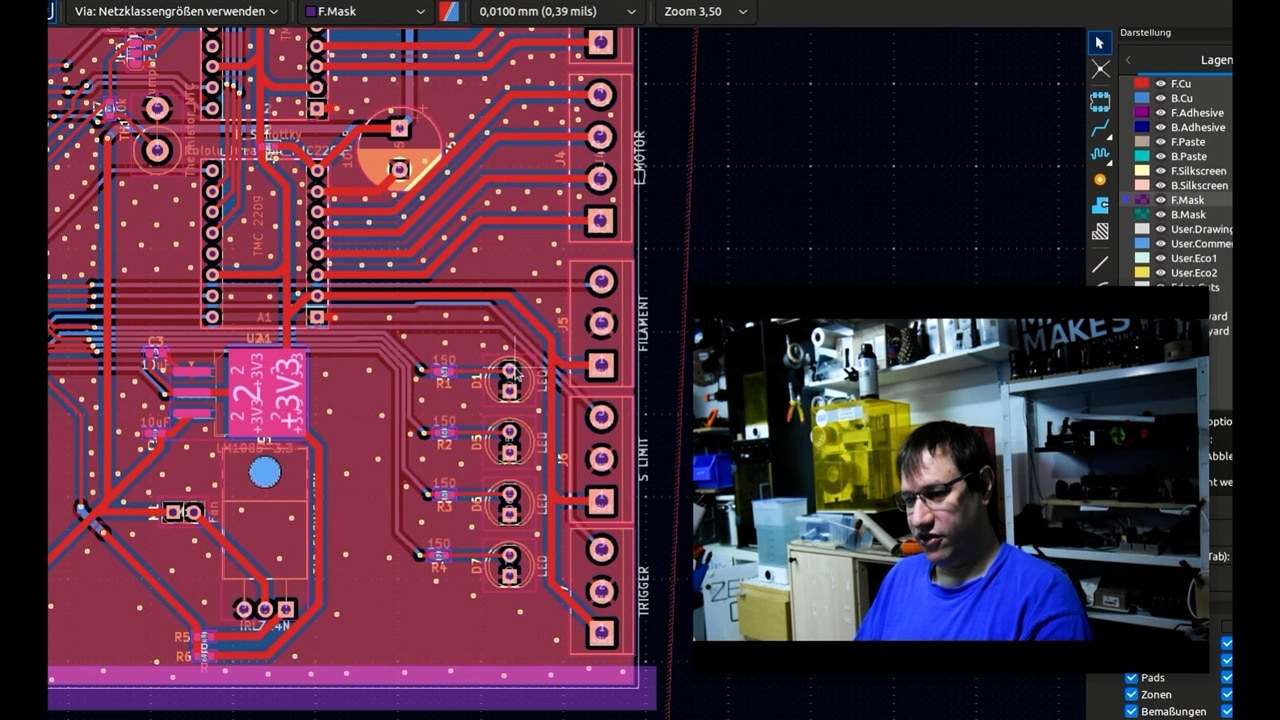
Rebuilding from the inside: Why Clem decided to redesign
Clem chose to preserve the proven mechanical parts of the MK4, the filament paths, lever system, bearings, and spring-loaded drives, but to rebuild everything around them: the electronics, firmware, board layout and feedback mechanism. Calling the result 3D Brookesia, he aimed for a version that’s easier to source, more reliable, and simpler to assemble by hand. As he says: “We take an open source design and iterate on it… and contribute to the project while making bespoke hardware that perfectly fits your use case.”
How the original system works, and what’s kept
The core of the 3D Chameleon’s magic is its use of a single micro-switch to orchestrate filament swaps. The printer moves the head to press the switch; the controller measures how long it’s pressed to decide whether to load, unload or change filament. During that hold, the stepper motor vibrates: “one vibration per second,” Clem explains, giving a tactile “tick-tick” so you can count the pulses for correct timing. No electronics connecting into the printer’s mainboard are needed; the only requirement is that your G-code includes moves to the actuator switch and filament-change commands. This preserves compatibility with nearly any standard FDM printer.
This mechanical-switch–based approach avoids expensive multi-extruder hardware or complex firmware mods, and keeps the system portable and extendable.

What Clem changed: hardware and firmware improvements
Modern microcontroller: ATtiny3226
The original MK4 board uses an ATmega328P, like an Arduino Uno, a reliable platform years ago, but increasingly obsolete. Clem migrated all firmware to an ATtiny3226, a modern UPDI-programmable chip that’s faster, doesn’t need an external crystal, and is easier to source. That involved remapping every pin via the MegaTinyCore framework and stripping out I²C-dependent code. As Clem notes, leaving in unused I²C routines caused the original firmware to “actively search for those devices on startup,” and stall if it didn’t find them. The new build avoids that, simplifying startup and reducing points of failure.
Quieter, cooler drivers: TMC2209
To replace the older DRV8825/A4988-style drivers, Clem installs TMC2209 stepper drivers. These run cooler and with less noise. Because TMC2209 modules depend on a stable logic voltage rail to detect their reference voltage at boot, Clem adds Schottky diodes to ensure logic voltage comes up before motor power, preventing issues such as mistaken UART mode or mis-detection. As Clem puts it: “This makes sure that the chip can automatically detect its voltage reference level and then goes into read mode.”
Thermistor-monitored cooling
Stepper drivers and an enclosed chassis can build up heat, so Clem adds a thermistor circuit feeding a PWM-controlled fan. The thermistor forms a voltage divider connected to an analog pin; firmware reads its resistance (using the Beta curve) and, if temperature exceeds the threshold (30 °C in initial tests), triggers the fan via a MOSFET. During testing he observes: “If I touch the NTC… the fan will engage.” He also corrected a MOSFET pin orientation issue caused by a footprint error — a small but important fix.

Visual feedback via LEDs
One drawback of the original MK4 is lack of clear feedback about which filament channel is active. Clem solves this by adding a row of LEDs mounted along the enclosure. Instead of manually writing LED-toggle code all over the firmware, he implements a small helper function.
That means whenever the original firmware would display a status message (e.g. on a small screen or serial console), the remixed version now lights up the corresponding number of LEDs. As Clem asks: “Do you remember still on which extruder this thing now is?” The LEDs give immediate, visible feedback.
PCB layout for hand-assembly
To make the project accessible for DIYers, Clem redesigned the board layout. He replaced proprietary connectors with standard screw-terminals or headers, placed all connectors along board edges for easy access, and sized the board to slide into a standard Hammond 1455 aluminium enclosure. He even added custom 3D-printed end plates for tidy cable routing and airflow. As he says: “My version is made so you at home can assemble it yourself with just a soldering iron.”
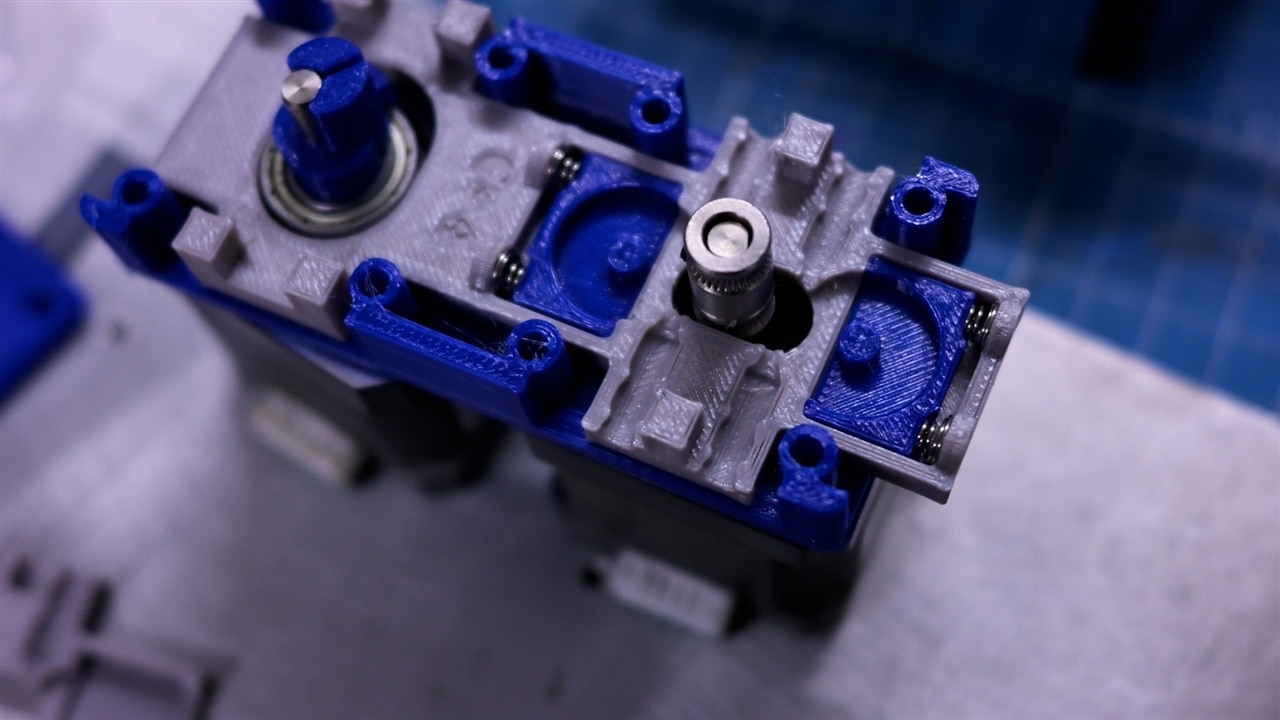
Mechanical side remains unchanged, and why that matters
Because the mechanical changer works reliably, Clem decided not to alter it. The lever system, springs and bearings remain exactly as in the original MK4 design. That means all prior knowledge, print profiles and G-code workflows remain valid. The community still sources the same springs and bearings, though Clem cautions that obtaining some parts may be slightly harder in Europe than in the US. With some patience, builders can still assemble a fully functioning mechanical changer that swaps up to four filaments in sequence.
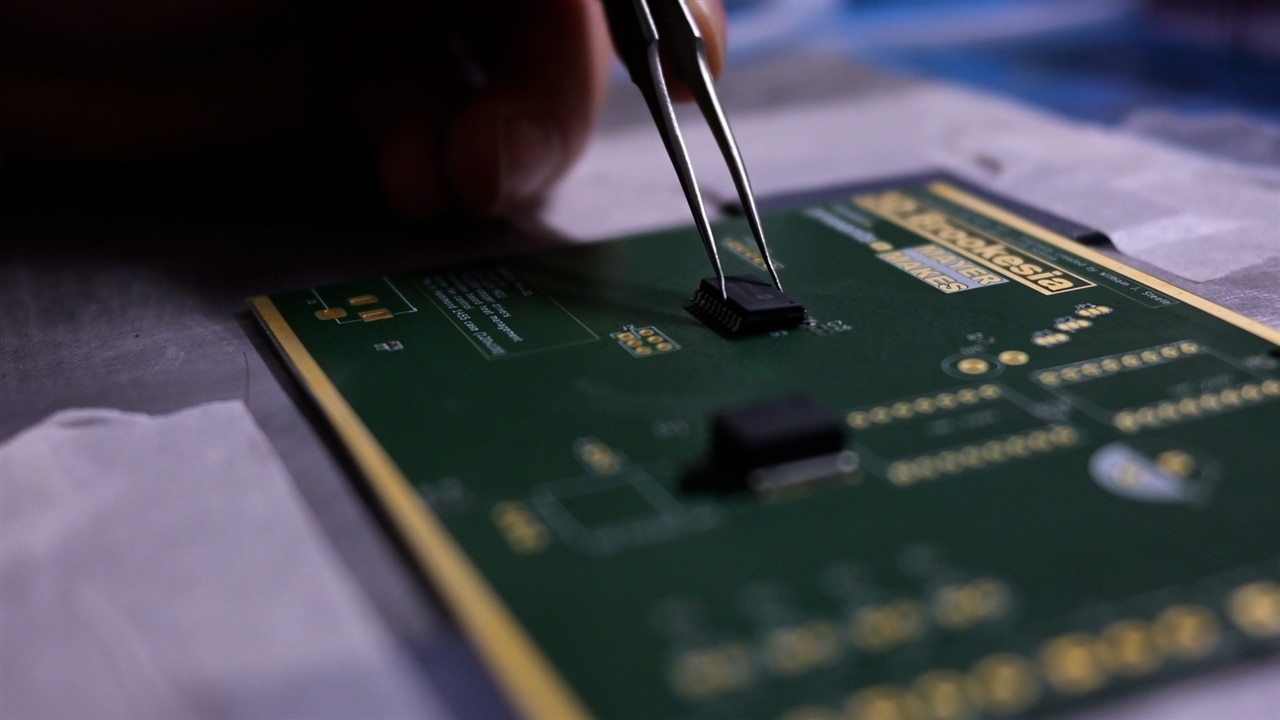
Maintaining compatibility with original workflows
Clem reviewed the original MK4’s firmware and schematics from its GitHub repository to map every function. His process followed a “reproduce first, then improve” path: replicate all behaviours, switch monitoring, timed presses, stepper control, filament load/unload, vibration feedback, and then add enhancements. The updated firmware retains the core logic unchanged, ensuring the device still responds to the same press-patterns and G-code triggers but gains better reliability, thermal control, and clearer user feedback.
Because the integration happens entirely outside the printer (via G-code moves and a switch), no changes are needed on the printer side. This keeps the upgrade simple, low-cost, and broadly compatible.
Using the new system
-
The hardware runs on 12 V, either from a separate power supply or the printer’s PSU. Clem estimates that ~1.5 A is enough for the system. “1.5 amps is plenty enough to run this,” he says.
-
The printer’s print job flow doesn’t change. The slicer or pre-processor inserts standard G-code moves so the print-head hits the actuator switch at the right time. The firmware selects the correct filament channel (based on how long the button was pressed) and runs the load/unload sequence.
-
During testing, switching colours and loading filament worked exactly like the original – but with added benefits: quieter drivers, active cooling, and instant visible feedback via LEDs.
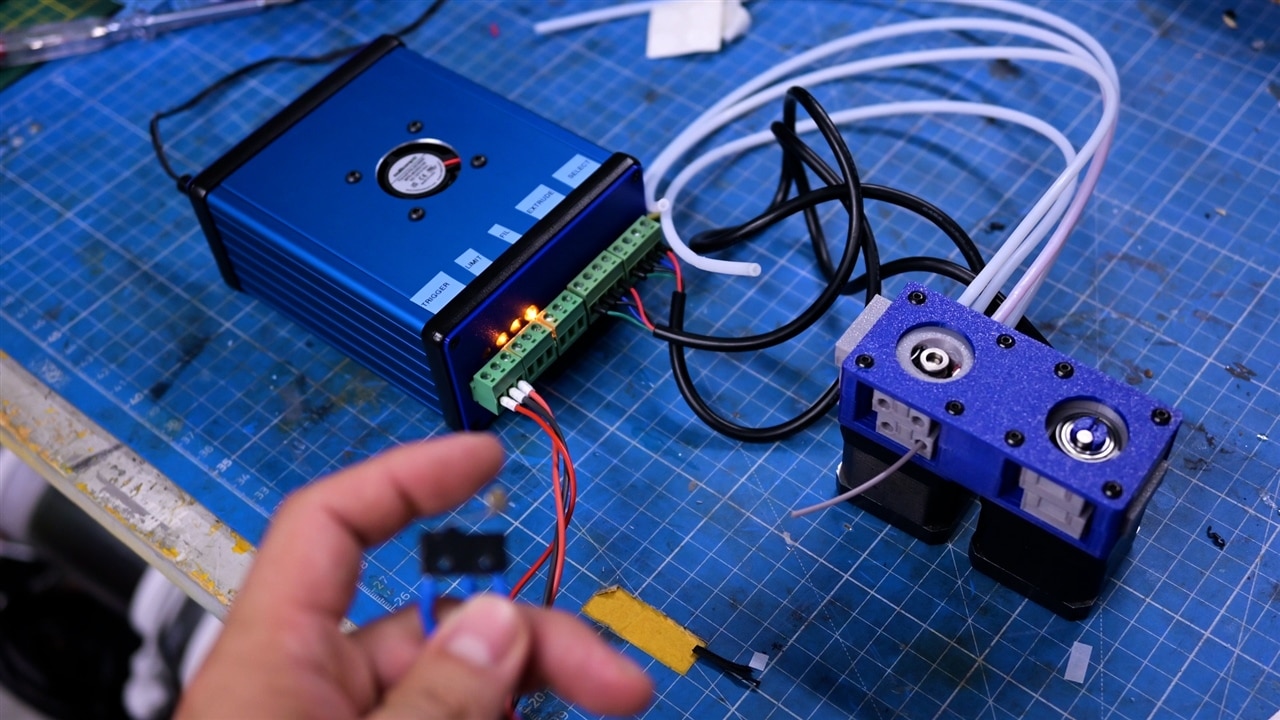
Why this redesign matters
The 3D Chameleon MK4 delivers a clever, low-cost method to get multi-color prints without buying a full multi-extruder system. But over time, some of its electronics and components have become hard to source or outdated. Clem’s 3D Brookesia redesign addresses those issues: it updates the internals with modern, available parts, removes unnecessary complexity, and adds user-friendly upgrades, all without touching the mechanical side.
In doing so, the project reaffirms what open-source hardware can deliver: community-driven evolution, improved DIY experience, and extended longevity for creative tools.
Supporting Files and Links
- Github Repo for 3D brookesia version
- Github Repo for 3d Chameleon MK4 original version
- Youtube Video series for mounting /Assembly
Bill of Materials
| Product Name | Manufacturer | Quantity | Buy Kit |
|---|---|---|---|
| 3D Printer Filament, PETG, Black, 230 °C to 250 °C, 1.75 mm Diameter, 1 kg | Multicomp pro | 1 | Buy Now |
| 3D Printer Filament, PETG, Orange, 230 °C to 250 °C, 1.75 mm Diameter, 1 kg | Multicomp pro | 1 | Buy Now |
| 3D Printer Filament, PETG, Blue, 230 °C to 250 °C, 1.75 mm Diameter, 1 kg | Multicomp pro | 1 | Buy Now |
| 3D Printer Filament, PETG, White, 230 °C to 250 °C, 1.75 mm Diameter, 1 kg | Multicomp pro | 1 | Buy Now |
| Microswitch, M140T01 Series, SPDT, Roller Lever, Solder, 5 A, 250 V RoHS Compliant: Yes | Multicomp pro | 1 | Buy Now |
| ATTINY3226-SU | Microchip | 1 | Buy Now |
| STEPPER MOTOR, 1.8DEG, 5MM, BIPOLAR ROHS COMPLIANT: YES | DFROBOT | 2 | Buy Now |
| Power MOSFET, N Channel, 55 V, 47 A, 0.022 ohm, TO-220AB, Through Hole | Infineon | 1 | Buy Now |
| NTC THERMISTOR, 10KOHM, AXIAL LEADED ROHS COMPLIANT: YES | EATON | 1 | Buy Now |
| Evaluation Board, TMC2209 SilentStepStick, 2-Phase Motor Driver | Trinamic | 2 | Buy Now |
| 1455N1201BU | Hammond | 1 | Buy Now |
Additional Parts
| Product Name |
|---|
| Springs |
| Screws |
| Bearigns according to original 3D chameleon MK4 BOM |
-

e14phil
-
Cancel
-
Vote Up
0
Vote Down
-
-
Sign in to reply
-
More
-
Cancel
Comment-

e14phil
-
Cancel
-
Vote Up
0
Vote Down
-
-
Sign in to reply
-
More
-
Cancel
Children