

Clem introduces the "Blooper", USB Looper, a modern null-modem style tool for UART debugging, device emulation and file transfer without a network. See how it logs serial data, enables full-duplex chat between computers, and safely connects two USB hosts.
Watch Clem Build the Blooper
Some tools begin as personal workflow helpers and quietly become essential to multiple projects. Clem’s USB Looper. nicknamed the “Blooper”, clearly falls into that category. What started as a practical debugging aid has grown into a fully documented, open-source hardware tool designed to solve real development problems around UART, USB and device emulation. Of course, it comes Clem endorsed:
“This tool has saved so many projects… and guess what? I made it myself.”
The Blooper is best understood as a modern reinterpretation of the classic null modem cable, but built for today’s USB-centric workflows and development environments.
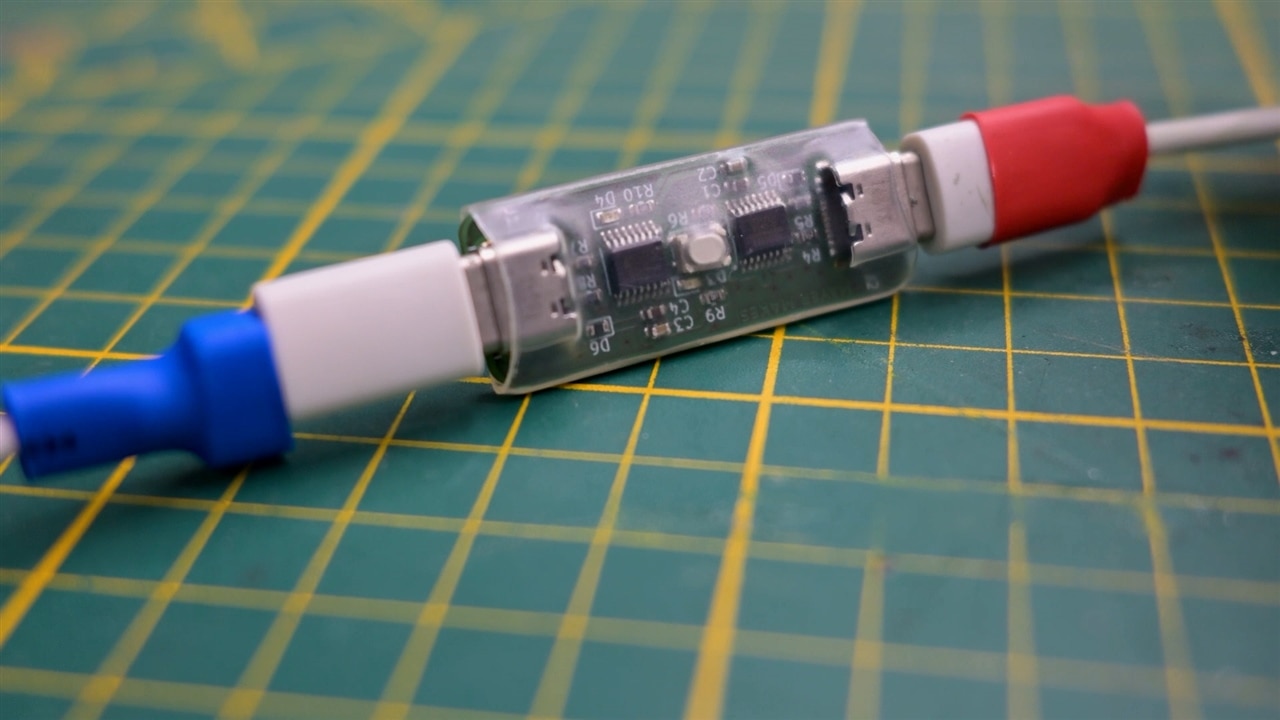
What the Blooper Actually Does
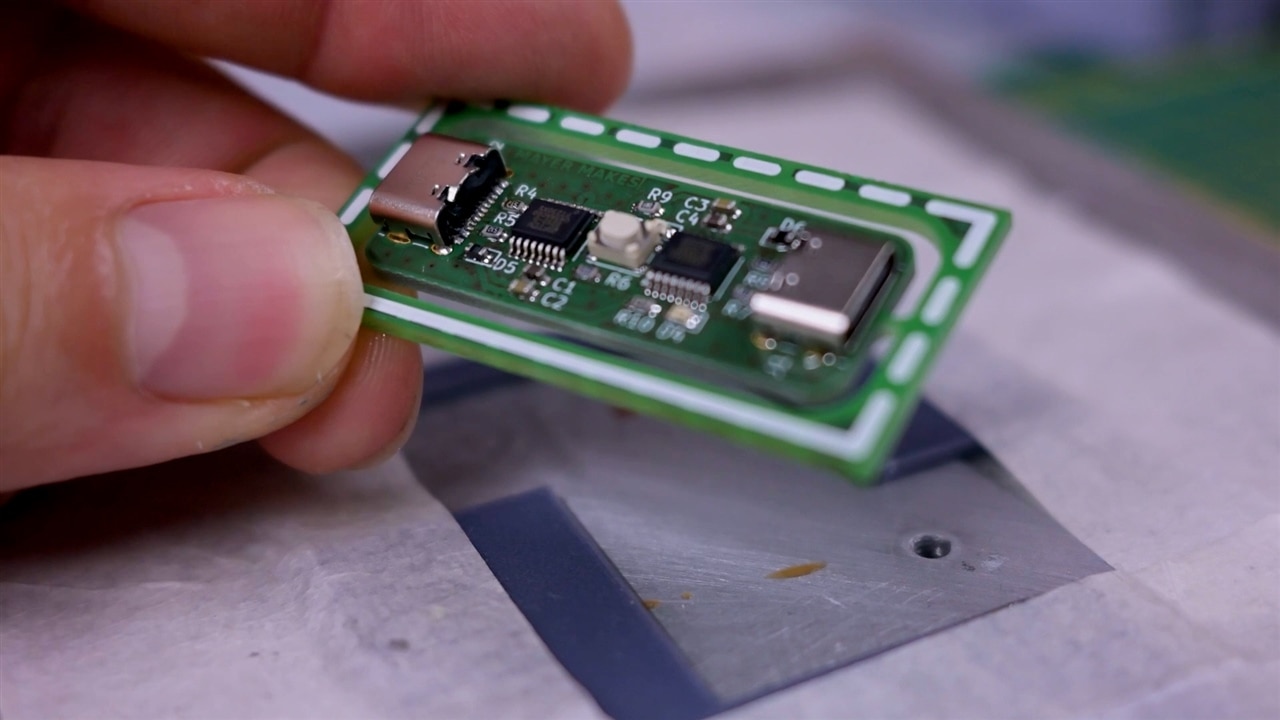
At first glance, the Blooper appears simple: a small device with two USB-C ports. Internally, however, it enables something surprisingly powerful. When connected, the computer sees two independent USB serial devices.
As Clem explains:
“The blooper appears as two independent devices… they both just talk to each other.”
This means a single computer can communicate with itself as if it were talking to an external embedded system. From the OS perspective, the data looks like it is coming from another device entirely, even though it’s looped back through the hardware.
This hardware loop-back is central to why the tool exists. While software loop-back can be simulated, Clem points out the limitations:
“You could emulate this in software, but the setup is not as easy… and I don’t think it works on any computer. And this thing does.”
This reliability and portability is the key difference.
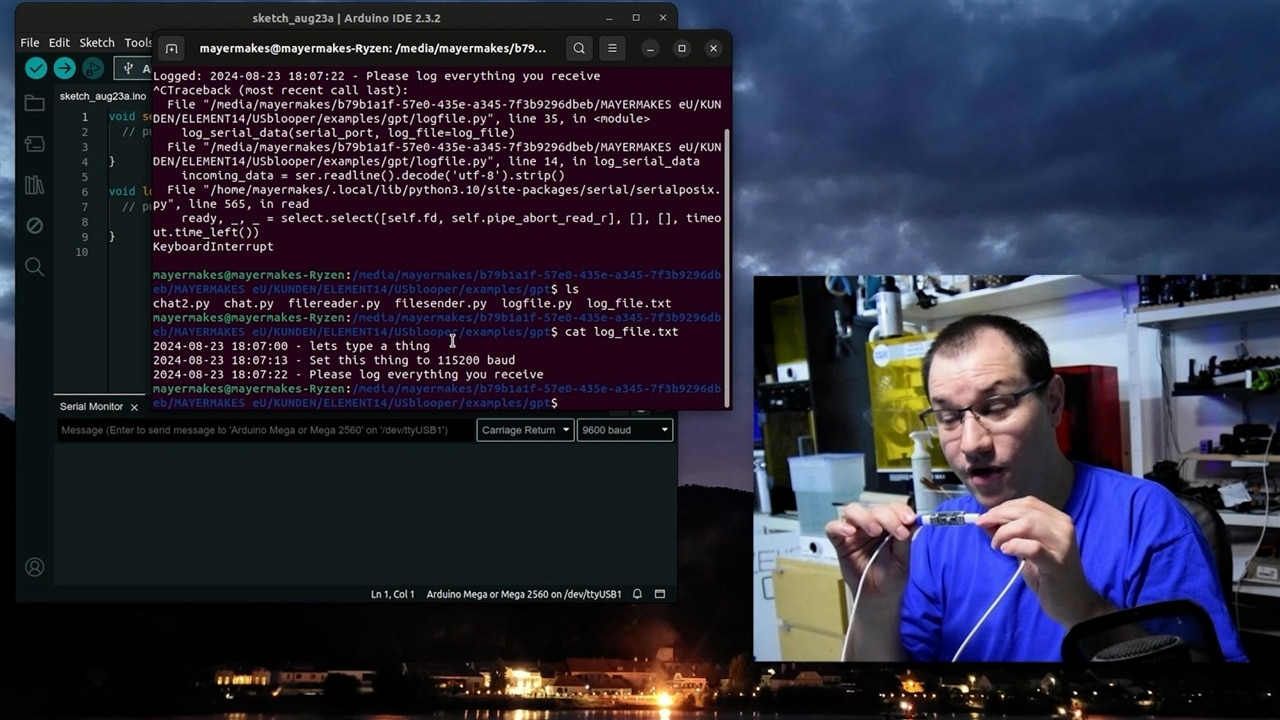
Logging Serial Output Like a Real Device
One of Clem’s first demonstrations focuses on logging serial data to a file, a task common in embedded development.
He explains the scenario clearly:
“For the computer, it was exactly the same as if the data was coming from an external device. It can’t make any difference.”
The supporting Python script shows exactly how this is achieved. The logging workflow is implemented in logfile.py, which timestamps incoming serial data and writes it directly to disk:
incoming_data = ser.readline().decode('utf-8').strip()
timestamp = time.strftime('%Y-%m-%d %H:%M:%S')
log_entry = f"{timestamp} - {incoming_data}\n"
f.write(log_entry)
Clem highlights how widely he uses this workflow:
“I use this to log stuff from Arduinos or out of computers or Raspberry Pi’s or whatever.”
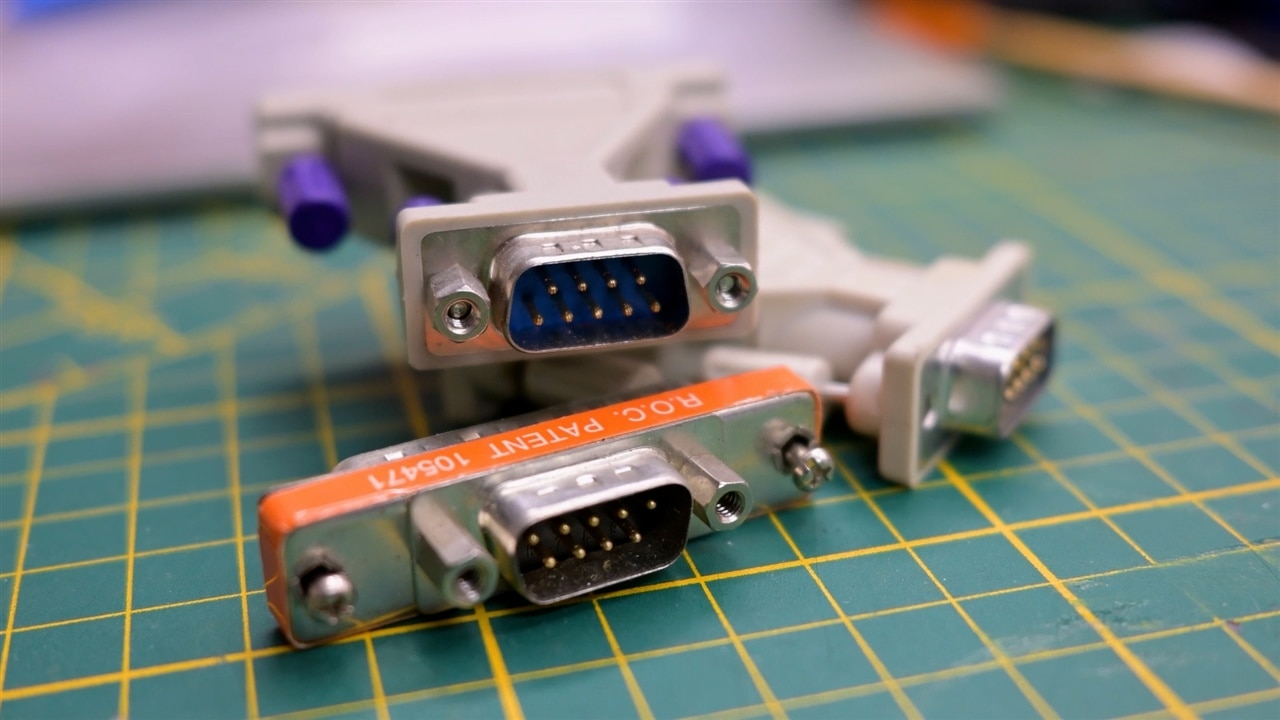
Revisiting the Null Modem Cable Concept
The Blooper’s inspiration comes directly from older workflows.
Clem reflects:
“Back in the early 2000, my means of transporting files from one computer to another was… floppy disks.”
Before networking was ubiquitous, null modem cables allowed direct PC-to-PC communication over UART. The Blooper recreates this idea with modern USB hardware:
“USB ports are kind of a serial port hidden inside a USB protocol.”
Internally, the Blooper converts USB to UART on both sides. The result is two hosts communicating directly, bypassing traditional USB host-device constraints.
This is what allows two computers, or even one computer with two terminals, to chat over a single cable.
Building a Full-Duplex Chat Between Computers
To demonstrate full duplex communication, Clem runs a simple Python chat application. This behaviour is implemented in chat.py and chat2.py.
The scripts use two threads: one for reading serial input and one for writing. This enables real-time two-way communication:
threading.Thread(target=read_from_serial, args=(ser,), daemon=True).start()
write_to_serial(ser)
This simple threading approach makes the serial link behave like a messaging app, demonstrating how easily developers can test command protocols or debug communication stacks.
Clem summarises the usefulness perfectly:
“This also works if you plug both ends into the same computer… which is very handy for debugging applications.”
Transferring Files Without a Network
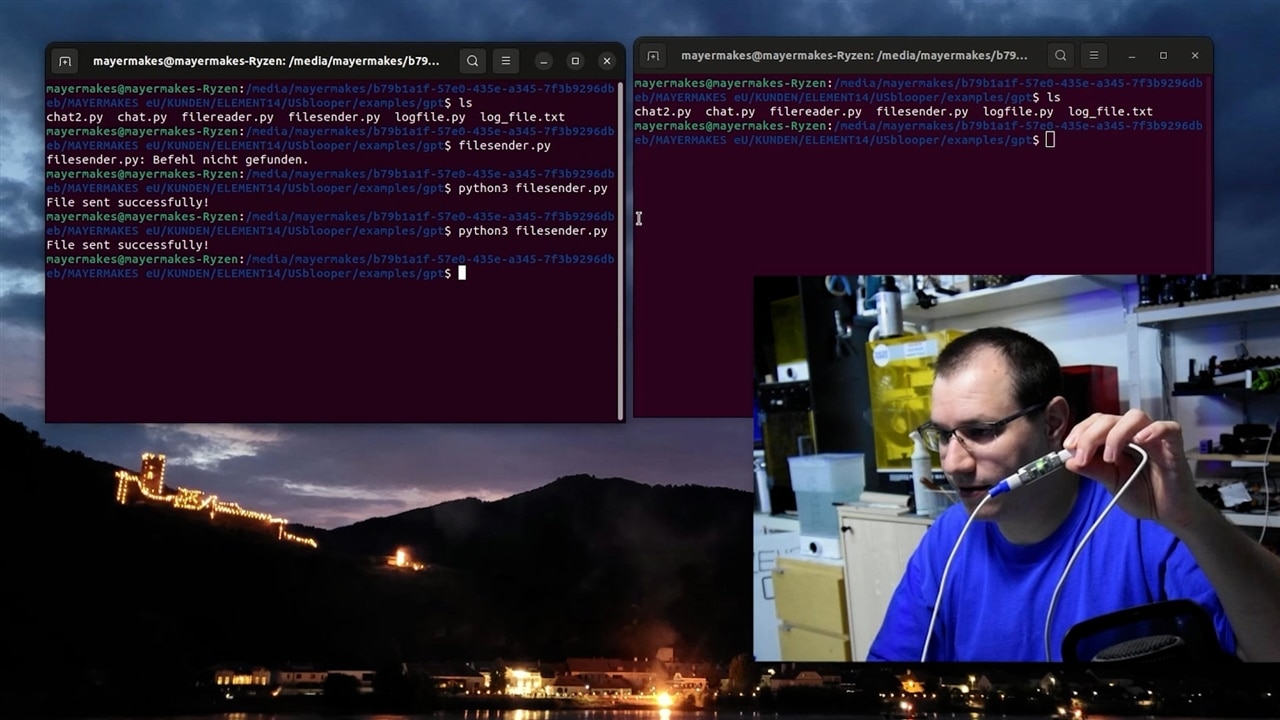
Another demonstration recreates a classic use case: transferring files without network access.
Clem explains the relevance:
“While transferring data without a network is not as common today… this can still be useful in air-gapped systems.”
The Python tools behind this are filesender.py and filereader.py.
Sending a file is straightforward:
with open('log_file.txt', 'r') as file:
    data = file.read()
ser.write(data.encode())
Receiving and saving the data uses continuous serial reads:
incoming_data = ser.read(ser.in_waiting).decode()
file.write(incoming_data)
Clem explicitly connects the dots:
“This is the same way that you would upload firmware over serial… or configure industrial machinery.”
Hardware Design Choices That Make It Reliable
The transcript adds substantial technical depth beyond the original write-up, especially around the hardware design decisions.
One of the most important details is the use of FTDI USB-UART chips:
“They always enumerate perfectly… they don’t need any external crystals. This has to be reliable and bootable at any time.”
This is a key engineering decision: the Blooper is meant to be a tool, not an experiment. Reliability takes priority over cost.
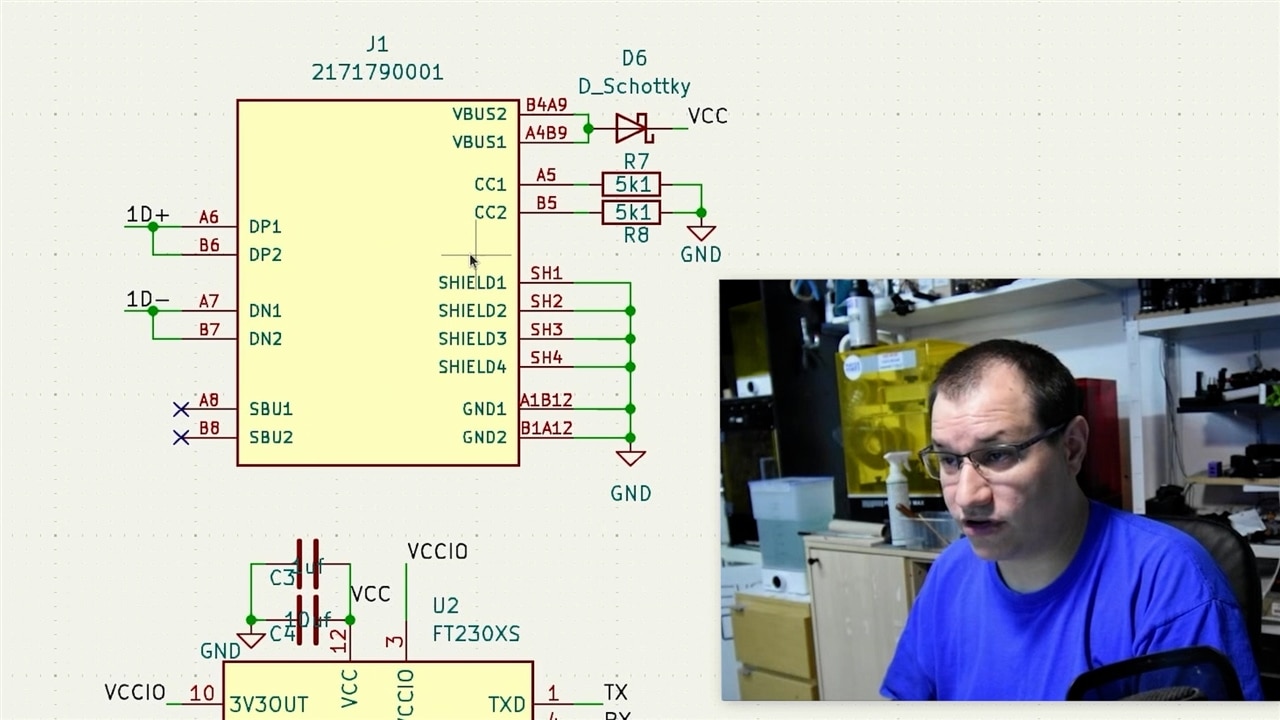
Other critical hardware details include:
• USB-C CC pull-downs (5.1kΩ) to ensure correct power negotiation
• Schottky diode to prevent reverse powering
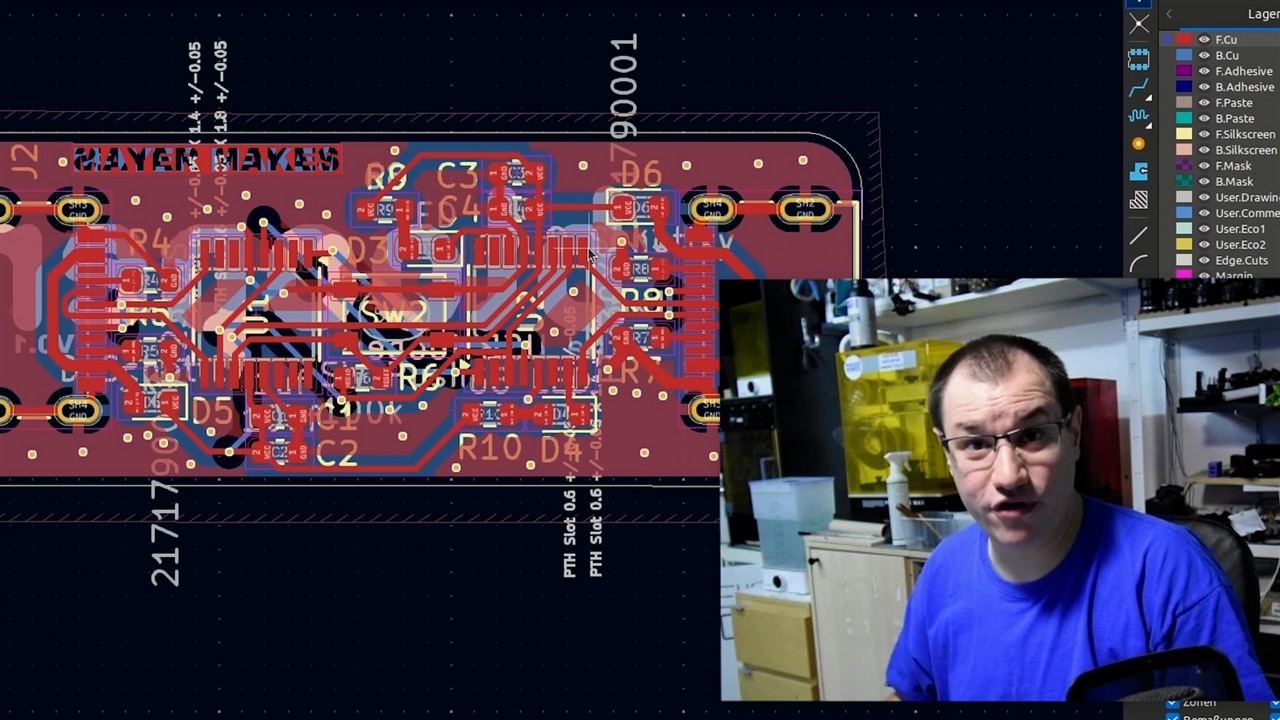
• Ground stitching vias to prevent cross-talk
• Shared reset circuit with pull-up resistor
• Dual LED indicators for traffic direction
Clem emphasises safety:
“If you don’t do that, you get weird behaviour… and this could damage the port.”
These considerations ensure the device is safe to connect between two computers, something normally discouraged with USB-A-to-USB-A cables.
Assembly and Practical Build Notes
The assembly process introduces several practical lessons for builders.
Clem notes the challenges of USB-C connectors:
“Be aware that USB-C ports that have pins underneath them… might be really hard to rework.”
He deliberately chose USB-C connectors limited to USB 2.0 to simplify assembly and avoid unnecessary complexity.
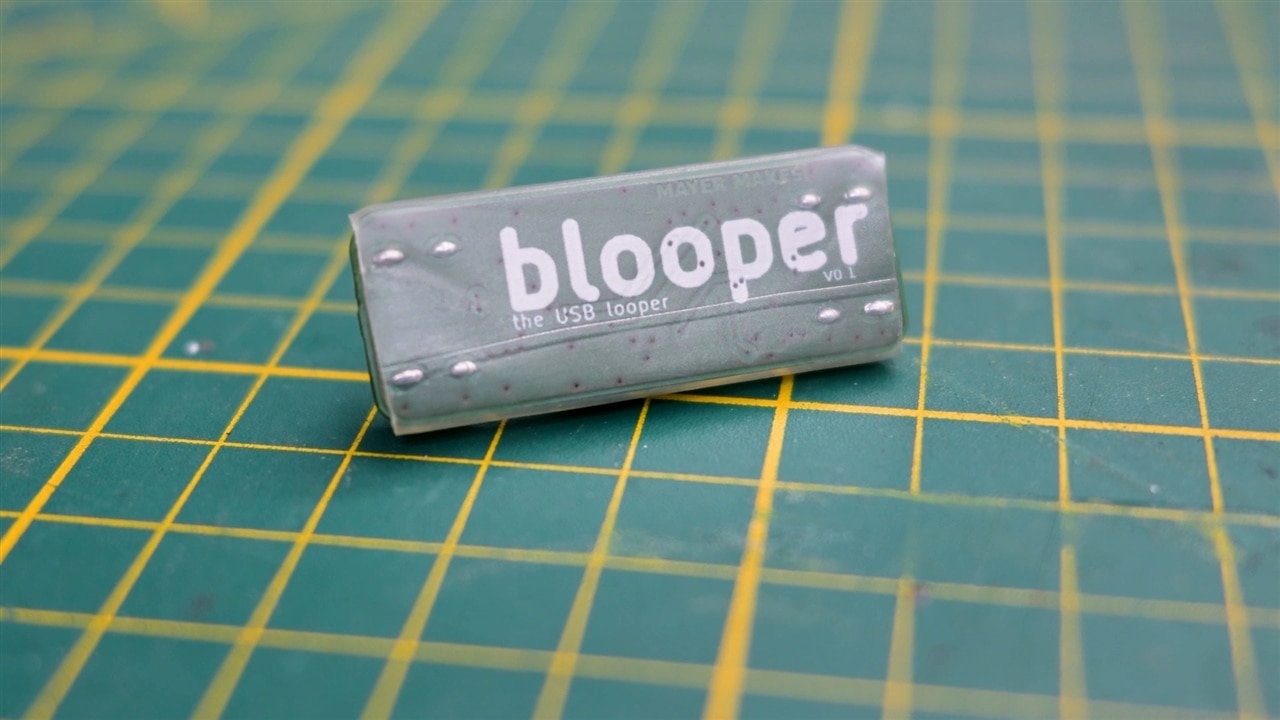
For enclosure, he chose a pragmatic approach:
“Heat shrink is the absolute easiest way to make a case… it’s completely functional and compliant.”
This reinforces the project’s focus on practicality.
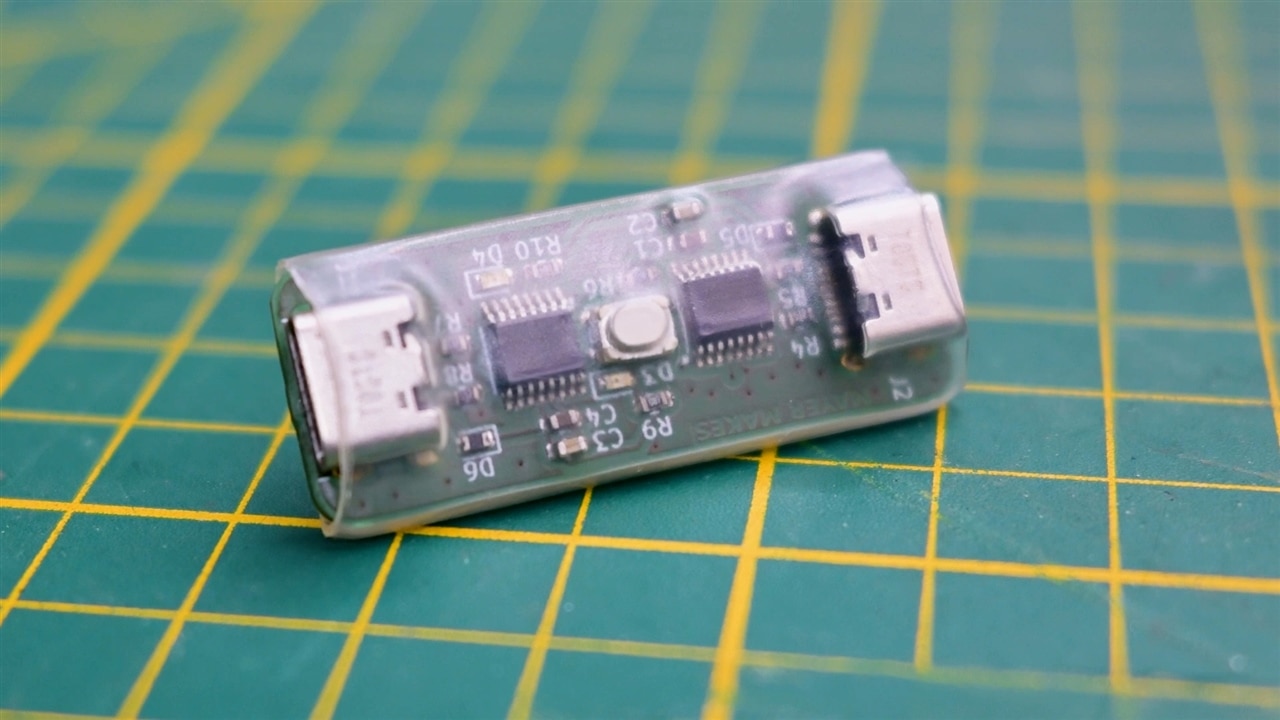
Why This Tool Matters and Open Source and Future Potential
Perhaps the most telling reflection comes near the end:
“A lot of my projects would not work out as good as they actually do without this.”
The Blooper is not just a demonstration device. It’s a daily workflow tool that enables:
• Device emulation
• Protocol testing
• Serial debugging
• File transfer without networking
• Reliable UART testing environments
Clem also highlights one of the most powerful uses:
“I could pretend that I’m an Arduino… and see if the command parsing works.”
This ability to emulate hardware responses opens up a wide range of development and testing possibilities.The project is fully open source and available for the community to build and modify. Clem encourages others to adapt and extend the tool:
“Do you have any tools that you made yourself to make your life easier?”
The Blooper may have started as a personal helper, but it now stands as a practical tool for developers working with embedded systems and serial communication.
It brings an old idea, the null modem cable, firmly into modern development workflows.
Supporting Links and Files
Bill of Materials
| Product Name | Manufacturer | Quantity | Buy Kit |
|---|---|---|---|
| FT230XS-R | FTDI | 2 | Buy Now |
| Usb-c port | Molex | 2 | Buy Now |
| Led 0603 | multicomp | 2 | Buy Now |
| 5k1 resistor | multicomp | 4 | Buy Now |
| 68Ohm resistor | multicomp | 2 | Buy Now |
| schottky diode | bourns | 2 | Buy Now |
Additional Parts
| Product Name |
|---|
| PCB made by Aisler |
| Heatshrink tubing |
Top Comments
-

DAB
-
Cancel
-
Vote Up
0
Vote Down
-
-
Sign in to reply
-
More
-
Cancel
-

mayermakes
in reply to DAB
-
Cancel
-
Vote Up
+2
Vote Down
-
-
Sign in to reply
-
More
-
Cancel
Comment-

mayermakes
in reply to DAB
-
Cancel
-
Vote Up
+2
Vote Down
-
-
Sign in to reply
-
More
-
Cancel
Children