

Get started with robotics alongside Miloš Rašić in this practical introduction to robotics. He breaks down what makes a robot, from sensors, actuators and microcontrollers to servo motors, gearboxes and feedback control, then shows how those ideas lead into building a robot arm and a mobile robot platform. Along the way, he also covers simple bench demos, CAD and 3D printing, with a focus on making robotics approachable for makers, hobbyists and engineers.
Where do we Begin? Watch now:
Miloš Rašić opens this introduction to robotics with a clear aim: to make the subject approachable for people who are curious about building machines, but do not want to start with pages of equations or a sealed starter kit that hides how the pieces fit together. He frames the series as a practical route into the subject, beginning with the fundamentals before moving into control engineering and two complete builds: a small mobile robot platform and a compact robot arm.
He keeps the scope grounded from the start. Rather than jumping straight into advanced autonomy or industrial hardware, he begins with the question that underpins everything else: what a robot actually is, how it interacts with the world around it, and what you need in order to make one. That gives the guide a useful structure for beginners, because the later details about wiring, code, gearboxes and CAD all come back to those same basic ideas.
“My idea is also for you to be able to recreate this course just using some cardboard and hot glue gun.”
There is a practical thread running through the whole presentation. Miloš is not pitching robotics as something that only happens in a lab full of expensive parts. The 3D printed versions are there because they are accessible and useful, not because they are the only route in.

What’s a Robot?
He describes a robot as an electromechanical system that performs a task and interacts with its environment. Those interactions go in two directions. The environment affects the robot through sensors, and the robot affects the environment through actuators. That distinction is the one he returns to throughout the guide because it explains almost every subsystem that follows.
“Sensors are components that transform environmental factors into electrical signals that we can read using our electronics.”
On the sensing side, he points to measurements such as temperature, light and movement. Sensors convert those physical effects into electrical signals that electronics can read. On the output side, actuators give the machine a way to do something: turn a wheel, move a joint, grip an object, or reposition itself in space.
To make that less abstract, he brings in a few familiar categories. Delivery robots, robot vacuum cleaners and other wheeled machines fall into the mobile robot platform camp. Industrial arms, pick-and-place machines and teaching arms sit in the robot arm camp. He also widens the view to show that robotics is not limited to rigid joints and hard frames. Humanoids, quadrupeds and soft robots all belong to the same broader field, even though they solve motion and control in very different ways. Soft robotics gets a brief but useful mention here: these systems can bend and flex rather than pivot around defined joints, often using compliant materials and alternative actuation methods such as tendons or pneumatics.
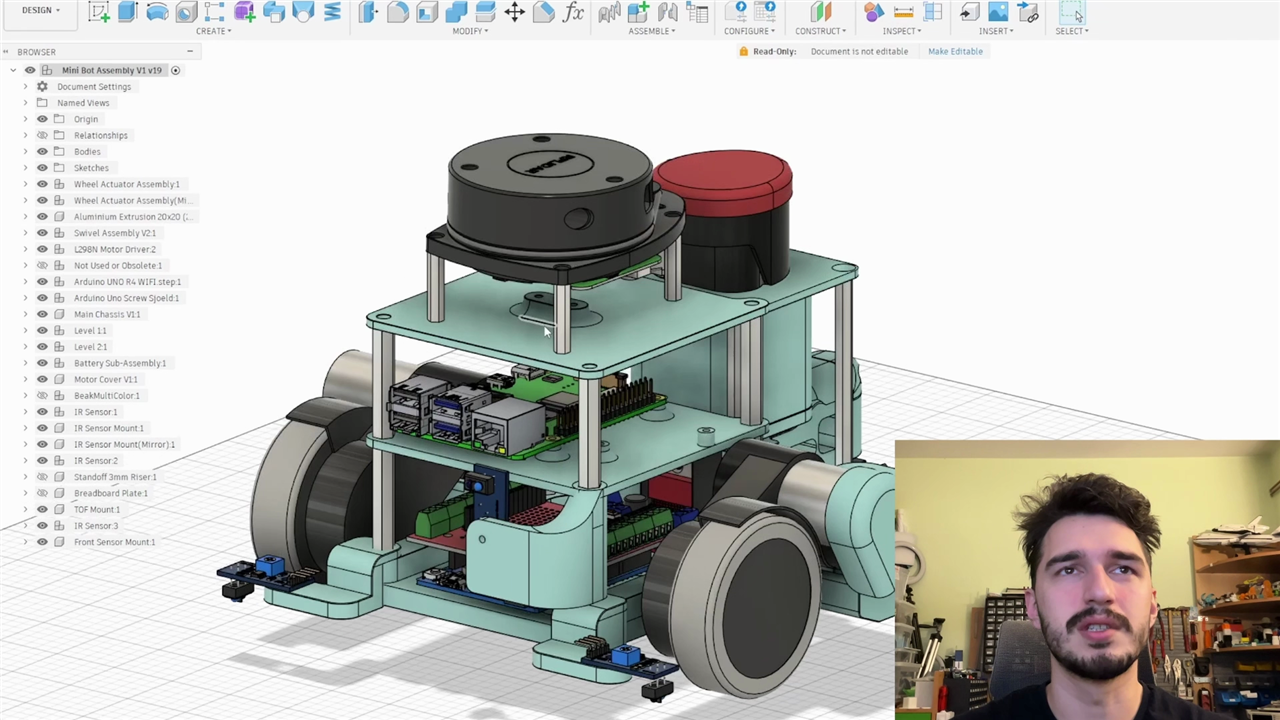
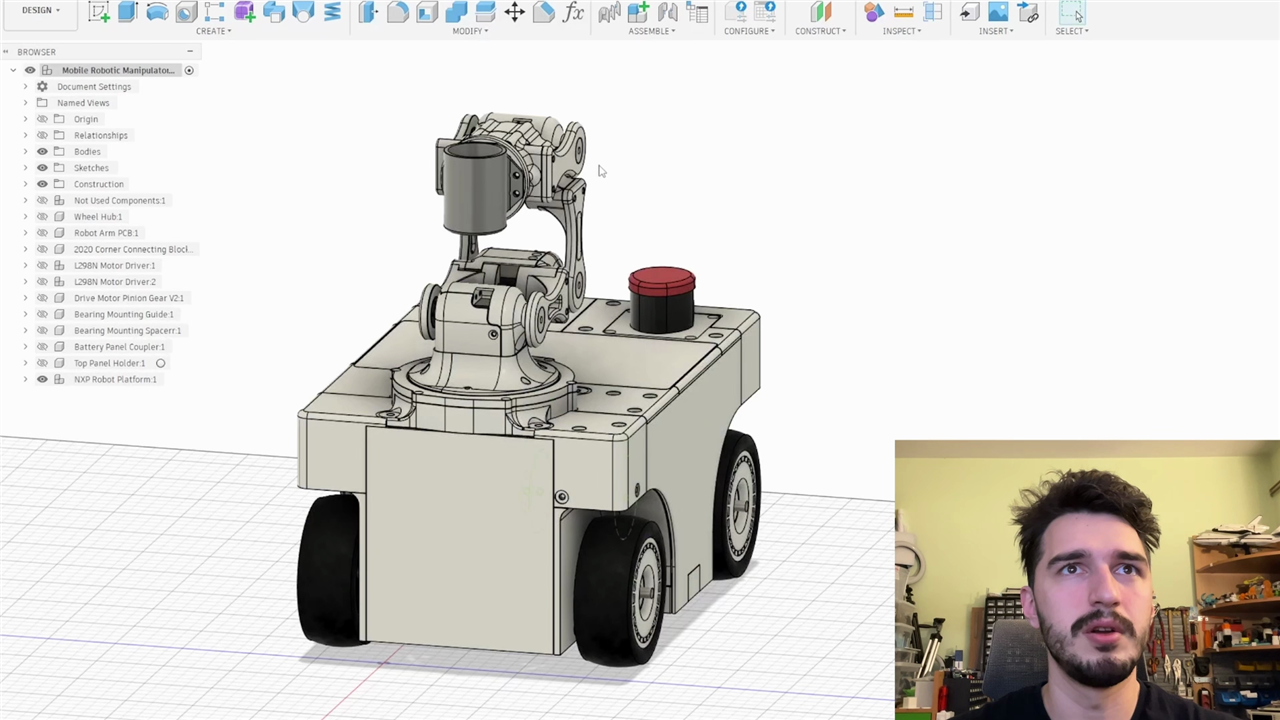
For this introduction, Miloš deliberately narrows the field to two categories that are ideal for learning. The first is the robot arm, which he describes as especially useful for repetitive tasks and pick-and-place work. The second is the mobile robot platform, covering the sort of machines that move around under their own control. Focusing on those two examples gives beginners a manageable entry point while still covering the main ideas that show up across wider robotics.
Anyone wanting to spend more time around projects, discussions and examples in the same area can browse the element14 Community Robotics group, which collects builds, tutorials and wider robotics conversations across the Community.
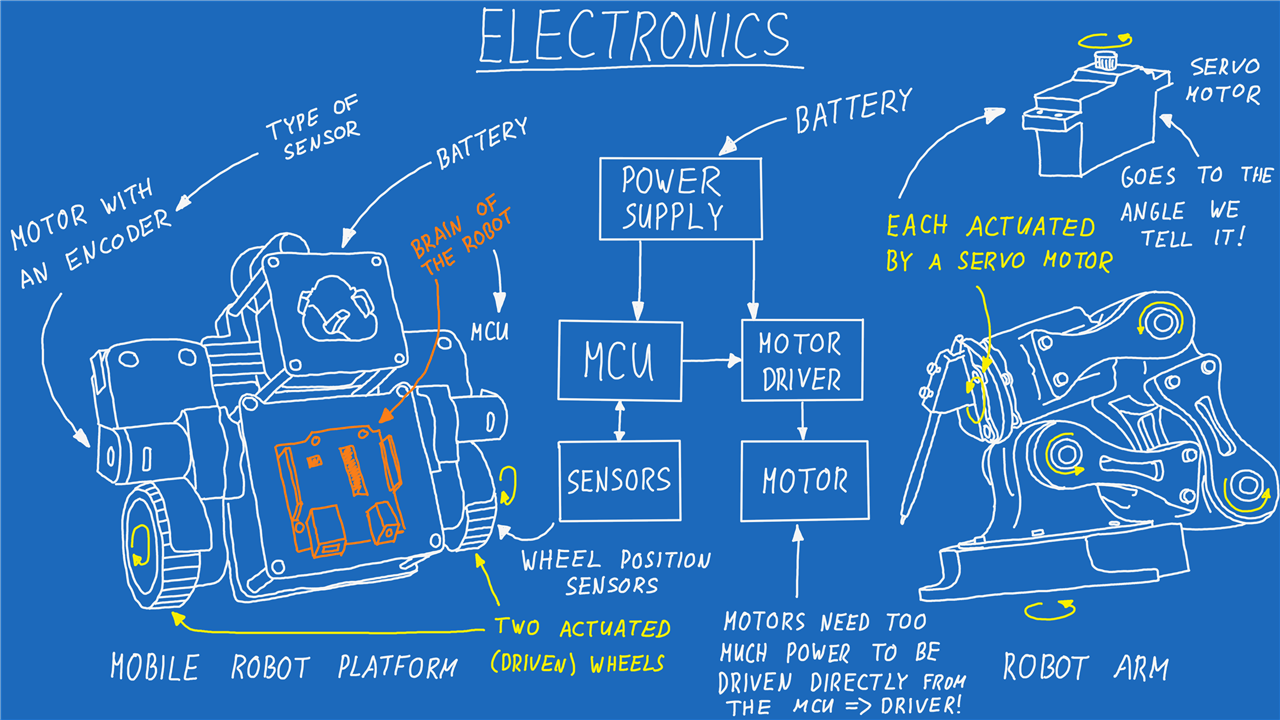
Electronics
Once the basic definition is in place, he shifts to electronics and breaks the robot down into functional blocks. Whether the machine is a modest bench-top build or something far more industrial, the same essentials keep reappearing: a power source, a controller, sensors and actuators. The exact components can vary wildly in price and sophistication, but the roles they play are remarkably consistent.
Power comes first. A robot needs a supply capable of feeding every subsystem, whether that is a simple battery, an external supply, or a fuller package involving regulation and protection. He keeps the explanation practical rather than overcomplicating it with power design detail at this stage. The important point is that the robot must be powered sensibly before anything else can work.
From there he introduces the controller, using a microcontroller as the robot’s immediate brain. Boards in the Arduino class make sense here because they are inexpensive, easy to programme and well supported. He holds one up as a concrete example and makes the role plain: it reads sensors, runs the logic and sends commands to actuators. He also hints at how real robotics systems often scale beyond that. A higher-level computer such as a Raspberry Pi or similar single-board computer may handle the heavier algorithms, while the microcontroller deals with direct hardware control.
If this is unfamiliar ground, the Basics of Microcontrollers learning module on the element14 Community Learning Center is a useful companion read, especially for understanding how a microcontroller sits between the outside world, its inputs and its outputs.
Sensors from the bench to the robot
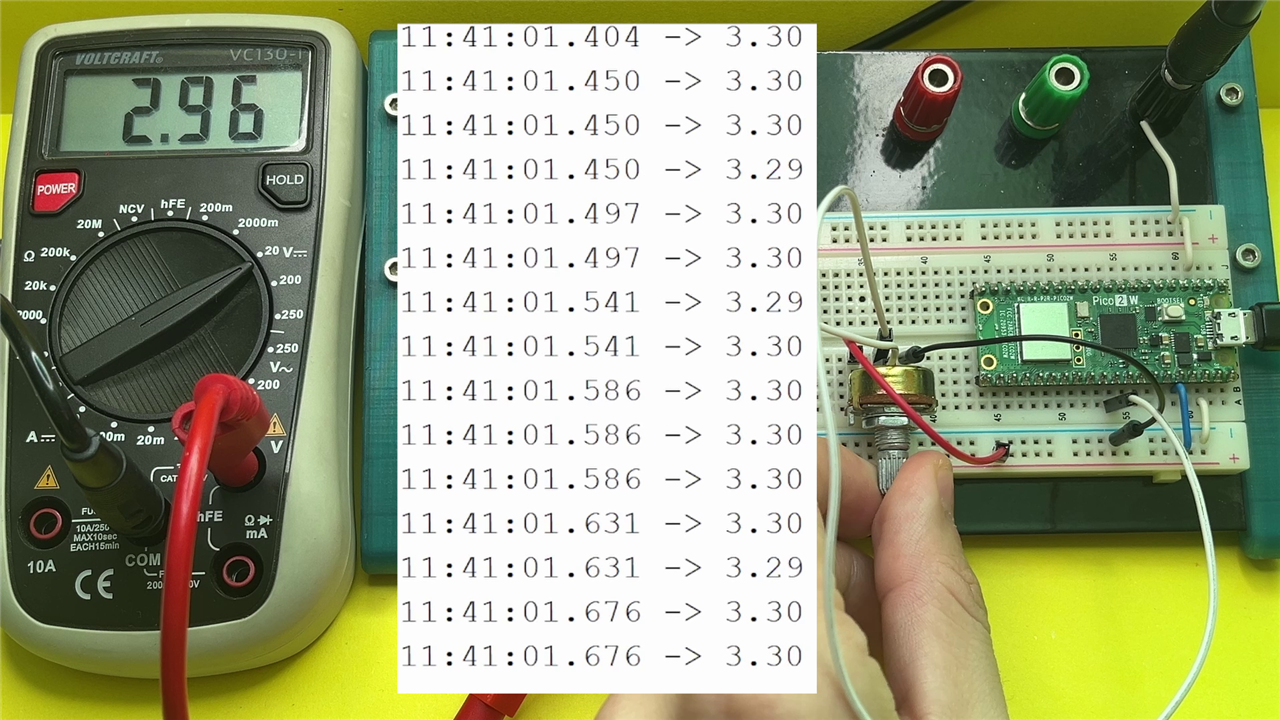
Miloš starts the hands-on electronics with the most straightforward sensor in the guide: the potentiometer. It is a good teaching choice because it makes an analogue signal tangible. Power the potentiometer from 3.3V, read the middle pin, and the measured voltage changes as the shaft turns. He demonstrates the voltage on a multimeter and then reads the same change with a microcontroller, showing how the physical movement becomes data in code.
“You have two functions that you always need to have… the setup function and the loop function.”
That bench exercise also lets him introduce a few fundamentals that are easy to skip over too quickly. The setup runs once at power-up, while the loop runs continuously afterwards. He also shows how a 12-bit analogue-to-digital conversion maps the voltage range into values from 0 to 4095, then converts the reading back into an actual voltage so the serial output and multimeter can be compared directly.
“They actually use a potentiometer just like this to measure the angle of the output shaft.”
One of the more useful details here is that he links the demo back to real hardware inside a servo. The point is not merely to read a potentiometer on a breadboard; it is to recognise that the same principle appears inside common actuators. That gives the beginner a clear example of how a bench-top lesson connects directly to the mechanics of a robot joint.
Readers who want a broader refresher on first steps with Arduino can also dip into the Jeremy Blum Arduino tutorials, which cover foundational topics including getting started, analogue inputs and motor control.
Actuators, servos and motor drivers
He then moves from sensing to actuation. For the robot arm example, the key device is the hobby servo. This is one of the most approachable actuators in entry-level robotics because much of the complexity is hidden inside the casing.
“A servo motor is a small actuator that is incredibly easy to use, we need to power it up and we need to send it an angle command, the electronics inside do the rest.”
That convenience is worth unpacking, and he does. A hobby servo contains a DC motor, a gear train, a position sensor and control electronics in one package. The user does not need to design a separate drive stage for it. By contrast, the motors on a wheeled robot usually need an external motor driver because the current available from a microcontroller pin is nowhere near enough to drive a DC motor directly. That is one of the most important practical lessons in the guide: a microcontroller can command a motor, but it typically cannot power one by itself.
He also adds more detail than the earlier write-up by briefly showing how the servo is commanded. The control signal is a PWM-style pulse, and in his demonstration he sweeps the pulse width between roughly 800 and 2500 microseconds. That level of detail is useful for readers moving from concept to experiment because it shows that even a simple actuator still relies on timings, signal conventions and software support.
For a wider look at the differences between brushed DC motors, brushless motors, steppers, servos and the electronics used to drive them, the Learning Center’s Motor Control: Motor Drive Control for Makers module fits neatly alongside this part of Miloš’s guide.
Mobile robots, differential drive and encoders
The wheeled robot example expands the picture further. Rather than simply saying that the robot has motors and wheels, Miloš describes it as a differential, or tank-drive, platform. Two driven wheels provide motion, and steering happens by varying the speed between the left and right sides. That introduces a control concept that appears constantly in beginner mobile robotics, from small educational platforms right through to more capable rovers.
He also notes that the drive motors can include encoders, which act as sensors for rotational position and speed. The guide does not dwell on encoder theory yet, but the mention is valuable because it shows that even a simple wheeled robot is not just a pair of motors on a frame. Once encoders are in the system, the robot has the feedback it needs for distance measurement, speed regulation and more precise movement later on.
If you want to go deeper into that feedback hardware before the later build stages arrive, the Learning Center’s Magnetic Encoders module gives a clear overview of how rotary encoders report position, direction and speed.
Closing the loop
The real centre of the electronics section is feedback control. Miloš summarises it plainly:
“If we have some kind of a sensor measurement, we measure that… run them through some kind of an algorithm and then based on that control our actuator.”
That is his definition of closing the loop, and it is the idea that ties the sensor and actuator discussions together.
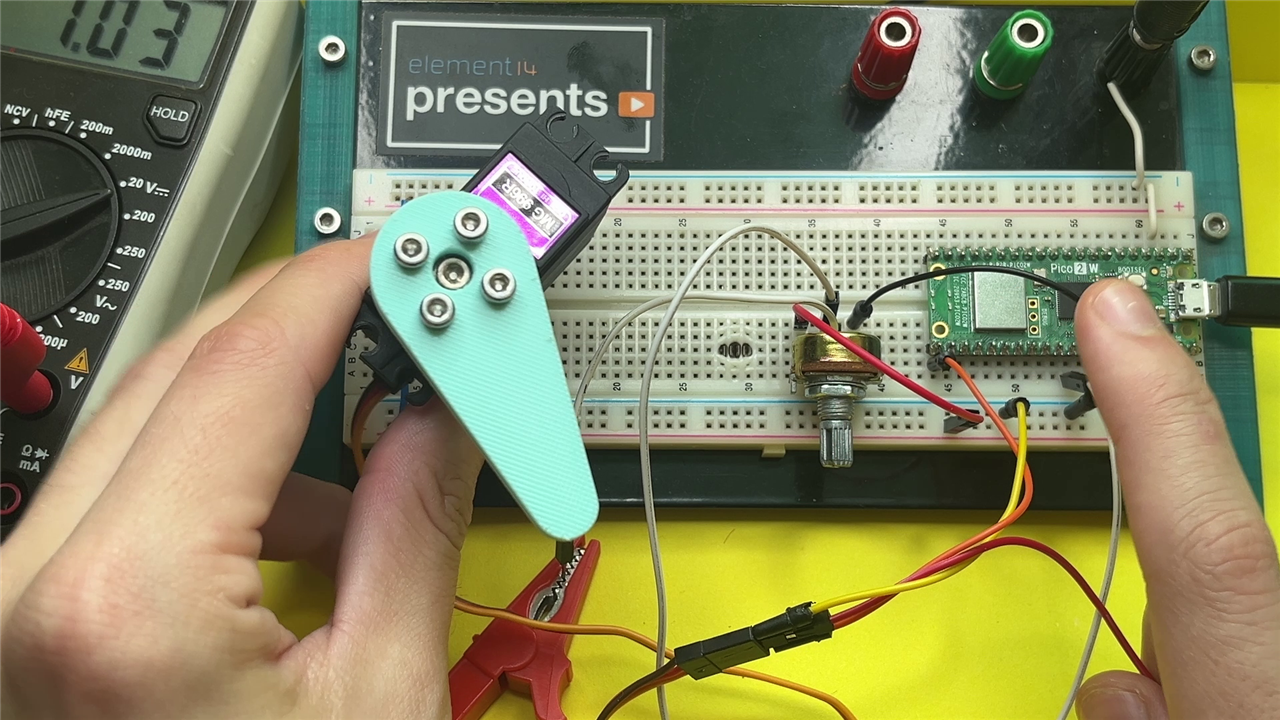
He demonstrates the concept by wiring the potentiometer to command the servo directly. Turning the knob changes the measured voltage, the microcontroller processes that value, and the servo moves to a corresponding angle. It is a stripped-back feedback example, but it shows the whole chain in a form a beginner can reproduce on a breadboard. He also points out that the same principle scales well beyond this simple demo. A drone stabilising itself from IMU data, a balanced robot correcting its posture, or a robot arm holding a joint position all work from the same basic loop of measurement, calculation and action.
He then adds a useful extension: several potentiometers arranged like a crude teaching arm could be used to create a master device for controlling a servo-driven robot arm. That takes the same loop and stretches it into a recognisable robotics application.
Mechanics
After electronics, Miloš turns to mechanics and keeps the emphasis where it is most useful for a first guide: not full kinematics, but the mechanical ideas that a beginner will constantly encounter when building actuated systems.
The standout topic here is the gearbox. He points out that small electric motors are usually happiest spinning quickly, but that is not always what a robot needs. A robot joint often benefits from slower motion and more torque rather than raw speed. A gearbox trades one for the other, reducing output speed while raising available torque.
“Most of the actuators that you’re gonna use in robotics are gonna have some kind of gearbox.”
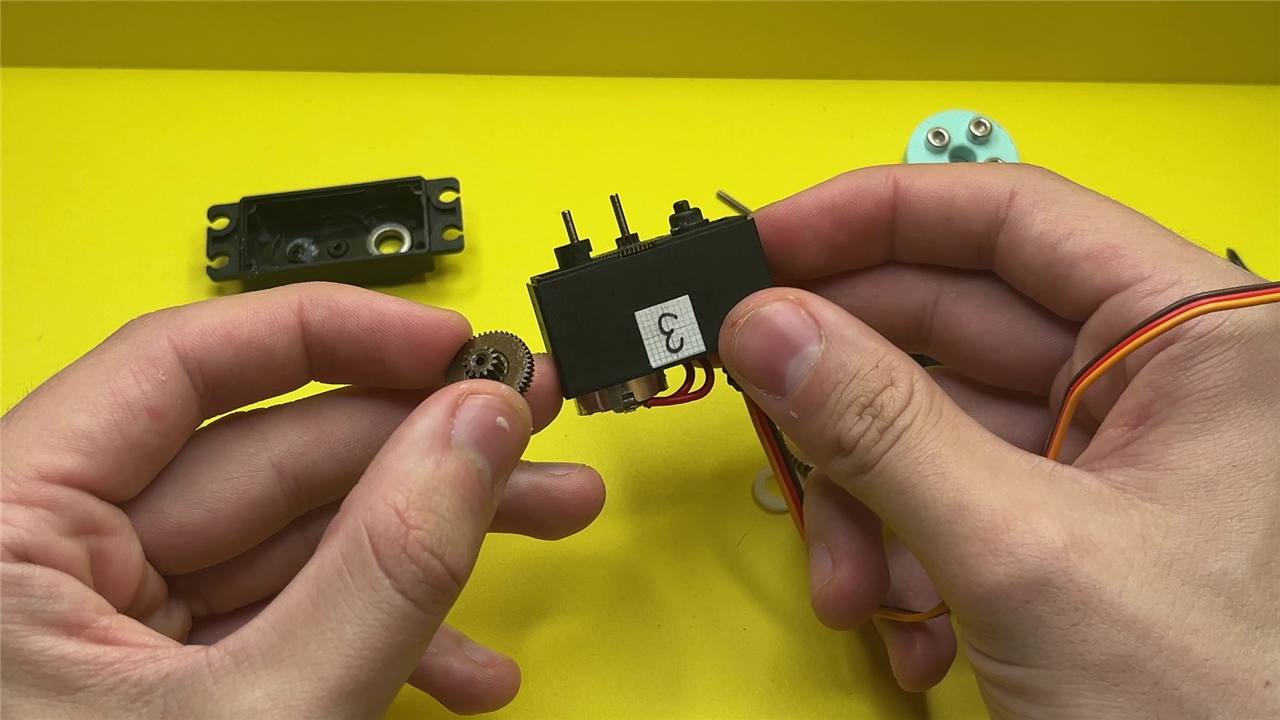
To make that tangible, he opens up a hobby servo. Once the case is off, the beginner can see what would otherwise remain hidden: the small internal motor, the control board, the position sensor and the stack of gears that convert a high-speed motor into a more useful joint actuator.
He also contrasts that arrangement with examples that do not need gearing in the same way. Drone motors, for instance, are usually expected to spin propellers as fast as possible, so direct drive is often the better fit there. That comparison helps the reader understand that gearboxes are not a default requirement in every machine; they are a mechanical choice based on the needs of the application.
CAD and 3D printing
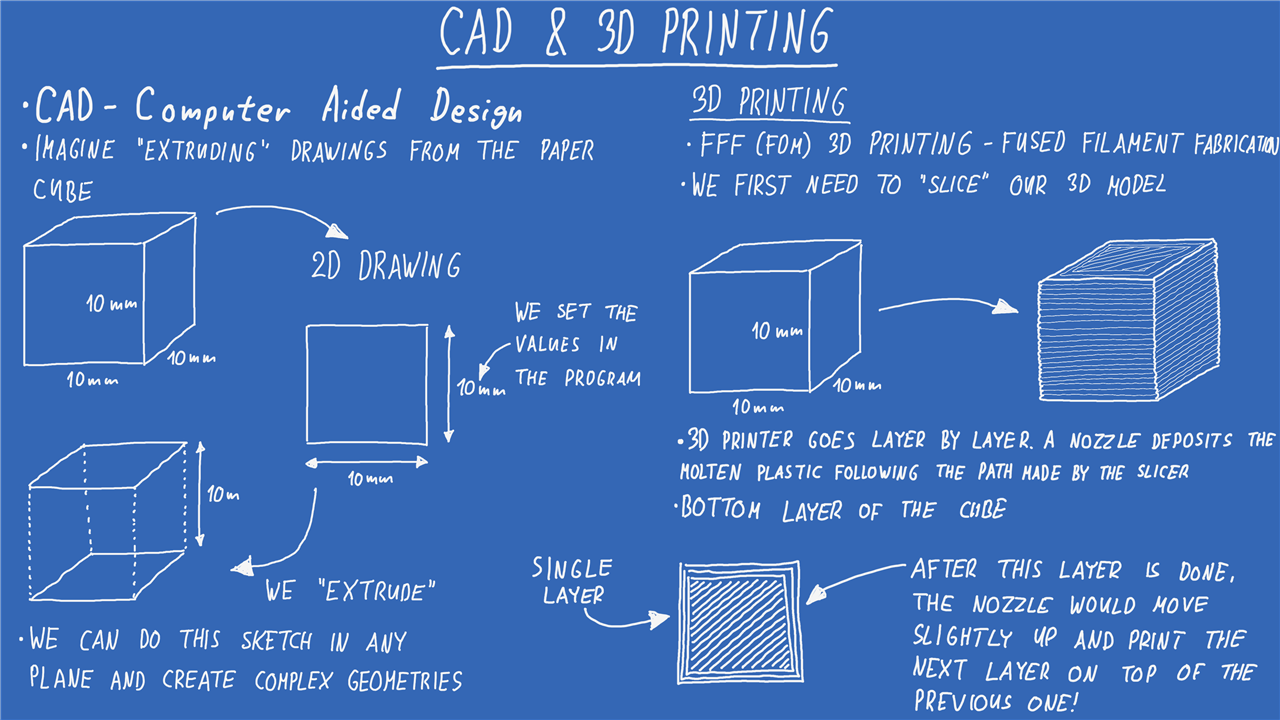
The last major section covers how an idea becomes a physical part. Miloš walks through CAD, starting with the most intuitive possible example: a cube. Draw a square as a 2D sketch, dimension it, then extrude it into a 3D form. It is a simple demonstration, but it gives beginners an immediate way to picture CAD as something more approachable than a specialist black box.
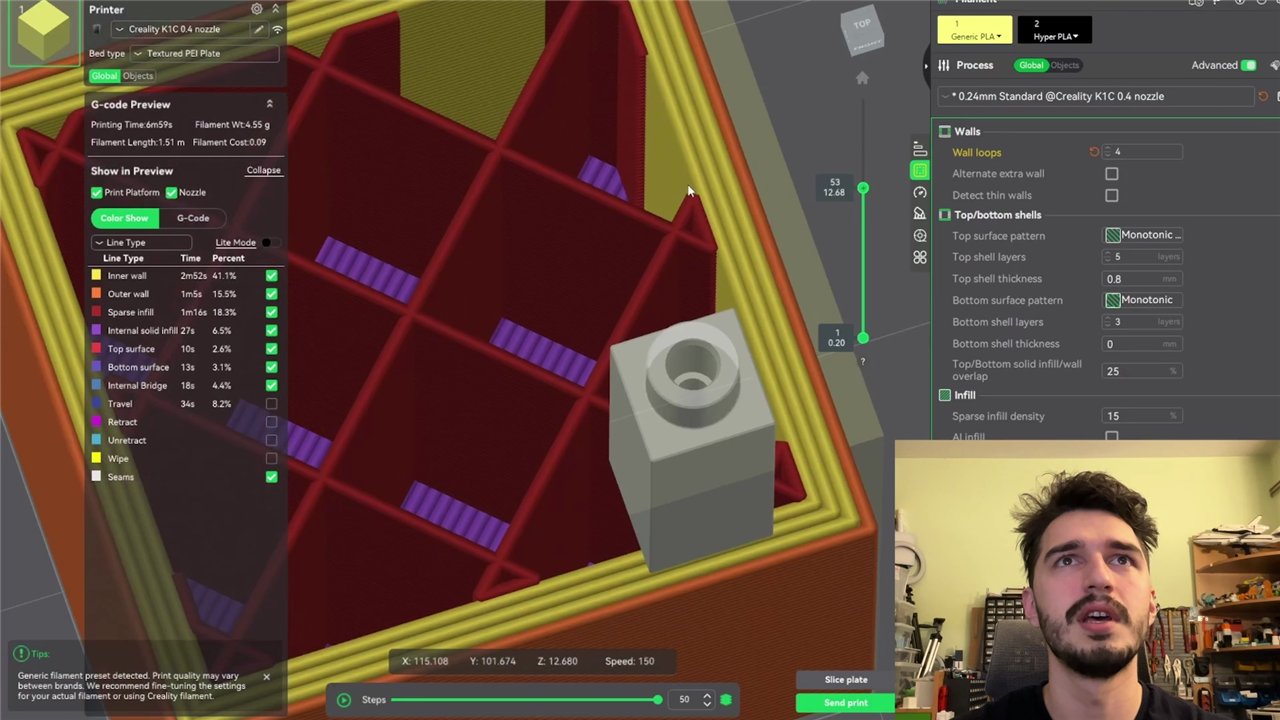
He mentions accessible tools such as Tinkercad, Fusion 360, Onshape and FreeCAD, and keeps the advice practical: the best route in is to experiment. He then follows the process into 3D printing, focusing on fused filament fabrication and the role of a slicer. The slicer takes the CAD model and turns it into layers and toolpaths for the printer, which is exactly the sort of missing step that often confuses newcomers. By explaining layer lines, infill and wall settings, he gives the reader just enough to understand why a printed part looks and behaves the way it does.
There is a welcome balance in this section as well. He is clearly comfortable designing and printing parts, but he does not make the process sound mandatory. The robots can be built in a rougher, low-cost form with cardboard and hot glue, while CAD and printing offer a cleaner route for those ready to take the next step.
Because the electronics and mechanics have to support each other, it is also worth keeping power in view while designing. Battery choice, current draw and regulation all affect how practical a build is on the bench and on the floor, which is why the Learning Center’s Power Essentials for Makers module is a helpful follow-on once the basic shape of a robot starts to come together.
Where to Go Next
As an introduction to robotics, this guide connects the essential pieces without getting lost in jargon. Miloš begins with definitions, moves into the building blocks of electronics, shows how feedback turns parts into systems, and then links the whole lot back to mechanical design and fabrication. The result is not simply a list of components, but a practical framework for understanding how robots come together.
For readers who want to keep building from here, the element14 Community Learning Center offers a solid next layer of learning across microcontrollers, programming, power and motion. The Introduction to Programming with Python module is useful once the control side starts to move beyond simple sketches and into scripts, tooling and higher-level interfaces.
It is also worth keeping an eye on ROS 2 as the projects grow. Miloš only hints at that direction here, but the move from directly controlling hardware to building reusable robotics software stacks arrives quickly once sensors, navigation and more advanced behaviour come into the picture. The Learning Center’s Essentials of Robot Operating System 2 module is a good place to begin, and his later Perry the PlatypusBot project shows how encoders, PID control and ROS 2 can build on the groundwork laid here.
Hopefully this first guide leaves you with the right next question: not whether robotics is too difficult to start, but which kind of robot to build first.


