element14 Community
element14 Community
    Register Log In
  • Site
  • Search
  • Log In Register
  • Community Hub
    Community Hub
    • What's New on element14
    • Feedback and Support
    • Benefits of Membership
    • Personal Blogs
    • Members Area
    • Achievement Levels
  • Learn
    Learn
    • Ask an Expert
    • eBooks
    • element14 presents
    • Learning Center
    • Tech Spotlight
    • STEM Academy
    • Webinars, Training and Events
    • Learning Groups
  • Technologies
    Technologies
    • 3D Printing
    • FPGA
    • Industrial Automation
    • Internet of Things
    • Power & Energy
    • Sensors
    • Technology Groups
  • Challenges & Projects
    Challenges & Projects
    • Design Challenges
    • element14 presents Projects
    • Project14
    • Arduino Projects
    • Raspberry Pi Projects
    • Project Groups
  • Products
    Products
    • Arduino
    • Avnet & Tria Boards Community
    • Dev Tools
    • Manufacturers
    • Multicomp Pro
    • Product Groups
    • Raspberry Pi
    • RoadTests & Reviews
  • About Us
  • Store
    Store
    • Visit Your Store
    • Choose another store...
      • Europe
      •  Austria (German)
      •  Belgium (Dutch, French)
      •  Bulgaria (Bulgarian)
      •  Czech Republic (Czech)
      •  Denmark (Danish)
      •  Estonia (Estonian)
      •  Finland (Finnish)
      •  France (French)
      •  Germany (German)
      •  Hungary (Hungarian)
      •  Ireland
      •  Israel
      •  Italy (Italian)
      •  Latvia (Latvian)
      •  
      •  Lithuania (Lithuanian)
      •  Netherlands (Dutch)
      •  Norway (Norwegian)
      •  Poland (Polish)
      •  Portugal (Portuguese)
      •  Romania (Romanian)
      •  Russia (Russian)
      •  Slovakia (Slovak)
      •  Slovenia (Slovenian)
      •  Spain (Spanish)
      •  Sweden (Swedish)
      •  Switzerland(German, French)
      •  Turkey (Turkish)
      •  United Kingdom
      • Asia Pacific
      •  Australia
      •  China
      •  Hong Kong
      •  India
      • Japan
      •  Korea (Korean)
      •  Malaysia
      •  New Zealand
      •  Philippines
      •  Singapore
      •  Taiwan
      •  Thailand (Thai)
      • Vietnam
      • Americas
      •  Brazil (Portuguese)
      •  Canada
      •  Mexico (Spanish)
      •  United States
      Can't find the country/region you're looking for? Visit our export site or find a local distributor.
  • Translate
  • Profile
  • Settings
Community Hub
Community Hub
Member Blogs JustEncaseBLOG#5TestingPart2
  • Blog
  • Forum
  • Documents
  • Quiz
  • Events
  • Leaderboard
  • Polls
  • Files
  • Members
  • Mentions
  • Sub-Groups
  • Tags
  • More
  • Cancel
  • New
Join Community Hub to participate - click to join for free!
  • Share
  • More
  • Cancel
Group Actions
  • Group RSS
  • More
  • Cancel
Engagement
  • Author Author: skruglewicz
  • Date Created: 19 Feb 2022 10:13 PM Date Created
  • Views 1058 views
  • Likes 0 likes
  • Comments 2 comments
Related
Recommended

JustEncaseBLOG#5TestingPart2

skruglewicz
skruglewicz
19 Feb 2022


TEST# 2 - Measure the Environment within the Waterproof Enclosure 1554H2GYCL 

  • imageimage
  • Description

    • For this Test, I purchased two Grove Sensors from Seeed and used two of sensors from the supplied Grove starter Kit.
    • I also purchased the Arduino MKR Connector Carrier from the Arduino Store. This is used to attach the sender MKR1 from the previous test and attach the groove sensor connectors.
    • The List of components used in this test:
      • Arduino MKR Connector Carrierimage
        • The Arduino MKR CONNECTOR CARRIER provides Seeed Studio's Grove connectors to your MKR board.
        • This shield can allow you to build applications with different IoT connectivity's by simply changing the MKR board and with almost no changes to the code.
        • BUY it from the Arduino Store
      • Grove - Dust Sensor(PPD42NS)SKU 101020012image
        • This Dust Sensor gives a good indication of the air quality in an environment by measuring the dust concentration.
        • The Particulate Matter level (PM level) in the air is measured by counting the Low Pulse Occupancy time (LPO time) in a given time unit. LPO time is proportional to PM concentration. This sensor can provide reliable data for air purifier systems; it is responsive to PM of diameter 1μm.
        • Buy it from Seeed
      • Grove - Water Sensor   SKU 101020018 image
        • Grove - Water Sensor detects the presence of water using exposed PCB traces.
        • The sensor is made up of interlaced traces of Ground and Sensor signals.
        • The sensor traces are weakly pulled up using 1 MΩ resistor.
        • The resistor will pull the sensor trace value high until a drop of water shorts the sensor trace to the ground trace. 
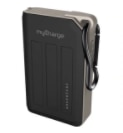
      • USB Ruggedized Charger for Power image
        • The AdventureMax 10000mAh by MyCharge
        • splash resistant
        • drop resistant
        • dirt-proof
        • II had this charger lying around the house. I decided to use it to power the MKR WAN 1300.
      • Grove - Starter Kit Sensors
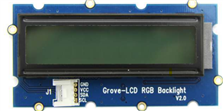
        • Grove - LCD RGB Backlight image
          • The Grove - LCD RGB Backlight supports text display, using user-defined characters. It enables you to set the backlight color, using the simple and concise Grove interface. It uses I2C as the communication method with your Arduino.
          • This is a 16x2 LCD screen.
          • It is capable of displaying two rows of sixteen-character texts, supporting languages such as English and Japanese.
        • Grove – Temperature Sensor  
          • imagethe Grove - Temperature Sensor uses a thermistor which returns the ambient temperatureimage.
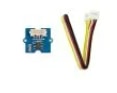
          • The board then converts this voltage value measured by an analog input pin to a temperature.
          • The operating range is -40 to 125 degrees Celsius.
          • Wiki] Grove - Temperature Sensor
  • Wiring Diagram

    • All the sensors mentioned in the previous section are connected to the Arduino Connector Carrier with a Groove Cable connected to the designated connectors.
    • One end of the cable is attached to the Grove sensor and the other to the Grove connector on the Carrier.
      • The LCD Display is attached to the TWI ()I2C) connector
      • The TEMPRATURE sensor is attached to the analog A0 connector.
      • The DUST sensor is attached to the digital D4 connector
      • The WATER sensor is attached to the digital D2 connector
    • The Arduino MKRWAN 1300 Is attached to the Connector Carrier in the relation shown below
      • For POWER, the AdventureMax 10000mAh is attached to the USB connector on the MKRWAN 1300
      • The LoRa Antenna is attached to the antenna connector on the MKRWAN 1300
    • BLOCK DIGARAM
      • Here is a diagram of components: 
        • image
           
      • THE BUILD
        • Carrier Connector and the Attached components

          image

SOFTWARE DESIGN

Libraries

  • rgb_lcd.h
    • used for the LCD
    •  README.md
  • MKRWAN.h
    • used for Lora communications . 
    • Installed by the Arduino IDE Library Manger
  • LoRa.h
    • the library used for sending and receiving data using LoRa radios. 
    • GitHub - sandeepmistry/arduino-LoRa: An Arduino library for sending and receiving data using LoRa radios.
  • Wire.h
    • This library allows you to communicate with I2C / TWI devices.
    • It is needed by the Grove LCD Display

Arduino Sketches 

  • Three MCU"s, Three Sketches to get the the data through.
  • The next Three section will describe the 3 sketches used to get the data thru and onto the Arduino IoT cloud.

LoRa SENDER  - MKR_LoRa_Sender_E2.ino on MKR1

  • This sketch is Uploaded to the MKR1 board in my design.
  • This Sketch, will be used to transmit LoRaWAN packets  to the MKR2 LoRa Receiver board.
  • As described in the Design section above it will have 3 Grove sensors and 1 Grove LCD display connected to the Arduino MKR Connector Carrier.
  •  a MKR WN 1300 (MKR1) is attached to the Carrier.
  • one by one, each sensor is read.
    • after each sensor is read, a LoRa a packet with the sensor value is sent 
    • In the packet send function the value is displayed on the LCD display.

CODE- MKR_LoRa_Sender_E2.ino


LoRa Receiver - MKR_LoRa_Reeiver_UnitTest.ino on MKR2

  • This Sketch, will be used to receive LoRaWAN packets.
  • It is the same code that I used in Test#1, but I have included here for brevity
  • The packets will contain telemetry data that will be sent over a serial line to the Nano 33 IoT.

CODE - MKR_LoRa_Reeiver_UnitTest.ino

Sending Data to the Arduino IoT Cloud 

  • This sketch sends data to the IoT Cloud Dashboard
  • It runs on the Nano 33 IoT board and connects via a WiFi connection.
  • The sketch, is Auto Generated when you initially create a thing connected to a device on the Arduino IoT cloud
  • NOTE: the Nano board script is generated automatically when creating a new Thing on the Arduino IoT cloud as described in the online tutorial
    • Getting started with the Arduino IoT Cloud
  • Here is my Thing on the Arduino Cloud with the variables defined.
    • image
  • The sketch is generated on the sketch Tab as described below.
  • Here is a screenshot of the sketch generated to send data to the thing that I created on the IoT cloud.
    • image
  • I then added my code to this sketch to receive serial data, parse the packet to extract the value and set the value to the proper variable
  • The variable is then sent to the Thing and onto the Dashboard.
  • Here is the entire sketch that will run on the Nano 33 IoT:
  • Here is a screenshot of the Serial Monitor tab on the Arduino CLoud showing the Serial.print() calls in the program running on the Nano 33 IoT.
    • image
  • And Finally, here is the dashboard showing the Variables.
    • On the Phoneimage

<<< PREVIOUS BLOG NEXT BLOG  >>>

Blog#4 Testing Part 1 (Case Enclosure Reliability Monitor)

Addendum BLOG A Testing


  • Sign in to reply
Parents
  • skruglewicz
    skruglewicz over 3 years ago

    CODE- MKR_LoRa_Sender_E2.ino

    CODE HAS MOVED TO COMMENTS BELOW

    /*
    MKR_LoRa_SENDER_InTemp
    This sketch will get the temprture from a DS18B20 Temperature Sensor attached to the MKR WAN 1300 
    Each time the loop runs, we will send a "packet" containing the message "InTemp:<temp>
    the value of <temp> will contain the current tempreture from the sensor
    The packet will be sent 
    
    1-20-2020 Added OLED Adafruit_SSD1306 support.
    
    */
    
    // MKRWAN - Version: 1.0.15
    #include <MKRWAN.h>
    
    #include <SPI.h>
    #include <LoRa.h>
    #include <Wire.h>
    #include "rgb_lcd.h"
    
    // Grove LCD DISPLAY
    rgb_lcd lcd;      //instantiate lcd Object
    
    // Grove TEMPERATURE Sensor
    const int pinTemp = A0;      // pin of temperature sensor
    float temperature;
    float TempF;                 // tempreture in ferienheight
    int B=3975;                  // B value of the thermistor
    float resistance;
    
    //Grove WATER Sensor
    #define WATER_SENSOR 2
    String WaterStatus;
    
    // Grove Dust Sensor 
    int pin = 4;
    unsigned long duration;
    unsigned long starttime;
    unsigned long sampletime_ms = 30000;//sampe 30s ;
    unsigned long lowpulseoccupancy = 0;
    float ratio = 0;
    float concentration = 0;
    float DustStatus;
    
    //DISPLAY STRING
    void Display(String title,String message){
    // display title and message on the LCD display
    // Put title on the 1st line 
    // put message on the 2nd line
      
      //DISPLAY TITLE
      // set the cursor to (0,0):
      lcd.setCursor(0, 0);
      lcd.print(title);
      lcd.print(" . . . . . . . .");
      delay(2000);
     
      //DISPLAY MESSAGE - on a scrolling message on the 2nd line
      // set the cursor to (16,1):
      lcd.setCursor(16,1);
      // set the display to automatically scroll:
      lcd.autoscroll();
      lcd.print(message);
      delay(2000);
    
      //CLEAN UP
      // turn off automatic scrolling
      lcd.noAutoscroll();
      // clear screen for the next Message
      lcd.clear();
    }
    
    void setup() {
      
      // Grove LCD DISPLAY SECTION
      // set up the LCD's number of columns and rows:
      lcd.begin(16, 2);
    
      // LoRa INIT SECTION
      //SHUT OFF SERIAL
      //  Serial.begin(9600);
      //  Serial.println("LoRa Sender");
      Display("LoRa Sender","Started...");
      if (!LoRa.begin(915E6)) {
        while(1){
          //SHUT OFF SERIAL
          Serial.println("Starting LoRa failed!");
          Display("Starting LoRa ","failed!");
        }  
      }
      
      //Grove TEMPERATURE 
        pinMode(A0,INPUT);      //Setting the A0 pin as input pin to take data from the temperature sensor 
    
      //Grove WATER Sensor
      pinMode(WATER_SENSOR, INPUT); 
    
      // Grove Dust Sensor 
      pinMode(pin,INPUT);
      starttime = millis();//get the current time;
    
    }


    // SEND LORA PACKET
    void SendPacket(String type, String value){
      String tuple;
      tuple = String(type) + String(value);
      
      //display the packet contents
      Display("Sending packet: ", tuple );
      //Display(type);
      //Display(value);
      
      // send packet
      LoRa.beginPacket();
      LoRa.print(type);
      LoRa.print(value);
      LoRa.endPacket();
    }
    
    //GET THE WATER DETECT VALUE  WET/DRY 0/1
    String GetWaterStatus(){
      String stat;
      int val;
      val = digitalRead(WATER_SENSOR);
      
      if (val == 0){
        stat = "WET";
      }
      if (val == 1){
        stat = "DRY";
      }
    //  if ((val != 0) || (val != 1) ){
    //    stat = "Water Sensor ERROR";
    //  }  
      return stat;
    }
    
    //GET DUST PARTICLE CONCENTRATION
    float GetDustParticle(){
      bool finished = false;
      
      do{
        
          duration = pulseIn(pin, LOW);
          lowpulseoccupancy = lowpulseoccupancy+duration;
       
          if ((millis()-starttime) > sampletime_ms)//if the sampel time == 30s
          {
              ratio = lowpulseoccupancy/(sampletime_ms*10.0);  // Integer percentage 0=>100
              concentration = 1.1*pow(ratio,3)-3.8*pow(ratio,2)+520*ratio+0.62; // using spec sheet curve
              
              if (lowpulseoccupancy > 0)
              {
                Serial.print(lowpulseoccupancy);
                Serial.print(",");
                Serial.print(ratio);
                Serial.print(",");
                Serial.println(concentration);
              }
              
              lowpulseoccupancy = 0;
              starttime = millis();
              finished = true;
          }
      } while (!finished);
    
      return concentration;
        
    }
    
    //GET THE CURRENT Grove Sensor TEMPERATURE
    float GetTemp(){
      
      int val = analogRead(pinTemp);                               // get analog value
      resistance=(float)(1023-val)*10000/val;                      // get resistance
      temperature=1/(log(resistance/10000)/B+1/298.15)-273.15;     // calc temperature in celsius
      TempF = (temperature * 9/5) + 32;                            // calc temp in ferenheight  
                                    
      return TempF;
    }
    
    void loop() {
    
      //get the current Temperature
      TempF = GetTemp();
      //SEND THE PACKET
      
      SendPacket("Temp:",String(TempF));
    
      //get the water status
      WaterStatus = GetWaterStatus();
      SendPacket("Water:",WaterStatus);
    
      // get the dust particle status - Concentration
      DustStatus = GetDustParticle();
      SendPacket("Dust:",String(DustStatus)); 
     
      //delay(5000);
    }
     

    Generated Sketch to run on the Nano 33 IoT
    CODE HAS MOVED TO COMMENTS BELOW :

    • Cancel
    • Vote Up 0 Vote Down
    • Sign in to reply
    • More
    • Cancel
Comment
  • skruglewicz
    skruglewicz over 3 years ago

    CODE- MKR_LoRa_Sender_E2.ino

    CODE HAS MOVED TO COMMENTS BELOW

    /*
    MKR_LoRa_SENDER_InTemp
    This sketch will get the temprture from a DS18B20 Temperature Sensor attached to the MKR WAN 1300 
    Each time the loop runs, we will send a "packet" containing the message "InTemp:<temp>
    the value of <temp> will contain the current tempreture from the sensor
    The packet will be sent 
    
    1-20-2020 Added OLED Adafruit_SSD1306 support.
    
    */
    
    // MKRWAN - Version: 1.0.15
    #include <MKRWAN.h>
    
    #include <SPI.h>
    #include <LoRa.h>
    #include <Wire.h>
    #include "rgb_lcd.h"
    
    // Grove LCD DISPLAY
    rgb_lcd lcd;      //instantiate lcd Object
    
    // Grove TEMPERATURE Sensor
    const int pinTemp = A0;      // pin of temperature sensor
    float temperature;
    float TempF;                 // tempreture in ferienheight
    int B=3975;                  // B value of the thermistor
    float resistance;
    
    //Grove WATER Sensor
    #define WATER_SENSOR 2
    String WaterStatus;
    
    // Grove Dust Sensor 
    int pin = 4;
    unsigned long duration;
    unsigned long starttime;
    unsigned long sampletime_ms = 30000;//sampe 30s ;
    unsigned long lowpulseoccupancy = 0;
    float ratio = 0;
    float concentration = 0;
    float DustStatus;
    
    //DISPLAY STRING
    void Display(String title,String message){
    // display title and message on the LCD display
    // Put title on the 1st line 
    // put message on the 2nd line
      
      //DISPLAY TITLE
      // set the cursor to (0,0):
      lcd.setCursor(0, 0);
      lcd.print(title);
      lcd.print(" . . . . . . . .");
      delay(2000);
     
      //DISPLAY MESSAGE - on a scrolling message on the 2nd line
      // set the cursor to (16,1):
      lcd.setCursor(16,1);
      // set the display to automatically scroll:
      lcd.autoscroll();
      lcd.print(message);
      delay(2000);
    
      //CLEAN UP
      // turn off automatic scrolling
      lcd.noAutoscroll();
      // clear screen for the next Message
      lcd.clear();
    }
    
    void setup() {
      
      // Grove LCD DISPLAY SECTION
      // set up the LCD's number of columns and rows:
      lcd.begin(16, 2);
    
      // LoRa INIT SECTION
      //SHUT OFF SERIAL
      //  Serial.begin(9600);
      //  Serial.println("LoRa Sender");
      Display("LoRa Sender","Started...");
      if (!LoRa.begin(915E6)) {
        while(1){
          //SHUT OFF SERIAL
          Serial.println("Starting LoRa failed!");
          Display("Starting LoRa ","failed!");
        }  
      }
      
      //Grove TEMPERATURE 
        pinMode(A0,INPUT);      //Setting the A0 pin as input pin to take data from the temperature sensor 
    
      //Grove WATER Sensor
      pinMode(WATER_SENSOR, INPUT); 
    
      // Grove Dust Sensor 
      pinMode(pin,INPUT);
      starttime = millis();//get the current time;
    
    }


    // SEND LORA PACKET
    void SendPacket(String type, String value){
      String tuple;
      tuple = String(type) + String(value);
      
      //display the packet contents
      Display("Sending packet: ", tuple );
      //Display(type);
      //Display(value);
      
      // send packet
      LoRa.beginPacket();
      LoRa.print(type);
      LoRa.print(value);
      LoRa.endPacket();
    }
    
    //GET THE WATER DETECT VALUE  WET/DRY 0/1
    String GetWaterStatus(){
      String stat;
      int val;
      val = digitalRead(WATER_SENSOR);
      
      if (val == 0){
        stat = "WET";
      }
      if (val == 1){
        stat = "DRY";
      }
    //  if ((val != 0) || (val != 1) ){
    //    stat = "Water Sensor ERROR";
    //  }  
      return stat;
    }
    
    //GET DUST PARTICLE CONCENTRATION
    float GetDustParticle(){
      bool finished = false;
      
      do{
        
          duration = pulseIn(pin, LOW);
          lowpulseoccupancy = lowpulseoccupancy+duration;
       
          if ((millis()-starttime) > sampletime_ms)//if the sampel time == 30s
          {
              ratio = lowpulseoccupancy/(sampletime_ms*10.0);  // Integer percentage 0=>100
              concentration = 1.1*pow(ratio,3)-3.8*pow(ratio,2)+520*ratio+0.62; // using spec sheet curve
              
              if (lowpulseoccupancy > 0)
              {
                Serial.print(lowpulseoccupancy);
                Serial.print(",");
                Serial.print(ratio);
                Serial.print(",");
                Serial.println(concentration);
              }
              
              lowpulseoccupancy = 0;
              starttime = millis();
              finished = true;
          }
      } while (!finished);
    
      return concentration;
        
    }
    
    //GET THE CURRENT Grove Sensor TEMPERATURE
    float GetTemp(){
      
      int val = analogRead(pinTemp);                               // get analog value
      resistance=(float)(1023-val)*10000/val;                      // get resistance
      temperature=1/(log(resistance/10000)/B+1/298.15)-273.15;     // calc temperature in celsius
      TempF = (temperature * 9/5) + 32;                            // calc temp in ferenheight  
                                    
      return TempF;
    }
    
    void loop() {
    
      //get the current Temperature
      TempF = GetTemp();
      //SEND THE PACKET
      
      SendPacket("Temp:",String(TempF));
    
      //get the water status
      WaterStatus = GetWaterStatus();
      SendPacket("Water:",WaterStatus);
    
      // get the dust particle status - Concentration
      DustStatus = GetDustParticle();
      SendPacket("Dust:",String(DustStatus)); 
     
      //delay(5000);
    }
     

    Generated Sketch to run on the Nano 33 IoT
    CODE HAS MOVED TO COMMENTS BELOW :

    • Cancel
    • Vote Up 0 Vote Down
    • Sign in to reply
    • More
    • Cancel
Children
No Data
element14 Community

element14 is the first online community specifically for engineers. Connect with your peers and get expert answers to your questions.

  • Members
  • Learn
  • Technologies
  • Challenges & Projects
  • Products
  • Store
  • About Us
  • Feedback & Support
  • FAQs
  • Terms of Use
  • Privacy Policy
  • Legal and Copyright Notices
  • Sitemap
  • Cookies

An Avnet Company © 2026 Premier Farnell Limited. All Rights Reserved.

Premier Farnell Ltd, registered in England and Wales (no 00876412), registered office: Farnell House, Forge Lane, Leeds LS12 2NE.

ICP 备案号 10220084.

Follow element14

  • X
  • Facebook
  • linkedin
  • YouTube