On the 31st March 2026 we're deploying our second site update of the year. Here are some of the features you may be interested in;
RoadTest & Design Challenge Changes
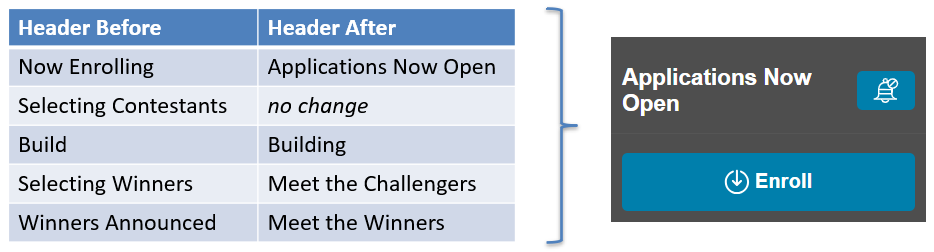
We've made it easier for you to subscribe to notifications on a RoadTest/Design Challenge with this bell icon at the top right of the status panel;

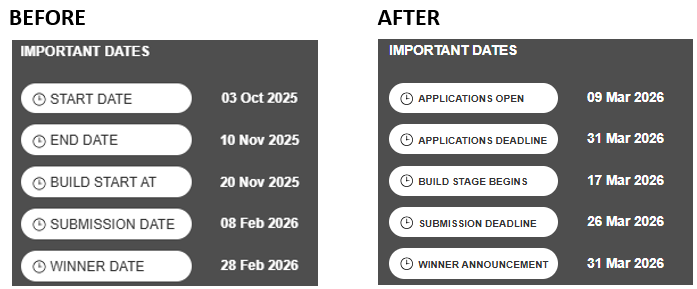
Wording for Design Challenges has been improved to make it more clear what each label means;
Headings have also been tweaked;
The user journey for members logging in or registering to enrol in a RoadTest/Design Challenge/Webinar will now land them back on the original page and popup the enrolment form, making it more obvious to the user what they need to do next.
The contact details form now makes it clear which fields are required for entry.
On member profile pages, the 'RoadTester Since' date is now the date of their first review, not their first application.
Quizzes
We now have the ability to create quizzes that have;
- Weighted scoring on answers
- Answers with multiple choices (i.e. checkboxes rather than just radio buttons)
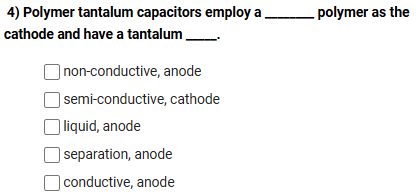
Keep an eye out for new quizzes that use these new options!
Achievement Flair Placeholders
In our last site update we added a new feature to member profile pages which shows your membership length badge, as well as able to add up to 3 other achievements to show off. We've improved this to show placeholders if you've not set any. The positive feedback we've had for this feature has been fantastic; we're so glad you like it 

Japanese eCommerce Store Integration
We now have full support for our Farnell store in Japan, so if you have that country set in your profile you'll see localised pricing and availability, and the Buy button will take you to jp.farnell.com.

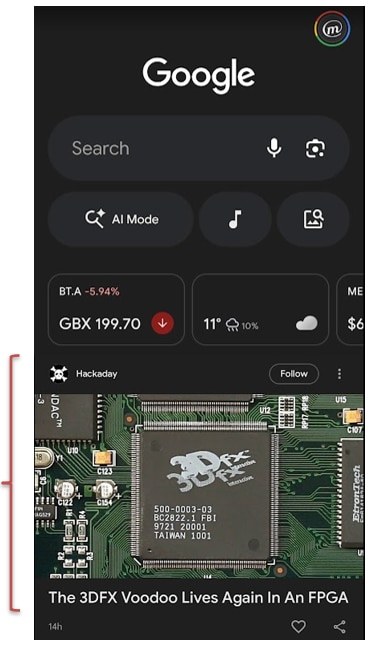
Google Discover - News Sitemap
Behind the scenes we've built the ability for our content team to set areas of the site to appear in a News sitemap. This should mean it'll be eligible to appear in Google Discover, which you'll likely have seen in various Google apps. We're hoping this will give content on element14 Community exposure to a wider audience of electrical engineers who haven't heard of us.
Structured Citations for Projects
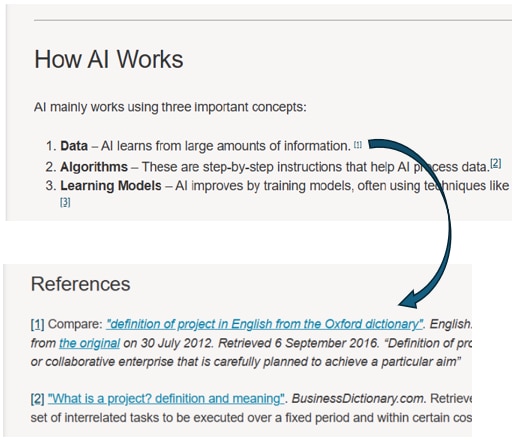
When writing Projects, you can now add structured citations, making it easier to reference sources and improve the clarity and credibility of your content. Citations are added directly within the body using a numbered format and linked to a dedicated References section, allowing readers to quickly navigate between content and its sources.
How to Use it
When creating or editing a Project, add citations in the body by placing a number in square brackets, e.g. [1], next to the relevant text in Body of the Project. Only numeric formats without spaces are supported.
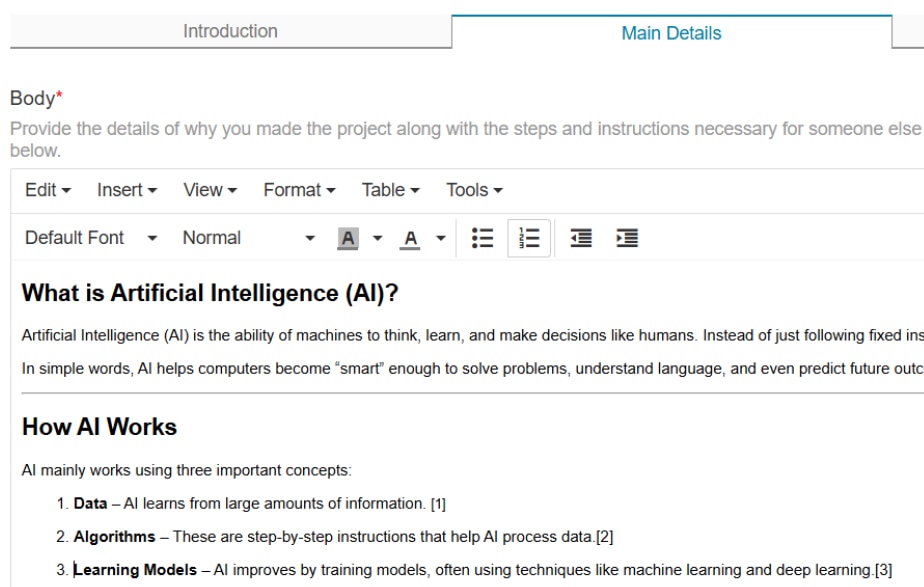
Then, in the References section, enter the corresponding citation details using the same numbered format, e.g.
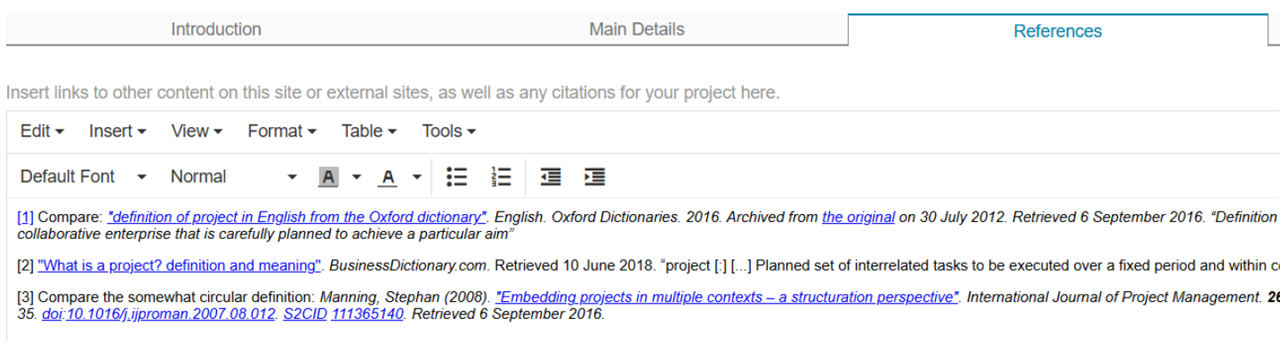
After publishing, users can click on a citation in the body, which will automatically scroll to the matching reference in the References section.