Rabbits can detect danger, they are constantly on the lookout for predators, such as foxes. They have good sense of hearing, sight and excellent sense of smel
Rabbits hear in a similar range to humans, but they can detect higher frequency sounds than we can. Their hearing is highly developed, and they can detect sounds from far away. Rabbit ears can move independently of each other, a feature which is used by rabbits to help work out where a sound is coming from."
That's one of the reasons why Azure Sphere architecture is built with many security features in mind. From application environment, authenticated connection, software updates, Azure Sphere platform provides high-value security at a low cost.
Just like a rabbit, when we deploy IoT project in the wild, it has to be aware of its surroundings, detecting predators around. Reducing risk of being "pwned".
One way to secure data is not to send it to the internet for processing. If it can be processed locally on the device or somewhere in local network, it's better for security. Less possible leakage of data to hackers, less data loss due to network traffic, less processing cost by not sending data up to the cloud somewhere.
Container support in Azure Cognitive Services
Azure Cognitive Services are rich APIs that are available to developers to build intelligent applications without having direct AI or data science skills or knowledge. It helps us developers to create applications that can see, hear, speak, understand, and even begin to reason.
I was surprised how easy to use these Pre-built AI models in my projects. Then I saw container support, and it blew my mind.

Anomaly Detector containers
That's when machines started to "begin to reason", it's something abnormal so it detects anomalies.
Azure Anomaly Detector API easily embed anomaly detection capabilities into your apps so users can quickly identify problems. It can detects anomalies as they occur in real-time because it infers the expected normal range of your data.
What is the project I did?
My goal is to show how to use Anomaly Detection API in Azure Sphere by using sensor data.
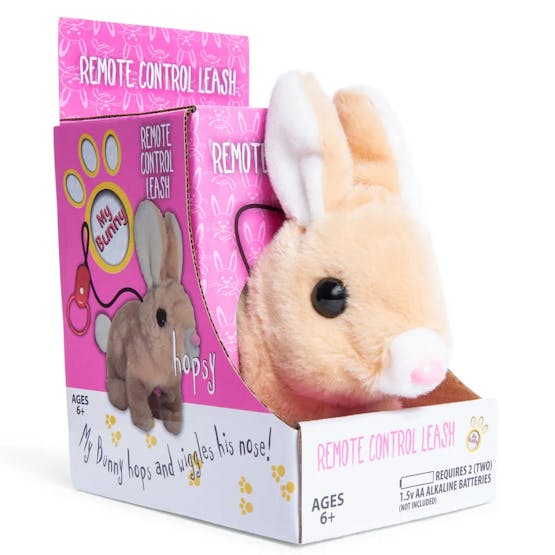
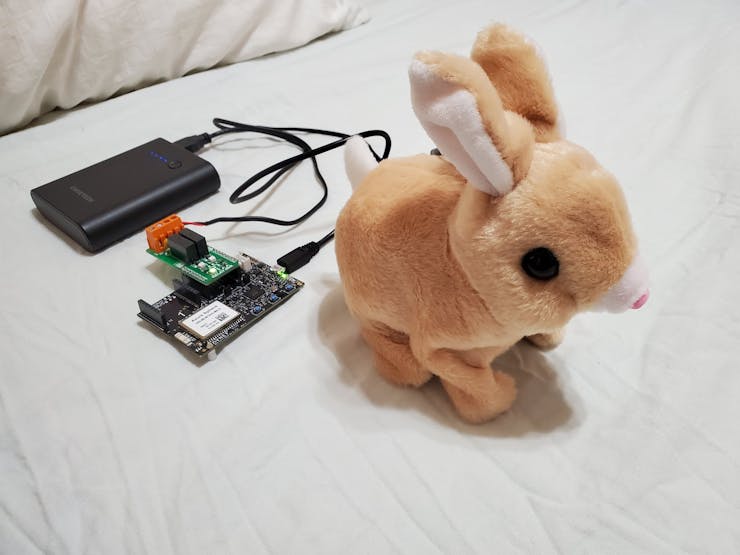
I used the accelerometer data and send it to Anomaly Detector API running in a container on my laptop or raspberry pi. If it detects an anomaly it sends the signal to the relay and make the bunny jump.
It won't save the world, but if it inspired you to save the world thru the technology used here, then I helped made the world a better place.

Besides, it's a cute bunny, who can't resist. Come on click on the "Thumbs Up" button and follow me.
Setup
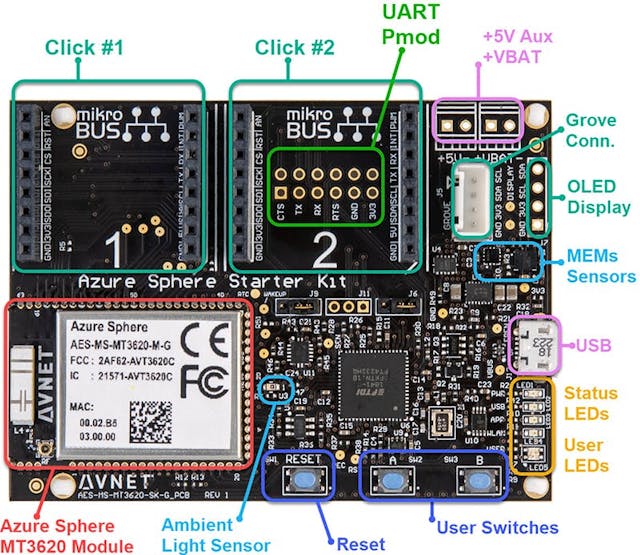
1. Hardware
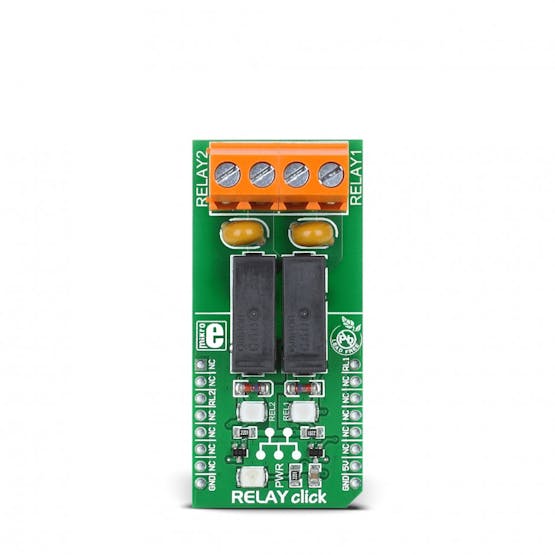
A Relay Click from MicroE
2. Software
then I started with this sample project. If I'm going to use Cognitive Services I need to learn how to access an API in Azure Sphere
I'm a C# developer, this Azure Sphere can only be programmed in C... where's the sharp.
/// <summary>
/// Download a web page over HTTPS protocol using cURL.
/// </summary>
static void PerformWebPageDownload(void)
{
CURL *curlHandle = NULL;
CURLcode res = 0;
MemoryBlock block = {.data = NULL, .size = 0};
char *certificatePath = NULL;
bool isNetworkingReady = false;
if ((Networking_IsNetworkingReady(&isNetworkingReady) < 0) || !isNetworkingReady) {
Log_Debug("\nNot doing download because there is no internet connectivity.\n");
goto exitLabel;
}
Log_Debug("\n -===- Starting download -===-\n");
// Init the cURL library.
if ((res = curl_global_init(CURL_GLOBAL_ALL)) != CURLE_OK) {
LogCurlError("curl_global_init", res);
goto exitLabel;
}
if ((curlHandle = curl_easy_init()) == NULL) {
Log_Debug("curl_easy_init() failed\n");
goto cleanupLabel;
}
// Specify URL to download.
// Important: any change in the domain name must be reflected in the AllowedConnections
// capability in app_manifest.json.
if ((res = curl_easy_setopt(curlHandle, CURLOPT_URL, "https://example.com")) != CURLE_OK) {
LogCurlError("curl_easy_setopt CURLOPT_URL", res);
goto cleanupLabel;
}
// Set output level to verbose.
if ((res = curl_easy_setopt(curlHandle, CURLOPT_VERBOSE, 1L)) != CURLE_OK) {
LogCurlError("curl_easy_setopt CURLOPT_VERBOSE", res);
goto cleanupLabel;
}
// Get the full path to the certificate file used to authenticate the HTTPS server identity.
// The DigiCertGlobalRootCA.pem file is the certificate that is used to verify the
// server identity.
certificatePath = Storage_GetAbsolutePathInImagePackage("certs/DigiCertGlobalRootCA.pem");
if (certificatePath == NULL) {
Log_Debug("The certificate path could not be resolved: errno=%d (%s)\n", errno,
strerror(errno));
goto cleanupLabel;
}
// Set the path for the certificate file that cURL uses to validate the server certificate.
if ((res = curl_easy_setopt(curlHandle, CURLOPT_CAINFO, certificatePath)) != CURLE_OK) {
LogCurlError("curl_easy_setopt CURLOPT_CAINFO", res);
goto cleanupLabel;
}
// Let cURL follow any HTTP 3xx redirects.
// Important: any redirection to different domain names requires that domain name to be added to
// app_manifest.json.
if ((res = curl_easy_setopt(curlHandle, CURLOPT_FOLLOWLOCATION, 1L)) != CURLE_OK) {
LogCurlError("curl_easy_setopt CURLOPT_FOLLOWLOCATION", res);
goto cleanupLabel;
}
// Set up callback for cURL to use when downloading data.
if ((res = curl_easy_setopt(curlHandle, CURLOPT_WRITEFUNCTION, StoreDownloadedDataCallback)) !=
CURLE_OK) {
LogCurlError("curl_easy_setopt CURLOPT_FOLLOWLOCATION", res);
goto cleanupLabel;
}
// Set the custom parameter of the callback to the memory block.
if ((res = curl_easy_setopt(curlHandle, CURLOPT_WRITEDATA, (void *)&block)) != CURLE_OK) {
LogCurlError("curl_easy_setopt CURLOPT_WRITEDATA", res);
goto cleanupLabel;
}
// Specify a user agent.
if ((res = curl_easy_setopt(curlHandle, CURLOPT_USERAGENT, "libcurl-agent/1.0")) != CURLE_OK) {
LogCurlError("curl_easy_setopt CURLOPT_USERAGENT", res);
goto cleanupLabel;
}
// Perform the download of the web page.
if ((res = curl_easy_perform(curlHandle)) != CURLE_OK) {
LogCurlError("curl_easy_perform", res);
} else {
Log_Debug("\n -===- Downloaded content (%zu bytes): -===-\n", block.size);
Log_Debug("%s\n", block.data);
}
cleanupLabel:
// Clean up allocated memory.
free(block.data);
free(certificatePath);
// Clean up sample's cURL resources.
curl_easy_cleanup(curlHandle);
// Clean up cURL library's resources.
curl_global_cleanup();
Log_Debug("\n -===- End of download -===-\n");
exitLabel:
return;
}
Relay
git clone --recurse https://github.com/Avnet/clickboard_demos
Anomaly Detector

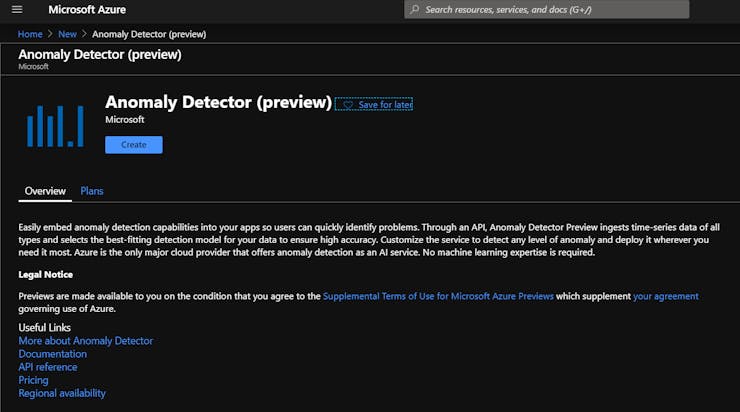
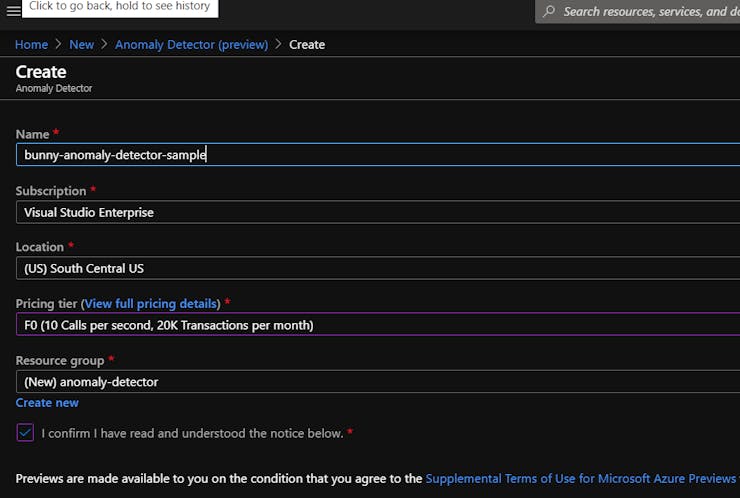

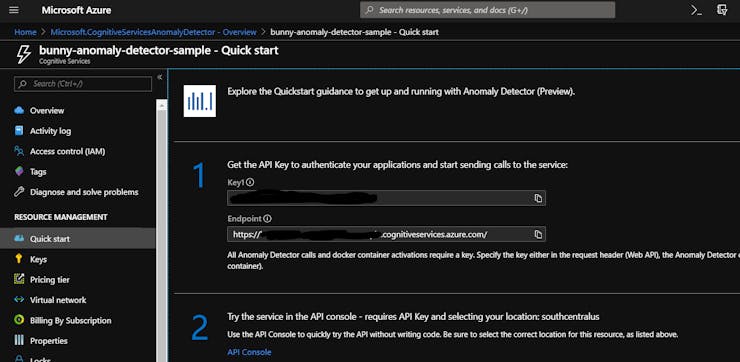
>docker pull containerpreview.azurecr.io/microsoft/cognitive-services-anomaly-detector:latest
docker run --rm -it -p 5000:5000 --memory 4g --cpus 1 \
containerpreview.azurecr.io/microsoft/cognitive-services-anomaly-detector:latest \
Eula=accept \
Billing={ENDPOINT_URI} \
ApiKey={API_KEY}
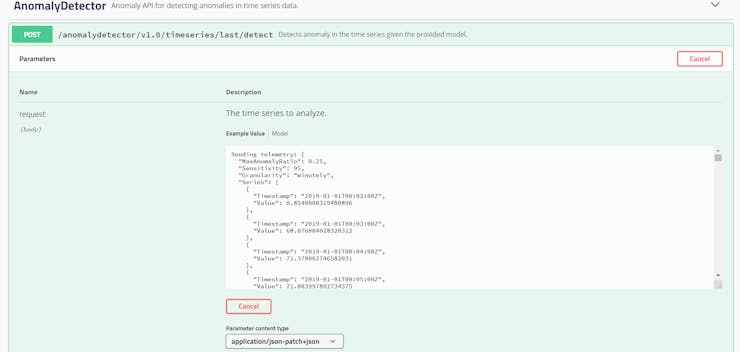
Go to your favorite browser, then you can access the api
http://localhost:5000/swagger
Note: Anomaly Detector container API need to be occasionally connected. Meaning, it has to connect to the internet to send billing data once in awhile. This is ok, at least I don't have to send any sensor data to Azure Cloud.
Putting it all together
For parsing JSON, I used http://kgabis.github.com/parson/
I had to re-learn C the hard way thru this
Here's what I used for collecting data to a list
https://github.com/rondagdag/bunny-sense/tree/master/Software/AnomalyDetection/AnomalyDetection/lcthw
app_manifest.json
If you're running your container on Windows, one thing I learned is that you have to go to Windows Firewall and open port 5000. This way Azure Sphere can access the container API.
{
"SchemaVersion": 1,
"Name": "Anomaly Detection",
"ComponentId": "011b3254-6b4e-4af1-bc81-22e7f677f4bf",
"EntryPoint": "/bin/app",
"CmdArgs": [ ],
"Capabilities": {
"AllowedConnections": [ "192.168.1.18", "192.168.43.94", "anomaly-detector-ron.cognitiveservices.azure.com" ],
"AllowedTcpServerPorts": [],
"AllowedUdpServerPorts": [],
"Gpio": [ 8, 9, 10, 15, 16, 17, 18, 19, 20, 12, 13, 0, 1, 4, 5, 57, 58, 11, 14, 48 ],
"Uart": [],
"I2cMaster": [ "ISU2" ],
"SpiMaster": [],
"WifiConfig": true,
"NetworkConfig": false,
"SystemTime": false
},
"ApplicationType": "Default"
}
Main program
On-board Sensors
{
"period": 0,
"suggestedWindow": 1441,
"expectedValue": 71.1259994506836,
"upperMargin": 0.74541999816894533,
"lowerMargin": 0.74541999816894533,
"isAnomaly": false,
"isNegativeAnomaly": false,
"isPositiveAnomaly": false
}
That's about it. Here's a thought: