element14 Community
element14 Community
    Register Log In
  • Site
  • Search
  • Log In Register
  • Community Hub
    Community Hub
    • What's New on element14
    • Feedback and Support
    • Benefits of Membership
    • Personal Blogs
    • Members Area
    • Achievement Levels
  • Learn
    Learn
    • Ask an Expert
    • eBooks
    • element14 presents
    • Learning Center
    • Tech Spotlight
    • STEM Academy
    • Webinars, Training and Events
    • Learning Groups
  • Technologies
    Technologies
    • 3D Printing
    • FPGA
    • Industrial Automation
    • Internet of Things
    • Power & Energy
    • Sensors
    • Technology Groups
  • Challenges & Projects
    Challenges & Projects
    • Design Challenges
    • element14 presents Projects
    • Project14
    • Arduino Projects
    • Raspberry Pi Projects
    • Project Groups
  • Products
    Products
    • Arduino
    • Avnet & Tria Boards Community
    • Dev Tools
    • Manufacturers
    • Multicomp Pro
    • Product Groups
    • Raspberry Pi
    • RoadTests & Reviews
  • About Us
    About the element14 Community
  • Store
    Store
    • Visit Your Store
    • Choose another store...
      • Europe
      •  Austria (German)
      •  Belgium (Dutch, French)
      •  Bulgaria (Bulgarian)
      •  Czech Republic (Czech)
      •  Denmark (Danish)
      •  Estonia (Estonian)
      •  Finland (Finnish)
      •  France (French)
      •  Germany (German)
      •  Hungary (Hungarian)
      •  Ireland
      •  Israel
      •  Italy (Italian)
      •  Latvia (Latvian)
      •  
      •  Lithuania (Lithuanian)
      •  Netherlands (Dutch)
      •  Norway (Norwegian)
      •  Poland (Polish)
      •  Portugal (Portuguese)
      •  Romania (Romanian)
      •  Russia (Russian)
      •  Slovakia (Slovak)
      •  Slovenia (Slovenian)
      •  Spain (Spanish)
      •  Sweden (Swedish)
      •  Switzerland(German, French)
      •  Turkey (Turkish)
      •  United Kingdom
      • Asia Pacific
      •  Australia
      •  China
      •  Hong Kong
      •  India
      •  Japan
      •  Korea (Korean)
      •  Malaysia
      •  New Zealand
      •  Philippines
      •  Singapore
      •  Taiwan
      •  Thailand (Thai)
      •  Vietnam
      • Americas
      •  Brazil (Portuguese)
      •  Canada
      •  Mexico (Spanish)
      •  United States
      Can't find the country/region you're looking for? Visit our export site or find a local distributor.
  • Translate
  • Profile
  • Settings
Autodesk EAGLE
  • Products
  • More
Autodesk EAGLE
Forum Have a question about CadSoft EAGLE?  Ask our Expert, Richard! (Archive)
  • Blog
  • Forum
  • Documents
  • Events
  • Polls
  • Files
  • Members
  • Mentions
  • Sub-Groups
  • Tags
  • More
  • Cancel
  • New
Join Autodesk EAGLE to participate - click to join for free!
Actions
  • Share
  • More
  • Cancel
Forum Thread Details
  • Replies 1129 replies
  • Subscribers 245 subscribers
  • Views 51316 views
  • Users 0 members are here
  • eagle
  • expert
  • richard_hammerl
  • cadsoft
Related

Have a question about CadSoft EAGLE?  Ask our Expert, Richard! (Archive)

nlarson
nlarson over 16 years ago

This thread is now locked - but you can still ask Richard by posting your questions here.  If you'd rather browse other member's questions you can read the CadSoft EAGLE Forums for past questions and answers. Enjoy!


Browse past Q&A help on anything technical relating to CadSoft EAGLE!

image


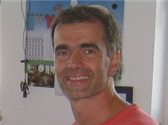
Richard Hammerl

Richard is an engineer with 16 years experience in EAGLE customer support and is waiting for your questions.

  • Sign in to reply
  • Cancel
  • e14 Contributor
    e14 Contributor over 15 years ago in reply to Richard_H

    This page is a great method to connect to others. Congratulations on a job well achieved. I am anticipating your next entry. 
    rent storage gold coastmoving to canada

    • Cancel
    • Vote Up 0 Vote Down
    • Sign in to reply
    • Cancel
  • Richard_H
    Richard_H over 15 years ago in reply to e14 Contributor

    Hi Jim,


    EAGLE is a 32bit application. this means that you have to use the 32 bit libraries on your system as well. Libpng in 64 bit does not help here.


    Regards,

    Richard

    • Cancel
    • Vote Up 0 Vote Down
    • Sign in to reply
    • Cancel
  • e14 Contributor
    e14 Contributor over 15 years ago

    I am attempting to install Eagle 5.11 on my SuSE linux 11.4_64 machine.  I cannot get it to recognize libpng12.so.0 (which is in /usr/lib64).  I have tried placing the library in the install directory and the /opt directory.  It worked fine on a previous version.  What am I doing wrong?

    thanks,

    .j

    • Cancel
    • Vote Up 0 Vote Down
    • Sign in to reply
    • Cancel
  • Richard_H
    Richard_H over 15 years ago in reply to e14 Contributor

    Hi mostcosmos,


    you have to change the background color white for the layout editor and EXPORT the IMAGE in monochrome.

    Changing the background is possible in Options/User Interface or in the the command line with

    SET PALETTE BLACK  or  SET PALETTE WHITE


    Regards,

    Richard

    • Cancel
    • Vote Up 0 Vote Down
    • Sign in to reply
    • Cancel
  • Richard_H
    Richard_H over 15 years ago in reply to e14 Contributor

    Hi John,


    DRC reports stop mask errors as soon as t/bStop layers are active. It checks everything in the silk screen against the solder stop laquer free areas because this can lead to manufacturing/solder problems. You can adjust the name or value texts after SMASH and get it error free. On the other hand it is no a too serious error. Usually the board manufacturer clips such elements with its gerber tool.


    Regards,
    Richard

    • Cancel
    • Vote Up 0 Vote Down
    • Sign in to reply
    • Cancel
  • e14 Contributor
    e14 Contributor over 15 years ago

    Hi Richard,

    I want to save an image of my layout.  When I do so in Eagle, the background is black.  Is there a way to save in black and white with the backgound white and the traces, pads etc black??

    • Cancel
    • Vote Up 0 Vote Down
    • Sign in to reply
    • Cancel
  • e14 Contributor
    e14 Contributor over 15 years ago

    Richard,


          I'm getting a lot of DRC Stop Mask errors that appear to be due to component outlines and text on tplace & bplace over lapping solder pads. When I turn these 2 layer off I do not get errors. Is this what I should do or should I modify all the packages on these layers? One part was 'switch-dil.lbr/DIP08YL.pac' and one was my creation. This is my first board with Eagle and I have version 5.11. Thanks for your help!

    • Cancel
    • Vote Up 0 Vote Down
    • Sign in to reply
    • Cancel
  • e14 Contributor
    e14 Contributor over 15 years ago in reply to Richard_H

    Hi Richard


    Many thanks for the pointer, this certainly fixes things and removes my frustration.


    Thanks again


    regards

    Brian.

    • Cancel
    • Vote Up 0 Vote Down
    • Sign in to reply
    • Cancel
  • Richard_H
    Richard_H over 15 years ago in reply to e14 Contributor

    Hi Brian,


    the problem is in your eagle.scr file. Look at these lines


    MENU '[designlink22.png] Search and order {\
                                              General : Run designlink-order.ulp -general; |\
                                              Schematic : Run designlink-order.ulp; \
                                              }'\
         '[Schedule-stats.png] Schedule Statistics : Run statistic-sch.ulp;'
         '[Schedule-renum.png] Schedule Renumber : Run renumber-sch.ulp;'
         '[Electra-link.png] PCB - Electra : Run PCB_To_DSN_v5x.ulp;'
         '[BOM-SPCL.png] BOM DBase : Run BOM-AM-18.ulp;'


    This is one MENU command and each line expects to have a backslash at the end. An this is what's missing...... Change it like this:


    MENU '[designlink22.png] Search and order {\
                                              General : Run designlink-order.ulp -general; |\
                                              Schematic : Run designlink-order.ulp; \
                                              }'\
         '[Schedule-stats.png] Schedule Statistics : Run statistic-sch.ulp;' \
         '[Schedule-renum.png] Schedule Renumber : Run renumber-sch.ulp;' \
         '[Electra-link.png] PCB - Electra : Run PCB_To_DSN_v5x.ulp;' \
         '[BOM-SPCL.png] BOM DBase : Run BOM-AM-18.ulp;'


    The same situation is in the BRD section. You need backslashes at the end of the line to tell EAGLE that the MENU command continues in the next line.


    MENU '[designlink22.png] Search and order {\
                                              General : Run designlink-order.ulp -general; |\
                                              Schematic : Run designlink-order.ulp; \
                                              }'\
         '[Board-stats.png] Board Statistics : Run statistic-brd.ulp;' \
         '[Board-renum.png] Board Renumber : Run cmd-renumber.ulp;' \
         '[Electra-link.png] PCB - Electra : Run PCB_To_DSN_v5x.ulp;' \
         '[BOM-SPCL.png] BOM DBase : Run BOM-AM-18.ulp;'


    Regards,

    Richard

    • Cancel
    • Vote Up 0 Vote Down
    • Sign in to reply
    • Cancel
  • Richard_H
    Richard_H over 15 years ago in reply to e14 Contributor

    Hi Mark,


    what is the shape of the pads in your layout? There shouldn't be problems for round or square pads because there EAGLE uses a flash aperture. Without having looked into this closer, I think octagon pads are drawn with a smaller aperture.


    Regards,
    Richard

    • Cancel
    • Vote Up 0 Vote Down
    • Sign in to reply
    • Cancel
<>
element14 Community

element14 is the first online community specifically for engineers. Connect with your peers and get expert answers to your questions.

  • Members
  • Learn
  • Technologies
  • Challenges & Projects
  • Products
  • Store
  • About Us
  • Feedback & Support
  • FAQs
  • Terms of Use
  • Privacy Policy
  • Legal and Copyright Notices
  • Sitemap
  • Cookies

An Avnet Company © 2026 Premier Farnell Limited. All Rights Reserved.

Premier Farnell Ltd, registered in England and Wales (no 00876412), registered office: Farnell House, Forge Lane, Leeds LS12 2NE.

Follow element14

  • X
  • Facebook
  • linkedin
  • YouTube